lock HYUNDAI IONIQ 2020 Manual PDF
[x] Cancel search | Manufacturer: HYUNDAI, Model Year: 2020, Model line: IONIQ, Model: HYUNDAI IONIQ 2020Pages: 561, PDF Size: 24.5 MB
Page 334 of 561
5-98
Driving your vehicle
Smart Cruise Control will be
temporarily cancelled when:
Cancelled manually
Depressing the brake pedal.
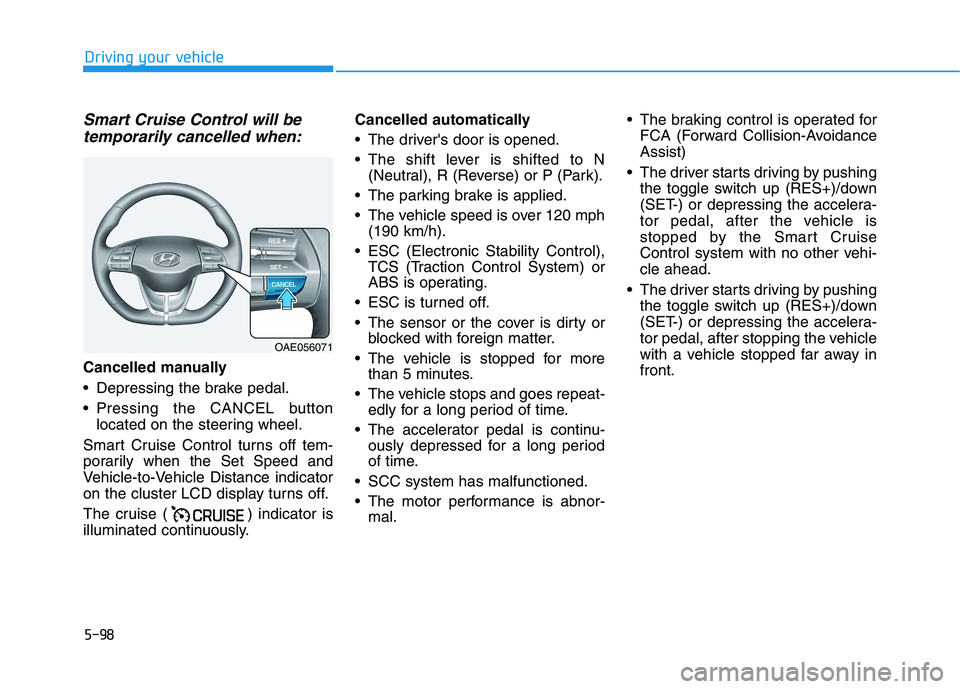
Pressing the CANCEL button
located on the steering wheel.
Smart Cruise Control turns off tem-
porarily when the Set Speed and
Vehicle-to-Vehicle Distance indicator
on the cluster LCD display turns off.
The cruise ( ) indicator is
illuminated continuously.Cancelled automatically
The driver's door is opened.
The shift lever is shifted to N
(Neutral), R (Reverse) or P (Park).
The parking brake is applied.
The vehicle speed is over 120 mph
(190 km/h).
ESC (Electronic Stability Control),
TCS (Traction Control System) or
ABS is operating.
ESC is turned off.
The sensor or the cover is dirty or
blocked with foreign matter.
The vehicle is stopped for more
than 5 minutes.
The vehicle stops and goes repeat-
edly for a long period of time.
The accelerator pedal is continu-
ously depressed for a long period
of time.
SCC system has malfunctioned.
The motor performance is abnor-
mal. The braking control is operated for
FCA (Forward Collision-Avoidance
Assist)
The driver starts driving by pushing
the toggle switch up (RES+)/down
(SET-) or depressing the accelera-
tor pedal, after the vehicle is
stopped by the Smart Cruise
Control system with no other vehi-
cle ahead.
The driver starts driving by pushing
the toggle switch up (RES+)/down
(SET-) or depressing the accelera-
tor pedal, after stopping the vehicle
with a vehicle stopped far away in
front.
OAE056071
Page 340 of 561
5-104
Driving your vehicle
Warning message
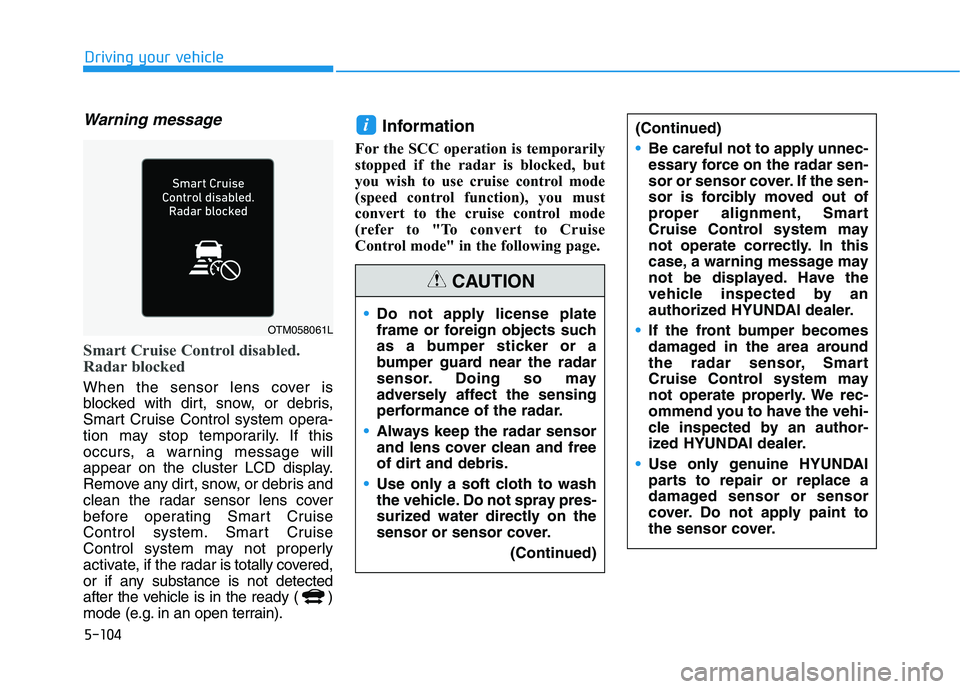
Smart Cruise Control disabled.
Radar blocked
When the sensor lens cover is
blocked with dirt, snow, or debris,
Smart Cruise Control system opera-
tion may stop temporarily. If this
occurs, a warning message will
appear on the cluster LCD display.
Remove any dirt, snow, or debris and
clean the radar sensor lens cover
before operating Smart Cruise
Control system. Smart Cruise
Control system may not properly
activate, if the radar is totally covered,
or if any substance is not detected
after the vehicle is in the ready ( )
mode (e.g. in an open terrain).
Information
For the SCC operation is temporarily
stopped if the radar is blocked, but
you wish to use cruise control mode
(speed control function), you must
convert to the cruise control mode
(refer to "To convert to Cruise
Control mode" in the following page.
i
OTM058061LDo not apply license plate
frame or foreign objects such
as a bumper sticker or a
bumper guard near the radar
sensor. Doing so may
adversely affect the sensing
performance of the radar.
Always keep the radar sensor
and lens cover clean and free
of dirt and debris.
Use only a soft cloth to wash
the vehicle. Do not spray pres-
surized water directly on the
sensor or sensor cover.
(Continued)
CAUTION
(Continued)
Be careful not to apply unnec-
essary force on the radar sen-
sor or sensor cover. If the sen-
sor is forcibly moved out of
proper alignment, Smart
Cruise Control system may
not operate correctly. In this
case, a warning message may
not be displayed. Have the
vehicle inspected by an
authorized HYUNDAI dealer.
If the front bumper becomes
damaged in the area around
the radar sensor, Smart
Cruise Control system may
not operate properly. We rec-
ommend you to have the vehi-
cle inspected by an author-
ized HYUNDAI dealer.
Use only genuine HYUNDAI
parts to repair or replace a
damaged sensor or sensor
cover. Do not apply paint to
the sensor cover.
Page 353 of 561
5-117
Driving your vehicle
5
The lane marker is very thick or
thin.
The lane is very wide or narrow.
The lane marker ahead is not visi-
ble due to rain, snow, water on the
road, damaged or stained road
surface, or other factors.
The shadow is on the lane marker
by a median strip, trees, guardrail,
noise barriers, etc.
The lane markers are complicated
or a structure substitutes for the
lines such as a construction area.
There are crosswalk signs or other
symbols on the road.
The lane marker in a tunnel is
stained with oil, etc.
The lane suddenly disappears
such as at the intersection.When external condition is inter-
vened
The brightness outside changes
suddenly such as when entering or
exiting a tunnel, or when passing
under a bridge.
The brightness outside is too low
such as when the headlamps are
not on at night or the vehicle is
going through a tunnel.
There is a boundary structure in
the roadway such as a concrete
barrier, guardrail and reflector post
that is inadvertently being detected
by the camera.
When light coming from a street
light or an oncoming vehicle is
reflected on a wet road surface
such as a puddle in the road.
The field of view in front is
obstructed by sun glare.
There is not enough distance
between you and the vehicle in
front to be able to detect the lane
marker or the vehicle ahead is driv-
ing on the lane marker. Driving on a steep grade, over a
hill, or when driving on a curved
road.
The adverse road conditions cause
excessive vehicle vibrations while
driving.
The surrounding of the inside rear
view mirror temperature is high
due to direct sunlight, etc.
When front visibility is poor
The windshield or the camera lens
is blocked with dirt or debris.
The windshield glass is fogged up;
a clear view of the road is obstruct-
ed.
Placing objects on the dashboard,
etc.
The sensor cannot detect the lane
because of fog, heavy rain or snow.
Page 359 of 561
5-123
Driving your vehicle
5
Information
• High Driving Assist is limited in
other countries.
• High Driving Assist only operates
based on the speed limits of the
highway but it does not work with
the speed cameras.
• The time gap could occur between
the navigation speed warning and
system operation.
• The system is not designed to work
on highways other than mentioned
as a controlled access road. The sys-
tem automatically cancels when you
leave the highway.
• If there is a problem with Highway
Driving Assist, the system cannot be
activated in the cluster.
• If your vehicle is 1640 ft. (500 m)
ahead and behind of an open toll-
gate, the system is automatically
canceled. Also, it is converted to
Smart Cruise Control automatically
with a pop-up message on the navi-
gation.
(Continued)(Continued)
• In the automatic speed setting
mode, the vehicle automatically
accelerates or decelerates when the
highway speed limit changes.
• If your vehicle speed exceeds 93
mph (150 km/h), Highway Driving
Assist is automatically canceled.
Also, it is converted to Smart Cruise
Control automatically with a pop-
up message on the navigation.
• If you enter a rest area on the high-
way or a IC/JC (intersection/junc-
tion) without a destination set, the
system is canceled later than when
the vehicle actually leaves the high-
way.
i
Highway Driving Assist system
may not function properly in the
following situations:
The navigation is not working
properly.
The navigation is not updated.
The real-time GPS or map
information provided has
errors.
The navigation is overloaded
by performing functions such
as route search, video play-
back, voice recognition, etc.
are performing simultaneous-
ly.
The navigation is recalculat-
ing the route while driving.
GPS signals are blocked in
areas such as a tunnel.
The driver goes off course or
the route to the destination is
changed or canceled by reset-
ting the navigation.
The vehicle enters a service
station or rest area
(Continued)
CAUTION
Page 364 of 561
5-128
Driving your vehicle
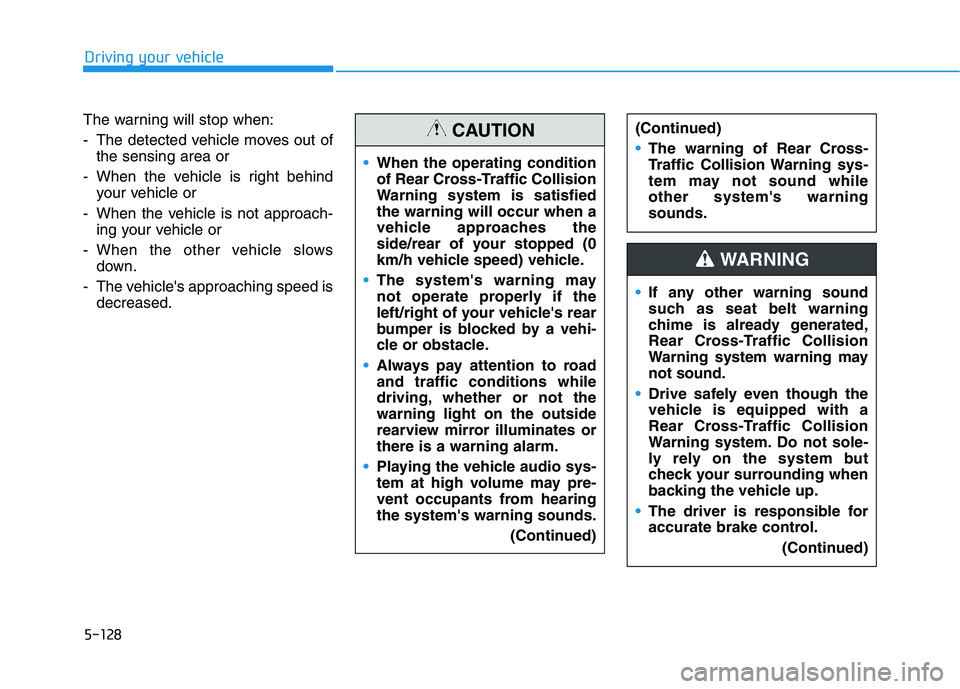
The warning will stop when:
- The detected vehicle moves out of
the sensing area or
- When the vehicle is right behind
your vehicle or
- When the vehicle is not approach-
ing your vehicle or
- When the other vehicle slows
down.
- The vehicle's approaching speed is
decreased.(Continued)
The warning of Rear Cross-
Traffic Collision Warning sys-
tem may not sound while
other system's warning
sounds.
When the operating condition
of Rear Cross-Traffic Collision
Warning system is satisfied
the warning will occur when a
vehicle approaches the
side/rear of your stopped (0
km/h vehicle speed) vehicle.
The system's warning may
not operate properly if the
left/right of your vehicle's rear
bumper is blocked by a vehi-
cle or obstacle.
Always pay attention to road
and traffic conditions while
driving, whether or not the
warning light on the outside
rearview mirror illuminates or
there is a warning alarm.
Playing the vehicle audio sys-
tem at high volume may pre-
vent occupants from hearing
the system's warning sounds.
(Continued)
CAUTION
If any other warning sound
such as seat belt warning
chime is already generated,
Rear Cross-Traffic Collision
Warning system warning may
not sound.
Drive safely even though the
vehicle is equipped with a
Rear Cross-Traffic Collision
Warning system. Do not sole-
ly rely on the system but
check your surrounding when
backing the vehicle up.
The driver is responsible for
accurate brake control.
(Continued)
WARNING
Page 366 of 561
5-130
Driving your vehicle
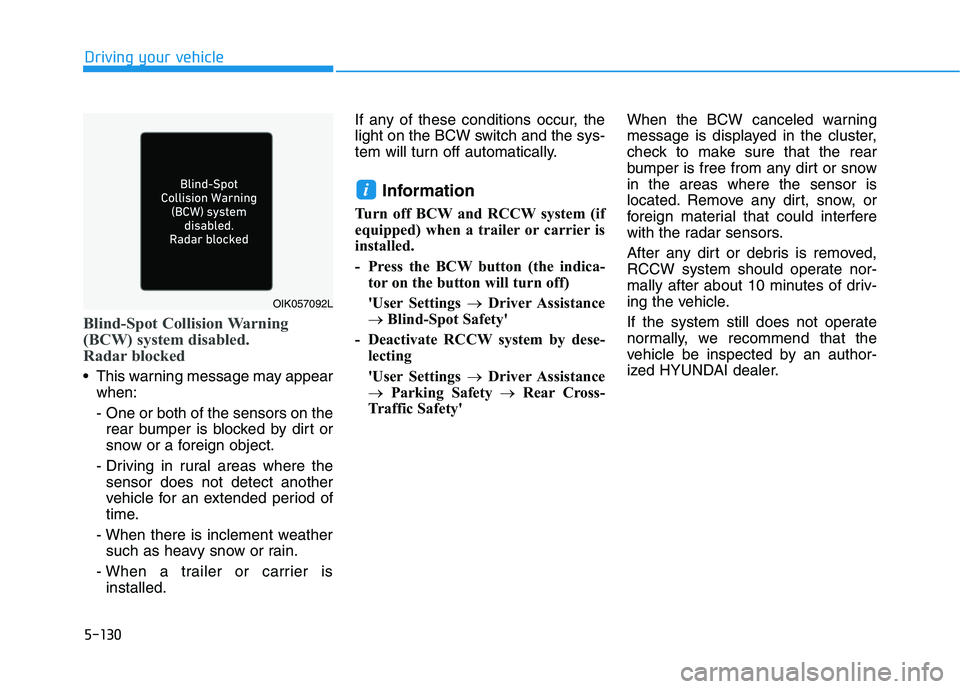
Blind-Spot Collision Warning
(BCW) system disabled.
Radar blocked
This warning message may appear
when:
- One or both of the sensors on the
rear bumper is blocked by dirt or
snow or a foreign object.
- Driving in rural areas where the
sensor does not detect another
vehicle for an extended period of
time.
- When there is inclement weather
such as heavy snow or rain.
- When a trailer or carrier is
installed.If any of these conditions occur, the
light on the BCW switch and the sys-
tem will turn off automatically.
Information
Turn off BCW and RCCW system (if
equipped) when a trailer or carrier is
installed.
- Press the BCW button (the indica-
tor on the button will turn off)
'User Settings →Driver Assistance
→ Blind-Spot Safety'
- Deactivate RCCW system by dese-
lecting
'User Settings →Driver Assistance
→Parking Safety →Rear Cross-
Traffic Safety'When the BCW canceled warning
message is displayed in the cluster,
check to make sure that the rear
bumper is free from any dirt or snow
in the areas where the sensor is
located. Remove any dirt, snow, or
foreign material that could interfere
with the radar sensors.
After any dirt or debris is removed,
RCCW system should operate nor-
mally after about 10 minutes of driv-
ing the vehicle.
If the system still does not operate
normally, we recommend that the
vehicle be inspected by an author-
ized HYUNDAI dealer.
i
OIK057092L
Page 367 of 561
5-131
Driving your vehicle
5
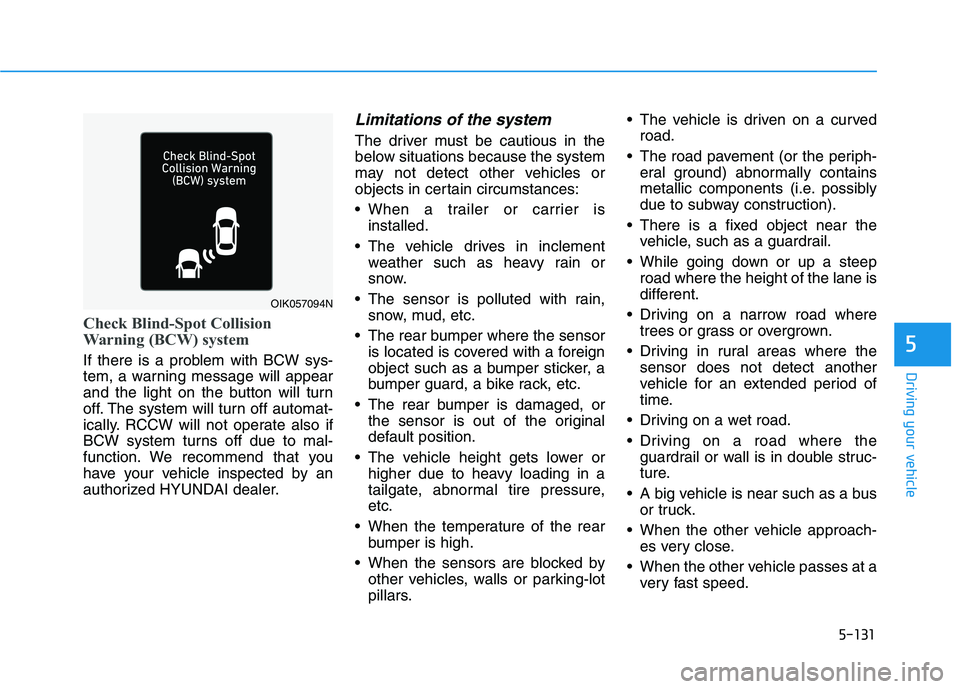
Check Blind-Spot Collision
Warning (BCW) system
If there is a problem with BCW sys-
tem, a warning message will appear
and the light on the button will turn
off. The system will turn off automat-
ically. RCCW will not operate also if
BCW system turns off due to mal-
function. We recommend that you
have your vehicle inspected by an
authorized HYUNDAI dealer.
Limitations of the system
The driver must be cautious in the
below situations because the system
may not detect other vehicles or
objects in certain circumstances:
When a trailer or carrier is
installed.
The vehicle drives in inclement
weather such as heavy rain or
snow.
The sensor is polluted with rain,
snow, mud, etc.
The rear bumper where the sensor
is located is covered with a foreign
object such as a bumper sticker, a
bumper guard, a bike rack, etc.
The rear bumper is damaged, or
the sensor is out of the original
default position.
The vehicle height gets lower or
higher due to heavy loading in a
tailgate, abnormal tire pressure,
etc.
When the temperature of the rear
bumper is high.
When the sensors are blocked by
other vehicles, walls or parking-lot
pillars. The vehicle is driven on a curved
road.
The road pavement (or the periph-
eral ground) abnormally contains
metallic components (i.e. possibly
due to subway construction).
There is a fixed object near the
vehicle, such as a guardrail.
While going down or up a steep
road where the height of the lane is
different.
Driving on a narrow road where
trees or grass or overgrown.
Driving in rural areas where the
sensor does not detect another
vehicle for an extended period of
time.
Driving on a wet road.
Driving on a road where the
guardrail or wall is in double struc-
ture.
A big vehicle is near such as a bus
or truck.
When the other vehicle approach-
es very close.
When the other vehicle passes at a
very fast speed.
OIK057094N
Page 375 of 561
5-139
Driving your vehicle
5
The use of tire chains may
adversely affect vehicle han-
dling:
Drive less than 20 mph (30
km/h) or the chain manufac-
turer's recommended speed
limit, whichever is lower.
Drive carefully and avoid
bumps, holes, sharp turns,
and other road hazards, which
may cause the vehicle to
bounce.
Avoid sharp turns or locked
wheel braking.
WARNING Information
• Install tire chains only in pairs and
on the front tires. It should be noted
that installing tire chains on the
tires will provide a greater driving
force, but will not prevent side
skids.
• Do not install studded tires without
first checking local, state and
municipal regulations for possible
restrictions against their use.
Chain Installation
When installing tire chains, follow the
manufacturer's instructions and
mount them as tightly possible. Drive
slowly (less than 20 mph (30 km/h))
with chains installed. If you hear the
chains contacting the body or chas-
sis, stop and tighten them. If they still
make contact, slow down until the
noise stops. Remove the tire chains
as soon as you begin driving on
cleared roads.
When mounting snow chains, park
the vehicle on level ground away
from traffic. Turn on the vehicle
Hazard Warning Flasher and place a
triangular emergency warning device
behind the vehicle (if available).
Always place the vehicle in P (Park),
apply the parking brake and turn off
the vehicle before installing snow
chains.i
Page 376 of 561
5-140
Driving your vehicle
When using tire chains:
Wrong size chains or improperly
installed chains can damage
your vehicle's brake lines, sus-
pension, body and wheels.
Use SAE "S" class or wire
chains.
If you hear noise caused by
chains contacting the body,
retighten the chain to prevent
contact with the vehicle body.
To prevent body damage,
retighten the chains after driving
0.3~0.6 miles (0.5~1.0 km).
Do not use tire chains on vehi-
cles equipped with aluminum
wheels. If unavoidable, use a
wire type chain.
Use wire chains less than 0.47 in
(12 mm) thick to prevent damage
to the chain's connection.
Winter Precautions
Change to "winter weight" oil if
necessary
In some climates it is recommended
that a lower viscosity "winter weight"
oil be used during cold weather. See
chapter 8 for recommendations. If
you aren't sure what weight oil you
should use, consult an authorized
HYUNDAI dealer.
Check battery and cables
Winter puts additional burdens on
the battery system. Visually inspect
the battery and cables as described
in chapter 7. The level of charge in
your battery can be checked by an
authorized HYUNDAI dealer or a
service station.
Use approved window washer
anti-freeze in system
To keep the water in the window
washer system from freezing, add an
approved window washer anti-freeze
solution in accordance with instruc-
tions on the container. Window wash-
er anti-freeze is available from an
authorized HYUNDAI dealer and
most auto parts outlets. Do not use
coolant or other types of anti-freeze
as these may damage the paint fin-
ish.
Do not let your parking brake
freeze
Under some conditions your parking
brake can freeze in the engaged
position. This is most likely to happen
when there is an accumulation of
snow or ice around or near the rear
brakes or if the brakes are wet. If
there is a risk the parking brake may
freeze, apply it only temporarily while
you shift to P (Park) and block the
rear wheels so the car cannot roll.
Then release the parking brake.
NOTICE
Page 377 of 561
5-141
Driving your vehicle
5
Do not let ice and snow accu-
mulate underneath
Under some conditions, snow and
ice can build up under the fenders
and interfere with the steering. When
driving in severe winter conditions
where this may happen, you should
periodically check underneath the
car to be sure the movement of the
front wheels and the steering com-
ponents is not obstructed.
Don't place foreign objects or
materials in the motor compart-
ment
Placement of foreign object or mate-
rials which prevent cooling of the
vehicle, in the motor compartment,
may cause a failure. The manufactur-
er is not responsible for the damage
caused by such placement.
To keep locks from freezing
To keep the locks from freezing,
squirt an approved de-icer fluid or
glycerine into the key opening. If a
lock is covered with ice, squirt it with
an approved de-icing fluid to remove
the ice. If the lock is frozen internally,
you may be able to thaw it out by
using a heated key. Handle the heat-
ed key with care to avoid injury.