sensor HYUNDAI IONIQ 5 2023 Repair Manual
[x] Cancel search | Manufacturer: HYUNDAI, Model Year: 2023, Model line: IONIQ 5, Model: HYUNDAI IONIQ 5 2023Pages: 680, PDF Size: 48.22 MB
Page 489 of 680
07
7-87
ONE1071156
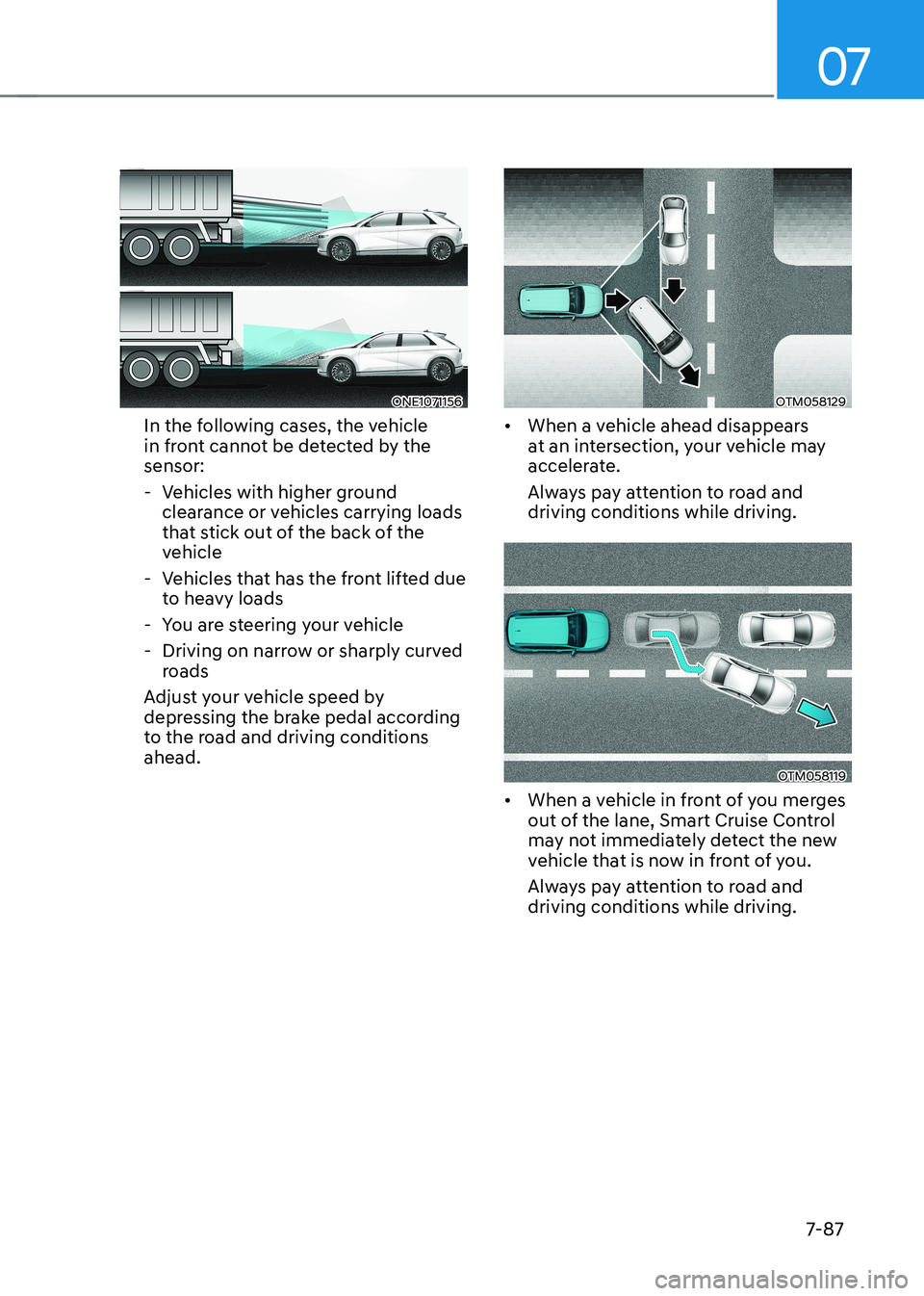
In the following cases, the vehicle
in front cannot be detected by the sensor:
- Vehicles with higher ground clearance or vehicles carrying loads
that stick out of the back of the
vehicle
- Vehicles that has the front lifted due to heavy loads
- You are steering your vehicle
- Driving on narrow or sharply curved roads
Adjust your vehicle speed by
depressing the brake pedal according
to the road and driving conditions ahead.OTM058129
• When a vehicle ahead disappears
at an intersection, your vehicle may
accelerate.
Always pay attention to road and driving conditions while driving.
OTM058119
• When a vehicle in front of you merges
out of the lane, Smart Cruise Control
may not immediately detect the new
vehicle that is now in front of you.
Always pay attention to road and driving conditions while driving.
Page 499 of 680
07
7-97
Lane Following Assist is designed to help
detect lane markings and/or vehicles on
the road, and assists the driver’s steering
to help center the vehicle in the lane.
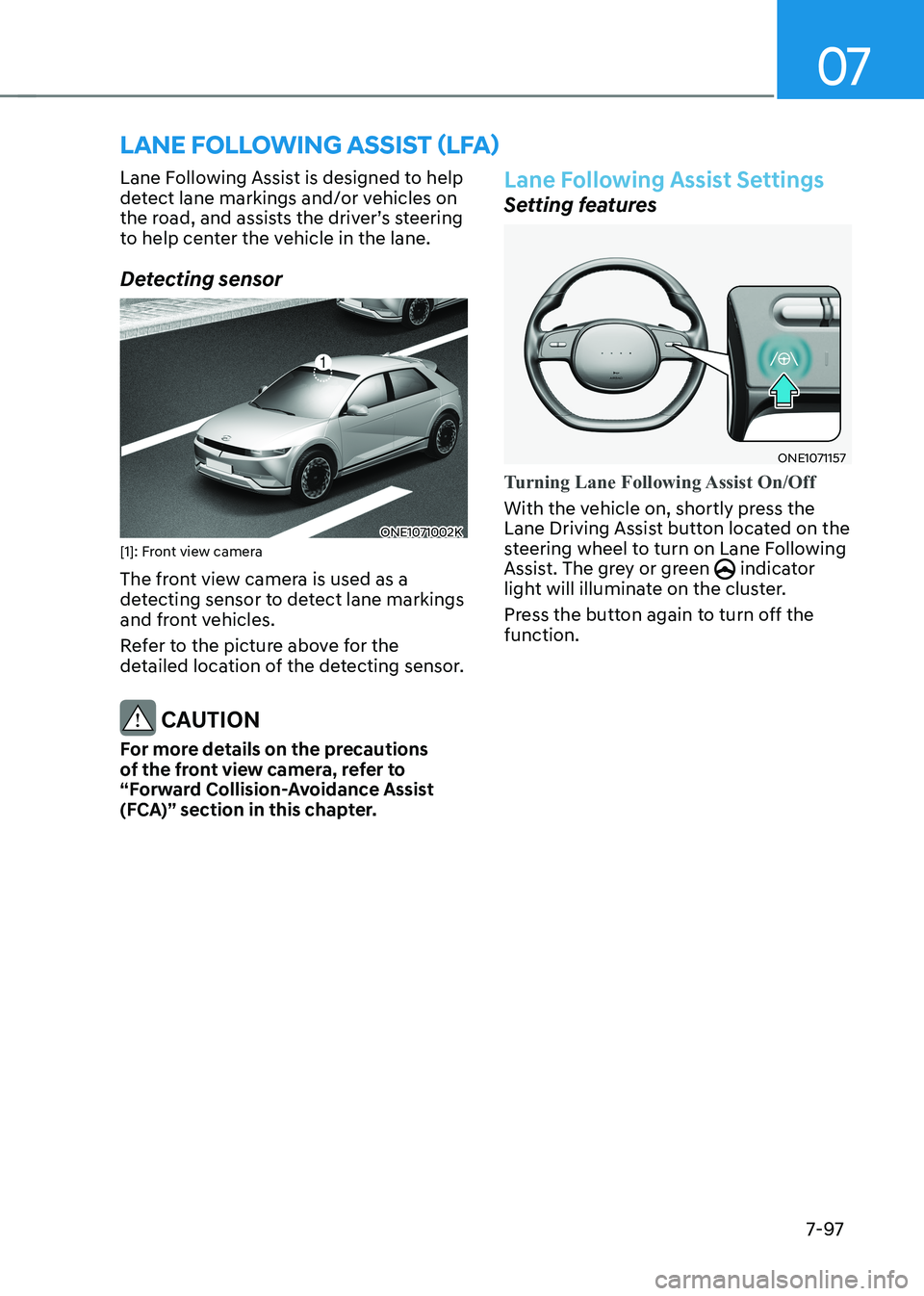
Detecting sensor
ONE1071002K
[1]: Front view camera
The front view camera is used as a
detecting sensor to detect lane markings
and front vehicles.
Refer to the picture above for the
detailed location of the detecting sensor.
CAUTION
For more details on the precautions
of the front view camera, refer to
“Forward Collision-Avoidance Assist
(FCA)” section in this chapter.
Lane Following Assist Settings
Setting features
ONE1071157
Turning Lane Following Assist On/Off
With the vehicle on, shortly press the
Lane Driving Assist button located on the
steering wheel to turn on Lane Following
Assist. The grey or green
indicator
light will illuminate on the cluster.
Press the button again to turn off the function.
LANE FOLLOWING ASSIST (LFA)
Page 504 of 680
![HYUNDAI IONIQ 5 2023 Repair Manual Driver Assistance System
7-102
Detecting sensor
ONE1071002K
ONE1071003
ONE1071004N
[1] : Front view camera, [2]: Front radar,
[3] : Front corner radar (if equipped),
[4] : Rear corner radar (if equ](/img/35/56168/w960_56168-503.png "HYUNDAI IONIQ 5 2023 Repair Manual Driver Assistance System
7-102
Detecting sensor
ONE1071002K
ONE1071003
ONE1071004N
[1] : Front view camera, [2]: Front radar,
[3] : Front corner radar (if equipped),
[4] : Rear corner radar (if equ")
Driver Assistance System
7-102
Detecting sensor
ONE1071002K
ONE1071003
ONE1071004N
[1] : Front view camera, [2]: Front radar,
[3] : Front corner radar (if equipped),
[4] : Rear corner radar (if equipped)
Refer to the picture above for the
detailed location of the detecting
sensors.
CAUTION
For more details on the precautions of
the detecting sensors, refer to “Forward
Collision-Avoidance Assist (FCA)”
section in this chapter.
Highway Driving Assist Settings
Setting features
ONE1071213N
Basic function
With the vehicle on, select or
deselect ‘Driver Assistance → Driving
Convenience’ from the Settings menu to
set whether to use each function. - If ‘Highway Driving Assist’ is selected, it helps maintain distance from the
vehicle ahead, maintain the set speed,
and helps center the vehicle in the lane.
Highway Lane Change Assist (if equipped)
- If ‘Highway Lane Change Assist’ is selected, it helps the driver change lanes.
Page 514 of 680
Driver Assistance System
7-112
•
If the vehicle is driven at high speed
above a certain speed at a curve,
your vehicle may drive to one side or
may depart from the driving lane.
• When you are towing a trailer or
another vehicle, turn off Highway
Driving Assist for safety reasons.
• The hands–off warning message
may appear early or late depending
on how the steering wheel is held or
road conditions. Always have your
hands on the steering wheel while driving.
• For your safety, please read the
owner's manual before using the
Highway Driving Assist.
• Highway Driving Assist will not
operate when the vehicle is started,
or when the detecting sensors or
navigation is being initialized.
Limitations of Highway Driving
Assist
Highway Driving Assist and Highway
Lane Change function may not operate
properly, or may not operate under the
following circumstances: • The map information and the
actual road is different because the
navigation is not updated
• The map information and the actual
road is different because of real-time
GPS data or map information error
• The infotainment system is overloaded
by simultaneously performing
functions such as route search, video
playback, voice recognition, etc. •
GPS signals are blocked in areas such as a tunnel
• The driver goes off course or the
route to the destination is changed or
canceled by resetting the navigation
• The vehicle enters a service station or
rest area
• Android Auto or Car Play is operating
• The navigation cannot detect the
current vehicle position (for example,
elevated roads including overpass
adjacent to general roads or nearby
roads exist in a parallel way)
• White single dotted lane line or road
edge cannot be detected
• The road is temporarily controlled due
to construction, etc.
• There is no structure, such as a
medium strip, guardrails, etc., on the
road
• There is a changeable lane in the
direction of lane change
Information
For more details on the limitations of
the front view camera, front radar, front
corner radar and rear corner radar, refer
to “Forward Collision-Avoidance Assist
(FCA)” section in this chapter.
Page 515 of 680
![HYUNDAI IONIQ 5 2023 Repair Manual 07
7-113
ONE1071037N
ONE1071039
Rear View Monitor shows the area
behind the vehicle to assist you when parking or backing up. Detecting sensor
ONE1071038N
[1] : Rear view camera
Refer to the pictur](/img/35/56168/w960_56168-514.png "HYUNDAI IONIQ 5 2023 Repair Manual 07
7-113
ONE1071037N
ONE1071039
Rear View Monitor shows the area
behind the vehicle to assist you when parking or backing up. Detecting sensor
ONE1071038N
[1] : Rear view camera
Refer to the pictur")
07
7-113
ONE1071037N
ONE1071039
Rear View Monitor shows the area
behind the vehicle to assist you when parking or backing up. Detecting sensor
ONE1071038N
[1] : Rear view camera
Refer to the picture above for the
detailed location of the detecting sensor.
Rear View Monitor Settings
Camera settings
ONE1071214L
• You can change Rear View Monitor
‘Display Contents’ by touching the
setup icon (
) on the screen while
Rear View Monitor is operating, or
selecting ‘Driver Assistance → Parking
Safety → Camera Settings’ from the
Settings menu while the vehicle is on.
• To use Rear View while Driving, select
'Camera Settings → Display Contents →
Keeps Rear Camera' from the Settings
menu while the vehicle is on.
• In the Display Contents, you can
change setting for 'Rear View' and
in the Display Settings, you can
change the screen's 'Brightness' and
'Contrast'.
REAR VIEW MONITOR (RVM) (IF EQUIPPED)
Page 518 of 680
![HYUNDAI IONIQ 5 2023 Repair Manual Driver Assistance System
7-116
ONE1071040
OJK070203L
Surround View Monitor can assist in
parking by allowing the driver to see
around the vehicle. Detecting sensor
ONE1071042K
ONE1071043N
[1] : Su](/img/35/56168/w960_56168-517.png "HYUNDAI IONIQ 5 2023 Repair Manual Driver Assistance System
7-116
ONE1071040
OJK070203L
Surround View Monitor can assist in
parking by allowing the driver to see
around the vehicle. Detecting sensor
ONE1071042K
ONE1071043N
[1] : Su")
Driver Assistance System
7-116
ONE1071040
OJK070203L
Surround View Monitor can assist in
parking by allowing the driver to see
around the vehicle. Detecting sensor
ONE1071042K
ONE1071043N
[1] : Surround-front view camera,
[2],[3] : Surround-side view camera (under the side view mirror),
[4] : Surround-rear view camera
Refer to the picture above for the
detailed location of the detecting
sensors.
SURROUND VIEW MONITOR (SVM) (IF EQUIPPED)
Page 524 of 680
Driver Assistance System
7-122
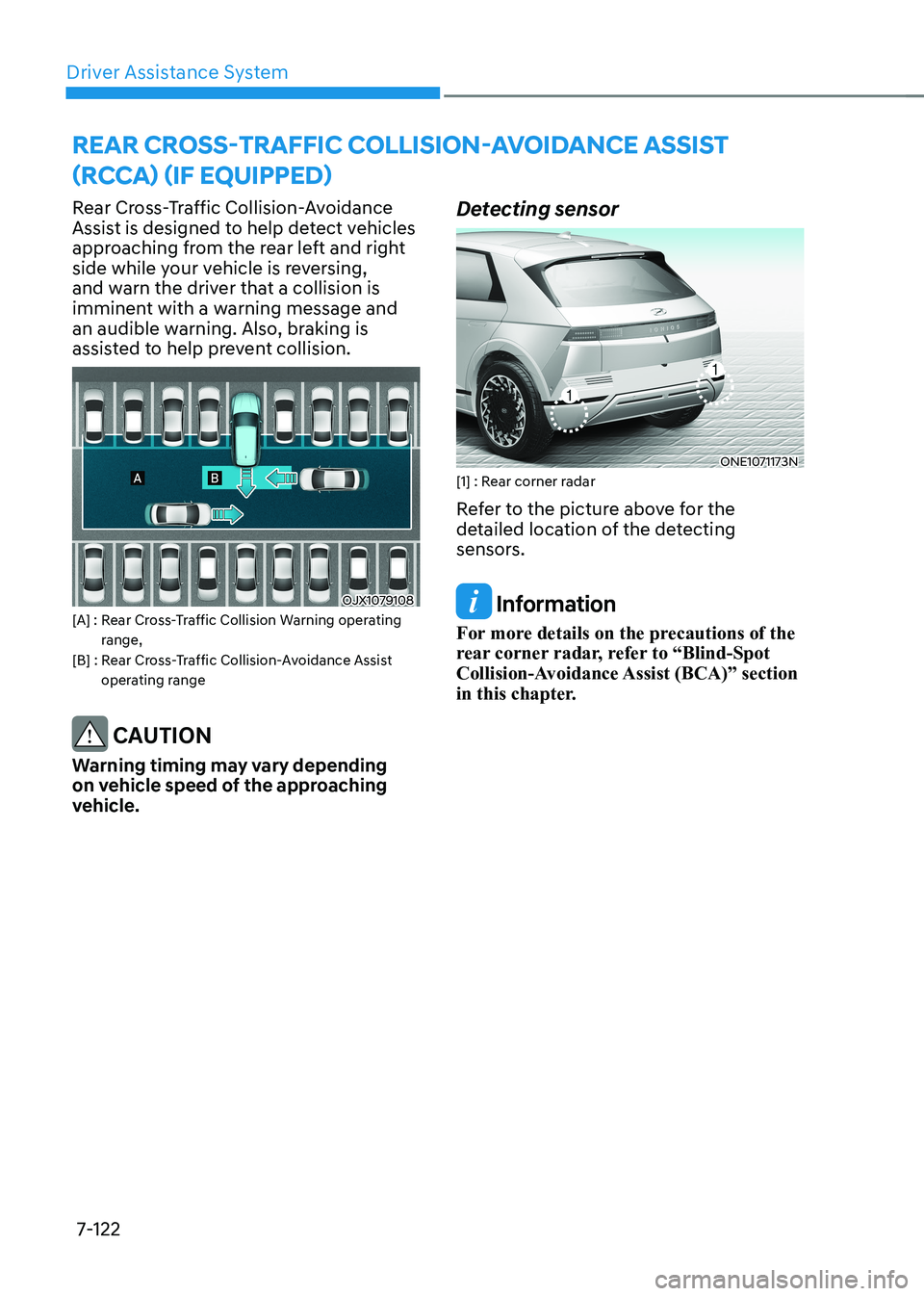
Rear Cross-Traffic Collision-Avoidance
Assist is designed to help detect vehicles
approaching from the rear left and right
side while your vehicle is reversing,
and warn the driver that a collision is
imminent with a warning message and
an audible warning. Also, braking is
assisted to help prevent collision.
OJX1079108
[A] : Rear Cross-Traffic Collision Warning operating range,
[B] : Rear Cross-Traffic Collision-Avoidance Assist operating range
CAUTION
Warning timing may vary depending
on vehicle speed of the approaching
vehicle. Detecting sensor
ONE1071173N
[1] : Rear corner radar
Refer to the picture above for the
detailed location of the detecting
sensors.
Information
For more details on the precautions of the
rear corner radar, refer to “Blind-Spot
Collision-Avoidance Assist (BCA)” section
in this chapter.
REAR CROSS-TRAFFIC COLLISION-AVOIDANCE ASSIST
(RCCA) (IF EQUIPPED)
Page 531 of 680
07
7-129
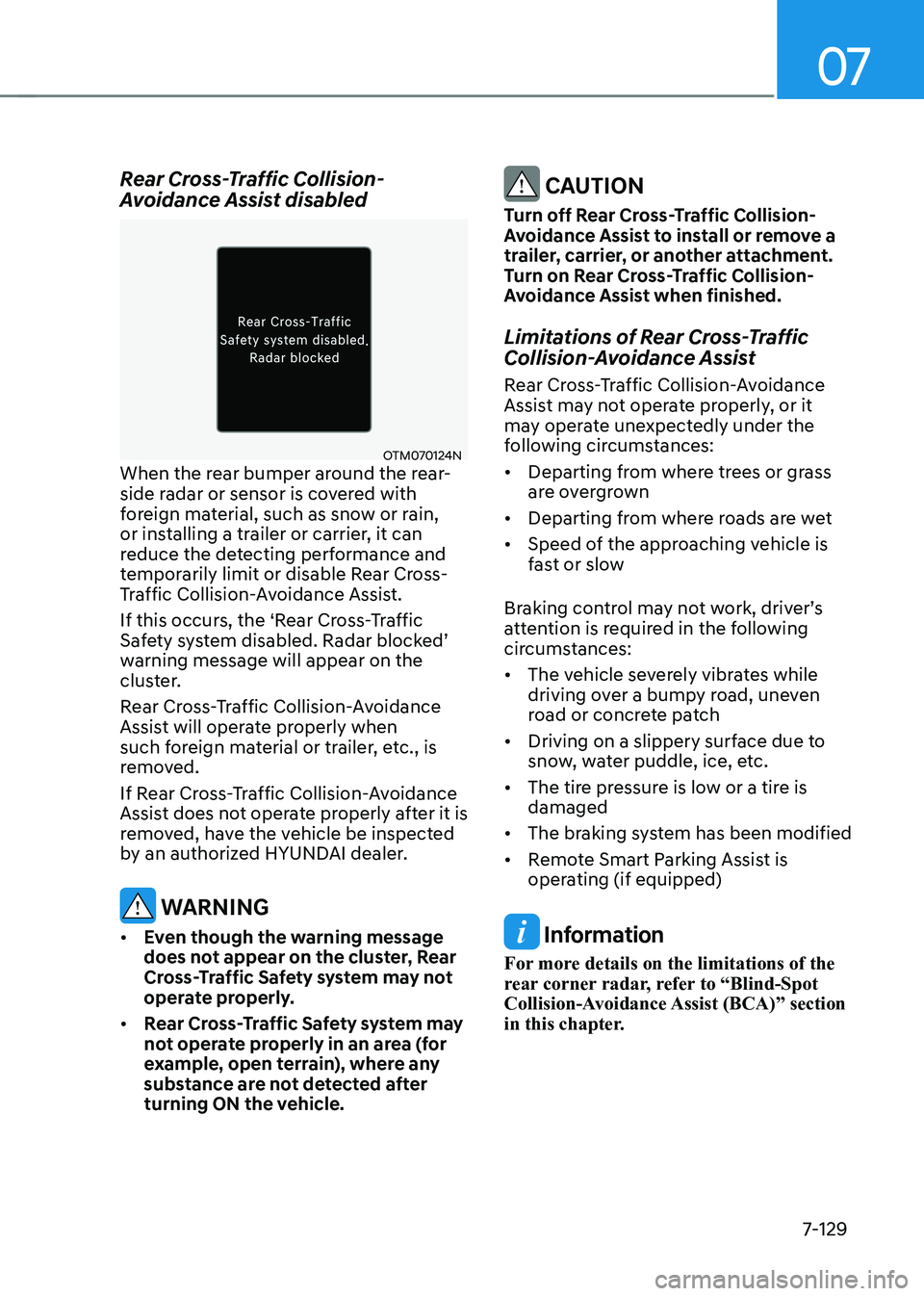
Rear Cross-Traffic Collision-
Avoidance Assist disabled
OTM070124N
When the rear bumper around the rear-
side radar or sensor is covered with
foreign material, such as snow or rain,
or installing a trailer or carrier, it can
reduce the detecting performance and
temporarily limit or disable Rear Cross-
Traffic Collision-Avoidance Assist.
If this occurs, the ‘Rear Cross-Traffic
Safety system disabled. Radar blocked’
warning message will appear on the
cluster.
Rear Cross-Traffic Collision-Avoidance
Assist will operate properly when
such foreign material or trailer, etc., is
removed.
If Rear Cross-Traffic Collision-Avoidance
Assist does not operate properly after it is
removed, have the vehicle be inspected
by an authorized HYUNDAI dealer.
WARNING
• Even though the warning message
does not appear on the cluster, Rear
Cross-Traffic Safety system may not
operate properly.
• Rear Cross-Traffic Safety system may
not operate properly in an area (for
example, open terrain), where any
substance are not detected after
turning ON the vehicle.
CAUTION
Turn off Rear Cross-Traffic Collision-
Avoidance Assist to install or remove a
trailer, carrier, or another attachment.
Turn on Rear Cross-Traffic Collision-
Avoidance Assist when finished.
Limitations of Rear Cross-Traffic
Collision-Avoidance Assist
Rear Cross-Traffic Collision-Avoidance
Assist may not operate properly, or it
may operate unexpectedly under the
following circumstances: • Departing from where trees or grass
are overgrown
• Departing from where roads are wet
• Speed of the approaching vehicle is
fast or slow
Braking control may not work, driver’s
attention is required in the following
circumstances: • The vehicle severely vibrates while
driving over a bumpy road, uneven
road or concrete patch
• Driving on a slippery surface due to
snow, water puddle, ice, etc.
• The tire pressure is low or a tire is damaged
• The braking system has been modified
• Remote Smart Parking Assist is
operating (if equipped)
Information
For more details on the limitations of the
rear corner radar, refer to “Blind-Spot
Collision-Avoidance Assist (BCA)” section
in this chapter.
Page 536 of 680
Driver Assistance System
7-134
Reverse Parking Distance Warning can
help warn the driver if an obstacle is
detected within a certain distance when
the vehicle is moving in reverse at low speeds.
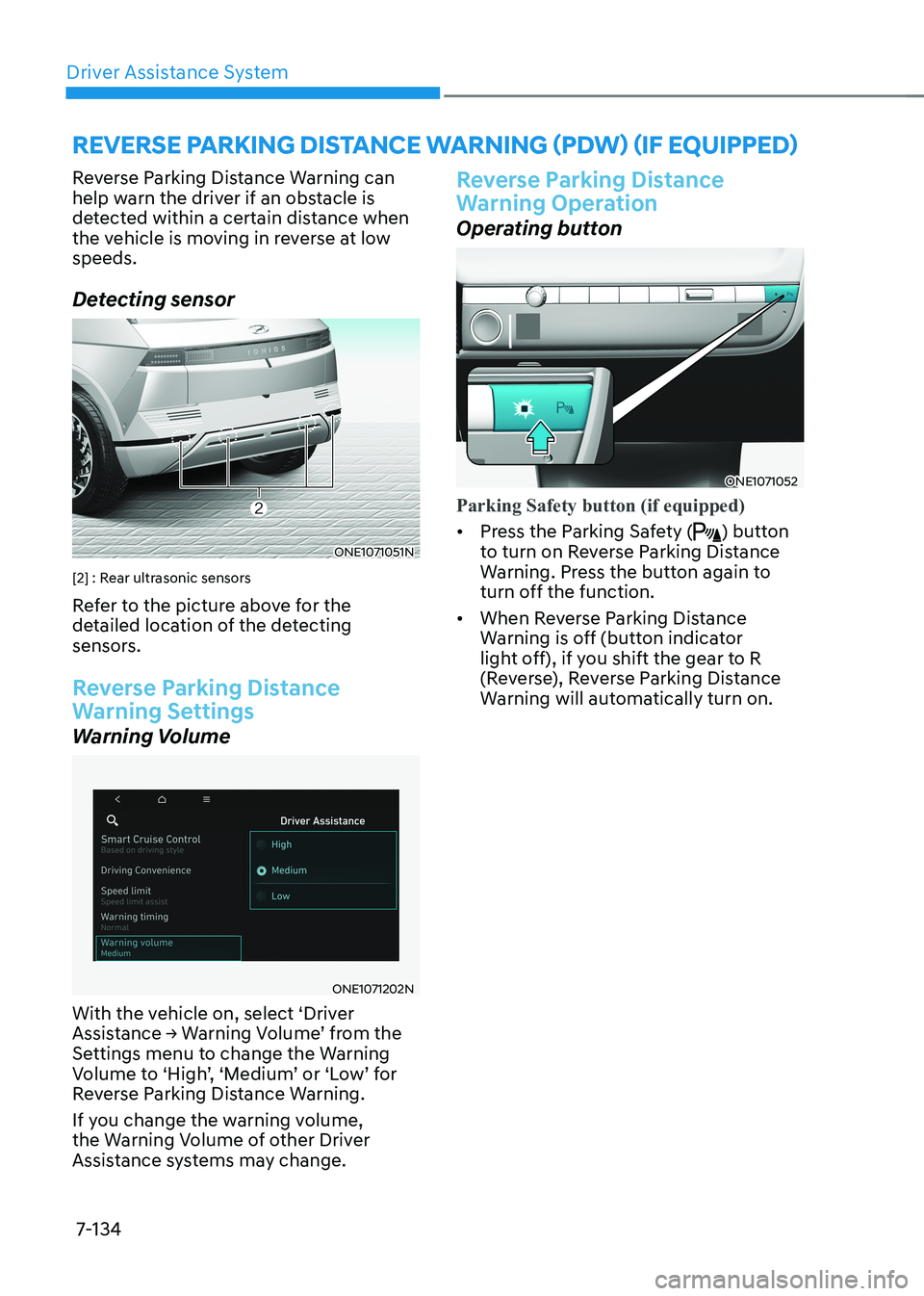
Detecting sensor
ONE1071051N
[2] : Rear ultrasonic sensors
Refer to the picture above for the
detailed location of the detecting
sensors.
Reverse Parking Distance
Warning Settings
Warning Volume
ONE1071202N
With the vehicle on, select ‘Driver
Assistance → Warning Volume’ from the
Settings menu to change the Warning
Volume to ‘High’, ‘Medium’ or ‘Low’ for
Reverse Parking Distance Warning.
If you change the warning volume,
the Warning Volume of other Driver
Assistance systems may change.
Reverse Parking Distance
Warning Operation
Operating button
ONE1071052
Parking Safety button (if equipped)
• Press the Parking Safety () button
to turn on Reverse Parking Distance
Warning. Press the button again to
turn off the function.
• When Reverse Parking Distance
Warning is off (button indicator
light off), if you shift the gear to R
(Reverse), Reverse Parking Distance
Warning will automatically turn on.
REVERSE PARKING DISTANCE WARNING (PDW) (IF EQUIPPED)
Page 537 of 680
07
7-135
Reverse Parking Distance Warning •
Reverse Parking Distance Warning
will operate when the gear is in R
(Reverse).
• Reverse Parking Distance Warning
helps detect a person, animal or
object in the rear when the vehicle’s
rearward speed is below 6 mph (10
km/h).
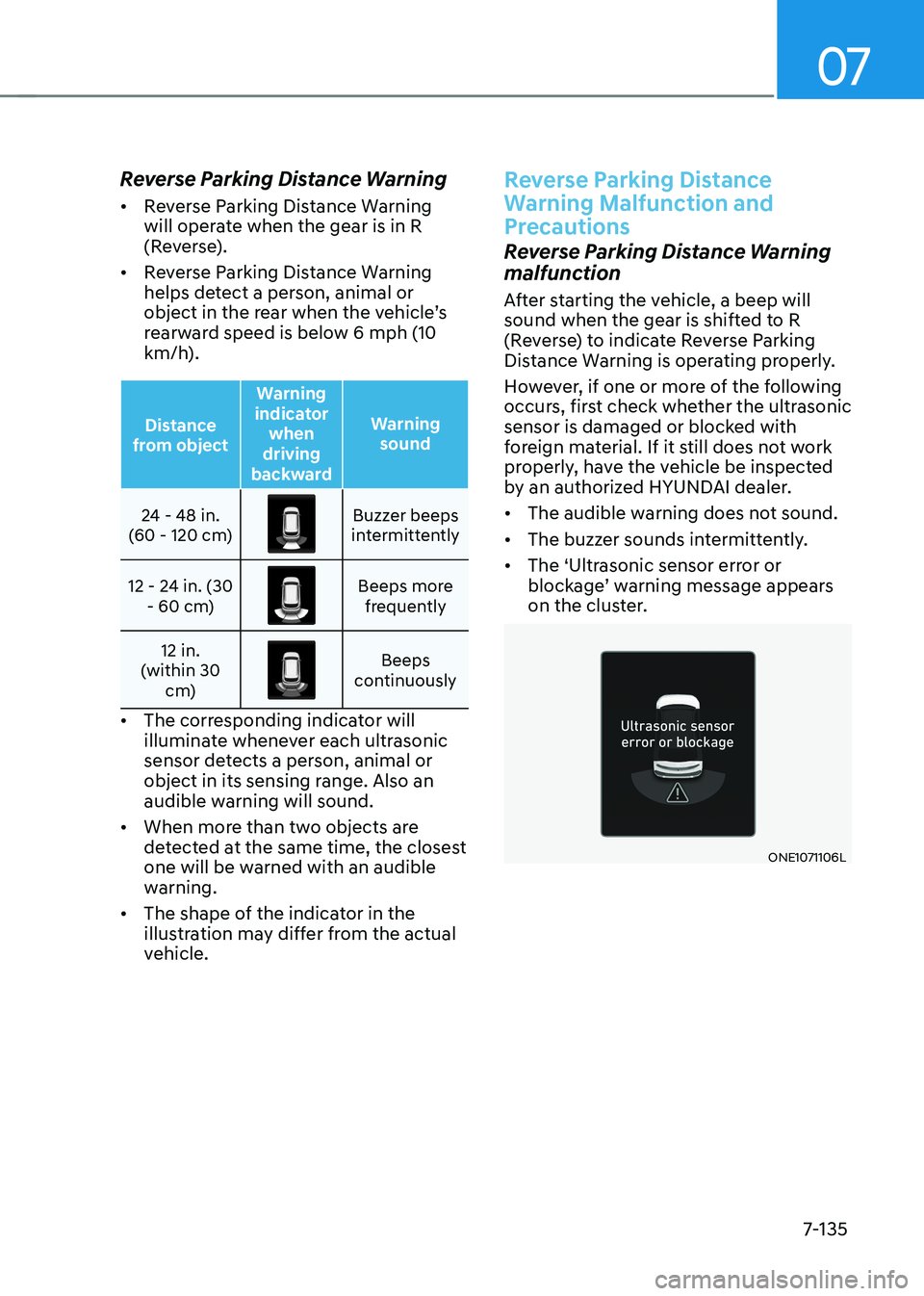
Distance
from object Warning
indicator when
driving
backward Warning
sound
24 - 48 in.
(60 - 120 cm)Buzzer beeps
intermittently
12 - 24 in. (30 - 60 cm)
Beeps more frequently
12 in.
(within 30 cm)
Beeps
continuously
• The corresponding indicator will
illuminate whenever each ultrasonic
sensor detects a person, animal or
object in its sensing range. Also an
audible warning will sound.
• When more than two objects are
detected at the same time, the closest
one will be warned with an audible
warning.
• The shape of the indicator in the
illustration may differ from the actual
vehicle.
Reverse Parking Distance
Warning Malfunction and
Precautions
Reverse Parking Distance Warning
malfunction
After starting the vehicle, a beep will
sound when the gear is shifted to R
(Reverse) to indicate Reverse Parking
Distance Warning is operating properly.
However, if one or more of the following
occurs, first check whether the ultrasonic
sensor is damaged or blocked with
foreign material. If it still does not work
properly, have the vehicle be inspected
by an authorized HYUNDAI dealer. • The audible warning does not sound.
• The buzzer sounds intermittently.
• The ‘Ultrasonic sensor error or
blockage’ warning message appears
on the cluster.
ONE1071106L