stop start Hyundai Ioniq Electric 2017 Owner's Manual
[x] Cancel search | Manufacturer: HYUNDAI, Model Year: 2017, Model line: Ioniq Electric, Model: Hyundai Ioniq Electric 2017Pages: 582, PDF Size: 37.73 MB
Page 9 of 582
Trickle Charge (For Europe) ................................H52How to Connect Portable Charger
(ICCB: In-Cable Control Box) ..........................................H52Unlock Charging Door in Emergency ..........................H56
Checking Charging Status ...............................................H56
Charging Status Indicator Lamp for
Portable Charger ...............................................................H58
How to Disconnect Portable Charger
(ICCB: In-Cable Control Box) ..........................................H61 Unlock Charging Connector in Emergency ................H62
Precautions for Portable Charger
(ICCB: In-Cable Control Box) ..........................................H62
How to Start the Vehicle ......................................H63
How to Stop the Vehicle.......................................H64
Virtual Engine Sound System ..............................H64
Distance to Empty .................................................H65 When destination is not set ...........................................H65
When destination is set...................................................H66
Tips for Improving Distance to Empty ...............H66
ECO Guide ...............................................................H67
State of charge (SOC) gauge for high voltage
battery.....................................................................H67
Warning and Indicator Lights
(related to electric vehicle) .................................H68 Ready Indicator ................................................................H68
Service Warning Light .....................................................H68
This warning light illuminates : ......................................H68
Power Down Warning Light ...........................................H69
Charging Indicator Light..................................................H69
High Voltage Battery Level Warning Light .................H69
Regenerative Brake Warning Light ..............................H70 LCD Display Messages ..........................................H70
Shift to P to charge .........................................................H70
Remaining time ..................................................................H70
Charging Door Open ........................................................H71
Charger Error! / Quick Charger Error!........................H71
Stop vehicle and check brakes .....................................H71
Check brakes......................................................................H72
Low Battery........................................................................H72
Charge immediately. Power limited ..............................H72
Low Battery. Charge immediately.................................H73
Low Battery Temp. Power limited.................................H73
Battery Overheated! Stop vehicle ................................H73
Power limited .....................................................................H74
Stop vehicle and check power supply .........................H74
Check Active Air Flap System........................................H75
Check Virtual Engine Sound System............................H75
Check electric vehicle system .......................................H75
Energy flow ...........................................................H76 Vehicle Stop........................................................................H76
EV Propulsion ....................................................................H76
Regeneration ......................................................................H77
Aux. Battery Saver+ .............................................H77 Mode ....................................................................................H77
System Setting...................................................................H78
LCD Message .....................................................................H78
If an Accident Occurs ...........................................H79
Other Precautions for Electric Vehicle ..............H81
Service Plug ...........................................................H81
Page 18 of 582
H11
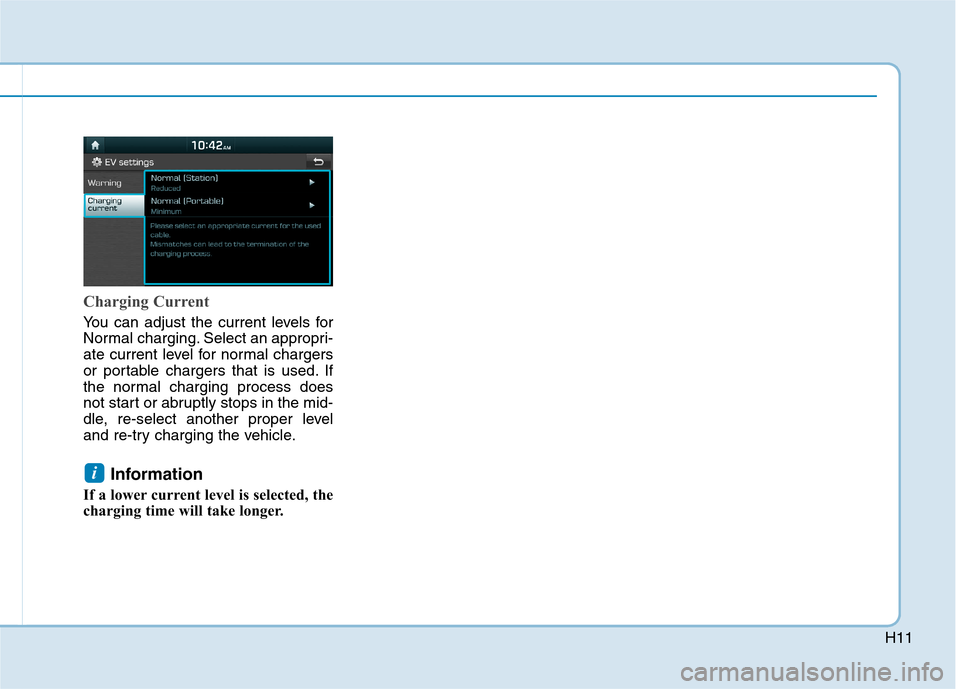
Charging Current
You can adjust the current levels for
Normal charging. Select an appropri-
ate current level for normal chargers
or portable chargers that is used. If
the normal charging process does
not start or abruptly stops in the mid-
dle, re-select another proper level
and re-try charging the vehicle.Information
If a lower current level is selected, the
charging time will take longer.
i
Page 78 of 582
H71
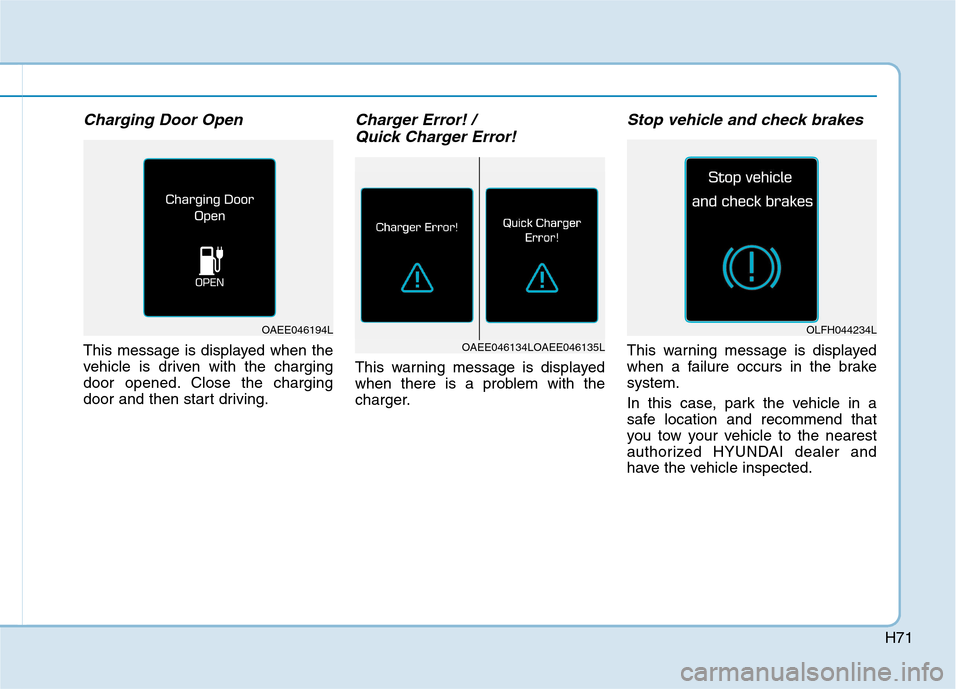
Charging Door Open
This message is displayed when the
vehicle is driven with the charging
door opened. Close the charging
door and then start driving.
Charger Error! / Quick Charger Error!
This warning message is displayed
when there is a problem with the
charger.
Stop vehicle and check brakes
This warning message is displayed
when a failure occurs in the brakesystem.
In this case, park the vehicle in a
safe location and recommend that
you tow your vehicle to the nearest
authorized HYUNDAI dealer and
have the vehicle inspected.
OLFH044234L
OAEE046134LOAEE046135L
OAEE046194L
Page 81 of 582
H74
DDRRIIVV IINN GG EE LLEE CCTT RR IICC VV EEHH IICC LLEE (( CC OO NNTT..))
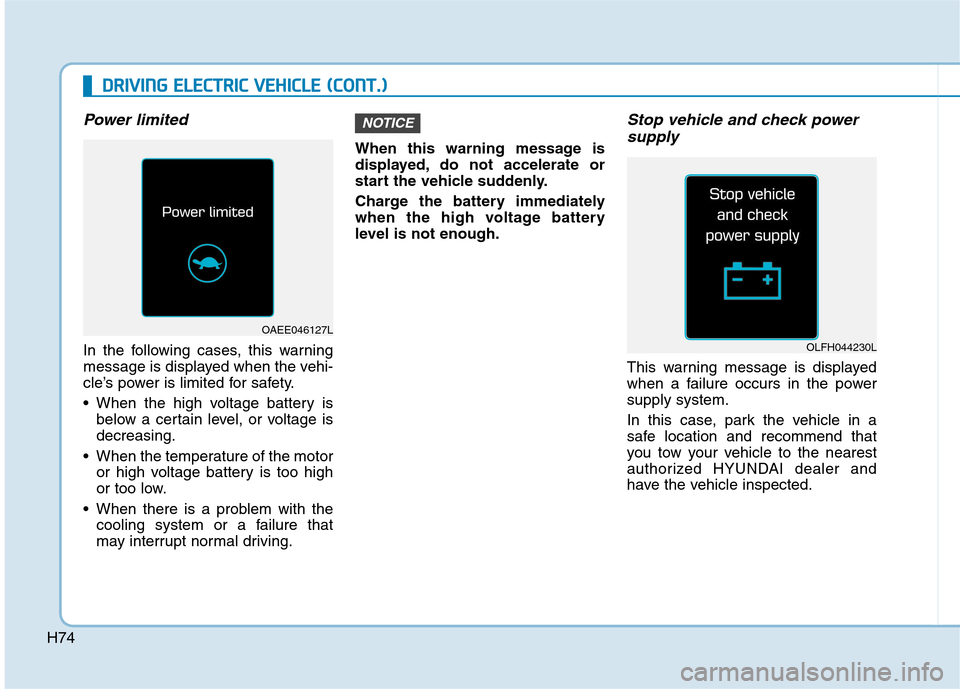
Power limited
In the following cases, this warning
message is displayed when the vehi-
cle’s power is limited for safety.
When the high voltage battery is
below a certain level, or voltage is decreasing.
When the temperature of the motor or high voltage battery is too high
or too low.
When there is a problem with the cooling system or a failure that
may interrupt normal driving. When this warning message is
displayed, do not accelerate or
start the vehicle suddenly.
Charge the battery immediately
when the high voltage battery
level is not enough.
Stop vehicle and check power
supply
This warning message is displayed
when a failure occurs in the powersupply system.
In this case, park the vehicle in a
safe location and recommend that
you tow your vehicle to the nearest
authorized HYUNDAI dealer and
have the vehicle inspected.
NOTICE
OLFH044230L
OAEE046127L
Page 84 of 582
H77
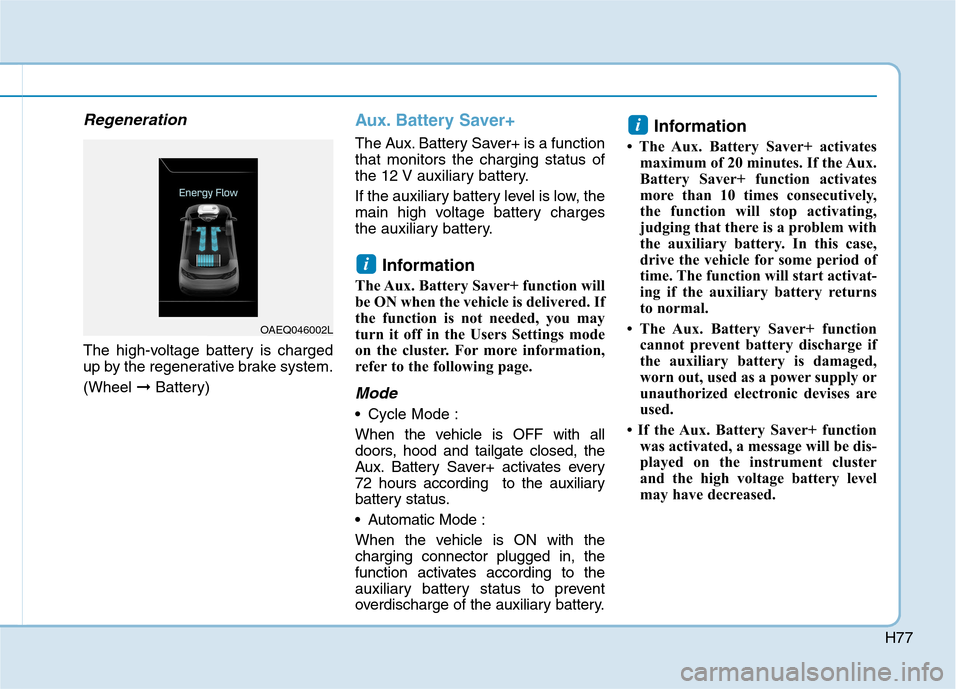
Regeneration
The high-voltage battery is charged
up by the regenerative brake system. (Wheel ➞Battery)
Aux. Battery Saver+
The Aux. Battery Saver+ is a function that monitors the charging status of
the 12 V auxiliary battery.
If the auxiliary battery level is low, the
main high voltage battery charges
the auxiliary battery.
Information
The Aux. Battery Saver+ function will
be ON when the vehicle is delivered. If
the function is not needed, you may
turn it off in the Users Settings mode
on the cluster. For more information,
refer to the following page.
Mode
• Cycle Mode :
When the vehicle is OFF with all
doors, hood and tailgate closed, the
Aux. Battery Saver+ activates every
72 hours according to the auxiliary
battery status.
Automatic Mode :
When the vehicle is ON with the charging connector plugged in, the
function activates according to the
auxiliary battery status to prevent
overdischarge of the auxiliary battery. Information
The Aux. Battery Saver+ activates maximum of 20 minutes. If the Aux.
Battery Saver+ function activates
more than 10 times consecutively,
the function will stop activating,
judging that there is a problem with
the auxiliary battery. In this case,
drive the vehicle for some period of
time. The function will start activat-
ing if the auxiliary battery returns
to normal.
The Aux. Battery Saver+ function cannot prevent battery discharge if
the auxiliary battery is damaged,
worn out, used as a power supply or
unauthorized electronic devises are
used.
If the Aux. Battery Saver+ function was activated, a message will be dis-
played on the instrument cluster
and the high voltage battery level
may have decreased.
i
i
OAEQ046002L
Page 123 of 582
2-25
Safety system of your vehicle
2
This section describes how to use the
seat belts properly. It also describessome of the things not to do when
using seat belts.
Seat belt safety precautions
Always fasten your seat belt and
make sure all passengers have fas-
tened their seat belts before starting
any trip. Air bags (if equipped) aredesigned to supplement the seat belt
as an additional safety device, but
they are not a substitute. Most coun-
tries require all occupants of a vehicle
to wear seat belts.
SSEE AA TT BB EELLTT SS
Seat belts must be used by ALL
passengers whenever the vehi-
cle is moving. Take the followingprecautions when adjusting andwearing seat belts:
Children under the age of 13
should be properly restrainedin the rear seats.
Never allow children to ride in
the front passenger seat, unless
the air bag is deactivated. If a
child is seated in the front pas-
senger seat, move the seat as
far back as possible and prop-
erly restrain them in the seat.
NEVER allow an infant or child
to be carried on an occupant’slap.
NEVER ride with the seatback
reclined when the vehicle is
moving.
Do not allow children to share a seat or seat belt.
(Continued)
WARNING (Continued)
Do not wear the shoulder belt
under your arm or behind your
back.
Never wear a seat belt over
fragile objects. If there is a sud-
den stop or impact, the seat
belt can damage it.
Do not use the seat belt if it is
twisted. A twisted seat belt
will not protect you properlyin an accident.
Do not use a seat belt if the
webbing or hardware is dam-
aged.
Do not latch the seat belt into
the buckles of other seats.
NEVER unfasten the seat belt
while driving. This may cause
loss of vehicle control result-ing in an accident.
Make sure there is nothing in
the buckle interfering with the
seat belt latch mechanism.
This may prevent the seat belt
from fastening securely.
(Continued)
Page 232 of 582
3-63
Convenient features of your vehicle
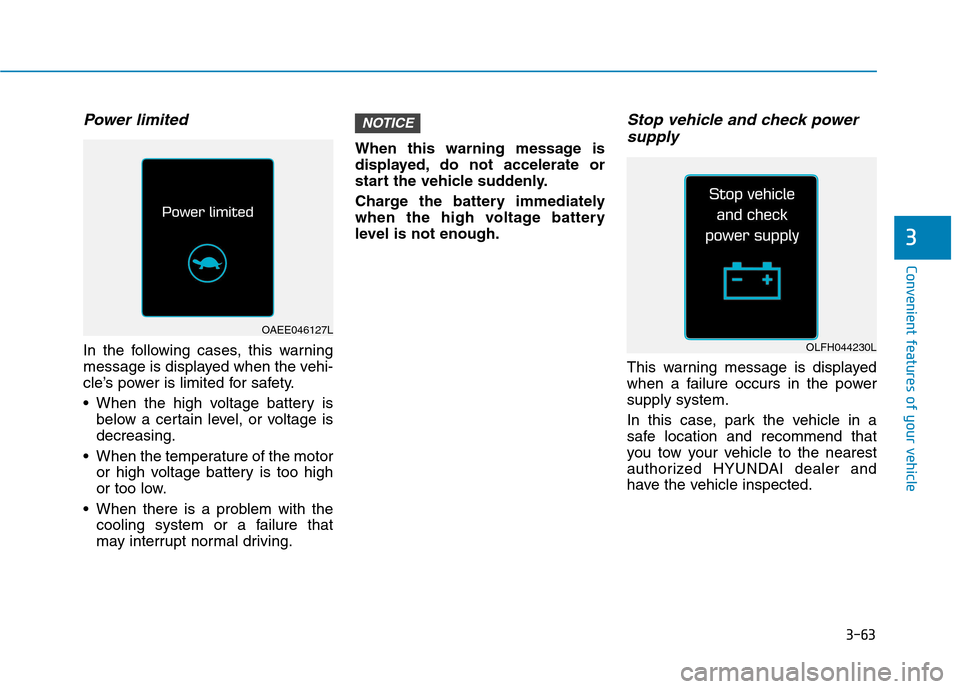
Power limited
In the following cases, this warning
message is displayed when the vehi-
cle’s power is limited for safety.
When the high voltage battery isbelow a certain level, or voltage is decreasing.
When the temperature of the motor or high voltage battery is too high
or too low.
When there is a problem with the cooling system or a failure that
may interrupt normal driving. When this warning message is
displayed, do not accelerate or
start the vehicle suddenly.
Charge the battery immediately
when the high voltage battery
level is not enough.
Stop vehicle and check power
supply
This warning message is displayed
when a failure occurs in the powersupply system.
In this case, park the vehicle in a
safe location and recommend that
you tow your vehicle to the nearest
authorized HYUNDAI dealer and
have the vehicle inspected.
NOTICE
3
OAEE046127L
OLFH044230L
Page 244 of 582
3-75
Convenient features of your vehicle
3
Average Vehicle Speed (2)
The average vehicle speed is cal-culated by the total driving dis-
tance and driving time since the
last average vehicle speed reset.
To reset the average vehicle speed, press the OK button on the steering
wheel for more than 1 second when
the average vehicle speed is dis-
played.
Information
The average vehicle speed is not dis- played if the driving distance is less
than 300 meters (0.19 miles) or the
driving time is less than 10 seconds,
after resetting the vehicle speed.
The average vehicle speed will con- tinue to be calculated and will start
to decrease if the vehicle is stopped
while the vehicle is in the ready
( ) mode.
Elapsed Time (3)
The elapsed time is the total driv-ing time since the last elapsed time reset.
To reset the elapsed time, press the OK button on the steering
wheel for more than 1 secondwhen the elapsed time is dis-
played.
Information
The elapsed time will continue to be
counted while the vehicle is in the
ready ( ) mode.
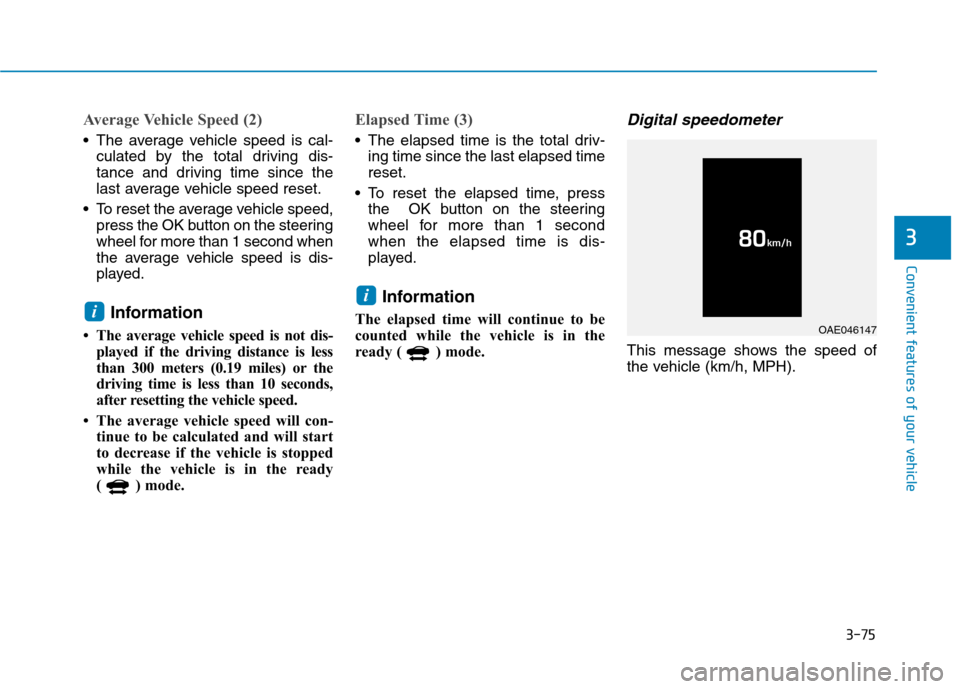
Digital speedometer
This message shows the speed of
the vehicle (km/h, MPH).
i
i
OAE046147
Page 288 of 582
3-119
Convenient features of your vehicle
3
IINN TTEERR IIOO RR FF EE AA TTUU RREESS
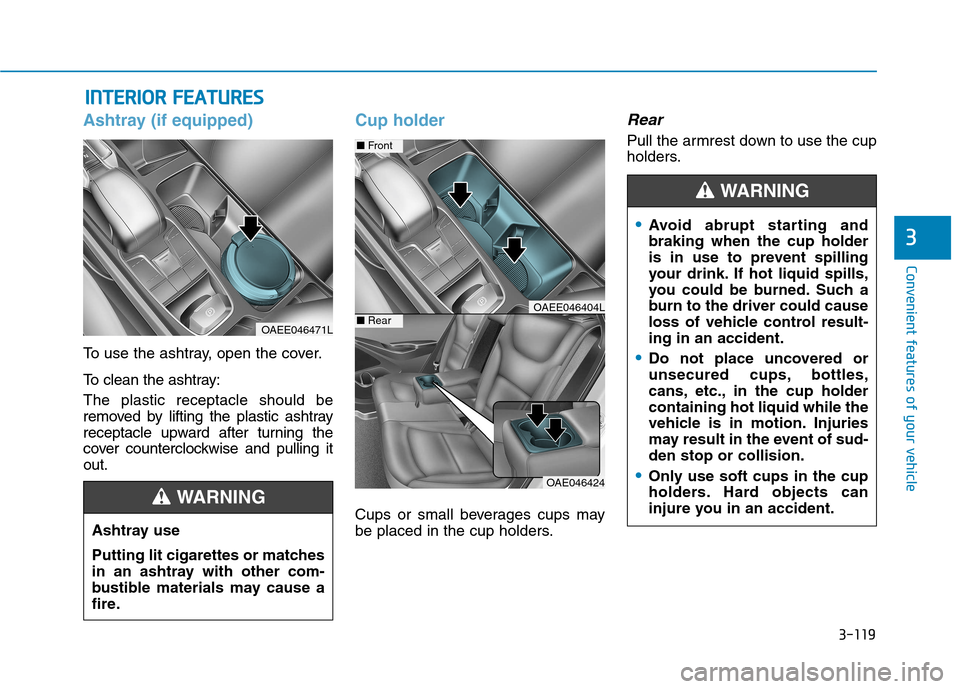
Ashtray (if equipped)
To use the ashtray, open the cover.
To clean the ashtray: The plastic receptacle should be
removed by lifting the plastic ashtray
receptacle upward after turning the
cover counterclockwise and pulling itout.
Cup holder
Cups or small beverages cups may
be placed in the cup holders.
Rear
Pull the armrest down to use the cup
holders.
OAEE046471L
Ashtray use
Putting lit cigarettes or matches
in an ashtray with other com-
bustible materials may cause a
fire.
WARNING
OAE046424
■ Front
■RearOAEE046404L
Avoid abrupt starting and braking when the cup holder
is in use to prevent spilling
your drink. If hot liquid spills,
you could be burned. Such a
burn to the driver could cause
loss of vehicle control result-ing in an accident.
Do not place uncovered or
unsecured cups, bottles,
cans, etc., in the cup holdercontaining hot liquid while the
vehicle is in motion. Injuries
may result in the event of sud-den stop or collision.
Only use soft cups in the cup
holders. Hard objects can
injure you in an accident.
WARNING
Page 291 of 582
3-122
Convenient features of your vehicle
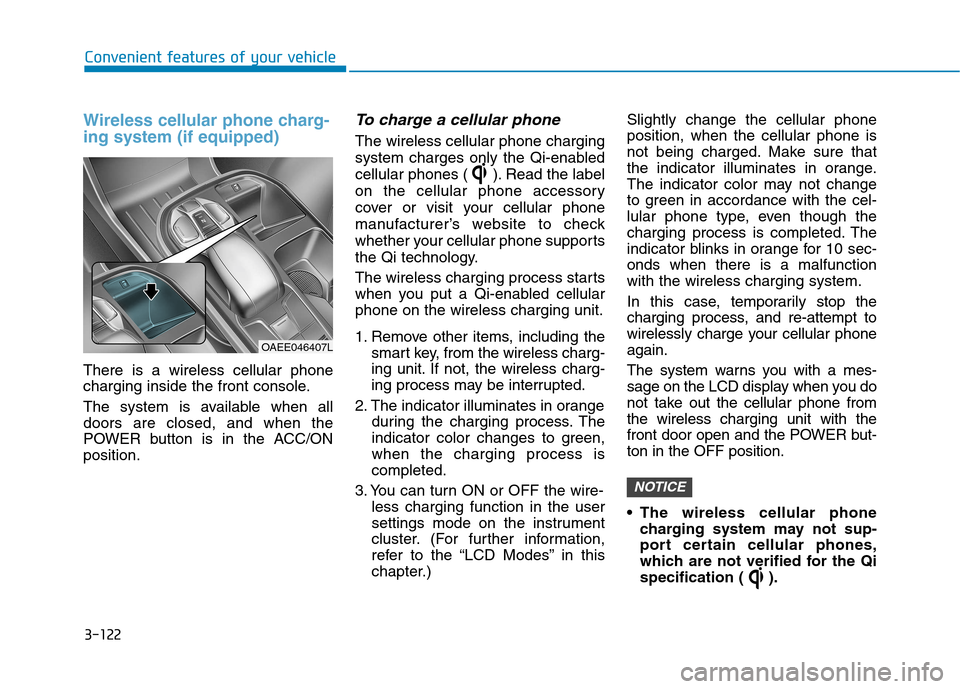
Wireless cellular phone charg- ing system (if equipped)
There is a wireless cellular phone
charging inside the front console.
The system is available when all doors are closed, and when the
POWER button is in the ACC/ONposition.
To charge a cellular phone
The wireless cellular phone charging
system charges only the Qi-enabled
cellular phones ( ). Read the label
on the cellular phone accessory
cover or visit your cellular phone
manufacturer’s website to check
whether your cellular phone supports
the Qi technology.
The wireless charging process starts
when you put a Qi-enabled cellularphone on the wireless charging unit.
1. Remove other items, including thesmart key, from the wireless charg-
ing unit. If not, the wireless charg-
ing process may be interrupted.
2. The indicator illuminates in orange during the charging process. The
indicator color changes to green,when the charging process iscompleted.
3. You can turn ON or OFF the wire- less charging function in the user
settings mode on the instrument
cluster. (For further information,
refer to the “LCD Modes” in this
chapter.) Slightly change the cellular phoneposition, when the cellular phone is
not being charged. Make sure that
the indicator illuminates in orange.
The indicator color may not change
to green in accordance with the cel-
lular phone type, even though the
charging process is completed. The
indicator blinks in orange for 10 sec-onds when there is a malfunctionwith the wireless charging system.
In this case, temporarily stop the
charging process, and re-attempt to
wirelessly charge your cellular phoneagain.
The system warns you with a mes-
sage on the LCD display when you do
not take out the cellular phone fromthe wireless charging unit with the
front door open and the POWER but-ton in the OFF position.
The wireless cellular phone
charging system may not sup-
port certain cellular phones,
which are not verified for the Qi
specification ( ).
NOTICE
OAEE046407L