lights Hyundai Ioniq Hybrid 2017 Owner's Manual
[x] Cancel search | Manufacturer: HYUNDAI, Model Year: 2017, Model line: Ioniq Hybrid, Model: Hyundai Ioniq Hybrid 2017Pages: 553, PDF Size: 59.51 MB
Page 22 of 553
H7
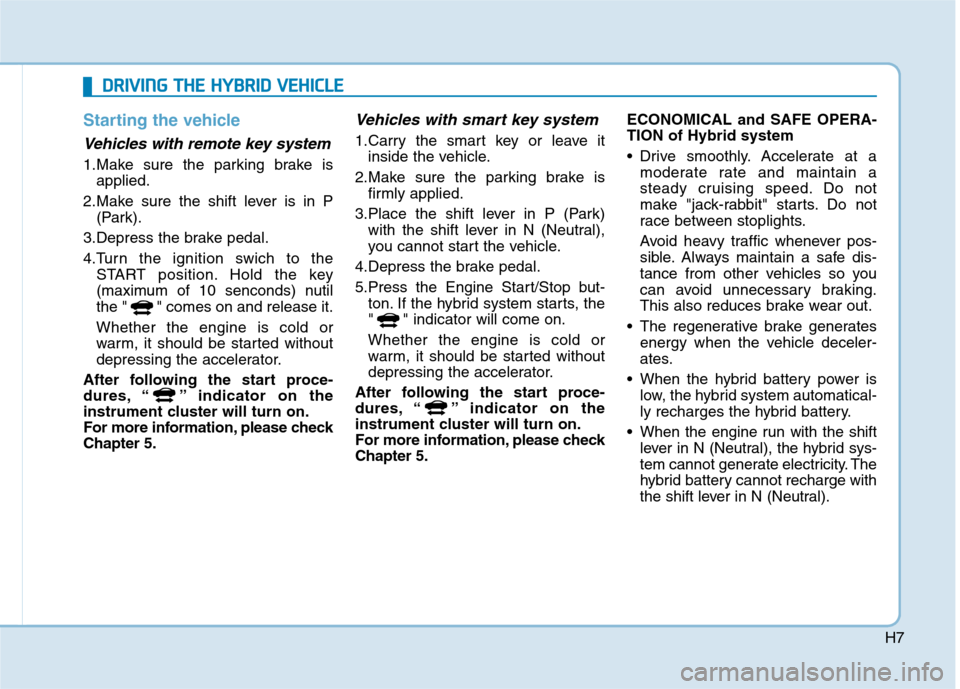
Starting the vehicle
Vehicles with remote key system
1.Make sure the parking brake isapplied.
2.Make sure the shift lever is in P (Park).
3.Depress the brake pedal.
4.Turn the ignition swich to the START position. Hold the key
(maximum of 10 senconds) nutil
the " " comes on and release it. Whether the engine is cold or
warm, it should be started without
depressing the accelerator.
After following the start proce-
dures, “ ” indicator on the
instrument cluster will turn on.
For more information, please checkChapter 5.
Vehicles with smart key system
1.Carry the smart key or leave it inside the vehicle.
2.Make sure the parking brake is firmly applied.
3.Place the shift lever in P (Park) with the shift lever in N (Neutral),
you cannot start the vehicle.
4.Depress the brake pedal.
5.Press the Engine Start/Stop but- ton. If the hybrid system starts, the
" " indicator will come on. Whether the engine is cold or
warm, it should be started without
depressing the accelerator.
After following the start proce-
dures, “ ” indicator on the
instrument cluster will turn on.
For more information, please checkChapter 5. ECONOMICAL and SAFE OPERA- TION of Hybrid system
• Drive smoothly. Accelerate at a
moderate rate and maintain a
steady cruising speed. Do not
make "jack-rabbit" starts. Do not
race between stoplights.
Avoid heavy traffic whenever pos-
sible. Always maintain a safe dis-
tance from other vehicles so you
can avoid unnecessary braking.
This also reduces brake wear out.
The regenerative brake generates energy when the vehicle deceler-
ates.
When the hybrid battery power is low, the hybrid system automatical-
ly recharges the hybrid battery.
When the engine run with the shift lever in N (Neutral), the hybrid sys-
tem cannot generate electricity. The
hybrid battery cannot recharge with
the shift lever in N (Neutral).
DDRRIIVV IINN GG TT HH EE HH YY BBRRIIDD VV EEHH IICC LLEE
Page 57 of 553
2-27
Safety system of your vehicle
2
If you start to drive without fastening
the seatbelt, warning light will contin-
ue to illumiante until you fasten theseatbelt.
If you continue not to fasten the seat
belt and you drive over 20km/h the
seat belt warning chime will sound
for approximately 100 seconds and
the corresponding warning light will
blink. (if equipped)
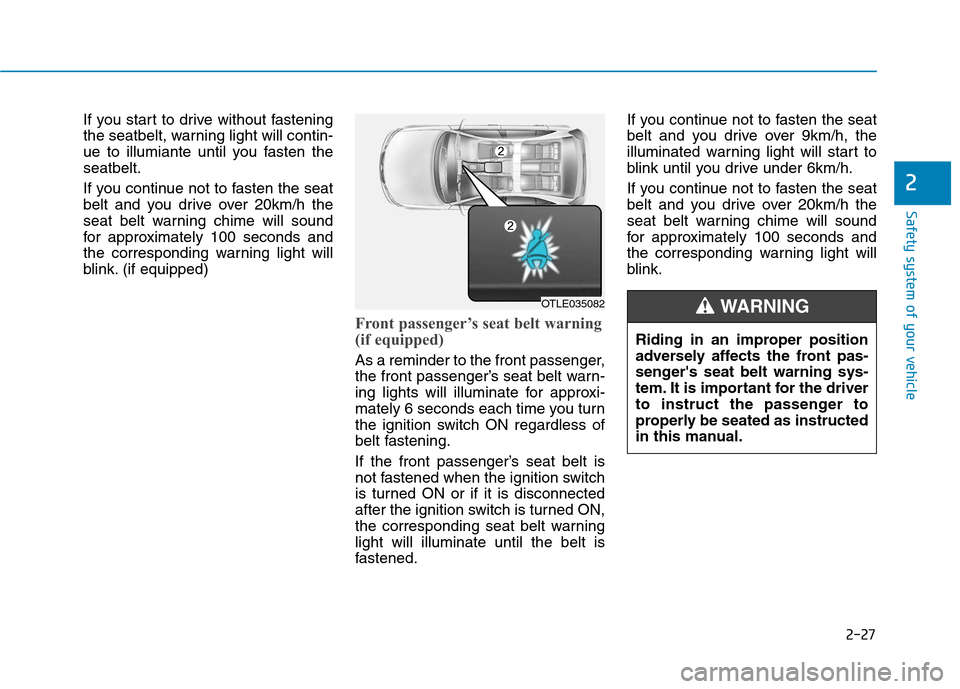
Front passenger’s seat belt warning
(if equipped)
As a reminder to the front passenger,
the front passenger’s seat belt warn-
ing lights will illuminate for approxi-
mately 6 seconds each time you turn
the ignition switch ON regardless of
belt fastening.
If the front passenger’s seat belt is
not fastened when the ignition switch
is turned ON or if it is disconnected
after the ignition switch is turned ON,
the corresponding seat belt warninglight will illuminate until the belt is
fastened.If you continue not to fasten the seat
belt and you drive over 9km/h, the
illuminated warning light will start to
blink until you drive under 6km/h.
If you continue not to fasten the seat
belt and you drive over 20km/h the
seat belt warning chime will sound
for approximately 100 seconds and
the corresponding warning light will
blink.
Riding in an improper position
adversely affects the front pas-
senger's seat belt warning sys-
tem. It is important for the driver
to instruct the passenger to
properly be seated as instructed
in this manual.
WARNING OTLE035082
Page 103 of 553
Convenient features of your vehicle
Accessing your vehicle .........................................3-4Remote key .......................................................................3-4
Smart key ...........................................................................3-7
Immobilizer system ........................................................3-11
Door locks .............................................................3-12 Operating door locks from outside the vehicle .....3-12
Operating door locks from inside the vehicle ........3-14
Auto door lock/unlock features ................................3-16
Child-protector rear door locks ..................................3-16
Theft-alarm system.............................................3-17
Driver position memory system ........................3-18 Storing memory positions .............................................3-18
Easy access function ....................................................3-19
Steering wheel......................................................3-20 Electric power steering (EPS) ......................................3-20
Tilt steering / Telescope steering...............................3-21
Heated steering wheel ...................................................3-21
Horn ....................................................................................3-22
Mirrors ...................................................................3-22 Inside rearview mirror....................................................3-22
Outside rearview mirror ..............................................3-24 Windows ................................................................3-27
Power windows ..............................................................3-27
Sunroof..................................................................3-33 Sunroof opening and closing .......................................3-33
Sliding the sunroof .........................................................3-33
Tilting the sunroof ..........................................................3-34
Sunshade ...........................................................................3-35
Resetting the sunroof ....................................................3-35
Exterior features .................................................3-36 Hood ...................................................................................3-36
Tailgate...............................................................................3-38
Fuel filler door .................................................................3-39
Instrument cluster................................................3-42 Instrument cluster control ............................................3-43
Gauges and meters .........................................................3-44
Warning and indicator lights ........................................3-50
LCD display messages ..................................................3-62
LCD display ..........................................................3-71 LCD display control.........................................................3-71
LCD modes (for cluster type A) ..................................3-72
LCD modes (for cluster type B)...................................3-79
Trip computer .......................................................3-86
3
Page 104 of 553
Light .......................................................................3-91Exterior lights ..................................................................3-91
Welcome system ............................................................3-97
Interior lights ....................................................................3-98
Wipers and washers ..........................................3-101 Windshield wipers ........................................................3-101
Windshield washers ....................................................3-103
Driver assist system ..........................................3-104 Rear view camera ........................................................3-104
Rear parking assist system ........................................3-105
Parking assist system .................................................3-108
Defroster .............................................................3-111 Rear window defroster ...............................................3-111
Automatic climate control system ...................3-112 Automatic heating and air conditioning ..................3-113
Manual heating and air conditioning .......................3-114
System operation ..........................................................3-121
System maintenance ....................................................3-124 Windshield defrosting and defogging ............3-126
Automatic climate control system ............................3-126
Defogging logic ............................................................3-127
Auto defogging system ..............................................3-128
Climate control additional features.................3-129 Clean air .........................................................................3-129
Sunroof inside air recirculation ...............................3-129
Storage compartment ........................................3-130 Center console storage ...............................................3-130
Glove box ........................................................................3-130
Sunglass holder ............................................................3-131
Multi box ........................................................................3-131
3
Page 106 of 553
3-4
Convenient features of your vehicle
Remote key
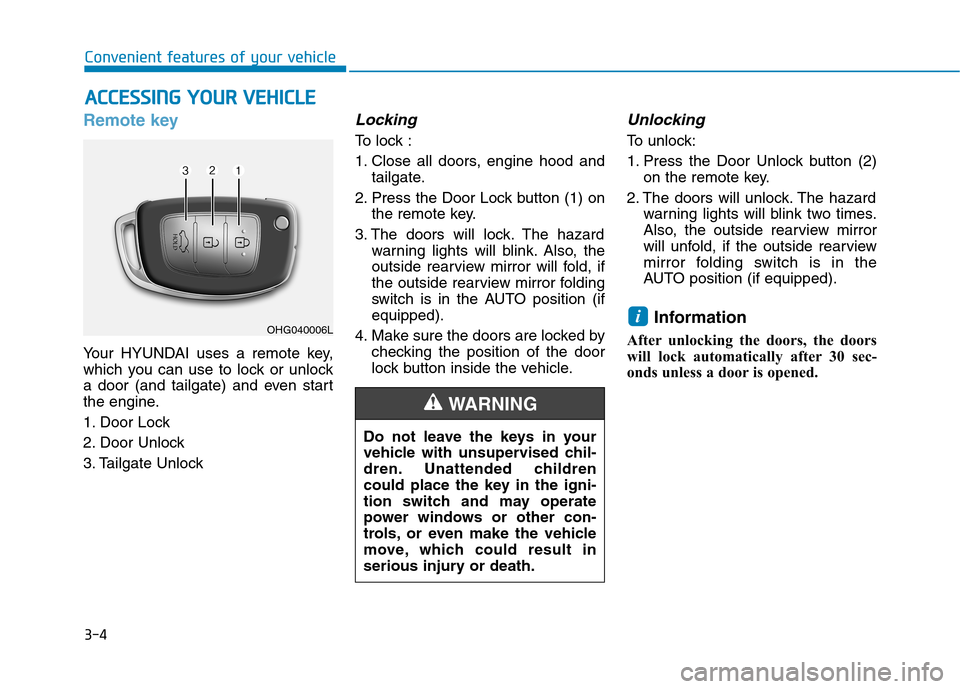
Your HYUNDAI uses a remote key,
which you can use to lock or unlock
a door (and tailgate) and even start
the engine.
1. Door Lock
2. Door Unlock
3. Tailgate Unlock
Locking
To lock :
1. Close all doors, engine hood andtailgate.
2. Press the Door Lock button (1) on the remote key.
3. The doors will lock. The hazard warning lights will blink. Also, the
outside rearview mirror will fold, if
the outside rearview mirror folding
switch is in the AUTO position (ifequipped).
4. Make sure the doors are locked by checking the position of the door
lock button inside the vehicle.
Unlocking
To unlock:
1. Press the Door Unlock button (2)on the remote key.
2. The doors will unlock. The hazard warning lights will blink two times.
Also, the outside rearview mirror
will unfold, if the outside rearview
mirror folding switch is in the
AUTO position (if equipped).
Information
After unlocking the doors, the doors
will lock automatically after 30 sec-
onds unless a door is opened.
i
AA CCCCEE SSSSIINN GG YY OO UURR VV EEHH IICC LLEE
Do not leave the keys in your
vehicle with unsupervised chil-
dren. Unattended children
could place the key in the igni-
tion switch and may operate
power windows or other con-
trols, or even make the vehicle
move, which could result in
serious injury or death.
WARNING
OHG040006L
Page 107 of 553
3-5
Convenient features of your vehicle
Tailgate unlocking
To unlock:
1. Press the Tailgate Unlock button(3) on the remote key for more than one second.
2. The hazard warning lights will blink two times. Once the tailgateis opened and then closed, the
tailgate will lock automatically.
Information
After unlocking the tailgate, the tail- gate will lock automatically.
The word "HOLD" is written on the button to inform you that you must
press and hold the button for more
than one second.
Start-up
For detailed information refer to “Key
Ignition Switch” in chapter 5.
To prevent damaging the remote
key:
• Keep the remote key away fromwater or any liquid and fire. If the
inside of the remote key getsdamp (due to drinks or mois-
ture), or is heated, internal cir-
cuit may malfunction, excluding
the car from the warranty.
Avoid dropping or throwing the remote key.
Protect the remote key from extreme temperatures.
Mechanical key
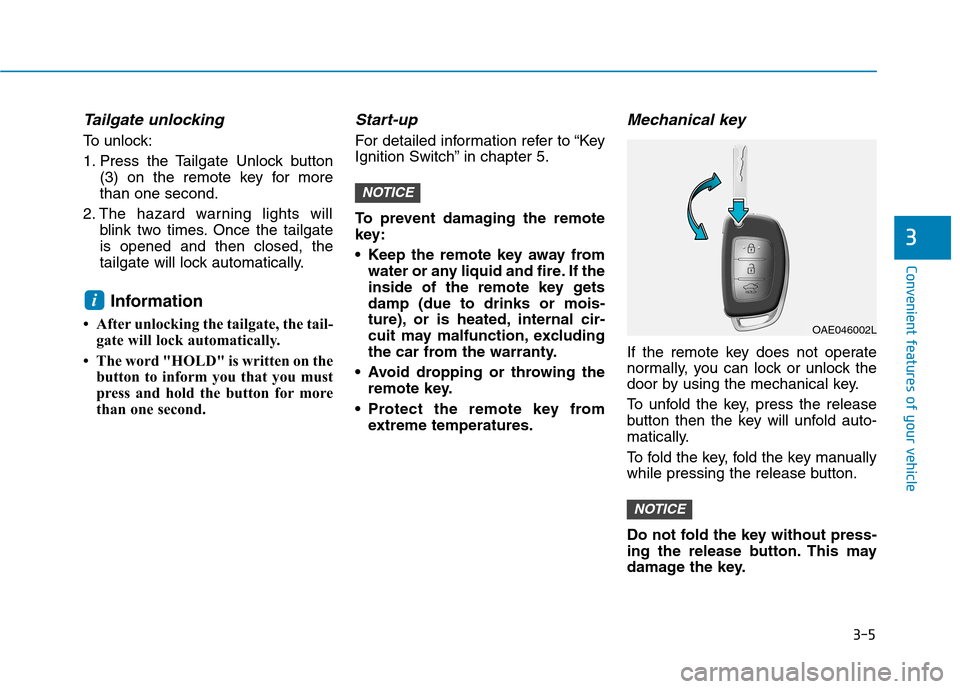
If the remote key does not operate
normally, you can lock or unlock the
door by using the mechanical key.
To unfold the key, press the release
button then the key will unfold auto-
matically.
To fold the key, fold the key manually
while pressing the release button.
Do not fold the key without press-
ing the release button. This may
damage the key.
NOTICE
NOTICE
i
3
OAE046002L
Page 109 of 553
3-7
Convenient features of your vehicle
If you suspect your remote key might
have sustained some damage, or
you feel your remote key is not work-
ing correctly, it is recommended that
you contact an authorized HYUNDAI
dealer.Information An inappropriately disposedbattery can be harmful to the
environment and human
health. Dispose the battery
according to your local law(s)
and regulation.Smart key
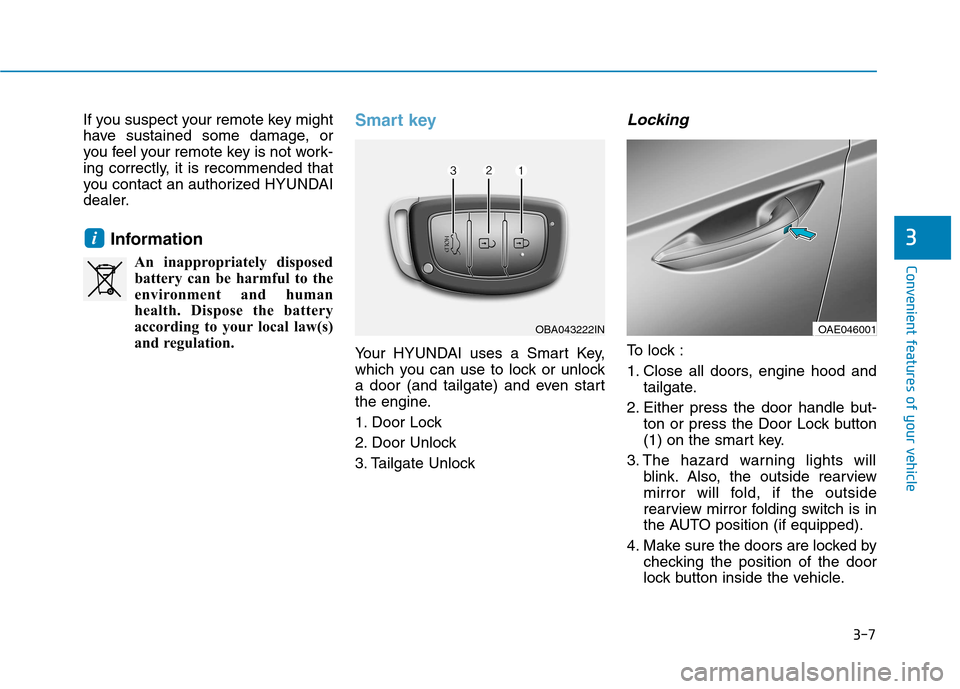
Your HYUNDAI uses a Smart Key,
which you can use to lock or unlock
a door (and tailgate) and even start
the engine.
1. Door Lock
2. Door Unlock
3. Tailgate Unlock
Locking
To lock :
1. Close all doors, engine hood and tailgate.
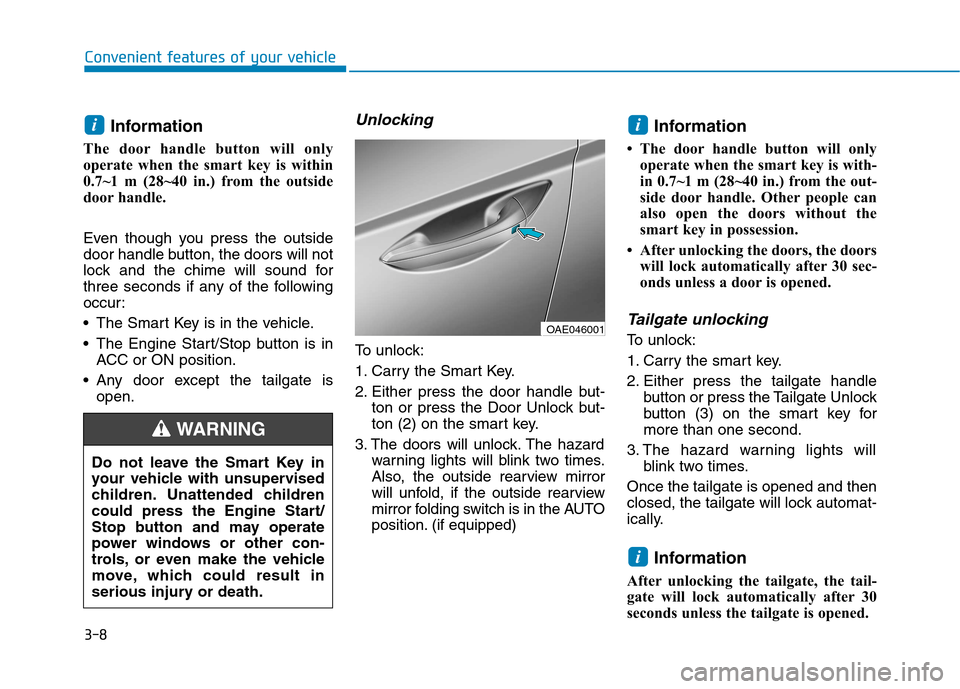
2. Either press the door handle but- ton or press the Door Lock button
(1) on the smart key.
3. The hazard warning lights will blink. Also, the outside rearview
mirror will fold, if the outside
rearview mirror folding switch is in
the AUTO position (if equipped).
4. Make sure the doors are locked by checking the position of the door
lock button inside the vehicle.
i3
OBA043222INOAE046001
Page 110 of 553
3-8Information
The door handle button will only
operate when the smart key is within
0.7~1 m (28~40 in.) from the outside
door handle.
Even though you press the outside
door handle button, the doors will not
lock and the chime will sound for
three seconds if any of the following
occur:
The Smart Key is in the vehicle.
The Engine Start/Stop button is in ACC or ON position.
Any door except the tailgate is open.
Unlocking
To unlock:
1. Carry the Smart Key.
2. Either press the door handle but- ton or press the Door Unlock but-
ton (2) on the smart key.
3. The doors will unlock. The hazard warning lights will blink two times.
Also, the outside rearview mirror
will unfold, if the outside rearview
mirror folding switch is in the AUTO
position. (if equipped) Information
The door handle button will only operate when the smart key is with-
in 0.7~1 m (28~40 in.) from the out-
side door handle. Other people can
also open the doors without the
smart key in possession.
After unlocking the doors, the doors will lock automatically after 30 sec-
onds unless a door is opened.
Tailgate unlocking
To unlock:
1. Carry the smart key.
2. Either press the tailgate handle button or press the Tailgate Unlock
button (3) on the smart key formore than one second.
3. The hazard warning lights will blink two times.
Once the tailgate is opened and then
closed, the tailgate will lock automat-
ically.
Information
After unlocking the tailgate, the tail-
gate will lock automatically after 30
seconds unless the tailgate is opened.
i
ii
Convenient features of your vehicle
Do not leave the Smart Key in
your vehicle with unsupervised
children. Unattended children
could press the Engine Start/
Stop button and may operate
power windows or other con-
trols, or even make the vehicle
move, which could result in
serious injury or death.
WARNING
OAE046001
Page 119 of 553
3-17
Convenient features of your vehicle
This system helps to protect your
vehicle and valuables. The horn will
sound and the hazard warning lights
will blink continuously if any of the
following occurs:
- A door is opened without using theremote key or smart key.
- The tailgate is opened without using the remote key or smart key.
- The engine hood is opened.
The alarm continues for 30 seconds,
then the system resets. To turn off
the alarm, unlock the doors with the
remote key or smart key.
The Theft Alarm System automati-
cally sets 30 seconds after you lock
the doors and the tailgate. For the
system to activate, you must lock thedoors and the tailgate from outside
the vehicle with the remote key or
smart key or by pressing the buttonon the outside of the door handles
with the smart key in your posses-sion.
The hazard warning lights will blink and the chime will sound once to
indicate the system is armed. Once the security system is set, open-
ing any door, the tailgate, or the hood
without using the remote key or smart
key will cause the alarm to activate.
The Theft Alarm System will not set if
the hood, the tailgate, or any door is
not fully closed. If the system will not
set, check the hood, the tailgate, orthe doors are fully closed. Do not attempt to alter this system or
add other devices to it.
Information
Do not lock the doors until all pas- sengers have left the vehicle. If the
remaining passenger leaves the
vehicle when the system is armed,
the alarm will be activated.
If the vehicle is not disarmed with the remote key or smart key, open
the doors by using the mechanical
key and place the ignition switch in
the ON position (for remote key) or
start the engine (for smart key) and
wait for 30 seconds.
When the system is disarmed but a door or tailgate is not opened within
30 seconds, the system will be
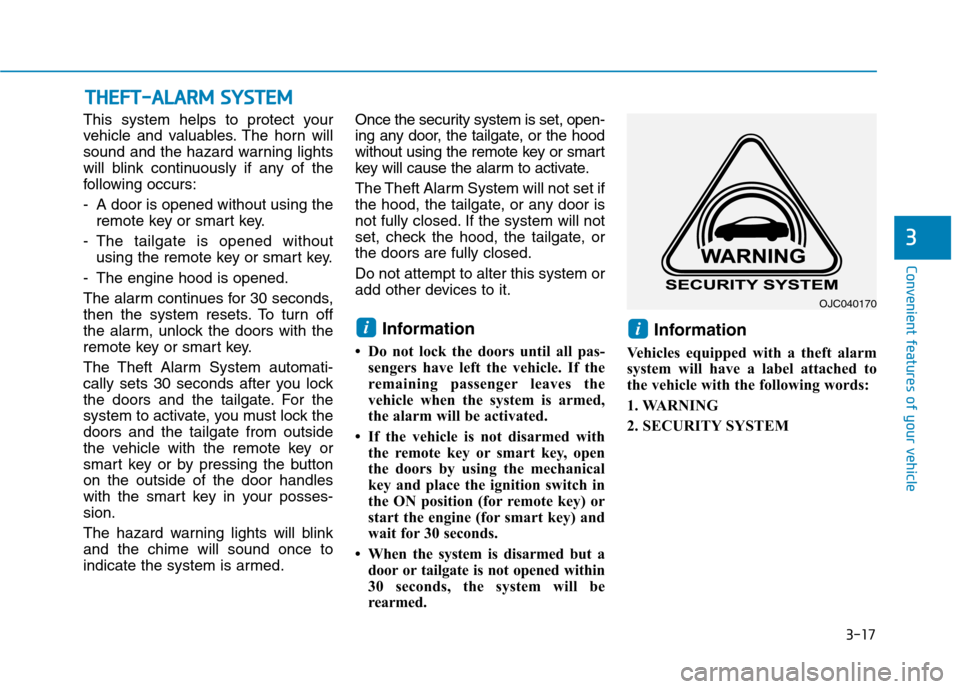
rearmed. Information
Vehicles equipped with a theft alarm
system will have a label attached to
the vehicle with the following words:
1. WARNING
2. SECURITY SYSTEM
ii
TT HH EEFFTT --AA LLAA RRMM SS YY SSTT EEMM
3
OJC040170
Page 123 of 553
3-21
Convenient features of your vehicle
3
Tilt steering / Telescope steering
Information
After adjustment, sometimes the lock-
release lever may not lock the steering
wheel.
It is not a malfunction. This occurs
when two gears are not engaged cor-
rectly. In this case, adjust the steering
wheel again and then lock the steering
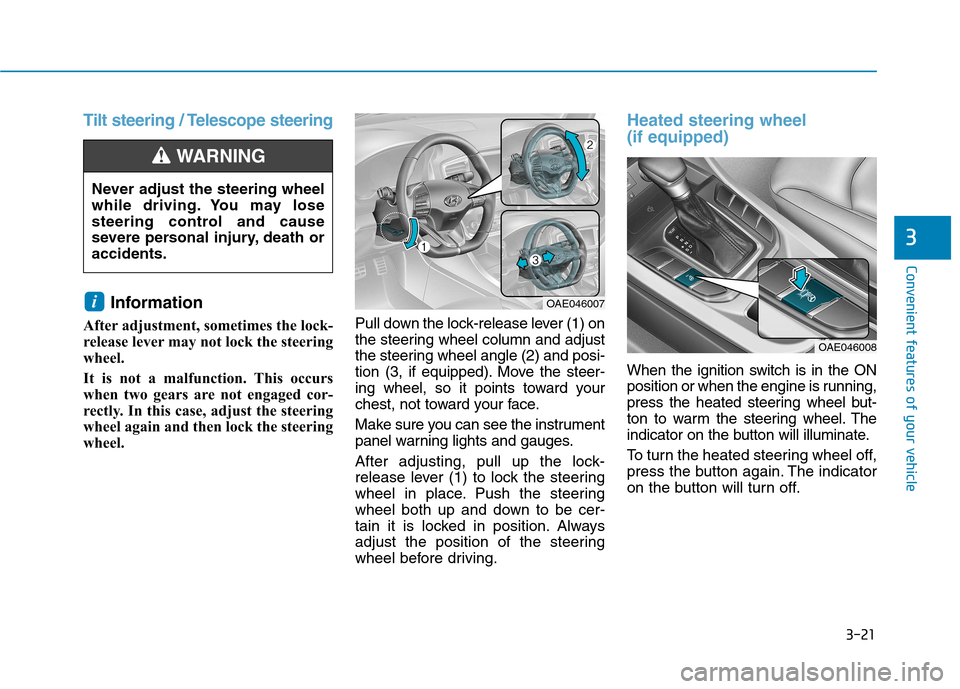
wheel. Pull down the lock-release lever (1) on
the steering wheel column and adjust
the steering wheel angle (2) and posi-
tion (3, if equipped). Move the steer-
ing wheel, so it points toward your
chest, not toward your face.
Make sure you can see the instrument
panel warning lights and gauges.
After adjusting, pull up the lock-
release lever (1) to lock the steering
wheel in place. Push the steering
wheel both up and down to be cer-
tain it is locked in position. Always
adjust the position of the steering
wheel before driving.
Heated steering wheel (if equipped)
When the ignition switch is in the ON
position or when the engine is running,
press the heated steering wheel but-
ton to warm the steering wheel. The
indicator on the button will illuminate.
To turn the heated steering wheel off,
press the button again. The indicator
on the button will turn off.
i
Never adjust the steering wheel
while driving. You may lose
steering control and cause
severe personal injury, death oraccidents.
WARNING
OAE046007
OAE046008