Drive mode HYUNDAI KONA 2022 Owners Manual
[x] Cancel search | Manufacturer: HYUNDAI, Model Year: 2022, Model line: KONA, Model: HYUNDAI KONA 2022Pages: 579, PDF Size: 35.31 MB
Page 20 of 579

2-7
02
The actual shape may differ from the illustration.
OOS010004N
1. Instrument cluster .................................. 4-4
2. Horn ....................................................... 5-38
3. Driver’s front air bag ............................. 3-43
4. Engine Start/Stop button ....................... 6-8
5. Light control/Turn signals .................... 5-67
6. Wiper/Washer ........................................ 5-77
7. Infotainment system ............................5-116
8. Hazard warning flasher switch .............. 8-2
9. Manual climate control system ............5-81
Automatic climate control system ...... 5-89
10. Passenger’s front air bag ..................... 3-43
11. Glove box .............................................5-104
12. USB Charger........................................5-109
13. Power outlet .........................................5-108
14. Dual clutch transmission shift lever ..... 6-18
Intelligent variable transmission shift
lever ........................................................ 6-13
15. Drive mode button ...............................6-60
16. Heated steering wheel ......................... 5-38
17. Idle stop and go (ISG) OFF button ....... 6-54
18. Seat warmer/Air ventilation seat .......... 3-17
19. 4WD lock button ...................................6-46
20. Parking Safety button………….. .............. 7-113
21. Cup holder ........................................... 5-107
22. Steering wheel audio controls/ ........... 5-117
Bluetooth® wireless technology
hands-free controls ..............................5-118
23. Driving Assist button/ .......................... 7-65
Lane Driving Assist button/ ..................7-30
Vehicle Distance button ....................... 7-65
Page 49 of 579
Seats & Safety System
3-18
Information
With the seat warmer switch in the ON
position, the heating system in the seat
turns off or on automatically depending on
the seat temperature.
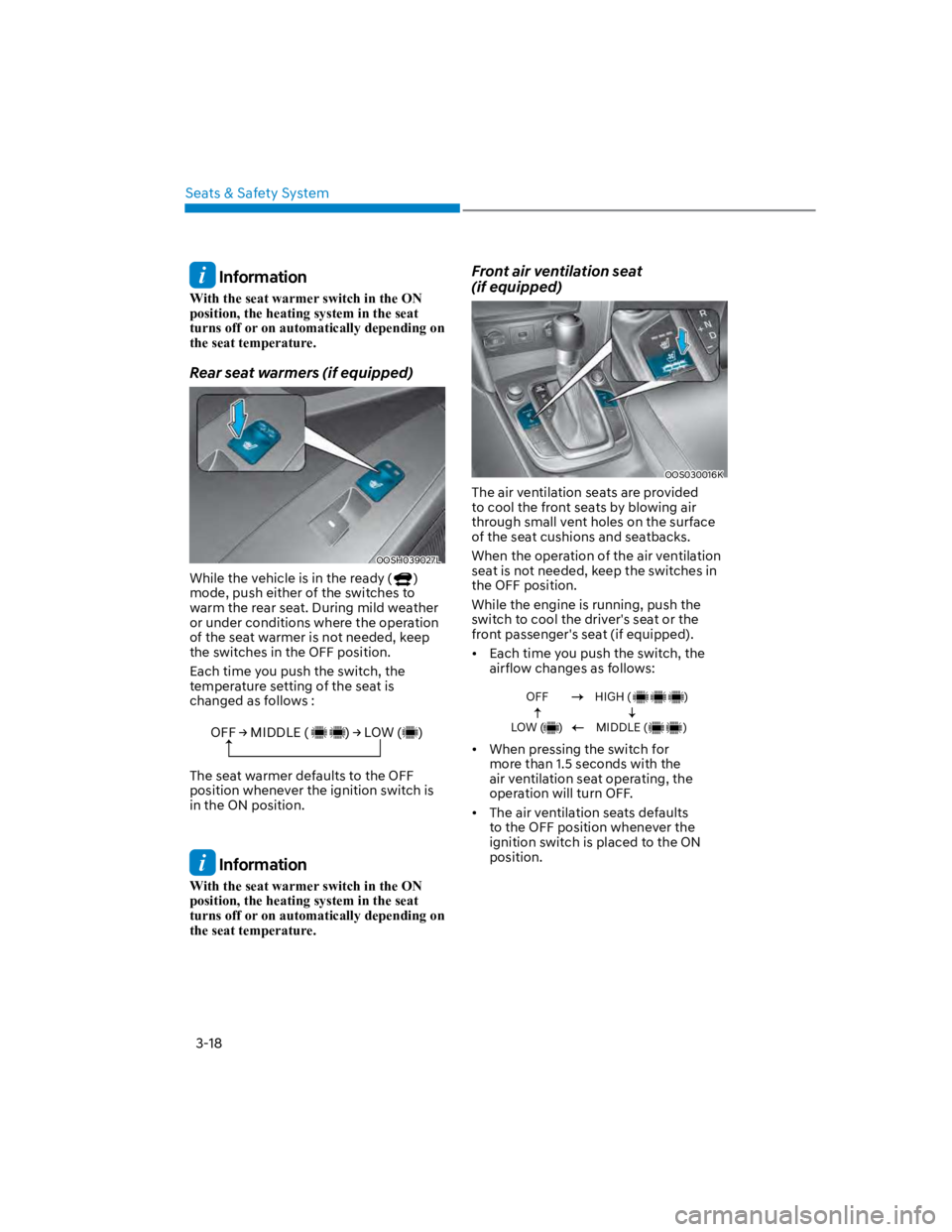
Rear seat warmers (if equipped)
OOSH039027L
While the vehicle is in the ready ()
mode, push either of the switches to
warm the rear seat. During mild weather
or under conditions where the operation
of the seat warmer is not needed, keep
the switches in the OFF position.
Each time you push the switch, the
temperature setting of the seat is
changed as follows :
OFF MIDDLE ( ) LOW ( )
The seat warmer defaults to the OFF
position whenever the ignition switch is
in the ON position.
Information
With the seat warmer switch in the ON
position, the heating system in the seat
turns off or on automatically depending on
the seat temperature.
Front air ventilation seat
(if equipped)
OOS030016K
The air ventilation seats are provided
to cool the front seats by blowing air
through small vent holes on the surface
of the seat cushions and seatbacks.
When the operation of the air ventilation
seat is not needed, keep the switches in
the OFF position.
While the engine is running, push the
switch to cool the driver's seat or the
front passenger's seat (if equipped).
Each time you push the switch, the
airflow changes as follows:
OFF
LOW ( )
HIGH ( )
MIDDLE ( )
When pressing the switch for
more than 1.5 seconds with the
air ventilation seat operating, the
operation will turn OFF.
The air ventilation seats defaults
to the OFF position whenever the
ignition switch is placed to the ON
position.
Page 74 of 579
03
3-43
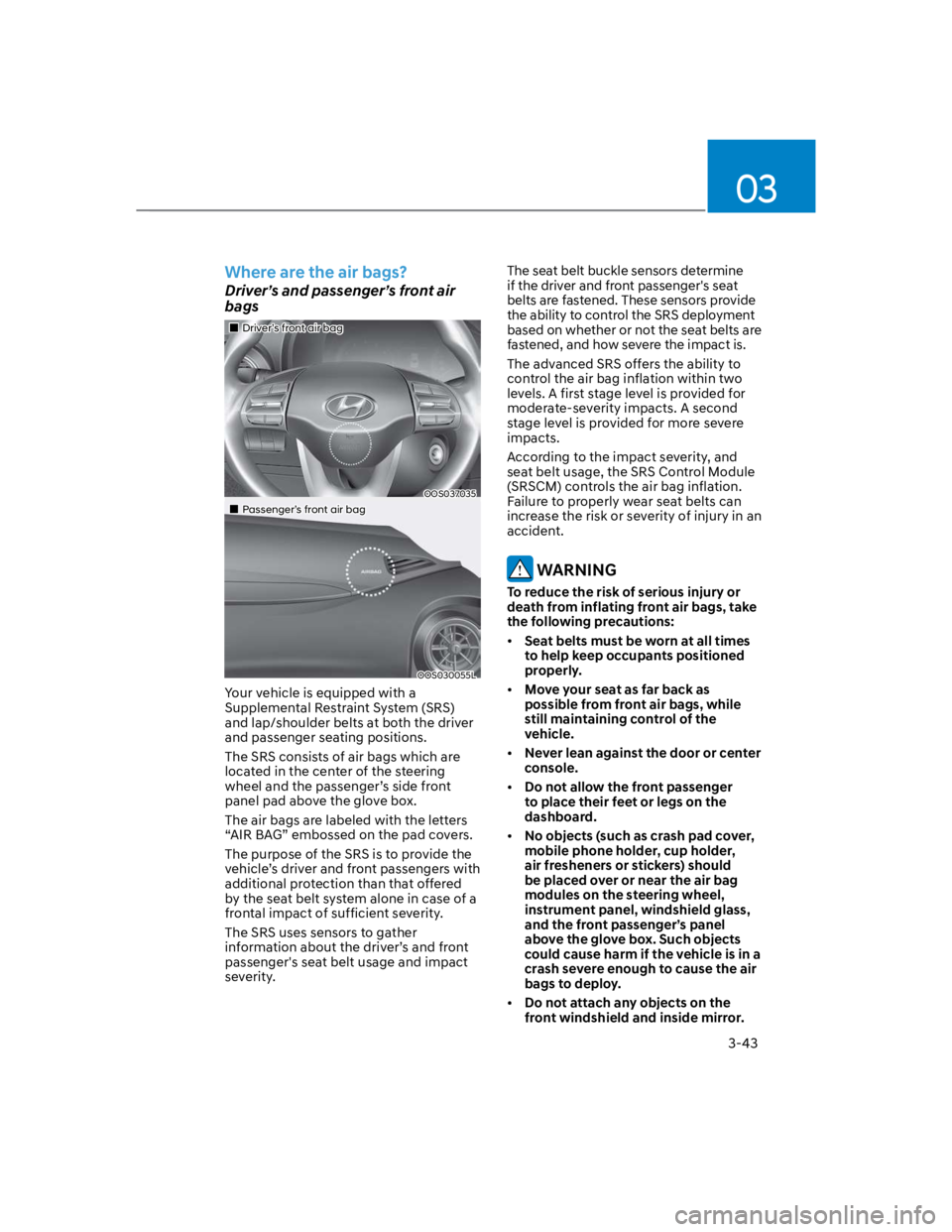
Where are the air bags?
Driver’s and passenger’s front air
bags
Driver’s front air bag
OOS037035
Passenger’s front air bag
OOS030055L
Your vehicle is equipped with a
Supplemental Restraint System (SRS)
and lap/shoulder belts at both the driver
and passenger seating positions.
The SRS consists of air bags which are
located in the center of the steering
wheel and the passenger’s side front
panel pad above the glove box.
The air bags are labeled with the letters
“AIR BAG” embossed on the pad covers.
The purpose of the SRS is to provide the
vehicle’s driver and front passengers with
additional protection than that offered
by the seat belt system alone in case of a
frontal impact of sufficient severity.
The SRS uses sensors to gather
information about the driver’s and front
passenger's seat belt usage and impact
severity.
The seat belt buckle sensors determine
if the driver and front passenger's seat
belts are fastened. These sensors provide
the ability to control the SRS deployment
based on whether or not the seat belts are
fastened, and how severe the impact is.
The advanced SRS offers the ability to
control the air bag inflation within two
levels. A first stage level is provided for
moderate-severity impacts. A second
stage level is provided for more severe
impacts.
According to the impact severity, and
seat belt usage, the SRS Control Module
(SRSCM) controls the air bag inflation.
Failure to properly wear seat belts can
increase the risk or severity of injury in an
accident.
WARNING
To reduce the risk of serious injury or
death from inflating front air bags, take
the following precautions:
Seat belts must be worn at all times
to help keep occupants positioned
properly.
Move your seat as far back as
possible from front air bags, while
still maintaining control of the
vehicle.
Never lean against the door or center
console.
Do not allow the front passenger
to place their feet or legs on the
dashboard.
No objects (such as crash pad cover,
mobile phone holder, cup holder,
air fresheners or stickers) should
be placed over or near the air bag
modules on the steering wheel,
instrument panel, windshield glass,
and the front passenger’s panel
above the glove box. Such objects
could cause harm if the vehicle is in a
crash severe enough to cause the air
bags to deploy.
Do not attach any objects on the
front windshield and inside mirror.
Page 78 of 579

03
3-47
During a moderate to severe frontal
collision, sensors will detect the
vehicle’s rapid deceleration. If the rate of
deceleration is high enough, the control
unit will inflate the front air bags, at the
time and with the force needed.
The front air bags help protect the driver
and front passenger by responding to
frontal impacts in which seat belts alone
cannot provide adequate restraint. When
needed, the side air bags help provide
protection in the event of a side impact
or rollover by supporting the side upper
body area.
Air bags are activated (able to
inflate if necessary) only when the
Engine Start/Stop button is in the
ON or START position, and it can be
activated within about 3 minutes after
the engine is turned off.
Air bags inflate in the event of certain
frontal or side collisions to help
protect the occupants from serious
physical injury.
There is no single speed at which the
air bags will inflate. Generally, air bags
are designed to inflate based upon the
severity of a collision and its direction.
These two factors determine whether
the sensors produce an electronic
deployment/inflation signal.
The front air bags will completely
inflate and deflate in an instant. It is
virtually impossible for you to see the
air bags inflate during an accident. It is
much more likely that you will simply
see the deflated air bags hanging out
of their storage compartments after
the collision.
In addition to inflating in serious side
collisions, vehicles equipped with a
rollover sensor, side and/or curtain air
bags will inflate if the sensing system
detects a rollover.
When a rollover is detected, curtain
air bags will remain inflated longer to
help provide protection from ejection,
especially when used in conjunction
with the seat belts. (if equipped with a
rollover sensor)
To help provide protection, the air
bags must inflate rapidly. The speed
of air bag inflation is a consequence
of extremely short time in which
to inflate the air bag between the
occupant and the vehicle structures
before the occupant impacts those
structures. This speed of inflation
reduces the risk of serious or
lifethreatening injuries and is thus a
necessary part of air bag design.
However, the rapid air bag inflation
can also cause injuries which can
include facial abrasions, bruises and
broken bones because the inflation
speed also causes the air bags to
expand with a great deal of force.
There are even circumstances under
which contact with the air bag can
cause fatal injuries, especially if the
occupant is positioned excessively
close to the air bag.
You can take steps to reduce the risk
of being injured by an inflating air bag.
The greatest risk is sitting too close to
the air bag. An air bag needs about 10
in. (25 cm) of space to inflate. NHTSA
recommends that drivers allow at least
10 in. (25 cm) between the center of the
steering wheel and the chest.
Page 95 of 579

4
Turn signal indicator light ........................................................................................4-20
High beam indicator light .......................................................................................4-20
High Beam Assist indicator light ..............................................................................4-21
Cruise Indicator Light ...............................................................................................4-21
SPORT Mode Indicator Light ....................................................................................4-21
SMART Mode Indicator Light ...................................................................................4-21
Master warning light .................................................................................................4-21
LCD display messages ............................................................................................... 4-22
Shift to P (for smart key system and dual clutch transmission)............................ 4-22
Low key battery (for smart key system).................................................................. 4-22
Press START button while turning wheel (for smart key system) ......................... 4-22
Steering wheel not locked (for smart key system) ................................................ 4-22
Press brake pedal to start engine (for smart key system and dual clutch
transmission) ........................................................................................................... 4-22
Key not in vehicle (for smart key system) ............................................................... 4-22
Key not detected (for smart key system)................................................................ 4-22
Press START button again (for smart key system) ................................................ 4-22
Press START button with key (for smart key system) ........................................... 4-23
Check BRAKE SWITCH fuse (for smart key system and dual clutch
transmission) ........................................................................................................... 4-23
Shift to P or N to start engine (for smart key system and dual clutch
transmission) ........................................................................................................... 4-23
Battery discharging due to external electrical devices ......................................... 4-23
Door, Hood, Liftgate open indicator .......................................................................4-24
Sunroof open indicator ............................................................................................4-24
Low tire pressure .....................................................................................................4-24
Lights ........................................................................................................................ 4-25
Wiper ........................................................................................................................ 4-25
Heated Steering Wheel turned off .......................................................................... 4-25
Low washer fluid ...................................................................................................... 4-25
Low fuel .................................................................................................................... 4-25
Engine overheated / Engine has overheated .........................................................4-26
Check exhaust system .............................................................................................4-26
Check headlight .......................................................................................................4-26
Check turn signal .....................................................................................................4-26
Check headlamp LED ..............................................................................................4-26
Check Forward Safety system ................................................................................. 4-27
Check Lane Keeping Assist (LKA) system .............................................................. 4-27
Check Blind-Spot Safety system............................................................................. 4-27
Check Driver Attention Warning system ................................................................ 4-27
Check High Beam Assist (HBA) system .................................................................. 4-27
Check Smart Cruise Control system ....................................................................... 4-27
Page 102 of 579
04
4-9
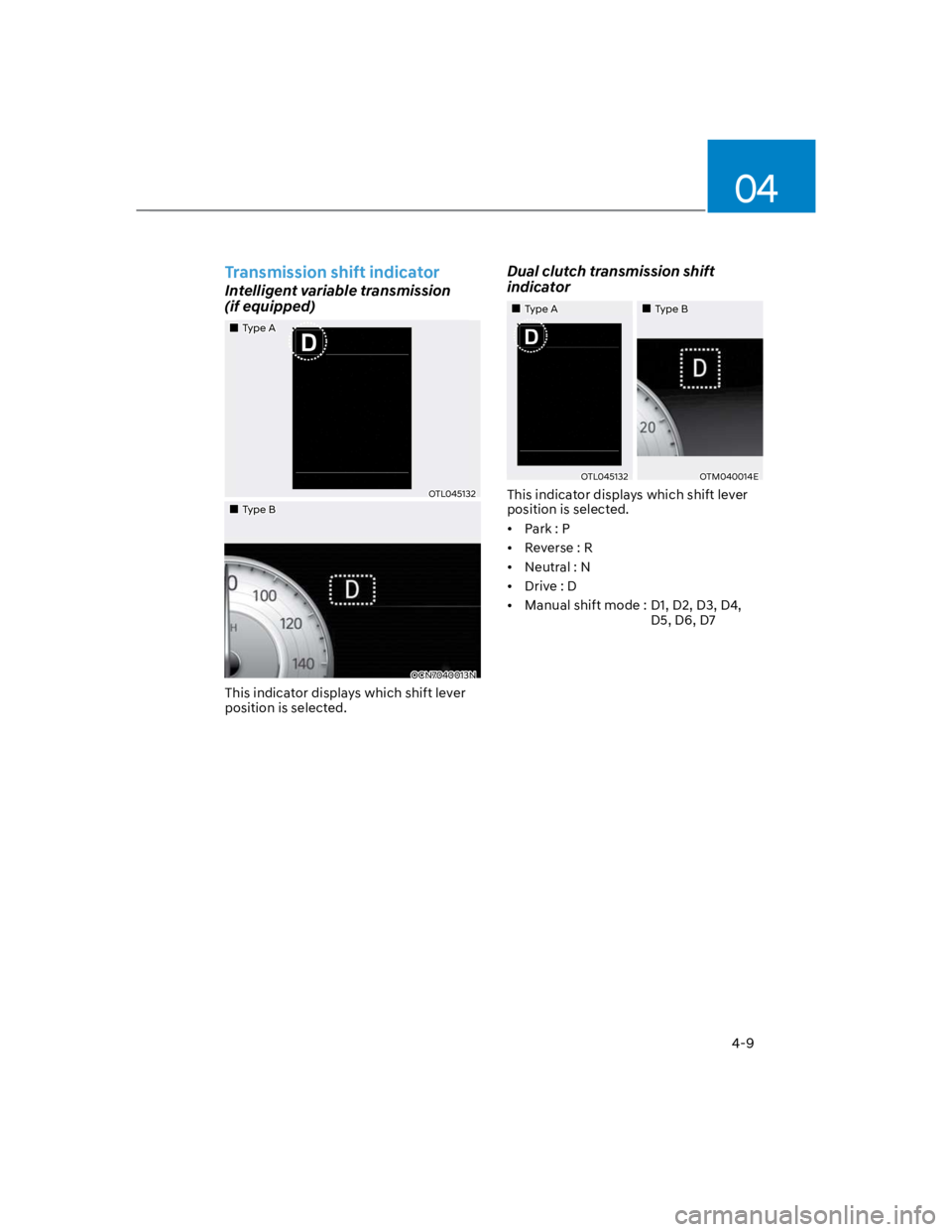
Transmission shift indicator
Intelligent variable transmission
(if equipped)
Type A
OTL045132
Type B
OCN7040013N
This indicator displays which shift lever
position is selected.
Dual clutch transmission shift
indicator
Type A Type B
OTL045132OTM040014E
This indicator displays which shift lever
position is selected.
Park : P
Reverse : R
Neutral : N
Drive : D
Manual shift mode : D1, D2, D3, D4,
D5, D6, D7
Page 110 of 579
04
4-17
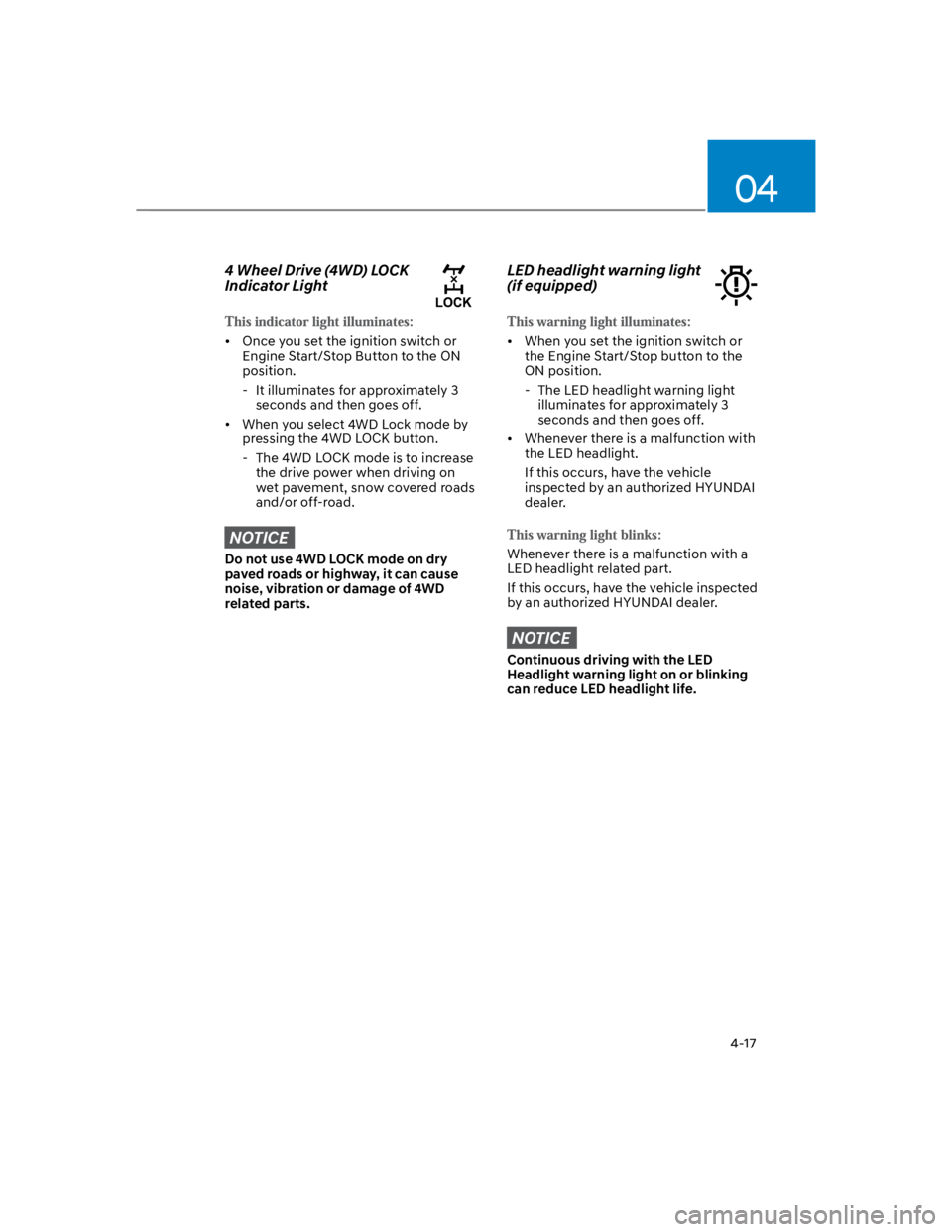
4 Wheel Drive (4WD) LOCK
Indicator Light
Once you set the ignition switch or
Engine Start/Stop Button to the ON
position.
- It illuminates for approximately 3
seconds and then goes off.
When you select 4WD Lock mode by
pressing the 4WD LOCK button.
- The 4WD LOCK mode is to increase
the drive power when driving on
wet pavement, snow covered roads
and/or off-road.
NOTICE
Do not use 4WD LOCK mode on dry
paved roads or highway, it can cause
noise, vibration or damage of 4WD
related parts.
LED headlight warning light
(if equipped)
When you set the ignition switch or
the Engine Start/Stop button to the
ON position.
- The LED headlight warning light
illuminates for approximately 3
seconds and then goes off.
Whenever there is a malfunction with
the LED headlight.
If this occurs, have the vehicle
inspected by an authorized HYUNDAI
dealer.
Whenever there is a malfunction with a
LED headlight related part.
If this occurs, have the vehicle inspected
by an authorized HYUNDAI dealer.
NOTICE
Continuous driving with the LED
Headlight warning light on or blinking
can reduce LED headlight life.
Page 114 of 579
04
4-21
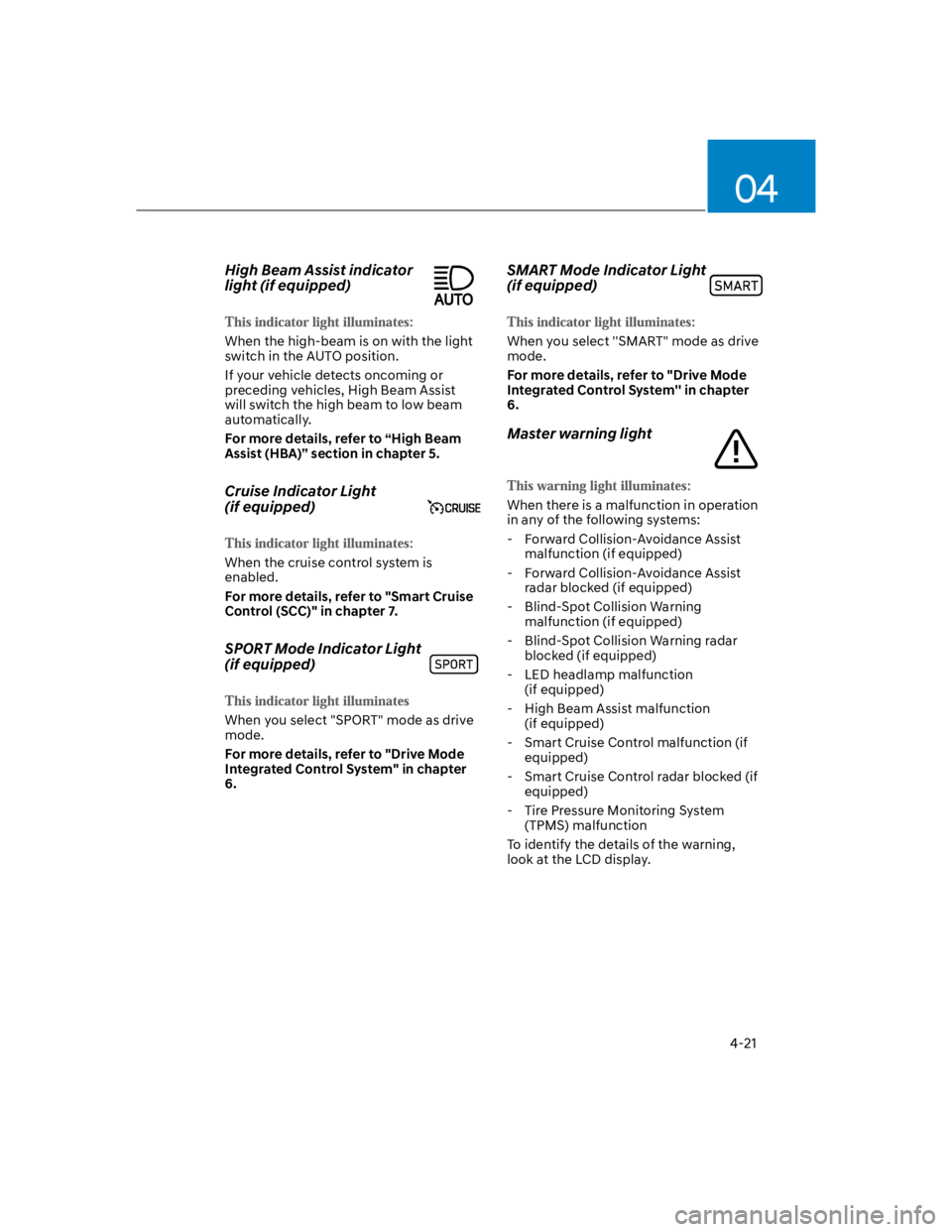
High Beam Assist indicator
light (if equipped)
When the high-beam is on with the light
switch in the AUTO position.
If your vehicle detects oncoming or
preceding vehicles, High Beam Assist
will switch the high beam to low beam
automatically.
For more details, refer to “High Beam
Assist (HBA)” section in chapter 5.
Cruise Indicator Light
(if equipped)
When the cruise control system is
enabled.
For more details, refer to "Smart Cruise
Control (SCC)" in chapter 7.
SPORT Mode Indicator Light
(if equipped)
When you select "SPORT" mode as drive
mode.
For more details, refer to "Drive Mode
Integrated Control System" in chapter
6.
SMART Mode Indicator Light
(if equipped)
When you select ''SMART" mode as drive
mode.
For more details, refer to "Drive Mode
Integrated Control System'' in chapter
6.
Master warning light
When there is a malfunction in operation
in any of the following systems:
- Forward Collision-Avoidance Assist
malfunction (if equipped)
- Forward Collision-Avoidance Assist
radar blocked (if equipped)
- Blind-Spot Collision Warning
malfunction (if equipped)
- Blind-Spot Collision Warning radar
blocked (if equipped)
- LED headlamp malfunction
(if equipped)
- High Beam Assist malfunction
(if equipped)
- Smart Cruise Control malfunction (if
equipped)
- Smart Cruise Control radar blocked (if
equipped)
- Tire Pressure Monitoring System
(TPMS) malfunction
To identify the details of the warning,
look at the LCD display.
Page 122 of 579
04
4-29
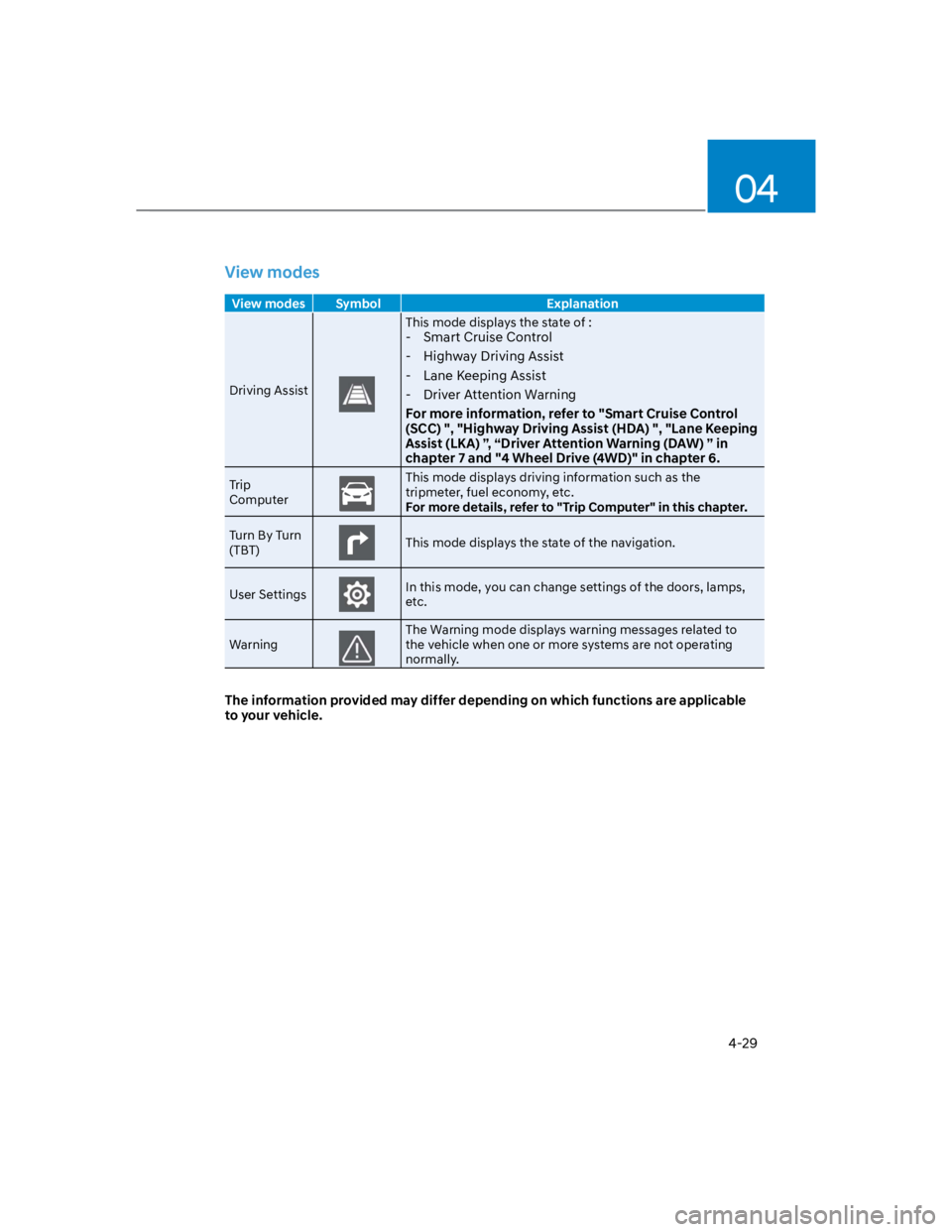
View modes
View modes Symbol Explanation
Driving Assist
This mode displays the state of :
- Smart Cruise Control
- Highway Driving Assist
- Lane Keeping Assist
- Driver Attention Warning
For more information, refer to "Smart Cruise Control
(SCC) ", "Highway Driving Assist (HDA) ", "Lane Keeping
Assist (LKA) ”, “Driver Attention Warning (DAW) ” in
chapter 7 and "4 Wheel Drive (4WD)" in chapter 6.
Trip
Computer
This mode displays driving information such as the
tripmeter, fuel economy, etc.
For more details, refer to "Trip Computer" in this chapter.
Turn By Turn
(TBT)This mode displays the state of the navigation.
User SettingsIn this mode, you can change settings of the doors, lamps,
etc.
Warning
The Warning mode displays warning messages related to
the vehicle when one or more systems are not operating
normally.
The information provided may differ depending on which functions are applicable
to your vehicle.
Page 123 of 579
Instrument cluster
4-30
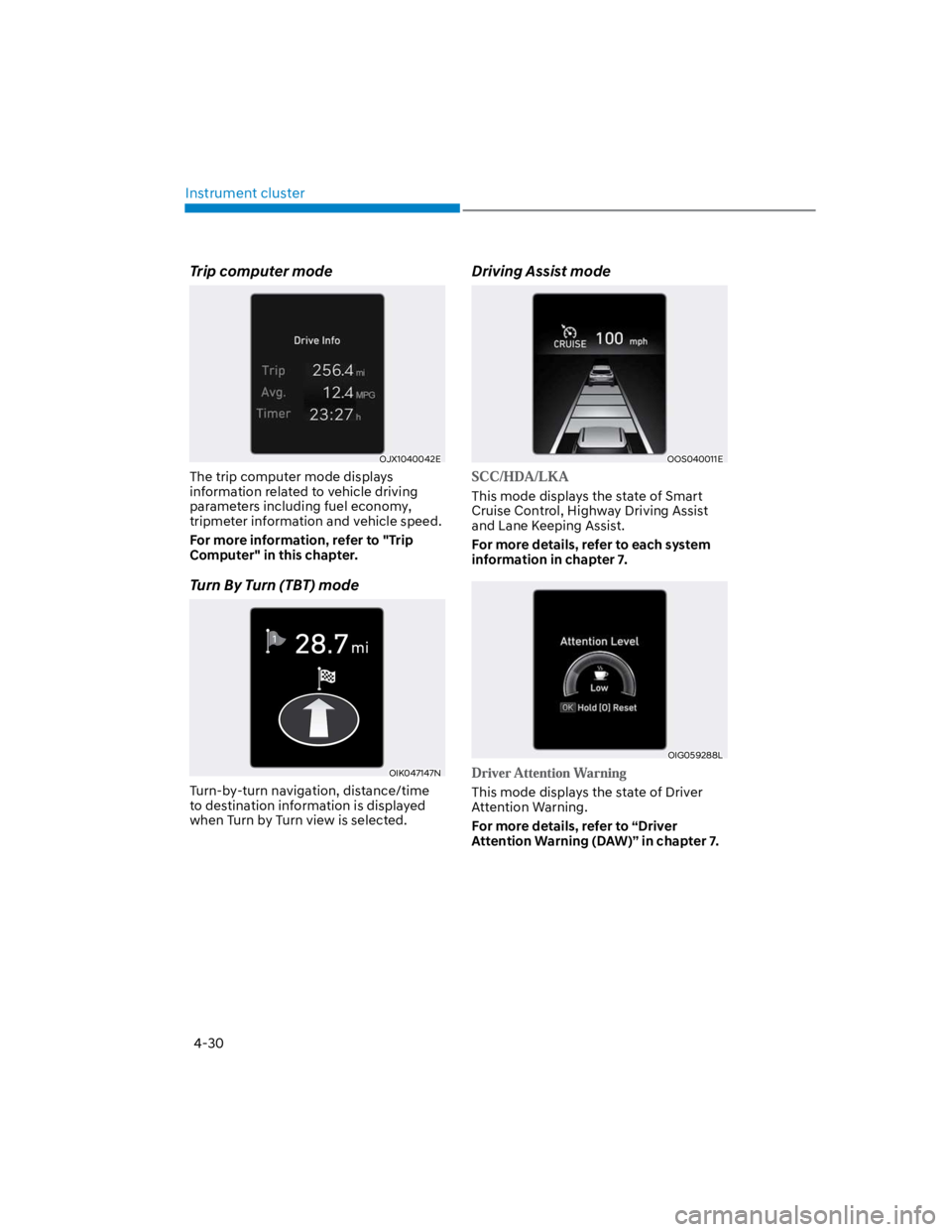
Trip computer mode
OJX1040042E
The trip computer mode displays
information related to vehicle driving
parameters including fuel economy,
tripmeter information and vehicle speed.
For more information, refer to "Trip
Computer" in this chapter.
Turn By Turn (TBT) mode
OIK047147N
Turn-by-turn navigation, distance/time
to destination information is displayed
when Turn by Turn view is selected.
Driving Assist mode
OOS040011E
This mode displays the state of Smart
Cruise Control, Highway Driving Assist
and Lane Keeping Assist.
For more details, refer to each system
information in chapter 7.
OIG059288L
This mode displays the state of Driver
Attention Warning.
For more details, refer to “Driver
Attention Warning (DAW)” in chapter 7.