brakes Hyundai Kona EV 2019 User Guide
[x] Cancel search | Manufacturer: HYUNDAI, Model Year: 2019, Model line: Kona EV, Model: Hyundai Kona EV 2019Pages: 540, PDF Size: 21.84 MB
Page 274 of 540
5-41
Driving your vehicle
5
Using ABS
To obtain the maximum benefit from
your ABS in an emergency situation,
do not attempt to modulate your
brake pressure and do not try to
pump your brakes. Depress your
brake pedal as hard as possible.
When you apply your brakes under
conditions which may lock the
wheels, you may hear sounds from
the brakes, or feel a corresponding
sensation in the brake pedal. This is
normal and it means your ABS is
active.
ABS does not reduce the time or dis-
tance it takes to stop the vehicle.
Always maintain a safe distance from
the vehicle in front of you.
ABS will not prevent a skid that
results from sudden changes in
direction, such as trying to take a
corner too fast or making a sudden
lane change. Always drive at a safe
speed for the road and weather con-
ditions.ABS cannot prevent a loss of stabili-
ty. Always steer moderately when
braking hard. Severe or sharp steer-
ing wheel movement can still cause
your vehicle to veer into oncoming
traffic or off the road.
On loose or uneven road surfaces,
operation of the anti-lock brake sys-
tem may result in a longer stopping
distance than for vehicles equipped
with a conventional brake system.
The ABS warning light ( ) will stay
on for several seconds after the
POWER button is in the ON position.
During that time, the ABS will go
through self-diagnosis and the light
will go off if everything is normal. If
the light stays on, you may have a
problem with your ABS. Contact an
authorized HYUNDAI dealer as soon
as possible.
If the ABS warning light ( ) is
on and stays on, you may have
a problem with the ABS. Your
power brakes will work normal-
ly. To reduce the risk of serious
injury or death, contact your
HYUNDAI dealer as soon as
possible.
WARNING
Page 275 of 540
5-42
Driving your vehicle
When you drive on a road having
poor traction, such as an icy road,
and apply your brakes continu-
ously, the ABS will be active con-
tinuously and the ABS warning
light ( ) may illuminate. Pull
your car over to a safe place and
turn the vehicle off.
Restart the vehicle. If the ABS
warning light is off, then your ABS
system is normal.
Otherwise, you may have a prob-
lem with your ABS system.
Contact an authorized HYUNDAI
dealer as soon as possible.
Information
When you jump start your vehicle
because of a drained battery, the ABS
warning light ( ) may turn on at the
same time. This happens because of
the low battery voltage. It does not
mean your ABS is malfunctioning.
Have the battery recharged before
driving the vehicle.
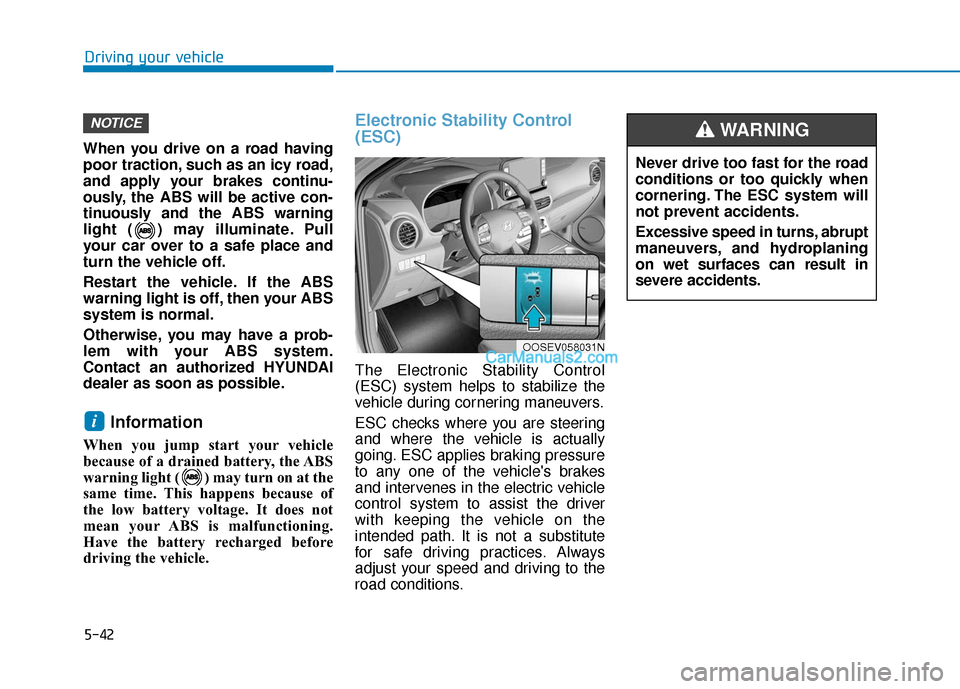
Electronic Stability Control
(ESC)
The Electronic Stability Control
(ESC) system helps to stabilize the
vehicle during cornering maneuvers.
ESC checks where you are steering
and where the vehicle is actually
going. ESC applies braking pressure
to any one of the vehicle's brakes
and intervenes in the electric vehicle
control system to assist the driver
with keeping the vehicle on the
intended path. It is not a substitute
for safe driving practices. Always
adjust your speed and driving to the
road conditions.
i
NOTICE
OOSEV058031N
Never drive too fast for the road
conditions or too quickly when
cornering. The ESC system will
not prevent accidents.
Excessive speed in turns, abrupt
maneuvers, and hydroplaning
on wet surfaces can result in
severe accidents.
WARNING
Page 276 of 540
5-43
Driving your vehicle
5
ESC operation
ESC ON condition
When the POWER button is in the
ON position, the ESC and the ESC
OFF indicator lights illuminate for
approximately three seconds. After
both lights go off, the ESC is
enabled.
When operating
When the ESC is in opera-
tion, the ESC indicator light
blinks:
conditions which may lock the
wheels, you may hear sounds from
the brakes, or feel a corresponding
sensation in the brake pedal. This is
normal and it means your ESC is
active.
cle may not respond to the acceler-
ator as it does under routine condi-
tions.
when the ESC activates, the Cruise
Control automatically disengages.
The Cruise Control can be reen-
gaged when the road conditions
allow. See "Cruise Control System"
later in this chapter.
ESC OFF condition
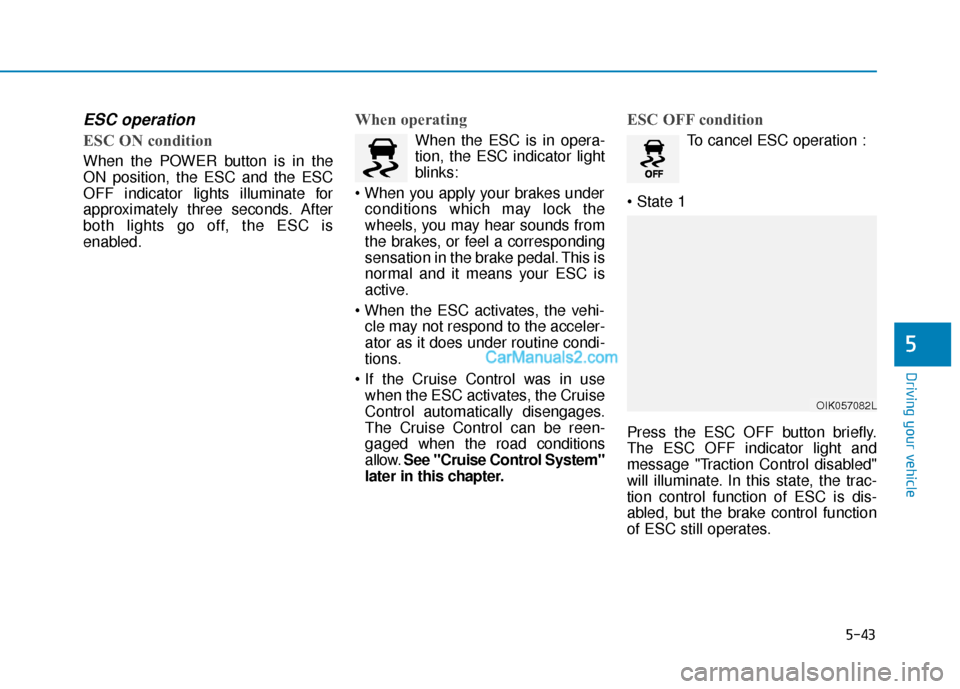
To cancel ESC operation :
Press the ESC OFF button briefly.
The ESC OFF indicator light and
message "Traction Control disabled"
will illuminate. In this state, the trac-
tion control function of ESC is dis-
abled, but the brake control function
of ESC still operates.
OIK057082L
Page 279 of 540
5-46
Driving your vehicle
VSM operation
VSM ON condition
The VSM operates when:
The Electronic Stability Control(ESC) is on.
Vehicle speed is approximately under 93 mph (150 km/h) when the
vehicle is braking on rough roads.
When operating
When you apply your brakes under
conditions which may activate the
ESC, you may hear sounds from the
brakes, or feel a corresponding sen-
sation in the brake pedal. This is nor-
mal and it means your VSM is active.
Information
The VSM does not operate when:
• Driving on a banked road such as agradient or incline.
• Driving in reverse.
• The ESC OFF indicator light is on.
• The EPS (Electric power steering)
warning light ( ) is on or blinks. Driving with wheels and tires with
different sizes may cause the VSM
system to malfunction. Before
replacing tires, make sure all four
tires and wheels are the same
size. Never drive the vehicle with
different sized tires and wheels
installed.
NOTICEi
If the ESC indicator light ( ) or
EPS warning light ( ) stays
on or blinks, your vehicle may
have a malfunction with the
VSM system. When the warning
light illuminates, have the vehi-
cle checked by an authorized
HYUNDAI dealer as soon as
possible.
WARNING
Page 280 of 540
5-47
Driving your vehicle
5
Hill-Start Assist Control (HAC)
The Hill-Start Assist Control (HAC)
helps prevent the vehicle from rolling
backwards when starting a vehicle
from a stop on a hill. The system
operates the brakes automatically for
approximately 3 seconds and releas-
es the brake after 3 seconds or when
the accelerator pedal is depressed.
Information
• The HAC does not operate when thegear is in P (Park) or N (Neutral).
• The HAC activates even though the ESC (Electronic Stability Control) is
off but does not activate when the
ESC has malfunctioned.
Good Braking Practices
Wet brakes can be dangerous. The
brakes may get wet if the vehicle is
driven through standing water or if it
is washed. Your vehicle will not stop
as quickly if the brakes are wet. Wet
brakes may cause the vehicle to pull
to one side. To dry the brakes, apply the brakes
lightly until the braking action returns
to normal. If the braking action does
not return to normal, stop as soon as
it is safe to do so and call an author-
ized HYUNDAI dealer for assistance.
DO NOT drive with your foot resting
on the brake pedal. Even light, but
constant pedal pressure can result in
the brakes overheating, brake wear,
and possibly even brake failure.
If a tire goes flat while you are driv-
ing, apply the brakes gently and
keep the vehicle pointed straight
ahead while you slow down. When
you are moving slowly enough for it
to be safe to do so, pull off the road
and stop in a safe location.
Keep your foot firmly on the brake
pedal when the vehicle is stopped to
prevent the vehicle from rolling for-
ward.
i
Always be ready to depress the
accelerator pedal when starting
the vehicle on an incline. The
HAC feature activates only for
approximately 3 seconds.
WARNING
Whenever leaving the vehicle or
parking, always come to a com-
plete stop and continue to
depress the brake pedal. Shift
to the P (Park) position, then
apply the parking brake, and
place the POWER button in the
OFF position.
Vehicles parked with the park-
ing brake not applied or not
fully engaged may roll inadver-
tently and may cause injury to
the driver and others. ALWAYS
apply the parking brake before
exiting the vehicle.
WARNING
Page 285 of 540
5-52
Driving your vehicle
FCA Warning Message and
System Control
The FCA produces warning mes-
sages and warning alarms in accor-
dance with the collision risk levels,
such as abrupt stopping of the vehi-
cle in front, or insufficient braking dis-
tance detection. Also, it controls the
brakes in accordance with the colli-
sion risk levels.
The driver can select the initial warn-
ing activation time in the User
Settings in the LCD display. The
options for the initial Forward
Collision Warning include Late,
Normal or Early initial warning time.
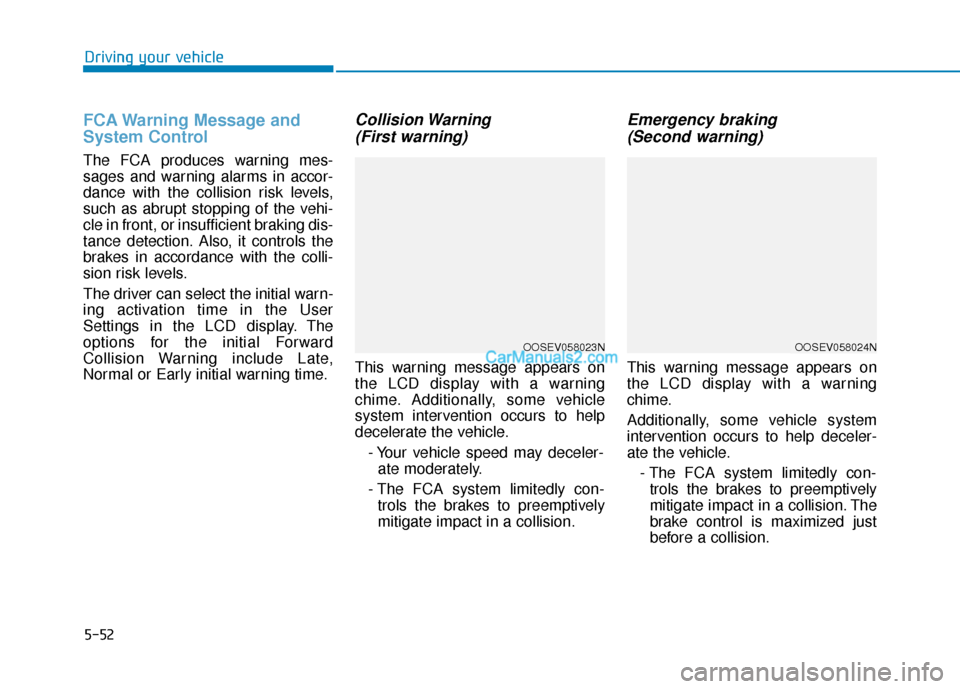
Collision Warning (First warning)
This warning message appears on
the LCD display with a warning
chime. Additionally, some vehicle
system intervention occurs to help
decelerate the vehicle.
- Your vehicle speed may deceler-ate moderately.
- The FCA system limitedly con- trols the brakes to preemptively
mitigate impact in a collision.
Emergency braking (Second warning)
This warning message appears on
the LCD display with a warning
chime.
Additionally, some vehicle system
intervention occurs to help deceler-
ate the vehicle.
- The FCA system limitedly con-trols the brakes to preemptively
mitigate impact in a collision. The
brake control is maximized just
before a collision.
OOSEV058023NOOSEV058024N
Page 313 of 540
5-80
Driving your vehicle
Information
• Even though the steering is assistedby the system, the driver can still
steer to control the steering wheel.
• The steering wheel may feel heavier when the steering wheel is assisted
by the system than when it is not.
LKA system failure indicator
The LKA system failureindicator (yellow) will illu-
minate if the LKA system
is not working properly.
Have your vehicle
checked by an authorized
HYUNDAI dealer.
When there is a problem with the
system do one of the following:
Turn the system on after turning the vehicle off and on again.
Check if the vehicle is ON.
Check if the system is affected by the weather. (ex: fog, heavy rain,
etc.)
Check if there is foreign matter on the camera lens.
If the problem is not resolved, have
your vehicle checked by an author-
ized HYUNDAI dealer.
The LKA system will not be in the
ENABLED state and/or the steering
wheel will not be assisted when:
The turn signal is turned on before changing a lane. If you change
lanes without the turn signal on, the
steering wheel might be controlled.
The vehicle is not driven in the mid- dle of the lane when the system is
turned on or right after changing a
lane.
ESC (Electronic Stability Control) or VSM (Vehicle Stability Management)
is activated.
The vehicle is driven on a sharp curve.
Vehicle speed is below 35 mph (56 km/h) and over 110 mph (177
km/h).
The vehicle makes sharp lane changes.
The vehicle brakes suddenly.
The lane is very wide or narrow.
There are more than two lane lines on the road. (e.g. construction area)
Only one side of the lane marker is detected.
i
The driver is responsible for
accurate steering.
Turn off the system in below
situations.
- In bad weather
- In bad road condition
- When the steering wheelneeds to be controlled by the
driver frequently.
WARNING
Page 321 of 540
5-88
Driving your vehicle
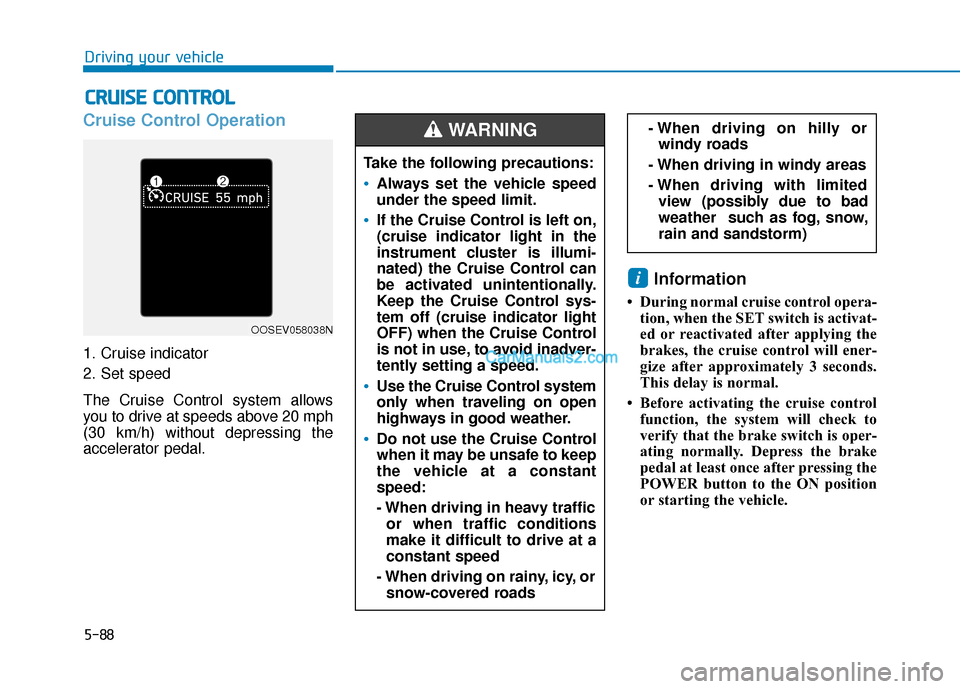
Cruise Control Operation
1. Cruise indicator
2. Set speed
The Cruise Control system allows
you to drive at speeds above 20 mph
(30 km/h) without depressing the
accelerator pedal.
Information
• During normal cruise control opera-tion, when the SET switch is activat-
ed or reactivated after applying the
brakes, the cruise control will ener-
gize after approximately 3 seconds.
This delay is normal.
• Before activating the cruise control function, the system will check to
verify that the brake switch is oper-
ating normally. Depress the brake
pedal at least once after pressing the
POWER button to the ON position
or starting the vehicle.
i
C CR
R U
U I
IS
S E
E
C
C O
O N
NT
TR
R O
O L
L
Take the following precautions:
Always set the vehicle speed
under the speed limit.
If the Cruise Control is left on,
(cruise indicator light in the
instrument cluster is illumi-
nated) the Cruise Control can
be activated unintentionally.
Keep the Cruise Control sys-
tem off (cruise indicator light
OFF) when the Cruise Control
is not in use, to avoid inadver-
tently setting a speed.
Use the Cruise Control system
only when traveling on open
highways in good weather.
Do not use the Cruise Control
when it may be unsafe to keep
the vehicle at a constant
speed:
- When driving in heavy traffic
or when traffic conditions
make it difficult to drive at a
constant speed
- When driving on rainy, icy, or snow-covered roads
- When driving on hilly orwindy roads
- When driving in windy areas
- When driving with limited view (possibly due to bad
weather such as fog, snow,
rain and sandstorm) WARNING
OOSEV058038N
Page 338 of 540
5-105
Driving your vehicle
5
Limitations of the System
The Smart Cruise Control system
may have limits to its ability to detect
distance to the vehicle ahead due to
road and traffic conditions.
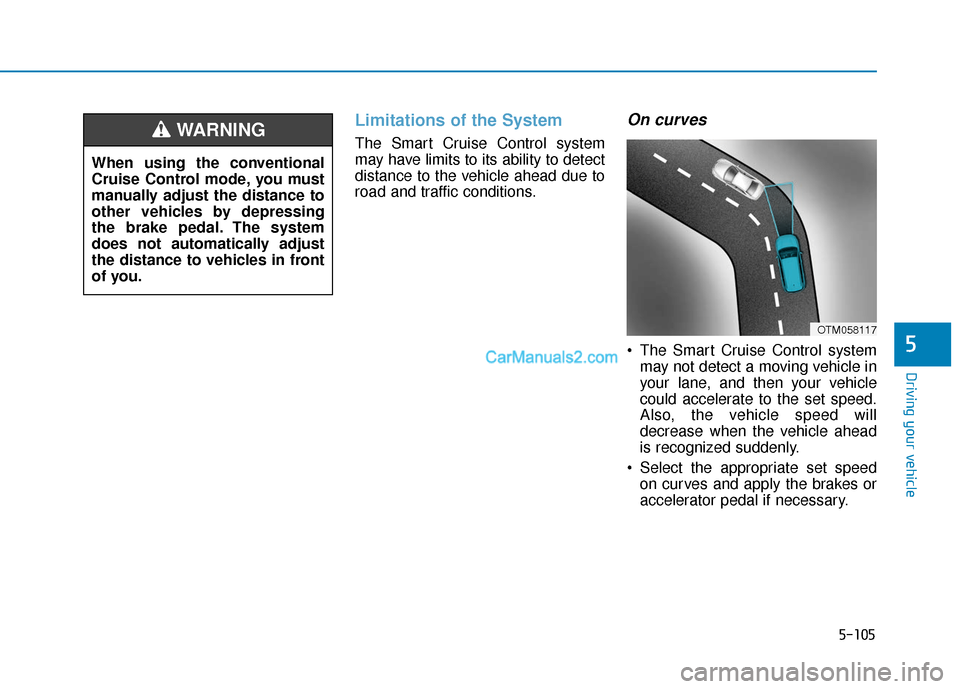
On curves
The Smart Cruise Control systemmay not detect a moving vehicle in
your lane, and then your vehicle
could accelerate to the set speed.
Also, the vehicle speed will
decrease when the vehicle ahead
is recognized suddenly.
Select the appropriate set speed on curves and apply the brakes or
accelerator pedal if necessary.
When using the conventional
Cruise Control mode, you must
manually adjust the distance to
other vehicles by depressing
the brake pedal. The system
does not automatically adjust
the distance to vehicles in front
of you.
WARNING
OTM058117
Page 342 of 540
5-109
Driving your vehicle
5
Information
The Smart Cruise Control system
may not operate temporarily due to:
• Electrical interference
• Modifying the suspension
• Differences of tire abrasion or tirepressure
• Installing different type of tires
Information
This device complies with Part 15 of
the FCC rules.
Operation is subject to the following
three conditions:
1. This device may not cause harmful interference, and
2. This device must accept any inter- ference received, including inter-
ference that may cause undesired
operation.
3. Changes or modifications not expressly approved by the party
responsible for compliance could
void the user's authority to operate
the device.
i
i
When using the Smart Cruise
Control take the following pre-
cautions:
If an emergency stop is nec-
essary, you must apply the
brakes. The vehicle cannot be
stopped at every emergency
situation by using the Smart
Cruise Control system.
Keep a safe distance accord-
ing to road conditions and
vehicle speed. If the vehicle to
vehicle distance is too close
during a high-speed driving, a
serious collision may result.
Always maintain sufficient
braking distance and deceler-
ate your vehicle by applying
the brakes if necessary.
The Smart Cruise Control sys-
tem cannot recognize a
stopped vehicle, pedestrians or
an oncoming vehicle. Always
look ahead cautiously to pre-
vent unexpected and sudden
situations from occurring.
WARNING Vehicles moving in front of
you with a frequent lane
change may cause a delay in
the system's reaction or may
cause the system to react to a
vehicle actually in an adjacent
lane. Always drive cautiously
to prevent unexpected and
sudden situations from occur-
ring.
Always be aware of the select-
ed speed and vehicle to vehi-
cle distance. The driver
should not solely rely on the
system but always pay atten-
tion to driving conditions and
control your vehicle speed.
The Smart Cruise Control sys-
tem may not recognize com-
plex driving situations so
always pay attention to driv-
ing conditions and control
your vehicle speed.