change light Hyundai Kona EV 2019 Owner's Guide
[x] Cancel search | Manufacturer: HYUNDAI, Model Year: 2019, Model line: Kona EV, Model: Hyundai Kona EV 2019Pages: 540, PDF Size: 21.84 MB
Page 315 of 540
5-82
Driving your vehicle
Driving on a steep grade, over a hill, or when driving on a curved road.
The adverse road conditions cause excessive vehicle vibrations while
driving.
The surrounding of the inside rear view mirror temperature is high
due to direct sunlight, etc.
When front visibility is poor
The windshield or the camera lens is blocked with dirt or debris.
The windshield glass is fogged up; a clear view of the road is obstructed.
Placing objects on the dashboard, etc.
The sensor cannot detect the lane because of fog, heavy rain or snow.
LKA Function Change
The driver can change LKA to Lane
Departure Warning from the LCD dis-
play. Go to the 'User Settings →
Driver Assistance → Lane Safety →
Lane Departure Warning/LKA/Active
LKA.
Lane Departure Warning
LDW mode alerts the driver with a
visual warning and a warning alarm
when the system detects the vehicle
departing the lane. The steering
wheel will not be controlled.
LKA
LKA mode guides the driver to help
keep the vehicle within the lanes. It
rarely controls the steering wheel,
when the vehicle drives well inside
the lanes. However, it starts to con-
trol the steering wheel, when the
vehicle is about to deviate out of the
lanes.
Active LKA
Active LKA mode provides more fre-
quent steering wheel control in com-
parison with the Standard LKA
mode. Active LKA can reduce the dri-
ver’s fatigue to assist the steering for
maintaining the vehicle in the middle
of the lane.
Page 334 of 540
5-101
Driving your vehicle
5
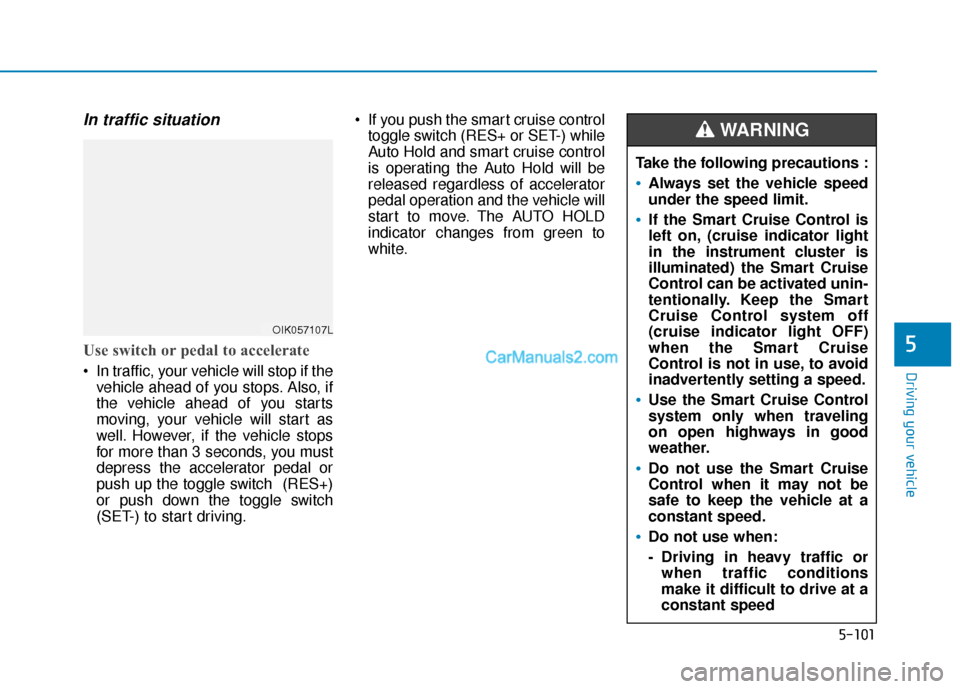
In traffic situation
Use switch or pedal to accelerate
In traffic, your vehicle will stop if thevehicle ahead of you stops. Also, if
the vehicle ahead of you starts
moving, your vehicle will start as
well. However, if the vehicle stops
for more than 3 seconds, you must
depress the accelerator pedal or
push up the toggle switch (RES+)
or push down the toggle switch
(SET-) to start driving. If you push the smart cruise control
toggle switch (RES+ or SET-) while
Auto Hold and smart cruise control
is operating the Auto Hold will be
released regardless of accelerator
pedal operation and the vehicle will
start to move. The AUTO HOLD
indicator changes from green to
white.
OIK057107L
Take the following precautions :
Always set the vehicle speed
under the speed limit.
If the Smart Cruise Control is
left on, (cruise indicator light
in the instrument cluster is
illuminated) the Smart Cruise
Control can be activated unin-
tentionally. Keep the Smart
Cruise Control system off
(cruise indicator light OFF)
when the Smart Cruise
Control is not in use, to avoid
inadvertently setting a speed.
Use the Smart Cruise Control
system only when traveling
on open highways in good
weather.
Do not use the Smart Cruise
Control when it may not be
safe to keep the vehicle at a
constant speed.
Do not use when:
- Driving in heavy traffic orwhen traffic conditions
make it difficult to drive at a
constant speed
WARNING
Page 369 of 540
6-13
What to do in an emergency
6
A cold tire means the vehicle has
been sitting for 3 hours and driven for
less than 1 mile (1.6 km) in that 3
hour period.
Allow the tire to cool before measur-
ing the inflation pressure. Always be
sure the tire is cold before inflating to
the recommended pressure.Information
This device complies with Part 15 of
the FCC rules.
Operation is subject to the following
three conditions:
1. This device may not cause harmfulinterference, and
2. This device must accept any inter- ference received, including interfer-
ence that may cause undesired
operation.
3. Changes or modifications not expressly approved by the party
responsible for compliance could
void the user's authority to operate
the equipment.
i
The TPMS cannot alert you to
severe and sudden tire dam-
age caused by external fac-
tors such as nails or road
debris.
If you feel any vehicle instabil-
ity, immediately take your foot
off the accelerator, apply the
brakes gradually with light
force, and slowly move to a
safe position off the road.
WARNING
Tampering with, modifying, or
disabling the Tire Pressure
Monitoring System (TPMS)
components may interfere with
the system's ability to warn the
driver of low tire pressure con-
ditions and/or TPMS malfunc-
tions. Tampering with, modify-
ing, or disabling the Tire
Pressure Monitoring System
(TPMS) components may void
the warranty for that portion of
the vehicle.
WARNING
Page 386 of 540
7-6
Maintenance
While operating your vehicle:
Check for vibrations in the steeringwheel. Notice if there is any
increased steering effort or loose-
ness in the steering wheel, or
change in its straight-ahead posi-
tion.
Notice if your vehicle constantly turns slightly or "pulls" to one side
when traveling on smooth, level
road.
When decelerating with your vehi- cle, listen and check for unusual
sounds, pulling to one side,
increased brake pedal travel or
"hard-to-push" brake pedal.
After driving your vehicle on aregular basis check the follow-ing:
Verify that the electronic parking
brake is engaging properly.
After you exit the vehicle check for any signs of fluid leaks under your
vehicle (note that water dripping
from the air conditioning system is
normal).
At least monthly:
Check coolant level in the coolantreservoir.
Check the operation of all exterior lights, including the brake lights,
turn signals and hazard warning
flashers.
Check the inflation pressures of all four tires and check to see the tire
tread condition and if there are any
signs of abnormal wear or dam-
age.
Check for loose wheel lug nuts.
At least twice a year:
Check radiator, heater and air con- ditioning hoses for leaks or dam-
age.
Check windshield washer spray and wiper operation. Clean wiper
blades with clean cloth dampened
with washer fluid.
Check headlamp alignment.
Check the seat belts for wear and function.
At least once a year:
Clean body and door drain holes.
Lubricate door hinges and hoodhinges.
Lubricate door and hood locks and latches.
Lubricate door rubber weather strips.
Lubricate door checker.
Check the air conditioning system.
Inspect and lubricate reduction gear linkage and controls.
Clean the battery and terminals.
Check the brake fluid level.
Page 508 of 540
H45
When the " " indicator is ON
and the gear is in a position other
than P (Park), the driver can acci-
dently depress the accelerator
pedal, causing the vehicle to move
unexpectedly.
Virtual Engine Sound System
The Virtual Engine Sound System
generates an audible sound for near-
by pedestrians when the vehicle is in
ready ( ) mode and the vehicle is
in gear ("D" or "R"). The sound
changes if the vehicle is speeding up
or slowing down.
If the vehicle is in the ready ( )mode and the gear is not in P
(Park), the VESS will operate.
When the gear is shifted to R (Reverse), an additional warning
sound will be heard.
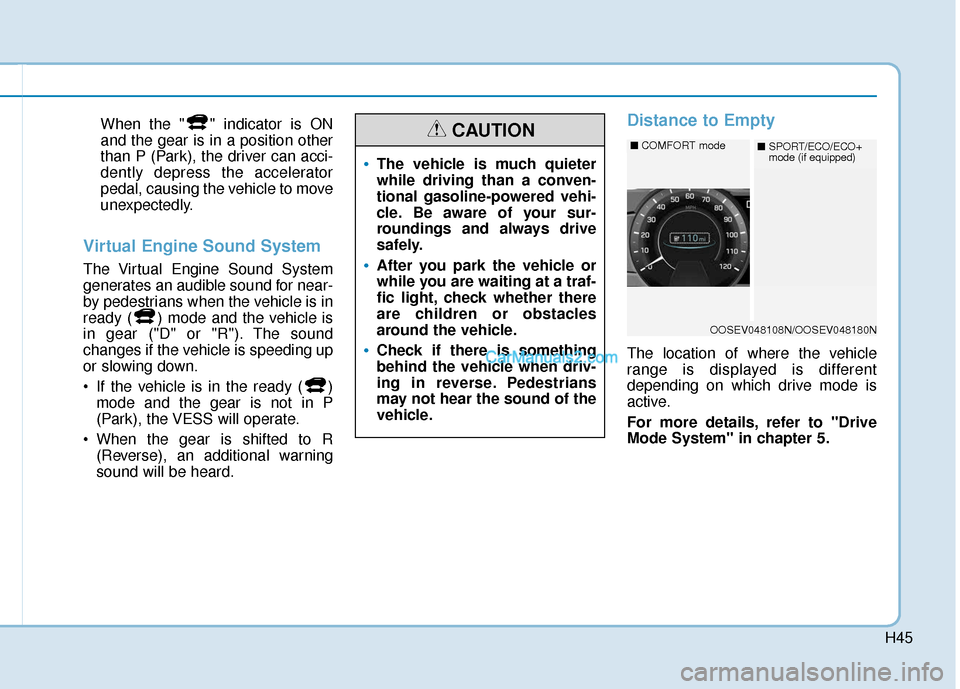
Distance to Empty
The location of where the vehicle
range is displayed is different
depending on which drive mode is
active.
For more details, refer to "Drive
Mode System" in chapter 5.
The vehicle is much quieter
while driving than a conven-
tional gasoline-powered vehi-
cle. Be aware of your sur-
roundings and always drive
safely.
After you park the vehicle or
while you are waiting at a traf-
fic light, check whether there
are children or obstacles
around the vehicle.
Check if there is something
behind the vehicle when driv-
ing in reverse. Pedestrians
may not hear the sound of the
vehicle.
CAUTION
OOSEV048108N/OOSEV048180N
■ COMFORT mode■SPORT/ECO/ECO+
mode (if equipped)
Page 533 of 540

I-7
Jump starting .....................................................................6-4\
LabelRefrigerant label ...........................................................8-8
Tire sidewall labeling .................................................7-31
Tire specification and pressure label ............................8-8
Vehicle certification label .............................................8-7
Lane change signals ......................................................3-102
Lane Keeping Assist (LKA) system ..............................5-75
Lap/shoulder belt ............................................................2-26
LCD display Assist mode ................................................................3-78
Assist mode ................................................................3-78
LCD display modes ....................................................3-77
Master warning mode .................................................3-79
Quick guide help ........................................................3-80
Trip computer mode ...................................................3-78
Turn By Turn (TBT) mode.........................................3-78
User settings mode .....................................................3-80
LCD display control Assist mode ................................................................3-78
LCD display modes ....................................................3-77
User settings mode .....................................................3-80 LCD display messages
Driving info display ...................................................3-63
Aux. Battery Saver+ used while parked ....................3-71
Battery discharging due to external electrical devices .3-64
Charge immediately. Power limited ...........................3-72
Charging door open ....................................................3-70
Charging stopped. Check the AC/DC charger ...........3-70
Charging stopped. Check the cable connection .........3-71
Check Blind-Spot Collision Warning (BCW) system.3-67
Check brake light ......................................................3-67
Check BRAKE SWITCH fuse ...................................3-64
Check cornering lamp ................................................3-67
Check Driver Attention Warning (DAW) system ......3-68
Check electric vehicle system ....................................3-75
Check Forward Collision Avoidance Assist system...3-67
Check headlight ..........................................................3-66
Check headlight LED .................................................3-67
Check High Beam Assist (HBA) system ...................3-67
Check Lane Keep Assist (LKA) system ....................3-68
Check regenerative brakes / Stop vehicle and check regenerative brakes ............3-72
Check Smart Cruise Control System ........................3-68
Check turn signal........................................................3-67
Check virtual engine sound ........................................3-75
Door, Hood, Liftgate open indicator .........................3-65
EV battery Overheated! Stop vehicle.........................3-73
Heated steering wheel turned off ...............................3-66
Key not detected .........................................................3-64
I
Index
J
L
Page 534 of 540
I-8
Key not in vehicle ......................................................3-63
Lights mode ................................................................3-66
Low battery ................................................................3-72
Low EV battery temperature. Power limited .............3-73
Low key battery..........................................................3-64
Low outside temperature may limit power output. Charge EV battery ....................................................3-73
Low pressure ..............................................................3-65
Low washer fluid........................................................3-66
Power limited .............................................................3-74
Press brake pedal to start vehicle ...............................3-63
Press POWER button again .......................................3-64
Press POWER button with key ..................................3-64
Remaining time ..........................................................3-69
Shift to P.....................................................................3-6\
4
Shift to P to charge .....................................................3-69
Shift to P to start vehicle ............................................3-64
Stop vehicle and check power supply ........................3-74
Sunroof open indicator ...............................................3-65
Unplug vehicle to start ...............................................3-69
Wiper mode ................................................................3-66
LCD display modes ........................................................3-77
Liftgate ........................................................................\
....3-41
Light bulbs ......................................................................7-\
55
Lighting ........................................................................\
...3-97 Lighting
Auto light position......................................................3-97
Battery saver function ..............................................3-103
Daytime Running Light (DRL) ..................................3-97
Headlamp delay function .........................................3-103
Headlamp position......................................................3-98
High Beam Assist (HBA) system ..............................3-99
High beam operation ..................................................3-99
Lane change signals .................................................3-102
Parking lamp position ................................................3-98
Smart cornering lamp ...............................................3-104
Turn signals ..............................................................3-102
Lubricants and capacities..................................................8-6
Luggage compartment lamp .........................................3-106
Luggage net (holder).....................................................3-144
Luggage volume ...............................................................8-5
Maintenance Explanation of scheduled maintenance items ............7-11
Maintenance services ...................................................7-4
Maintenance under severe usage conditions ..............7-10
Normal maintenance service ........................................7-8
Owner maintenance ......................................................7-5
Scheduled maintenance services ..................................7-7
Tire maintenance ........................................................7-31
Index
M