reverse light Hyundai Kona EV 2019 Owner's Manual
[x] Cancel search | Manufacturer: HYUNDAI, Model Year: 2019, Model line: Kona EV, Model: Hyundai Kona EV 2019Pages: 540, PDF Size: 21.84 MB
Page 14 of 540
I
IN
N S
ST
T R
R U
U M
M E
EN
N T
T
P
P A
A N
N E
EL
L
O
O V
VE
ER
R V
V I
IE
E W
W
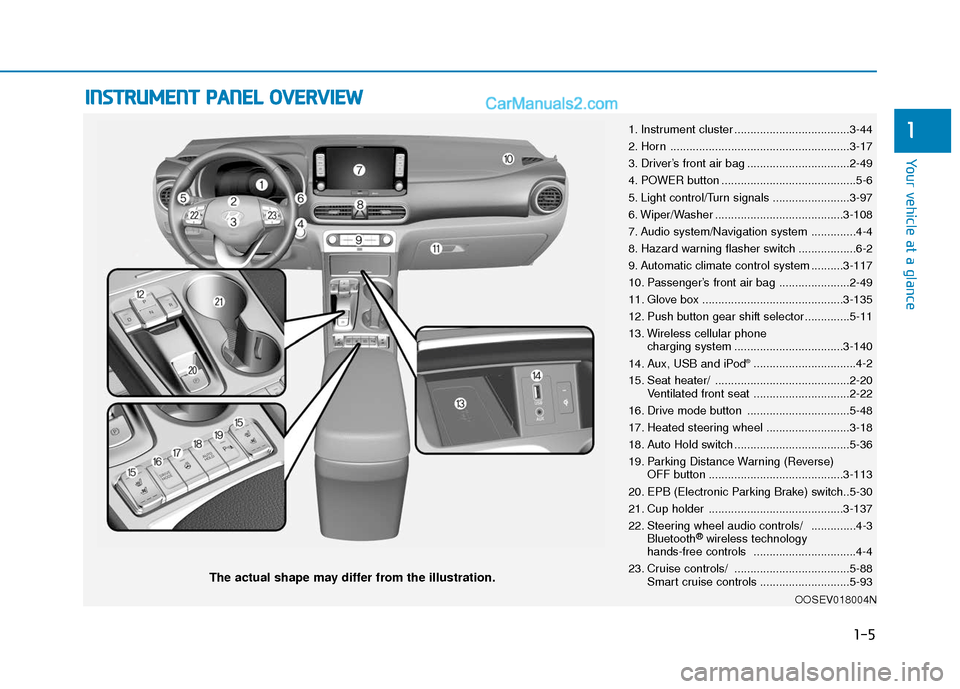
The actual shape may differ from the illustration.
1-5
Your vehicle at a glance
11. Instrument cluster ....................................3-44
2. Horn ........................................................3-17
3. Driver’s front air bag ................................2-49
4. POWER button ..........................................5-6
5. Light control/Turn signals ........................3-97
6. Wiper/Washer ........................................3-108
7. Audio system/Navigation system ..............4-4
8. Hazard warning flasher switch ..................6-2
9. Automatic climate control system ..........3-117
10. Passenger’s front air bag ......................2-49
11. Glove box ............................................3-135
12. Push button gear shift selector..............5-11
13. Wireless cellular phone
charging system ..................................3-140
14. Aux, USB and iPod
®................................4-2
15. Seat heater/ ..........................................2-20 Ventilated front seat ..............................2-22
16. Drive mode button ................................5-48
17. Heated steering wheel ..........................3-18
18. Auto Hold switch ....................................5-36
19. Parking Distance Warning (Reverse) OFF button ..........................................3-113
20. EPB (Electronic Parking Brake) switch..5-30
21. Cup holder ..........................................3-137
22. Steering wheel audio controls/ ..............4-3 Bluetooth
®wireless technology
hands-free controls ................................4-4
23. Cruise controls/ ....................................5-88 Smart cruise controls ............................5-93
OOSEV018004N
Page 107 of 540
3-23
Convenient features of your vehicle
3
If you need to recalibrate the com-
pass:
1.Press and hold the Control Buttonfor more than 6 seconds. When the
compass memory is cleared, a "C"
will appear in the display.
2.Drive the vehicle in 2 complete cir- cles at less than 5 mph (8 km/h).Integrated HomeLink®Wireless
Control System
The HomeLink®Wireless Control
System can replace up to three
hand-held radio-frequency (RF)
transmitters with a single built-in
device. This innovative feature will
learn the radio frequency codes of
most current transmitters to operate
devices such as gate operators,
garage door openers, entry door
locks, security systems, even home
lighting. Both standard and rolling
code-equipped transmitters can be
programmed by following the out-
lined procedures.
Additional HomeLink
®information
can be found at: www.homelink.com,
www.youtube.com/HomeLinkGentex
or by calling 1-800-355-3515.
Retain the original transmitter of the
RF device you are programming for
use in other vehicles as well as for
future HomeLink
®programming. It is
also suggested that upon the sale of
the vehicle, the programmed
HomeLink
®buttons be erased for
security purposes. Before programming HomeLink
®
to a garage door opener or gate
operator, make sure people and
objects are out of the way of the
device to prevent potential harm
or damage. Do not use the
HomeLink
®with any garage door
opener that lacks the safety stop
and reverse features required by
U.S. federal safety standards
(this includes any garage door
opener model manufactured
before April 1, 1982). A garage
door that cannot detect an object
- signaling the door to stop and
reverse - does not meet current
U.S. federal safety standards.
Using a garage door opener
without these features increases
the risk of serious injury or
death.
WARNING
Page 119 of 540
3-35
Convenient features of your vehicle
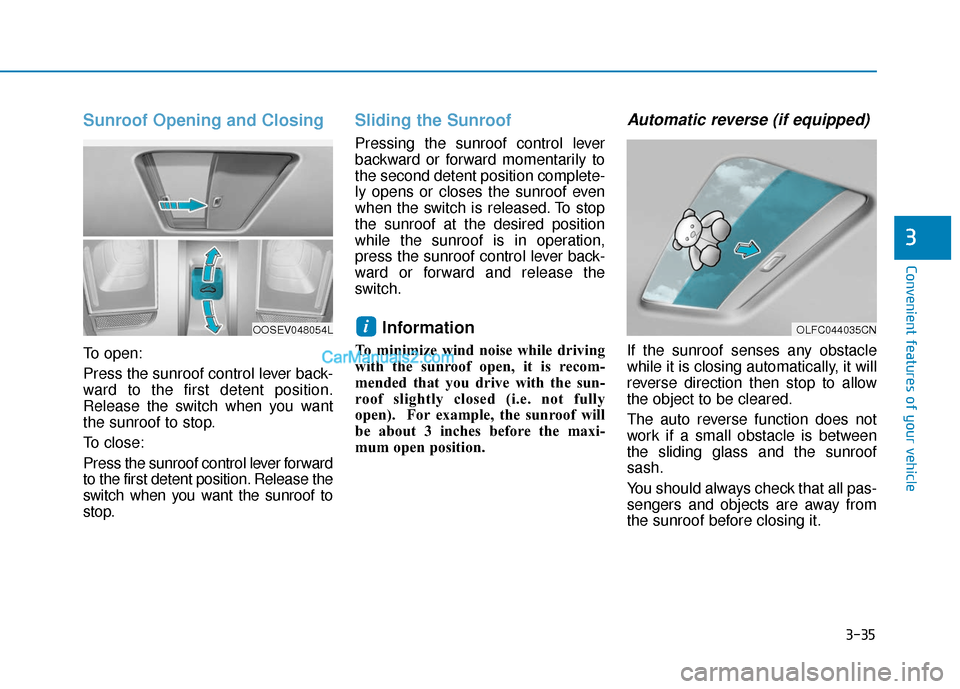
Sunroof Opening and Closing
To open:
Press the sunroof control lever back-
ward to the first detent position.
Release the switch when you want
the sunroof to stop.
To close:
Press the sunroof control lever forward
to the first detent position. Release the
switch when you want the sunroof to
stop.
Sliding the Sunroof
Pressing the sunroof control lever
backward or forward momentarily to
the second detent position complete-
ly opens or closes the sunroof even
when the switch is released. To stop
the sunroof at the desired position
while the sunroof is in operation,
press the sunroof control lever back-
ward or forward and release the
switch.
Information
To minimize wind noise while driving
with the sunroof open, it is recom-
mended that you drive with the sun-
roof slightly closed (i.e. not fully
open). For example, the sunroof will
be about 3 inches before the maxi-
mum open position.
Automatic reverse (if equipped)
If the sunroof senses any obstacle
while it is closing automatically, it will
reverse direction then stop to allow
the object to be cleared.
The auto reverse function does not
work if a small obstacle is between
the sliding glass and the sunroof
sash.
You should always check that all pas-
sengers and objects are away from
the sunroof before closing it.
i
3
OLFC044035CNOOSEV048054L
Page 170 of 540
3-86
Convenient features of your vehicle
ItemsExplanation
Wireless Charging SystemTo activate or deactivate the wireless charging system in the front seat.
For more details, refer to "Wireless Charging System" in this chapter.
Wiper/Lights DisplayTo activate or deactivate the Wiper/Light mode.
When activated, the LCD display shows the selected Wiper/Light mode whenever you change
the mode.
Auto Rear Wiper (in R)To activate or deactivate the rear wiper while the vehicle is in reverse with the front wiper ON.
Gear Position Pop-upTo activate or deactivate the gear position pop-up.
When activated, the gear position will be displayed in the cluster LCD display.
Smart Regeneration
To activate or deactivate the Smart Regeneration function. When activated, the regeneration
level is adjusted automatically according to the current driving situation.
For more details, refer to “Smart Regeneration System” in chapter 5.
Icy Road WarningTo activate or deactivate the Icy Road Warning function.
6. Convenience
❈The information provided may differ depending on which functions are applicable to your vehicle.
Page 198 of 540
3-114
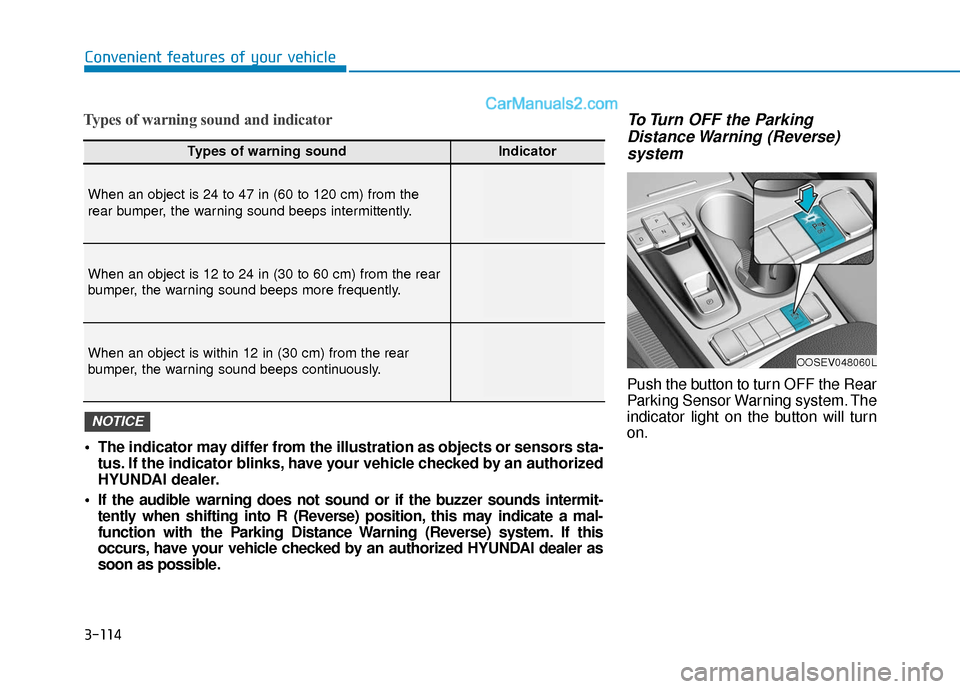
Types of warning sound and indicatorTo Turn OFF the ParkingDistance Warning (Reverse)system
Push the button to turn OFF the Rear
Parking Sensor Warning system. The
indicator light on the button will turn
on.
Convenient features of your vehicle
Types of warning soundIndicator
When an object is 24 to 47 in (60 to 120 cm) from the
rear bumper, the warning sound beeps intermittently.
When an object is 12 to 24 in (30 to 60 cm) from the rear
bumper, the warning sound beeps more frequently.
When an object is within 12 in (30 cm) from the rear
bumper, the warning sound beeps continuously.
The indicator may differ from the illustration as objects or sensors sta-
tus. If the indicator blinks, have your vehicle checked by an authorized
HYUNDAI dealer.
If the audible warning does not sound or if the buzzer sounds intermit- tently when shifting into R (Reverse) position, this may indicate a mal-
function with the Parking Distance Warning (Reverse) system. If this
occurs, have your vehicle checked by an authorized HYUNDAI dealer as
soon as possible.
NOTICE
OOSEV048060L
Page 250 of 540
5-17
Driving your vehicle
5
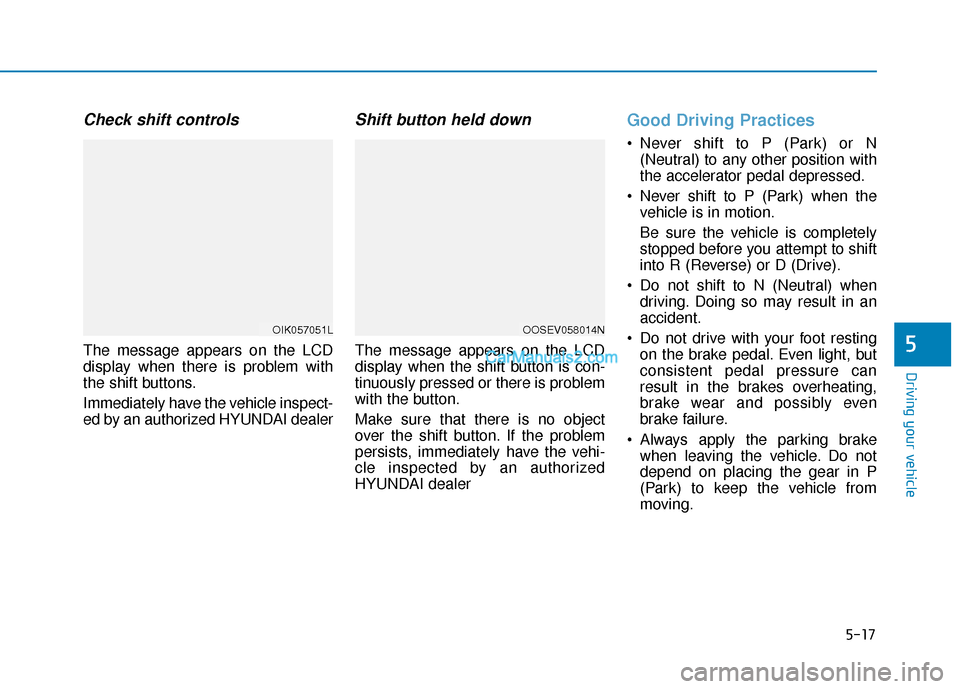
Check shift controls
The message appears on the LCD
display when there is problem with
the shift buttons.
Immediately have the vehicle inspect-
ed by an authorized HYUNDAI dealer
Shift button held down
The message appears on the LCD
display when the shift button is con-
tinuously pressed or there is problem
with the button.
Make sure that there is no object
over the shift button. If the problem
persists, immediately have the vehi-
cle inspected by an authorized
HYUNDAI dealer
Good Driving Practices
Never shift to P (Park) or N(Neutral) to any other position with
the accelerator pedal depressed.
Never shift to P (Park) when the vehicle is in motion.
Be sure the vehicle is completely
stopped before you attempt to shift
into R (Reverse) or D (Drive).
Do not shift to N (Neutral) when driving. Doing so may result in an
accident.
Do not drive with your foot resting on the brake pedal. Even light, but
consistent pedal pressure can
result in the brakes overheating,
brake wear and possibly even
brake failure.
Always apply the parking brake when leaving the vehicle. Do not
depend on placing the gear in P
(Park) to keep the vehicle from
moving.
OIK057051LOOSEV058014N
Page 264 of 540
5-31
Driving your vehicle
5
However, if Auto Hold is OFF when
the the vehicle is turned off, the EPB
will not be applied.Releasing the parking brake
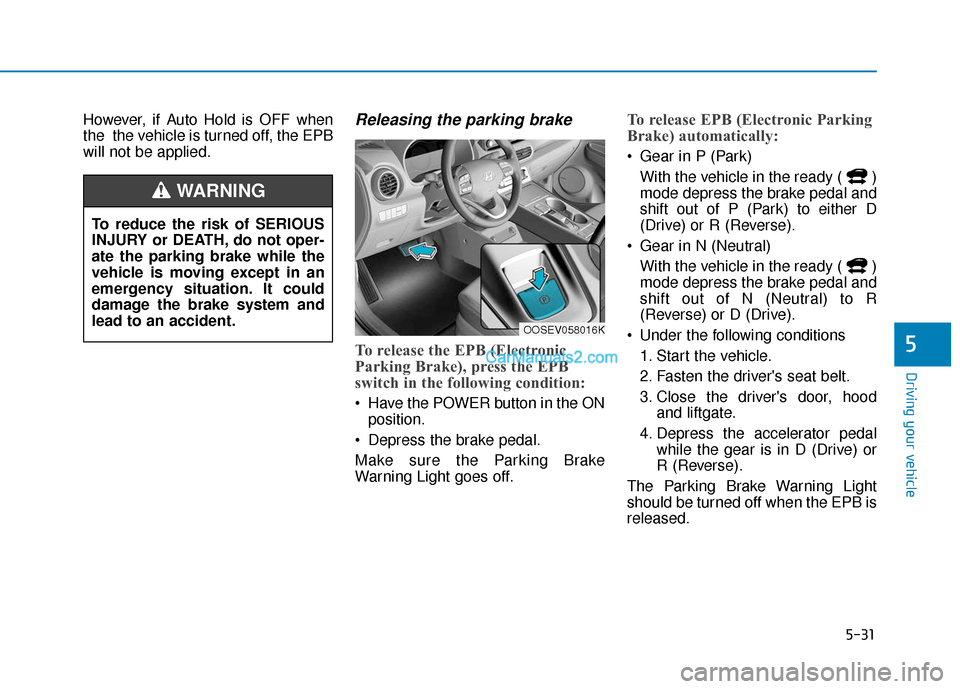
To release the EPB (Electronic
Parking Brake), press the EPB
switch in the following condition:
Have the POWER button in the ONposition.
Depress the brake pedal.
Make sure the Parking Brake
Warning Light goes off.
To release EPB (Electronic Parking
Brake) automatically:
Gear in P (Park) With the vehicle in the ready ( )
mode depress the brake pedal and
shift out of P (Park) to either D
(Drive) or R (Reverse).
Gear in N (Neutral) With the vehicle in the ready ( )
mode depress the brake pedal and
shift out of N (Neutral) to R
(Reverse) or D (Drive).
Under the following conditions 1. Start the vehicle.
2. Fasten the driver's seat belt.
3. Close the driver's door, hood and liftgate.
4. Depress the accelerator pedal while the gear is in D (Drive) or
R (Reverse).
The Parking Brake Warning Light
should be turned off when the EPB is
released.
To reduce the risk of SERIOUS
INJURY or DEATH, do not oper-
ate the parking brake while the
vehicle is moving except in an
emergency situation. It could
damage the brake system and
lead to an accident.
WARNING
OOSEV058016K
Page 266 of 540
5-33
Driving your vehicle
5
If the liftgate is opened with thegear in R (Reverse) and you try to
release EPB.
If there is a problem with the vehi- cle.
If the situation occurs, depress the
brake pedal and release EPB by
pressing the EPB switch. Do not apply the accelerator
pedal while the parking brake is
engaged. If you depress the
accelerator pedal with the EPB
engaged, a warning will sound
and a message will appear.
Damage to the parking brake
may occur.
Driving with the parking brake on can overheat the braking sys-
tem and cause premature wear
or damage to brake parts. Make
sure the EPB is released and the
Parking Brake Warning Light is
off before driving.
Information
• A clicking sound may be heardwhile operating or releasing the
EPB. These conditions are normal
and indicate that the EPB is func-
tioning properly.
• When leaving your keys with a parking attendant or assistant,
make sure to inform him/her how to
operate the EPB.
i
NOTICE
Whenever leaving the vehicle
or parking, always come to a
complete stop and continue
to depress the brake pedal.
Shift into the P (Park) posi-
tion, press the EPB switch,
and press the POWER button
to the OFF position. Take the
Smart Key with you when exit-
ing the vehicle.
Vehicles not fully engaged in
P (Park) with the parking
brake set are at risk for mov-
ing inadvertently and causing
injury to yourself or others.
NEVER allow anyone who is
unfamiliar with the vehicle to
touch the EPB switch. If the
EPB is released unintentional-
ly, serious injury may occur.
Only release the EPB when
you are seated inside the
vehicle with your foot firmly
on the brake pedal.
WARNING
Page 279 of 540
5-46
Driving your vehicle
VSM operation
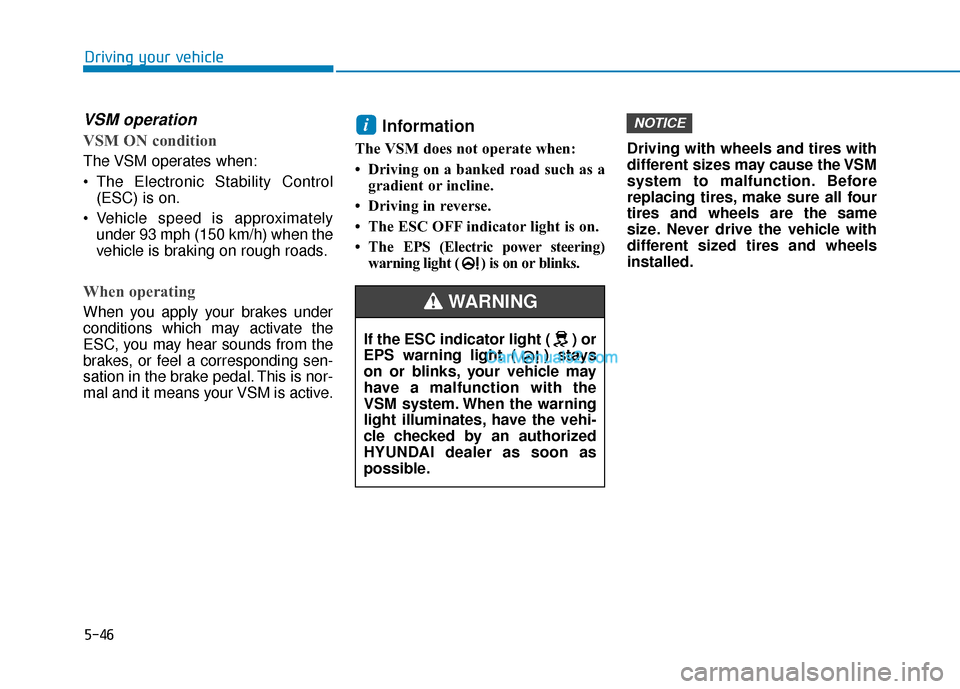
VSM ON condition
The VSM operates when:
The Electronic Stability Control(ESC) is on.
Vehicle speed is approximately under 93 mph (150 km/h) when the
vehicle is braking on rough roads.
When operating
When you apply your brakes under
conditions which may activate the
ESC, you may hear sounds from the
brakes, or feel a corresponding sen-
sation in the brake pedal. This is nor-
mal and it means your VSM is active.
Information
The VSM does not operate when:
• Driving on a banked road such as agradient or incline.
• Driving in reverse.
• The ESC OFF indicator light is on.
• The EPS (Electric power steering)
warning light ( ) is on or blinks. Driving with wheels and tires with
different sizes may cause the VSM
system to malfunction. Before
replacing tires, make sure all four
tires and wheels are the same
size. Never drive the vehicle with
different sized tires and wheels
installed.
NOTICEi
If the ESC indicator light ( ) or
EPS warning light ( ) stays
on or blinks, your vehicle may
have a malfunction with the
VSM system. When the warning
light illuminates, have the vehi-
cle checked by an authorized
HYUNDAI dealer as soon as
possible.
WARNING
Page 299 of 540
5-66
Driving your vehicle
Rear Cross-Traffic Collision
Warning (RCCW) (if equipped)
The Rear Cross-Traffic Collision
Warning (RCCW) function monitors
approaching cross traffic from the left
and right side of the vehicle when
your vehicle is in reverse.
Operating conditions
To operate:
Go to the 'User Settings →Driver
Assistance and select Rear Cross-
Traffic Collision Warning' on the LCD
display. For more details, refer to
"LCD Display Modes" in chapter 3.
The system will turn on and standby
to activate. The system will activate
when vehicle speed is below 6 mph
(10 km/h) and with the gear in R
(Reverse).
If the function is deselected from the
instrument cluster, the function will
deactivate.
Information
• The last selected setting (ON or OFF) of the RCCW is remained in
the system.
• The system will activate when vehi- cle speed is below 6.2 mph (10 km/h)
and with the gear shifted to R
(Reverse).
• The RCCW (Rear Cross-Traffic Collision Warning) detecting range
is approximately 1 ft ~ 65 ft (0.5 m ~
20 m) in the direction of both later-
al sides of the vehicle.
An approaching vehicle will be
detected if their vehicle speed is
within 2.5 ~ 22.5 mph (4 km/h ~36
km/h).
Note that the detecting range may
vary under certain conditions. As
always, use caution and pay close
attention to your surroundings
when backing up your vehicle.
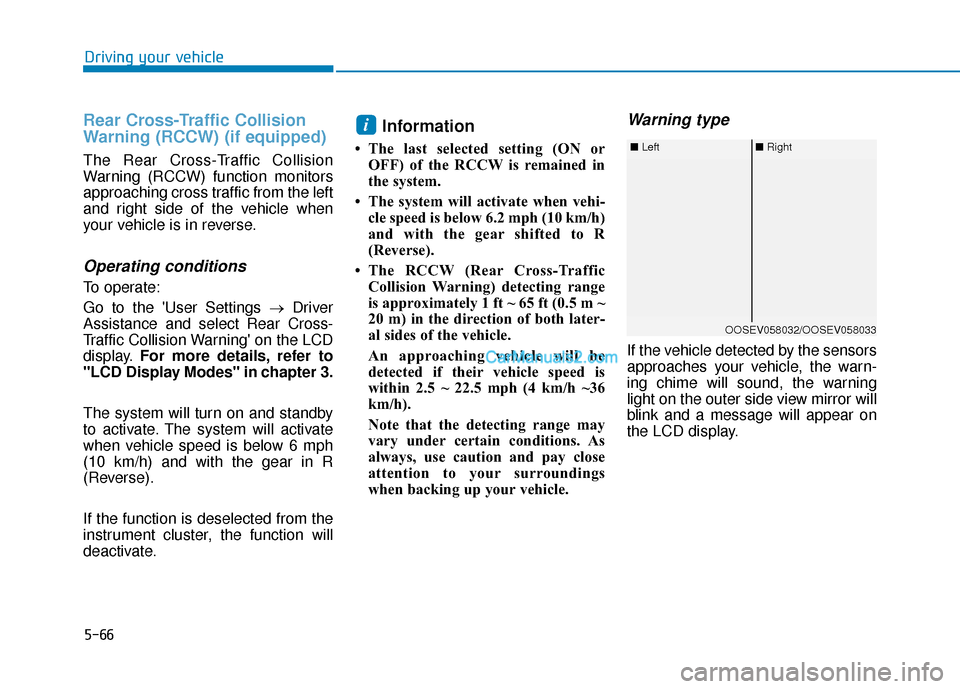
Warning type
If the vehicle detected by the sensors
approaches your vehicle, the warn-
ing chime will sound, the warning
light on the outer side view mirror will
blink and a message will appear on
the LCD display.
i
■ Left■ Right
OOSEV058032/OOSEV058033