ESP HYUNDAI KONA EV 2022 Owner's Guide
[x] Cancel search | Manufacturer: HYUNDAI, Model Year: 2022, Model line: KONA EV, Model: HYUNDAI KONA EV 2022Pages: 548, PDF Size: 49.14 MB
Page 352 of 548
07
7-19
warning
• For your safety, change the Settings
after parking the vehicle at a safe
location.
• With ‘Active Assist’ or ‘Warning Only’
selected, when esC is turned off by
pressing and holding the esC oFF
button, Forward Collision-Avoidance
Assist will turn off automatically. In
this case, the function cannot be
set from the Settings menu and the
warning light will illuminate on
the cluster which is normal. if esC is
turned on by pressing the esC oFF
button, Forward Collision-Avoidance
Assist will maintain the last setting.
• Forward Collision-Avoidance Assist
does not operate in all situations or
cannot avoid all collisions.
• The driver should hold the
responsibility to control the vehicle.
Do not solely depend on Forward
Collision-Avoidance Assist. Rather,
maintain a safe braking distance, and
if necessary, depress the brake pedal
to reduce driving speed or to stop
the vehicle.
• Never deliberately operate Forward
Collision-Avoidance Assist on people,
objects, etc. It may cause serious
injury or death.
• Forward Collision-Avoidance
Assist may not operate if the driver
depresses the brake pedal to avoid
collision. •
Depending on the road and driving
conditions, Forward Collision-
Avoidance Assist may warn the driver
late or may not warn the driver.
• During Forward Collision-Avoidance
Assist operation, the vehicle may
stop suddenly injuring passengers
and shifting loose objects. Always
have the seat belt on and keep loose
objects secured.
• If any other system’s warning
message is displayed or audible
warning is generated, Forward
Collision-Avoidance Assist warning
message may not be displayed
and audible warning may not be
generated.
• You may not hear the warning sound
of Forward Collision-Avoidance
Assist if the surrounding is noisy.
• Forward Collision-Avoidance
Assist may turn off or may not
operate properly or may operate
unnecessarily depending on the road
conditions and the surroundings.
warning
• even if there is a problem with
Forward Collision-Avoidance
Assist, the vehicle’s basic braking
performance will operate normally.
• During emergency braking,
braking control by the function
will automatically cancel when the
driver excessively depresses the
accelerator pedal or sharply steers
the vehicle.
Page 360 of 548
07
7-27
Information
In some instances, FCA system may be cancelled when subjected to
electromagnetic interference.
Information
This device complies with Industry Canada RSS-210 standard.
Operation is subject to the following three conditions: 1. This device may not cause harmful
interference, and
2. This device must accept any
interference received, including
interference that may cause undesired operation.
3. Changes or modifications not expressly
approved by the party responsible
for compliance could void the user's authority to operate the device.
Information
Radio frequency radiation exposure information: This equipment complies with RSS- 210
radiation exposure limits set forth for an
uncontrolled environment. This equipment should be installed and operated with minimum distance of 20cm
(8 in.) between the radiator (antenna) and
your body.
This transmitter must not be co-located or
operating in conjunction with any other
antenna or transmitter.
Page 364 of 548
07
7-31
warning
• The steering wheel may not be
assisted if the steering wheel is held
very tight or the steering wheel is
steered over a certain degree.
• Lane Keeping Assist does not operate
at all times. It is the responsibility of
the driver to safely steer the vehicle
and to maintain the vehicle in its lane.
• The hands–off warning message
may appear late depending on road
conditions. Always have your hands
on the steering wheel while driving.
• If the steering wheel is held very
lightly, the hands–off warning
message may appear because Lane
Keeping Assist may not recognize
that the driver has their hands on the
steering wheel.
• If you attach objects to the steering
wheel, the hands-off warning may
not work properly. Information
• For more details on setting the functions in the infotainment system,
refer to “Vehicle Settings” section in
chapter 4.
• When lane markings (or road edges)
are detected, the lane lines on the
cluster will change from grey to white
and the green
indicator light will
illuminate.
„„Lane undetected „„Lane detected
OOSEV071126NOOSEV071127N
• Depending on the type and theme of the
Instrument cluster, images and colors
may differ.
• Even though the steering is assisted by
Lane Keeping Assist, the driver may
control the steering wheel.
• The steering wheel may feel heavier
or lighter when the steering wheel is
assisted by Lane Keeping Assist than when it is not.
Page 366 of 548
07
7-33
warning
Take the following precautions when
using Lane Keeping Assist: • The driver should hold the
responsibility to safely drive and
control the vehicle. Do not solely rely
on Lane Keeping Assist and drive
dangerously.
• The operation of Lane Keeping
Assist can be cancelled or not
work properly depending on road
conditions and surroundings. Always be cautious while driving.
• Refer to “Limitations of Lane Keeping
Assist” if the lane is not detected
properly.
• When you are towing a trailer or
another vehicle, we recommend that
Lane Keeping Assist is turned off due
to safety reasons.
• If the vehicle is driven at high speed,
the steering wheel will not be
controlled. The driver must always
follow the speed limit when using
Lane Keeping Assist.
• If any other system’s warning
message is displayed or audible
warning is generated, Lane Keeping
Assist warning message may not be
displayed and audible warning may
not be generated. •
You may not hear the warning
sound of Lane Keeping Assist if the
surrounding is noisy.
• If you attach objects to the steering
wheel, steering may not be assisted
properly.
• Lane Keeping Assist may not operate
for 15 seconds after the vehicle is
started, or the front view camera is
initialized.
• Lane Keeping Assist will not operate when:
- The turn signal or hazard warning flasher is turned on.
- The vehicle is not driven in the
center of the lane when Lane
Keeping Assist is turned on or right
after changing a lane.
- esC (electronic stability Control)
or vsm (vehicle stability
Management) is activated.
- The vehicle is driven on a sharp
curve.
- vehicle speed is below 55 km/h
(35 mph) or above 210 km/h
(130 mph).
- The vehicle makes sharp lane changes.
- The vehicle brakes suddenly.
Page 380 of 548
07
7-47
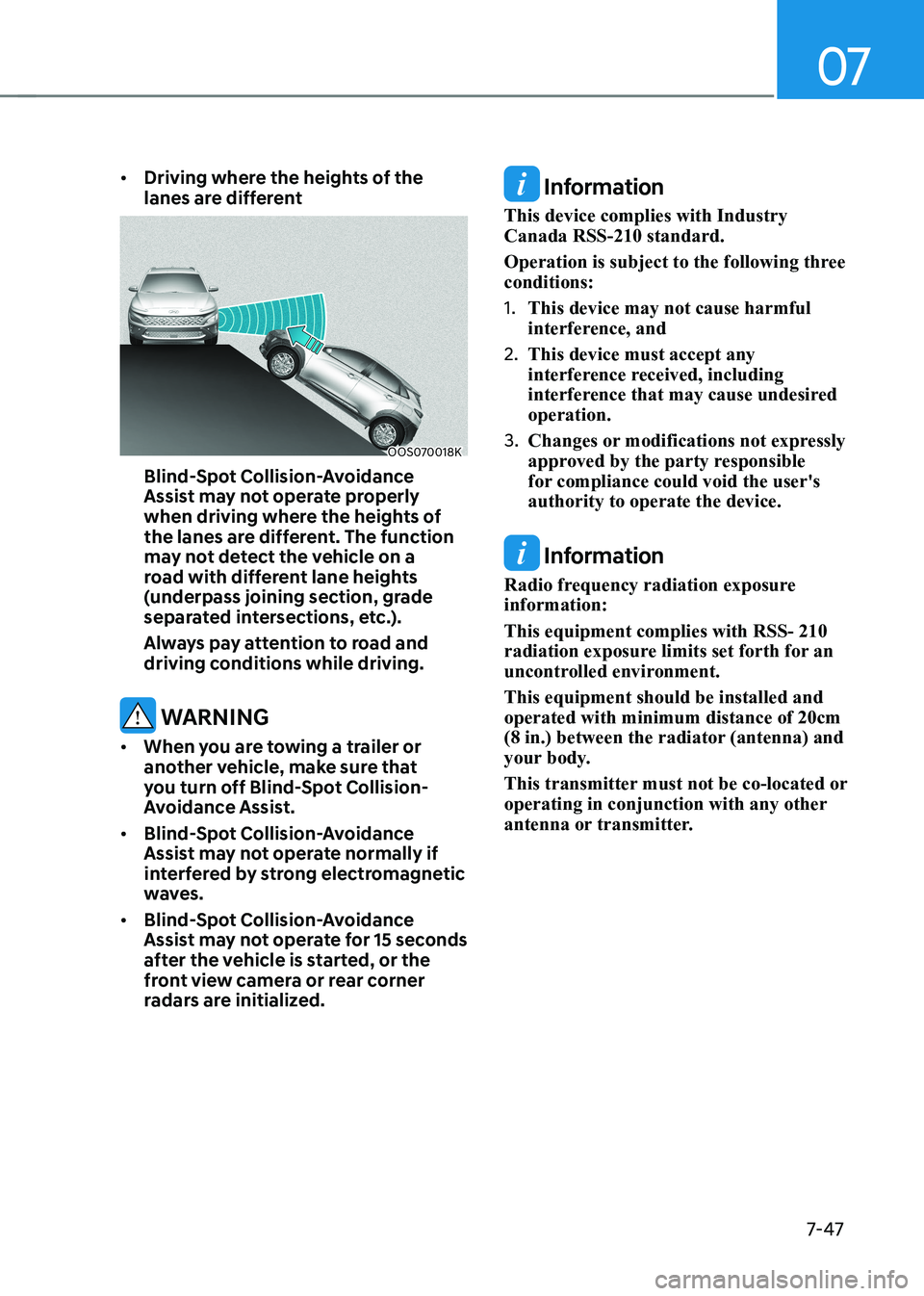
•
Driving where the heights of the
lanes are different
OOS070018K
Blind-spot Collision-avoidance
Assist may not operate properly
when driving where the heights of
the lanes are different. The function
may not detect the vehicle on a
road with different lane heights
(underpass joining section, grade
separated intersections, etc.).
Always pay attention to road and
driving conditions while driving.
warning
• When you are towing a trailer or
another vehicle, make sure that
you turn off Blind-spot Collision-
Avoidance Assist.
• Blind-spot Collision-avoidance
Assist may not operate normally if
interfered by strong electromagnetic
waves.
• Blind-spot Collision-avoidance
Assist may not operate for 15 seconds
after the vehicle is started, or the
front view camera or rear corner
radars are initialized.
Information
This device complies with Industry Canada RSS-210 standard.
Operation is subject to the following three conditions: 1. This device may not cause harmful
interference, and
2. This device must accept any
interference received, including
interference that may cause undesired operation.
3. Changes or modifications not expressly
approved by the party responsible
for compliance could void the user's authority to operate the device.
Information
Radio frequency radiation exposure information: This equipment complies with RSS- 210
radiation exposure limits set forth for an
uncontrolled environment. This equipment should be installed and operated with minimum distance of 20cm
(8 in.) between the radiator (antenna) and
your body.
This transmitter must not be co-located or
operating in conjunction with any other
antenna or transmitter.
Page 384 of 548
07
7-51
warning
Take the following precautions when
using safe exit warning: • For your safety, change the Settings
after parking the vehicle at a safe
location.
• If any other system’s warning
message is displayed or audible
warning is generated, safe exit
Warning warning message may not
be displayed and audible warning
may not be generated.
• You may not hear the warning
sound of safe exit warning if the
surrounding is noisy.
• safe exit warning does not operate
in all situations or cannot prevent all
collisions.
• safe exit warning may warn the
driver late or may not warn the driver
depending on the road and driving
conditions. Always check vehicle
surroundings.
• The driver and passengers are
responsible for accidents that occurs
while exiting the vehicle. Always
check the surroundings before you
exit the vehicle.
• Never deliberately operate Safe
exit warning. doing so may lead to
serious injury or death.
• safe exit warning does not operate
if there is a problem with Blind-
Spot Collision-Avoidance Assist.
the warning message of Blind-spot
Collision-Avoidance Assist will appear when:
- Blind-spot Collision-avoidance
Assist sensor or the sensor
surrounding is polluted or covered
- Blind-spot Collision-avoidance
Assist fails to warn passengers or
falsely warn passengers Information
After the vehicle is turned off, Safe Exit
Warning operates approximately for 3 minutes, but turns off immediately if the
doors are locked.
safe exit warning malfunction
and limitations
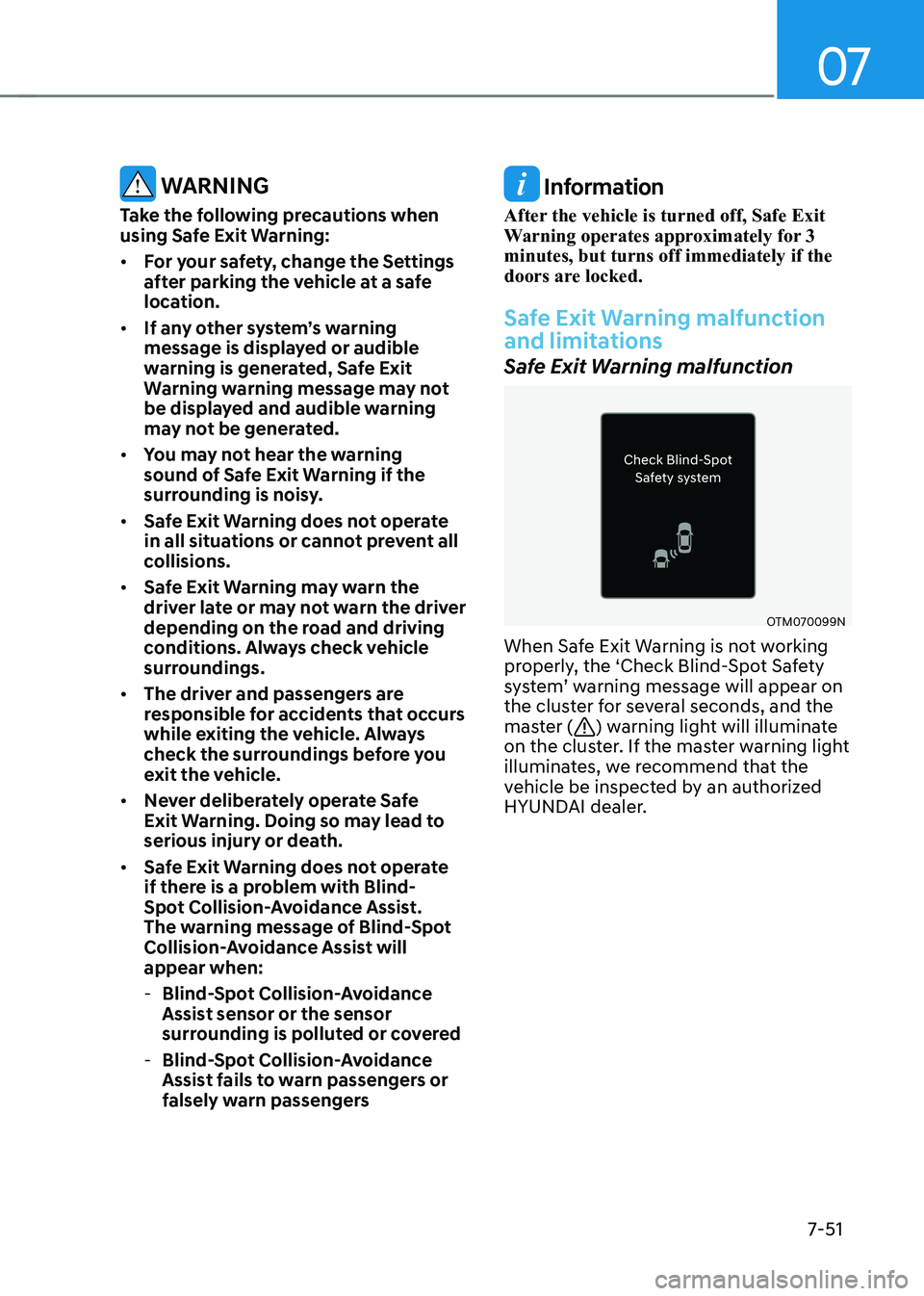
Safe Exit Warning malfunction
OTM070099N
When Safe Exit Warning is not working
properly, the ‘Check Blind-Spot Safety
system’ warning message will appear on
the cluster for several seconds, and the
master (
) warning light will illuminate
on the cluster. If the master warning light
illuminates, we recommend that the
vehicle be inspected by an authorized
HYUNDAI dealer.
Page 390 of 548
07
7-57
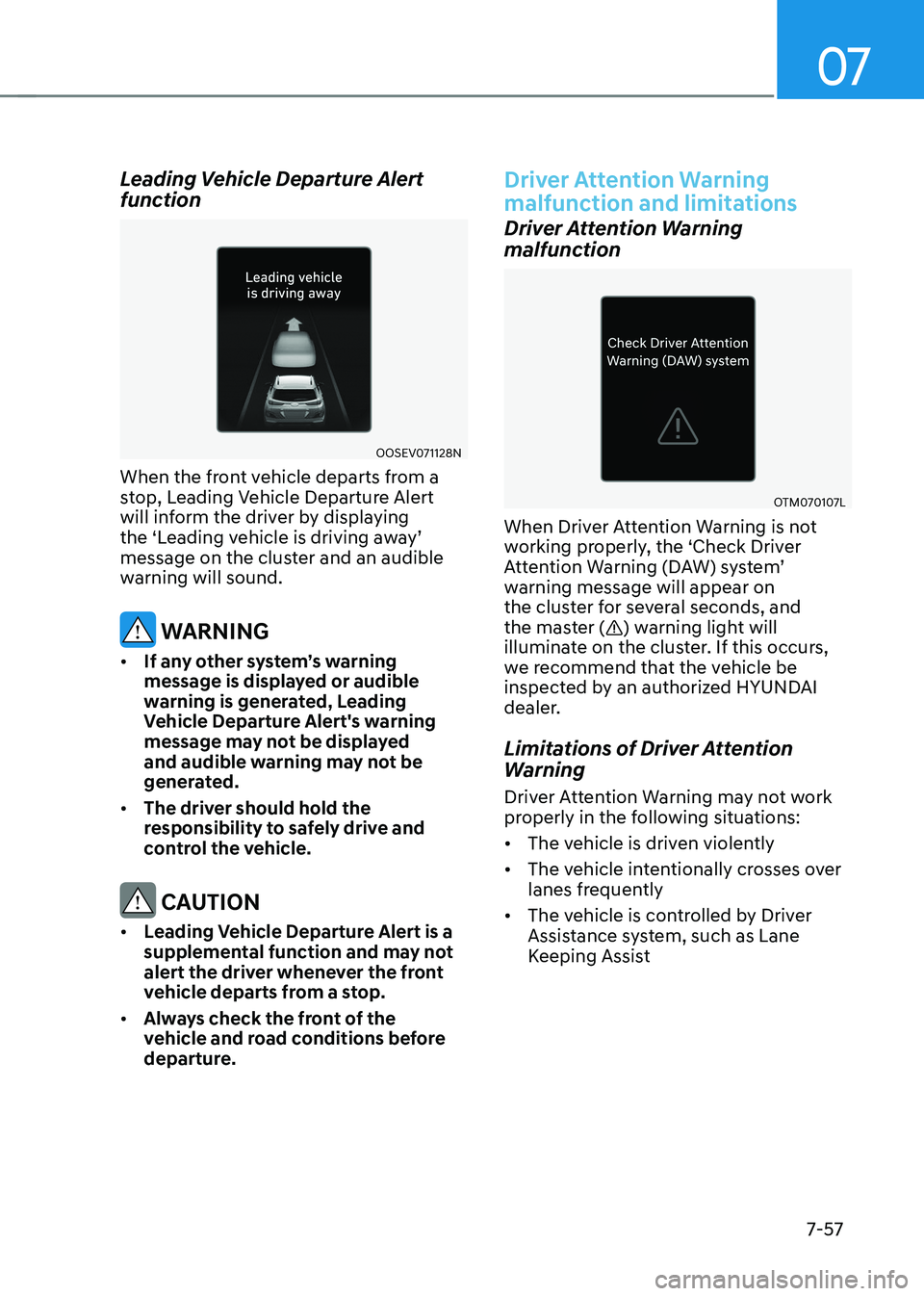
Leading Vehicle Departure Alert
function
OOSEV071128N
When the front vehicle departs from a
stop, Leading Vehicle Departure Alert
will inform the driver by displaying
the ‘Leading vehicle is driving away’
message on the cluster and an audible
warning will sound.
warning
• If any other system’s warning
message is displayed or audible
warning is generated, Leading
vehicle departure alert's warning
message may not be displayed
and audible warning may not be
generated.
• The driver should hold the
responsibility to safely drive and
control the vehicle.
CAUTION
• leading vehicle departure alert is a
supplemental function and may not
alert the driver whenever the front
vehicle departs from a stop.
• Always check the front of the
vehicle and road conditions before
departure.
Driver Attention Warning
malfunction and limitations
Driver Attention Warning
malfunction
OTM070107L
When Driver Attention Warning is not
working properly, the ‘Check Driver
Attention Warning (DAW) system’
warning message will appear on
the cluster for several seconds, and
the master (
) warning light will
illuminate on the cluster. If this occurs,
we recommend that the vehicle be
inspected by an authorized HYUNDAI
dealer.
Limitations of Driver Attention
Warning
Driver Attention Warning may not work
properly in the following situations: • The vehicle is driven violently
• The vehicle intentionally crosses over
lanes frequently
• The vehicle is controlled by Driver
Assistance system, such as Lane
Keeping Assist
Page 396 of 548
07
7-63
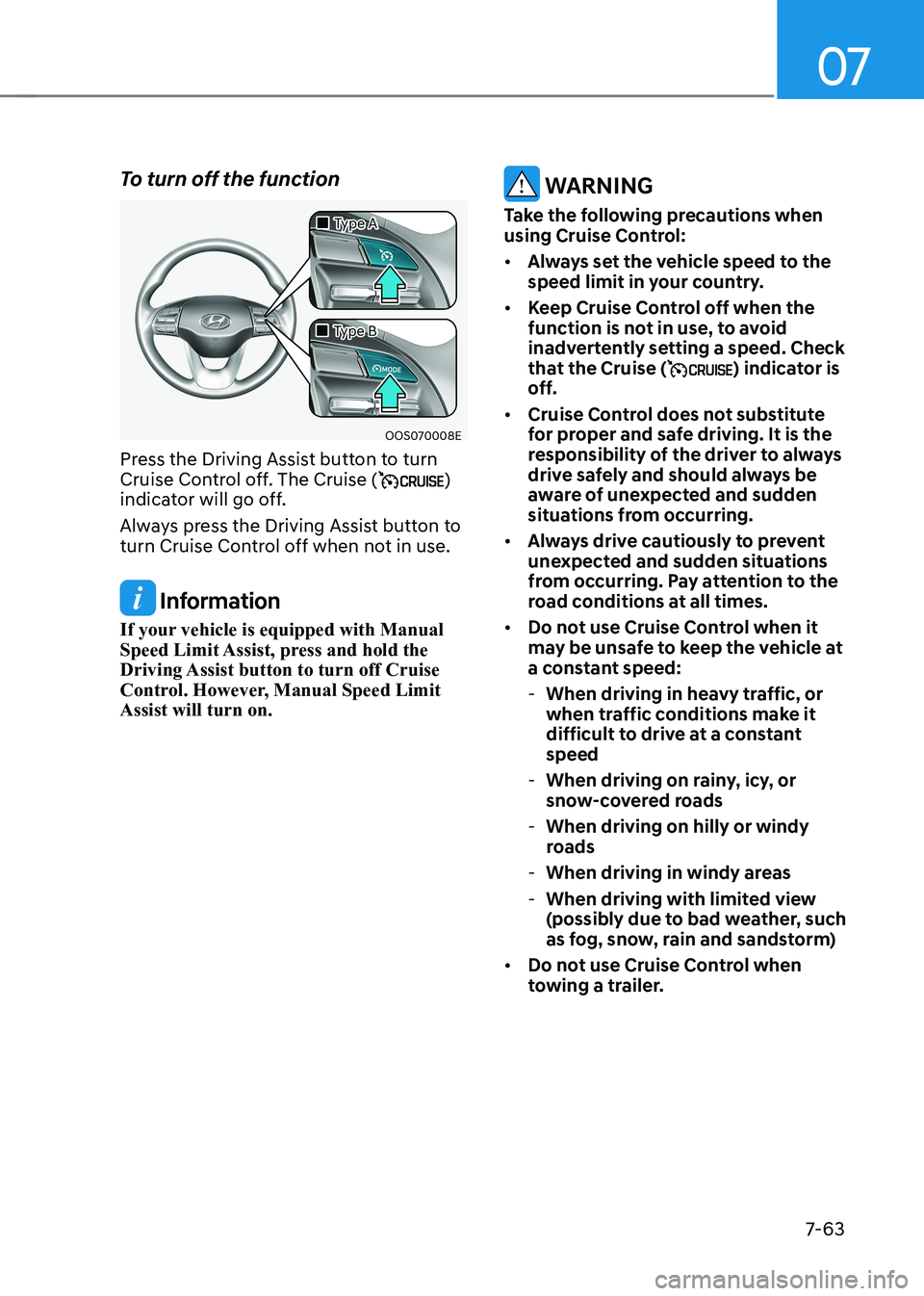
To turn off the function
OOS070008E
„
„Type A
„
„Type B
Press the Driving Assist button to turn
Cruise Control off. The Cruise (
)
indicator will go off.
Always press the Driving Assist button to
turn Cruise Control off when not in use.
Information
If your vehicle is equipped with Manual
Speed Limit Assist, press and hold the
Driving Assist button to turn off Cruise
Control. However, Manual Speed Limit Assist will turn on.
warning
Take the following precautions when
using Cruise Control: • Always set the vehicle speed to the
speed limit in your country.
• Keep Cruise Control off when the
function is not in use, to avoid
inadvertently setting a speed. Check
that the Cruise (
) indicator is
off.
• Cruise Control does not substitute
for proper and safe driving. It is the
responsibility of the driver to always
drive safely and should always be
aware of unexpected and sudden
situations from occurring.
• Always drive cautiously to prevent
unexpected and sudden situations
from occurring. Pay attention to the
road conditions at all times.
• Do not use Cruise Control when it
may be unsafe to keep the vehicle at
a constant speed:
- When driving in heavy traffic, or
when traffic conditions make it
difficult to drive at a constant speed
- When driving on rainy, icy, or
snow-covered roads
- When driving on hilly or windy
roads
- When driving in windy areas
- When driving with limited view
(possibly due to bad weather, such
as fog, snow, rain and sandstorm)
• Do not use Cruise Control when
towing a trailer.
Page 405 of 548
Driver assistance system
7-7 2
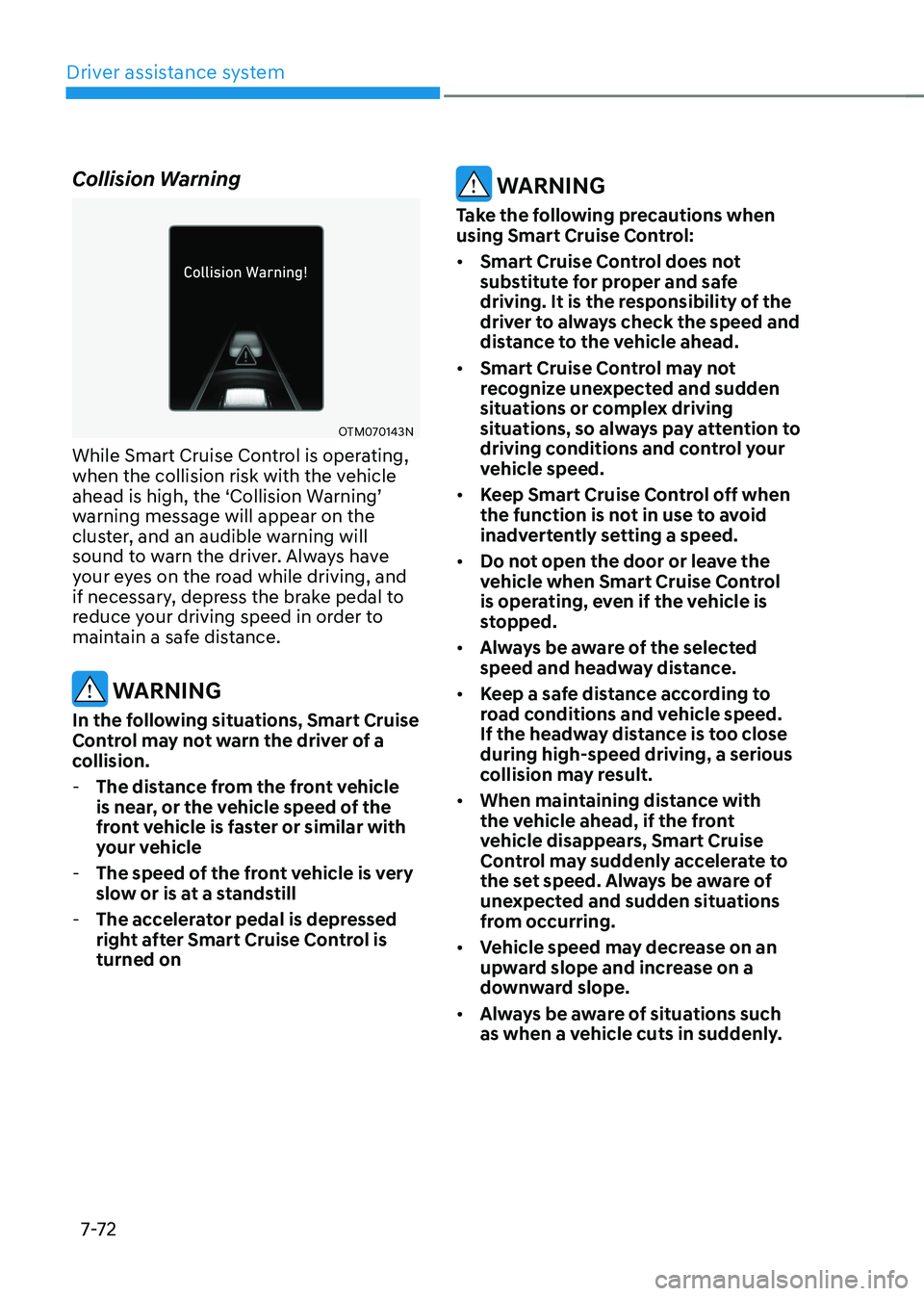
Collision Warning
OTM070143N
While Smart Cruise Control is operating,
when the collision risk with the vehicle
ahead is high, the ‘Collision Warning’
warning message will appear on the
cluster, and an audible warning will
sound to warn the driver. Always have
your eyes on the road while driving, and
if necessary, depress the brake pedal to
reduce your driving speed in order to
maintain a safe distance.
warning
In the following situations, Smart Cruise
Control may not warn the driver of a
collision. - The distance from the front vehicle
is near, or the vehicle speed of the
front vehicle is faster or similar with
your vehicle
- The speed of the front vehicle is very
slow or is at a standstill
- The accelerator pedal is depressed
right after Smart Cruise Control is turned on
warning
Take the following precautions when
using Smart Cruise Control: • Smart Cruise Control does not
substitute for proper and safe
driving. It is the responsibility of the
driver to always check the speed and
distance to the vehicle ahead.
• Smart Cruise Control may not
recognize unexpected and sudden
situations or complex driving
situations, so always pay attention to
driving conditions and control your
vehicle speed.
• Keep Smart Cruise Control off when
the function is not in use to avoid
inadvertently setting a speed.
• Do not open the door or leave the
vehicle when Smart Cruise Control
is operating, even if the vehicle is
stopped.
• Always be aware of the selected
speed and headway distance.
• Keep a safe distance according to
road conditions and vehicle speed.
If the headway distance is too close during high-speed driving, a serious
collision may result.
• When maintaining distance with
the vehicle ahead, if the front
vehicle disappears, Smart Cruise
Control may suddenly accelerate to
the set speed. Always be aware of
unexpected and sudden situations
from occurring.
• vehicle speed may decrease on an
upward slope and increase on a
downward slope.
• Always be aware of situations such
as when a vehicle cuts in suddenly.
Page 406 of 548
07
7-7 3
•
When you are towing a trailer or
another vehicle, we recommend that
Smart Cruise Control is turned off
due to safety reasons.
• Turn off Smart Cruise Control when
your vehicle is being towed.
• Smart Cruise Control may not
operate normally if interfered by
strong electromagnetic waves.
• Smart Cruise Control may not
detect an obstacle in front and lead
to a collision. Always look ahead
cautiously to prevent unexpected
and sudden situations from
occurring.
• vehicles moving in front of you with
a frequent lane change may cause
a delay in the function reaction or
may cause the function to react to a
vehicle actually in an adjacent lane.
Always drive cautiously to prevent
unexpected and sudden situations
from occurring.
• Always be aware of the surroundings
and drive safely, even though a
warning message does not appear or
an audible warning does not sound.
• If any other system’s warning
message is displayed or warning
sound is generated, Smart Cruise
Control warning message may not
be displayed and warning sound may
not be generated.
• You may not hear the warning sound
of Forward Collision-Avoidance
Assist if the surrounding is noisy.
• The vehicle manufacturer is not
responsible for any traffic violation
or accidents caused by the driver.
• Always set the vehicle speed under
the speed limit in your country.
• vehicle distance, acceleration and
reaction speed may change if the
driver’s driving style changes.
CAUTION
• The vehicle must be driven
sufficiently to reflect the actual
driving style of the driver, such as
inter-vehicle distance, acceleration
and reaction speed.
• Based on driving style does not
reflect whether the driver has
changed when determining the
driver's driving style.
• If you are driving in special
conditions, such as snow, rain, fog
or steep slopes, the vehicle may not
be driven according to the driver’s
driving style.
Information
• Smart Cruise Control may not operate
for 15 seconds after the vehicle is
started or the front view camera or
front radar is initialized.
• You may hear a sound when the brake
is controlled by Smart Cruise Control.