battery HYUNDAI KONA EV 2022 Workshop Manual
[x] Cancel search | Manufacturer: HYUNDAI, Model Year: 2022, Model line: KONA EV, Model: HYUNDAI KONA EV 2022Pages: 548, PDF Size: 49.14 MB
Page 157 of 548
Instrument cluster
4-14
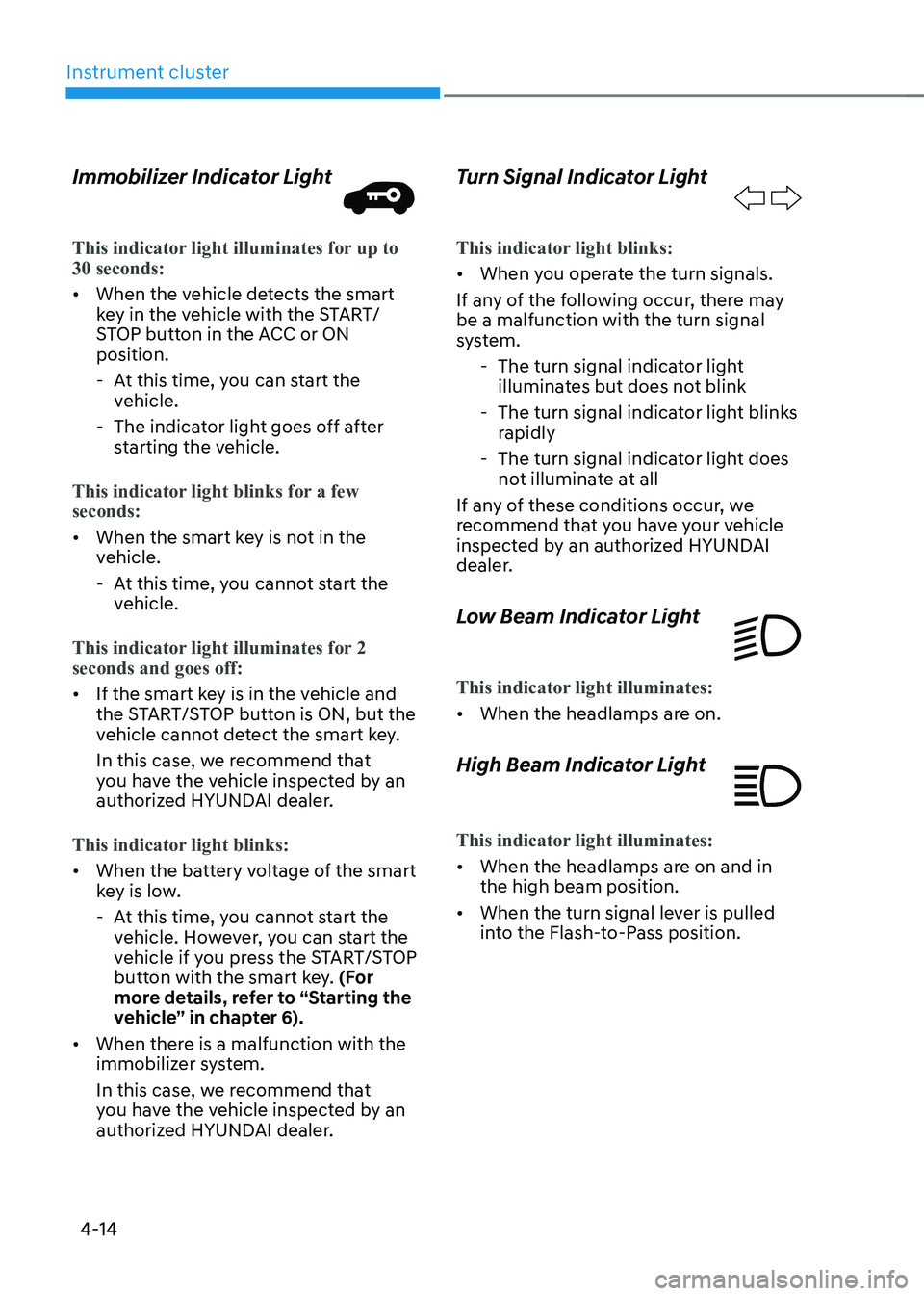
Immobilizer Indicator Light
This indicator light illuminates for up to 30 seconds:
•
When the vehicle detects the smart
key in the vehicle with the START/
STOP button in the ACC or ON position.
- At this time, you can start the vehicle.
- The indicator light goes off after starting the vehicle.
This indicator light blinks for a few seconds:
• When the smart key is not in the
vehicle.
- At this time, you cannot start the vehicle.
This indicator light illuminates for 2 seconds and goes off:
• If the smart key is in the vehicle and
the START/STOP button is ON, but the
vehicle cannot detect the smart key.
In this case, we recommend that
you have the vehicle inspected by an
authorized HYUNDAI dealer.
This indicator light blinks:
• When the battery voltage of the smart
key is low.
- At this time, you cannot start the vehicle. However, you can start the
vehicle if you press the START/STOP
button with the smart key. (For
more details, refer to “Starting the
vehicle” in chapter 6).
• When there is a malfunction with the
immobilizer system.
In this case, we recommend that
you have the vehicle inspected by an
authorized HYUNDAI dealer. Turn Signal Indicator Light
This indicator light blinks:
•
When you operate the turn signals.
If any of the following occur, there may be a malfunction with the turn signal
system. - The turn signal indicator light illuminates but does not blink
- The turn signal indicator light blinks rapidly
- The turn signal indicator light does not illuminate at all
If any of these conditions occur, we
recommend that you have your vehicle
inspected by an authorized HYUNDAI
dealer.
Low Beam Indicator Light
This indicator light illuminates:
• When the headlamps are on.
High Beam Indicator Light
This indicator light illuminates:
• When the headlamps are on and in the high beam position.
• When the turn signal lever is pulled
into the Flash-to-Pass position.
Page 160 of 548
04
4-17
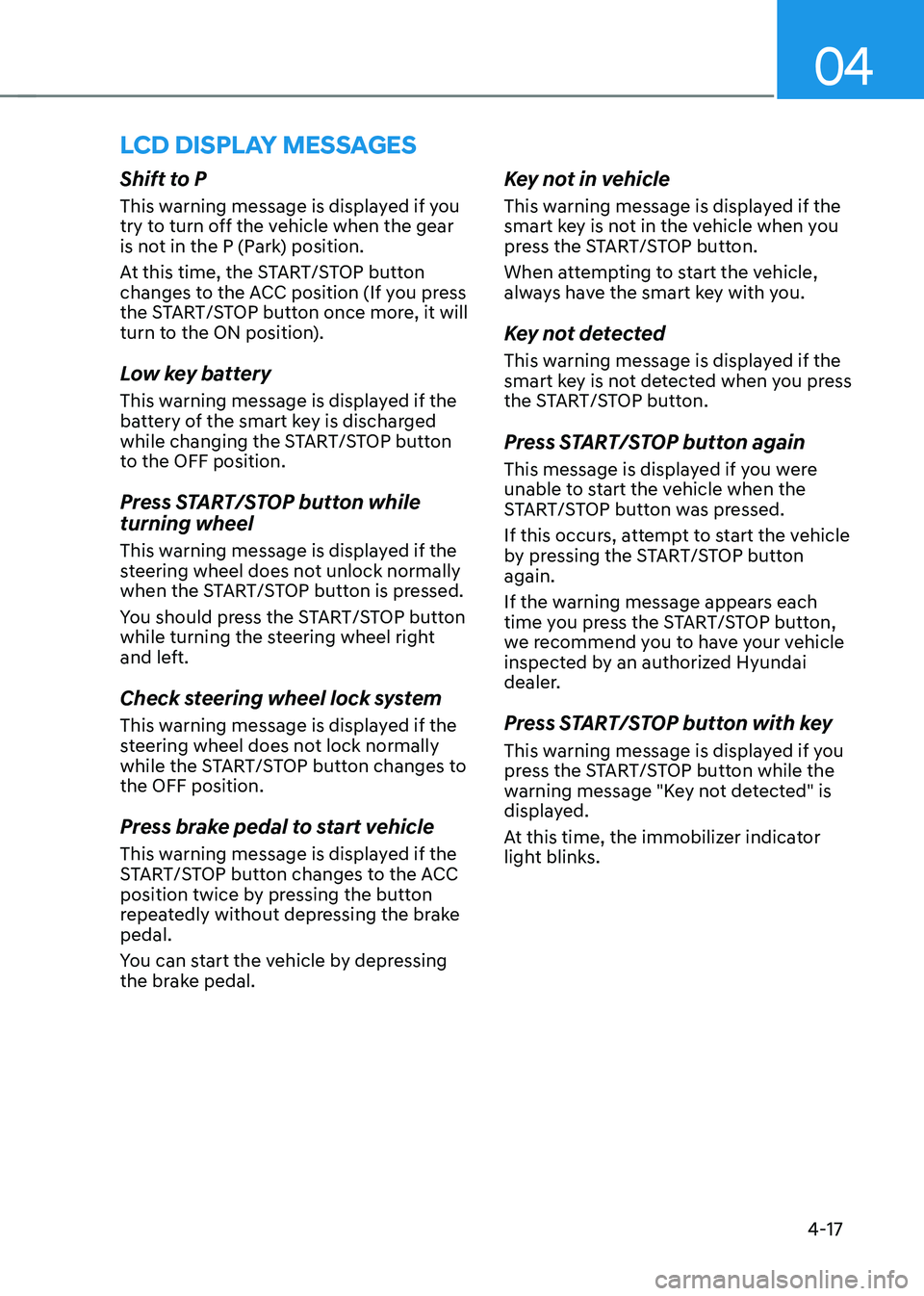
lcD DIsplay messages
Shift to P
This warning message is displayed if you
try to turn off the vehicle when the gear
is not in the P (Park) position.
At this time, the START/STOP button
changes to the ACC position (If you press
the START/STOP button once more, it will
turn to the ON position).
Low key battery
This warning message is displayed if the
battery of the smart key is discharged
while changing the START/STOP button
to the OFF position.
Press START/STOP button while turning wheel
This warning message is displayed if the
steering wheel does not unlock normally
when the START/STOP button is pressed.
You should press the START/STOP button
while turning the steering wheel right
and left.
Check steering wheel lock system
This warning message is displayed if the
steering wheel does not lock normally
while the START/STOP button changes to the OFF position.
Press brake pedal to start vehicle
This warning message is displayed if the
START/STOP button changes to the ACC
position twice by pressing the button
repeatedly without depressing the brake pedal.
You can start the vehicle by depressing
the brake pedal.Key not in vehicle
This warning message is displayed if the
smart key is not in the vehicle when you
press the START/STOP button.
When attempting to start the vehicle,
always have the smart key with you.
Key not detected
This warning message is displayed if the
smart key is not detected when you press
the START/STOP button.
Press START/STOP button again
This message is displayed if you were
unable to start the vehicle when the
START/STOP button was pressed.
If this occurs, attempt to start the vehicle
by pressing the START/STOP button again.
If the warning message appears each
time you press the START/STOP button,
we recommend you to have your vehicle
inspected by an authorized Hyundai
dealer.
Press START/STOP button with key
This warning message is displayed if you
press the START/STOP button while the
warning message "Key not detected" is
displayed.
At this time, the immobilizer indicator
light blinks.
Page 161 of 548
Instrument cluster
4-18
Check BRAKE SWITCH fuse
This warning message is displayed if the
brake switch fuse is disconnected.
You need to replace the fuse with a new
one before starting the vehicle.
If that is not possible, you can start
the vehicle by pressing the START/
STOP button for 10 seconds in the ACC position.
Shift to P to start vehicle
This warning message is displayed if you
try to start the vehicle without shifting to
the P (Park) position.
Low washer fluid (if equipped)
This warning message is displayed if
the washer fluid level in the reservoir is
nearly empty.
Have the washer fluid reservoir refilled.
12V battery discharging due to
additional electrical devices
This warning message is displayed if the
12V battery discharge is detected due to
use of unauthorized electrical/electronic
devices. Some vehicle functions will not
be able to use and the 12V battery may
discharge. If the message continues
to appear even though the external
electrical/electronic device is removed,
we recommend that the vehicle be
inspected by an authorized HYUNDAI
dealer.
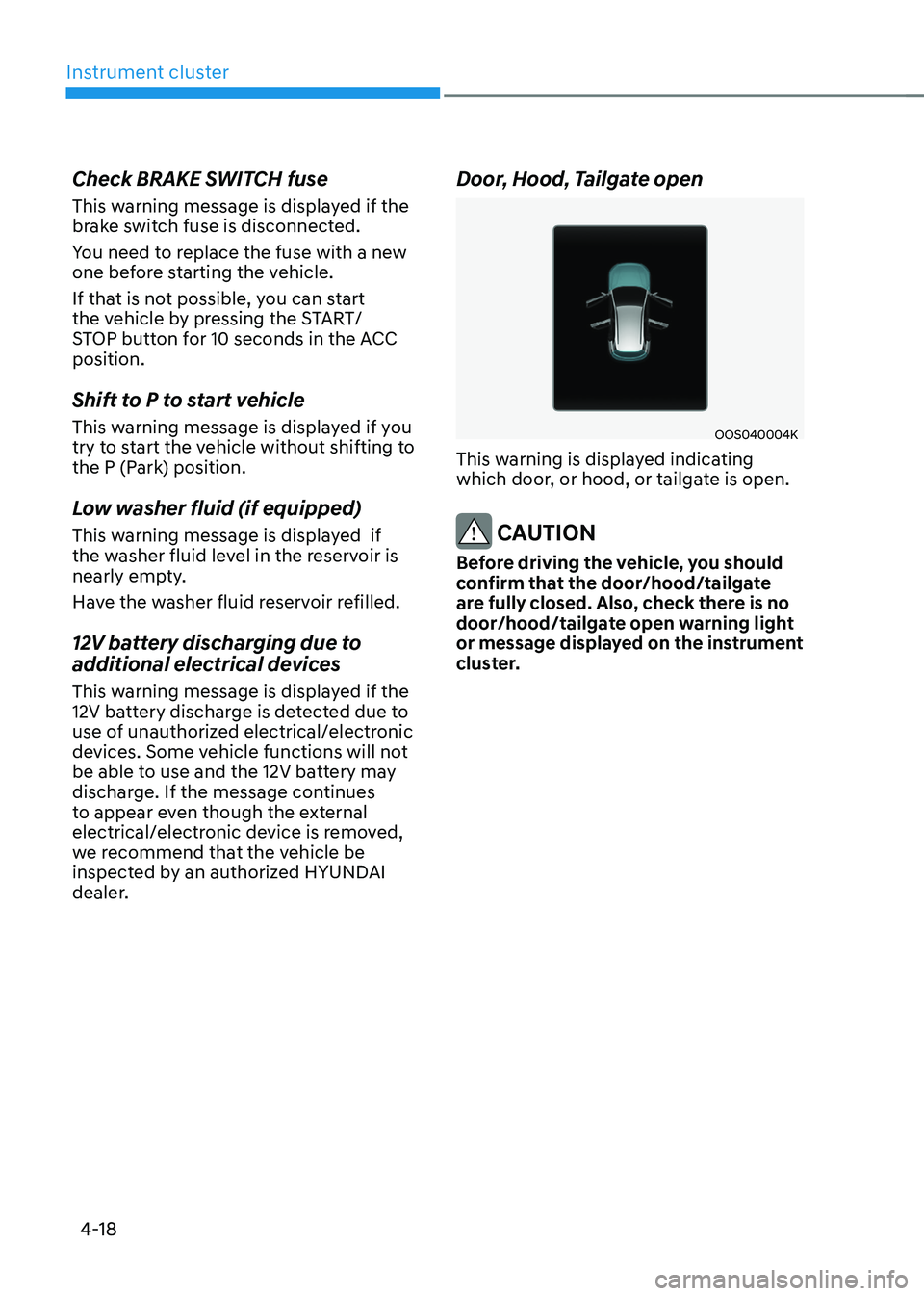
Door, Hood, Tailgate open
OOS040004K
This warning is displayed indicating
which door, or hood, or tailgate is open.
CAUTION
Before driving the vehicle, you should
confirm that the door/hood/tailgate
are fully closed. Also, check there is no
door/hood/tailgate open warning light
or message displayed on the instrument
cluster.
Page 164 of 548
04
4-21
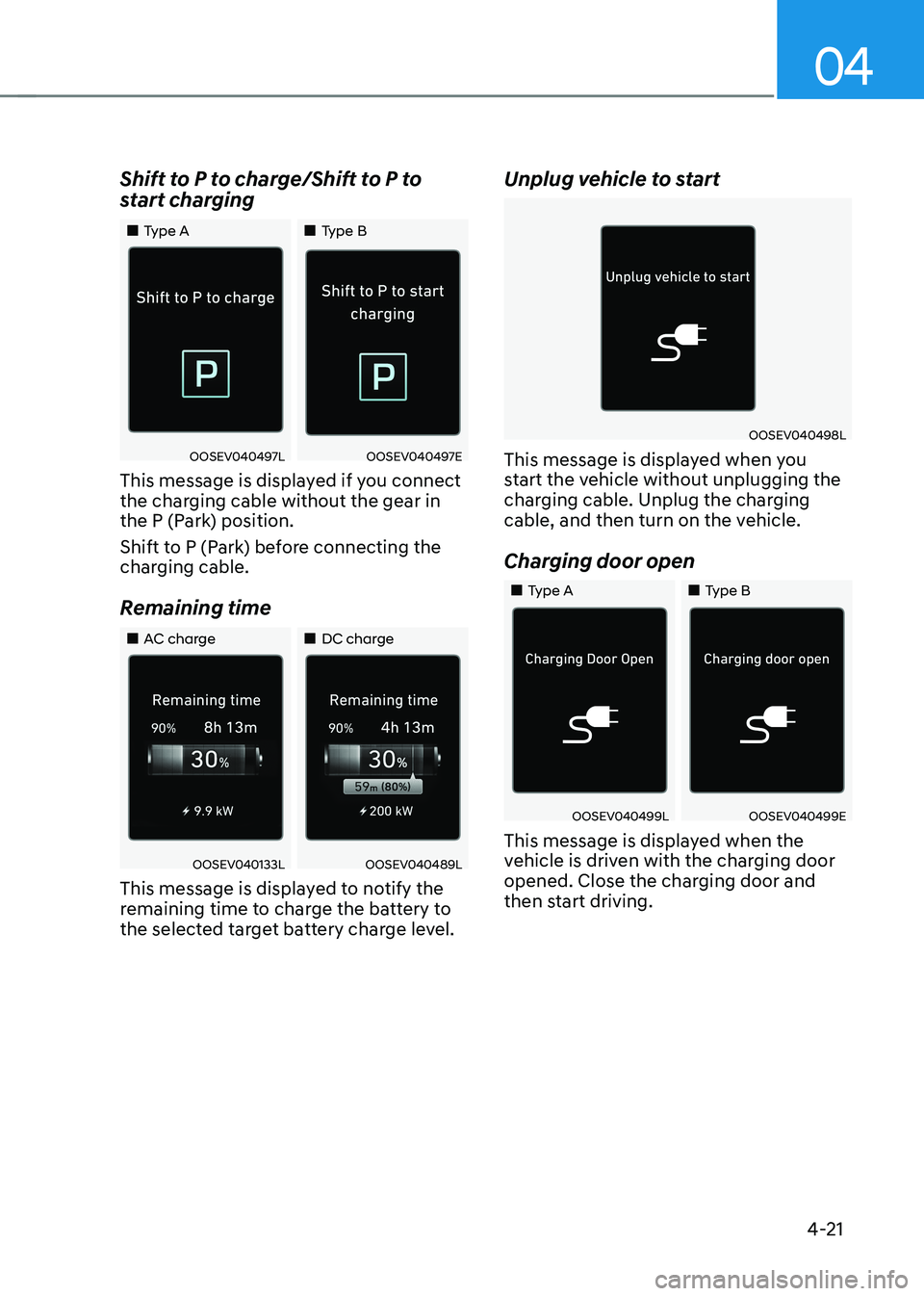
Shift to P to charge/Shift to P to
start charging
„„Type A
„„Type B
OOSEV040497LOOSEV040497E
This message is displayed if you connect
the charging cable without the gear in
the P (Park) position.
Shift to P (Park) before connecting the
charging cable.
Remaining time
„„AC charge „„DC charge
OOSEV040133LOOSEV040489L
This message is displayed to notify the
remaining time to charge the battery to
the selected target battery charge level. Unplug vehicle to start
OOSEV040498L
This message is displayed when you
start the vehicle without unplugging the
charging cable. Unplug the charging
cable, and then turn on the vehicle.
Charging door open
„„Type A „„Type B
OOSEV040499LOOSEV040499E
This message is displayed when the
vehicle is driven with the charging door
opened. Close the charging door and
then start driving.
Page 166 of 548
04
4-23
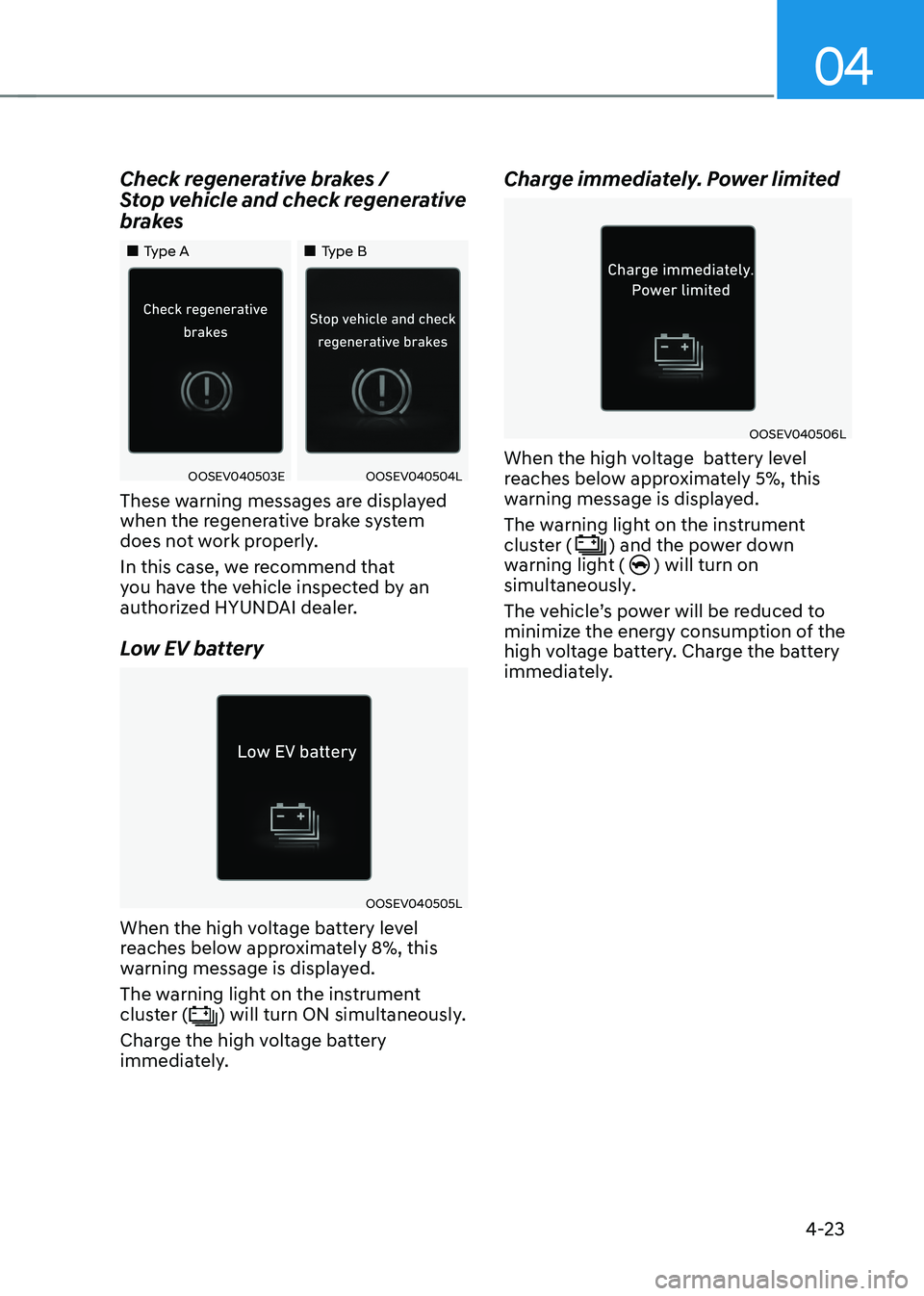
Check regenerative brakes /
Stop vehicle and check regenerative
brakes
„„Type A
„„Type B
OOSEV040503EOOSEV040504L
These warning messages are displayed
when the regenerative brake system
does not work properly.
In this case, we recommend that
you have the vehicle inspected by an
authorized HYUNDAI dealer.
Low EV battery
OOSEV040505L
When the high voltage battery level
reaches below approximately 8%, this
warning message is displayed.
The warning light on the instrument
cluster (
) will turn ON simultaneously.
Charge the high voltage battery
immediately. Charge immediately. Power limited
OOSEV040506L
When the high voltage battery level
reaches below approximately 5%, this
warning message is displayed. The warning light on the instrument cluster (
) and the power down
warning light () will turn on
simultaneously.
The vehicle’s power will be reduced to
minimize the energy consumption of the
high voltage battery. Charge the battery
immediately.
Page 167 of 548
Instrument cluster
4-24
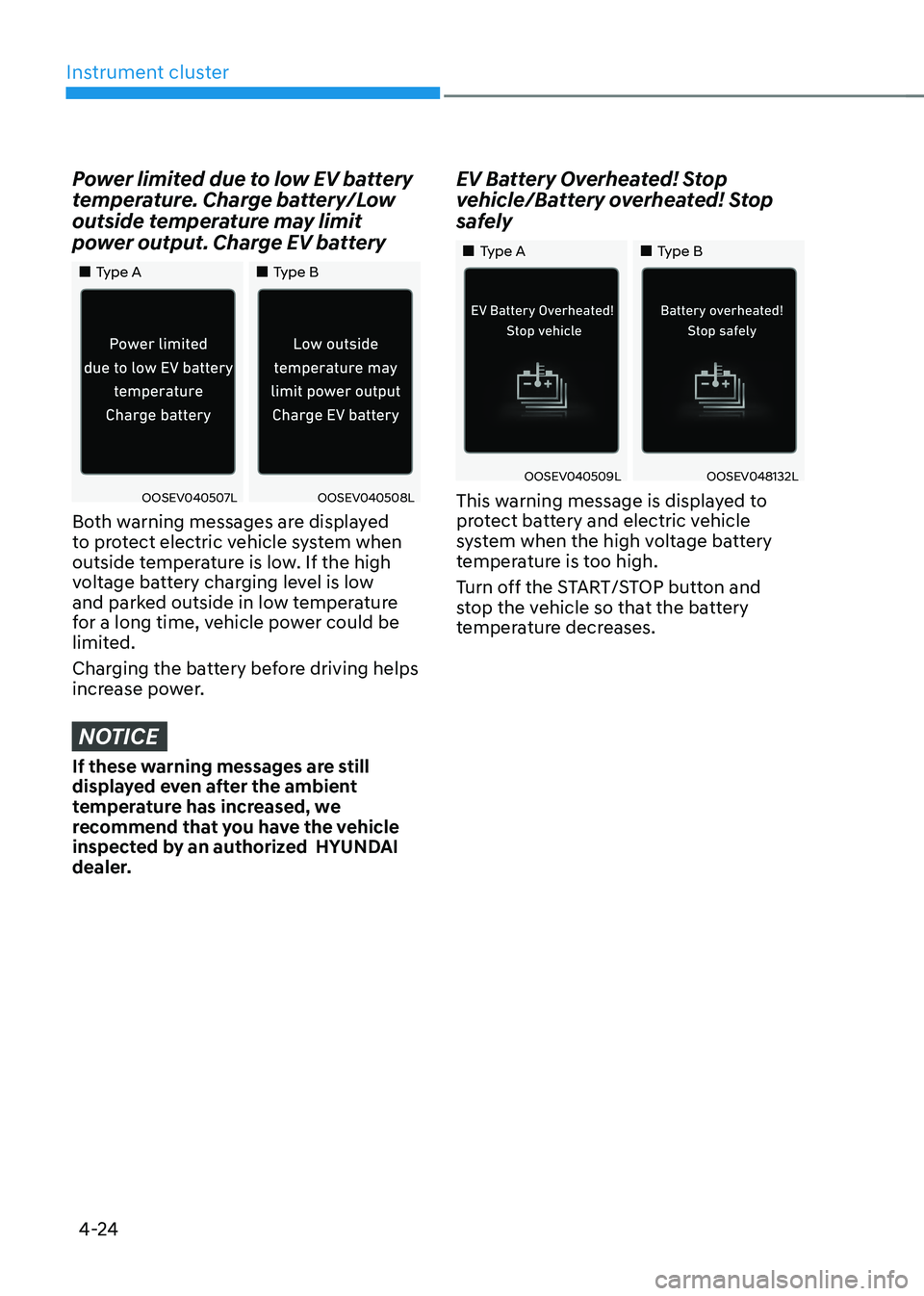
Power limited due to low EV battery
temperature. Charge battery/Low
outside temperature may limit
power output. Charge EV battery
„„Type A„„Type B
OOSEV040507LOOSEV040508L
Both warning messages are displayed
to protect electric vehicle system when
outside temperature is low. If the high
voltage battery charging level is low
and parked outside in low temperature
for a long time, vehicle power could be
limited.
Charging the battery before driving helps
increase power.
NOTICE
If these warning messages are still
displayed even after the ambient
temperature has increased, we
recommend that you have the vehicle
inspected by an authorized HYUNDAI
dealer. EV Battery Overheated! Stop
vehicle/Battery overheated! Stop
safely
„„Type A
„„Type B
OOSEV040509LOOSEV048132L
This warning message is displayed to
protect battery and electric vehicle
system when the high voltage battery
temperature is too high.
Turn off the START/STOP button and
stop the vehicle so that the battery
temperature decreases.
Page 168 of 548
04
4-25
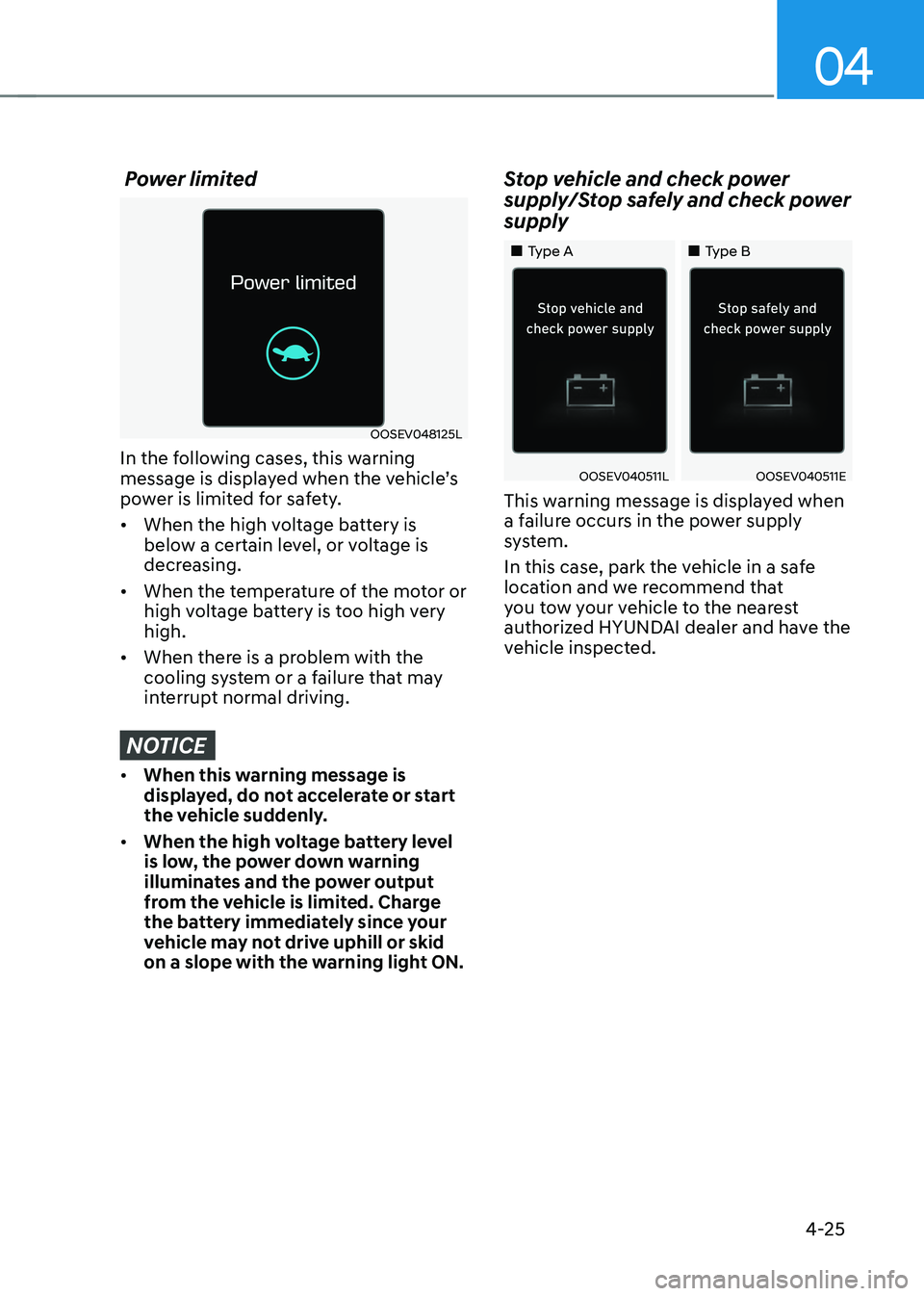
Power limited
OOSEV048125L
In the following cases, this warning
message is displayed when the vehicle’s
power is limited for safety. • When the high voltage battery is
below a certain level, or voltage is
decreasing.
• When the temperature of the motor or
high voltage battery is too high very high.
• When there is a problem with the
cooling system or a failure that may
interrupt normal driving.
NOTICE
• When this warning message is
displayed, do not accelerate or start
the vehicle suddenly.
• When the high voltage battery level
is low, the power down warning
illuminates and the power output
from the vehicle is limited. Charge
the battery immediately since your
vehicle may not drive uphill or skid
on a slope with the warning light ON. Stop vehicle and check power
supply/Stop safely and check power supply
„„Type A
„„Type B
OOSEV040511LOOSEV040511E
This warning message is displayed when
a failure occurs in the power supply
system.
In this case, park the vehicle in a safe
location and we recommend that
you tow your vehicle to the nearest
authorized HYUNDAI dealer and have the
vehicle inspected.
Page 177 of 548
Instrument cluster
4-34
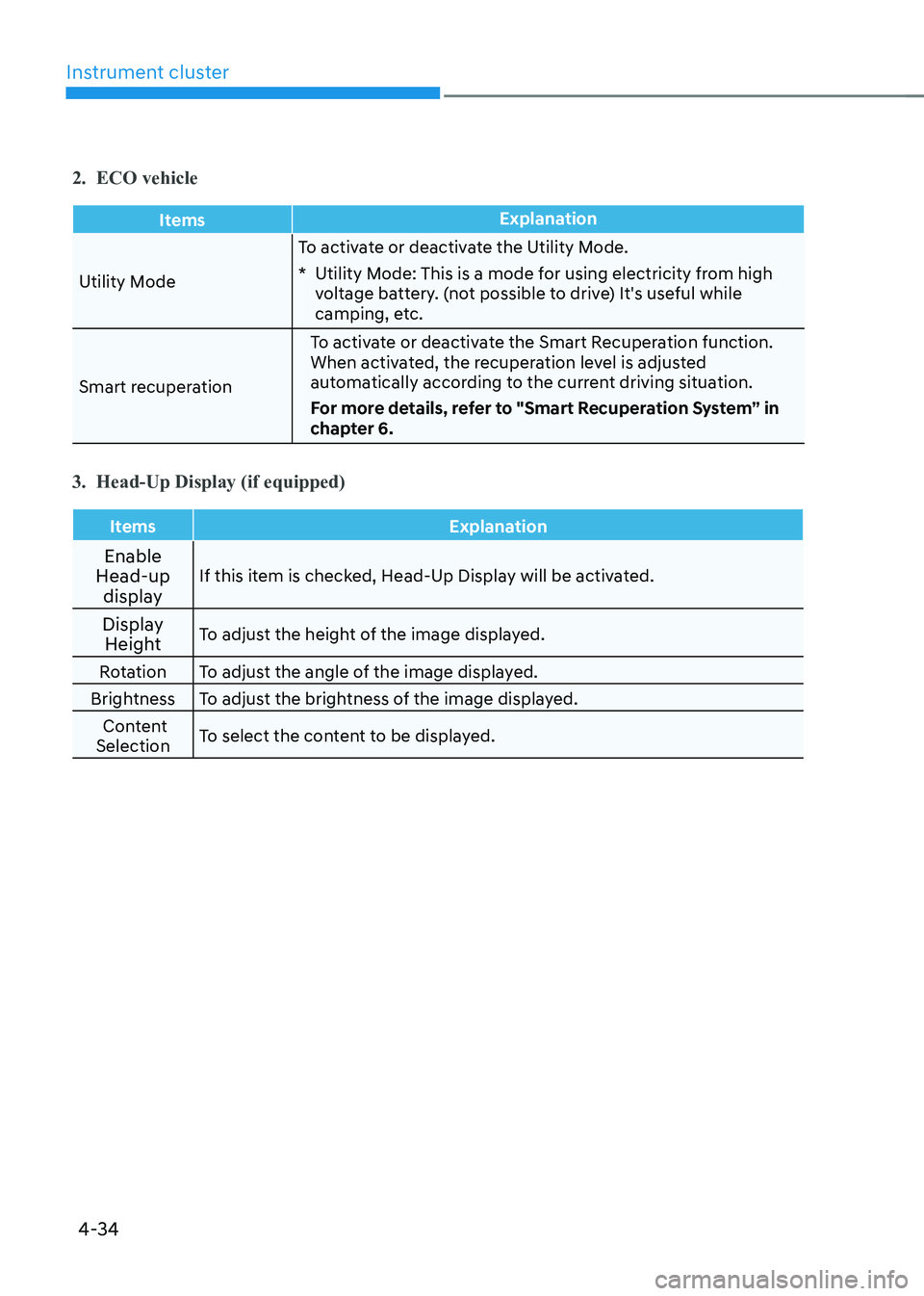
2. ECO vehicle
ItemsExplanation
Utility ModeTo activate or deactivate the Utility Mode.
* Utility Mode: This is a mode for using electricity from high
voltage battery. (not possible to drive) It's useful while
camping, etc.
Smart recuperation To activate or deactivate the Smart Recuperation function.
When activated, the recuperation level is adjusted
automatically according to the current driving situation.
For more details, refer to "Smart Recuperation System” in
chapter 6.
3. Head-Up Display (if equipped)
Items Explanation
Enable
Head-up
display If this item is checked, Head-Up Display will be activated.
Display Height To adjust the height of the image displayed.
Rotation To adjust the angle of the image displayed.
Brightness To adjust the brightness of the image displayed. Content
Selection To select the content to be displayed.
Page 182 of 548
04
4-39
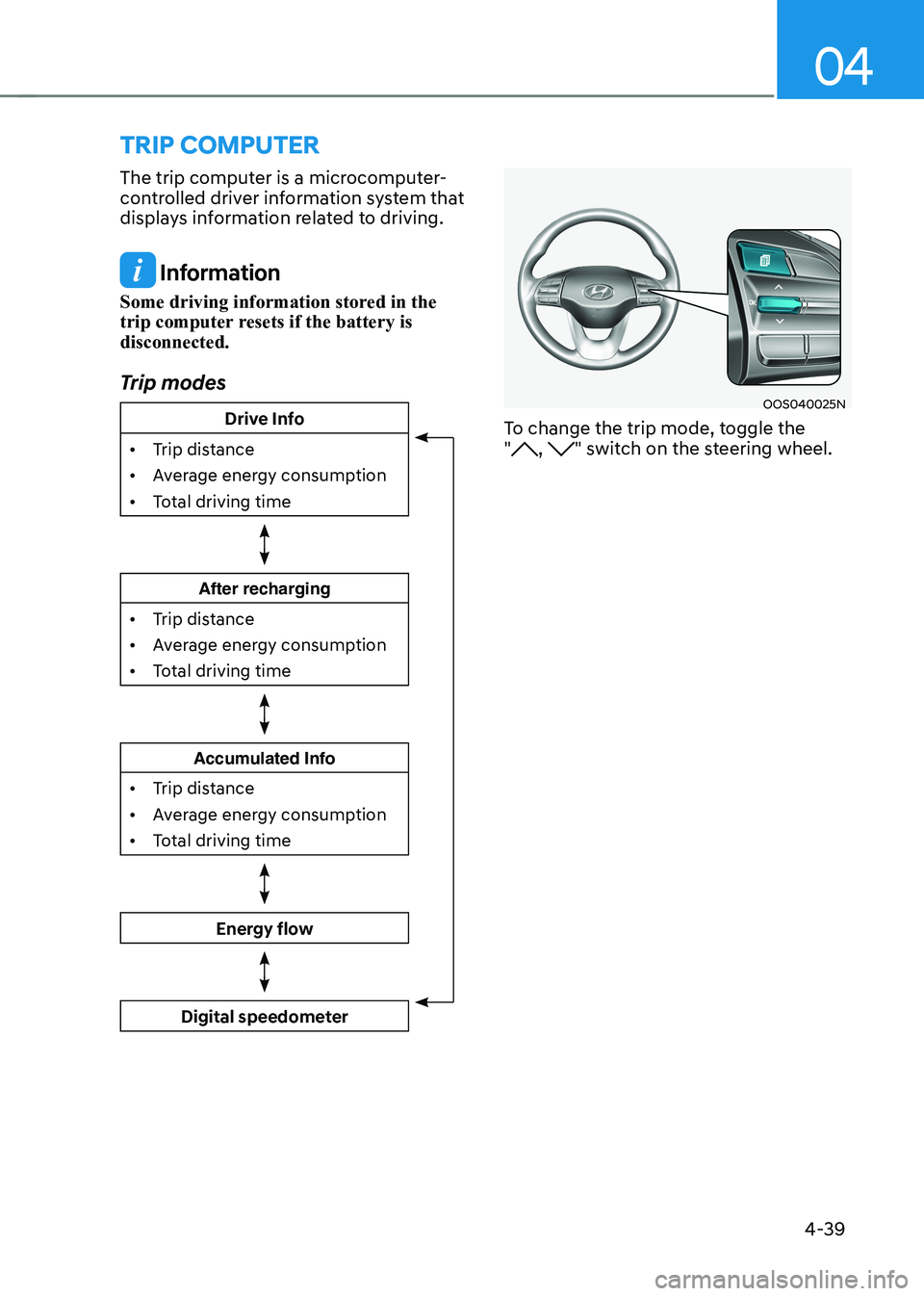
trIp computer
The trip computer is a microcomputer-
controlled driver information system that
displays information related to driving.
Information
Some driving information stored in the
trip computer resets if the battery is disconnected.
Trip modes
Drive Info
• Trip distance
• Average energy consumption
• Total driving time
After recharging
• Trip distance
• Average energy consumption
• Total driving time
Accumulated Info
• Trip distance
• Average energy consumption
• Total driving time
Energy flow
Digital speedometer
OOS040025N
To change the trip mode, toggle the "
, " switch on the steering wheel.
Page 192 of 548
Convenient features
5-8
Information
Changes or modifications not expressly
approved by the party responsible
for compliance could void the user’s authority to operate the equipment. If the keyless entry system is inoperative due
to changes or modifications not expressly
approved by the party responsible for
compliance, it will not be covered by your
manufacturer’s vehicle warranty.
Information
This device complies with Industry Canada RSS-210 standard.
Operation is subject to the following three conditions: 1. This device may not cause harmful
interference, and
2. This device must accept any
interference received, including
interference that may cause undesired operation.
3. Changes or modifications not expressly
approved by the party responsible
for compliance could void the user’s authority to operate the device.
NOTICE
Keep the smart key away from
electromagnetic materials that blocks
electromagnetic waves to the key
surface.
NOTICE
Always have the smart key with you
when leaving the vehicle. If the smart
key is left near the vehicle, the vehicle
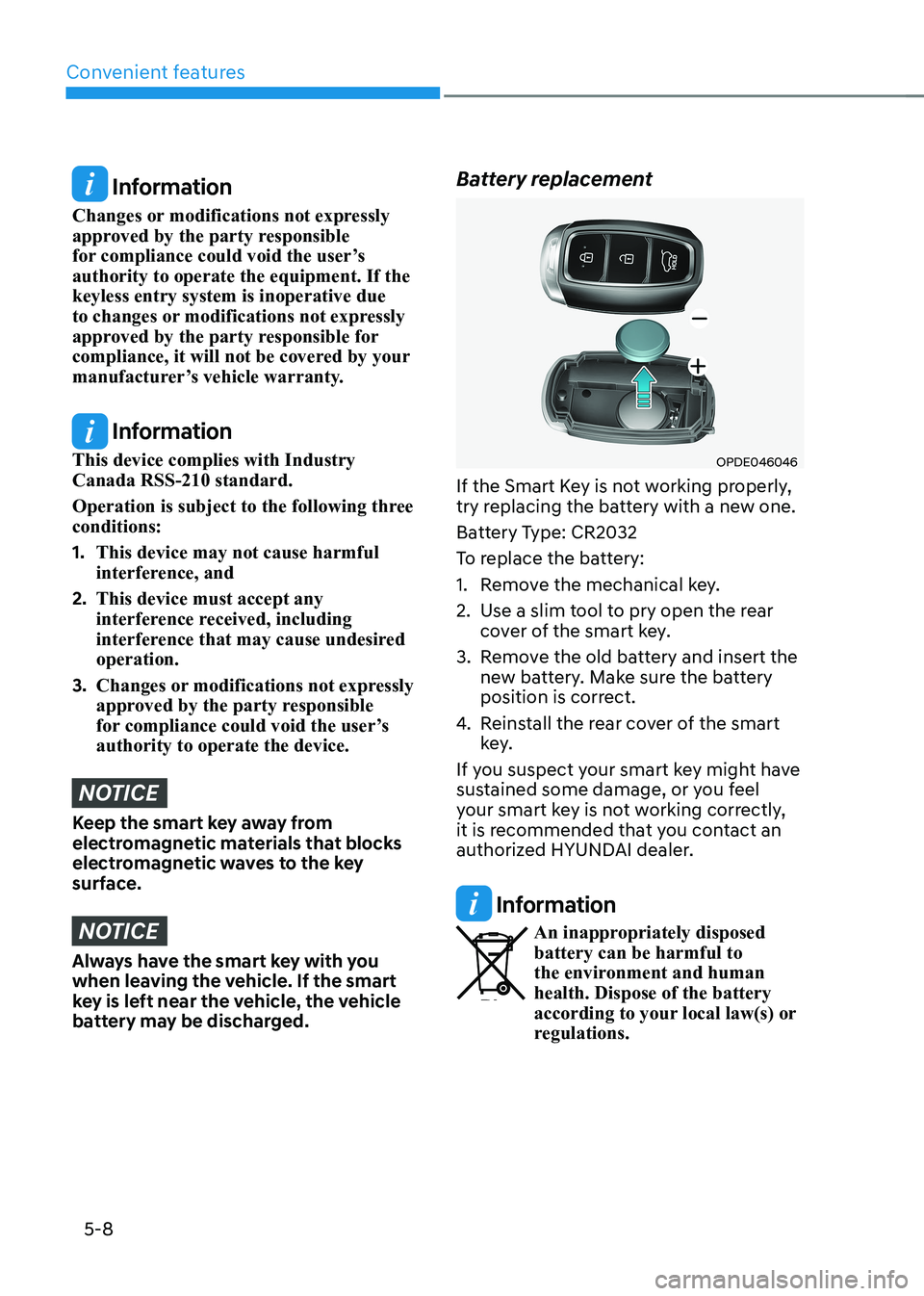
battery may be discharged. Battery replacement
OPDE046046
If the Smart Key is not working properly,
try replacing the battery with a new one.
Battery Type: CR2032
To replace the battery:
1. Remove the mechanical key.
2. Use a slim tool to pry open the rear cover of the smart key.
3. Remove the old battery and insert the new battery. Make sure the battery
position is correct.
4. Reinstall the rear cover of the smart
key.
If you suspect your smart key might have
sustained some damage, or you feel
your smart key is not working correctly,
it is recommended that you contact an
authorized HYUNDAI dealer.
Information
An inappropriately disposed battery can be harmful to
the environment and human health. Dispose of the battery
according to your local law(s) or
regulations.