battery HYUNDAI KONA EV 2022 Owner's Manual
[x] Cancel search | Manufacturer: HYUNDAI, Model Year: 2022, Model line: KONA EV, Model: HYUNDAI KONA EV 2022Pages: 548, PDF Size: 49.14 MB
Page 34 of 548

01
1-29
How to Connect DC Charger
1. Depress the brake pedal and apply the
electronic parking brake.
2. Shift to P (Park) and turn OFF the vehicle using the POWER button.
Information
If charging is initiated without the gear in
P (Park), charging will start only after the
gear is automatically shifted to P (Park).
OOSEVQ010008L
3. Unlock the vehicle before opening the charging door. From the outside the
vehicle, push on the charging door
in the area indicated by the arrow to
open the door.
Information
If you cannot open the charging door due
to freezing weather, tap lightly or remove
any ice near the charging door. Do not try
to forcibly open the charging door.
OOSEV011020N
4. Remove the charging port dust cover (1).
5. Inspect the charging port to make sure it is free from any dust or debris.
6. Hold the charging connector handle firmly and insert the connector into
the charging port all the way.
If the connector is not completely
inserted into the charging port, arcing
may occur. This may cause a fire.
7. Check if the charging indicator light (
) of the high voltage battery
in the instrument cluster is turned
ON. Charging is not active when the
charging indicator light (
) is OFF.
If the charging indicator light is OFF,
it may be necessary to disconnect the
charging connector from the vehicle
and repeat the connection process.
Refer to the charging station display
screen for more information.
During cold weather, DC charging
may not be available to prevent high
voltage battery degradation.
Page 35 of 548
Foreword / Electric Vehicle System Overview
1-30
NOTICE
In high ambient temperature conditions
like during summer months, the A/C
system may be operating during
EV battery charging. You may hear
additional noises generated from the
operation of the A/C compressor and
cooling fan. This is a normal condition.
Information
Note that the vehicle cannot be shifted out
of P (Park) when the vehicle is charging.OOSEV040489L
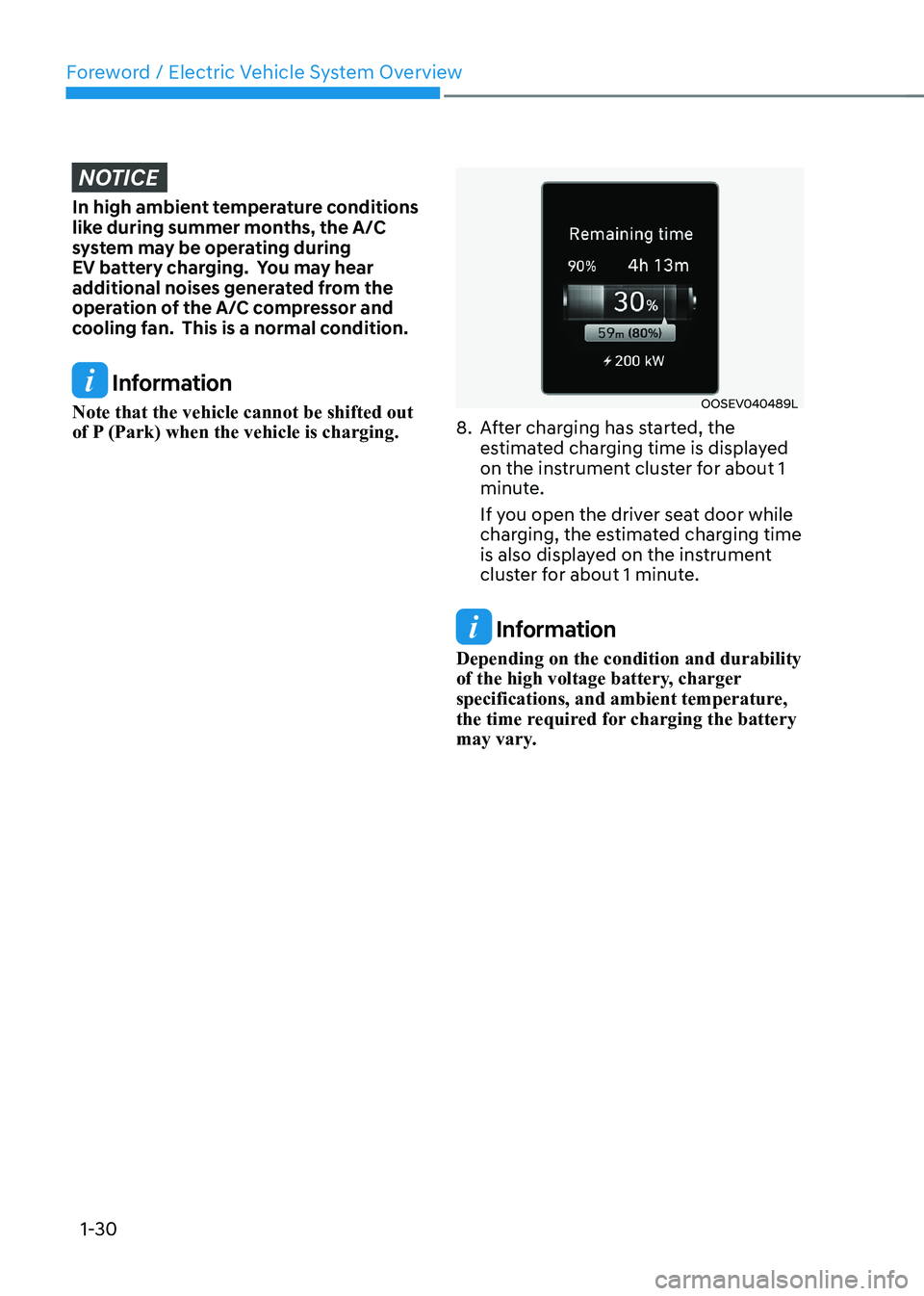
8. After charging has started, the estimated charging time is displayed
on the instrument cluster for about 1
minute.
If you open the driver seat door while
charging, the estimated charging time
is also displayed on the instrument
cluster for about 1 minute.
Information
Depending on the condition and durability
of the high voltage battery, charger
specifications, and ambient temperature,
the time required for charging the battery
may vary.
Page 36 of 548
01
1-31
Checking Charging Status
OOSEV011019N
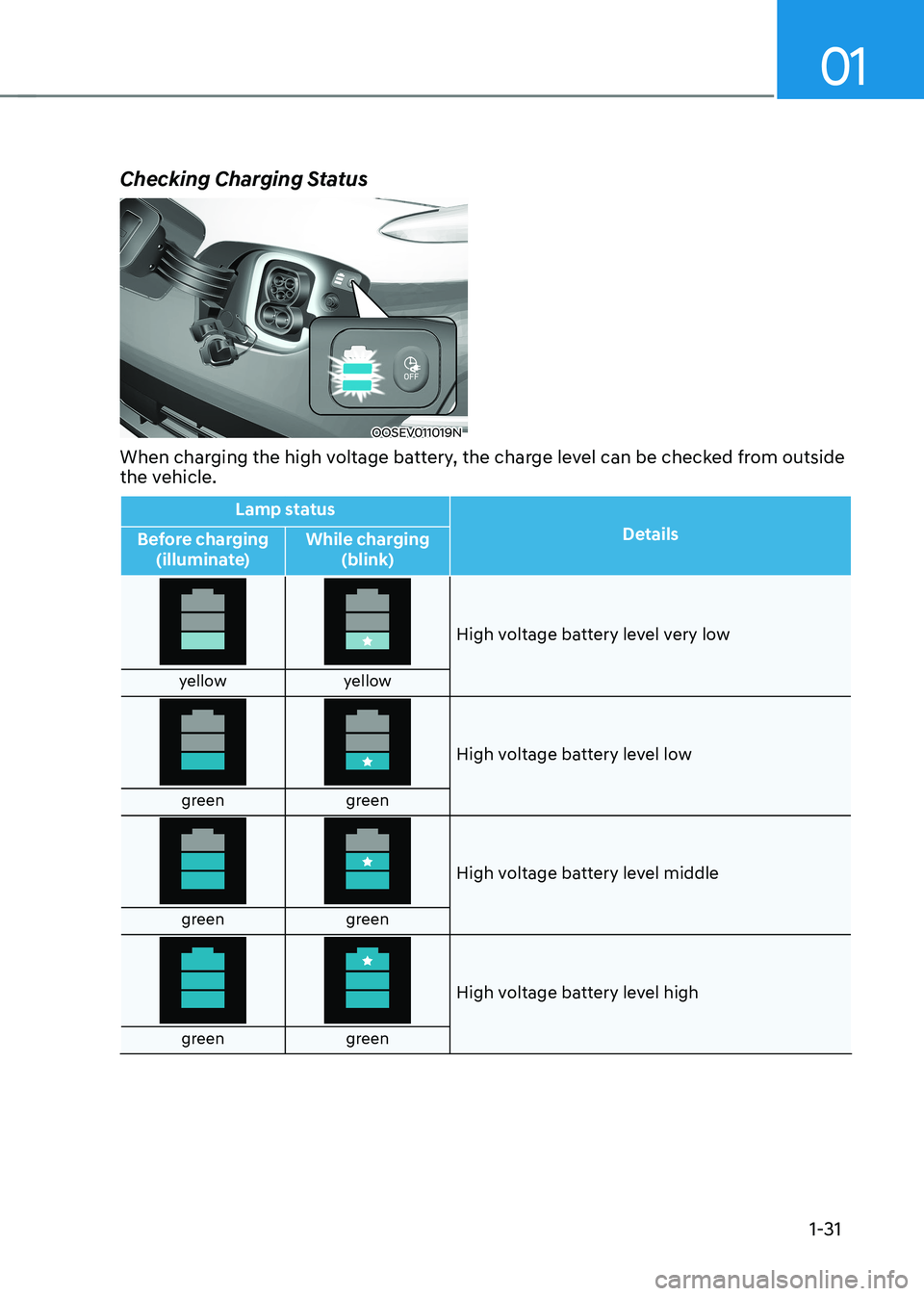
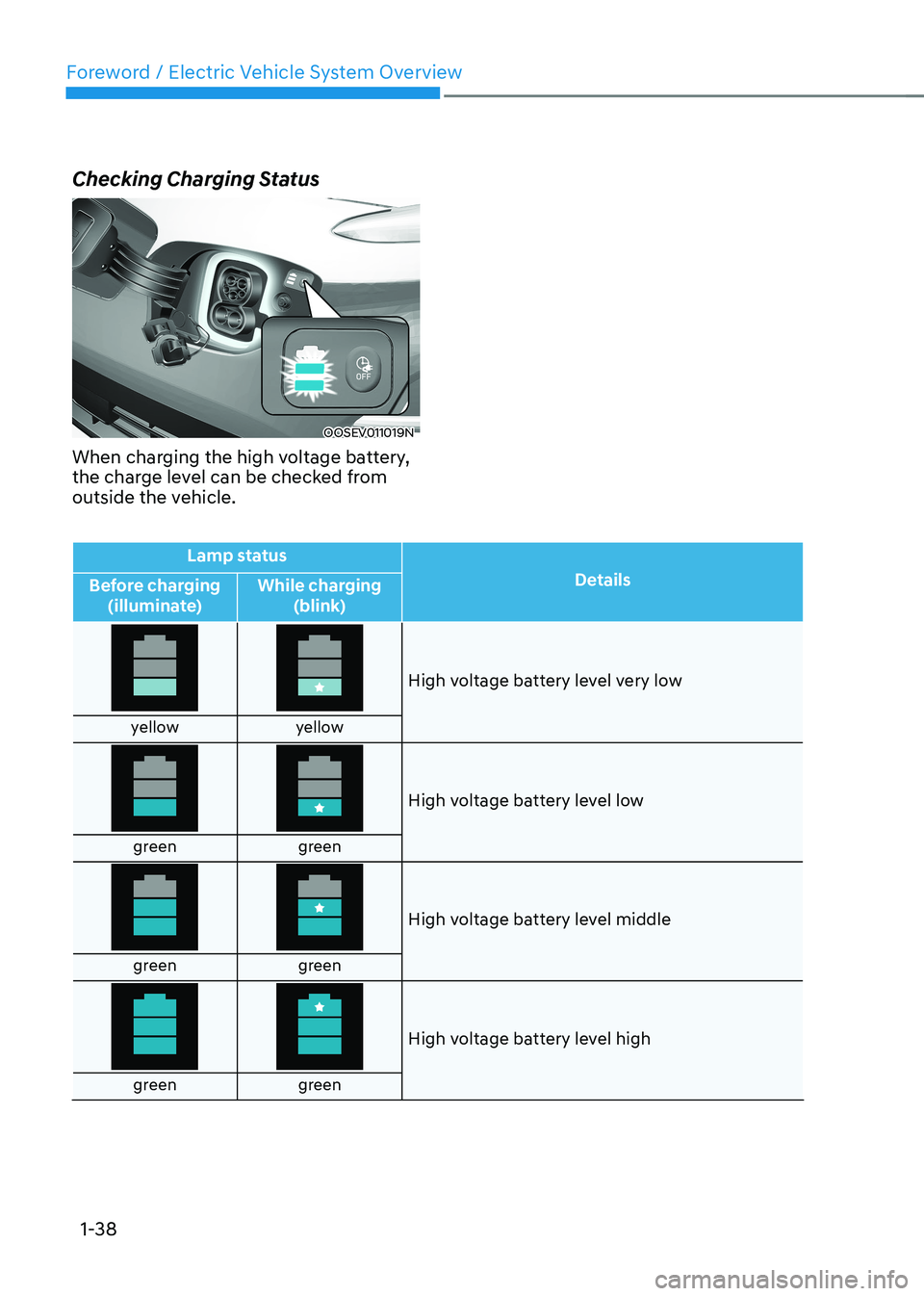
When charging the high voltage battery, the charge level can be checked from outside
the vehicle.
Lamp status Details
Before charging
(illuminate) While charging
(blink)
High voltage battery level very low
yellow yellow
High voltage battery level low
green green
High voltage battery level middle
green green
High voltage battery level high
green green
Page 41 of 548
Foreword / Electric Vehicle System Overview
1-36
OOSEV010014L
6. Remove the charging port dust cover (1).
7. Inspect the charging port to make
sure it is free from any dust or debris.
8. Hold the charging connector handle firmly and insert the connector into
the charging port all the way.
If the connector is not completely
inserted into the charging port, arcing
may occur. This may cause a fire.
Information
Charging connector AUTO/LOCK mode
The charging connector is locked in the
inlet at a different period according to which mode is selected. • LOCK mode : The connector locks
when the charging connector is plugged into the charging inlet.
• AUTO mode : The connector locks when charging starts.
For more details, refer to “Charging
Connector AUTO/ LOCK Mode” in this
chapter.
OOSEVQ018057
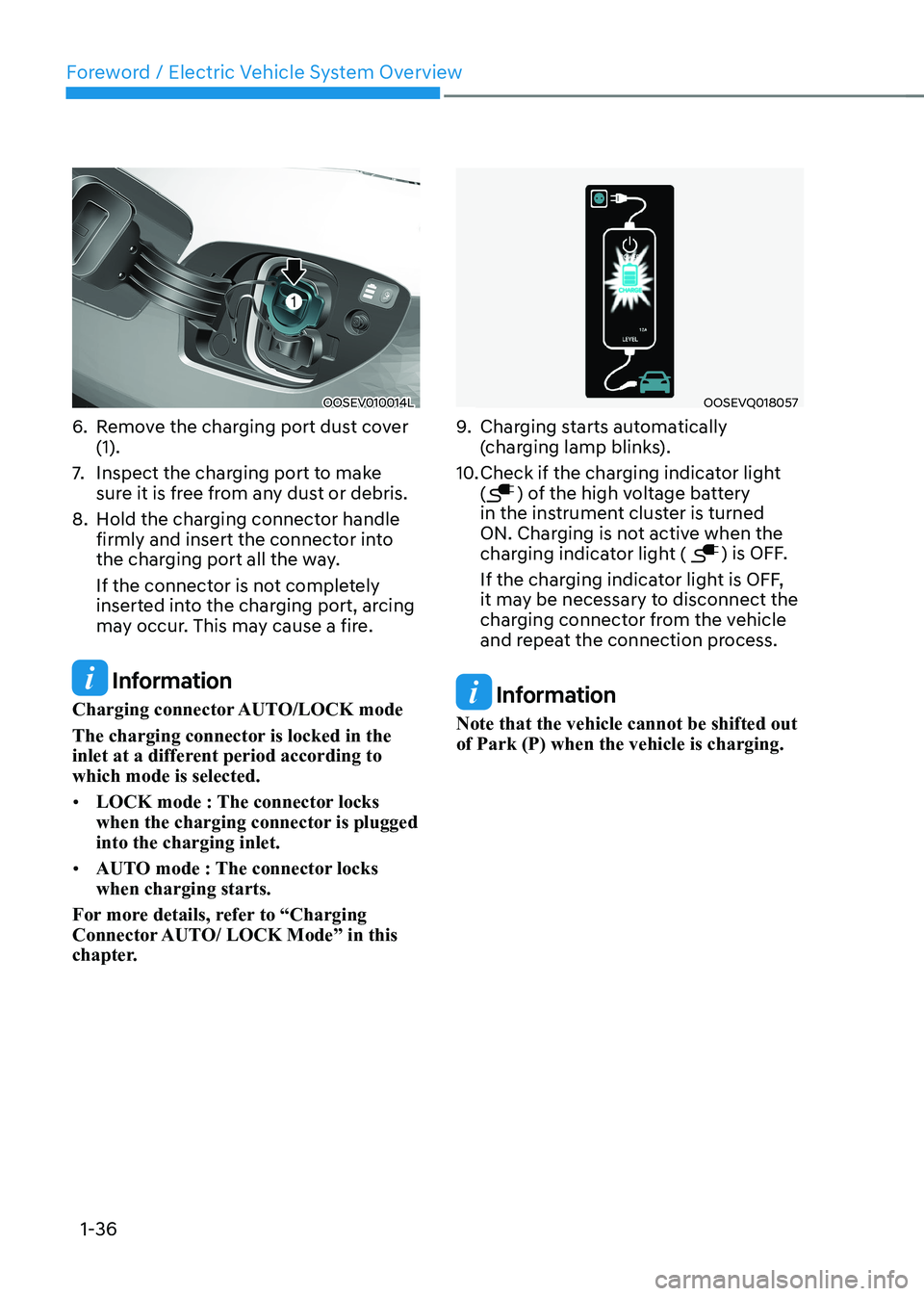
9. Charging starts automatically
(charging lamp blinks).
10. Check if the charging indicator light (
) of the high voltage battery
in the instrument cluster is turned
ON. Charging is not active when the
charging indicator light (
) is OFF.
If the charging indicator light is OFF,
it may be necessary to disconnect the
charging connector from the vehicle
and repeat the connection process.
Information
Note that the vehicle cannot be shifted out of Park (P) when the vehicle is charging.
Page 42 of 548
01
1-37
OOSEV040133L
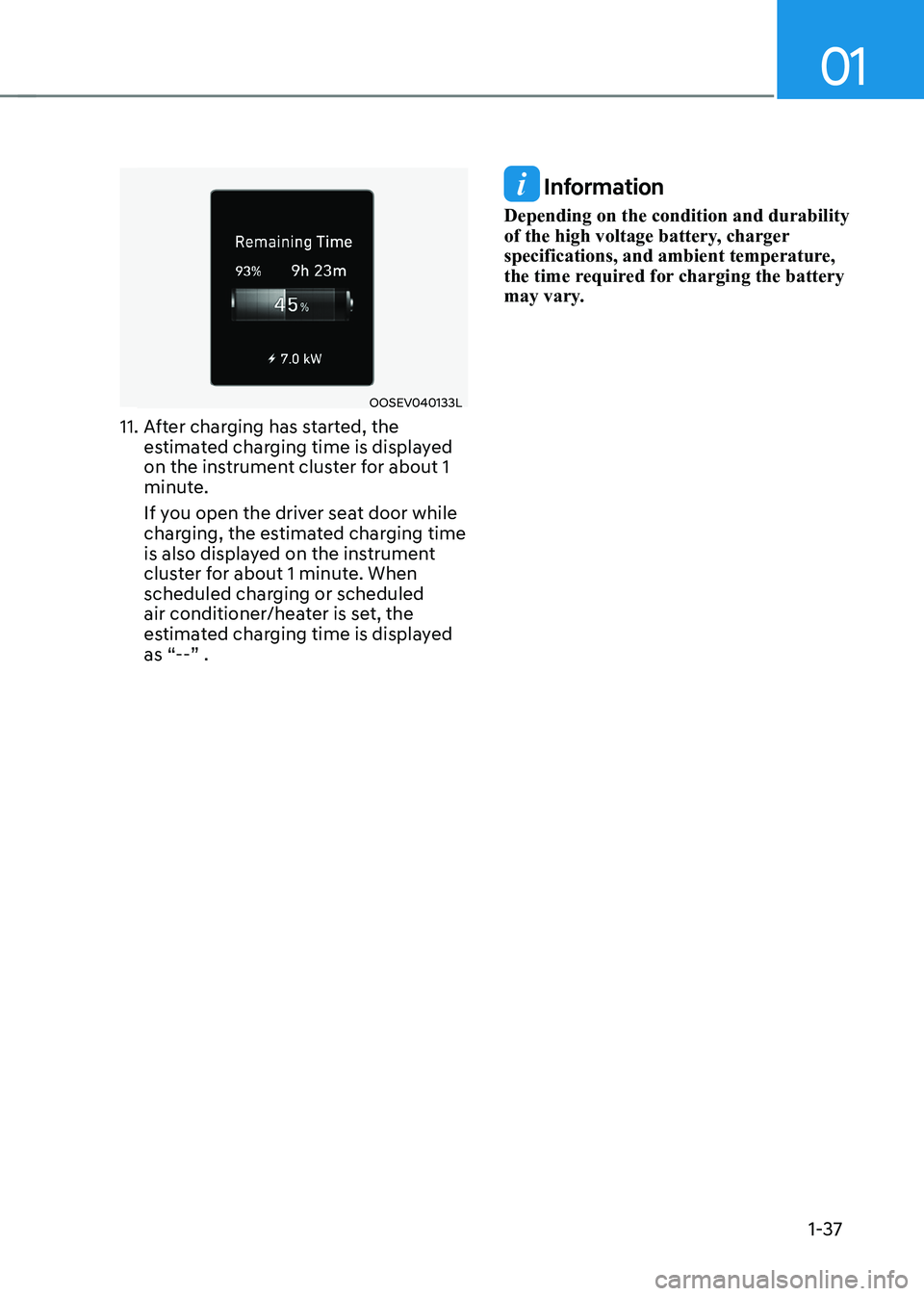
11. After charging has started, the estimated charging time is displayed
on the instrument cluster for about 1
minute.
If you open the driver seat door while
charging, the estimated charging time
is also displayed on the instrument
cluster for about 1 minute. When
scheduled charging or scheduled
air conditioner/heater is set, the
estimated charging time is displayed
as “--” .
Information
Depending on the condition and durability
of the high voltage battery, charger
specifications, and ambient temperature,
the time required for charging the battery
may vary.
Page 43 of 548
Foreword / Electric Vehicle System Overview
1-38
Checking Charging Status
OOSEV011019N
When charging the high voltage battery,
the charge level can be checked from
outside the vehicle.
Lamp status Details
Before charging
(illuminate) While charging
(blink)
High voltage battery level very low
yellow yellow
High voltage battery level low
green green
High voltage battery level middle
green green
High voltage battery level high
green green
Page 51 of 548
Foreword / Electric Vehicle System Overview
1-46
Virtual Engine Sound System
The Virtual Engine Sound System
generates engine sound for pedestrians
to hear vehicle sound because there is
no sound while the Electric Vehicle (EV)
is operating. • If the vehicle is in the ready (
)
mode and the gear is not in P (Park),
the VESS will be operated.
• When the gear is shifted to R
(Reverse), an additional warning
sound will be heard.
CAUTION
• The vehicle is much quieter while
driving than a conventional gasoline-
powered vehicle. Be aware of your
surroundings and always drive safely.
• After you park the vehicle or while
you are waiting at a traffic light,
check whether there are children or
obstacles around the vehicle.
• Check if there is something behind
the vehicle when driving in reverse.
Pedestrians may not hear the sound
of the vehicle.
Distance to Empty
OOSEV040486L
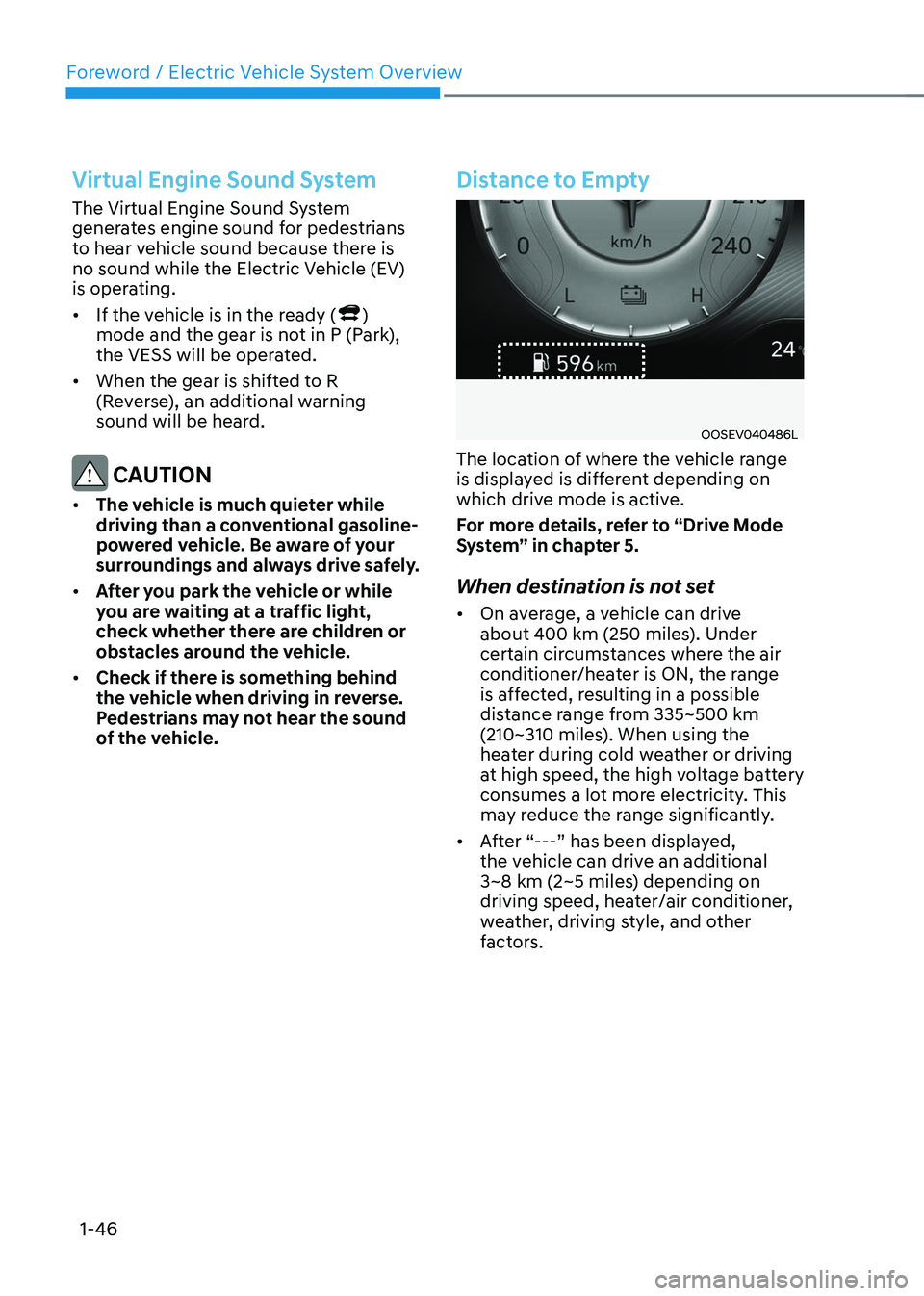
The location of where the vehicle range
is displayed is different depending on
which drive mode is active.
For more details, refer to “Drive Mode
System” in chapter 5.
When destination is not set • On average, a vehicle can drive
about 400 km (250 miles). Under
certain circumstances where the air
conditioner/heater is ON, the range
is affected, resulting in a possible
distance range from 335~500 km
(210~310 miles). When using the
heater during cold weather or driving
at high speed, the high voltage battery
consumes a lot more electricity. This
may reduce the range significantly.
• After “---” has been displayed,
the vehicle can drive an additional
3~8 km (2~5 miles) depending on
driving speed, heater/air conditioner,
weather, driving style, and other
factors.
Page 52 of 548
01
1-47
•
The range that is displayed on the
instrument cluster after completing
a recharge may vary significantly
depending on previous driving
patterns.
When the previous driving patterns
include aggressive or high speed
driving (e.g. predominantly highway
miles, etc.), the estimated range on
the next full charge will be lower than normal.
When the previous driving patterns
are predominantly mild or economical
(e.g. city driving), the estimated
range on the next full charge will be
increased.
• Calculated range may depend on
many factors such as the charge
amount of the high voltage battery,
weather, temperature, durability of
the battery, geographical features,
and driving style.
• Natural degradation may occur with
the high voltage battery depending
on the number of years the vehicle
is used. This may reduce the vehicle
range.
Navigation - When a Destination is
Set
When a destination is set using the
vehicle navigation system (if equipped),
the vehicle range may change. The
vehicle range is recalculated using the
destination route information. While
driving, the range may vary based on
traffic conditions, driving pattern and
vehicle settings, etc.
Tips for Improving Range When
Using the Climate Control
System
• Operating the climate control system
consumes electrical energy from
the EV battery. Continuous use may
reduce the vehicle range.
When using the climate control
system, it is recommended to set
the control to 22°C (72°F) AUTO. The
climate control system has been
optimized to operate at this setting for
maximum comfort and efficiency.
• When possible, use the DRIVER ONLY
feature on the climate control system.
This will discontinue airflow to the
passenger side and reduces climate
control power consumption.
Tips for Improving Range While Driving
• Depress and hold the accelerator
pedal to maintain speed and drive
economically.
• Gradually depress and release the
accelerator pedal when accelerating
or decelerating.
• Always maintain specified tire
pressures.
• Do not use unnecessary electrical
components while driving.
• Do not load unnecessary items in the
vehicle.
• Do not mount parts that may increase
air resistance.
Page 53 of 548
Foreword / Electric Vehicle System Overview
1-48
Power/Charge Gauge
OOSEV040474L
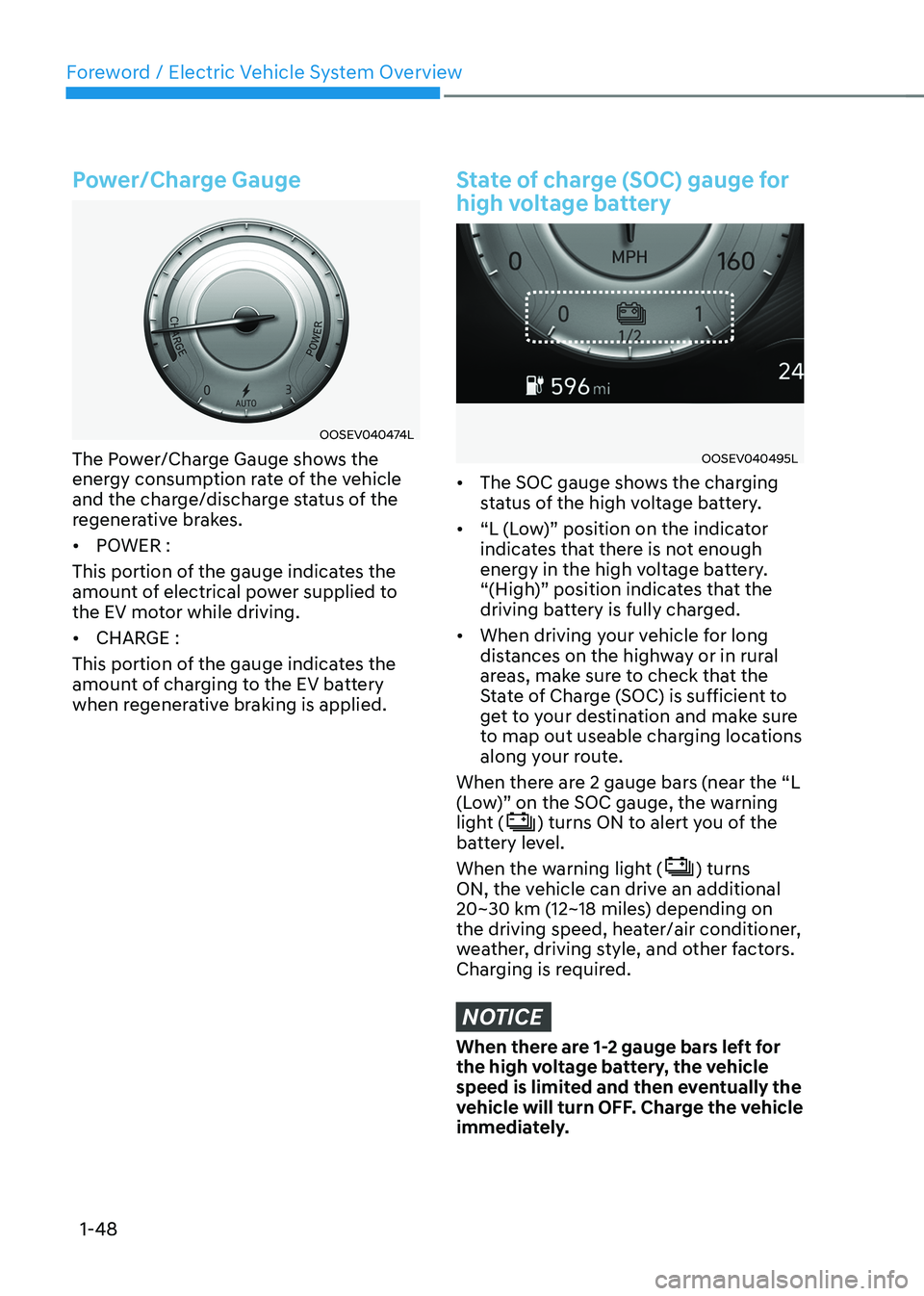
The Power/Charge Gauge shows the
energy consumption rate of the vehicle
and the charge/discharge status of the
regenerative brakes. • POWER :
This portion of the gauge indicates the
amount of electrical power supplied to
the EV motor while driving. • CHARGE :
This portion of the gauge indicates the
amount of charging to the EV battery
when regenerative braking is applied.
State of charge (SOC) gauge for
high voltage battery
OOSEV040495L
• The SOC gauge shows the charging
status of the high voltage battery.
• “L (Low)” position on the indicator
indicates that there is not enough
energy in the high voltage battery.
“(High)” position indicates that the
driving battery is fully charged.
• When driving your vehicle for long
distances on the highway or in rural
areas, make sure to check that the
State of Charge (SOC) is sufficient to
get to your destination and make sure
to map out useable charging locations
along your route.
When there are 2 gauge bars (near the “L
(Low)” on the SOC gauge, the warning
light (
) turns ON to alert you of the
battery level.
When the warning light (
) turns
ON, the vehicle can drive an additional
20~30 km (12~18 miles) depending on
the driving speed, heater/air conditioner,
weather, driving style, and other factors.
Charging is required.
NOTICE
When there are 1-2 gauge bars left for
the high voltage battery, the vehicle
speed is limited and then eventually the
vehicle will turn OFF. Charge the vehicle
immediately.
Page 54 of 548
01
1-49
Warning and Indicator Lights
(related to electric vehicle)
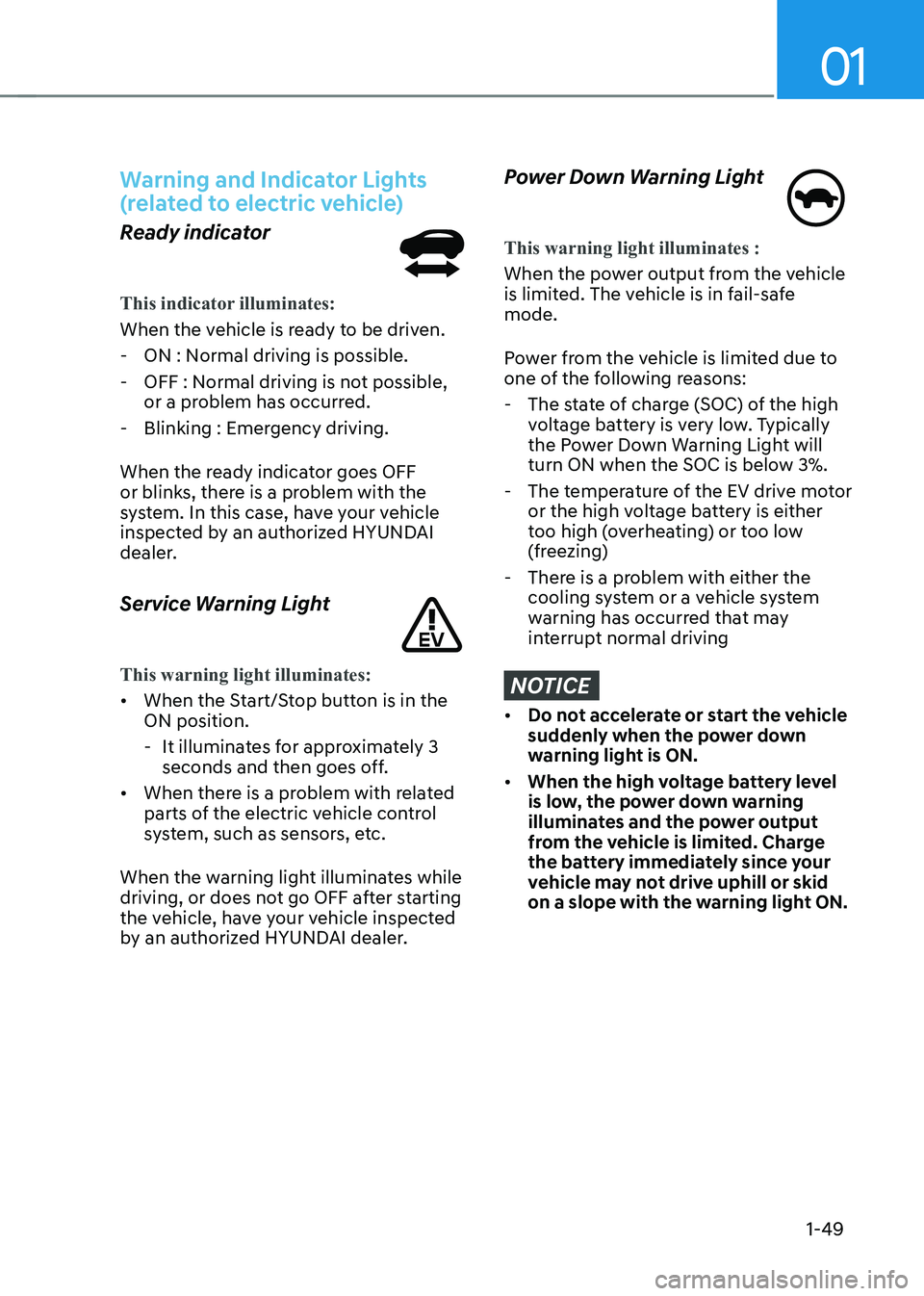
Ready indicator
This indicator illuminates:
When the vehicle is ready to be driven. - ON : Normal driving is possible.
- OFF : Normal driving is not possible, or a problem has occurred.
- Blinking : Emergency driving.
When the ready indicator goes OFF
or blinks, there is a problem with the
system. In this case, have your vehicle
inspected by an authorized HYUNDAI
dealer.
Service Warning Light
This warning light illuminates:
• When the Start/Stop button is in the ON position.
- It illuminates for approximately 3 seconds and then goes off.
• When there is a problem with related
parts of the electric vehicle control
system, such as sensors, etc.
When the warning light illuminates while
driving, or does not go OFF after starting
the vehicle, have your vehicle inspected
by an authorized HYUNDAI dealer.
Power Down Warning Light
This warning light illuminates :
When the power output from the vehicle
is limited. The vehicle is in fail-safe mode.
Power from the vehicle is limited due to
one of the following reasons: - The state of charge (SOC) of the high voltage battery is very low. Typically
the Power Down Warning Light will
turn ON when the SOC is below 3%.
- The temperature of the EV drive motor or the high voltage battery is either
too high (overheating) or too low
(freezing)
- There is a problem with either the cooling system or a vehicle system
warning has occurred that may
interrupt normal driving
NOTICE
• Do not accelerate or start the vehicle
suddenly when the power down
warning light is ON.
• When the high voltage battery level
is low, the power down warning
illuminates and the power output
from the vehicle is limited. Charge
the battery immediately since your
vehicle may not drive uphill or skid
on a slope with the warning light ON.