charging HYUNDAI KONA EV 2022 Workshop Manual
[x] Cancel search | Manufacturer: HYUNDAI, Model Year: 2022, Model line: KONA EV, Model: HYUNDAI KONA EV 2022Pages: 548, PDF Size: 49.14 MB
Page 146 of 548
04
4-3
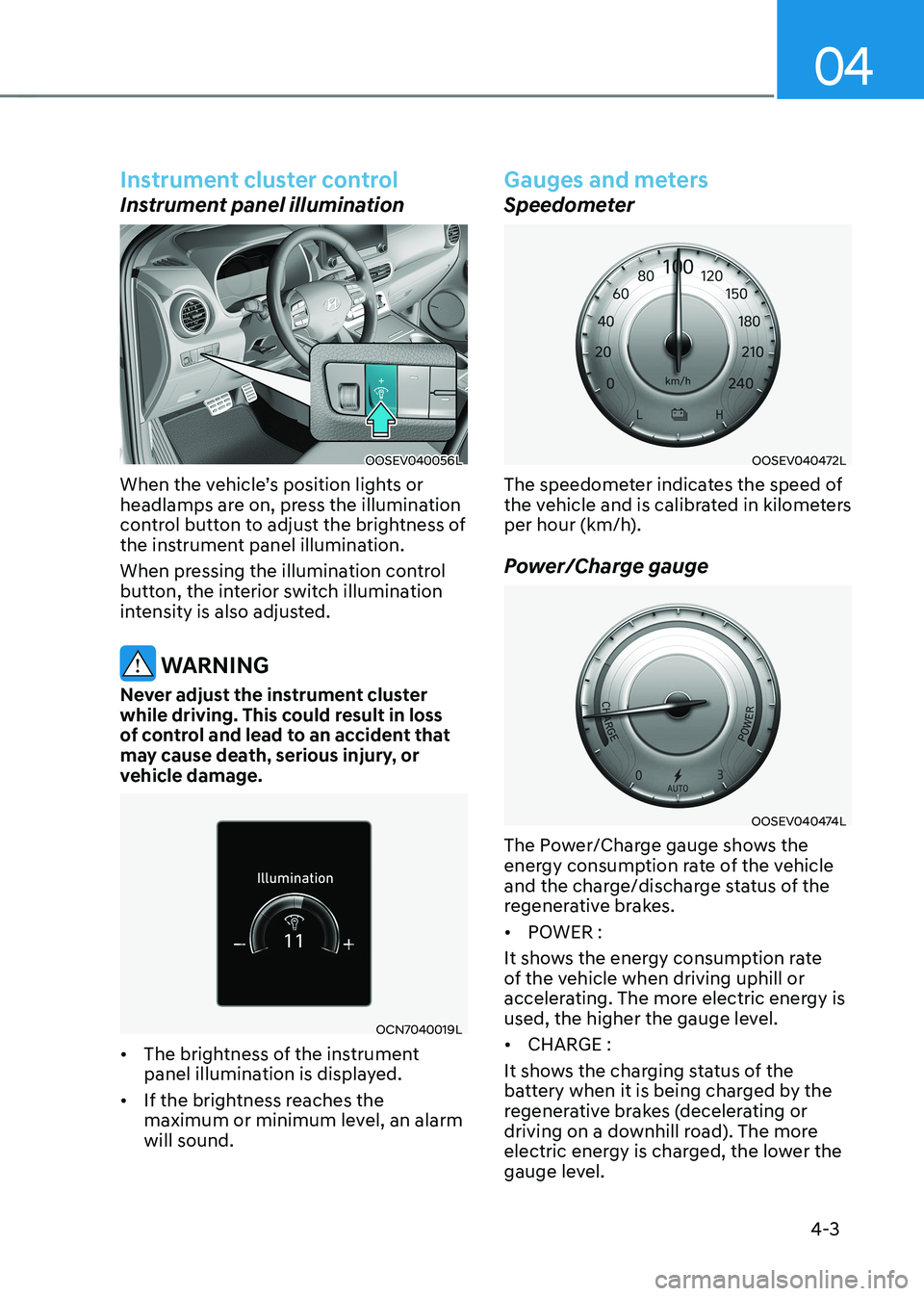
Instrument cluster control
Instrument panel illumination
OOSEV040056L
When the vehicle’s position lights or
headlamps are on, press the illumination
control button to adjust the brightness of
the instrument panel illumination.
When pressing the illumination control
button, the interior switch illumination
intensity is also adjusted.
WARNING
Never adjust the instrument cluster
while driving. This could result in loss
of control and lead to an accident that
may cause death, serious injury, or
vehicle damage.
OCN7040019L
• The brightness of the instrument
panel illumination is displayed.
• If the brightness reaches the
maximum or minimum level, an alarm will sound.
Gauges and meters
Speedometer
OOSEV040472L
The speedometer indicates the speed of
the vehicle and is calibrated in kilometers
per hour (km/h).
Power/Charge gauge
OOSEV040474L
The Power/Charge gauge shows the
energy consumption rate of the vehicle
and the charge/discharge status of the
regenerative brakes. • POWER :
It shows the energy consumption rate
of the vehicle when driving uphill or
accelerating. The more electric energy is
used, the higher the gauge level. • CHARGE :
It shows the charging status of the
battery when it is being charged by the
regenerative brakes (decelerating or
driving on a downhill road). The more
electric energy is charged, the lower the
gauge level.
Page 147 of 548
Instrument cluster
4-4
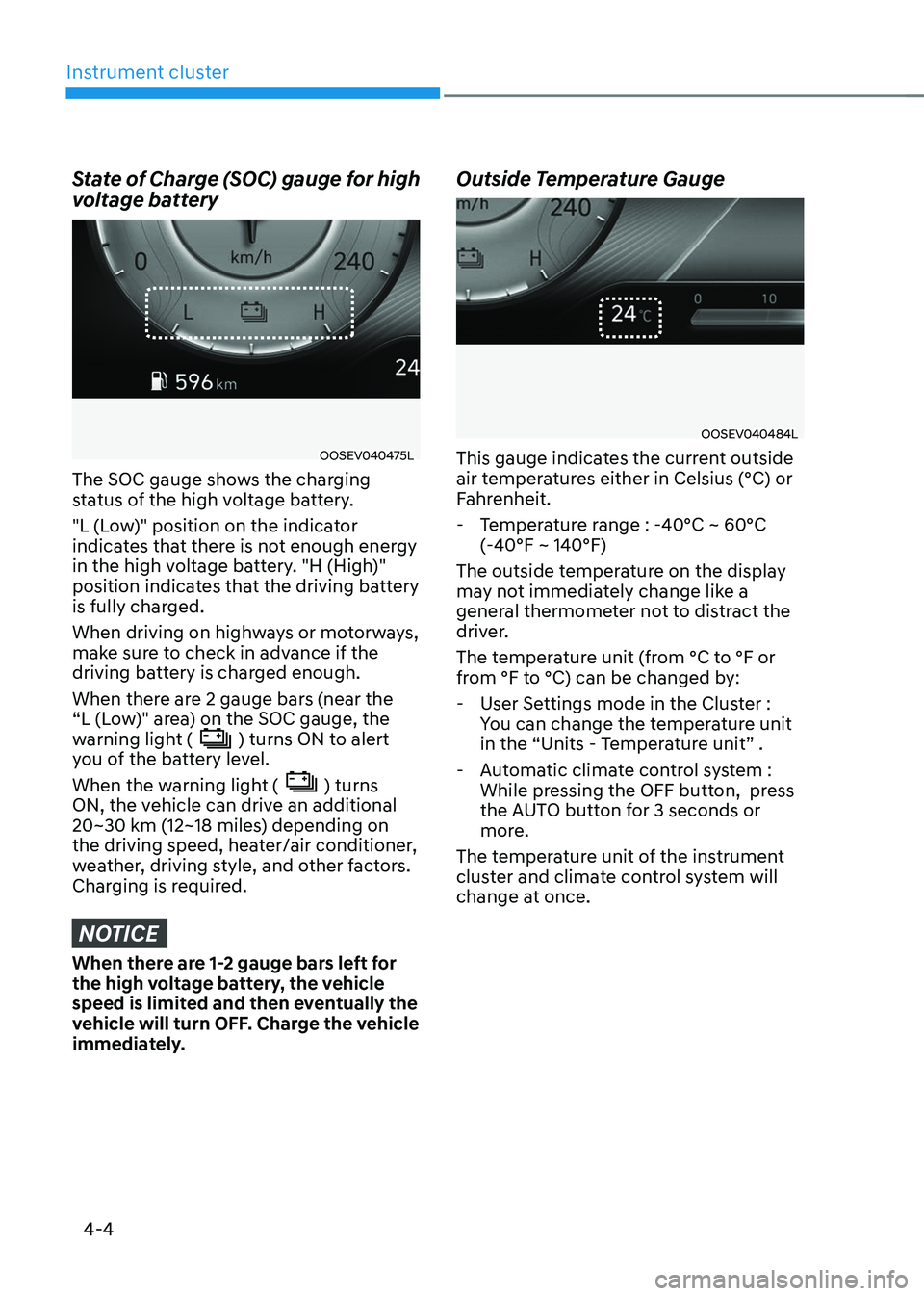
State of Charge (SOC) gauge for high
voltage battery
OOSEV040475L
The SOC gauge shows the charging
status of the high voltage battery.
"L (Low)" position on the indicator
indicates that there is not enough energy
in the high voltage battery. "H (High)"
position indicates that the driving battery
is fully charged.
When driving on highways or motorways,
make sure to check in advance if the
driving battery is charged enough.
When there are 2 gauge bars (near the
“L (Low)" area) on the SOC gauge, the
warning light (
) turns ON to alert
you of the battery level.
When the warning light (
) turns
ON, the vehicle can drive an additional
20~30 km (12~18 miles) depending on
the driving speed, heater/air conditioner,
weather, driving style, and other factors.
Charging is required.
NOTICE
When there are 1-2 gauge bars left for
the high voltage battery, the vehicle
speed is limited and then eventually the
vehicle will turn OFF. Charge the vehicle
immediately. Outside Temperature Gauge
OOSEV040484L
This gauge indicates the current outside
air temperatures either in Celsius (°C) or
Fahrenheit.
- Temperature range : -40°C ~ 60°C (-40°F ~ 140°F)
The outside temperature on the display
may not immediately change like a
general thermometer not to distract the
driver.
The temperature unit (from °C to °F or
from °F to °C) can be changed by: - User Settings mode in the Cluster : You can change the temperature unit
in the “Units - Temperature unit” .
- Automatic climate control system : While pressing the OFF button, press
the AUTO button for 3 seconds or
more.
The temperature unit of the instrument
cluster and climate control system will
change at once.
Page 151 of 548
Instrument cluster
4-8
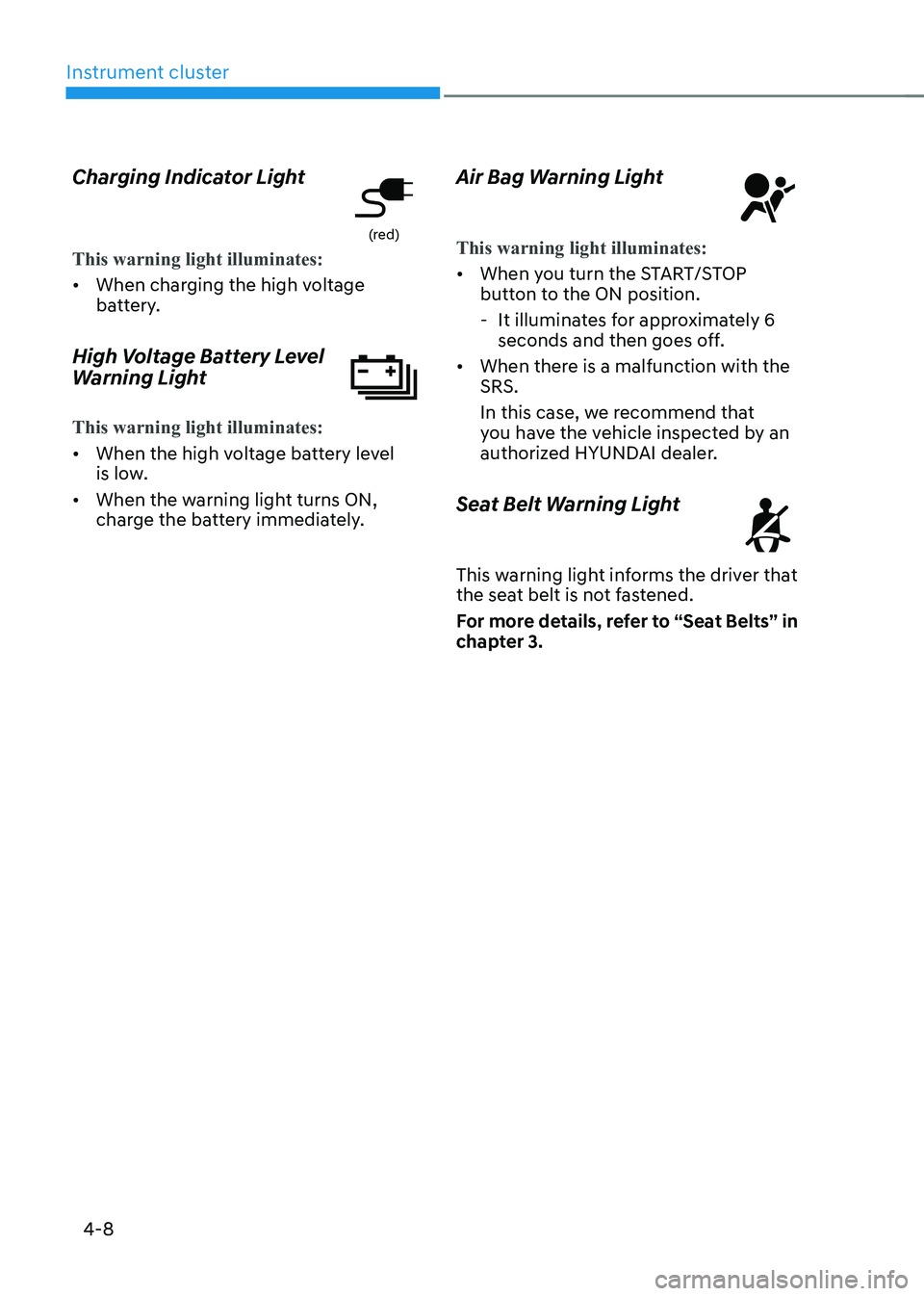
Charging Indicator Light
(red)
This warning light illuminates:
•
When charging the high voltage
battery.
High Voltage Battery Level
Warning Light
This warning light illuminates:
• When the high voltage battery level
is low.
• When the warning light turns ON,
charge the battery immediately. Air Bag Warning Light
This warning light illuminates:
•
When you turn the START/STOP
button to the ON position.
- It illuminates for approximately 6 seconds and then goes off.
• When there is a malfunction with the SRS.
In this case, we recommend that
you have the vehicle inspected by an
authorized HYUNDAI dealer.
Seat Belt Warning Light
This warning light informs the driver that
the seat belt is not fastened.
For more details, refer to “Seat Belts” in
chapter 3.
Page 155 of 548
Instrument cluster
4-12
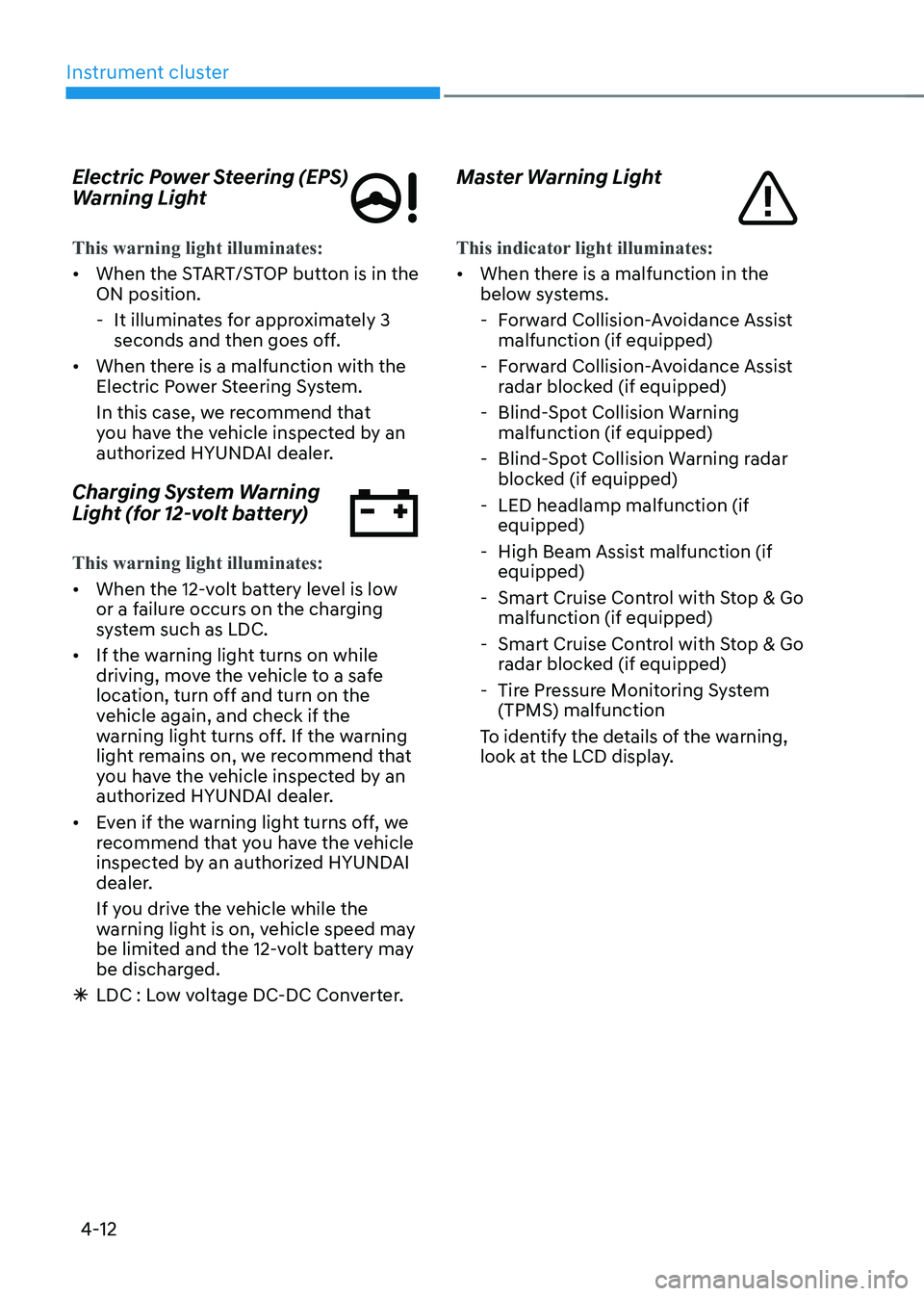
Electric Power Steering (EPS)
Warning Light
This warning light illuminates:
•
When the START/STOP button is in the ON position.
- It illuminates for approximately 3 seconds and then goes off.
• When there is a malfunction with the
Electric Power Steering System.
In this case, we recommend that
you have the vehicle inspected by an
authorized HYUNDAI dealer.
Charging System Warning
Light (for 12-volt battery)
This warning light illuminates:
• When the 12-volt battery level is low
or a failure occurs on the charging
system such as LDC.
• If the warning light turns on while
driving, move the vehicle to a safe
location, turn off and turn on the
vehicle again, and check if the
warning light turns off. If the warning
light remains on, we recommend that
you have the vehicle inspected by an
authorized HYUNDAI dealer.
• Even if the warning light turns off, we
recommend that you have the vehicle
inspected by an authorized HYUNDAI
dealer.
If you drive the vehicle while the
warning light is on, vehicle speed may
be limited and the 12-volt battery may
be discharged.
à LDC : Low voltage DC-DC Converter. Master Warning Light
This indicator light illuminates:
•
When there is a malfunction in the
below systems.
- Forward Collision-Avoidance Assist malfunction (if equipped)
- Forward Collision-Avoidance Assist radar blocked (if equipped)
- Blind-Spot Collision Warning malfunction (if equipped)
- Blind-Spot Collision Warning radar blocked (if equipped)
- LED headlamp malfunction (if equipped)
- High Beam Assist malfunction (if equipped)
- Smart Cruise Control with Stop & Go malfunction (if equipped)
- Smart Cruise Control with Stop & Go radar blocked (if equipped)
- Tire Pressure Monitoring System (TPMS) malfunction
To identify the details of the warning,
look at the LCD display.
Page 161 of 548
Instrument cluster
4-18
Check BRAKE SWITCH fuse
This warning message is displayed if the
brake switch fuse is disconnected.
You need to replace the fuse with a new
one before starting the vehicle.
If that is not possible, you can start
the vehicle by pressing the START/
STOP button for 10 seconds in the ACC position.
Shift to P to start vehicle
This warning message is displayed if you
try to start the vehicle without shifting to
the P (Park) position.
Low washer fluid (if equipped)
This warning message is displayed if
the washer fluid level in the reservoir is
nearly empty.
Have the washer fluid reservoir refilled.
12V battery discharging due to
additional electrical devices
This warning message is displayed if the
12V battery discharge is detected due to
use of unauthorized electrical/electronic
devices. Some vehicle functions will not
be able to use and the 12V battery may
discharge. If the message continues
to appear even though the external
electrical/electronic device is removed,
we recommend that the vehicle be
inspected by an authorized HYUNDAI
dealer.
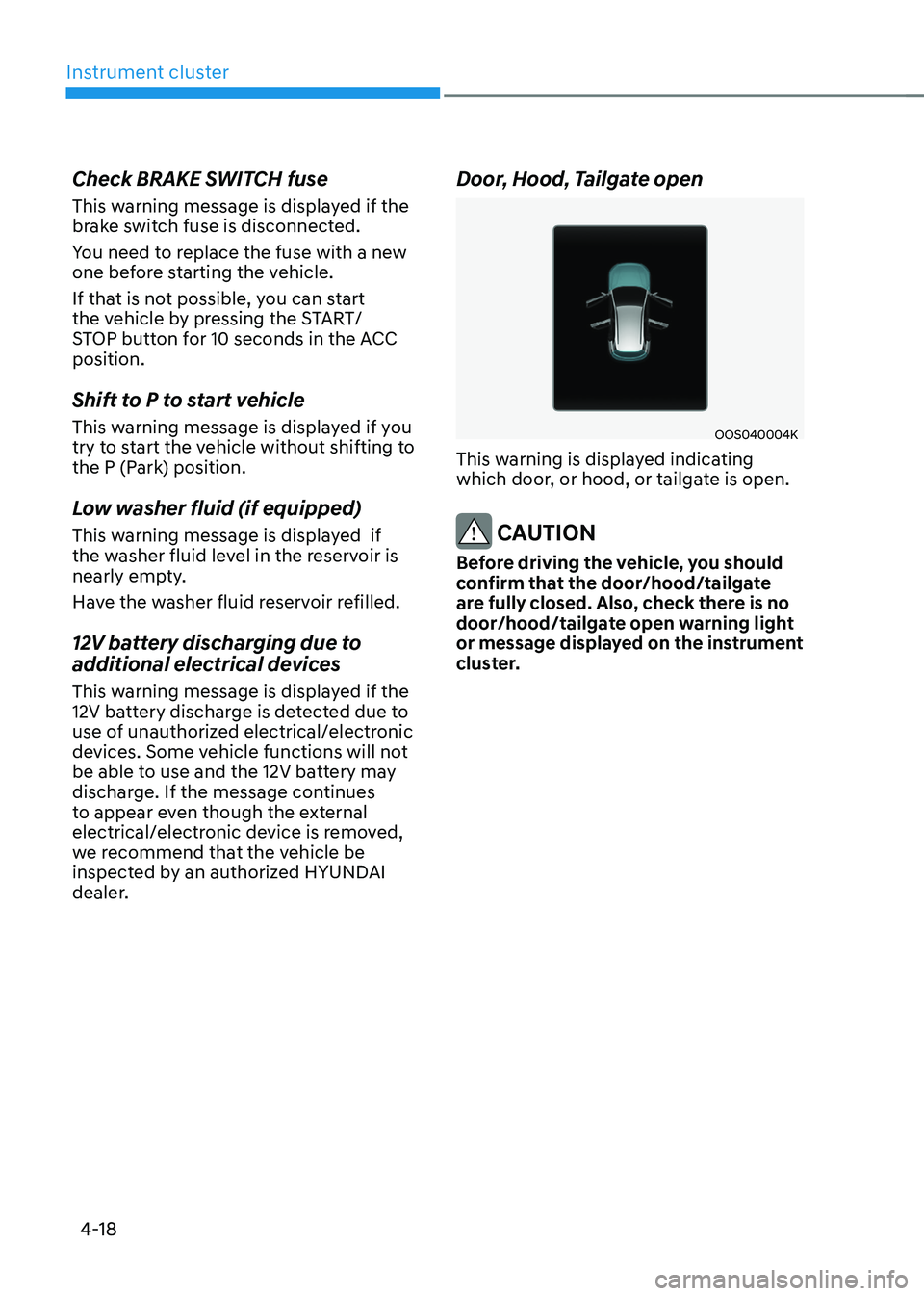
Door, Hood, Tailgate open
OOS040004K
This warning is displayed indicating
which door, or hood, or tailgate is open.
CAUTION
Before driving the vehicle, you should
confirm that the door/hood/tailgate
are fully closed. Also, check there is no
door/hood/tailgate open warning light
or message displayed on the instrument
cluster.
Page 164 of 548
04
4-21
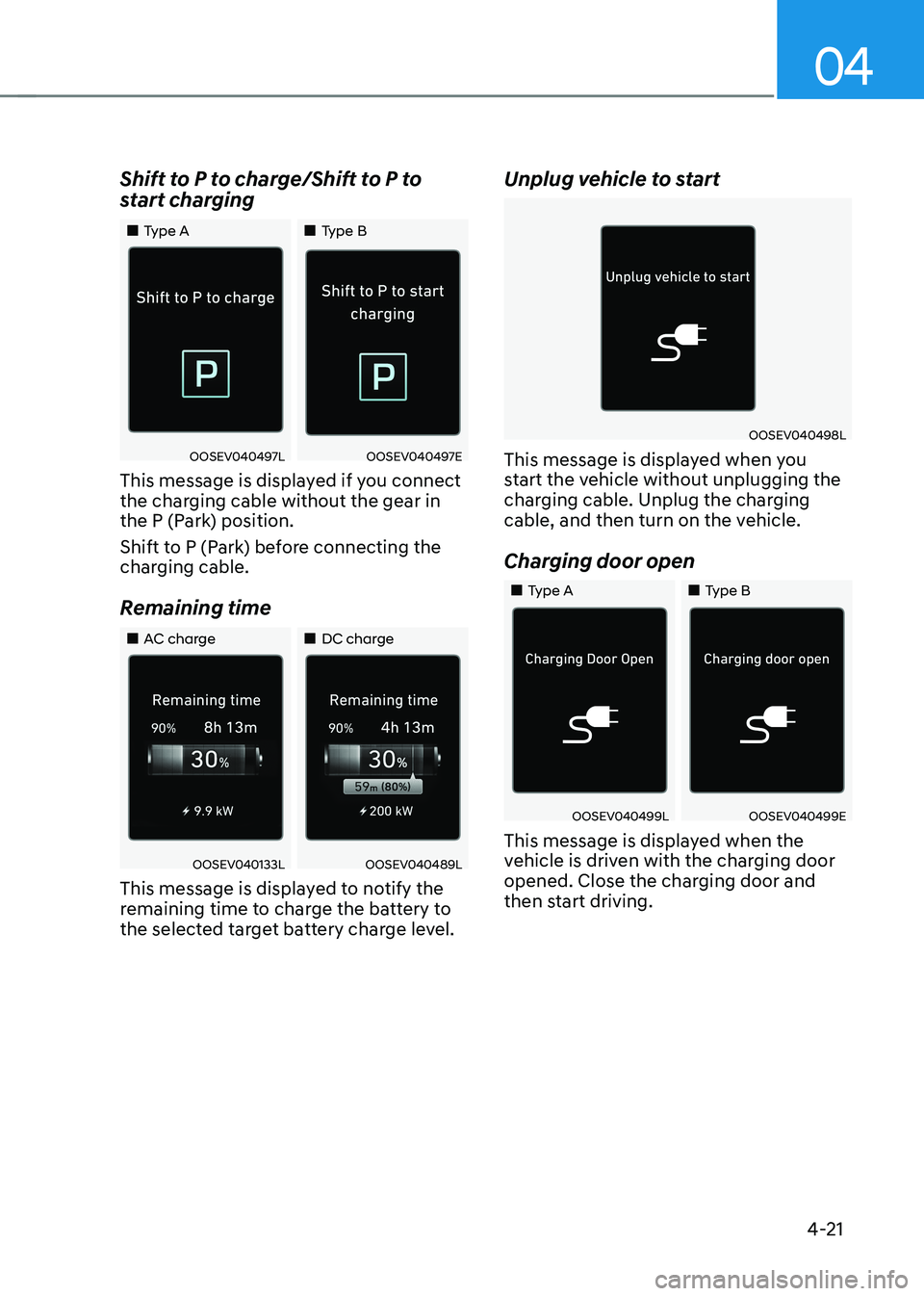
Shift to P to charge/Shift to P to
start charging
„„Type A
„„Type B
OOSEV040497LOOSEV040497E
This message is displayed if you connect
the charging cable without the gear in
the P (Park) position.
Shift to P (Park) before connecting the
charging cable.
Remaining time
„„AC charge „„DC charge
OOSEV040133LOOSEV040489L
This message is displayed to notify the
remaining time to charge the battery to
the selected target battery charge level. Unplug vehicle to start
OOSEV040498L
This message is displayed when you
start the vehicle without unplugging the
charging cable. Unplug the charging
cable, and then turn on the vehicle.
Charging door open
„„Type A „„Type B
OOSEV040499LOOSEV040499E
This message is displayed when the
vehicle is driven with the charging door
opened. Close the charging door and
then start driving.
Page 165 of 548
Instrument cluster
4-22
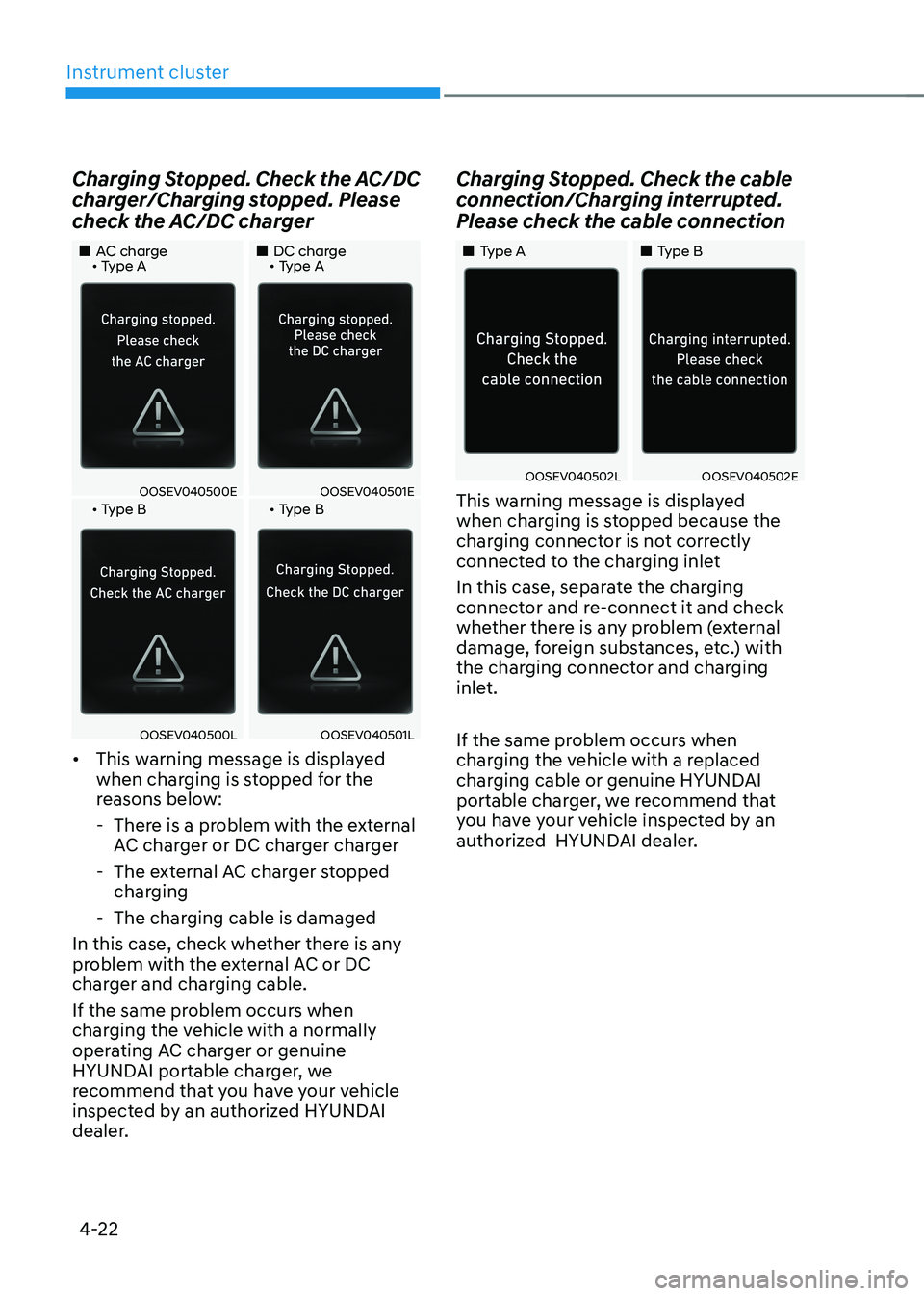
Charging Stopped. Check the AC/DC
charger/Charging stopped. Please
check the AC/DC charger
„„AC charge • Type A
„„DC charge • Type A
OOSEV040500EOOSEV040501E • Type B • Type B
OOSEV040500LOOSEV040501L
• This warning message is displayed
when charging is stopped for the
reasons below:
- There is a problem with the external AC charger or DC charger charger
- The external AC charger stopped charging
- The charging cable is damaged
In this case, check whether there is any
problem with the external AC or DC
charger and charging cable.
If the same problem occurs when
charging the vehicle with a normally
operating AC charger or genuine
HYUNDAI portable charger, we
recommend that you have your vehicle
inspected by an authorized HYUNDAI
dealer. Charging Stopped. Check the cable
connection/Charging interrupted.
Please check the cable connection
„„Type A
„„Type B
OOSEV040502LOOSEV040502E
This warning message is displayed
when charging is stopped because the
charging connector is not correctly
connected to the charging inlet
In this case, separate the charging
connector and re-connect it and check
whether there is any problem (external
damage, foreign substances, etc.) with
the charging connector and charging
inlet.
If the same problem occurs when
charging the vehicle with a replaced
charging cable or genuine HYUNDAI
portable charger, we recommend that
you have your vehicle inspected by an
authorized HYUNDAI dealer.
Page 167 of 548
Instrument cluster
4-24
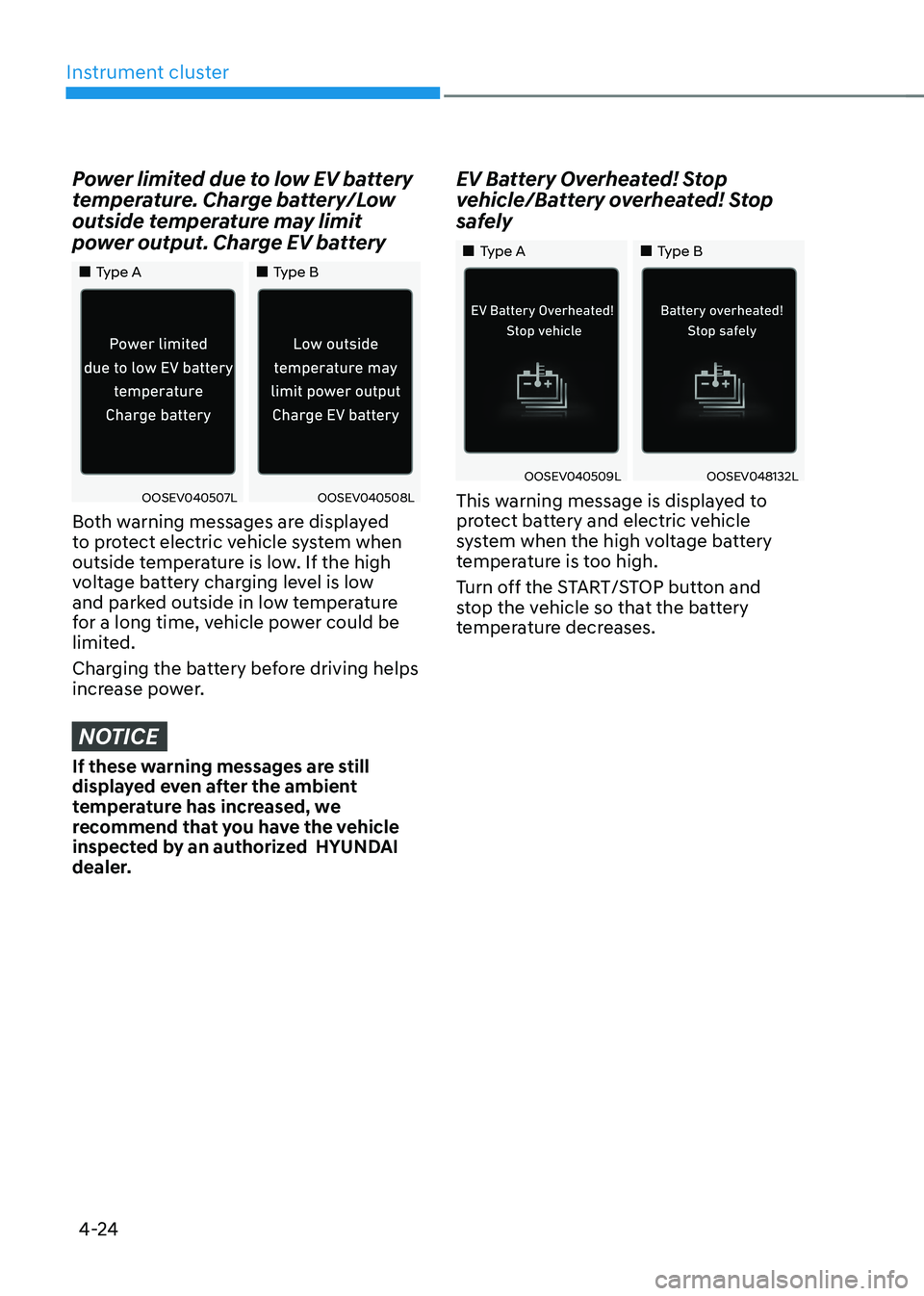
Power limited due to low EV battery
temperature. Charge battery/Low
outside temperature may limit
power output. Charge EV battery
„„Type A„„Type B
OOSEV040507LOOSEV040508L
Both warning messages are displayed
to protect electric vehicle system when
outside temperature is low. If the high
voltage battery charging level is low
and parked outside in low temperature
for a long time, vehicle power could be
limited.
Charging the battery before driving helps
increase power.
NOTICE
If these warning messages are still
displayed even after the ambient
temperature has increased, we
recommend that you have the vehicle
inspected by an authorized HYUNDAI
dealer. EV Battery Overheated! Stop
vehicle/Battery overheated! Stop
safely
„„Type A
„„Type B
OOSEV040509LOOSEV048132L
This warning message is displayed to
protect battery and electric vehicle
system when the high voltage battery
temperature is too high.
Turn off the START/STOP button and
stop the vehicle so that the battery
temperature decreases.
Page 178 of 548
04
4-35
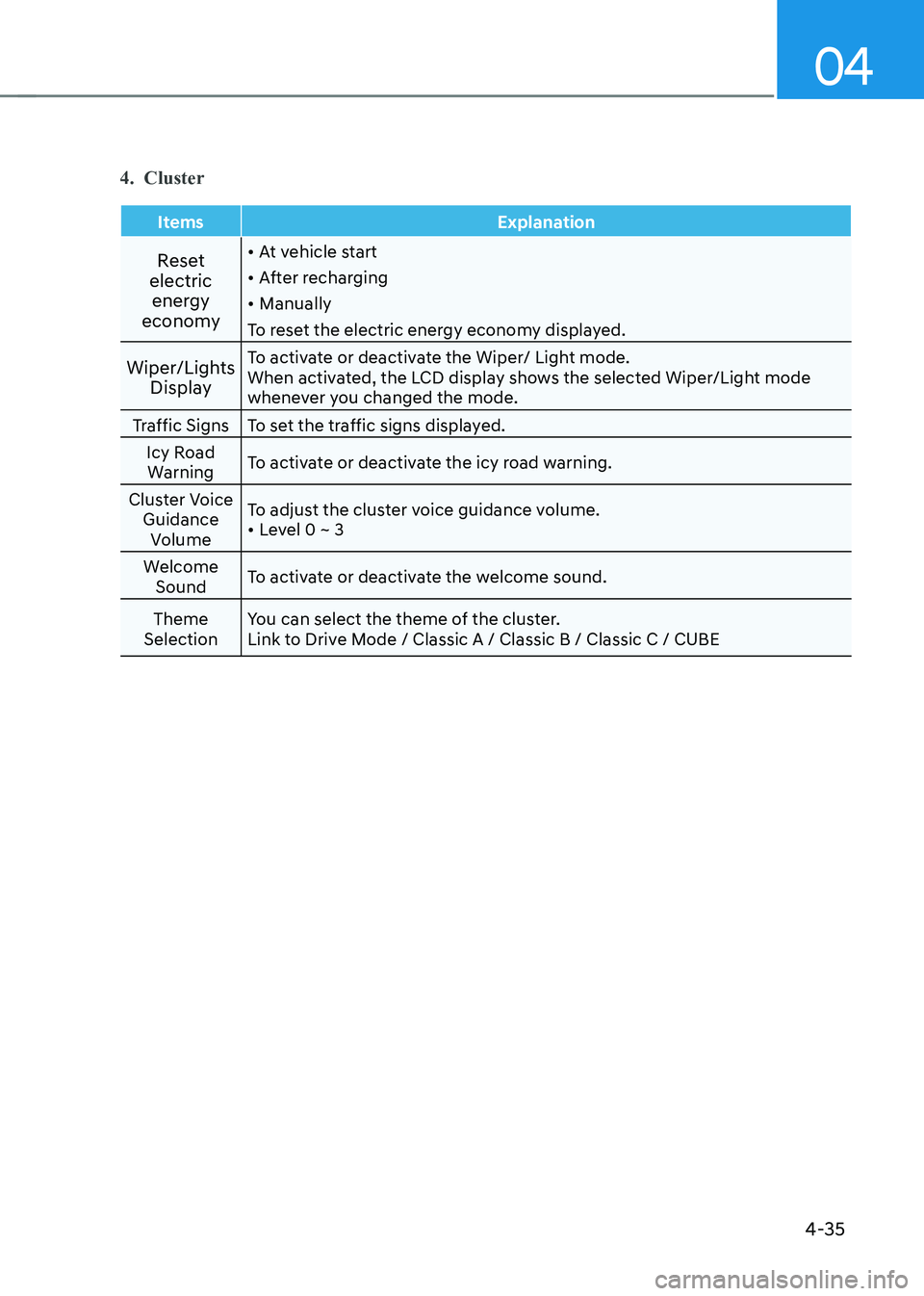
4. Cluster
Items Explanation
Reset
electric energy
economy •
At vehicle start
• After recharging
• Manually
To reset the electric energy economy displayed.
Wiper/Lights Display To activate or deactivate the Wiper/ Light mode.
When activated, the LCD display shows the selected Wiper/Light mode
whenever you changed the mode.
Traffic Signs To set the traffic signs displayed. Icy Road Warning To activate or deactivate the icy road warning.
Cluster Voice Guidance Volume To adjust the cluster voice guidance volume.•
Level 0 ~ 3
Welcome Sound To activate or deactivate the welcome sound.
Theme
Selection You can select the theme of the cluster.
Link to Drive Mode / Classic A / Classic B / Classic C / CUBE
Page 180 of 548
04
4-37
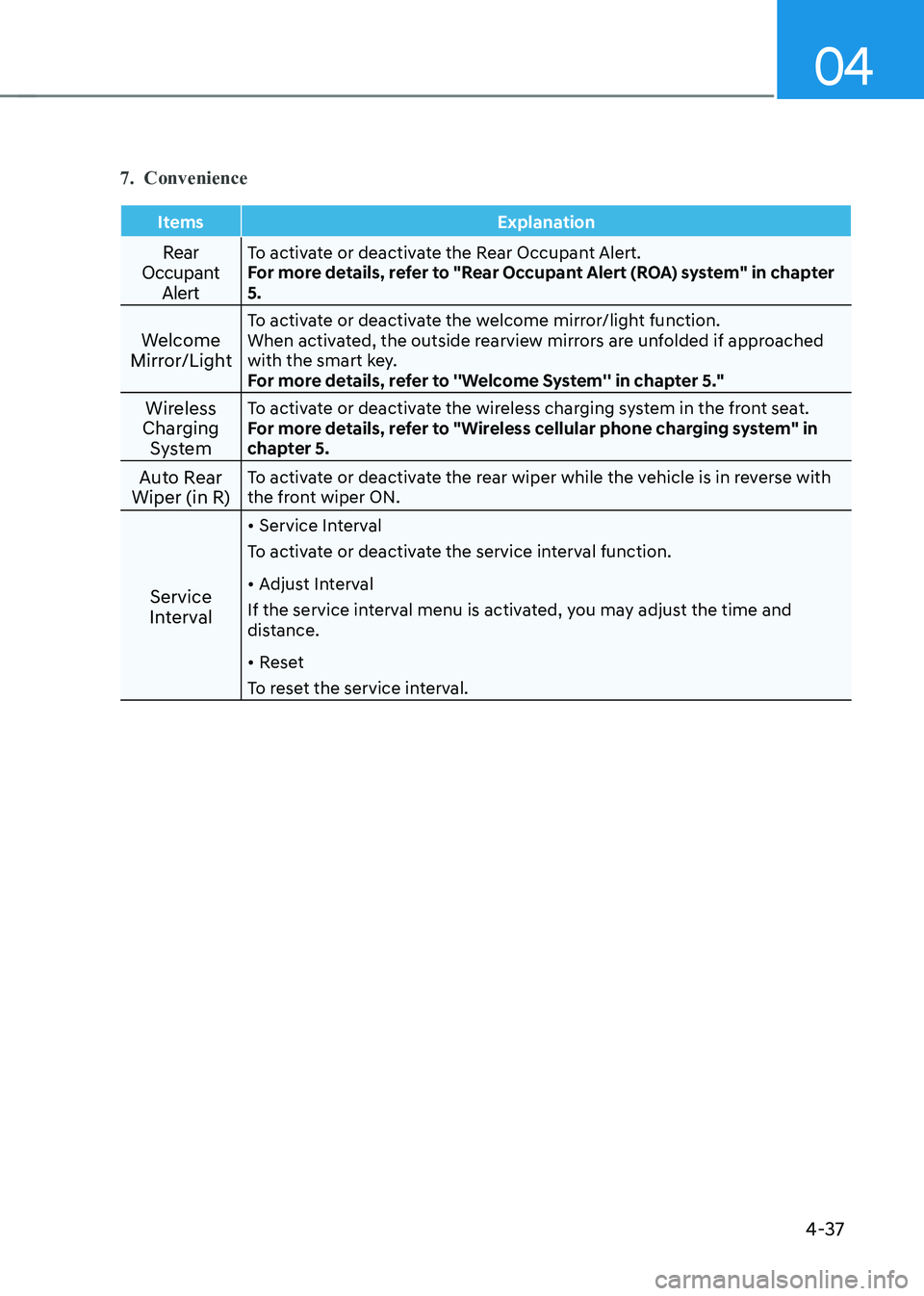
7. Convenience
Items Explanation
Rear
Occupant AlertTo activate or deactivate the Rear Occupant Alert.
For more details, refer to "Rear Occupant Alert (ROA) system" in chapter 5.
Welcome
Mirror/Light To activate or deactivate the welcome mirror/light function.
When activated, the outside rearview mirrors are unfolded if approached
with the smart key.
For more details, refer to ''Welcome System'' in chapter 5."
Wireless
Charging System To activate or deactivate the wireless charging system in the front seat.
For more details, refer to "Wireless cellular phone charging system" in
chapter 5.
Auto Rear
Wiper (in R) To activate or deactivate the rear wiper while the vehicle is in reverse with
the front wiper ON.
Service
Interval •
Service Interval
To activate or deactivate the service interval function. • Adjust Interval
If the service interval menu is activated, you may adjust the time and
distance. • Reset
To reset the service interval.