charging HYUNDAI KONA EV 2022 Service Manual
[x] Cancel search | Manufacturer: HYUNDAI, Model Year: 2022, Model line: KONA EV, Model: HYUNDAI KONA EV 2022Pages: 548, PDF Size: 49.14 MB
Page 53 of 548
Foreword / Electric Vehicle System Overview
1-48
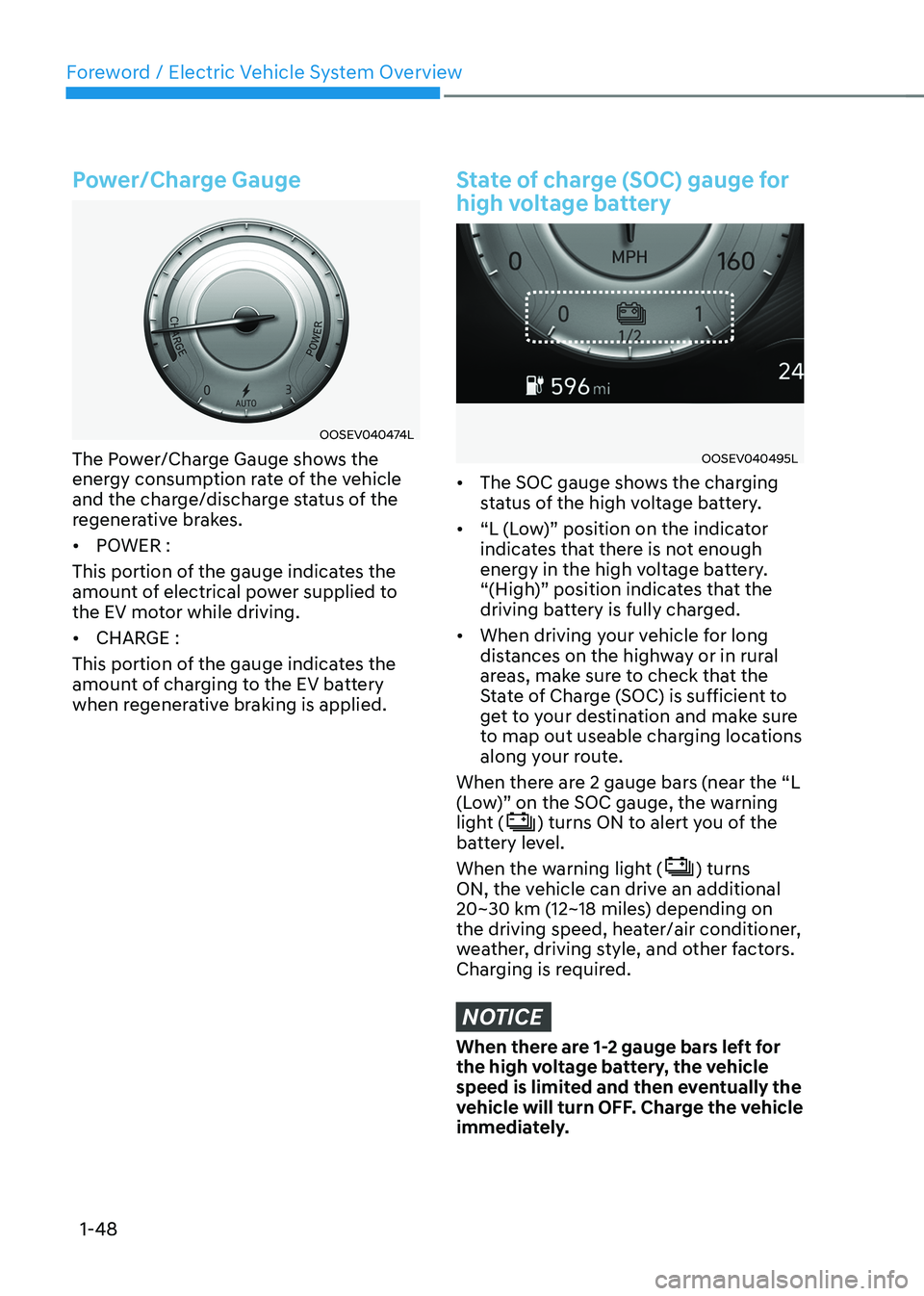
Power/Charge Gauge
OOSEV040474L
The Power/Charge Gauge shows the
energy consumption rate of the vehicle
and the charge/discharge status of the
regenerative brakes. • POWER :
This portion of the gauge indicates the
amount of electrical power supplied to
the EV motor while driving. • CHARGE :
This portion of the gauge indicates the
amount of charging to the EV battery
when regenerative braking is applied.
State of charge (SOC) gauge for
high voltage battery
OOSEV040495L
• The SOC gauge shows the charging
status of the high voltage battery.
• “L (Low)” position on the indicator
indicates that there is not enough
energy in the high voltage battery.
“(High)” position indicates that the
driving battery is fully charged.
• When driving your vehicle for long
distances on the highway or in rural
areas, make sure to check that the
State of Charge (SOC) is sufficient to
get to your destination and make sure
to map out useable charging locations
along your route.
When there are 2 gauge bars (near the “L
(Low)” on the SOC gauge, the warning
light (
) turns ON to alert you of the
battery level.
When the warning light (
) turns
ON, the vehicle can drive an additional
20~30 km (12~18 miles) depending on
the driving speed, heater/air conditioner,
weather, driving style, and other factors.
Charging is required.
NOTICE
When there are 1-2 gauge bars left for
the high voltage battery, the vehicle
speed is limited and then eventually the
vehicle will turn OFF. Charge the vehicle
immediately.
Page 55 of 548
Foreword / Electric Vehicle System Overview
1-50
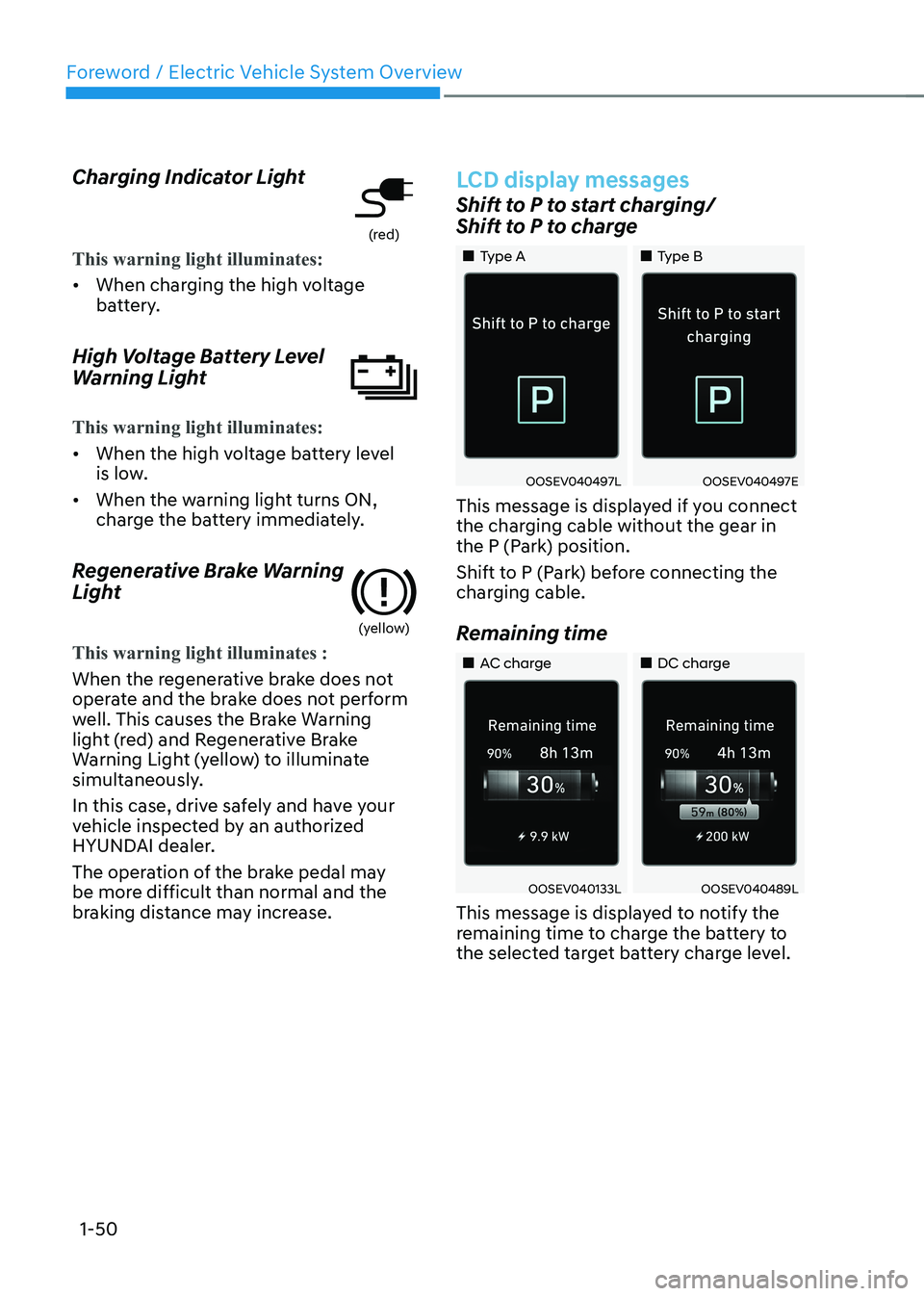
Charging Indicator Light
(red)
This warning light illuminates:
•
When charging the high voltage
battery.
High Voltage Battery Level
Warning Light
This warning light illuminates:
• When the high voltage battery level
is low.
• When the warning light turns ON,
charge the battery immediately.
Regenerative Brake Warning
Light
(yellow)
This warning light illuminates :
When the regenerative brake does not
operate and the brake does not perform
well. This causes the Brake Warning
light (red) and Regenerative Brake
Warning Light (yellow) to illuminate
simultaneously.
In this case, drive safely and have your
vehicle inspected by an authorized
HYUNDAI dealer.
The operation of the brake pedal may
be more difficult than normal and the
braking distance may increase.
LCD display messages
Shift to P to start charging/
Shift to P to charge
„„Type A „„Type B
OOSEV040497LOOSEV040497E
This message is displayed if you connect
the charging cable without the gear in
the P (Park) position.
Shift to P (Park) before connecting the
charging cable.
Remaining time
„„AC charge „„DC charge
OOSEV040133LOOSEV040489L
This message is displayed to notify the
remaining time to charge the battery to
the selected target battery charge level.
Page 56 of 548
01
1-51
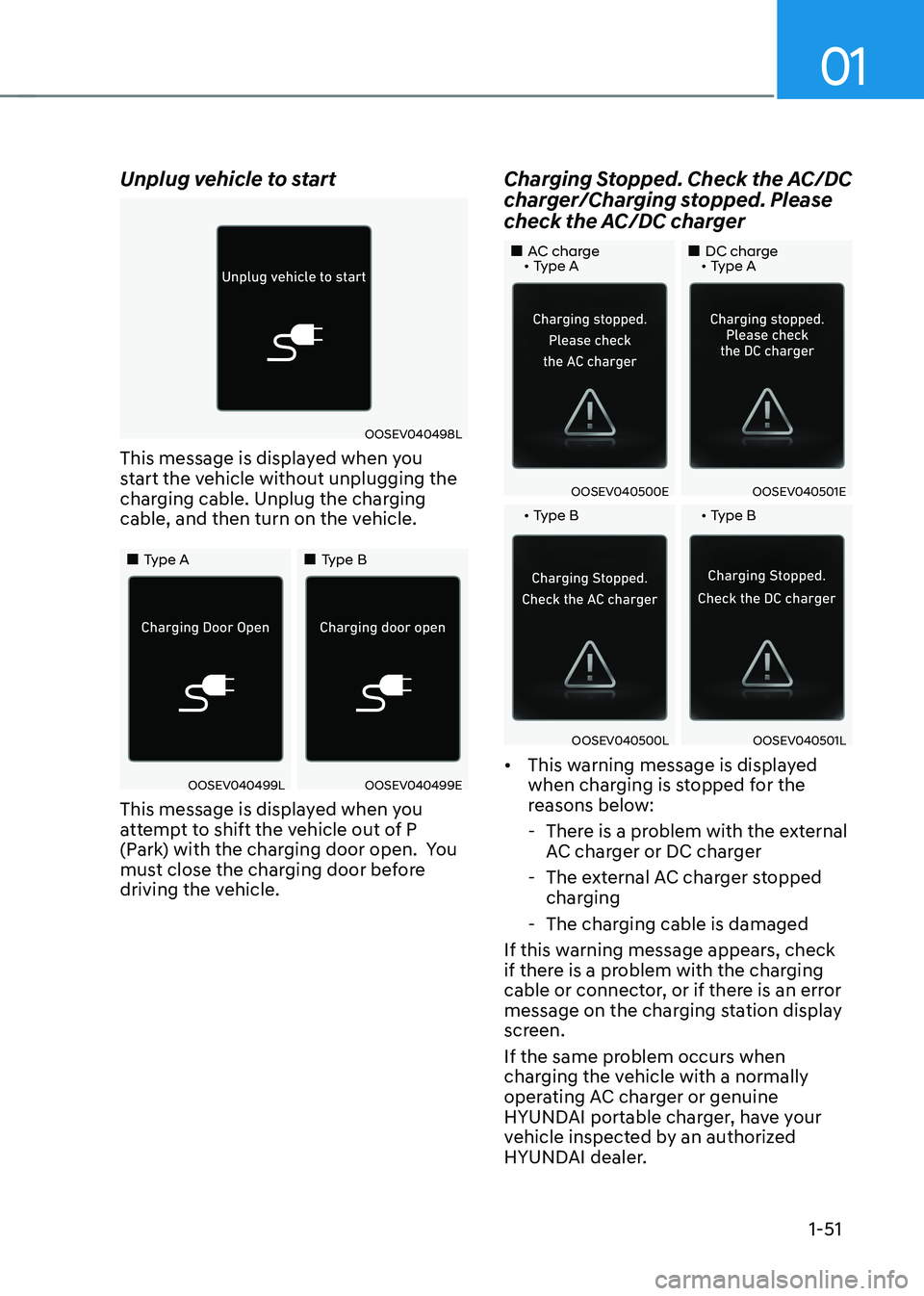
Unplug vehicle to start
OOSEV040498L
This message is displayed when you
start the vehicle without unplugging the
charging cable. Unplug the charging
cable, and then turn on the vehicle.
„„Type A „„Type B
OOSEV040499LOOSEV040499E
This message is displayed when you
attempt to shift the vehicle out of P
(Park) with the charging door open. You
must close the charging door before
driving the vehicle. Charging Stopped. Check the AC/DC
charger/Charging stopped. Please
check the AC/DC charger
„„AC charge • Type A
„„DC charge • Type A
OOSEV040500EOOSEV040501E
• Type B • Type B
OOSEV040500LOOSEV040501L
• This warning message is displayed
when charging is stopped for the
reasons below:
- There is a problem with the external AC charger or DC charger
- The external AC charger stopped charging
- The charging cable is damaged
If this warning message appears, check
if there is a problem with the charging
cable or connector, or if there is an error
message on the charging station display
screen.
If the same problem occurs when
charging the vehicle with a normally
operating AC charger or genuine
HYUNDAI portable charger, have your
vehicle inspected by an authorized
HYUNDAI dealer.
Page 57 of 548
Foreword / Electric Vehicle System Overview
1-52
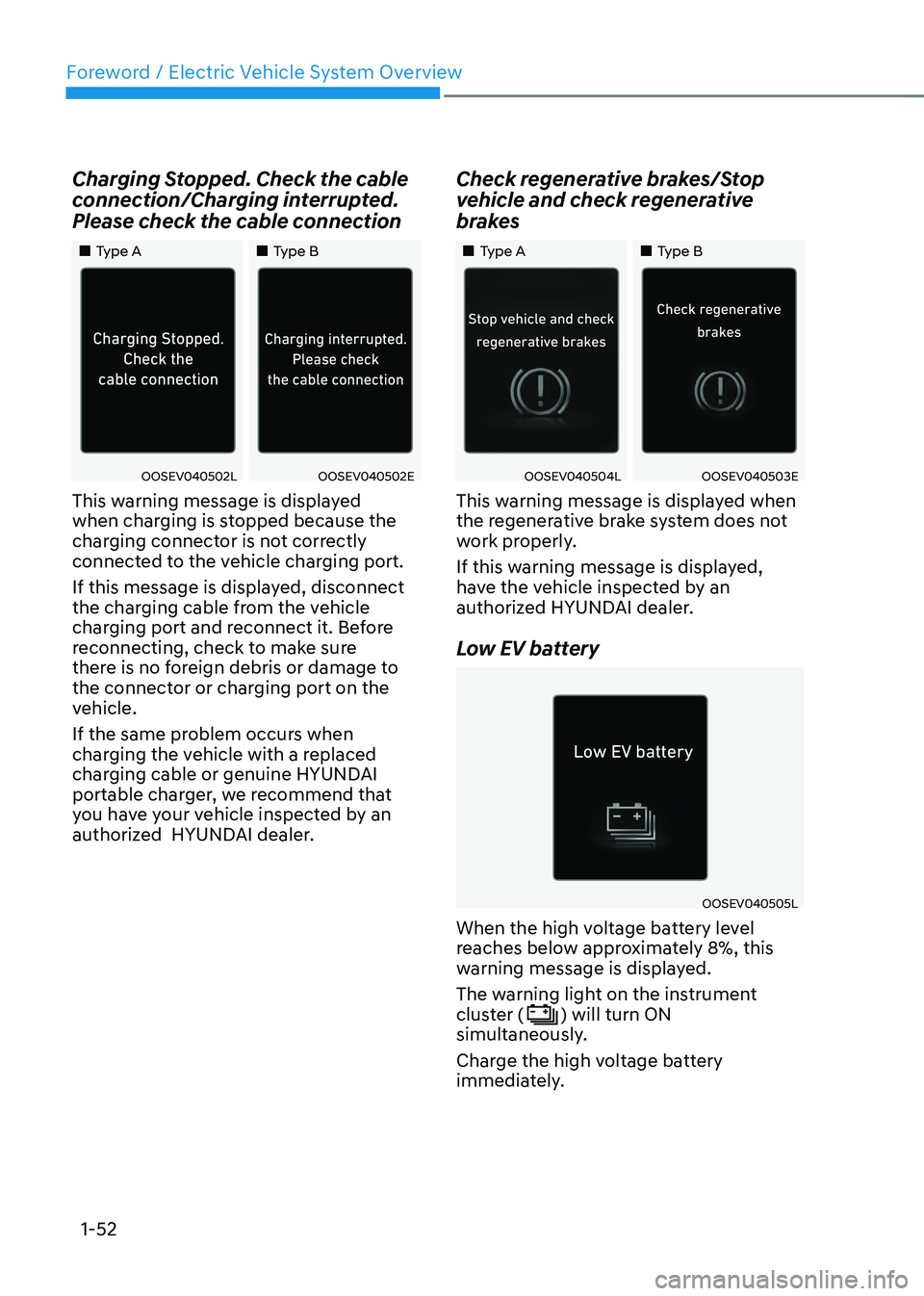
Charging Stopped. Check the cable
connection/Charging interrupted.
Please check the cable connection
„„Type A
„„Type B
OOSEV040502LOOSEV040502E
This warning message is displayed
when charging is stopped because the
charging connector is not correctly
connected to the vehicle charging port.
If this message is displayed, disconnect
the charging cable from the vehicle
charging port and reconnect it. Before
reconnecting, check to make sure
there is no foreign debris or damage to
the connector or charging port on the
vehicle.
If the same problem occurs when
charging the vehicle with a replaced
charging cable or genuine HYUNDAI
portable charger, we recommend that
you have your vehicle inspected by an
authorized HYUNDAI dealer. Check regenerative brakes/Stop
vehicle and check regenerative
brakes
„„Type A
„„Type B
OOSEV040504LOOSEV040503E
This warning message is displayed when
the regenerative brake system does not
work properly.
If this warning message is displayed,
have the vehicle inspected by an
authorized HYUNDAI dealer.
Low EV battery
OOSEV040505L
When the high voltage battery level
reaches below approximately 8%, this
warning message is displayed.
The warning light on the instrument
cluster (
) will turn ON
simultaneously.
Charge the high voltage battery
immediately.
Page 58 of 548
01
1-53
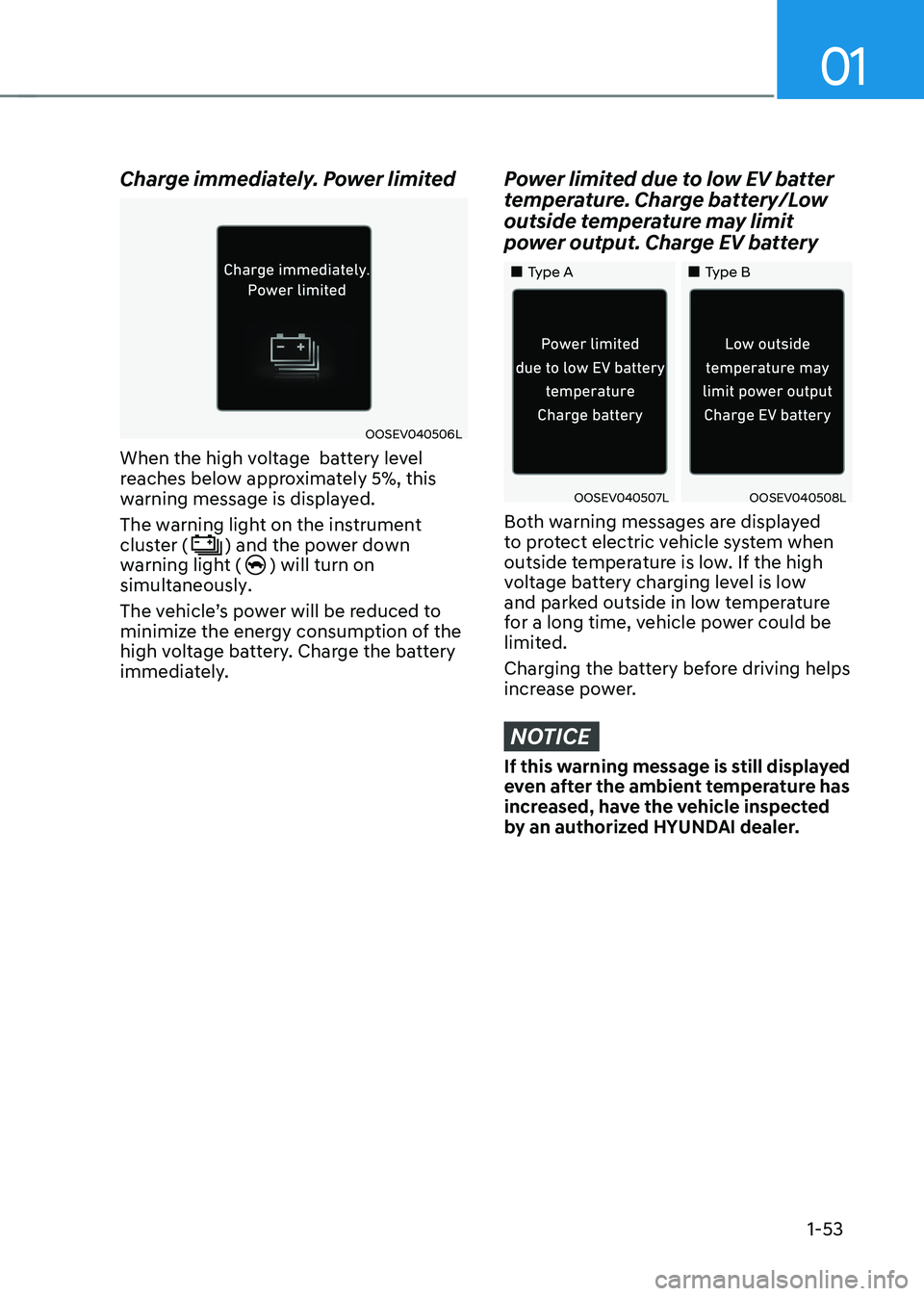
Charge immediately. Power limited
OOSEV040506L
When the high voltage battery level
reaches below approximately 5%, this
warning message is displayed. The warning light on the instrument cluster (
) and the power down
warning light () will turn on
simultaneously.
The vehicle’s power will be reduced to
minimize the energy consumption of the
high voltage battery. Charge the battery
immediately.
Power limited due to low EV batter
temperature. Charge battery/Low
outside temperature may limit
power output. Charge EV battery
„„Type A „„Type B
OOSEV040507LOOSEV040508L
Both warning messages are displayed
to protect electric vehicle system when
outside temperature is low. If the high
voltage battery charging level is low
and parked outside in low temperature
for a long time, vehicle power could be
limited.
Charging the battery before driving helps
increase power.
NOTICE
If this warning message is still displayed
even after the ambient temperature has
increased, have the vehicle inspected
by an authorized HYUNDAI dealer.
Page 62 of 548
01
1-57
Aux. Battery Saver+
The Aux. Battery Saver+ is a function that
monitors the charging status of the 12 V
auxiliary battery.
If the auxiliary battery level is low, the
main high voltage battery charges the
auxiliary battery.
Information
The Aux. Battery Saver+ function will
be ON when the vehicle is delivered. If the function is not needed, you may turn it off in the Users Settings mode on the
cluster. For more information, refer to the following page.
Mode • Cycle Mode :
When the Start/Stop button is in
the OFF position with all doors,
hood and tailgate closed, the Aux.
Battery Saver+ periodically activates
according to the auxiliary battery
status.
• Automatic Mode :
When the Start/Stop button is in
the ON position with the charging
connector plugged in, the function
activates according to the auxiliary
battery status to prevent over
discharge of the auxiliary battery.
Information
• The Aux. Battery Saver+ activates
for a maximum of 20 minutes. If the Aux Battery Saver+ function activates
for more than 10 times consecutively in automatic mode, the function will
be disabled. (Note: There may be
a problem with the 12V auxiliary
battery.) If the vehicle is driven normally and
12V battery is able to charge normally,
the Aux. Battery Saver+ function will be enabled again.
• The Aux. Battery Saver+ function
cannot prevent battery discharge if the auxiliary battery is damaged, worn out,
used as a power supply or unauthorized
electronic devices are used.
• If the Aux. Battery Saver+ function was activated, the high voltage battery level
may have decreased.
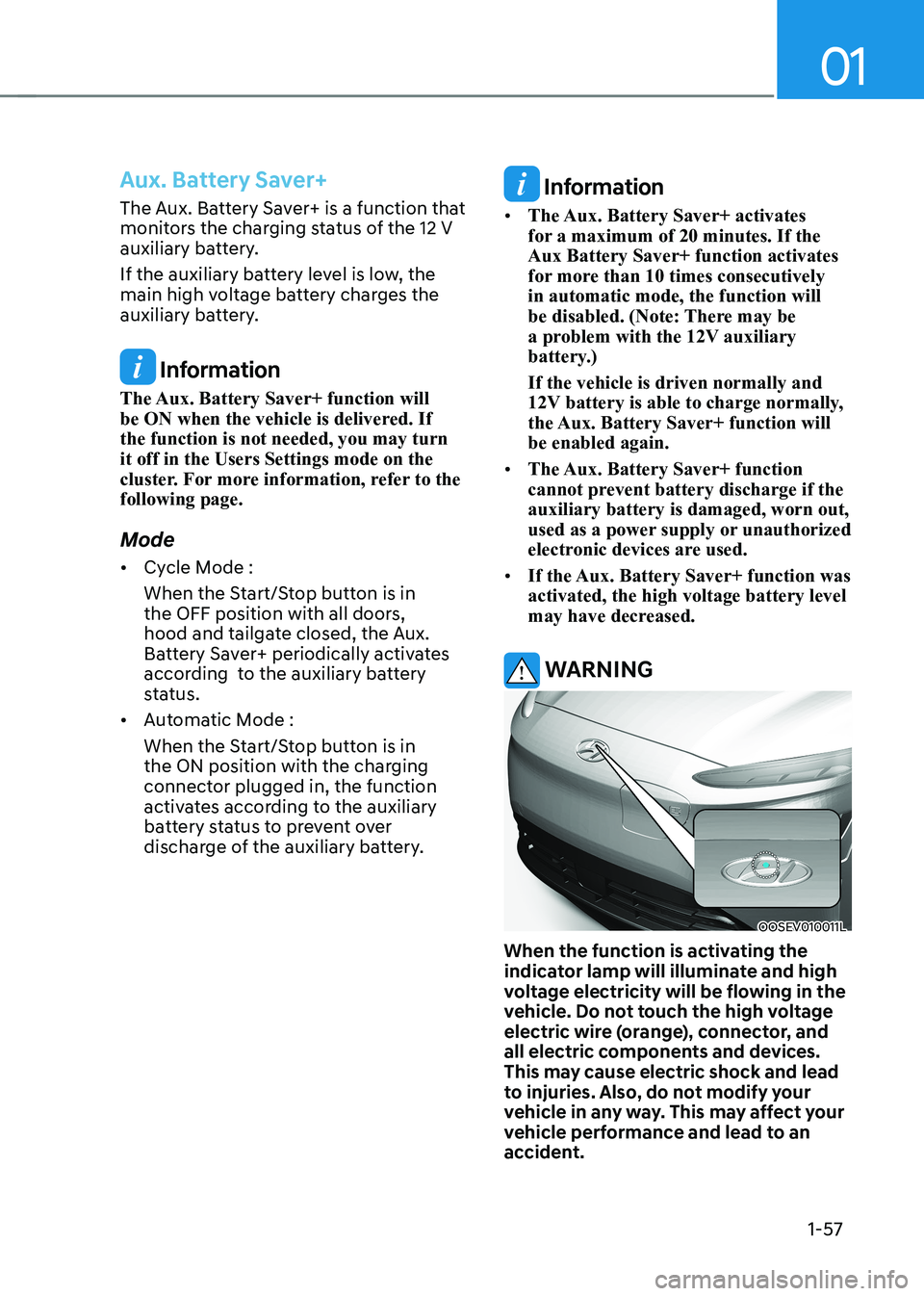
WARNING
OOSEV010011L
When the function is activating the
indicator lamp will illuminate and high
voltage electricity will be flowing in the
vehicle. Do not touch the high voltage
electric wire (orange), connector, and
all electric components and devices.
This may cause electric shock and lead
to injuries. Also, do not modify your
vehicle in any way. This may affect your
vehicle performance and lead to an
accident.
Page 67 of 548
2-2
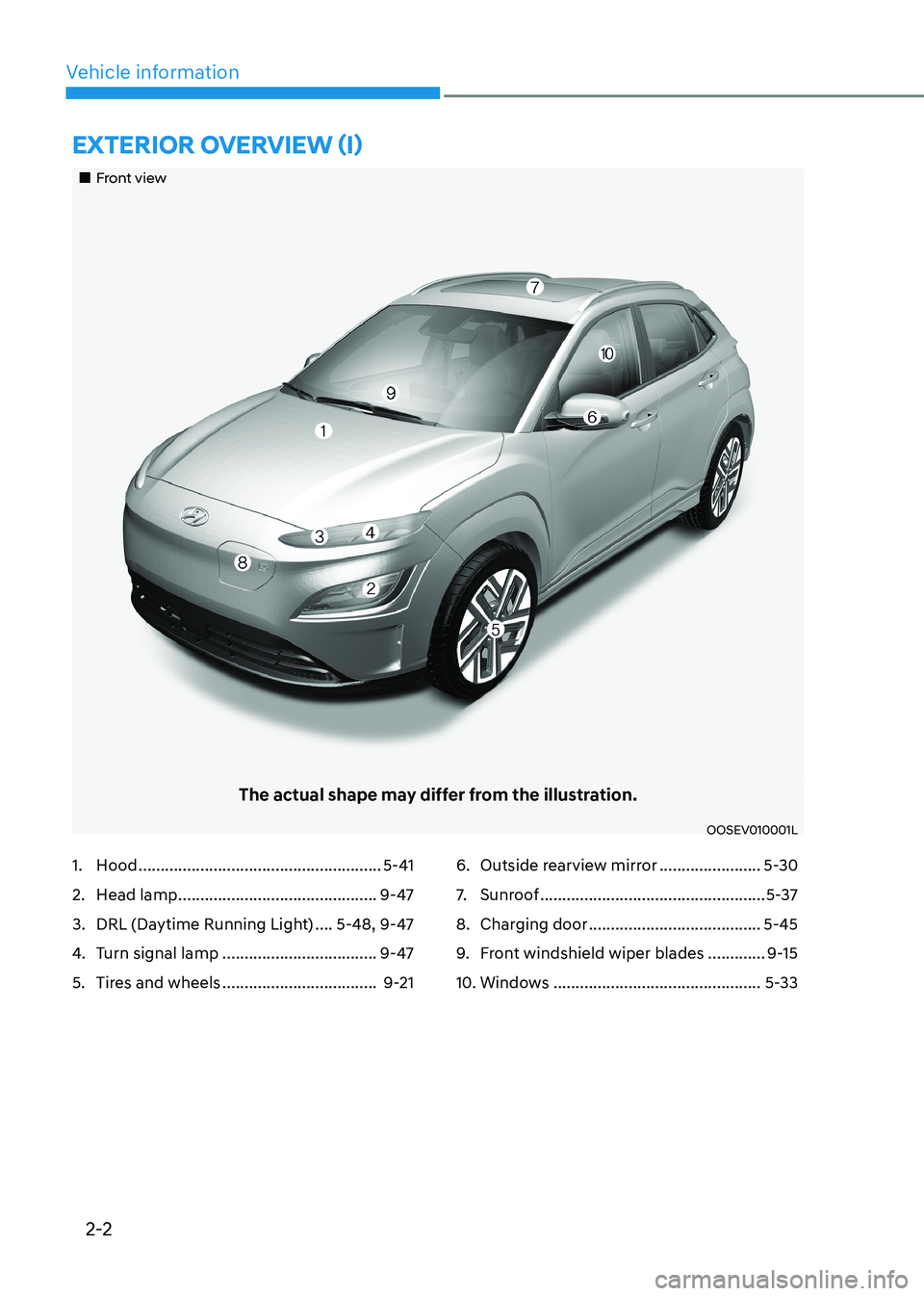
Vehicle informationExtErior ovErviEw (i)
„„Front view
The actual shape may differ from the illustration.
OOSEV010001L
1. Hood ....................................................... 5-41
2. Head lamp ............................................. 9-47
3. DRL (Daytime Running Light) ....5-48, 9-47
4. Turn signal lamp ................................... 9-47
5. Tires and wheels ................................... 9-216. Outside rearview mirror
.......................5-30
7. Sunroof ................................................... 5-37
8. Charging door ....................................... 5-45
9. Front windshield wiper blades .............9-15
10. Windows ............................................... 5-33
Page 70 of 548
2-5
02
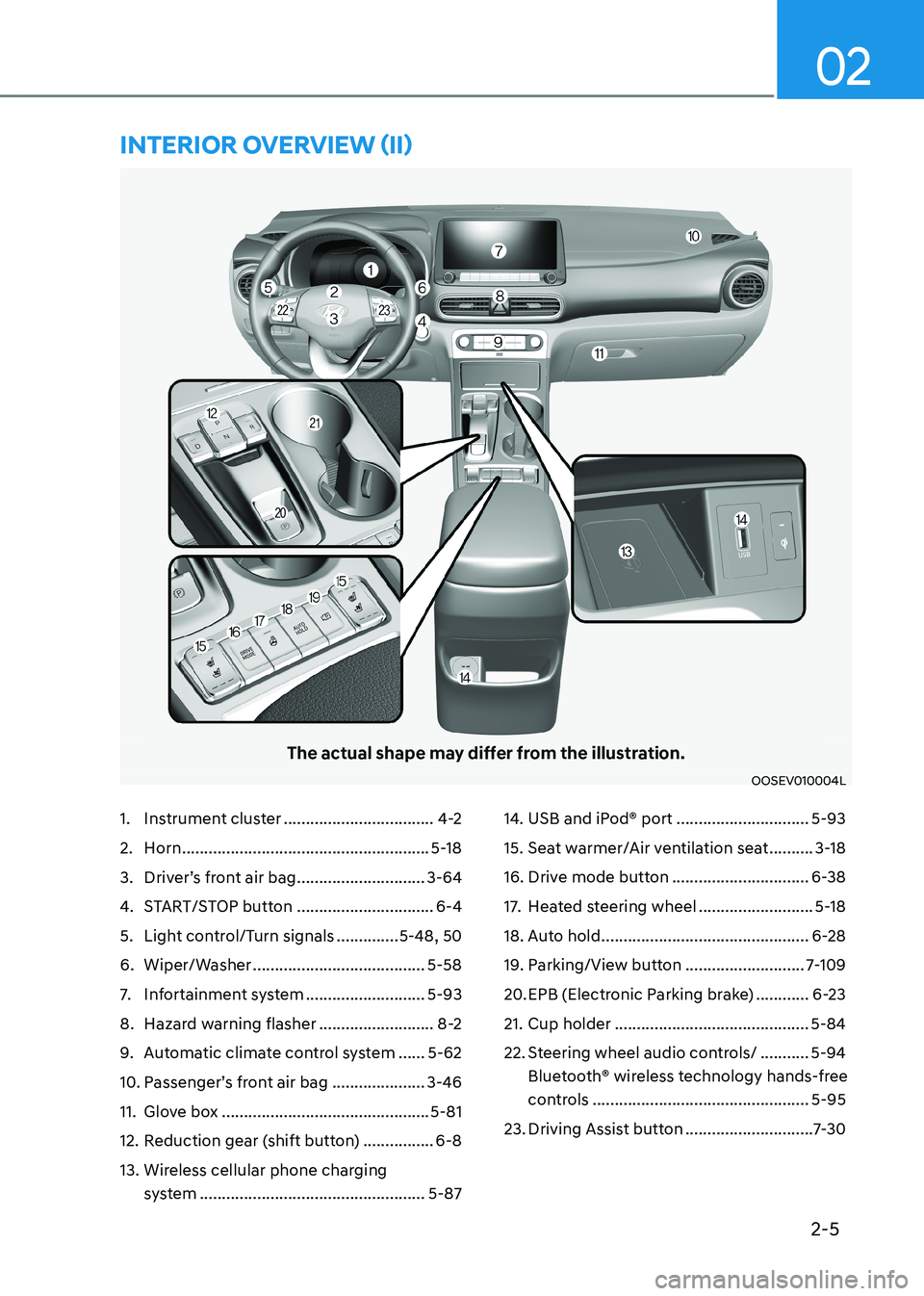
The actual shape may differ from the illustration.
OOSEV010004L
1. Instrument cluster ..................................4-2
2. Horn ........................................................ 5-18
3. Driver’s front air bag .............................3-64
4. START/STOP button ...............................6-4
5. Light control/Turn signals ..............5-48, 50
6. Wiper/Washer ....................................... 5-58
7. Infortainment system ...........................5-93
8. Hazard warning flasher ..........................8-2
9. Automatic climate control system ......5-62
10. Passenger’s front air bag ..................... 3-46
11. Glove box ............................................... 5-81
12. Reduction gear (shift button) ................6-8
13. Wireless cellular phone charging system ................................................... 5-8714. USB and iPod® port
..............................5-93
15. Seat warmer/Air ventilation seat ..........3-18
16. Drive mode button ...............................6-38
17. Heated steering wheel ..........................5-18
18. Auto hold ............................................... 6-28
19. Parking/View button ...........................7-109
20. EPB (Electronic Parking brake) ............6-23
21. Cup holder ............................................ 5-84
22. Steering wheel audio controls/ ...........5-94
Bluetooth® wireless technology hands-free
controls ................................................. 5-95
23. Driving Assist button .............................7-30
intErior ovErviEw (ii)
Page 131 of 548
Safety system
3-52
Main components of the Occupant
Classification System •
A detection device located within the
front passenger seat cushion.
• Electronic system to determine
whether the passenger air bag
systems should be activated or
deactivated.
• An indicator light located on the
instrument panel which illuminates
the words “PASSENGER AIR BAG OFF”
indicating the front passenger air bag
system is deactivated.
• The instrument panel air bag indicator
light is interconnected with the OCS.
The OCS is designed to help detect
the presence of a properly-seated
front passenger and determine if the
passenger’s front air bag should be
enabled (may inflate) or not.
The purpose is to help reduce the risk
of injury or death from an inflating air
bag to certain front passenger seat
occupants, such as children, by requiring
the air bag to be automatically turned
OFF.
For example, if a child restraint of the
type specified in the regulations is on the
seat, the occupant classification sensor
can detect it and cause the air bag to
turn OFF.
Front passenger seat adult occupants
who are properly seated and wearing the
seat belt properly, should not cause the
passenger air bag to be automatically
turned OFF. For smaller adults it may turn
OFF, however, if the occupant does not
sit in the seat properly (for example, by
not sitting upright, by sitting on the edge
of the seat, or by otherwise being out of
position), this could cause the sensor to
turn the air bag OFF. You will find the “PASSENGER AIR BAG
OFF” indicator on the overhead console
panel. This system detects the conditions
1-4 in the following table and activates or
deactivates the front passenger air bag based on these conditions.
Always be sure that you and all vehicle
occupants are seated properly and
wearing the seat belt properly for the
most effective protection by the air bag
and the seat belt.
The OCS may not function properly if the
passenger takes actions which can affect
the classification system. These include: •
Failing to sit in an upright position.
• Leaning against the door or center console.
• Sitting towards the sides of the front
of the seat.
• Putting their legs on the dashboard or
resting them on other locations which
reduce the passenger weight on the
front seat.
• Wearing the seat belt improperly.
• Reclining the seatback.
• Wearing thick clothes like ski wear or
hip protection wear.
• Putting an additional thick cushion on
the seat.
• Putting electrical devices (e.g.
notebook, satellite radio) on the seat
with inverter charging.
Page 144 of 548
4
Instrument cluster ............................................................................................ 4-2
Instrument cluster control ........................................................................................... 4-3
Instrument panel illumination ................................................................................... 4-3
Gauges and meters ...................................................................................................... 4-3
Speedometer ............................................................................................................. 4-3
Power/Charge gauge................................................................................................. 4-3
State of Charge (SOC) gauge for high voltage battery ..........................................4-4
Outside Temperature Gauge .................................................................................... 4-4
Odometer ................................................................................................................... 4-5
Distance to empty ..................................................................................................... 4-5
Reduction gear shift indicator ................................................................................. 4-6
Regenerative braking level indicator ....................................................................... 4-6
Warning and indicator lights ....................................................................................... 4 -7
LCD display messages ..................................................................................... 4-17
LCD display ....................................................................................................... 4-27
LCD display control .................................................................................................... 4-27
View modes ................................................................................................................ 4-28
Trip computer mode ................................................................................................ 4-29
Turn By Turn (TBT) mode ......................................................................................... 4-29
Driving assist mode ................................................................................................. 4-29
Master warning group ............................................................................................ 4-30
User settings mode .................................................................................................... 4-31
Trip computer .................................................................................................. 4-39
Trip modes ................................................................................................................ 4-39
Drive Info ................................................................................................................. 4-40
After Recharging ..................................................................................................... 4-40
Accumulated info ..................................................................................................... 4-41
Energy flow .............................................................................................................. 4-41
Digital speedometer ................................................................................................ 4-41
4. Instrument cluster