charging HYUNDAI KONA EV 2022 Repair Manual
[x] Cancel search | Manufacturer: HYUNDAI, Model Year: 2022, Model line: KONA EV, Model: HYUNDAI KONA EV 2022Pages: 548, PDF Size: 49.14 MB
Page 182 of 548
04
4-39
trIp computer
The trip computer is a microcomputer-
controlled driver information system that
displays information related to driving.
Information
Some driving information stored in the
trip computer resets if the battery is disconnected.
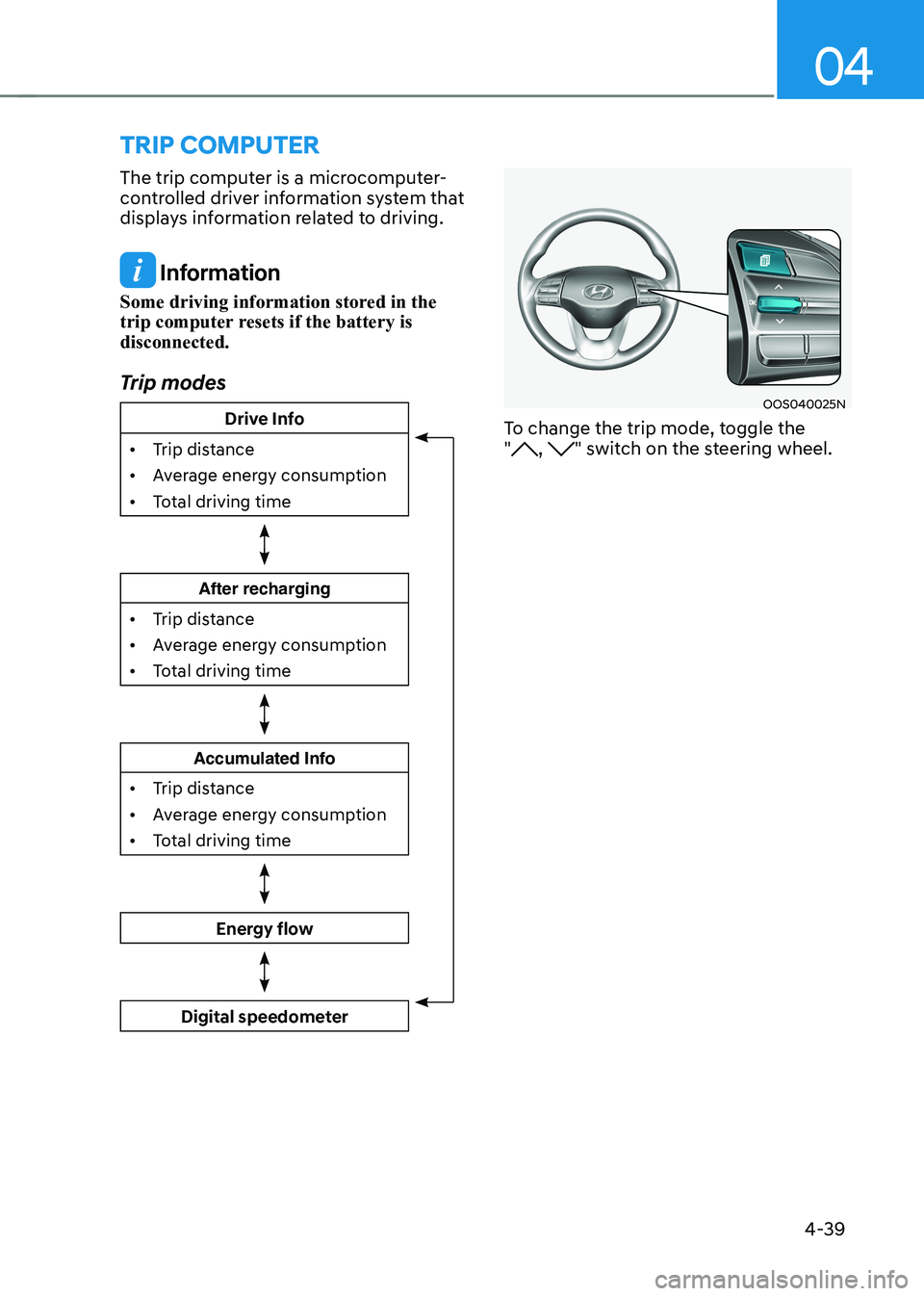
Trip modes
Drive Info
• Trip distance
• Average energy consumption
• Total driving time
After recharging
• Trip distance
• Average energy consumption
• Total driving time
Accumulated Info
• Trip distance
• Average energy consumption
• Total driving time
Energy flow
Digital speedometer
OOS040025N
To change the trip mode, toggle the "
, " switch on the steering wheel.
Page 183 of 548
Instrument cluster
4-40
Drive Info
OOSEV040515L
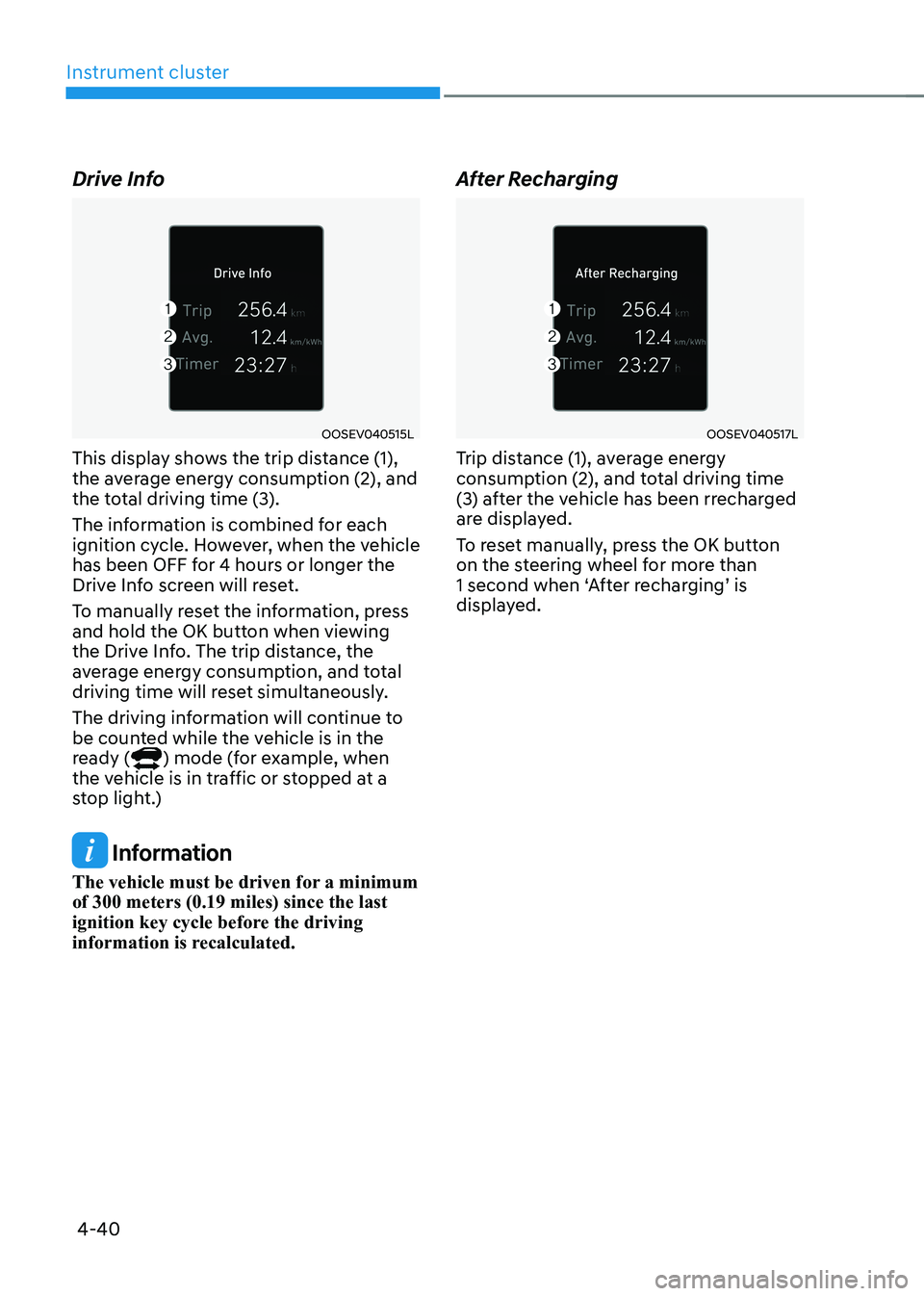
This display shows the trip distance (1),
the average energy consumption (2), and
the total driving time (3).
The information is combined for each
ignition cycle. However, when the vehicle
has been OFF for 4 hours or longer the
Drive Info screen will reset.
To manually reset the information, press
and hold the OK button when viewing
the Drive Info. The trip distance, the
average energy consumption, and total
driving time will reset simultaneously.
The driving information will continue to
be counted while the vehicle is in the
ready (
) mode (for example, when
the vehicle is in traffic or stopped at a
stop light.)
Information
The vehicle must be driven for a minimum of 300 meters (0.19 miles) since the last
ignition key cycle before the driving
information is recalculated. After Recharging
OOSEV040517L
Trip distance (1), average energy
consumption (2), and total driving time
(3) after the vehicle has been rrecharged
are displayed.
To reset manually, press the OK button
on the steering wheel for more than
1 second when ‘After recharging’ is
displayed.
Page 185 of 548
5
Accessing your vehicle ..................................................................................... 5-4
Smart key .................................................................................................................... 5-4
Immobilizer system ...................................................................................................... 5-9
Door locks .................................................................................................................. 5-10
Operating door locks from outside the vehicle........................................................ 5-10
Operating door locks from inside the vehicle ...........................................................5-11
Auto door lock/unlock features..................................................................................5-13
Child-protector rear door locks ................................................................................. 5-14
Rear Occupant Alert (ROA) ....................................................................................... 5-14
Theft-alarm system .......................................................................................... 5-15
Steering wheel ................................................................................................. 5-16
Electric power steering (EPS) .................................................................................... 5-16
Tilt steering/Telescopic steering ................................................................................ 5-17
Heated steering wheel ............................................................................................... 5-18
Horn............................................................................................................................. 5-18
Mirrors .............................................................................................................. 5-19
Inside rearview mirror ................................................................................................ 5-19
Outside rearview mirror ............................................................................................. 5-30
Windows .......................................................................................................... 5-33
Power windows .......................................................................................................... 5-33
Sunroof ............................................................................................................. 5-37
Sunroof opening and closing .................................................................................... 5-38
Sliding the sunroof ..................................................................................................... 5-38
Tilting the sunroof ...................................................................................................... 5-39
Sunshade .................................................................................................................... 5-39
Resetting the sunroof ................................................................................................ 5-39
Sunroof open warning .............................................................................................. 5-40
Exterior features ............................................................................................... 5-41
Hood ............................................................................................................................ 5-41
Tailgate ........................................................................................................................ 5-43
Charging door ............................................................................................................. 5-45
Head Up Display (HUD) .................................................................................. 5-46
Precautions while using the head up display ..........................................................5-46
Head Up Display ON/OFF .......................................................................................... 5-47
Head Up Display Information .................................................................................... 5-47
Head Up Display Setting ............................................................................................ 5-47
5. Convenient features
Page 187 of 548
5
Interior features .............................................................................................. 5-84
Cup holder ................................................................................................................. 5-84
Sunvisor ...................................................................................................................... 5-85
Power outlet ............................................................................................................... 5-85
USB charger ............................................................................................................... 5-86
Wireless cellular phone charging system .................................................................5-87
Clock .......................................................................................................................... 5-89
Clothes hanger .......................................................................................................... 5-89
Floor mat anchor(s) ................................................................................................... 5-90
Luggage net (holder) .................................................................................................. 5-91
Cargo area cover ........................................................................................................ 5-91
Exterior features .............................................................................................. 5-92
Roof rack ..................................................................................................................... 5-92
Infotainment system ....................................................................................... 5-93
USB and iPod ® port ....................................................................................................5-93
Antenna ....................................................................................................................... 5-93
Steering wheel audio controls ................................................................................. 5-94
Bluetooth ® Wireless Technology hands-free ........................................................... 5-95
Voice recognition ...................................................................................................... 5-96
Audio / Video / Navigation system (AVN) ................................................................5-96
5. Convenient features
Page 200 of 548
Convenient features
5-16
steering wheel
Electric power steering (EPS)
The system assists you with steering
the vehicle. If the vehicle is off or if
the power steering system becomes
inoperative, the vehicle may still be
steered, but it will require increased
steering effort.
Also, the steering effort becomes heavier
as the vehicle’s speed increases and
becomes lighter as the vehicle’s speed
decreases for better control of the
steering wheel.
Should you notice any change in the
effort required to steer during normal
vehicle operation, we recommend that
the system be checked by an authorized
HYUNDAI dealer.
NOTICE
• If the Electric Power Steering System
does not operate normally, the
warning light (
) will illuminate
or blink on the instrument cluster.
The steering wheel may become
difficult to control or operate. We
recommend to contact an authorized
HYUNDAI dealer to have the system
checked as soon as possible.
• When abnormality is detected in
the electric power steering system,
to prevent a deadly accident, the
steering assist function will stop. At
this time, the warning light turns on
or blinks on the cluster. The steering
wheel may become difficult to
control or operate. Have your vehicle
checked immediately, after moving
the vehicle to a safe zone.
Information
The following symptoms may occur during normal vehicle operation: • The steering effort may be high
immediately after placing the START/
STOP button in the ON position. This happens as the system performs
the EPS system diagnostics. When
the diagnostics are completed, the
steering wheel will return to its normal condition.
• When the battery voltage is low, you
might have to put more steering effort.
However, it is a temporary condition so
that it will return to normal condition
after charging the battery.
• A click noise may be heard from the
EPS relay after the START/STOP
button is placed in the ON or OFF position.
• Motor noise may be heard when the
vehicle is at a stop or at a low driving speed.
• When you operate the steering wheel
in low temperatures, abnormal noise
may occur. If the temperature rises, the
noise will disappear. This is a normal condition.
• When the vehicle is stationary, if you turn the steering wheel all the way
to the left or right continuously, the
steering wheel effort increases. This
is not a system malfunction. As time passes, the steering wheel effort will
return to its normal condition.
Page 229 of 548
05
5-45
Charging door
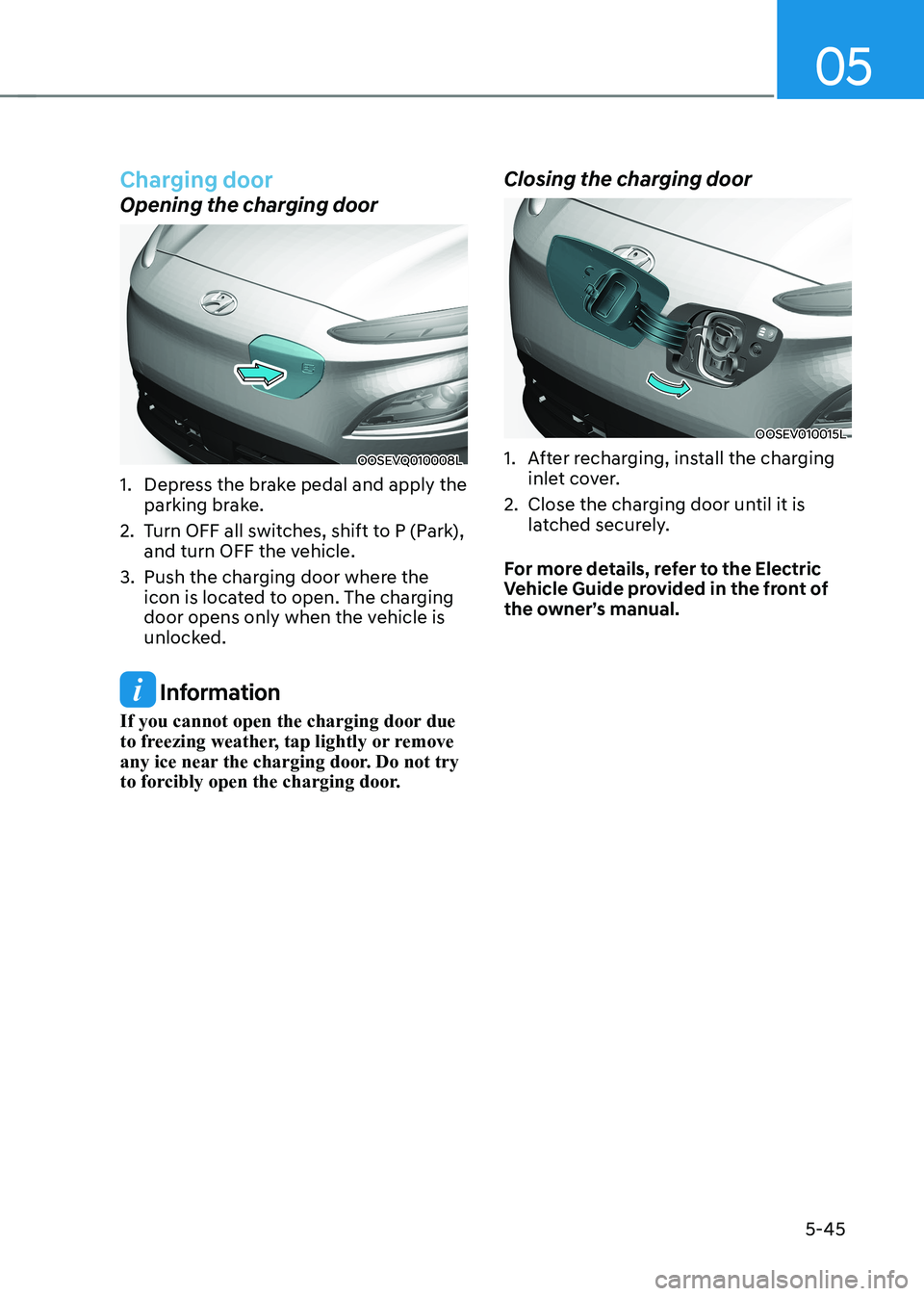
Opening the charging door
OOSEVQ010008L
1. Depress the brake pedal and apply the parking brake.
2. Turn OFF all switches, shift to P (Park), and turn OFF the vehicle.
3. Push the charging door where the icon is located to open. The charging
door opens only when the vehicle is
unlocked.
Information
If you cannot open the charging door due
to freezing weather, tap lightly or remove
any ice near the charging door. Do not try
to forcibly open the charging door. Closing the charging door
OOSEV010015L
1. After recharging, install the charging
inlet cover.
2. Close the charging door until it is latched securely.
For more details, refer to the Electric
Vehicle Guide provided in the front of
the owner’s manual.
Page 238 of 548
Convenient features
5-54
Luggage compartment lamp
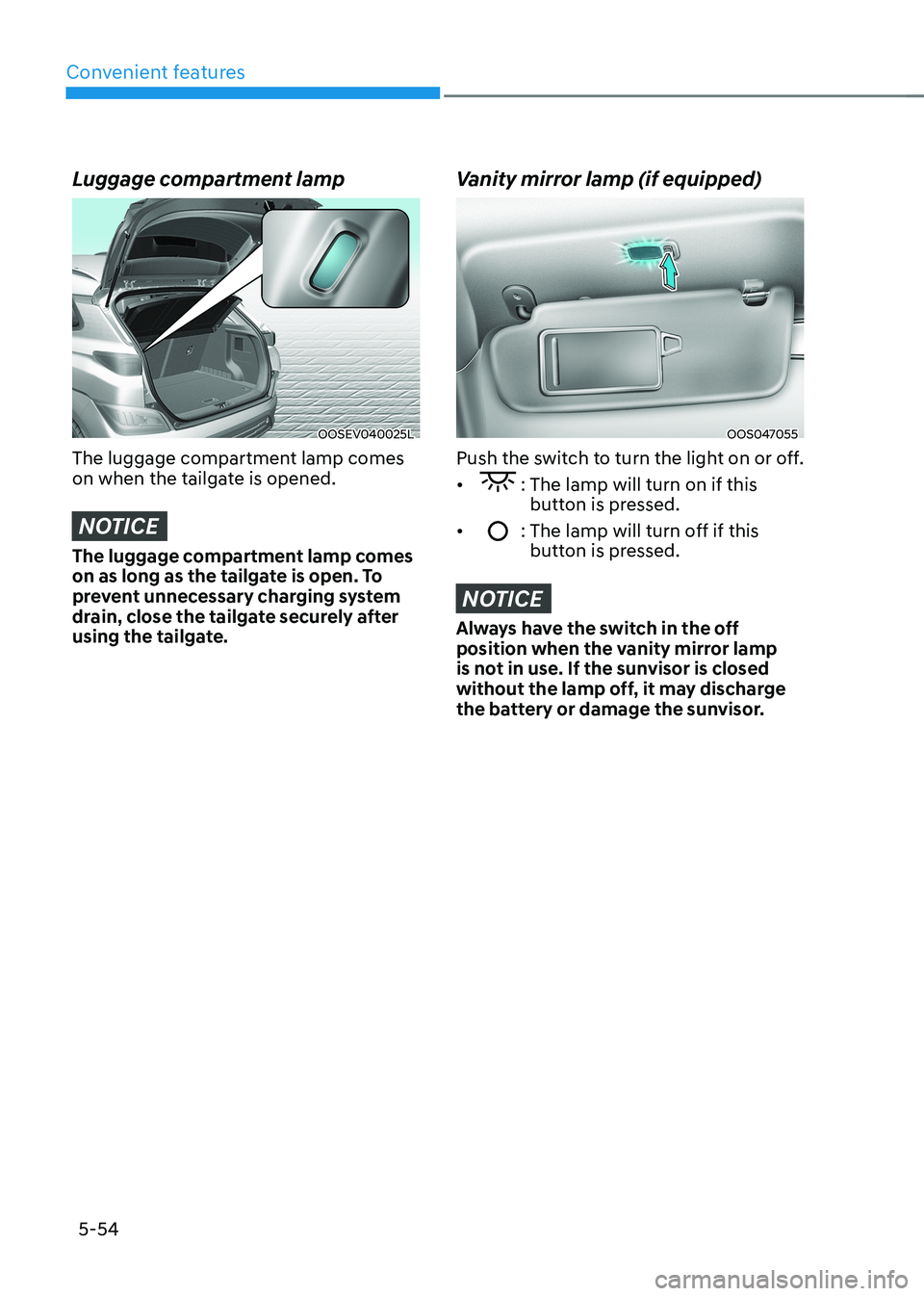
OOSEV040025L
The luggage compartment lamp comes
on when the tailgate is opened.
NOTICE
The luggage compartment lamp comes
on as long as the tailgate is open. To
prevent unnecessary charging system
drain, close the tailgate securely after
using the tailgate.
Vanity mirror lamp (if equipped)
OOS047055
Push the switch to turn the light on or off. •
: The lamp will turn on if this button is pressed.
•
: The lamp will turn off if this button is pressed.
NOTICE
Always have the switch in the off
position when the vanity mirror lamp
is not in use. If the sunvisor is closed
without the lamp off, it may discharge
the battery or damage the sunvisor.
Page 270 of 548
Convenient features
5-86
NOTICE
To prevent damage to the Power
Outlets : • Use the power outlet only when the
vehicle is in the ready (
) mode
and remove the accessory plug after
use. Using the accessory plug for
prolonged periods of time with the
vehicle off could cause the battery to
discharge.
• Only use 12V electric accessories
which are less than 180 W(Watt) in
electric capacity.
• Adjust the air-conditioner or heater
to the lowest operating level when
using the power outlet.
• Close the cover when not in use.
• Some electronic devices can
cause electronic interference
when plugged into a vehicle’s
power outlet. These devices may
cause excessive audio static and
malfunctions in other electronic
systems or devices used in your
vehicle.
• Push the plug in as far as it will go. If
good contact is not made, the plug
may overheat and the fuse may open.
• Plug in battery equipped electrical/
electronic devices with reverse
current protection. The current
from the battery may flow into the
vehicle’s electrical/electronic system
and cause system malfunction.
USB charger (if equipped)
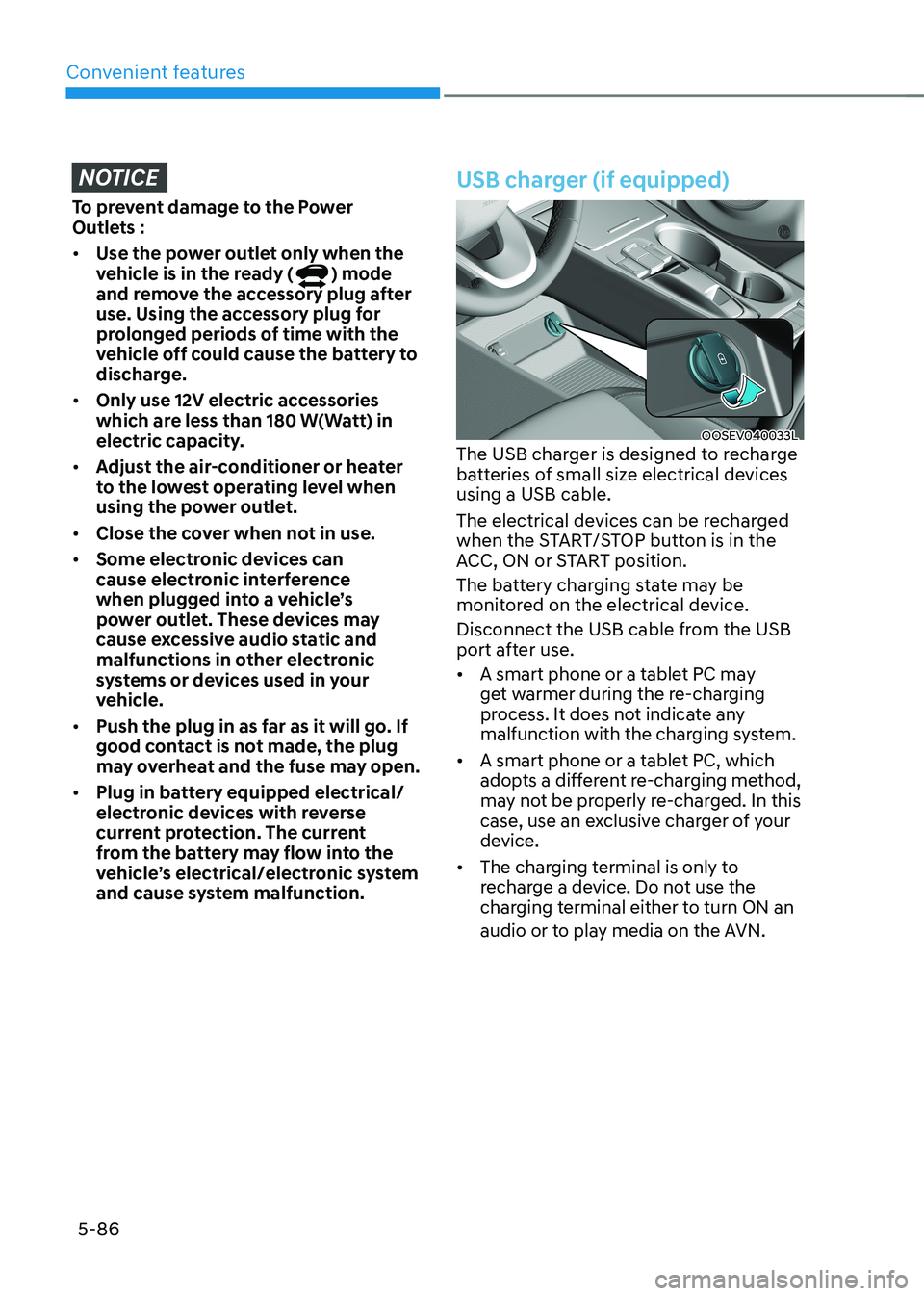
OOSEV040033L
The USB charger is designed to recharge
batteries of small size electrical devices using a USB cable.
The electrical devices can be recharged
when the START/STOP button is in the
ACC, ON or START position.
The battery charging state may be
monitored on the electrical device.
Disconnect the USB cable from the USB
port after use. • A smart phone or a tablet PC may
get warmer during the re-charging
process. It does not indicate any
malfunction with the charging system.
• A smart phone or a tablet PC, which
adopts a different re-charging method,
may not be properly re-charged. In this
case, use an exclusive charger of your
device.
• The charging terminal is only to
recharge a device. Do not use the
charging terminal either to turn ON an
audio or to play media on the AVN.
Page 271 of 548
![HYUNDAI KONA EV 2022 Repair Manual 05
5-87
Wireless cellular phone charging
system (if equipped)
OOSEV041034N
[A] : Indicator light, [B] : Charging pad
There is a wireless cellular phone charger
inside the front console.
The sy](/img/35/56171/w960_56171-270.png "HYUNDAI KONA EV 2022 Repair Manual 05
5-87
Wireless cellular phone charging
system (if equipped)
OOSEV041034N
[A] : Indicator light, [B] : Charging pad
There is a wireless cellular phone charger
inside the front console.
The sy")
05
5-87
Wireless cellular phone charging
system (if equipped)
OOSEV041034N
[A] : Indicator light, [B] : Charging pad
There is a wireless cellular phone charger
inside the front console.
The system is available when all doors
are closed, and when the START/STOP
button is in the ON position (1).
After use, to close the cover, slightly pull
down the cover.
The system is available when all doors
are closed, and when the START/STOP
button is in the ON or START position.
To charge a cellular phone
The wireless cellular phone charging
system charges only the Qi-enabled cellular phones (
). Read the label on
the cellular phone accessory cover or
visit your cellular phone manufacturer’s
website to check whether your cellular
phone supports the Qi technology.
The wireless charging process starts
when you put a Qi-enabled cellular
phone on the wireless charging unit.
1. Remove other items, including the smart key, from the wireless charging
unit. If not, the wireless charging
process may be interrupted. Place
the cellular phone on the center of
charging pad.
2. The indicator light is orange when the cellular phone is charging. The
indicator light turns green when
phone charging is complete. 3. You can turn ON or OFF the wireless
charging function in the User Settings
mode on the instrument cluster. For
further information, refer to the “User
setting mode” in chapter 4.
If your cellular phone is not charging: - Slightly change the position of the cellular phone on the charging pad.
- Make sure the indicator light is orange.
The indicator light will blink orange for 10
seconds if there is a malfunction in the
wireless charging system.
In this case, temporarily stop the
charging process, and re-attempt to
wirelessly charge your cellular phone again.
The system warns you with a message
on the LCD display if the cellular phone
is still on the wireless charging unit after
the vehicle is turned OFF and the front door is opened. • High speed wireless charging can
be activated only when the cellular
phones equipped with a wireless
charging function is on the charging pad. Information
For some manufacturers’ cellular phones, the system may not warn you even though
the cellular phone is left on the wireless
charging unit. This is due to the particular
characteristic of the cellular phone and
not a malfunction of the wireless charging.
Page 272 of 548
Convenient features
5-88
NOTICE
• The wireless smart phone charging
system may not support certain
smart phones, which are not verified
for the Qi specification (
).
• When placing your smart phone on
the charging pad, position the phone
in the middle of the mat for optimal
charging performance. If your smart
phone is off to the side, the charging
rate may be less and in some cases
the smart phone may experience
higher heat conduction.
• In some cases, the wireless charging
may stop temporarily when the
smart key is used, either when
starting the vehicle or locking/
unlocking the doors, etc.
• When charging certain smart
phones, the charging indicator may
not change to blue when the smart
phone is fully charged.
• The wireless charging process may
temporarily stop, when temperature
abnormally increases inside the
wireless smart phone charging
system. The wireless charging
process restarts, when temperature
falls to a certain level.
• The wireless charging process may
temporarily stop when there is
any metallic item, such as a coin,
between the wireless smart phone
charging system and smart phone.
• When charging some smart phones
with a self-protection feature,
the wireless charging speed may
decrease and the wireless charging
may stop.
• If the smart phone has a thick cover,
the wireless charging may not be possible.
• If the smart phone is not completely
contacting the charging pad,
wireless charging may not operate
properly. •
Some magnetic items like credit
cards, phone cards or rail tickets may
be damaged if left with the smart
phone during the charging process.
• When any smart phone without
a wireless charging function or a
metallic object is placed on the
charging pad, a small noise may
sound. This small sound is due to the
vehicle discerning compatibility of
the object placed on the charging
pad. It does not affect your vehicle or
the smart phone in any way.
Information
If the START/STOP button is OFF, the charging also stops.
Information
This device complies with Industry Canada RSS-210 standard. Operation is subject to the following two conditions: 1. This device may not cause harmful
interference, and
2. This device must accept any
interference received, including
interference that may cause undesired operation.