chapter 7 HYUNDAI KONA EV 2022 Owners Manual
[x] Cancel search | Manufacturer: HYUNDAI, Model Year: 2022, Model line: KONA EV, Model: HYUNDAI KONA EV 2022Pages: 548, PDF Size: 49.14 MB
Page 9 of 548
Foreword / Electric Vehicle System Overview
1-4
How To use THis manual
We want to help you get the greatest possible driving pleasure from your vehicle. Your
Owner’s Manual can assist you in many ways. We strongly recommend that you read
the entire manual. In order to minimize the chance of death or injury, you must read
the WARNING and CAUTION sections in the manual.
Illustrations complement the words in this manual to best explain how to enjoy your
vehicle. By reading your manual, you will learn about features, important safety
information, and driving tips under various road conditions.
The general layout of the manual is provided in the Table of Contents. Use the
index when looking for a specific area or subject; it has an alphabetical listing of all
information in your manual.
Sections: This manual has eight chapters plus an index. Each section begins with a
brief list of contents so you can tell at a glance if that section has the information you
want.
saFeTy messages
Your safety, and the safety of others, is very important. This Owner’s Manual provides
you with many safety precautions and operating procedures. This information alerts
you to potential hazards that may hurt you or others, as well as damage to your vehicle.
Safety messages found on vehicle labels and in this manual describe these hazards
and what to do to avoid or reduce the risks.
Warnings and instructions contained in this manual are for your safety. Failure to follow
safety warnings and instructions can lead to serious injury or death.
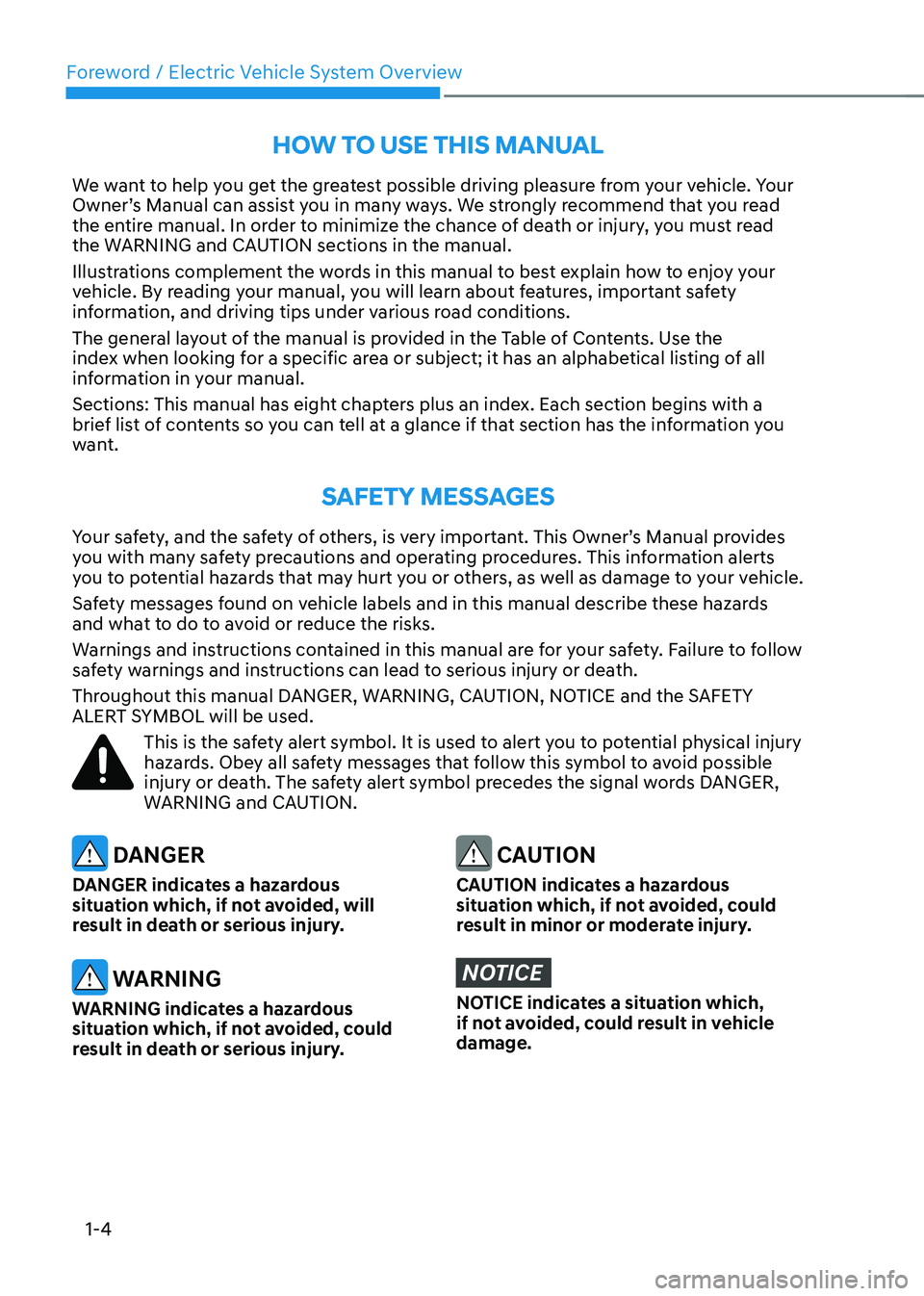
Throughout this manual DANGER, WARNING, CAUTION, NOTICE and the SAFETY
ALERT SYMBOL will be used.
This is the safety alert symbol. It is used to alert you to potential physical injury
hazards. Obey all safety messages that follow this symbol to avoid possible
injury or death. The safety alert symbol precedes the signal words DANGER,
WARNING and CAUTION.
DANGER
DANGER indicates a hazardous
situation which, if not avoided, will
result in death or serious injury.
WARNING
WARNING indicates a hazardous
situation which, if not avoided, could
result in death or serious injury.
CAUTION
CAUTION indicates a hazardous
situation which, if not avoided, could
result in minor or moderate injury.
NOTICE
NOTICE indicates a situation which,
if not avoided, could result in vehicle damage.
Page 29 of 548
Foreword / Electric Vehicle System Overview
1-24
AC Charge
„„AC Charger
OLFP0Q4057N
Actual charger image and charging
method may vary in accordance with the
charger manufacturer.
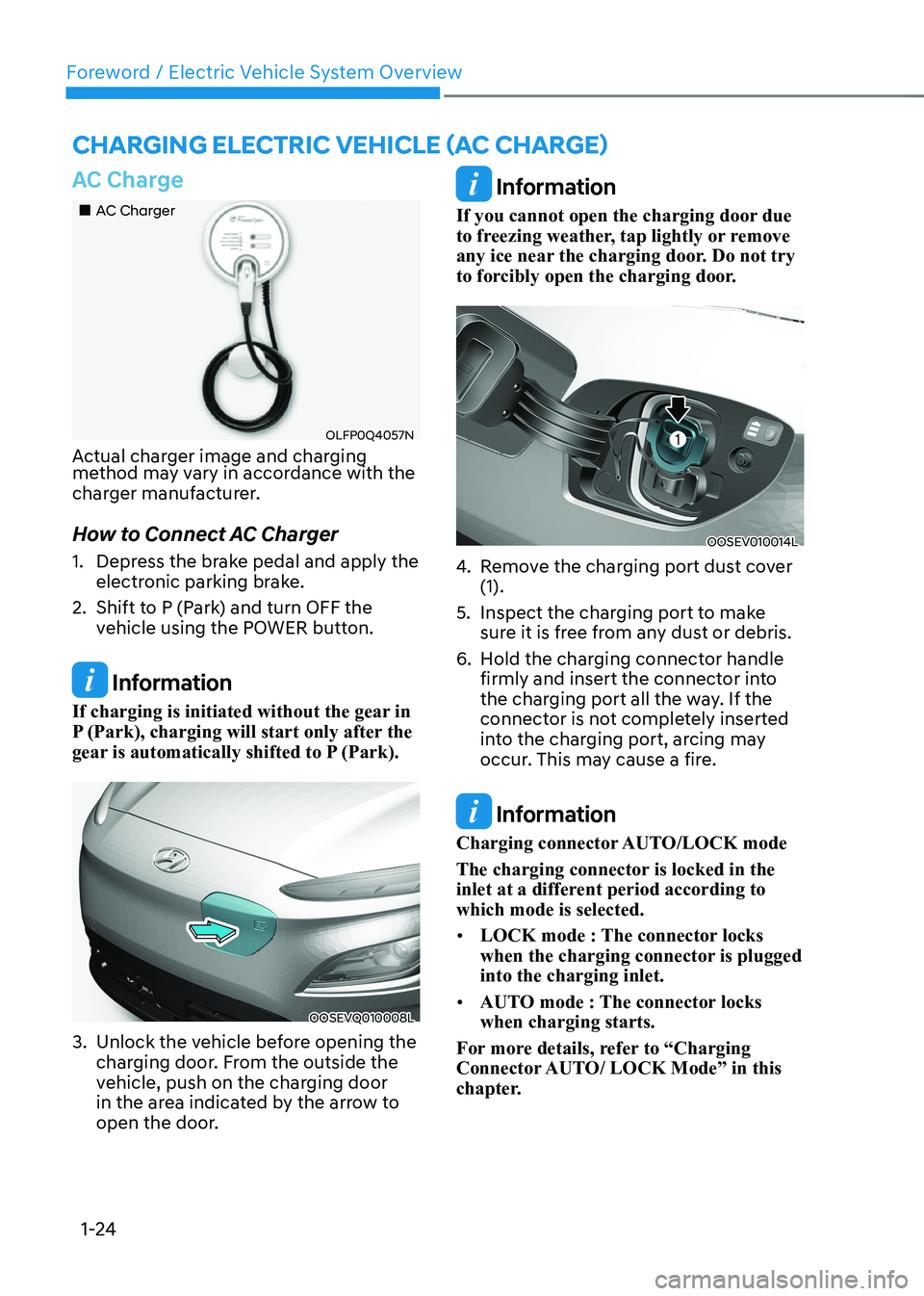
How to Connect AC Charger
1. Depress the brake pedal and apply the electronic parking brake.
2. Shift to P (Park) and turn OFF the vehicle using the POWER button.
Information
If charging is initiated without the gear in
P (Park), charging will start only after the
gear is automatically shifted to P (Park).
OOSEVQ010008L
3. Unlock the vehicle before opening the charging door. From the outside the
vehicle, push on the charging door
in the area indicated by the arrow to
open the door.
Information
If you cannot open the charging door due
to freezing weather, tap lightly or remove
any ice near the charging door. Do not try
to forcibly open the charging door.
OOSEV010014L
4. Remove the charging port dust cover (1).
5. Inspect the charging port to make sure it is free from any dust or debris.
6. Hold the charging connector handle firmly and insert the connector into
the charging port all the way. If the
connector is not completely inserted
into the charging port, arcing may
occur. This may cause a fire.
Information
Charging connector AUTO/LOCK mode
The charging connector is locked in the
inlet at a different period according to which mode is selected. • LOCK mode : The connector locks
when the charging connector is plugged into the charging inlet.
• AUTO mode : The connector locks when charging starts.
For more details, refer to “Charging
Connector AUTO/ LOCK Mode” in this
chapter.
Charging ElECtriC VEhiClE (aC ChargE)
Page 32 of 548
01
1-27
How to Disconnect AC Charger
„„AC Charger
OLFP0Q4057N
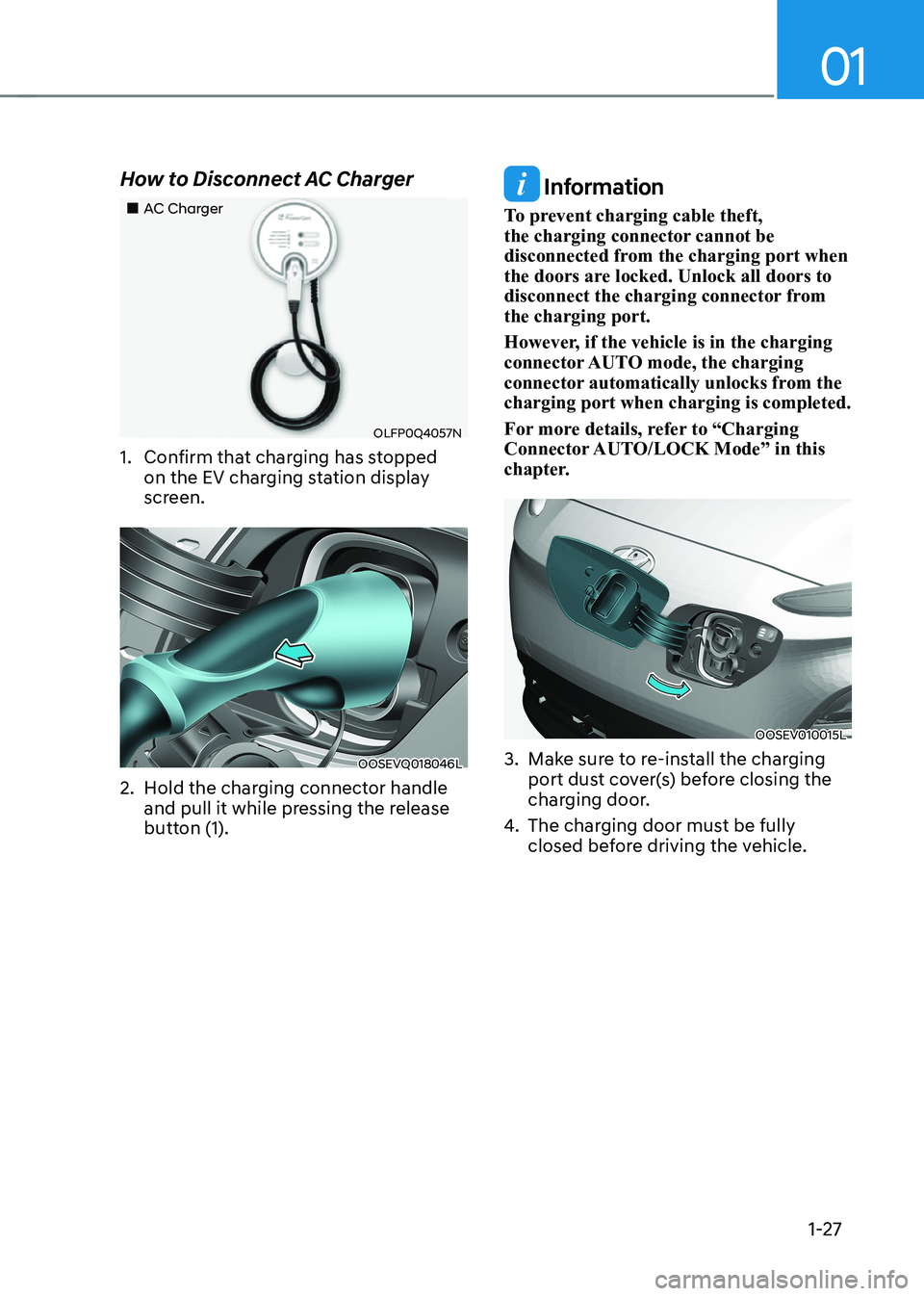
1. Confirm that charging has stopped on the EV charging station display
screen.
OOSEVQ018046L
2. Hold the charging connector handle and pull it while pressing the release
button (1).
Information
To prevent charging cable theft,
the charging connector cannot be
disconnected from the charging port when
the doors are locked. Unlock all doors to
disconnect the charging connector from the charging port.
However, if the vehicle is in the charging
connector AUTO mode, the charging
connector automatically unlocks from the charging port when charging is completed.
For more details, refer to “Charging
Connector AUTO/LOCK Mode” in this
chapter.
OOSEV010015L
3. Make sure to re-install the charging port dust cover(s) before closing the
charging door.
4. The charging door must be fully
closed before driving the vehicle.
Page 41 of 548
Foreword / Electric Vehicle System Overview
1-36
OOSEV010014L
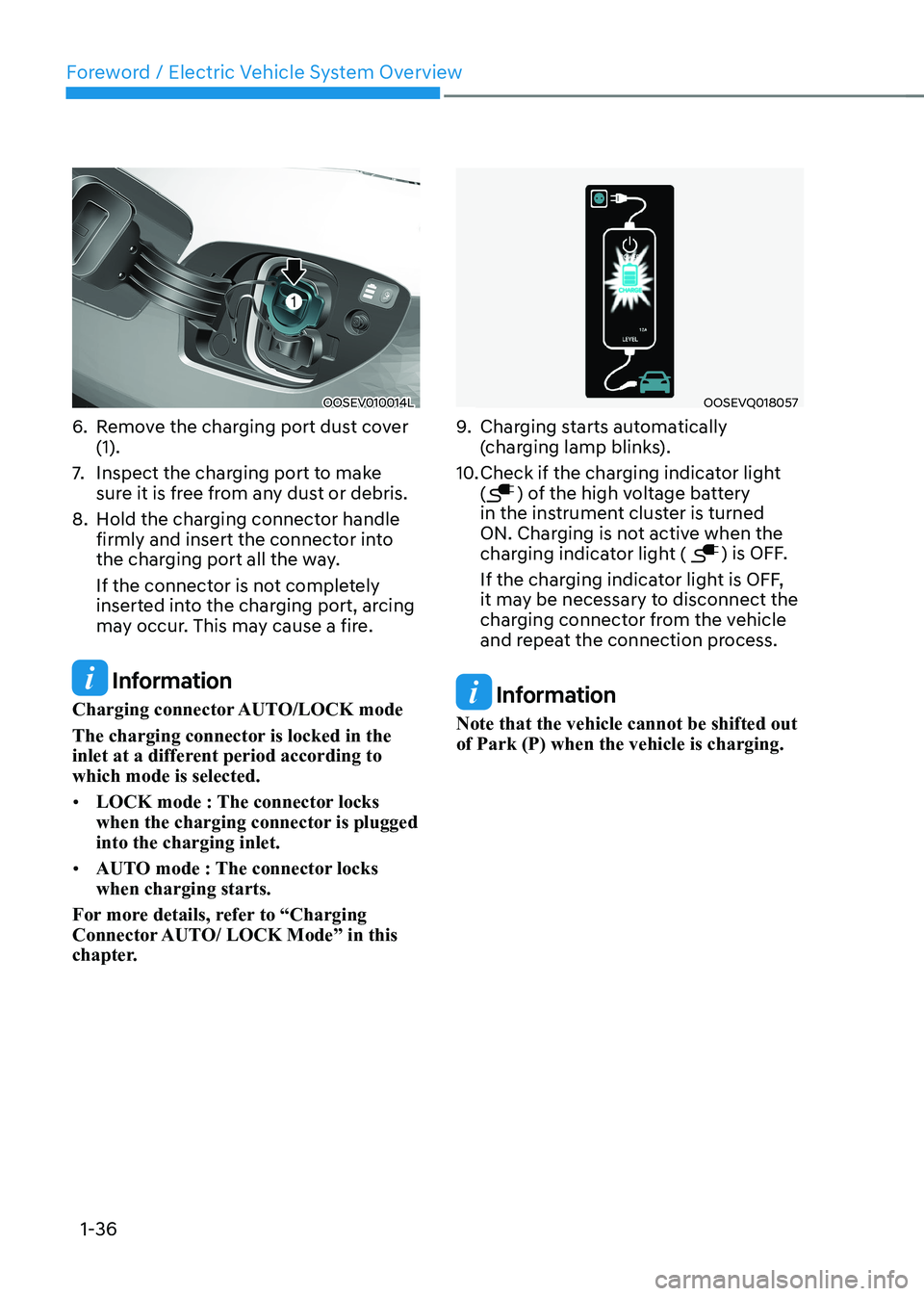
6. Remove the charging port dust cover (1).
7. Inspect the charging port to make
sure it is free from any dust or debris.
8. Hold the charging connector handle firmly and insert the connector into
the charging port all the way.
If the connector is not completely
inserted into the charging port, arcing
may occur. This may cause a fire.
Information
Charging connector AUTO/LOCK mode
The charging connector is locked in the
inlet at a different period according to which mode is selected. • LOCK mode : The connector locks
when the charging connector is plugged into the charging inlet.
• AUTO mode : The connector locks when charging starts.
For more details, refer to “Charging
Connector AUTO/ LOCK Mode” in this
chapter.
OOSEVQ018057
9. Charging starts automatically
(charging lamp blinks).
10. Check if the charging indicator light (
) of the high voltage battery
in the instrument cluster is turned
ON. Charging is not active when the
charging indicator light (
) is OFF.
If the charging indicator light is OFF,
it may be necessary to disconnect the
charging connector from the vehicle
and repeat the connection process.
Information
Note that the vehicle cannot be shifted out of Park (P) when the vehicle is charging.
Page 47 of 548
Foreword / Electric Vehicle System Overview
1-42
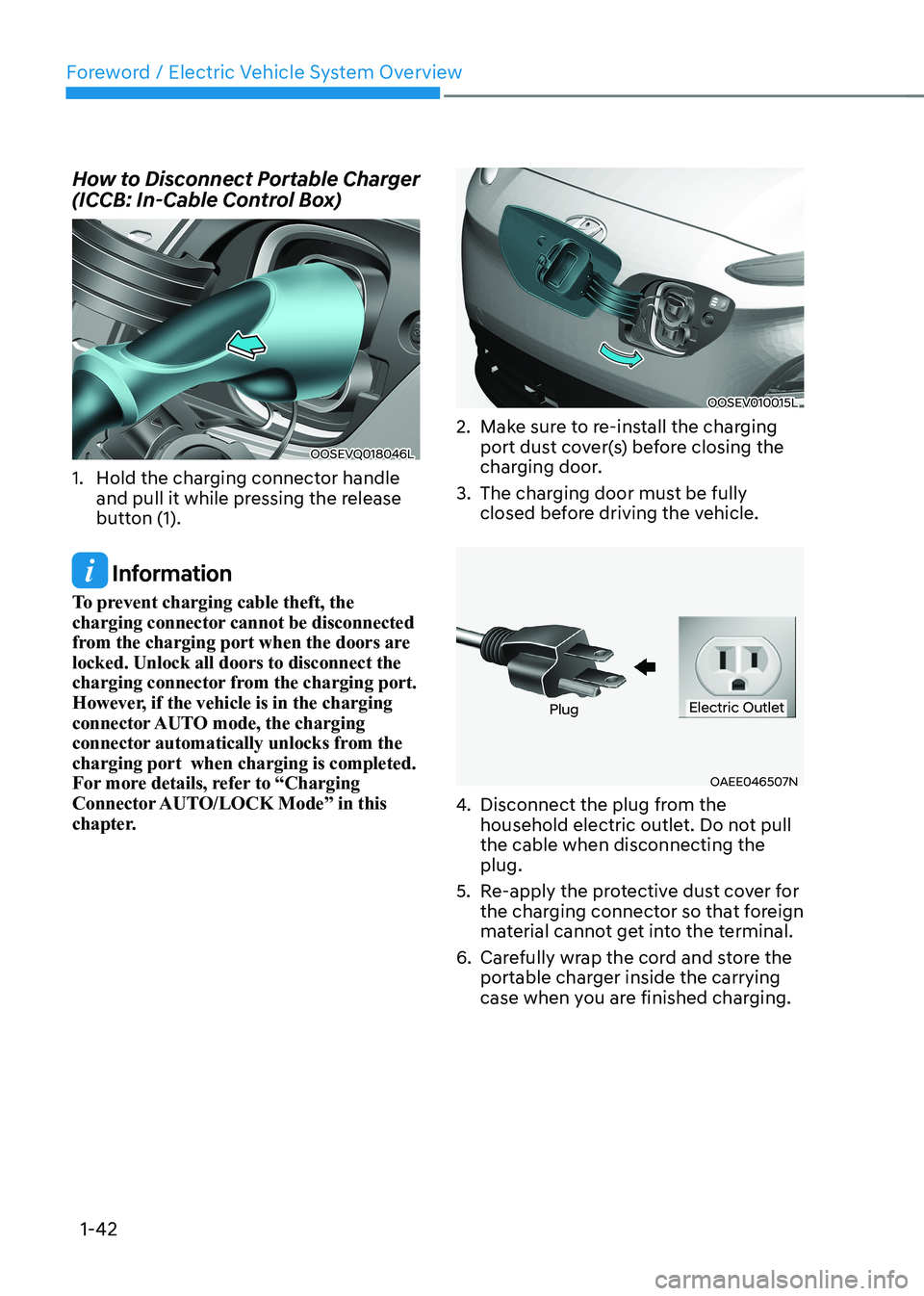
How to Disconnect Portable Charger
(ICCB: In-Cable Control Box)
OOSEVQ018046L
1. Hold the charging connector handle and pull it while pressing the release
button (1).
Information
To prevent charging cable theft, the
charging connector cannot be disconnected
from the charging port when the doors are
locked. Unlock all doors to disconnect the
charging connector from the charging port.
However, if the vehicle is in the charging
connector AUTO mode, the charging
connector automatically unlocks from the
charging port when charging is completed.
For more details, refer to “Charging
Connector AUTO/LOCK Mode” in this
chapter.
OOSEV010015L
2. Make sure to re-install the charging port dust cover(s) before closing the
charging door.
3. The charging door must be fully closed before driving the vehicle.
OAEE046507N
PlugElectric Outlet
4. Disconnect the plug from the
household electric outlet. Do not pull the cable when disconnecting the plug.
5. Re-apply the protective dust cover for the charging connector so that foreign
material cannot get into the terminal.
6. Carefully wrap the cord and store the portable charger inside the carrying
case when you are finished charging.
Page 51 of 548
Foreword / Electric Vehicle System Overview
1-46
Virtual Engine Sound System
The Virtual Engine Sound System
generates engine sound for pedestrians
to hear vehicle sound because there is
no sound while the Electric Vehicle (EV)
is operating. • If the vehicle is in the ready (
)
mode and the gear is not in P (Park),
the VESS will be operated.
• When the gear is shifted to R
(Reverse), an additional warning
sound will be heard.
CAUTION
• The vehicle is much quieter while
driving than a conventional gasoline-
powered vehicle. Be aware of your
surroundings and always drive safely.
• After you park the vehicle or while
you are waiting at a traffic light,
check whether there are children or
obstacles around the vehicle.
• Check if there is something behind
the vehicle when driving in reverse.
Pedestrians may not hear the sound
of the vehicle.
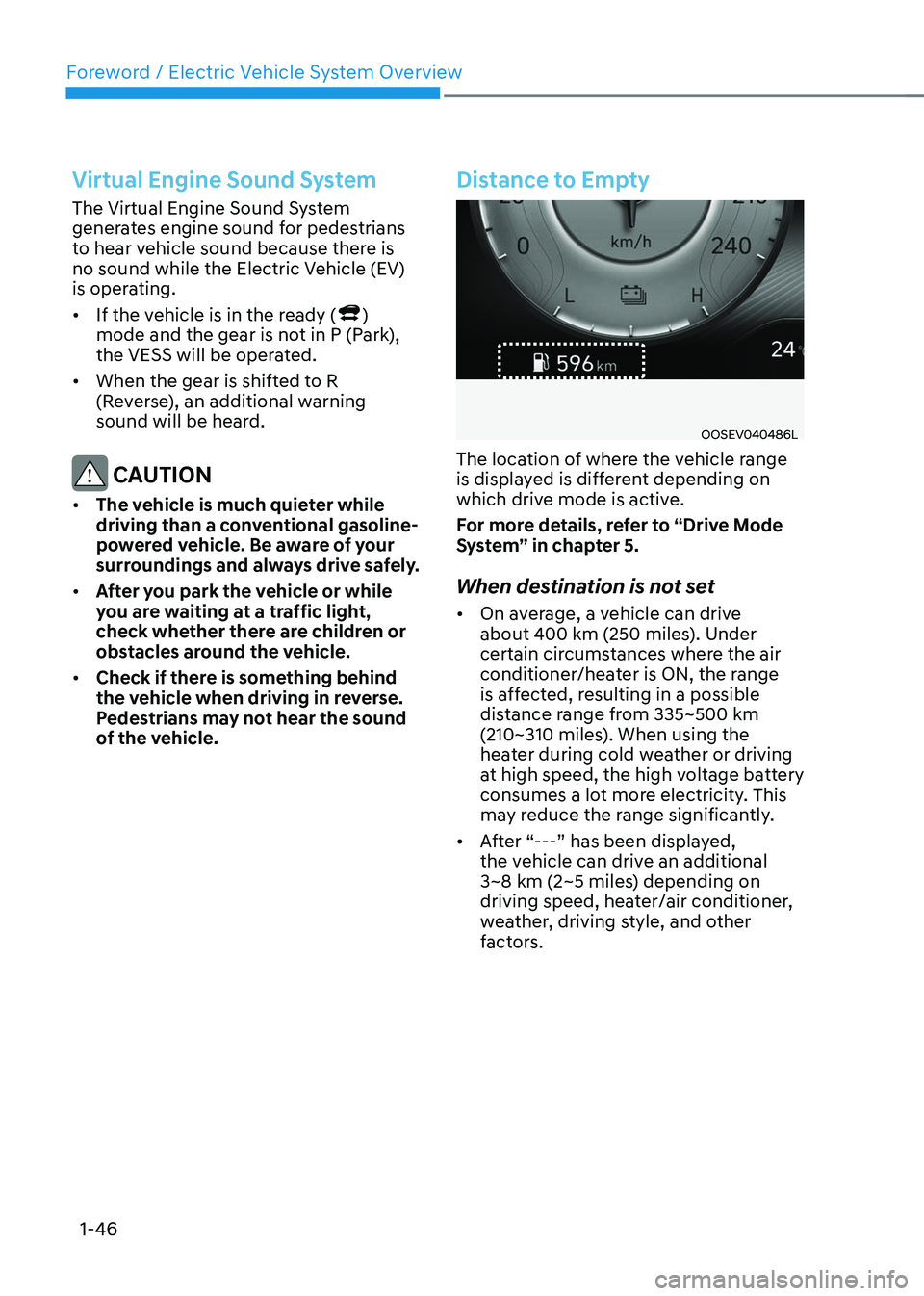
Distance to Empty
OOSEV040486L
The location of where the vehicle range
is displayed is different depending on
which drive mode is active.
For more details, refer to “Drive Mode
System” in chapter 5.
When destination is not set • On average, a vehicle can drive
about 400 km (250 miles). Under
certain circumstances where the air
conditioner/heater is ON, the range
is affected, resulting in a possible
distance range from 335~500 km
(210~310 miles). When using the
heater during cold weather or driving
at high speed, the high voltage battery
consumes a lot more electricity. This
may reduce the range significantly.
• After “---” has been displayed,
the vehicle can drive an additional
3~8 km (2~5 miles) depending on
driving speed, heater/air conditioner,
weather, driving style, and other
factors.
Page 80 of 548
3
3. Safety system
Important safety precautions ........................................................................... 3-2
Always wear your seat belt .......................................................................................... 3-2
Restrain all children ...................................................................................................... 3-2
Air bag hazards ............................................................................................................. 3-2
Driver distraction .......................................................................................................... 3-2
Control your speed ....................................................................................................... 3-2
Keep your vehicle in safe condition ............................................................................ 3-2
Seats .................................................................................................................. 3-3
Safety precautions ....................................................................................................... 3-4
Front seats .................................................................................................................... 3-5
Rear seats ................................................................................................................... 3-10
Headrest.......................................................................................................................3-13
Seat warmers and air ventilation seats ...................................................................... 3-17
Seat belts ......................................................................................................... 3-20
Seat belt safety precautions ...................................................................................... 3-20
Seat belt warning light ................................................................................................ 3-21
Seat belt restraint system .......................................................................................... 3-22
Additional seat belt safety precautions .................................................................... 3-28
Care of seat belts........................................................................................................3-30
Child Restraint System (CRS) .......................................................................... 3-31
Children always in the rear ......................................................................................... 3-31
Selecting a Child Restraint System (CRS) .................................................................3-32
Installing a Child Restraint system (CRS)..................................................................3-34
Air bag - supplemental restraint system .......................................................3-42
Where are the air bags? ............................................................................................ 3-44
How does the air bags system operate? ................................................................... 3-47
What to expect after an air bag inflates ................................................................... 3-51
Occupant Classification System (OCS) ..................................................................... 3-51
Why didn’t my air bag go off in a collision? ..............................................................3-57
Why didn’t my air bag go off in a collision? ..............................................................3-58
SRS care ...................................................................................................................... 3-63
Additional safety precautions................................................................................... 3-64
Air bag warning labels............................................................................................... 3-64
This chapter provides you with important information about how to protect yourself and your
passengers. It explains how to properly use your seats and seat belts, and how your air bags work.
Additionally, this chapter explains how to properly restrain infants and children in your vehicle.
Page 107 of 548
Safety system
3-28
Additional seat belt safety
precautions
Seat belt use during pregnancy
The seat belt should always be used
during pregnancy. The best way to
protect your unborn child is to protect
yourself by always wearing the seat belt.
Pregnant women should always wear
a lap-shoulder seat belt. Place the
shoulder belt across your chest, routed
between your breasts and away from
your neck. Place the lap belt below your
belly so that it fits SNUGLY across your
hips and pelvic bone, under the rounded
part of the belly.
WARNING
• A pregnant woman or a patient is
more vulnerable to any impacts on
the abdomen during an abrupt stop
or accident. If you are in an accident
while pregnant, we recommend you
consult your doctor.
• To reduce the risk of serious injury or
death to an unborn child during an
accident, pregnant women should
NEVER place the lap portion of the
seat belt above or over the area of
the abdomen where the unborn child
is located. Seat belt use and children
Infant and small children
Most countries have child restraint
laws which require children to travel
in approved child restraint devices,
including booster seats. The age at
which seat belts can be used instead of
child restraints differs among countries,
so you should be aware of the specific
requirements in your country, and
where you are travelling. Infant and
child restraints must be properly placed
and installed in a rear seat. For more
information refer to the “Child Restraint
Systems” section in this chapter.
WARNING
ALWAYS properly restrain infants
and small children in a child restraint
appropriate for the child’s height and
weight.
To reduce the risk of serious injury or
death to a child and other passengers,
NEVER hold a child in your lap or arms
when the vehicle is moving. The violent
forces created during an accident tear
off the child from and throw the child
against the interior of the vehicle.
Small children are best protected
from injury in an accident when
properly restrained in the rear seat by
a child restraint system that meets the
requirements of the Safety Standards of
your country. Before buying any child
restraint system, make sure that it has
a label certifying that it meets Safety
Standards of your country. The restraint
must be appropriate for your child’s
height and weight. Check the label on
the child restraint for this information.
Refer to the “Child Restraint Systems”
section in this chapter.
Page 118 of 548
03
3-39
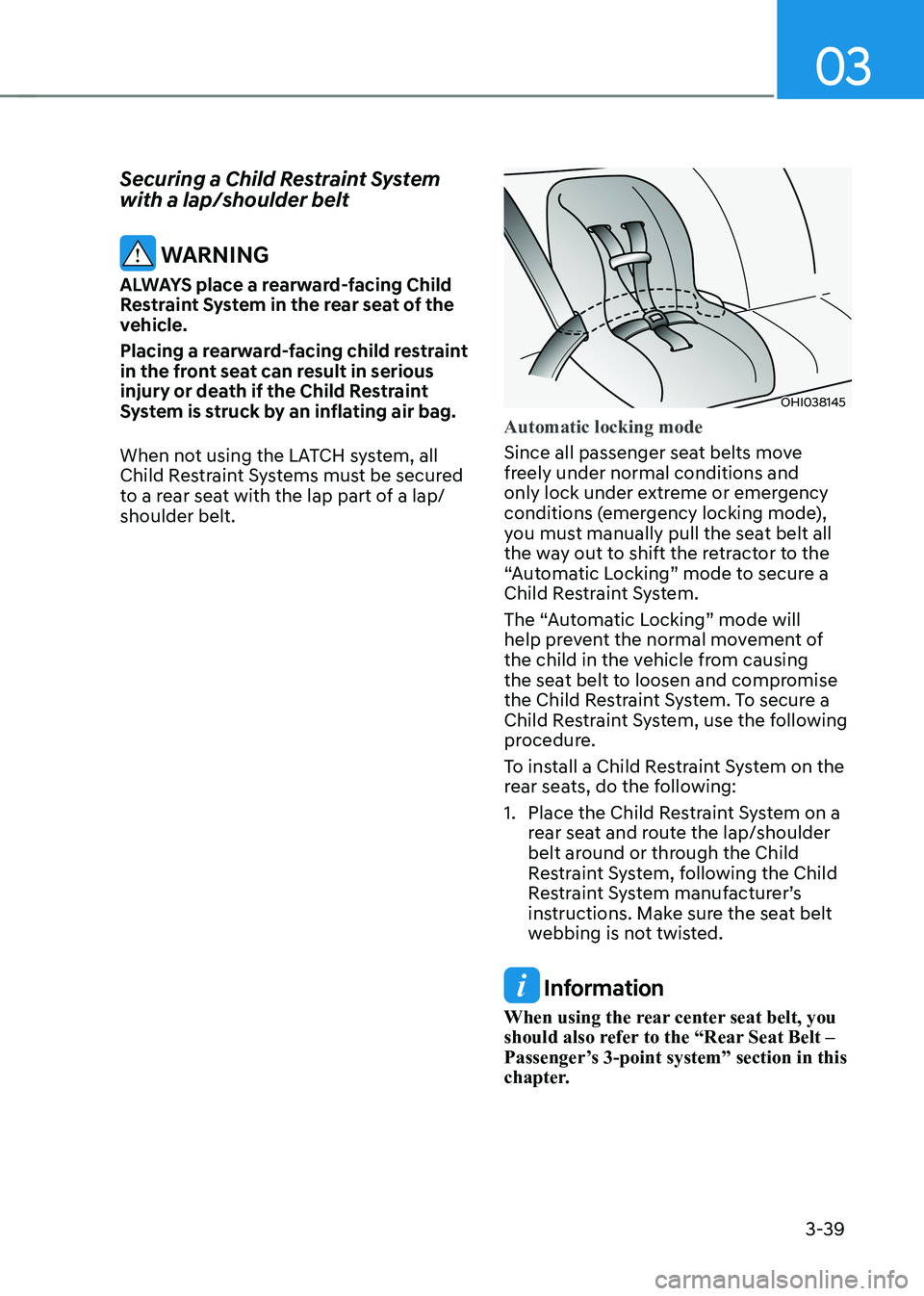
Securing a Child Restraint System with a lap/shoulder belt
WARNING
ALWAYS place a rearward-facing Child
Restraint System in the rear seat of the
vehicle.
Placing a rearward-facing child restraint
in the front seat can result in serious
injury or death if the Child Restraint
System is struck by an inflating air bag.
When not using the LATCH system, all
Child Restraint Systems must be secured
to a rear seat with the lap part of a lap/shoulder belt.
OHI038145
Automatic locking mode
Since all passenger seat belts move
freely under normal conditions and
only lock under extreme or emergency
conditions (emergency locking mode),
you must manually pull the seat belt all
the way out to shift the retractor to the
“Automatic Locking” mode to secure a
Child Restraint System.
The “Automatic Locking” mode will
help prevent the normal movement of
the child in the vehicle from causing
the seat belt to loosen and compromise
the Child Restraint System. To secure a
Child Restraint System, use the following
procedure.
To install a Child Restraint System on the
rear seats, do the following:
1. Place the Child Restraint System on a rear seat and route the lap/shoulder
belt around or through the Child
Restraint System, following the Child
Restraint System manufacturer’s
instructions. Make sure the seat belt
webbing is not twisted.
Information
When using the rear center seat belt, you
should also refer to the “Rear Seat Belt –
Passenger’s 3-point system” section in this
chapter.
Page 145 of 548
4-2
Instrument cluster
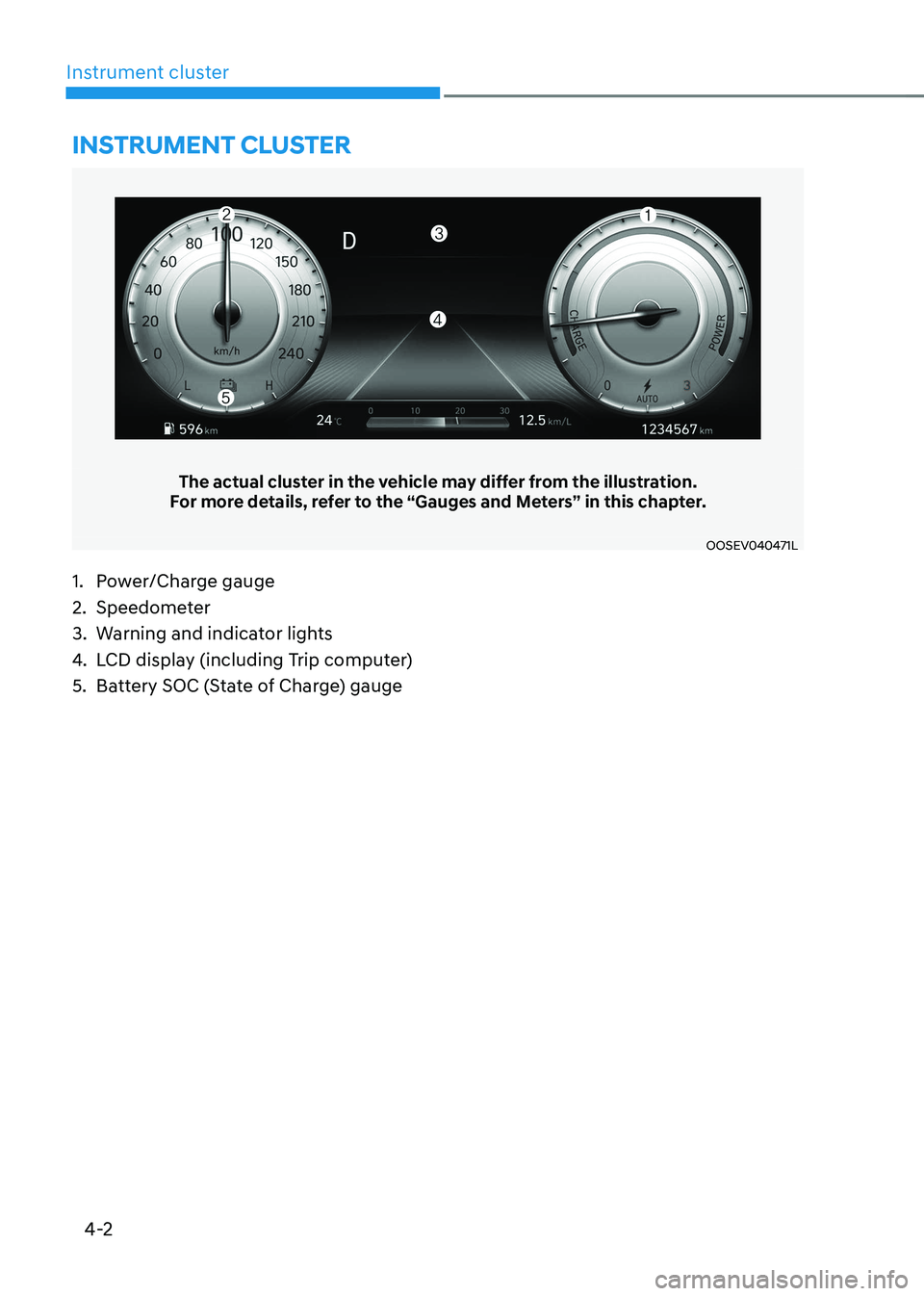
The actual cluster in the vehicle may differ from the illustration.
For more details, refer to the “Gauges and Meters” in this chapter.
OOSEV040471L
Instrument cluster
1. Power/Charge gauge
2. Speedometer
3. Warning and indicator lights
4. LCD display (including Trip computer)
5. Battery SOC (State of Charge) gauge