chapter 7 HYUNDAI KONA EV 2022 Service Manual
[x] Cancel search | Manufacturer: HYUNDAI, Model Year: 2022, Model line: KONA EV, Model: HYUNDAI KONA EV 2022Pages: 548, PDF Size: 49.14 MB
Page 289 of 548
06
6-9
WARNING
Shifting into P (Park) while the vehicle is
in motion may cause you to lose control
of the vehicle.
After the vehicle has stopped, always
make sure the gear is in P (Park), apply
the parking brake, and turn the vehicle
off.
Do not use the P (Park) position in place
of the parking brake.
R (Reverse)
Use this position to drive the vehicle
backward.
To shift to R (Reverse), press the [R]
button while depressing the brake pedal.
N (Neutral)
The wheels and gear are not engaged.
To shift to N (Neutral), press the [N]
button while depressing the brake pedal.
Always depress the brake pedal when
you are shifting from N (Neutral) to
another gear.
In N (Neutral), if the driver attempts to
turn off the vehicle, the gear remains in
N (Neutral) and the START/STOP button
will be in the ACC position.
To turn off the vehicle from the ACC
position, press the POWER button to the
ON position, press the [P] button, and
press the START/STOP button to the OFF position.
When the driver’s door is opened within
3 minutes with the START/STOP button
in the ACC position and the gear in N
(Neutral), the vehicle is automatically
turned OFF and shifted to the P (Park) position.
D (Drive)
This is the normal driving position.
To shift to D (Drive), press the [D] button
while depressing the brake pedal. Shift-lock system
For your safety, your vehicle has a shift-
lock system which prevents shifting the
gear from P (Park) or N (Neutral) into R
(Reverse) or D (Drive) unless the brake
pedal is depressed.
To shift from P (Park) or N (Neutral) into
R (Reverse) or D (Drive), from R (Reverse)
into D (Drive) or from D (Drive) into R
(Reverse) :
1. Depress and hold the brake pedal.
2. Start the vehicle or place the START/
STOP button in the ON position.
3. Press the R (Reverse) or D (Drive) button.
Information
For your safety, you cannot shift the gear while the charging cable is connected.
When the battery (12 V) is discharged
You cannot shift the gear when the
battery is discharged.
Jump start your vehicle (refer to "Jump
Starting" in chapter 8) or we recommend
that you contact an authorized HYUNDAI
dealer.
Parking
Always come to a complete stop and
continue to depress the brake pedal.
Shift to the P (Park) position, apply the
parking brake, and place the START/
STOP button in the OFF position. Take
the Key with you when exiting the
vehicle.
Page 294 of 548
Driving your vehicle
6-14
REGENERATIVE BRAkING SySTEm
Regenerative braking (Paddle
shifter)
OOS057006
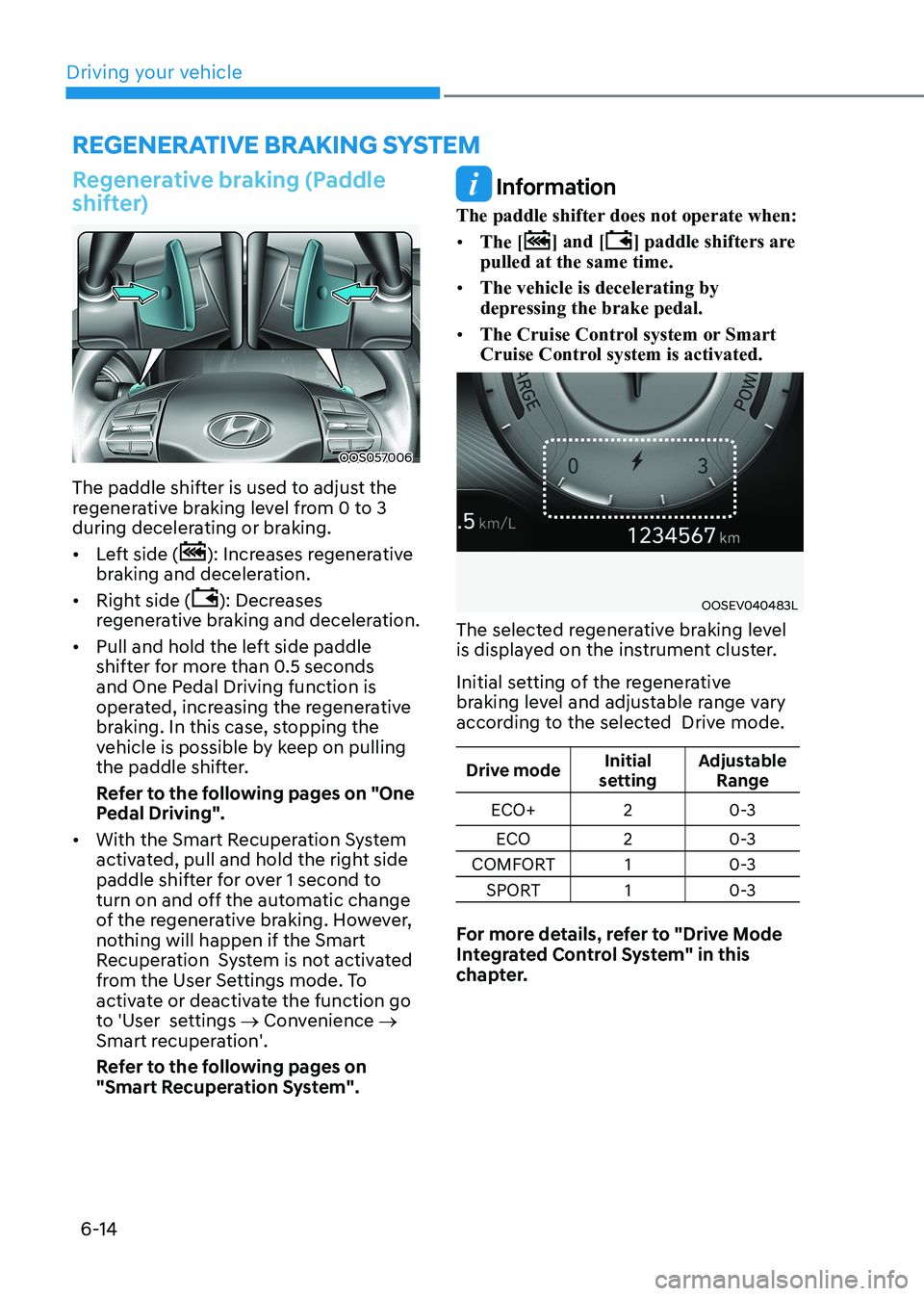
The paddle shifter is used to adjust the
regenerative braking level from 0 to 3
during decelerating or braking. • Left side (
): Increases regenerative
braking and deceleration.
• Right side (
): Decreases
regenerative braking and deceleration.
• Pull and hold the left side paddle
shifter for more than 0.5 seconds
and One Pedal Driving function is
operated, increasing the regenerative
braking. In this case, stopping the
vehicle is possible by keep on pulling
the paddle shifter.
Refer to the following pages on "One
Pedal Driving".
• With the Smart Recuperation System
activated, pull and hold the right side
paddle shifter for over 1 second to
turn on and off the automatic change
of the regenerative braking. However,
nothing will happen if the Smart
Recuperation System is not activated
from the User Settings mode. To
activate or deactivate the function go
to 'User settings → Convenience →
Smart recuperation'.
Refer to the following pages on
"Smart Recuperation System".
Information
The paddle shifter does not operate when: • The [
] and [] paddle shifters are
pulled at the same time.
• The vehicle is decelerating by
depressing the brake pedal.
• The Cruise Control system or Smart
Cruise Control system is activated.
OOSEV040483L
The selected regenerative braking level
is displayed on the instrument cluster.
Initial setting of the regenerative
braking level and adjustable range vary
according to the selected Drive mode.
Drive mode Initial
setting Adjustable
Range
ECO+ 2 0-3
ECO 20-3
COMFORT 1 0-3
SPORT 1 0-3
For more details, refer to "Drive Mode
Integrated Control System" in this
chapter.
Page 313 of 548
06
6-33
ESC operation
ESC ON condition
When the START/STOP button is in the ON position, ESC and the ESC
OFF indicator lights illuminate for
approximately three seconds and goes
off, then ESC is turned on.
When operating
When ESC is in operation, the
ESC indicator light blinks:
• When you apply your brakes under
conditions which may lock the wheels,
you may hear sounds from the brakes,
or feel a corresponding sensation in
the brake pedal. This is normal and it
means your ESC is active.
• When ESC activates, the vehicle may
not respond to the accelerator as it
does under routine conditions.
• If Cruise Control was in use when ESC
activates, Cruise Control automatically
disengages. Cruise Control can be
reengaged when the road conditions
allow. See “Cruise Control System”
later in this chapter 7. (if equipped)
ESC OFF condition
To cancel ESC operation:
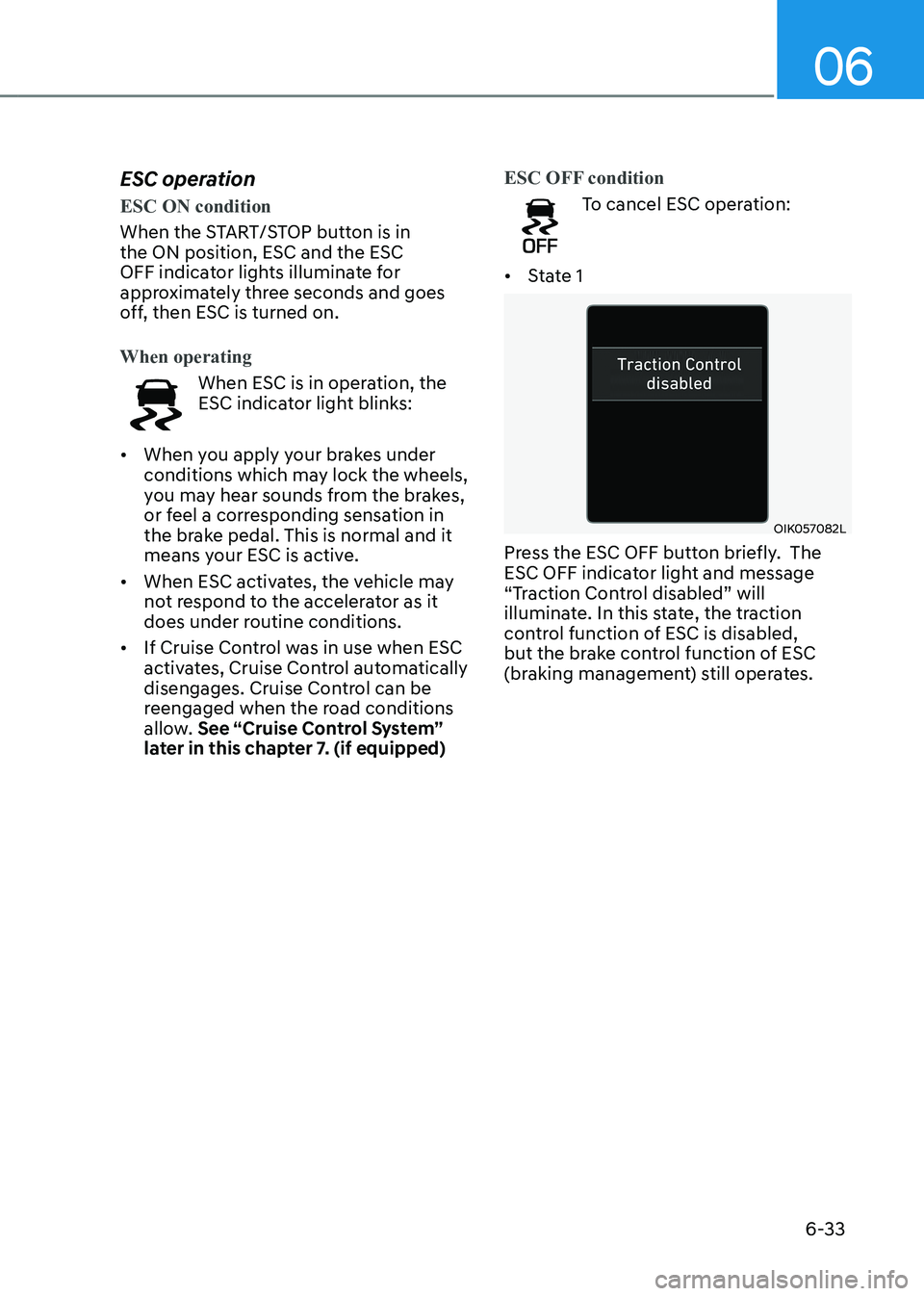
• State 1
OIK057082L
Press the ESC OFF button briefly. The
ESC OFF indicator light and message
“Traction Control disabled” will
illuminate. In this state, the traction
control function of ESC is disabled,
but the brake control function of ESC
(braking management) still operates.
Page 320 of 548
Driving your vehicle
6-40
SPECIAL DRIVING CONDITIONS
Hazardous driving conditions
When hazardous driving elements
are encountered such as water, snow,
ice, mud and sand, take the following
precautions: • Drive cautiously and maintain a longer
braking distance.
• Avoid abrupt braking or steering.
• When your vehicle is stuck in snow,
mud, or sand, accelerate slowly to
avoid unnecessary wheel spinning.
• Put sand, rock salt, tire chains or other
non-slip materials under the wheels
to provide additional traction while
being stuck in ice, snow, or mud.
Rocking the vehicle
If it is necessary to rock the vehicle to
free it from snow, sand, or mud, first turn
the steering wheel right and left to clear
the area around your front wheels. Then,
shift back and forth between R (Reverse)
and a forward gear.
Try to avoid spinning the wheels, and do
not race the vehicle.
To prevent reduction gear wear, wait
until the wheels stop spinning before
shifting gears. Release the accelerator
pedal while shifting, and press lightly on
the accelerator pedal while the reduction
gear wear is in gear. Slowly spinning the
wheels in forward and reverse directions
causes a rocking motion that may free
the vehicle.
WARNING
If the vehicle is stuck and excessive
wheel spin occurs, the temperature
in the tires can increase very quickly.
If the tires become damaged, a tire
blow out or tire explosion can occur.
This condition is dangerous - you and
others may be injured. Do not attempt
this procedure if people or objects are
anywhere near the vehicle.
If you attempt to free the vehicle, the
vehicle can overheat quickly, possibly
causing a motor compartment fire or
other damage. Try to avoid spinning the
wheels as much as possible to prevent
overheating of either the tires or the
vehicle. DO NOT allow the vehicle to
spin the wheels above 56 km/h (35
mph).
Information
The ESC system must be turned OFF
before rocking the vehicle.
NOTICE
If you are still stuck after rocking the
vehicle a few times, have the vehicle
pulled out by a tow vehicle to avoid
vehicle overheating, possible damage
to the reduction gear, and tire damage.
See “Towing” in chapter 8.
Page 321 of 548
06
6-41
Smooth cornering
Avoid braking or gear changing in
corners, especially when roads are wet.
Ideally, corners should always be taken
under gentle acceleration.
Driving at night
Night driving presents more hazards than
driving in the daylight. Here are some
important tips to remember: • Slow down and keep more distance
between you and other vehicles, as it
may be more difficult to see at night,
especially in areas where there may
not be any street lights.
• Adjust your mirrors to reduce the glare
from other drivers’ headlamps.
• Keep your headlamps clean and
properly aimed. Dirty or improperly
aimed headlamps will make it much
more difficult to see at night.
• Avoid staring directly at the
headlamps of oncoming vehicles. You
could be temporarily blinded, and it
will take several seconds for your eyes
to readjust to the darkness.
Driving in the rain
Rain and wet roads can make driving
dangerous. Here are a few things to
consider when driving in the rain or on
slick pavement: • Slow down and allow extra following
distance. A heavy rainfall makes
it harder to see and increases the
distance needed to stop your vehicle.
• Turn OFF your Cruise Control. (if equipped)
• Replace your windshield wiper blades
when they show signs of streaking or
missing areas on the windshield.
• Be sure your tires have enough tread.
If your tires do not have enough tread,
making a quick stop on wet pavement
can cause a skid and possibly lead to
an accident. See “Tire replacement”
in chapter 9.
• Turn on your headlamps to make it
easier for others to see you.
• Driving too fast through large puddles
can affect your brakes. If you must go
through puddles, try to drive through
them slowly.
• If you believe your brakes may be wet,
apply them lightly while driving until
normal braking operation returns.
Hydroplaning
If the road is wet enough and you are
going fast enough, your vehicle may
have little or no contact with the road
surface and actually ride on the water.
The best advice is SLOW DOWN when
the road is wet.
The risk of hydroplaning increases as
the depth of tire tread decreases, refer
to “Tire replacement” in chapter 9.
Page 326 of 548
Driving your vehicle
6-46
NOTICE
When using tire chains: • Wrong size chains or improperly
installed chains can damage your
vehicle’s brake lines, suspension, body and wheels.
• Use SAE “S” class or wire chains.
• If you hear noise caused by chains
contacting the body, retighten the
chain to prevent contact with the
vehicle body.
• To prevent body damage, retighten
the chains after driving 0.5~1.0 km
(0.3~0.6 miles).
• Do not use tire chains on vehicles
equipped with aluminum wheels. If
unavoidable, use a wire type chain.
• Use wire chains less than 12 mm (0.47
in) wide to prevent damage to the
chain’s connection.
Winter Precautions
Check battery and cables
Winter temperatures affect battery
performance. Inspect the battery and
cables, as specified in the chapter 9. The battery charging level can be
checked by an authorized HYUNDAI
dealer or in a service station.
Change to “winter weight” oil if
necessary
In some regions during winter, it is
recommended to use the “winter
weight” oil with lower viscosity. For
further information, refer to the chapter
2. When you are not sure about a type
of winter weight oil, we recommend to
consult an authorized HYUNDAI dealer.
To prevent locks from freezing
To prevent the locks from being frozen,
spray approved de-icing fluid or glycerin
into key holes. When a lock opening is
already covered with ice, spray approved
de-icing fluid over the ice to remove it.
When an internal part of a lock freezes,
try to thaw it with a heated key. Carefully
use the heated key to avoid an injury.
Use approved window washer anti-
freeze solution in system
To prevent the window washer from
being frozen, add authorized window
washer anti-freeze solution, as specified
on the window washer container.
Window washer anti-freeze solution is
available from an authorized HYUNDAI
dealer, and most vehicle accessory
outlets. Do not use coolant or other types
of anti-freeze solution, to prevent any
damage to the vehicle paint.
Page 361 of 548
Driver assistance system
7-28
Lane Keeping Assist is designed to help
detect lane markings (or road edges)
while driving over a certain speed. Lane
Keeping Assist will warn the driver if the
vehicle leaves the lane without using the
turn signal, or will automatically assist
the driver’s steering to help prevent the
vehicle from departing the lane.
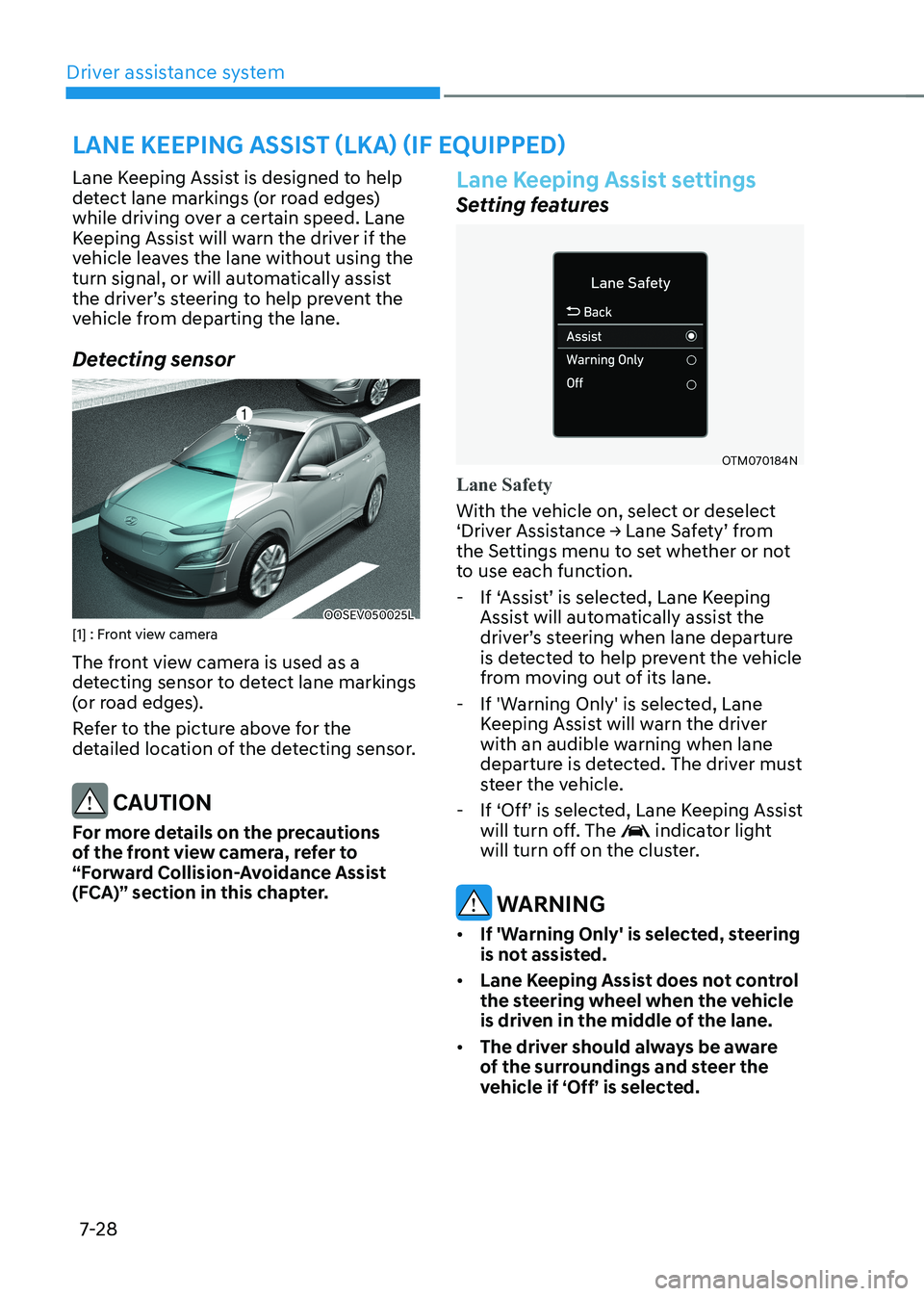
Detecting sensor
OOSEV050025L
[1] : Front view camera
The front view camera is used as a
detecting sensor to detect lane markings
(or road edges).
Refer to the picture above for the
detailed location of the detecting sensor.
CAUTION
For more details on the precautions
of the front view camera, refer to
“Forward Collision-Avoidance Assist
(FCA)” section in this chapter.
Lane Keeping Assist settings
Setting features
OTM070184N
Lane Safety
With the vehicle on, select or deselect
‘Driver Assistance → Lane Safety’ from
the Settings menu to set whether or not
to use each function. - If ‘Assist’ is selected, Lane Keeping
Assist will automatically assist the
driver’s steering when lane departure
is detected to help prevent the vehicle
from moving out of its lane.
- If 'Warning Only' is selected, Lane Keeping Assist will warn the driver
with an audible warning when lane
departure is detected. The driver must
steer the vehicle.
- If ‘Off’ is selected, Lane Keeping Assist
will turn off. The
indicator light
will turn off on the cluster.
warning
• If 'Warning Only' is selected, steering
is not assisted.
• Lane Keeping Assist does not control
the steering wheel when the vehicle
is driven in the middle of the lane.
• The driver should always be aware
of the surroundings and steer the
vehicle if ‘Off’ is selected.
lane Keeping assist (lKa) (iF equipped)
Page 364 of 548
07
7-31
warning
• The steering wheel may not be
assisted if the steering wheel is held
very tight or the steering wheel is
steered over a certain degree.
• Lane Keeping Assist does not operate
at all times. It is the responsibility of
the driver to safely steer the vehicle
and to maintain the vehicle in its lane.
• The hands–off warning message
may appear late depending on road
conditions. Always have your hands
on the steering wheel while driving.
• If the steering wheel is held very
lightly, the hands–off warning
message may appear because Lane
Keeping Assist may not recognize
that the driver has their hands on the
steering wheel.
• If you attach objects to the steering
wheel, the hands-off warning may
not work properly. Information
• For more details on setting the functions in the infotainment system,
refer to “Vehicle Settings” section in
chapter 4.
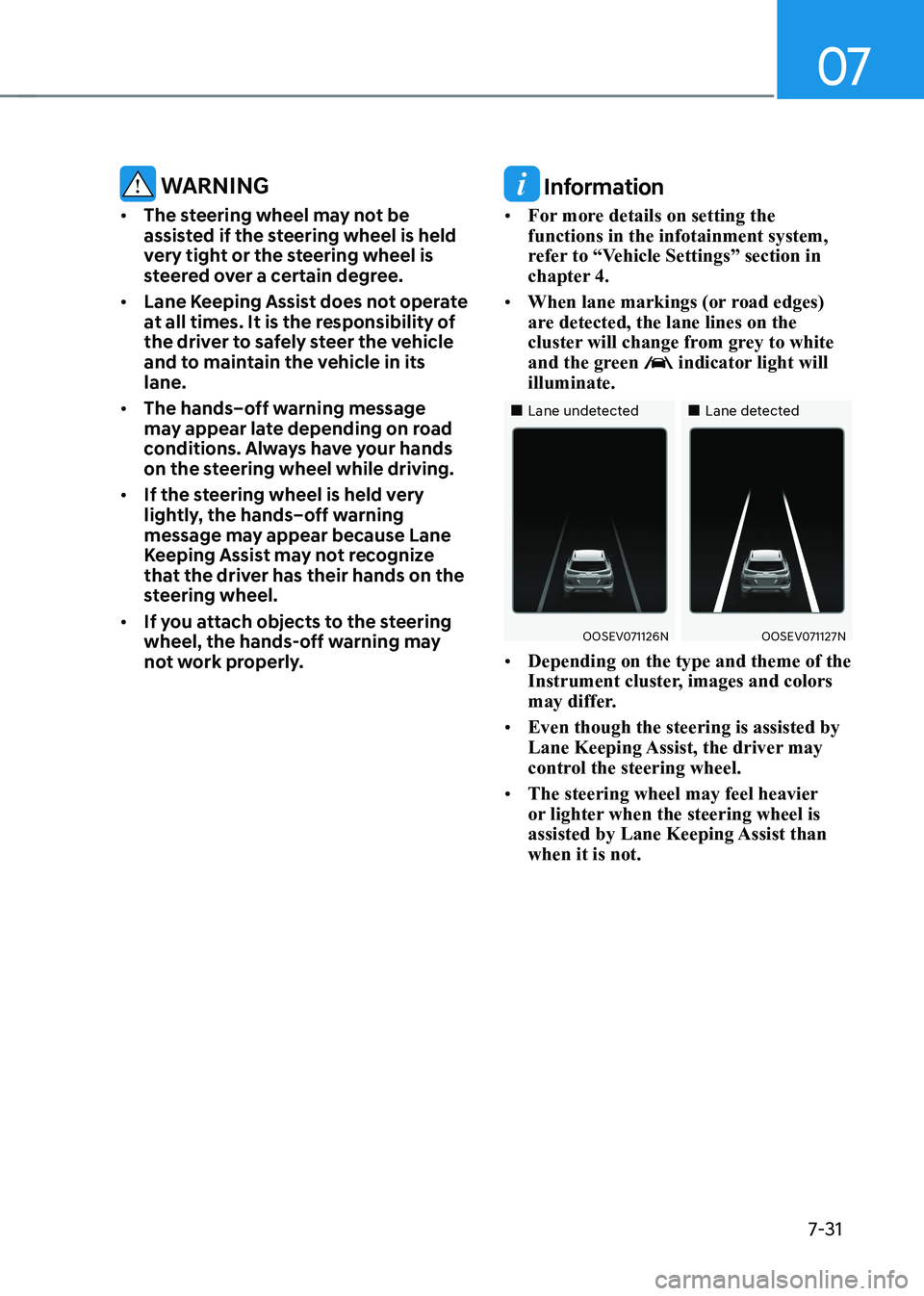
• When lane markings (or road edges)
are detected, the lane lines on the
cluster will change from grey to white
and the green
indicator light will
illuminate.
„„Lane undetected „„Lane detected
OOSEV071126NOOSEV071127N
• Depending on the type and theme of the
Instrument cluster, images and colors
may differ.
• Even though the steering is assisted by
Lane Keeping Assist, the driver may
control the steering wheel.
• The steering wheel may feel heavier
or lighter when the steering wheel is
assisted by Lane Keeping Assist than when it is not.
Page 365 of 548
Driver assistance system
7-32
Lane Keeping Assist malfunction
and limitations
Lane Keeping Assist malfunction
OTM070035N
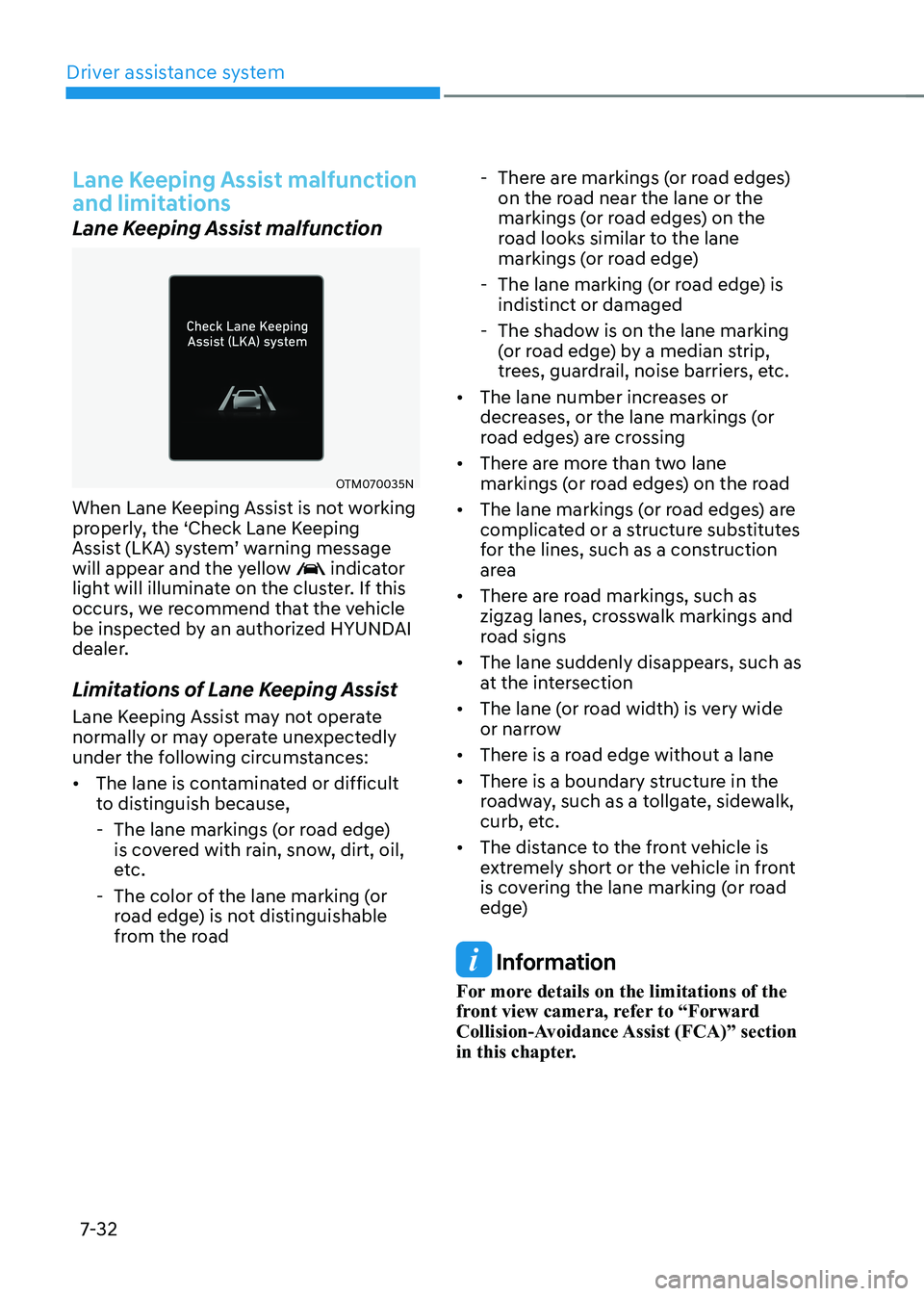
When Lane Keeping Assist is not working
properly, the ‘Check Lane Keeping
Assist (LKA) system’ warning message
will appear and the yellow
indicator
light will illuminate on the cluster. If this
occurs, we recommend that the vehicle
be inspected by an authorized HYUNDAI
dealer.
Limitations of Lane Keeping Assist
Lane Keeping Assist may not operate
normally or may operate unexpectedly
under the following circumstances: • The lane is contaminated or difficult
to distinguish because,
- The lane markings (or road edge) is covered with rain, snow, dirt, oil,
etc.
- The color of the lane marking (or road edge) is not distinguishable
from the road - There are markings (or road edges)
on the road near the lane or the
markings (or road edges) on the
road looks similar to the lane
markings (or road edge)
- The lane marking (or road edge) is indistinct or damaged
- The shadow is on the lane marking (or road edge) by a median strip,
trees, guardrail, noise barriers, etc.
• The lane number increases or
decreases, or the lane markings (or
road edges) are crossing
• There are more than two lane
markings (or road edges) on the road
• The lane markings (or road edges) are
complicated or a structure substitutes
for the lines, such as a construction
area
• There are road markings, such as
zigzag lanes, crosswalk markings and
road signs
• The lane suddenly disappears, such as
at the intersection
• The lane (or road width) is very wide
or narrow
• There is a road edge without a lane
• There is a boundary structure in the
roadway, such as a tollgate, sidewalk,
curb, etc.
• The distance to the front vehicle is
extremely short or the vehicle in front
is covering the lane marking (or road
edge)
Information
For more details on the limitations of the
front view camera, refer to “Forward
Collision-Avoidance Assist (FCA)” section
in this chapter.
Page 369 of 548
Driver assistance system
7-36
CAUTION
Take the following precautions to
maintain optimal performance of the
detecting sensor: • Never disassemble the rear corner
radar or radar assembly, or apply any impact on it.
• If there is impact on the rear corner
radar or near the radar, even though
the warning message does not
appear on the cluster, Blind-spot
Collision-Avoidance Assist may not
operate properly. We recommend
that the vehicle be inspected by an
authorized HYUNDAI dealer.
• If the rear corner radars have been
replaced or repaired, we recommend
that the vehicle be inspected by an
authorized HYUNDAI dealer.
• Use only genuine parts to repair the
rear bumper where the rear corner
radar is located.
• Do not apply license plate frame or
objects, such as a bumper sticker,
film or a bumper guard near the rear
corner radar.
• The function may not work properly
if the bumper has been replaced, or
the surroundings of the rear corner
radar has been damaged or paint has been applied.
• If a trailer, carrier, etc. is installed,
it may adversely affect the
performance of the rear corner radar
or the function may not operate.
For more details on the precautions
of the front view camera, refer to
“Forward Collision-Avoidance Assist
(FCA)” section in this chapter.Blind-spot Collision-avoidance
Assist settings
Setting features
OTM070096N
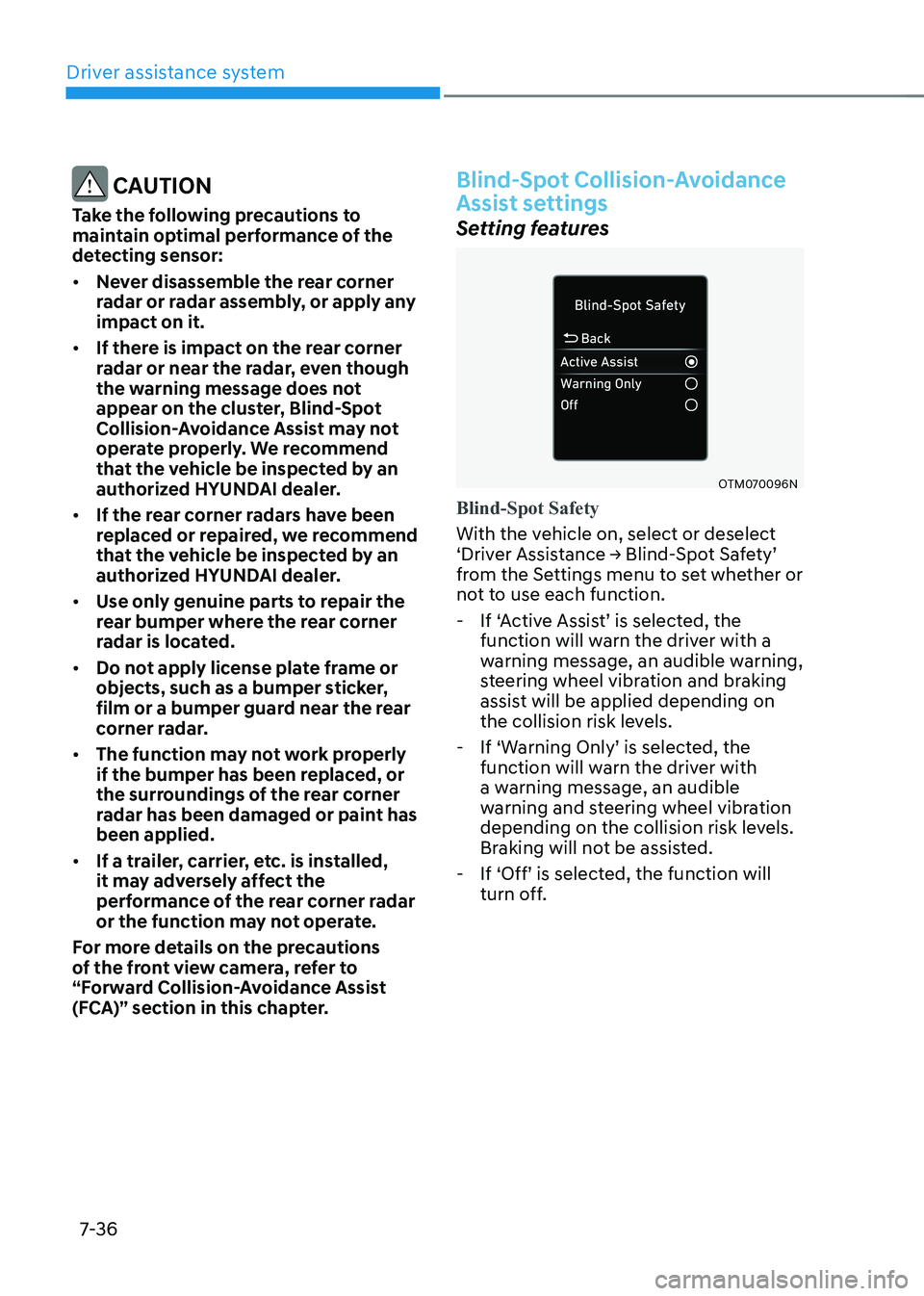
Blind-Spot Safety
With the vehicle on, select or deselect
‘Driver Assistance → Blind-Spot Safety’
from the Settings menu to set whether or
not to use each function. - If ‘Active Assist’ is selected, the
function will warn the driver with a
warning message, an audible warning,
steering wheel vibration and braking
assist will be applied depending on
the collision risk levels.
- If ‘Warning Only’ is selected, the
function will warn the driver with
a warning message, an audible
warning and steering wheel vibration
depending on the collision risk levels.
Braking will not be assisted.
- If ‘Off’ is selected, the function will
turn off.