change time Hyundai Matrix 2005 User Guide
[x] Cancel search | Manufacturer: HYUNDAI, Model Year: 2005, Model line: Matrix, Model: Hyundai Matrix 2005Pages: 407, PDF Size: 10.31 MB
Page 100 of 407
VEHICLE MAINTENANCE REQUIREMENTS 5-1
SF020A1-E
MAINTENANCE AND SERVICING REQUIREMENTS To ensure the continued reliability and safety
of the vehicle, certain routine maintenance operations are required at specific mileage ortime intervals.
It is the responsibility of the vehicle owner to
ensure that the maintenance schedules shownin both this Owners Manual and the Warrantyand Service Passport are adhered to.
The new vehicle warranty may be invalidated
if the routine maintenance operations are notperformed in line with the recommendationsoutlined and the safety and durability of thevehicle adversely affected.
It is recommended that all maintenance op-
erations with the exception of the daily oper-ating checks are entrusted to a Hyundaiauthorised repairer to ensure that the latestrepair and maintenance procedures andspecialised servicing tools are employed. In addition, the use of genuine Hyundai re-
placement parts will ensure that the vehiclesafety and performance will not be compro-mised. NOTE: The inspection and testing of certain elec-
tronic fuel injection/engine management and automatic transmission control sys-tems require specialised electronic equip-ment specifically designed for Hyundaivehicles. The use of general purpose elec-trical test equipment may result in dam-age to the control unit microprocessors.
SF000A1-E
5. VEHICLE
MAINTENANCE REQUIREMENTS
SF020C2-E
Specified Scheduled Procedures The Specified scheduled procedures are listed
in the maintenance charts beginning at page 5-2. The operations specified must be per-formed at the time or mileage intervals shownirrespective of whether the mileage intervalhas been reached before the specified timeinterval.
Certain lubricants and components degrade
with both time and mileage (e.g. engine oil andbrake fluid) and therefore it is not permissableto base the maintenance schedule upon mile-age alone. It is strongly recommended thatthe maintenance operations are performed bythe factory-trained or distributor-trained tech-nicians at your Hyundai authorised repairer because of the need for specialised knowl-edge and tooling and to ensure that no pos-sibility of invalidating the manufacturers war-ranty exists.
The maintenance schedules relate to ve-
hicles operated under normal conditions, ve-hicles which are operated under adverseconditions will require more frequent mainte-nance which is described at page 5-5. NOTE:
Service schedules may change depend-
ing on individual country needs. Please ask your local Hyundai authorised re-pairer for a copy of the service schedulethat relates to that country.
SF030B1-E
SERVICE HISTORY It is important that all scheduled maintenanceservices are recorded in the warranty andservice passport to ensure that proof of main-tenance is available when warranty service isrequired.
5
Page 114 of 407
OWNER MAINTENANCE 6-7
SG040A2-E
ENGINE OIL AND FILTER
REPLACEMENT
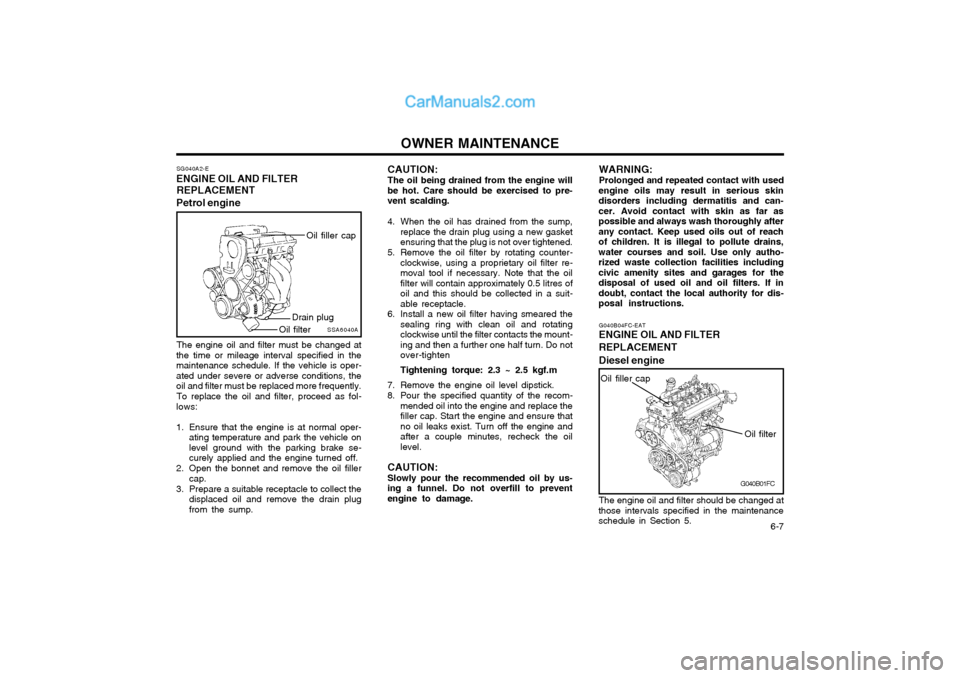
Petrol engine
SSA6040A
Oil filler cap
Drain plug
Oil filter
The engine oil and filter must be changed at
the time or mileage interval specified in the maintenance schedule. If the vehicle is oper-ated under severe or adverse conditions, theoil and filter must be replaced more frequently.
To replace the oil and filter, proceed as fol-
lows:
1. Ensure that the engine is at normal oper- ating temperature and park the vehicle on level ground with the parking brake se-curely applied and the engine turned off.
2. Open the bonnet and remove the oil filler cap.
3. Prepare a suitable receptacle to collect the displaced oil and remove the drain plugfrom the sump. CAUTION: The oil being drained from the engine will
be hot. Care should be exercised to pre- vent scalding.
4. When the oil has drained from the sump, replace the drain plug using a new gasket ensuring that the plug is not over tightened.
5. Remove the oil filter by rotating counter- clockwise, using a proprietary oil filter re-moval tool if necessary. Note that the oilfilter will contain approximately 0.5 litres ofoil and this should be collected in a suit-able receptacle.
6. Install a new oil filter having smeared the sealing ring with clean oil and rotatingclockwise until the filter contacts the mount-ing and then a further one half turn. Do notover-tighten Tightening torque: 2.3 ~ 2.5 kgf.m
7. Remove the engine oil level dipstick.
8. Pour the specified quantity of the recom- mended oil into the engine and replace the filler cap. Start the engine and ensure thatno oil leaks exist. Turn off the engine andafter a couple minutes, recheck the oillevel.
CAUTION: Slowly pour the recommended oil by us-
ing a funnel. Do not overfill to prevent engine to damage. WARNING: Prolonged and repeated contact with used
engine oils may result in serious skin disorders including dermatitis and can-cer. Avoid contact with skin as far aspossible and always wash thoroughly afterany contact. Keep used oils out of reachof children. It is illegal to pollute drains,water courses and soil. Use only autho-rized waste collection facilities includingcivic amenity sites and garages for thedisposal of used oil and oil filters. If indoubt, contact the local authority for dis-posal instructions.
G040B01FC
G040B04FC-EAT
ENGINE OIL AND FILTER REPLACEMENT Diesel engine
Oil filter
Oil filler cap
The engine oil and filter should be changed at
those intervals specified in the maintenance schedule in Section 5.
Page 115 of 407

OWNER MAINTENANCE
6-8 CAUTION: Slowly loosen the oil filter upper cap not to overflow the oil.
4. Remove the engine oil filler cap.
5. Slide underneath the car and loosen the oil pan drain plug by turning it counterclock- wise oil pan with a wrench of the propersize. Be sure that a drain pan is in positionto catch the oil as it drains out, then removethe drain plug.
WARNING: Be very careful when draining the engine oil as it may be hot enough to burn you!
6. When the oil has stopped draining, replace the drain plug using a new gasket andretighten by turning it clockwise. Oil pan drain plug tightening torque : 3.5 ~ 4.5 kgf.m
7. Pull out the oil filter upper cap with element from the oil filter housing.Using a clean cloth, remove any dirt or oil accumulated around the oil filter housing.
8. After mounting a new centrepipe O-ring, new oil filter element and new O-ring toupper cap, install the upper cap to oil filterhousing and retighten by turning it clock-wise. Do not over-tighten. Tightening torque : 2.5 kgf.m CAUTION: Don't use old oil filter upper cap O-ring
and centrepipe O-ring.
9. Refill the crankcase with the recommended engine oil. Refer to the specification in chapter 9 for engine oil capacity.
CAUTION: Slowly pour the recommended oil by us-
ing a funnel. Do not overfill not to damage the engine.
10.Start the engine and check to be sure no oil is leaking from the drain plug or oil filter.
11.Shut off the engine and recheck the oil level.
NOTE:
o It is recommended that the engine oil and filter should be changed by an Hyundai authorised repairer.
o Always dispose of used engine oil in an environmentally acceptable man-ner. It is suggested that it be placed ina sealed container and taken to a ser-vice station for maybe reclaimation.Do not pour the oil on the ground orput it into the household trash.
WARNING: Used motor oil may cause irritation or
cancer of the skin if left in contact with the skin for prolonged periods of time.Wash your hands thoroughly with soapand warm water as soon as possible afterhandling used oil.
Centrepipe O-ring
G040B02FC
O-ring
Oil filter housing
2. Open the bonnet and remove the engine oil level dipstick.
3. Loosen the oil filter upper cap with a proper tool from the oil filter housing until an O-ring is seen. Then, drain the oil completely.
Oil filter element
Upper cap
If the car is being driven in severe conditions,
more frequent oil and filter changes are re-quired.
The procedure for changing the oil and filter
is as follows:
1. Park the car on level ground and set the parking brake. Start the engine and let it warm up until the needle on the coolanttemperature gauge moves above the low-est mark. Turn the engine off and place thegear selector lever in "P" (automatic) orreverse gear (manual transaxle).
Page 124 of 407

OWNER MAINTENANCE 6-17
WARNING: Brake fluid is hygroscopic and should never be stored in an unsealed container.The presence of water in the brakingsystem will cause vapour locks and in-crease the possibility of brake fade alongwith promoting corrosion within the brak-ing system. The brake fluid must bechanged at the specified time or mileageinterval to ensure continued safe opera-tion of the system. Brake fluid will causerapid and serious damage to paintwork. Ifaccidental spillage occurs, the affectedarea must be rinsed with water immedi-ately. Do not allow brake fluid to comeinto contact with the eyes or to be in-gested and ensure that fluid is safelystored away form the reach of children.
G120D02FC
Diesel engineSG130A1-C
CHECKING THE CLUTCH FLUID To Check the Clutch Fluid
SG130B2-E
Adding Fluid
Recommended brake fluid conforming to DOT 3
or DOT 4 should be used. The reservoir cap must be fully tightened to avoid contaminationfrom foreign matter or moisture.
CAUTION: Brake fluid is hygroscopic and should
never be stored in an unsealed container. Do not allow petroleum base fluid tocontaminate the brake fluid since damageto the rubber seals of the system mayresult.
WARNING: Brake fluid will cause rapid and serious
damage to paintwork. If accidental spillage occurs, the affected area must be rinsedwith water immediately. Do not allow brakefluid to come into contact with the eyes or tobe ingested and ensure that fluid is safelystored away form the reach of children.
HFC5005
Petrol engine
The clutch fluid level in the master cylinder
should be checked when performing other un- der bonnet checks. The system should bechecked for leakage at the same time.
G120D02FC
Diesel engine Ensure that the clutch fluid level is always
between the "MAX" and "MIN" level markings on the fluid reservoir. Fill as required. Fluidloss indicates a leak in the clutch systemwhich should be inspected and repaired im-mediately.
Page 153 of 407
OWNER'S MANUAL A030A01FC-GAT Operation MaintenanceSpecifications All information in the Owner's Manual is current at the time of publication. Hyundai reserves the right to make changes at any time as part of our policy of continual product improvement may be carried out. This manual applies to current Hyundai models and explanations of optional as well as standard equipment are included. As a result, you may find material in this manual that does not apply to your specific vehicle. Please note that some models are equipped with Right-Hand Drive (RHD). The explanations and illustrations for some operations in RHD models are opposite of those written in this manual.
HFC2072
Page 212 of 407
1FEATURES OF YOUR HYUNDAI
48WARNING AND INDICATOR LIGHTS
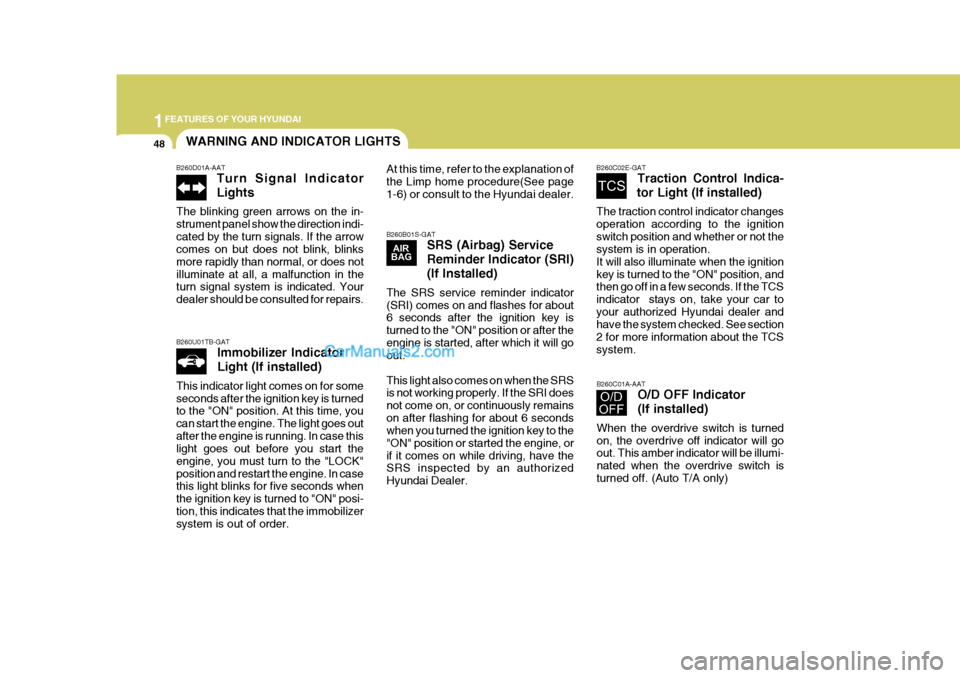
B260D01A-AAT Turn Signal Indicator Lights
The blinking green arrows on the in- strument panel show the direction indi-cated by the turn signals. If the arrow comes on but does not blink, blinks more rapidly than normal, or does notilluminate at all, a malfunction in the turn signal system is indicated. Your dealer should be consulted for repairs.
B260U01TB-GAT Immobilizer Indicator Light (If installed)
This indicator light comes on for some seconds after the ignition key is turned to the "ON" position. At this time, you can start the engine. The light goes outafter the engine is running. In case this light goes out before you start the engine, you must turn to the "LOCK"position and restart the engine. In case this light blinks for five seconds when the ignition key is turned to "ON" posi-tion, this indicates that the immobilizer system is out of order.
B260B01S-GAT SRS (Airbag) Service Reminder Indicator (SRI)(If Installed)
The SRS service reminder indicator (SRI) comes on and flashes for about 6 seconds after the ignition key is turned to the "ON" position or after theengine is started, after which it will go out. This light also comes on when the SRS is not working properly. If the SRI does not come on, or continuously remainson after flashing for about 6 seconds when you turned the ignition key to the "ON" position or started the engine, orif it comes on while driving, have the SRS inspected by an authorized Hyundai Dealer. B260C02E-GAT
Traction Control Indica-
tor Light (If installed)
The traction control indicator changesoperation according to the ignitionswitch position and whether or not the system is in operation. It will also illuminate when the ignitionkey is turned to the "ON" position, and then go off in a few seconds. If the TCS indicator stays on, take your car toyour authorized Hyundai dealer and have the system checked. See section 2 for more information about the TCSsystem.
At this time, refer to the explanation of the Limp home procedure(See page1-6) or consult to the Hyundai dealer.
B260C01A-AATO/D OFF Indicator (If installed)
When the overdrive switch is turned on, the overdrive off indicator will go out. This amber indicator will be illumi- nated when the overdrive switch isturned off. (Auto T/A only)
Page 220 of 407
1FEATURES OF YOUR HYUNDAI
56TRIP COMPUTER
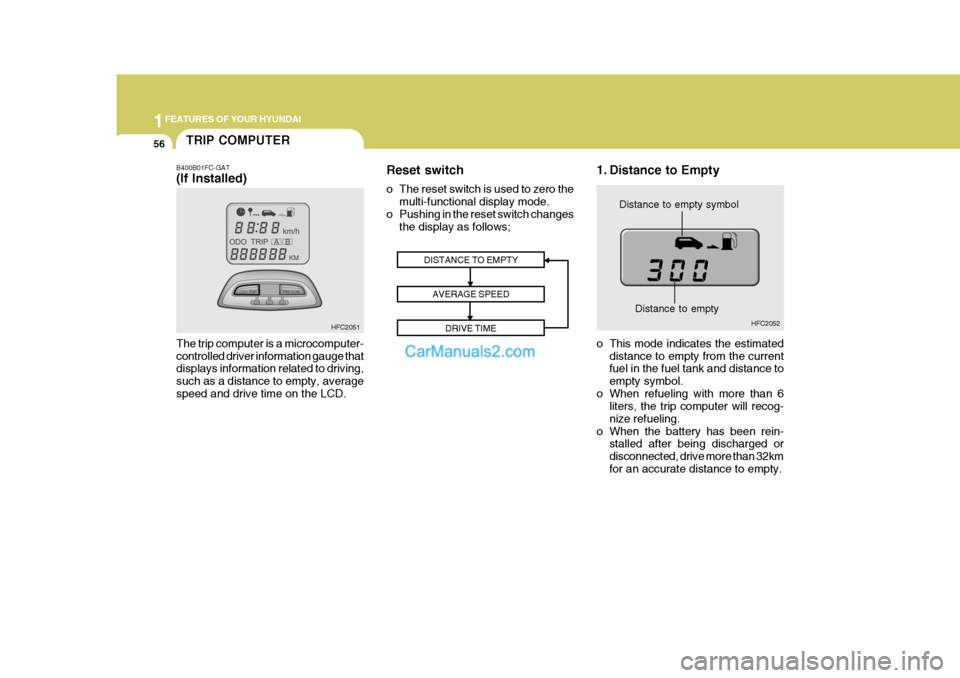
B400B01FC-GAT (If Installed) The trip computer is a microcomputer- controlled driver information gauge that displays information related to driving, such as a distance to empty, averagespeed and drive time on the LCD. 1. Distance to Empty
Distance to empty symbol
DISTANCE TO EMPTY AVERAGE SPEED DRIVE TIME
HFC2051 HFC2052
Distance to empty
o This mode indicates the estimated distance to empty from the current fuel in the fuel tank and distance to empty symbol.
o When refueling with more than 6 liters, the trip computer will recog-nize refueling.
o When the battery has been rein- stalled after being discharged ordisconnected, drive more than 32kmfor an accurate distance to empty.
Reset switch
o The reset switch is used to zero the
multi-functional display mode.
o Pushing in the reset switch changes the display as follows;
Page 222 of 407
1FEATURES OF YOUR HYUNDAI
58
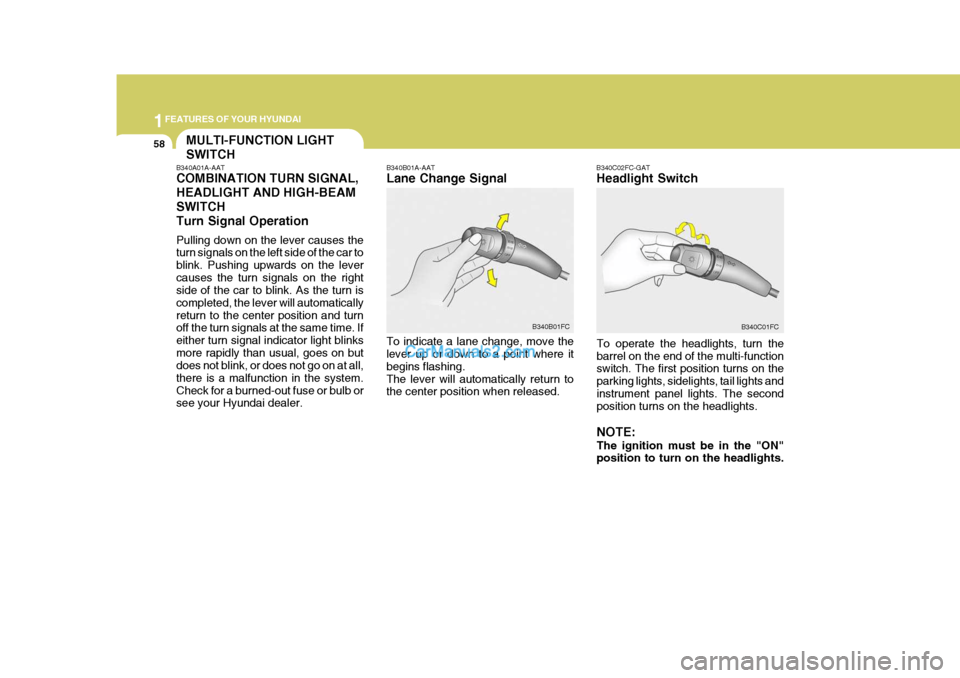
B340C02FC-GAT Headlight Switch
To operate the headlights, turn the barrel on the end of the multi-function switch. The first position turns on the parking lights, sidelights, tail lights andinstrument panel lights. The second position turns on the headlights. NOTE: The ignition must be in the "ON" position to turn on the headlights.
B340B01A-AAT Lane Change Signal To indicate a lane change, move the lever up or down to a point where it begins flashing.The lever will automatically return to the center position when released.
B340B01FC
B340C01FC
MULTI-FUNCTION LIGHT SWITCH
B340A01A-AAT COMBINATION TURN SIGNAL, HEADLIGHT AND HIGH-BEAMSWITCHTurn Signal Operation Pulling down on the lever causes the turn signals on the left side of the car to blink. Pushing upwards on the levercauses the turn signals on the right side of the car to blink. As the turn is completed, the lever will automaticallyreturn to the center position and turn off the turn signals at the same time. If either turn signal indicator light blinksmore rapidly than usual, goes on but does not blink, or does not go on at all, there is a malfunction in the system.Check for a burned-out fuse or bulb or see your Hyundai dealer.
Page 228 of 407
1FEATURES OF YOUR HYUNDAI
64CIGARETTE LIGHTER
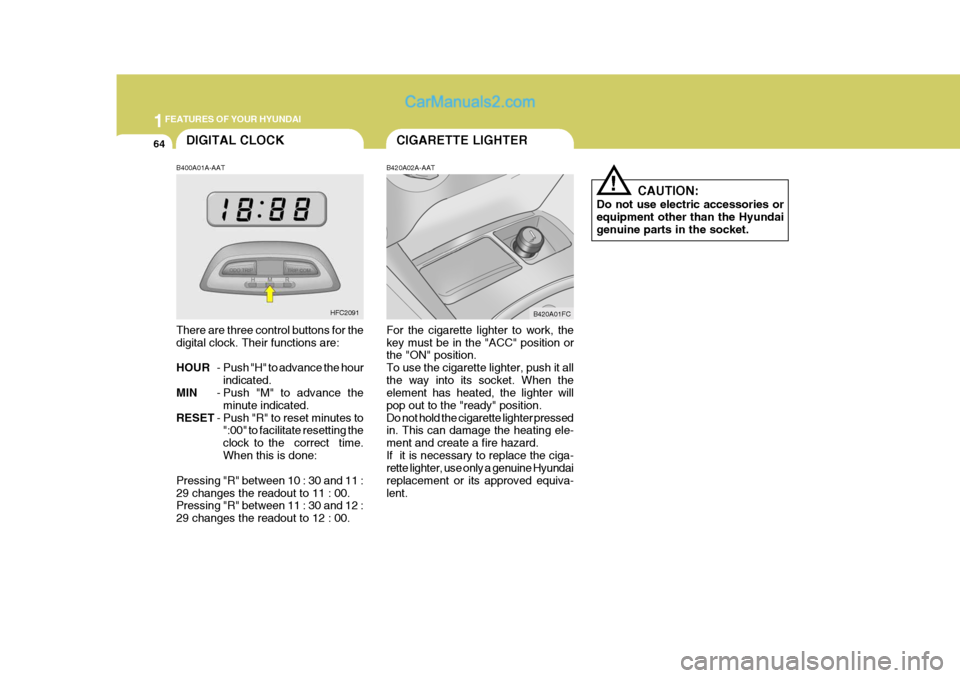
B420A02A-AAT For the cigarette lighter to work, the key must be in the "ACC" position or the "ON" position. To use the cigarette lighter, push it allthe way into its socket. When the element has heated, the lighter will pop out to the "ready" position.Do not hold the cigarette lighter pressed in. This can damage the heating ele- ment and create a fire hazard.If it is necessary to replace the ciga- rette lighter, use only a genuine Hyundai replacement or its approved equiva-lent. B420A01FC
CAUTION:
Do not use electric accessories orequipment other than the Hyundai genuine parts in the socket.
!
B400A01A-AAT
There are three control buttons for the digital clock. Their functions are: HOUR - Push "H" to advance the hour
indicated.
MIN - Push "M" to advance the
minute indicated.
RESET - Push "R" to reset minutes to
":00" to facilitate resetting the clock to the correct time.When this is done:
Pressing "R" between 10 : 30 and 11 :29 changes the readout to 11 : 00. Pressing "R" between 11 : 30 and 12 : 29 changes the readout to 12 : 00. DIGITAL CLOCK
HFC2091
Page 272 of 407

1FEATURES OF YOUR HYUNDAI
108
B260F03FC-GAT The CD auto changer is located under the front passenger seat.
o To use the CD auto changer.
1. Open the sliding lid of the CD auto changer.
2. To eject the compact disc maga-
zine, press the EJECT button lo- cated inside the CD auto changer.
3. Insert the discs into the maga-
zine.
4. Push the magazine into the CD
auto changer and close the sliding lid.
o The CD auto changer can be used when the ignition switch is in either the "ON" or "ACC" position.
1. CD Select Button When the CD changer magazine con- tains discs, press the CD button and the CD changer can be used even if theradio is being used. The Hyundai CD changer can hold up to eight discs. The disc number will be lit, and the tracknumber, and elapsed time will be dis- played. 2. DISC Select Button To select the CD you want, push to change the disc number. 3. TRACK UP/DOWN
o The desired track on the disc cur-
rently being played can be selected using the track number.
o Press once to skip forward to
the beginning of the next track.Press once to skip back to the beginning of the track.
4. FF/REW ( / ) If you want to fast forward or reverse through the compact disc track, pushand hold in the FF ( ) or REW ( ) button. When you release the button, the com-pact disc player will resume playing. 5. REPEAT
o To repeat the track you are currently
listening to, press the RPT button. To cancel , press again.
o If you do not release RPT operation
when the track ends, it will automati-cally be replayed. This process will be continued until you push the button again.
6. SCAN Button
o Press the SCAN button to playback the first 10 seconds of each track.
o Press the SCAN button again within
10 sec. for the desired track.
NOTE:
o When replacing the fuse, replace it with a fuse having the correct capacity.
o This equipment is designed to be
used only in a 12 volt DC batterysystem with negative ground.
o This unit is made of precision
parts. Do not attempt to disas-semble or adjust any parts.
TUNEDISC