display HYUNDAI PALISADE 2022 Owners Manual
[x] Cancel search | Manufacturer: HYUNDAI, Model Year: 2022, Model line: PALISADE, Model: HYUNDAI PALISADE 2022Pages: 663, PDF Size: 15.74 MB
Page 458 of 663
5-124
Driving your vehicle
Take the following precautions
when using Rear Cross-Traffic
Collision-Avoidance Assist:
For your safety, change the
Settings after parking the
vehicle at a safe location.
If any other system’s warning
message is displayed or audi-
ble warning is generated,
Rear Cross-Traffic Collision-
Avoidance Assist’s warning
message may not be dis-
played and audible warning
may not be generated.
You may not hear the warning
sound of Rear Cross-Traffic
Collision-Avoidance Assist if
the surrounding is noisy.
Rear Cross-Traffic Collision-
Avoidance Assist may not
operate if the driver applies
the brake pedal to avoid colli-
sion.
During Rear Cross-Traffic
Collision-Avoidance Assist
operation, the vehicle may
stop suddenly injuring pas-
sengers and shifting loose
objects. Always have the seat
belt on and keep loose
objects secured.
Even if there is a problem with
Rear Cross-Traffic Collision-
Avoidance Assist, the vehi-
cle’s basic braking perform-
ance will operate normally.
Rear Cross-Traffic Collision-
Avoidance Assist does not
operate in all situations or
cannot avoid all collisions.
During emergency braking,
braking control by the system
will automatically cancel
when the driver excessively
depresses the accelerator
pedal.The driver should hold the
responsibility to control the
vehicle. Do not solely depend
on Rear Cross-Traffic
Collision-Avoidance Assist.
Rather, maintain a safe brak-
ing distance, and if necessary,
depress the brake pedal to
reduce driving speed or to
stop the vehicle.
Never deliberately operate
Rear Cross-Traffic Collision-
Avoidance Assist on people,
animal, objects, etc. It may
cause serious injury or death.WARNING
Page 465 of 663
5-131
Driving your vehicle
5
Lane Following Assist is designed to
help detect lane markings and/or
vehicles on the road, and assists the
driver’s steering to help keep the
vehicle between lanes.Detecting sensor
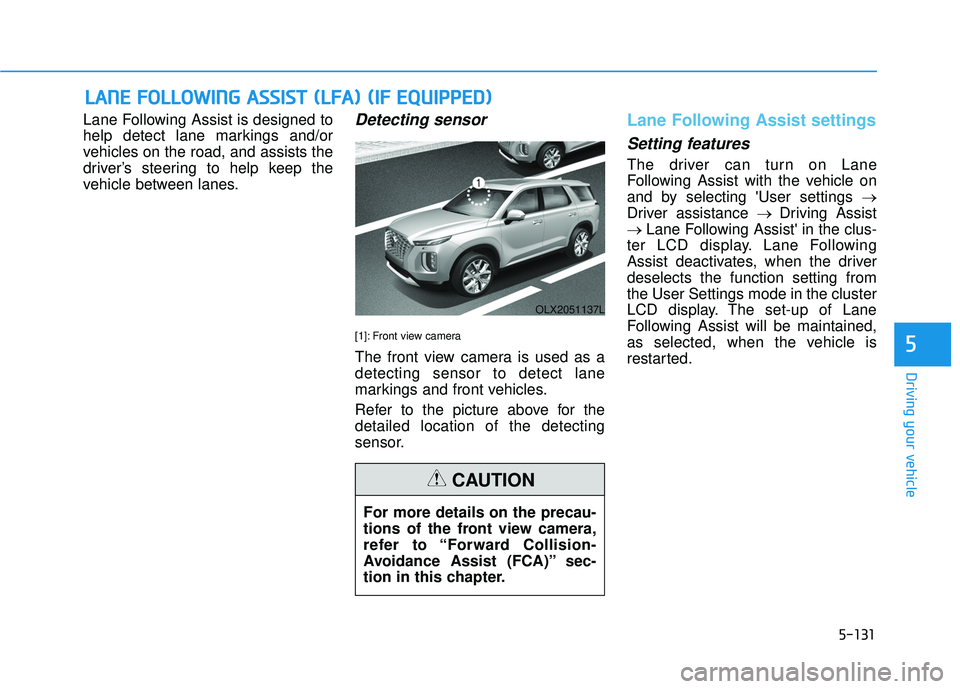
[1]: Front view camera
The front view camera is used as a
detecting sensor to detect lane
markings and front vehicles.
Refer to the picture above for the
detailed location of the detecting
sensor.
Lane Following Assist settings
Setting features
The driver can turn on Lane
Following Assist with the vehicle on
and by selecting 'User settings →
Driver assistance → Driving Assist
→ Lane Following Assist' in the clus-
ter LCD display. Lane Following
Assist deactivates, when the driver
deselects the function setting from
the User Settings mode in the cluster
LCD display. The set-up of Lane
Following Assist will be maintained,
as selected, when the vehicle is
restarted.
L L A A N N E E F F O O L LL LO O W W I IN N G G A A S SS SI IS S T T ( ( L L F F A A ) ) ( ( I IF F E E Q Q U UI IP P P PE ED D ) )
OLX2051137L
For more details on the precau-
tions of the front view camera,
refer to “Forward Collision-
Avoidance Assist (FCA)” sec-
tion in this chapter.
CAUTION
5
Page 471 of 663
5-137
Driving your vehicle
5
Driver Attention Warning set-
tings
Setting features
To turn ON the Driver AttentionWarning (DAW) system, turn on
the engine, and then select "User
Settings → Driver Assistance →
Driver Attention Warning" on the
LCD display. If you deselect "User
Settings → Driver Assistance →
Driver Attention Warning" on LCD
display, Driver Attention Warning
turns off.
The set-up of the Driver Attention Warning will be maintained, as
selected, when theengine is re-
started.
Leading Vehicle Departure Alert
With the engine ON, the Leading
Vehicle Departure Alert system turn-
son and gets ready to be activated-
when the 'User Settings → Driver
Assistance → Driving Convenience
→ Leading vehicle departure alert'
isselected on the cluster. The func-
tion stops operation when the setting
is deactivated. However, if the engine
isturned off then on again, the func-
tion maintains the previous state.
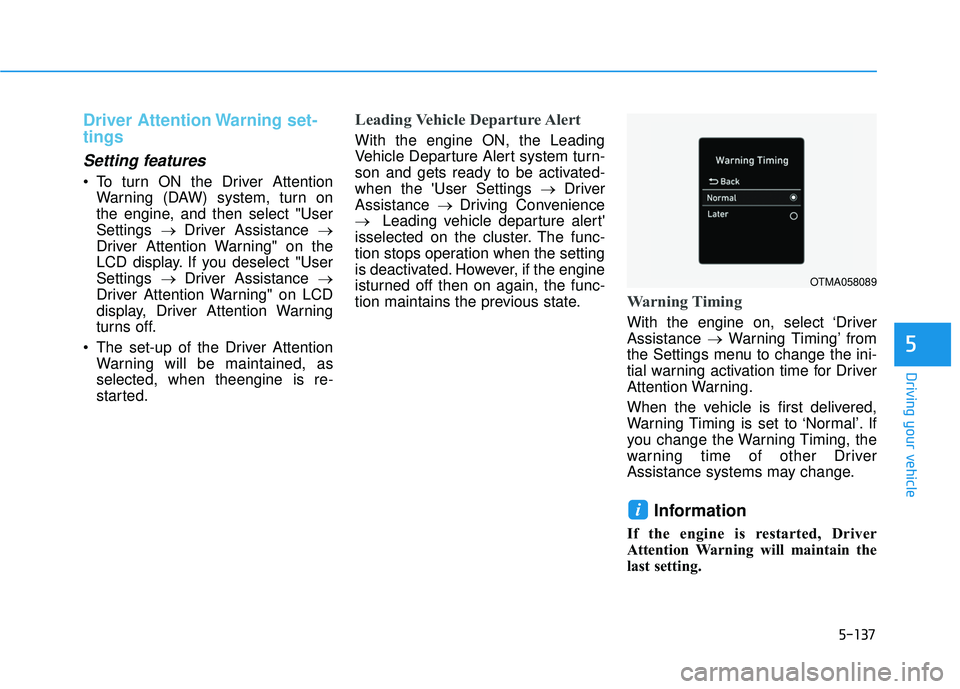
Warning Timing
With the engine on, select ‘Driver
Assistance →Warning Timing’ from
the Settings menu to change the ini-
tial warning activation time for Driver
Attention Warning.
When the vehicle is first delivered,
Warning Timing is set to ‘Normal’. If
you change the Warning Timing, the
warning time of other Driver
Assistance systems may change.
Information
If the engine is restarted, Driver
Attention Warning will maintain the
last setting.
i
OTMA058089
Page 472 of 663
5-138
Driving your vehicle
Driver Attention Warning oper-
ation
Basic function
Display and warning
The basic function of Driver Attention
Warning is to inform the driver the
‘Attention Level’ and to warn the driv-
er ‘Consider taking a break’.Attention level
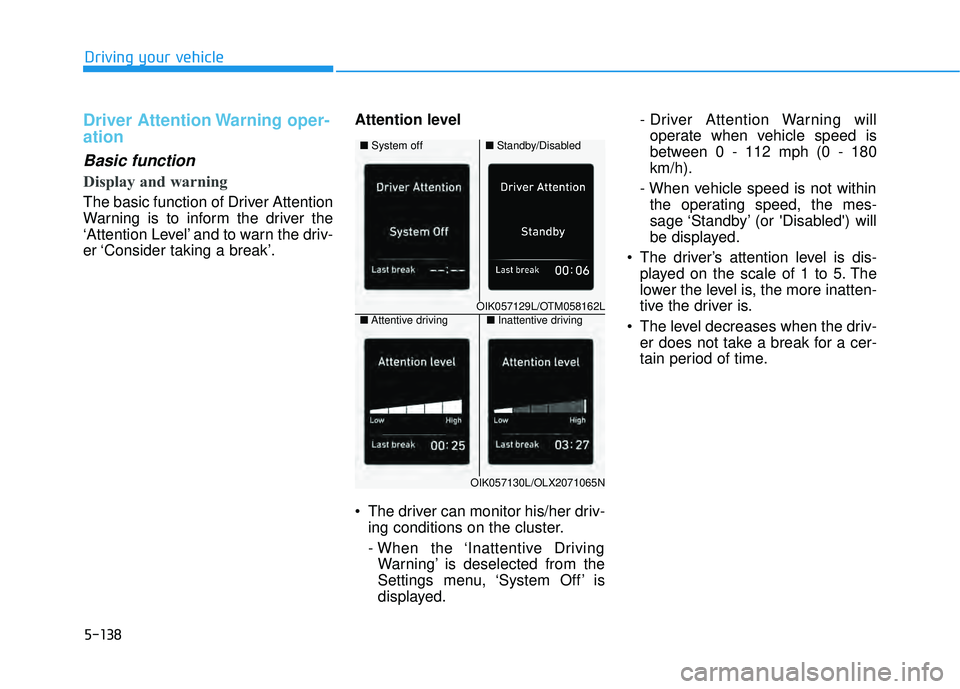
The driver can monitor his/her driv-
ing conditions on the cluster.
- When the ‘Inattentive DrivingWarning’ is deselected from the
Settings menu, ‘System Off’ is
displayed. - Driver Attention Warning will
operate when vehicle speed is
between 0 - 112 mph (0 - 180
km/h).
- When vehicle speed is not within the operating speed, the mes-
sage ‘Standby’ (or 'Disabled') will
be displayed.
The driver’s attention level is dis- played on the scale of 1 to 5. The
lower the level is, the more inatten-
tive the driver is.
The level decreases when the driv- er does not take a break for a cer-
tain period of time.
OIK057129L/OTM058162L
■ Standby/Disabled
■
System off
OIK057130L/OLX2071065N
■Inattentive driving
■ Attentive driving
Page 474 of 663
5-140
Driving your vehicle
Leading vehicle departure alertfunction
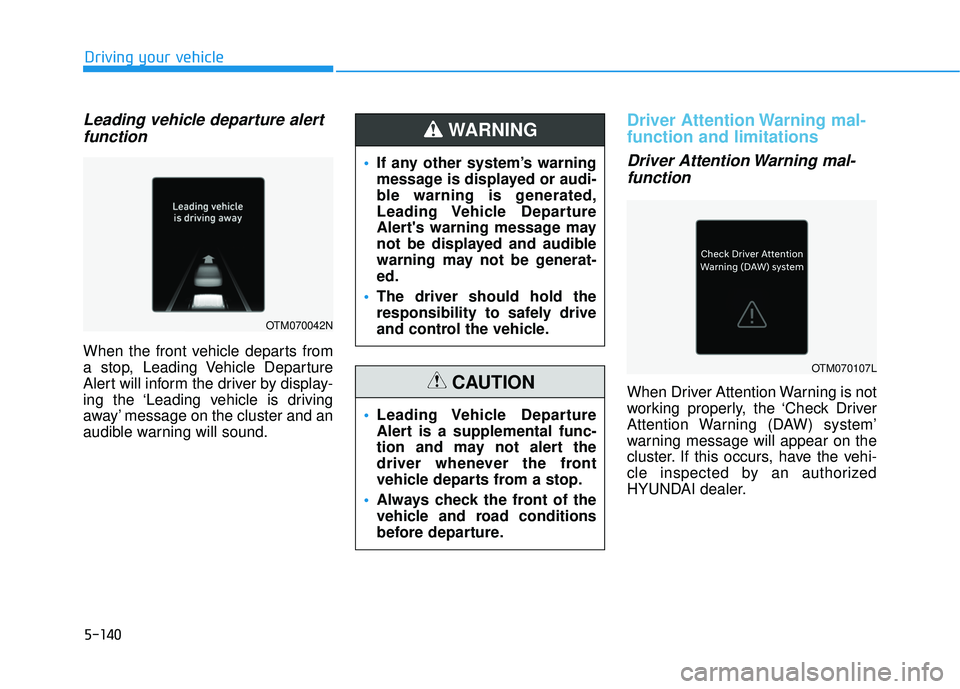
When the front vehicle departs from
a stop, Leading Vehicle Departure
Alert will inform the driver by display-
ing the ‘Leading vehicle is driving
away’ message on the cluster and an
audible warning will sound.
Driver Attention Warning mal-
function and limitations
Driver Attention Warning mal-function
When Driver Attention Warning is not
working properly, the ‘Check Driver
Attention Warning (DAW) system’
warning message will appear on the
cluster. If this occurs, have the vehi-
cle inspected by an authorized
HYUNDAI dealer.
If any other system’s warning
message is displayed or audi-
ble warning is generated,
Leading Vehicle Departure
Alert's warning message may
not be displayed and audible
warning may not be generat-
ed.
The driver should hold the
responsibility to safely drive
and control the vehicle.
WARNING
Leading Vehicle Departure
Alert is a supplemental func-
tion and may not alert the
driver whenever the front
vehicle departs from a stop.
Always check the front of the
vehicle and road conditions
before departure.
CAUTION
OTM070042N
OTM070107L
Page 479 of 663
5-145
Driving your vehicle
Warning Volume
With the engine on, select ‘Driver
Assistance →Warning Volume’ from
the Settings menu to change the
Warning Volume to ‘High’, ‘Medium’
or ‘Low’ for Highway Driving Assist.
If you change the Warning Volume,
the Warning Volume of other Driver
Assistance systems may change.
Highway Driving Assist
Operation
Highway Driving Assist display and
control
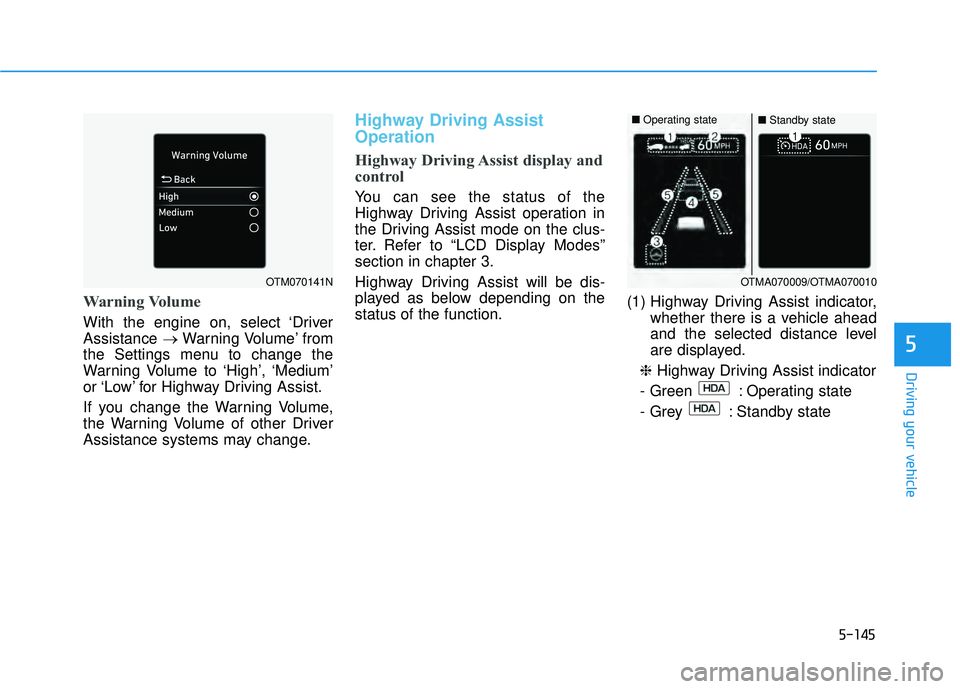
You can see the status of the
Highway Driving Assist operation in
the Driving Assist mode on the clus-
ter. Refer to “LCD Display Modes”
section in chapter 3.
Highway Driving Assist will be dis-
played as below depending on the
status of the function. (1) Highway Driving Assist indicator,
whether there is a vehicle ahead
and the selected distance level
are displayed.
❈ Highway Driving Assist indicator
- Green : Operating state
- Grey : Standby state
5
OTM070141NOTMA070009/OTMA070010
■ Operating state■Standby state
Page 480 of 663
5-146
(2) Set speed is displayed.
(3) Lane Following Assist indicatordisplayed.
(4) Whether there is a vehicle ahead and the selected vehicle distance
are displayed.
(5) Whether the lane is detected or not is displayed.
For more details on the display
refer to “Smart Cruise Control
(SCC)” and “Lane Following
Assist (LFA)” sections in chapter
5. Highway Driving Assist operating
Highway Driving Assist will operate
when entering or driving on the main
road of highways (or motorways),
and satisfying all the following condi-
tions:
- Lane Following Assist is operating
- Smart Cruise Control is operating
Information
• While driving on the highway (or
motorway), if Smart Cruise Control
starts operating, Highway Driving
Assist will operate.
• When entering the main roads of highways (or motorways), Highway
Driving Assist will not turn on if the
Lane Following Assist is turned off
even when Smart Cruise Control is
operating. Restarting after stopping
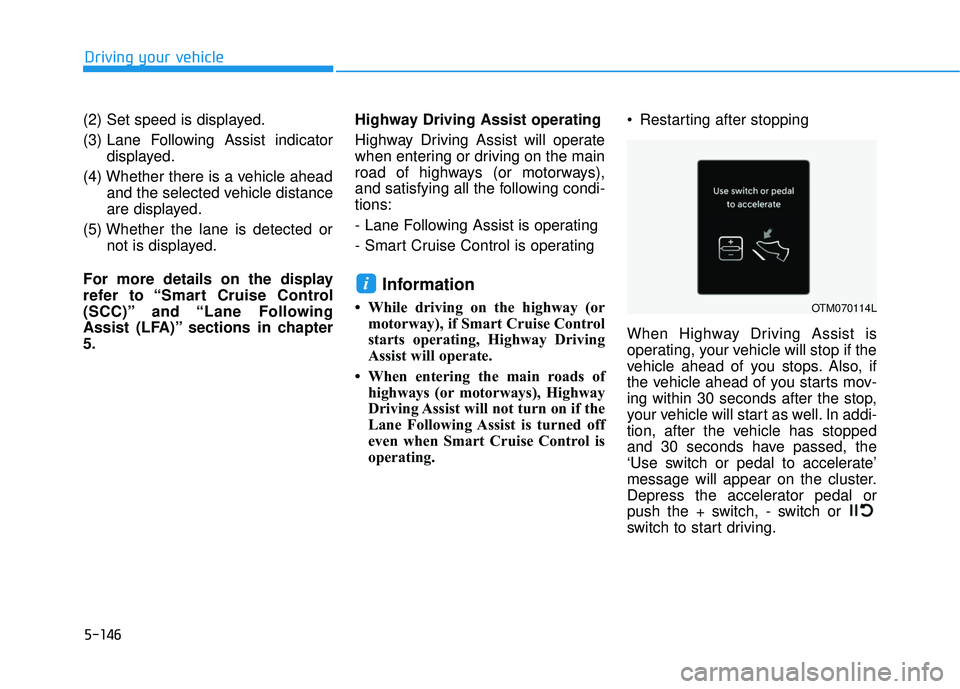
When Highway Driving Assist is
operating, your vehicle will stop if the
vehicle ahead of you stops. Also, if
the vehicle ahead of you starts mov-
ing within 30 seconds after the stop,
your vehicle will start as well. In addi-
tion, after the vehicle has stopped
and 30 seconds have passed, the
‘Use switch or pedal to accelerate’
message will appear on the cluster.
Depress the accelerator pedal or
push the + switch, - switch or
switch to start driving.
i
Driving your vehicle
OTM070114L
Page 486 of 663
5-152
Driving your vehicle
Smart Cruise Control settings
Setting features
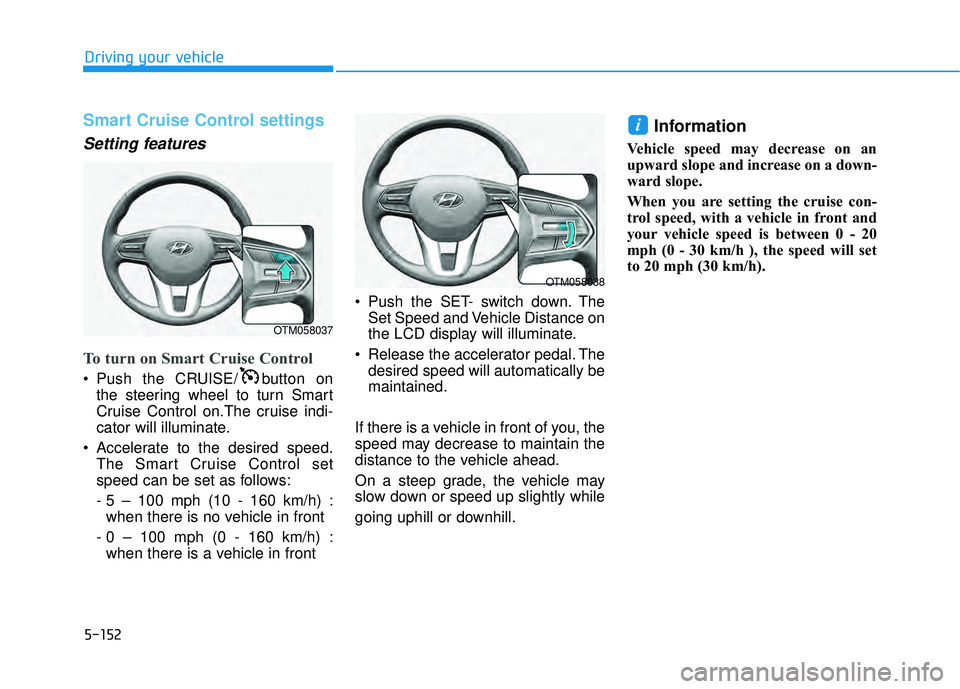
To turn on Smart Cruise Control
Push the CRUISE/ button onthe steering wheel to turn Smart
Cruise Control on.The cruise indi-
cator will illuminate.
Accelerate to the desired speed. The Smart Cruise Control set
speed can be set as follows:
- 5 – 100 mph (10 - 160 km/h) :when there is no vehicle in front
- 0 – 100 mph (0 - 160 km/h) : when there is a vehicle in front Push the SET- switch down. The
Set Speed and Vehicle Distance on
the LCD display will illuminate.
Release the accelerator pedal. The desired speed will automatically be
maintained.
If there is a vehicle in front of you, the
speed may decrease to maintain the
distance to the vehicle ahead.
On a steep grade, the vehicle may
slow down or speed up slightly while
going uphill or downhill.
Information
Vehicle speed may decrease on an
upward slope and increase on a down-
ward slope.
When you are setting the cruise con-
trol speed, with a vehicle in front and
your vehicle speed is between 0 - 20
mph (0 - 30 km/h ), the speed will set
to 20 mph (30 km/h).
i
OTM058037
OTM058038
Page 491 of 663
5-157
Driving your vehicle
5
Overtaking Acceleration Assist
Overtaking Acceleration Assist will
operate when the turn signal indica-
tor is turned on to the left (left-hand
drive) or turned on to the right (right-
hand drive) while Smart Cruise
Control is operating, and the follow-
ing conditions are satisfied:
Your vehicle speed is above 40mph (60 km/h)
The hazard warning flasher is off
A vehicle is detected in front of your vehicle
Deceleration is not needed to maintain distance with the vehicle
in front
Smart Cruise Control display
and control
Basic function
You can see the status of the Smart
Cruise Control operation in the
Driving Assist view on the cluster.
Refer to “LCD Display Modes” sec-
tion in chapter 4.
Smart Cruise Control will be dis-
played as below depending on the
status of the function.
When the turn signal indicator
is turned on to the left (left-
hand drive) or turned on to
the right (right-hand drive)
while there is a vehicle ahead,
the vehicle may accelerate
temporarily. Pay attention to
the road conditions at all
times.
Regardless of your countries
driving direction, Overtaking
Acceleration Assist will oper-
ate when the conditions are
satisfied. When using the
function in countries with dif-
ferent driving direction,
always check the road condi-
tions at all times.
WARNING
Page 492 of 663
5-158
Driving your vehicle
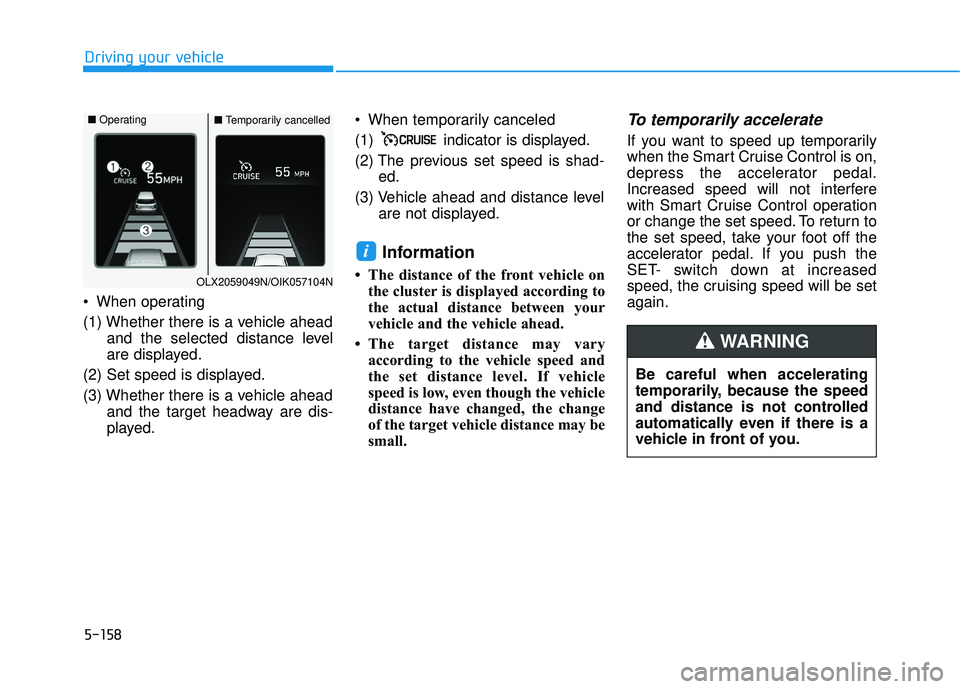
When operating
(1) Whether there is a vehicle ahead and the selected distance level
are displayed.
(2) Set speed is displayed.
(3) Whether there is a vehicle ahead and the target headway are dis-
played. When temporarily canceled
(1) indicator is displayed.
(2) The previous set speed is shad-
ed.
(3) Vehicle ahead and distance level are not displayed.
Information
• The distance of the front vehicle onthe cluster is displayed according to
the actual distance between your
vehicle and the vehicle ahead.
• The target distance may vary according to the vehicle speed and
the set distance level. If vehicle
speed is low, even though the vehicle
distance have changed, the change
of the target vehicle distance may be
small.
To temporarily accelerate
If you want to speed up temporarily
when the Smart Cruise Control is on,
depress the accelerator pedal.
Increased speed will not interfere
with Smart Cruise Control operation
or change the set speed. To return to
the set speed, take your foot off the
accelerator pedal. If you push the
SET- switch down at increased
speed, the cruising speed will be set
again.
i
Be careful when accelerating
temporarily, because the speed
and distance is not controlled
automatically even if there is a
vehicle in front of you.
WARNING
OLX2059049N/OIK057104N
■ Operating■Temporarily cancelled