sel HYUNDAI PALISADE 2022 Owners Manual
[x] Cancel search | Manufacturer: HYUNDAI, Model Year: 2022, Model line: PALISADE, Model: HYUNDAI PALISADE 2022Pages: 663, PDF Size: 15.74 MB
Page 471 of 663
5-137
Driving your vehicle
5
Driver Attention Warning set-
tings
Setting features
To turn ON the Driver AttentionWarning (DAW) system, turn on
the engine, and then select "User
Settings → Driver Assistance →
Driver Attention Warning" on the
LCD display. If you deselect "User
Settings → Driver Assistance →
Driver Attention Warning" on LCD
display, Driver Attention Warning
turns off.
The set-up of the Driver Attention Warning will be maintained, as
selected, when theengine is re-
started.
Leading Vehicle Departure Alert
With the engine ON, the Leading
Vehicle Departure Alert system turn-
son and gets ready to be activated-
when the 'User Settings → Driver
Assistance → Driving Convenience
→ Leading vehicle departure alert'
isselected on the cluster. The func-
tion stops operation when the setting
is deactivated. However, if the engine
isturned off then on again, the func-
tion maintains the previous state.
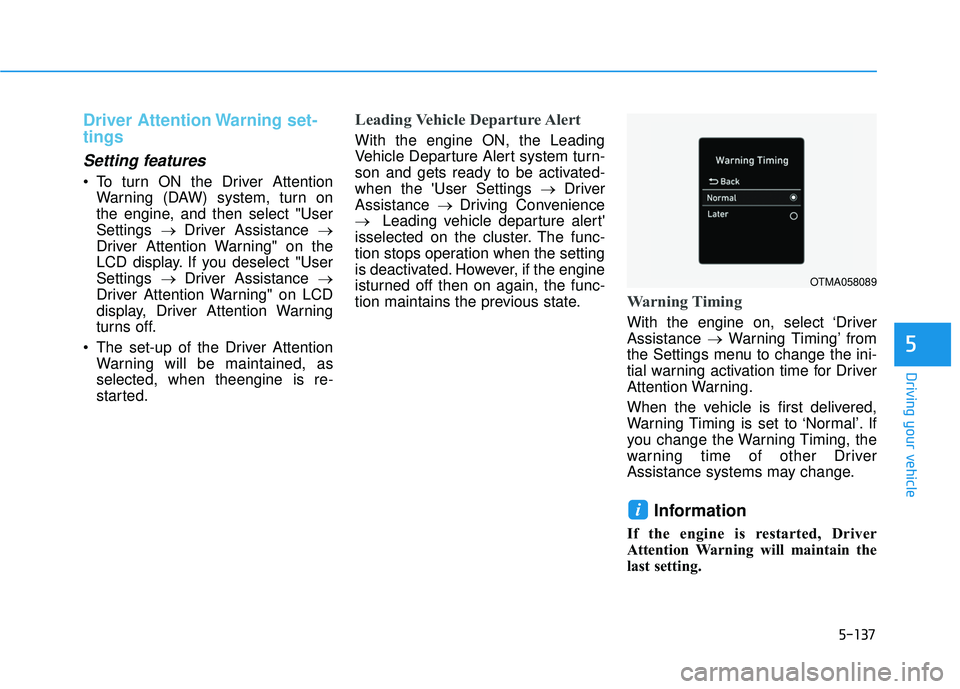
Warning Timing
With the engine on, select ‘Driver
Assistance →Warning Timing’ from
the Settings menu to change the ini-
tial warning activation time for Driver
Attention Warning.
When the vehicle is first delivered,
Warning Timing is set to ‘Normal’. If
you change the Warning Timing, the
warning time of other Driver
Assistance systems may change.
Information
If the engine is restarted, Driver
Attention Warning will maintain the
last setting.
i
OTMA058089
Page 472 of 663
5-138
Driving your vehicle
Driver Attention Warning oper-
ation
Basic function
Display and warning
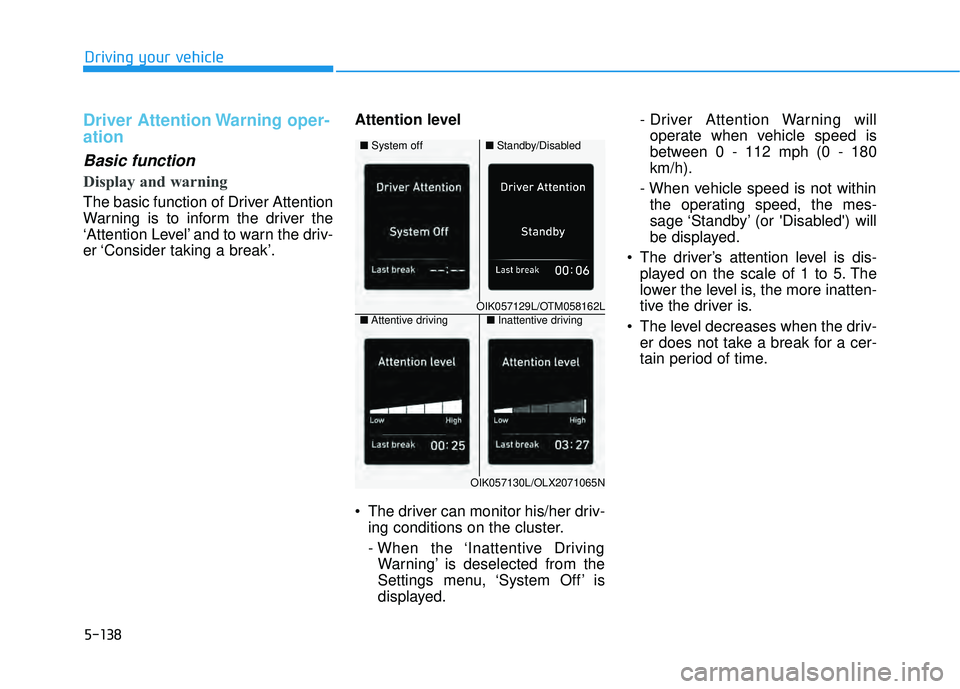
The basic function of Driver Attention
Warning is to inform the driver the
‘Attention Level’ and to warn the driv-
er ‘Consider taking a break’.Attention level
The driver can monitor his/her driv-
ing conditions on the cluster.
- When the ‘Inattentive DrivingWarning’ is deselected from the
Settings menu, ‘System Off’ is
displayed. - Driver Attention Warning will
operate when vehicle speed is
between 0 - 112 mph (0 - 180
km/h).
- When vehicle speed is not within the operating speed, the mes-
sage ‘Standby’ (or 'Disabled') will
be displayed.
The driver’s attention level is dis- played on the scale of 1 to 5. The
lower the level is, the more inatten-
tive the driver is.
The level decreases when the driv- er does not take a break for a cer-
tain period of time.
OIK057129L/OTM058162L
■ Standby/Disabled
■
System off
OIK057130L/OLX2071065N
■Inattentive driving
■ Attentive driving
Page 478 of 663
5-144
Highway Driving Assist
Settings
Setting features
Highway Driving Assist
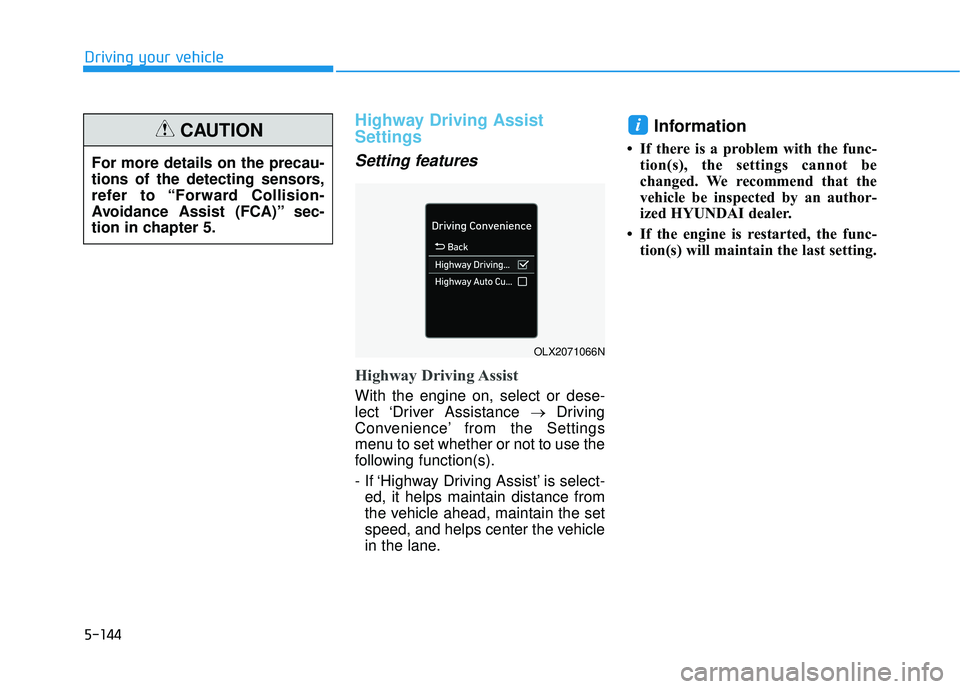
With the engine on, select or dese-
lect ‘Driver Assistance →Driving
Convenience’ from the Settings
menu to set whether or not to use the
following function(s).
- If ‘Highway Driving Assist’ is select- ed, it helps maintain distance from
the vehicle ahead, maintain the set
speed, and helps center the vehicle
in the lane.
Information
• If there is a problem with the func- tion(s), the settings cannot be
changed. We recommend that the
vehicle be inspected by an author-
ized HYUNDAI dealer.
• If the engine is restarted, the func- tion(s) will maintain the last setting.
i
Driving your vehicle
For more details on the precau-
tions of the detecting sensors,
refer to “Forward Collision-
Avoidance Assist (FCA)” sec-
tion in chapter 5.
CAUTION
OLX2071066N
Page 479 of 663
5-145
Driving your vehicle
Warning Volume
With the engine on, select ‘Driver
Assistance →Warning Volume’ from
the Settings menu to change the
Warning Volume to ‘High’, ‘Medium’
or ‘Low’ for Highway Driving Assist.
If you change the Warning Volume,
the Warning Volume of other Driver
Assistance systems may change.
Highway Driving Assist
Operation
Highway Driving Assist display and
control
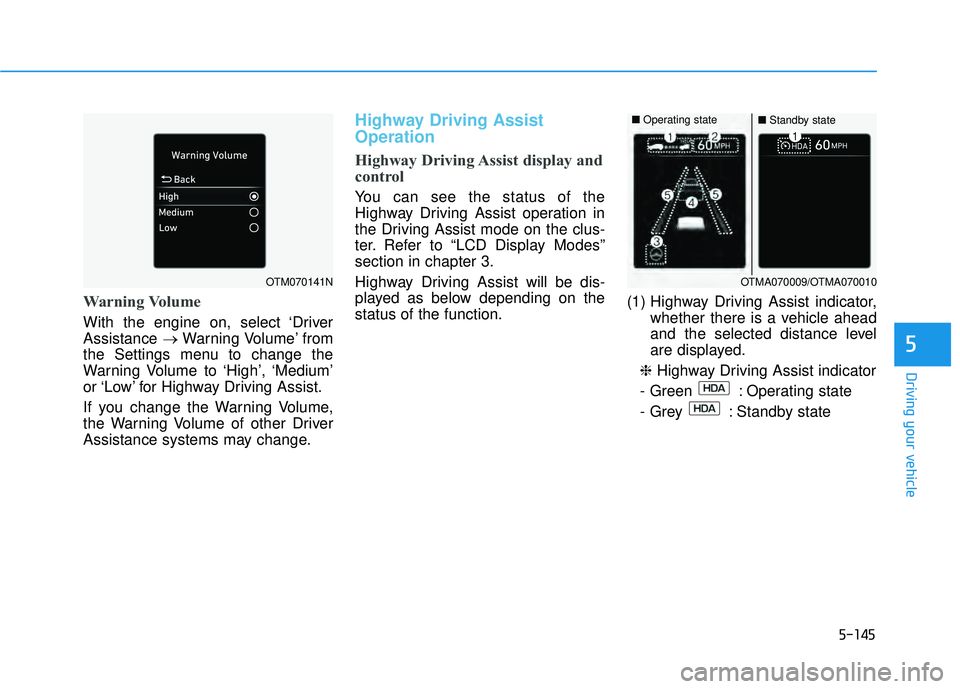
You can see the status of the
Highway Driving Assist operation in
the Driving Assist mode on the clus-
ter. Refer to “LCD Display Modes”
section in chapter 3.
Highway Driving Assist will be dis-
played as below depending on the
status of the function. (1) Highway Driving Assist indicator,
whether there is a vehicle ahead
and the selected distance level
are displayed.
❈ Highway Driving Assist indicator
- Green : Operating state
- Grey : Standby state
5
OTM070141NOTMA070009/OTMA070010
■ Operating state■Standby state
Page 480 of 663
5-146
(2) Set speed is displayed.
(3) Lane Following Assist indicatordisplayed.
(4) Whether there is a vehicle ahead and the selected vehicle distance
are displayed.
(5) Whether the lane is detected or not is displayed.
For more details on the display
refer to “Smart Cruise Control
(SCC)” and “Lane Following
Assist (LFA)” sections in chapter
5. Highway Driving Assist operating
Highway Driving Assist will operate
when entering or driving on the main
road of highways (or motorways),
and satisfying all the following condi-
tions:
- Lane Following Assist is operating
- Smart Cruise Control is operating
Information
• While driving on the highway (or
motorway), if Smart Cruise Control
starts operating, Highway Driving
Assist will operate.
• When entering the main roads of highways (or motorways), Highway
Driving Assist will not turn on if the
Lane Following Assist is turned off
even when Smart Cruise Control is
operating. Restarting after stopping
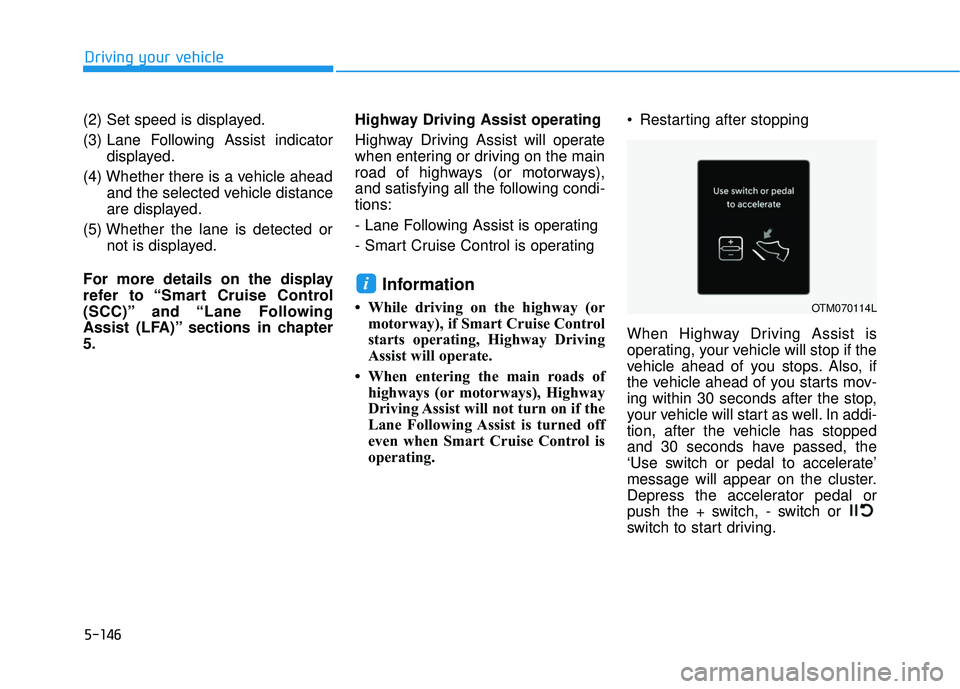
When Highway Driving Assist is
operating, your vehicle will stop if the
vehicle ahead of you stops. Also, if
the vehicle ahead of you starts mov-
ing within 30 seconds after the stop,
your vehicle will start as well. In addi-
tion, after the vehicle has stopped
and 30 seconds have passed, the
‘Use switch or pedal to accelerate’
message will appear on the cluster.
Depress the accelerator pedal or
push the + switch, - switch or
switch to start driving.
i
Driving your vehicle
OTM070114L
Page 489 of 663
5-155
Driving your vehicle
5
To resume Smart Cruise Control
set speed
If any method other than the Driving
Assist button was used to cancel the
function and the function is still acti-
vated, the cruising speed will auto-
matically resume when push the
RES+ switch up or the SET - switch
down. If you push the RES+ switch
up, the speed will resume to the
recently set speed. However, if vehi-
cle speed drops below 0 – 20 mph (0
- 30 km/h), it will resume when there
is a vehicle in front of your vehicle.
Information
Always check the road condition-
swhen you push the RES+ switch up
to resume speed.
To turn off Smart Cruise Control
Pushing the CRUISE/ button.The
cruise indicator will go off. If you wish
not to use the cruise control system,
always turn the function off by push-
ing the CRUISE/ button.
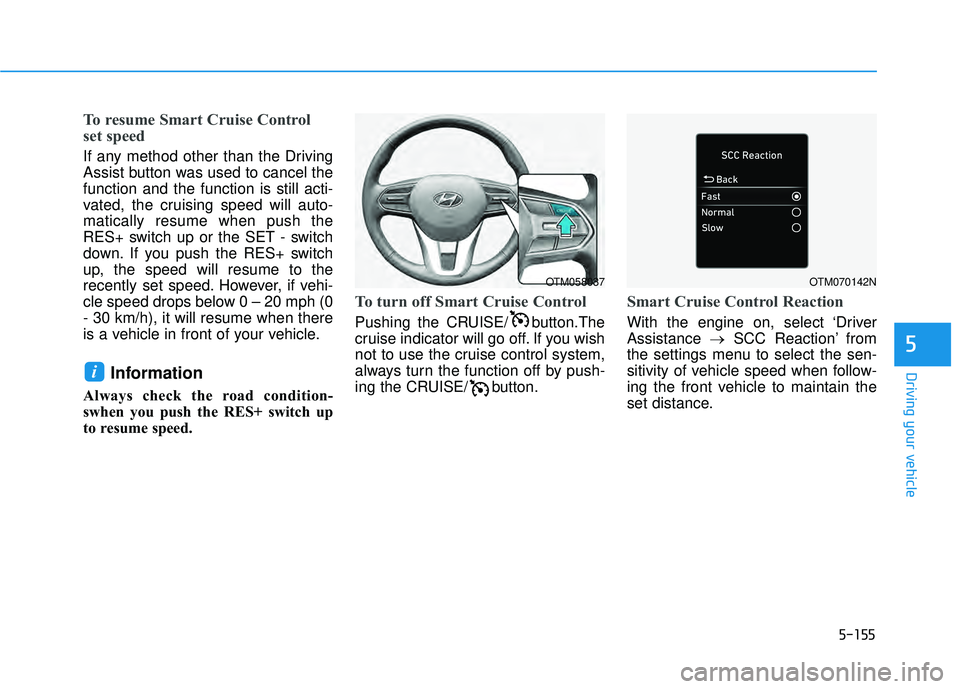
Smart Cruise Control Reaction
With the engine on, select ‘Driver
Assistance →SCC Reaction’ from
the settings menu to select the sen-
sitivity of vehicle speed when follow-
ing the front vehicle to maintain the
set distance.
i
OTM058037OTM070142N
Page 490 of 663
5-156
Driving your vehicle
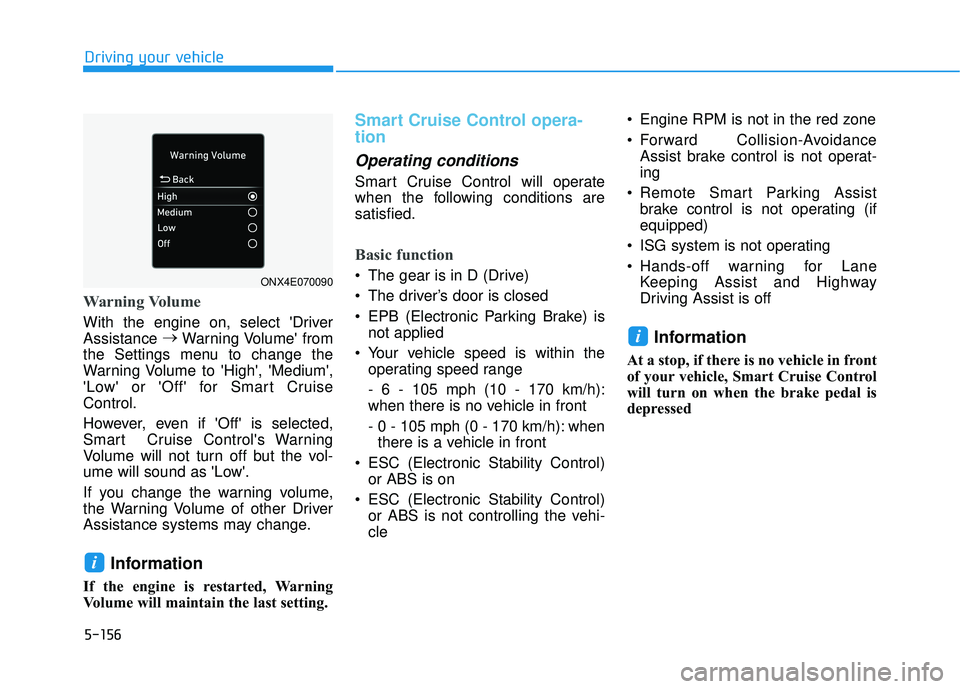
Warning Volume
With the engine on, select 'Driver
Assistance →
Warning Volume' from
the Settings menu to change the
Warning Volume to 'High', 'Medium',
'Low' or 'Off' for Smart Cruise
Control.
However, even if 'Off' is selected,
Smart Cruise Control's Warning
Volume will not turn off but the vol-
ume will sound as 'Low'.
If you change the warning volume,
the Warning Volume of other Driver
Assistance systems may change.
Information
If the engine is restarted, Warning
Volume will maintain the last setting.
Smart Cruise Control opera-
tion
Operating conditions
Smart Cruise Control will operate
when the following conditions are
satisfied.
Basic function
The gear is in D (Drive)
The driver’s door is closed
EPB (Electronic Parking Brake) is not applied
Your vehicle speed is within the operating speed range
- 6 - 105 mph (10 - 170 km/h):
when there is no vehicle in front
- 0 - 105 mph (0 - 170 km/h): whenthere is a vehicle in front
ESC (Electronic Stability Control) or ABS is on
ESC (Electronic Stability Control) or ABS is not controlling the vehi-
cle Engine RPM is not in the red zone
Forward Collision-Avoidance
Assist brake control is not operat-
ing
Remote Smart Parking Assist brake control is not operating (if
equipped)
ISG system is not operating
Hands-off warning for Lane Keeping Assist and Highway
Driving Assist is off
Information
At a stop, if there is no vehicle in front
of your vehicle, Smart Cruise Control
will turn on when the brake pedal is
depressed
i
i
ONX4E070090
Page 492 of 663
5-158
Driving your vehicle
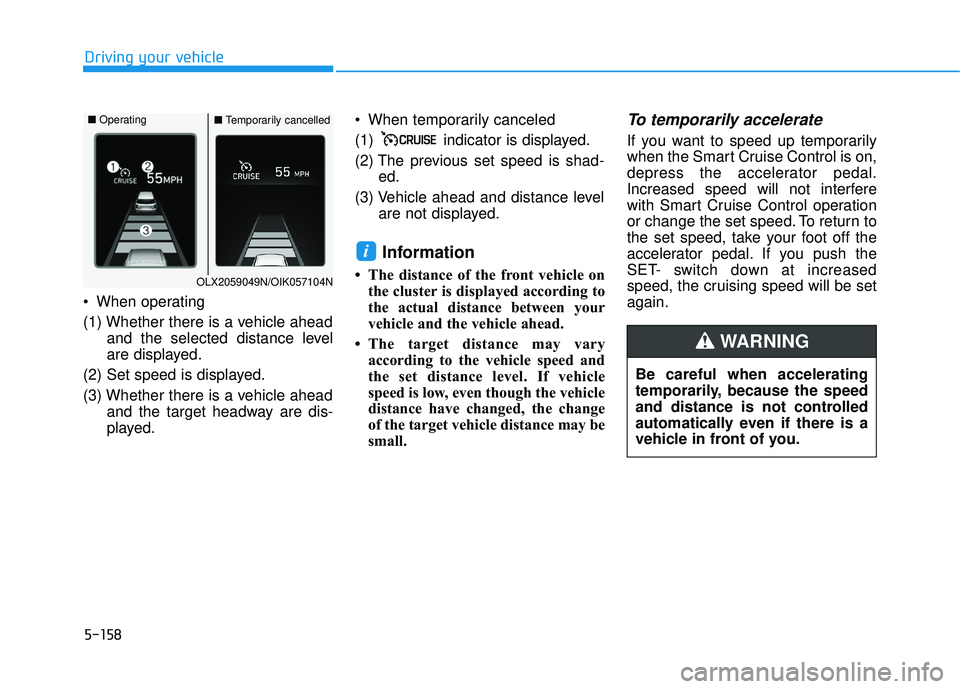
When operating
(1) Whether there is a vehicle ahead and the selected distance level
are displayed.
(2) Set speed is displayed.
(3) Whether there is a vehicle ahead and the target headway are dis-
played. When temporarily canceled
(1) indicator is displayed.
(2) The previous set speed is shad-
ed.
(3) Vehicle ahead and distance level are not displayed.
Information
• The distance of the front vehicle onthe cluster is displayed according to
the actual distance between your
vehicle and the vehicle ahead.
• The target distance may vary according to the vehicle speed and
the set distance level. If vehicle
speed is low, even though the vehicle
distance have changed, the change
of the target vehicle distance may be
small.
To temporarily accelerate
If you want to speed up temporarily
when the Smart Cruise Control is on,
depress the accelerator pedal.
Increased speed will not interfere
with Smart Cruise Control operation
or change the set speed. To return to
the set speed, take your foot off the
accelerator pedal. If you push the
SET- switch down at increased
speed, the cruising speed will be set
again.
i
Be careful when accelerating
temporarily, because the speed
and distance is not controlled
automatically even if there is a
vehicle in front of you.
WARNING
OLX2059049N/OIK057104N
■ Operating■Temporarily cancelled
Page 496 of 663
5-162
Driving your vehicleTurn off Smart Cruise Control
when your vehicle is being
towed.
Smart Cruise Control may not
operate normally if interfered
by strong electromagnetic
waves.
Smart Cruise Control may not
detect an obstacle in front and
lead to a collision. Always
look ahead cautiously to pre-
vent unexpected and sudden
situations from occurring.
Vehicles moving in front of
you with a frequent lane
change may cause a delay in
Smart Cruise Control reaction
or may cause Smart Cruise
Control to react to a vehicle
actually in an adjacent lane.
Always drive cautiously to
prevent unexpected and sud-
den situations from occur-
ring.
Always be aware of the sur-
roundings and drive safely,
even though a warning mes-
sage does not appear or an
audible warning does not
sound.
If any other system’s warning
message is displayed or
warning sound is generated,
Smart Cruise Control warning
message may not be dis-
played and warning sound
may not be generated.
You may not hear the warning
sound of Forward Collision-
Avoidance Assist if the sur-
rounding is noisy.
The vehicle manufacturer is
not responsible for any traffic
violation or accidents caused
by the driver.
Always set the vehicle speed
under the speed limit in your
country.Always be aware of the select-
ed speed and headway dis-
tance.
Keep a safe distance accord-
ing to road conditions and
vehicle speed. If the headway
distance is too close during
high-speed driving, a serious
collision may result.
When maintaining distance
with the vehicle ahead, if the
front vehicle disappears,
Smart Cruise Control may
suddenly accelerate to the set
speed. Always be aware of
unexpected and sudden situa-
tions from occurring.
Vehicle speed may decrease
on an upward slope and
increase on a downward
slope.
Always be aware of situations
such as when a vehicle cuts in
suddenly.
When you are towing a trailer
or another vehicle, we recom-
mend that Smart Cruise
Control is turned off due to
safety reasons.
Page 500 of 663
5-166
Driving your vehicle
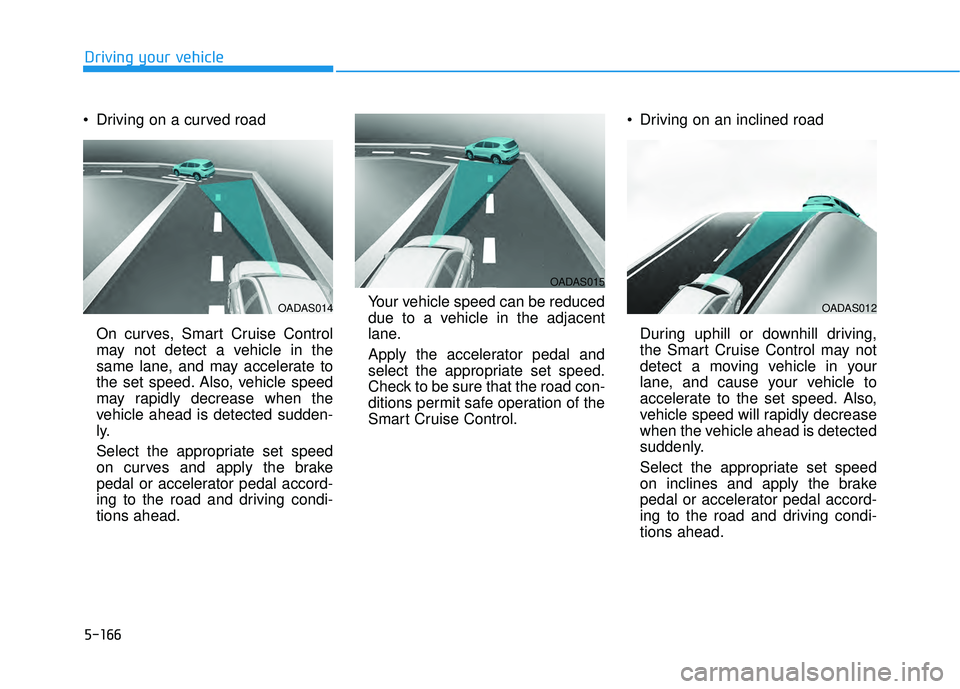
Driving on a curved road
On curves, Smart Cruise Control
may not detect a vehicle in the
same lane, and may accelerate to
the set speed. Also, vehicle speed
may rapidly decrease when the
vehicle ahead is detected sudden-
ly.
Select the appropriate set speed
on curves and apply the brake
pedal or accelerator pedal accord-
ing to the road and driving condi-
tions ahead. Your vehicle speed can be reduced
due to a vehicle in the adjacent
lane.
Apply the accelerator pedal and
select the appropriate set speed.
Check to be sure that the road con-
ditions permit safe operation of the
Smart Cruise Control. Driving on an inclined road
During uphill or downhill driving,
the Smart Cruise Control may not
detect a moving vehicle in your
lane, and cause your vehicle to
accelerate to the set speed. Also,
vehicle speed will rapidly decrease
when the vehicle ahead is detected
suddenly.
Select the appropriate set speed
on inclines and apply the brake
pedal or accelerator pedal accord-
ing to the road and driving condi-
tions ahead.
OADAS015
OADAS012OADAS014