sel HYUNDAI PALISADE 2022 Owners Manual
[x] Cancel search | Manufacturer: HYUNDAI, Model Year: 2022, Model line: PALISADE, Model: HYUNDAI PALISADE 2022Pages: 663, PDF Size: 15.74 MB
Page 400 of 663
5-66
Driving your vehicle
Warning Volume
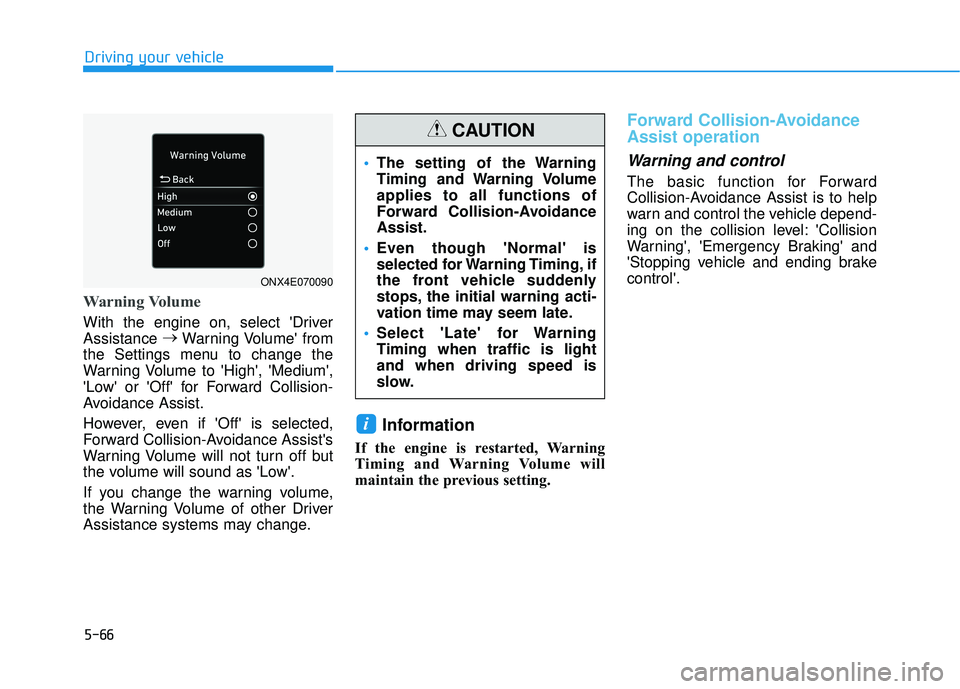
With the engine on, select 'Driver
Assistance →
Warning Volume' from
the Settings menu to change the
Warning Volume to 'High', 'Medium',
'Low' or 'Off' for Forward Collision-
Avoidance Assist.
However, even if 'Off' is selected,
Forward Collision-Avoidance Assist's
Warning Volume will not turn off but
the volume will sound as 'Low'.
If you change the warning volume,
the Warning Volume of other Driver
Assistance systems may change.
Information
If the engine is restarted, Warning
Timing and Warning Volume will
maintain the previous setting.
Forward Collision-Avoidance
Assist operation
Warning and control
The basic function for Forward
Collision-Avoidance Assist is to help
warn and control the vehicle depend-
ing on the collision level: 'Collision
Warning', 'Emergency Braking' and
'Stopping vehicle and ending brake
control'.
i
ONX4E070090
The setting of the Warning
Timing and Warning Volume
applies to all functions of
Forward Collision-Avoidance
Assist.
Even though 'Normal' is
selected for Warning Timing, if
the front vehicle suddenly
stops, the initial warning acti-
vation time may seem late.
Select 'Late' for Warning
Timing when traffic is light
and when driving speed is
slow.
CAUTION
Page 401 of 663
5-67
Driving your vehicle
5
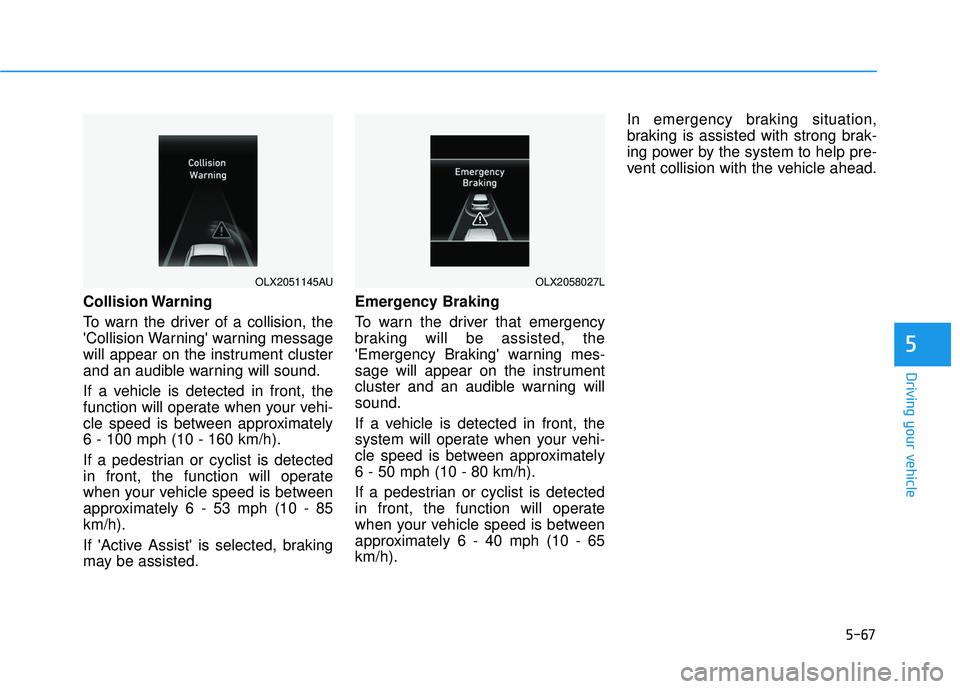
Collision Warning
To warn the driver of a collision, the
'Collision Warning' warning message
will appear on the instrument cluster
and an audible warning will sound.
If a vehicle is detected in front, the
function will operate when your vehi-
cle speed is between approximately
6 - 100 mph (10 - 160 km/h).
If a pedestrian or cyclist is detected
in front, the function will operate
when your vehicle speed is between
approximately 6 - 53 mph (10 - 85
km/h).
If 'Active Assist' is selected, braking
may be assisted.Emergency Braking
To warn the driver that emergency
braking will be assisted, the
'Emergency Braking' warning mes-
sage will appear on the instrument
cluster and an audible warning will
sound.
If a vehicle is detected in front, the
system will operate when your vehi-
cle speed is between approximately
6 - 50 mph (10 - 80 km/h).
If a pedestrian or cyclist is detected
in front, the function will operate
when your vehicle speed is between
approximately 6 - 40 mph (10 - 65
km/h).In emergency braking situation,
braking is assisted with strong brak-
ing power by the system to help pre-
vent collision with the vehicle ahead.
OLX2051145AUOLX2058027L
Page 402 of 663
5-68
Driving your vehicle
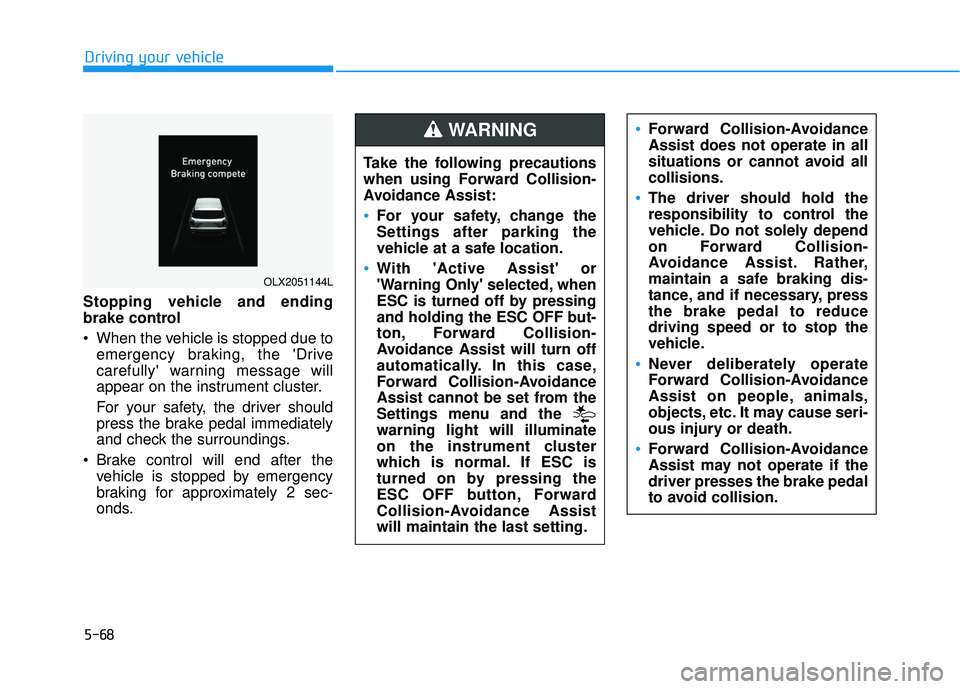
Stopping vehicle and ending
brake control
When the vehicle is stopped due to emergency braking, the 'Drive
carefully' warning message will
appear on the instrument cluster.
For your safety, the driver should
press the brake pedal immediately
and check the surroundings.
Brake control will end after the vehicle is stopped by emergency
braking for approximately 2 sec-
onds.
OLX2051144L
Take the following precautions
when using Forward Collision-
Avoidance Assist:
For your safety, change the
Settings after parking the
vehicle at a safe location.
With 'Active Assist' or
'Warning Only' selected, when
ESC is turned off by pressing
and holding the ESC OFF but-
ton, Forward Collision-
Avoidance Assist will turn off
automatically. In this case,
Forward Collision-Avoidance
Assist cannot be set from the
Settings menu and the
warning light will illuminate
on the instrument cluster
which is normal. If ESC is
turned on by pressing the
ESC OFF button, Forward
Collision-Avoidance Assist
will maintain the last setting.
Forward Collision-Avoidance
Assist does not operate in all
situations or cannot avoid all
collisions.
The driver should hold the
responsibility to control the
vehicle. Do not solely depend
on Forward Collision-
Avoidance Assist. Rather,
maintain a safe braking dis-
tance, and if necessary, press
the brake pedal to reduce
driving speed or to stop the
vehicle.
Never deliberately operate
Forward Collision-Avoidance
Assist on people, animals,
objects, etc. It may cause seri-
ous injury or death.
Forward Collision-Avoidance
Assist may not operate if the
driver presses the brake pedal
to avoid collision.
WARNING
Page 407 of 663
5-73
Driving your vehicle
5
The pedestrian or cyclist is wear-ing clothing that easily blends into
the background, making it difficult
to detect
The pedestrian or cyclist is difficult to distinguish from the similar
shaped structure in the surround-
ings
You are driving by a pedestrian, cyclist, traffic sign, structure, etc.,
near the intersection
Driving in a parking lot
Driving through a tollgate, con- struction area, unpaved road, par-
tial paved road, uneven road,
speed bumps, etc.
Driving on an incline road, curved road, etc.
Driving on a roadside with trees or streetlights
The adverse road conditions cause excessive vehicle vibrations while
driving
Your vehicle height is low or high due to heavy loads, abnormal tyre
pressure, etc. Driving on a narrow road where
trees or grass are overgrown
There is interference from electro- magnetic waves, such as driving in
an area with strong radio waves or
electrical noise
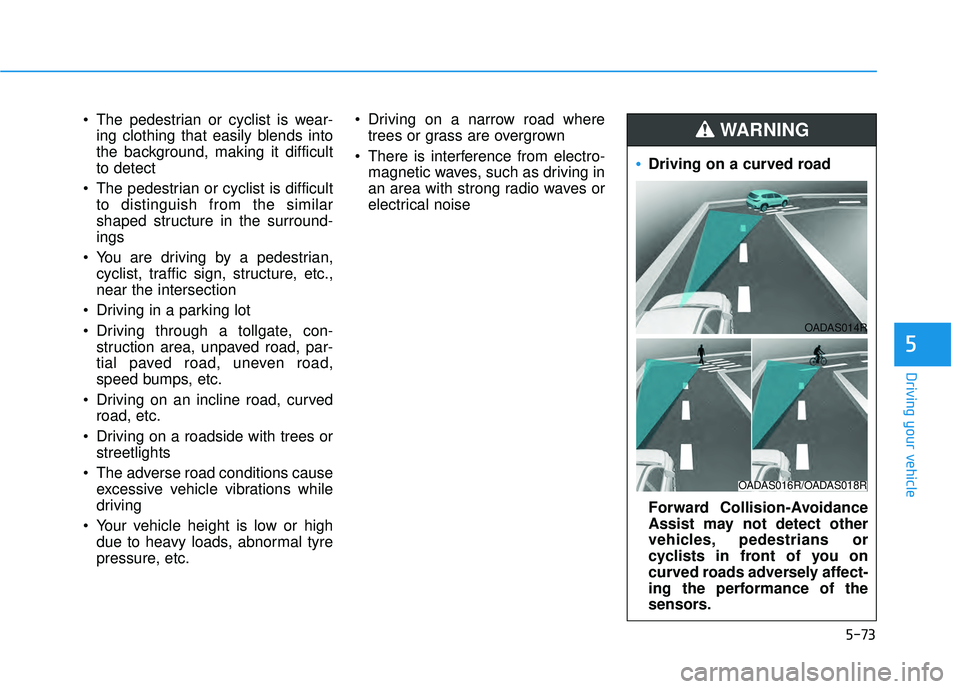
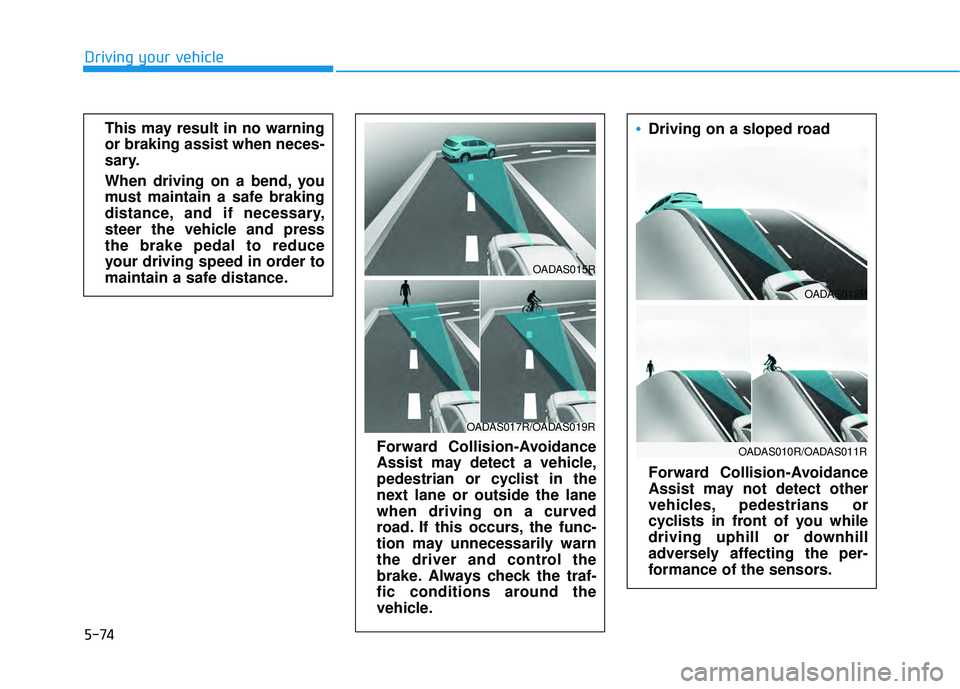
Driving on a curved road
Forward Collision-Avoidance
Assist may not detect other
vehicles, pedestrians or
cyclists in front of you on
curved roads adversely affect-
ing the performance of the
sensors.
WARNING
OADAS016R/OADAS018R
OADAS014R
Page 408 of 663
5-74
Driving your vehicleThis may result in no warning
or braking assist when neces-
sary.
When driving on a bend, you
must maintain a safe braking
distance, and if necessary,
steer the vehicle and press
the brake pedal to reduce
your driving speed in order to
maintain a safe distance.
Forward Collision-Avoidance
Assist may detect a vehicle,
pedestrian or cyclist in the
next lane or outside the lane
when driving on a curved
road. If this occurs, the func-
tion may unnecessarily warn
the driver and control the
brake. Always check the traf-
fic conditions around the
vehicle.
OADAS017R/OADAS019R
OADAS015R
Driving on a sloped road
Forward Collision-Avoidance
Assist may not detect other
vehicles, pedestrians or
cyclists in front of you while
driving uphill or downhill
adversely affecting the per-
formance of the sensors.
OADAS010R/OADAS011R
OADAS012R
Page 412 of 663
5-78
Driving your vehicle
Lane Keeping Assist is designed to
help detect lane markings (or road
edges) while driving over a certain
speed. Lane Keeping Assist will warn
the driver if the vehicle leaves the
lane without using the turn signal, or
will automatically assist the driver’s
steering to help prevent the vehicle
from departing the lane.
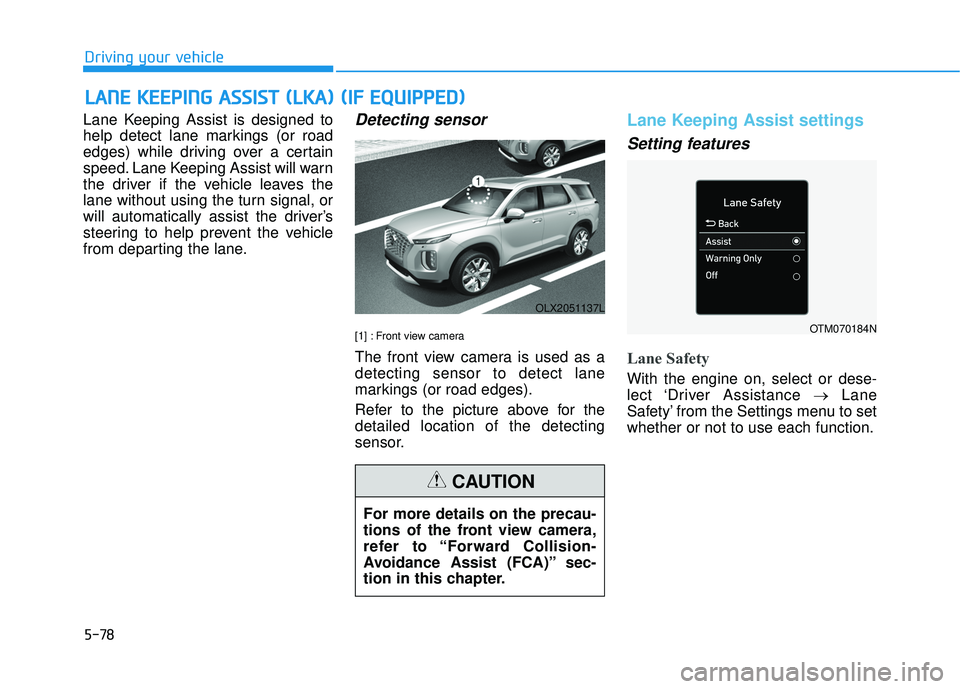
Detecting sensor
[1] : Front view camera
The front view camera is used as a
detecting sensor to detect lane
markings (or road edges).
Refer to the picture above for the
detailed location of the detecting
sensor.
Lane Keeping Assist settings
Setting features
Lane Safety
With the engine on, select or dese-
lect ‘Driver Assistance →Lane
Safety’ from the Settings menu to set
whether or not to use each function.
L L A A N N E E K K E EE EP P I IN N G G A A S SS SI IS S T T ( ( L L K K A A ) ) ( ( I IF F E E Q Q U UI IP P P PE ED D ) )
OLX2051137L
For more details on the precau-
tions of the front view camera,
refer to “Forward Collision-
Avoidance Assist (FCA)” sec-
tion in this chapter.
CAUTION
OTM070184N
Page 413 of 663
5-79
Driving your vehicle
5
- If ‘Assist’ is selected, Lane KeepingAssist will automatically assist the
driver’s steering when lane depar-
ture is detected to help prevent the
vehicle from moving out of its lane.
- If 'Warning Only' is selected, Lane Keeping Assist will warn the driver
with an audible warning and steer-
ing wheel vibration when lane
departure is detected. The driver
must steer the vehicle.
- If ‘Off’ is selected, Lane Keeping Assist will turn off. The indica-
tor light will turn off on the cluster.
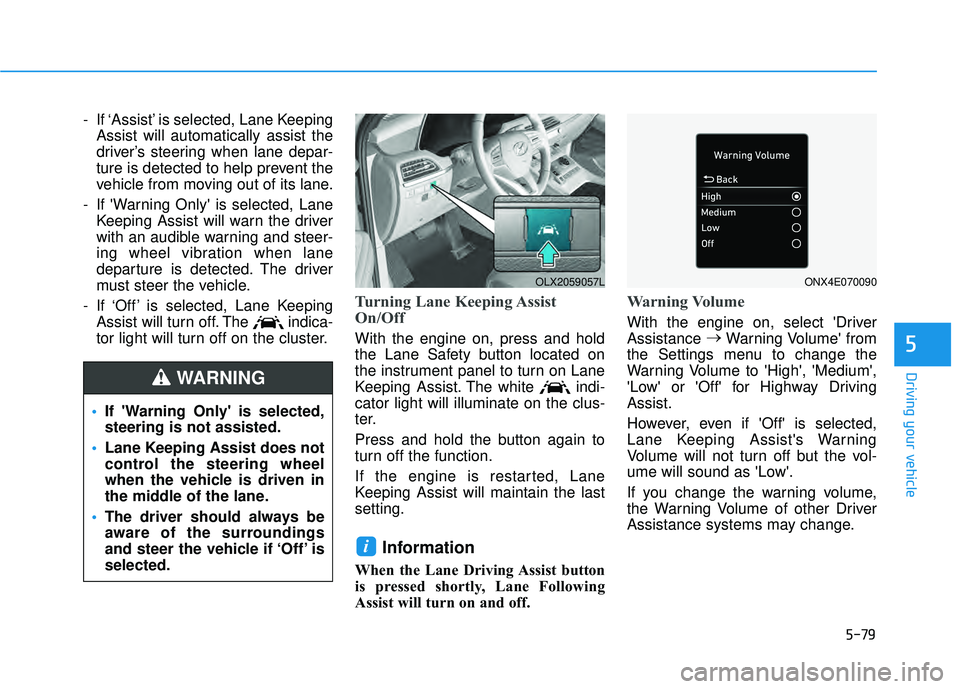
Turning Lane Keeping Assist
On/Off
With the engine on, press and hold
the Lane Safety button located on
the instrument panel to turn on Lane
Keeping Assist. The white indi-
cator light will illuminate on the clus-
ter.
Press and hold the button again to
turn off the function.
If the engine is restarted, Lane
Keeping Assist will maintain the last
setting.
Information
When the Lane Driving Assist button
is pressed shortly, Lane Following
Assist will turn on and off.
Warning Volume
With the engine on, select 'Driver
Assistance →
Warning Volume' from
the Settings menu to change the
Warning Volume to 'High', 'Medium',
'Low' or 'Off' for Highway Driving
Assist.
However, even if 'Off' is selected,
Lane Keeping Assist's Warning
Volume will not turn off but the vol-
ume will sound as 'Low'.
If you change the warning volume,
the Warning Volume of other Driver
Assistance systems may change.
i
If 'Warning Only' is selected,
steering is not assisted.
Lane Keeping Assist does not
control the steering wheel
when the vehicle is driven in
the middle of the lane.
The driver should always be
aware of the surroundings
and steer the vehicle if ‘Off’ is
selected.
WARNING
OLX2059057LONX4E070090
Page 420 of 663
5-86
Driving your vehicle
Blind-Spot Collision Warning
settings settings
Setting features
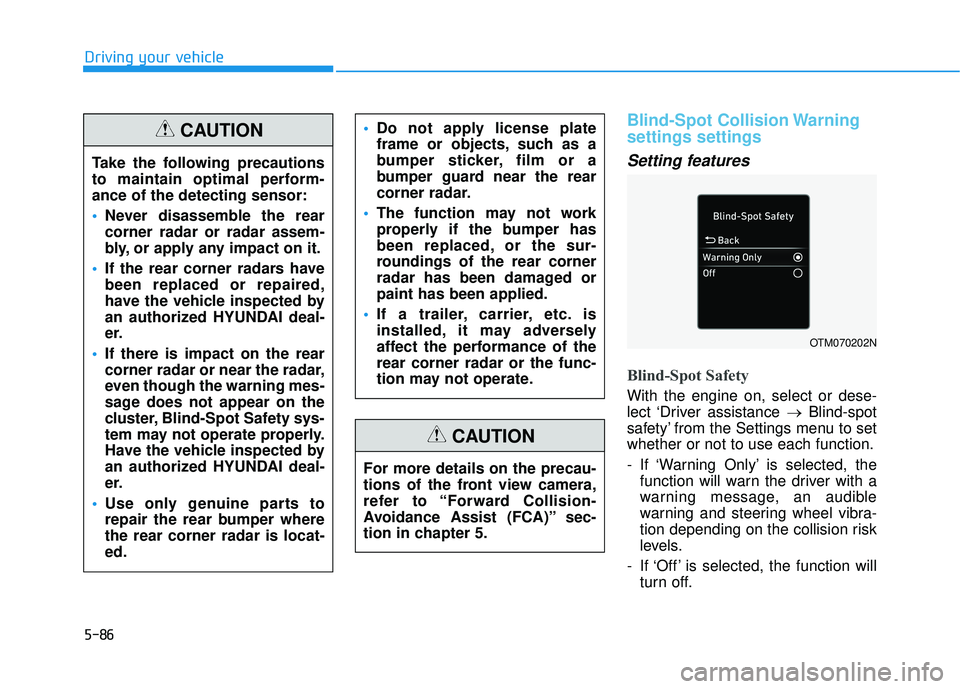
Blind-Spot Safety
With the engine on, select or dese-
lect ‘Driver assistance →Blind-spot
safety’ from the Settings menu to set
whether or not to use each function.
- If ‘Warning Only’ is selected, the function will warn the driver with a
warning message, an audible
warning and steering wheel vibra-
tion depending on the collision risk
levels.
- If ‘Off’ is selected, the function will turn off.
OTM070202N
Take the following precautions
to maintain optimal perform-
ance of the detecting sensor:
Never disassemble the rear
corner radar or radar assem-
bly, or apply any impact on it.
If the rear corner radars have
been replaced or repaired,
have the vehicle inspected by
an authorized HYUNDAI deal-
er.
If there is impact on the rear
corner radar or near the radar,
even though the warning mes-
sage does not appear on the
cluster, Blind-Spot Safety sys-
tem may not operate properly.
Have the vehicle inspected by
an authorized HYUNDAI deal-
er.
Use only genuine parts to
repair the rear bumper where
the rear corner radar is locat-
ed.
Do not apply license plate
frame or objects, such as a
bumper sticker, film or a
bumper guard near the rear
corner radar.
The function may not work
properly if the bumper has
been replaced, or the sur-
roundings of the rear corner
radar has been damaged or
paint has been applied.
If a trailer, carrier, etc. is
installed, it may adversely
affect the performance of the
rear corner radar or the func-
tion may not operate.CAUTION
For more details on the precau-
tions of the front view camera,
refer to “Forward Collision-
Avoidance Assist (FCA)” sec-
tion in chapter 5.
CAUTION
Page 421 of 663
5-87
Driving your vehicle
5
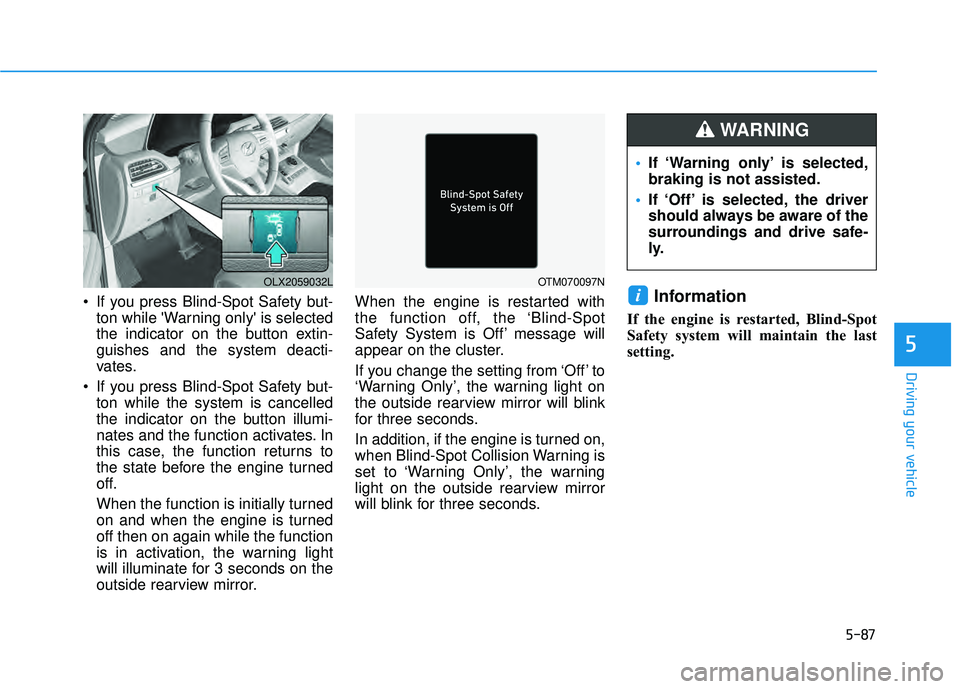
If you press Blind-Spot Safety but-ton while 'Warning only' is selected
the indicator on the button extin-
guishes and the system deacti-
vates.
If you press Blind-Spot Safety but- ton while the system is cancelled
the indicator on the button illumi-
nates and the function activates. In
this case, the function returns to
the state before the engine turned
off.
When the function is initially turned
on and when the engine is turned
off then on again while the function
is in activation, the warning light
will illuminate for 3 seconds on the
outside rearview mirror. When the engine is restarted with
the function off, the ‘Blind-Spot
Safety System is Off’ message will
appear on the cluster.
If you change the setting from ‘Off’ to
‘Warning Only’, the warning light on
the outside rearview mirror will blink
for three seconds.
In addition, if the engine is turned on,
when Blind-Spot Collision Warning is
set to ‘Warning Only’, the warning
light on the outside rearview mirror
will blink for three seconds.Information
If the engine is restarted, Blind-Spot
Safety system will maintain the last
setting.
i
OLX2059032LOTM070097N
If ‘Warning only’ is selected,
braking is not assisted.
If ‘Off’ is selected, the driver
should always be aware of the
surroundings and drive safe-
ly.
WARNING
Page 422 of 663
5-88
Driving your vehicle
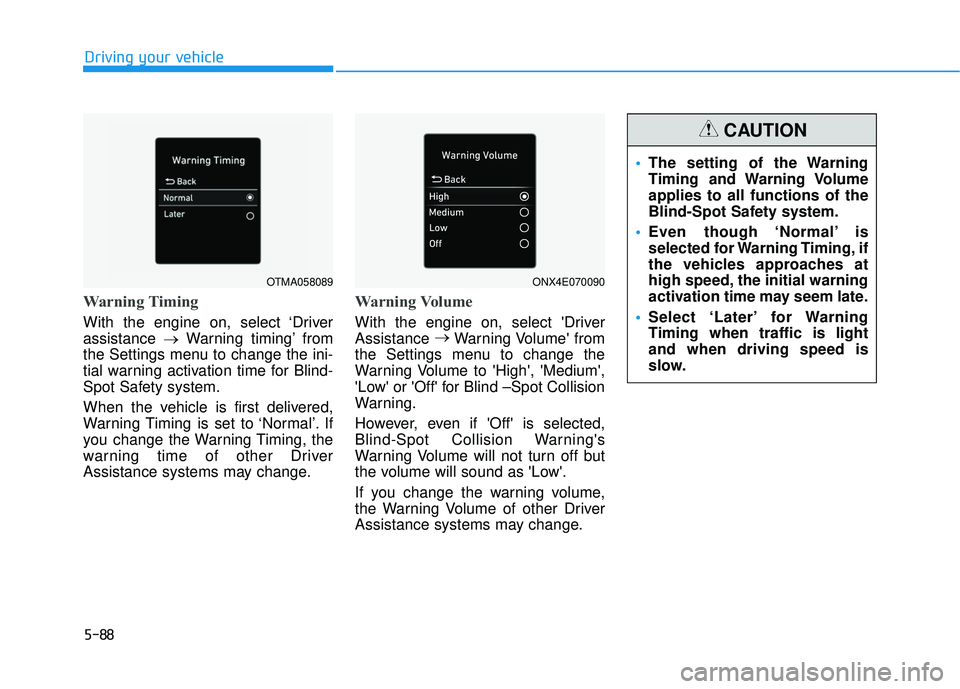
Warning Timing
With the engine on, select ‘Driver
assistance →Warning timing’ from
the Settings menu to change the ini-
tial warning activation time for Blind-
Spot Safety system.
When the vehicle is first delivered,
Warning Timing is set to ‘Normal’. If
you change the Warning Timing, the
warning time of other Driver
Assistance systems may change.
Warning Volume
With the engine on, select 'Driver
Assistance →
Warning Volume' from
the Settings menu to change the
Warning Volume to 'High', 'Medium',
'Low' or 'Off' for Blind –Spot Collision
Warning.
However, even if 'Off' is selected,
Blind-Spot Collision Warning's
Warning Volume will not turn off but
the volume will sound as 'Low'.
If you change the warning volume,
the Warning Volume of other Driver
Assistance systems may change.
OTMA058089
The setting of the Warning
Timing and Warning Volume
applies to all functions of the
Blind-Spot Safety system.
Even though ‘Normal’ is
selected for Warning Timing, if
the vehicles approaches at
high speed, the initial warning
activation time may seem late.
Select ‘Later’ for Warning
Timing when traffic is light
and when driving speed is
slow.
CAUTION
ONX4E070090