parking brake HYUNDAI PALISADE 2022 Owner's Guide
[x] Cancel search | Manufacturer: HYUNDAI, Model Year: 2022, Model line: PALISADE, Model: HYUNDAI PALISADE 2022Pages: 663, PDF Size: 15.74 MB
Page 371 of 663
5-37
Driving your vehicle
5Driving with wheels and tires with
different sizes may cause the ESC
system to malfunction. Before
replacing tires, make sure all four
tires and wheels are the same
size. Never drive the vehicle with
different sized wheels and tires
installed.
ESC OFF usage
When Driving
The ESC OFF mode should only be
used briefly to help free the vehicle if
stuck in snow or mud by temporarily
stopping operation of the ESC to
maintain wheel torque.
To turn ESC off while driving, press
the ESC OFF button while driving on
a flat road surface.
To prevent damage to the trans-
mission:
Do not allow wheel(s) of oneaxle to spin excessively while
the ESC, ABS, and parking brake
warning lights are displayed.
The repairs would not be cov-
ered by the vehicle warranty.
Reduce engine power and do
not spin the wheel(s) excessive-
ly while these lights are dis-
played.
When operating the vehicle on a dynamometer, make sure the
ESC is turned off (ESC OFF light
illuminated).
Information
Turning the ESC off does not affect ABS
or standard brake system operation.
i
NOTICENOTICE
When the ESC is blinking, this
indicates the ESC is active:
Drive slowly and NEVER attempt
to accelerate. NEVER turn the
ESC off while the ESC indicator
light is blinking or you may lose
control of the vehicle resulting in
an accident.
WARNING
Page 376 of 663
5-42
Driving your vehicle
Trailer Stability Assist (TSA)
Trailer Stability Assist system helps
stabilize the vehicle and trailer when
the trailer sways or oscillates. There
are various reasons making the vehi-
cle sway and oscillate.
Factors of swaying are such as:
- High speed
- Strong crosswinds
- Improper overloading
- Sudden controlling of steeringwheel
- Uneven road
Trailer Stability Assist system contin-
uously analyzes the vehicle and trail-
er instability. When the Trailer
Stability Assist system detects some
sway, the brakes are applied auto-
matically to stabilize the vehicle on
the front wheel. However, if it is not
enough to stabilize, the brakes are
applied on all wheels automatically
and engine power is properly
reduced. When the vehicle is stable
from swaying, trailer stability assist
system does not operate.
Good Braking Practices
Wet brakes can be dangerous! The
brakes may get wet if the vehicle is
driven through standing water or if it
is washed. Your vehicle will not stop
as quickly if the brakes are wet. Wet
brakes may cause the vehicle to pull
to one side. To dry the brakes, apply the brakes
lightly until the braking action returns
to normal, taking care to keep the
vehicle under control at all times. If
the braking action does not return to
normal, stop as soon as it is safe to
do so and call an authorized
HYUNDAI dealer for assistance.
DO NOT drive with your foot resting
on the brake pedal. Even light, but
constant pedal pressure can result in
the brakes overheating, brake wear,
and possibly even brake failure.
If a tire goes flat while you are driv-
ing, apply the brakes gently and
keep the vehicle pointed straight
ahead while you slow down. When
you are moving slowly enough for it
to be safe to do so, pull off the road
and stop in a safe location.
Keep your foot firmly on the brake
pedal when the vehicle is stopped to
prevent the vehicle from rolling for-
ward.
Whenever leaving the vehicle or
parking, always come to a com-
plete stop and continue to
depress the brake pedal. Shift
the gear to P (Park), then apply
the parking brake, and place the
ignition switch in the LOCK/OFF
position.
Vehicles parked with the park-
ing brake not applied or not
fully engaged may roll inadver-
tently and may cause injury to
the driver and others. ALWAYS
apply the parking brake before
exiting the vehicle.
WARNING
Page 383 of 663
5-49
Driving your vehicle
5
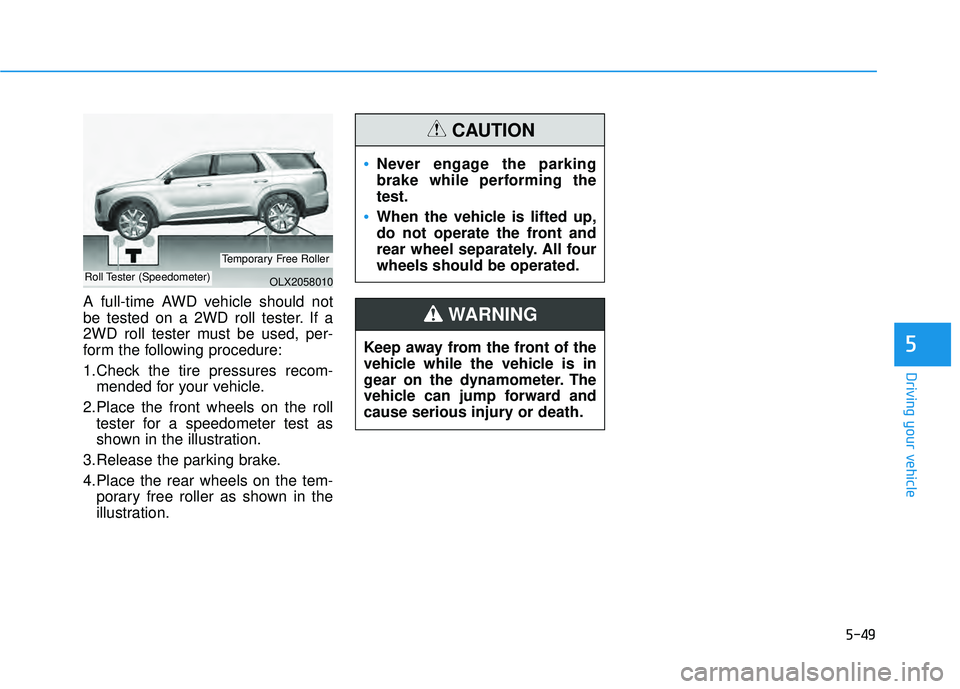
A full-time AWD vehicle should not
be tested on a 2WD roll tester. If a
2WD roll tester must be used, per-
form the following procedure:
1.Check the tire pressures recom-mended for your vehicle.
2.Place the front wheels on the roll tester for a speedometer test as
shown in the illustration.
3.Release the parking brake.
4.Place the rear wheels on the tem- porary free roller as shown in the
illustration.
Never engage the parking
brake while performing the
test.
When the vehicle is lifted up,
do not operate the front and
rear wheel separately. All four
wheels should be operated.
CAUTION
Keep away from the front of the
vehicle while the vehicle is in
gear on the dynamometer. The
vehicle can jump forward and
cause serious injury or death.
WARNING
OLX2058010Roll Tester (Speedometer)
Temporary Free Roller
Page 384 of 663
5-50
Driving your vehicle
The Idle Stop and Go (ISG) system
automatically and temporarily shuts
down the engine when the vehicle is
stopped and idling to improve fuel
efficiency and reduce exhaust gas
emissions. (i.e. red stop light, stop
sign, and traffic jam).
The engine is automatically started
upon satisfying the starting condi-
tions.
The ISG system is always active,
when the engine is running.
Information
When the engine is automatically
started by the ISG system, some warn-
ing lights (i.e. ABS, ESC, ESC OFF,
EPS, and parking brake warning
light) may illuminate for a few sec-
onds due to the low battery voltage.
However, it does not indicate a mal-
function with the ISG system.
To Activate the ISG System
Prerequisite for activation
The ISG system operates in the fol-
lowing situations.
The driver's seatbelt is fastened
The driver's door and hood are closed
The brake vacuum pressure is adequate
The battery sensor is activated and the battery is sufficiently charged
Outside temperature is not too low or too high
The vehicle is driven over a con- stant speed and stops
The climate control system satis- fies the conditions
The vehicle is sufficiently warmed up
The incline is gradual
The steering wheel is turned less than 180 degrees and then the
vehicle stops
Information
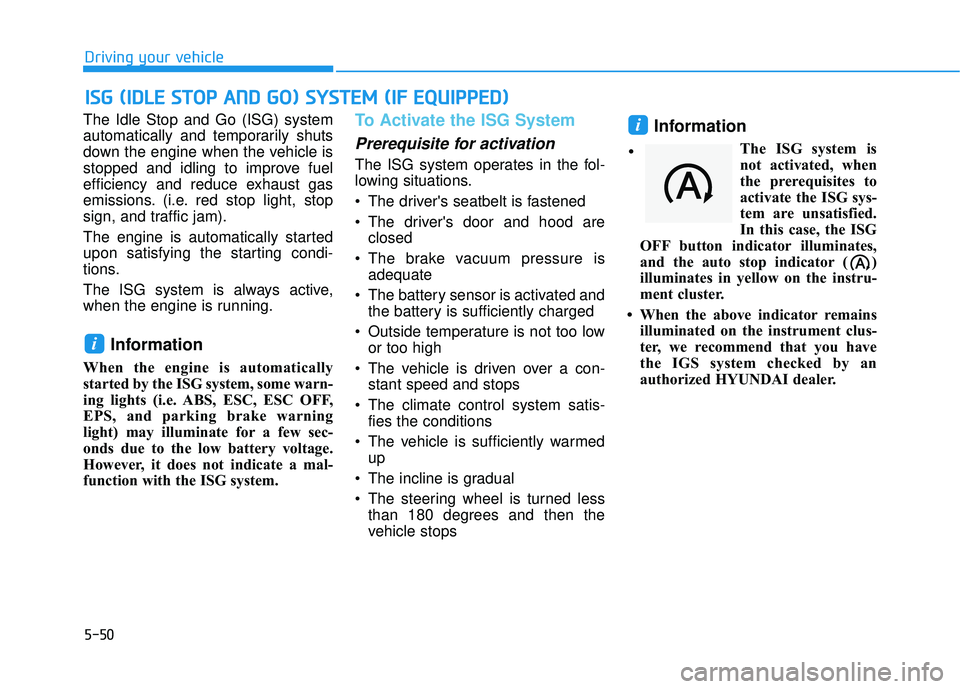
The ISG system is
not activated, when
the prerequisites to
activate the ISG sys-
tem are unsatisfied.
In this case, the ISG
OFF button indicator illuminates,
and the auto stop indicator ( )
illuminates in yellow on the instru-
ment cluster.
• When the above indicator remains illuminated on the instrument clus-
ter, we recommend that you have
the IGS system checked by an
authorized HYUNDAI dealer.
i
i
I IS S G G ( ( I ID D L LE E S S T T O O P P A A N N D D G G O O ) ) S S Y Y S ST T E EM M ( ( I IF F E E Q Q U UI IP P P PE ED D ) )
•
Page 402 of 663
5-68
Driving your vehicle
Stopping vehicle and ending
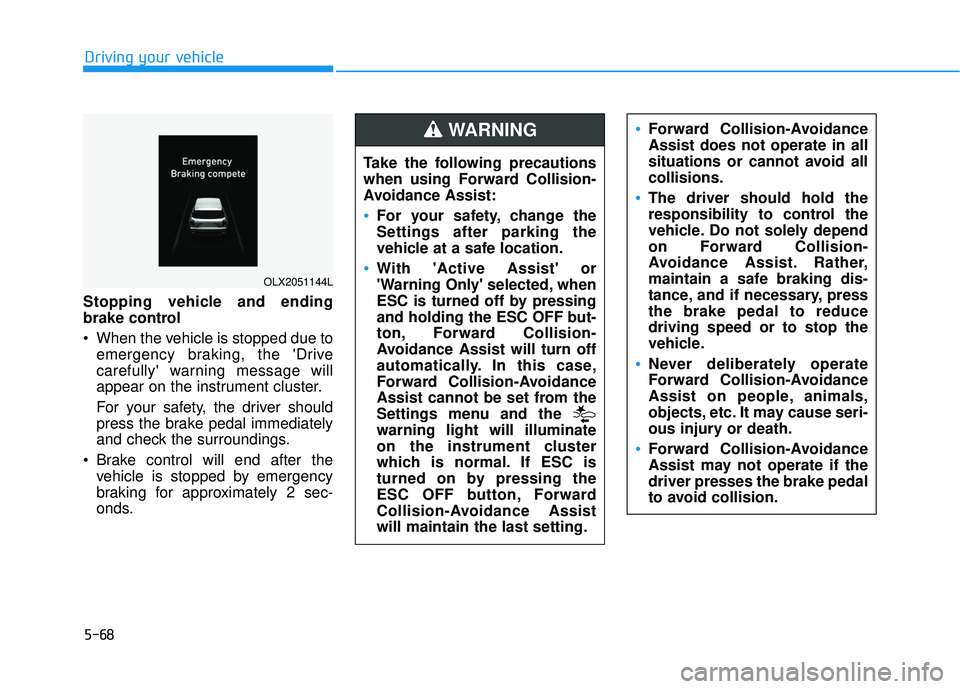
brake control
When the vehicle is stopped due to emergency braking, the 'Drive
carefully' warning message will
appear on the instrument cluster.
For your safety, the driver should
press the brake pedal immediately
and check the surroundings.
Brake control will end after the vehicle is stopped by emergency
braking for approximately 2 sec-
onds.
OLX2051144L
Take the following precautions
when using Forward Collision-
Avoidance Assist:
For your safety, change the
Settings after parking the
vehicle at a safe location.
With 'Active Assist' or
'Warning Only' selected, when
ESC is turned off by pressing
and holding the ESC OFF but-
ton, Forward Collision-
Avoidance Assist will turn off
automatically. In this case,
Forward Collision-Avoidance
Assist cannot be set from the
Settings menu and the
warning light will illuminate
on the instrument cluster
which is normal. If ESC is
turned on by pressing the
ESC OFF button, Forward
Collision-Avoidance Assist
will maintain the last setting.
Forward Collision-Avoidance
Assist does not operate in all
situations or cannot avoid all
collisions.
The driver should hold the
responsibility to control the
vehicle. Do not solely depend
on Forward Collision-
Avoidance Assist. Rather,
maintain a safe braking dis-
tance, and if necessary, press
the brake pedal to reduce
driving speed or to stop the
vehicle.
Never deliberately operate
Forward Collision-Avoidance
Assist on people, animals,
objects, etc. It may cause seri-
ous injury or death.
Forward Collision-Avoidance
Assist may not operate if the
driver presses the brake pedal
to avoid collision.
WARNING
Page 424 of 663
5-90
Driving your vehicle
Blind-Spot Collision Warning
malfunction and limitations
Blind-Spot Collision Warningmalfunction
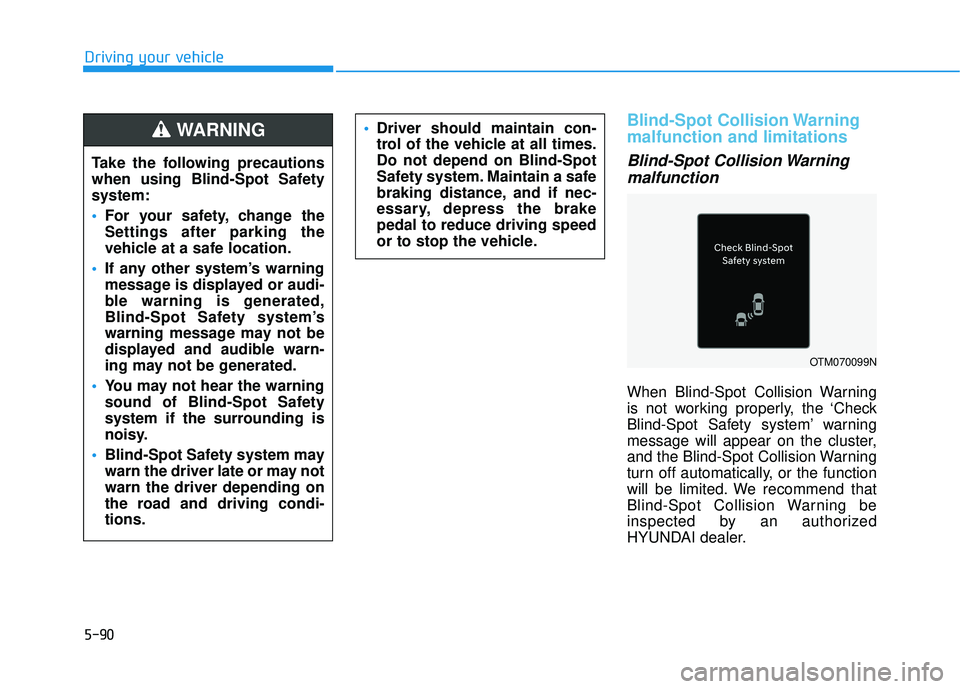
When Blind-Spot Collision Warning
is not working properly, the ‘Check
Blind-Spot Safety system’ warning
message will appear on the cluster,
and the Blind-Spot Collision Warning
turn off automatically, or the function
will be limited. We recommend that
Blind-Spot Collision Warning be
inspected by an authorized
HYUNDAI dealer.
OTM070099N
Take the following precautions
when using Blind-Spot Safety
system:
For your safety, change the
Settings after parking the
vehicle at a safe location.
If any other system’s warning
message is displayed or audi-
ble warning is generated,
Blind-Spot Safety system’s
warning message may not be
displayed and audible warn-
ing may not be generated.
You may not hear the warning
sound of Blind-Spot Safety
system if the surrounding is
noisy.
Blind-Spot Safety system may
warn the driver late or may not
warn the driver depending on
the road and driving condi-
tions.
Driver should maintain con-
trol of the vehicle at all times.
Do not depend on Blind-Spot
Safety system. Maintain a safe
braking distance, and if nec-
essary, depress the brake
pedal to reduce driving speed
or to stop the vehicle.WARNING
Page 430 of 663
5-96
Driving your vehicle
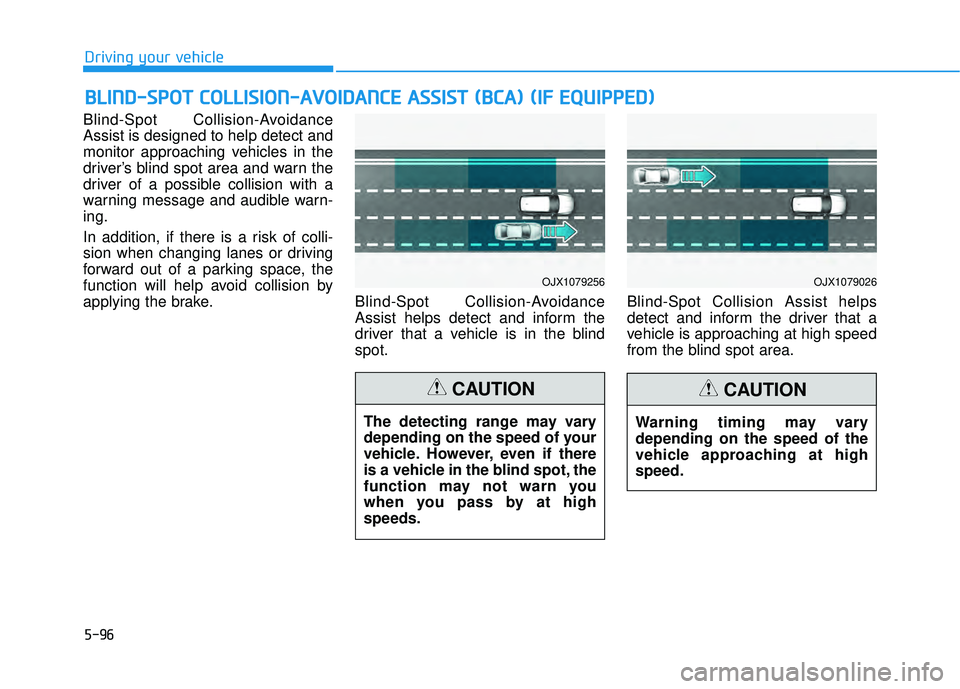
Blind-Spot Collision-Avoidance
Assist is designed to help detect and
monitor approaching vehicles in the
driver’s blind spot area and warn the
driver of a possible collision with a
warning message and audible warn-
ing.
In addition, if there is a risk of colli-
sion when changing lanes or driving
forward out of a parking space, the
function will help avoid collision by
applying the brake. Blind-Spot Collision-Avoidance
Assist helps detect and inform the
driver that a vehicle is in the blind
spot.Blind-Spot Collision Assist helps
detect and inform the driver that a
vehicle is approaching at high speed
from the blind spot area.
B B
L LI IN N D D- -S S P P O O T T C C O O L LL LI IS S I IO O N N- -A A V VO O I ID D A A N N C CE E A A S SS SI IS S T T ( ( B B C CA A ) ) ( ( I IF F E E Q Q U UI IP P P PE ED D ) )
OJX1079256OJX1079026
The detecting range may vary
depending on the speed of your
vehicle. However, even if there
is a vehicle in the blind spot, the
function may not warn you
when you pass by at high
speeds.
CAUTION
Warning timing may vary
depending on the speed of the
vehicle approaching at high
speed.
CAUTION
Page 431 of 663
5-97
Driving your vehicle
5
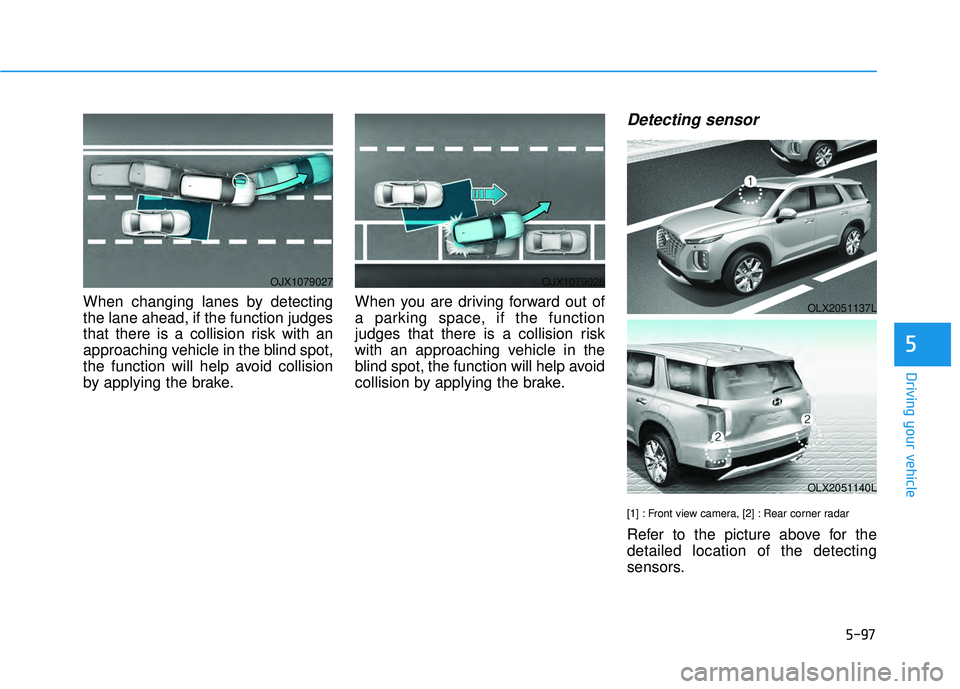
When changing lanes by detecting
the lane ahead, if the function judges
that there is a collision risk with an
approaching vehicle in the blind spot,
the function will help avoid collision
by applying the brake.When you are driving forward out of
a parking space, if the function
judges that there is a collision risk
with an approaching vehicle in the
blind spot, the function will help avoid
collision by applying the brake.
Detecting sensor
[1] : Front view camera, [2] : Rear corner radar
Refer to the picture above for the
detailed location of the detecting
sensors.
OJX1079027OJX1079028
OLX2051137L
OLX2051140L
Page 437 of 663
5-103
Driving your vehicle
5
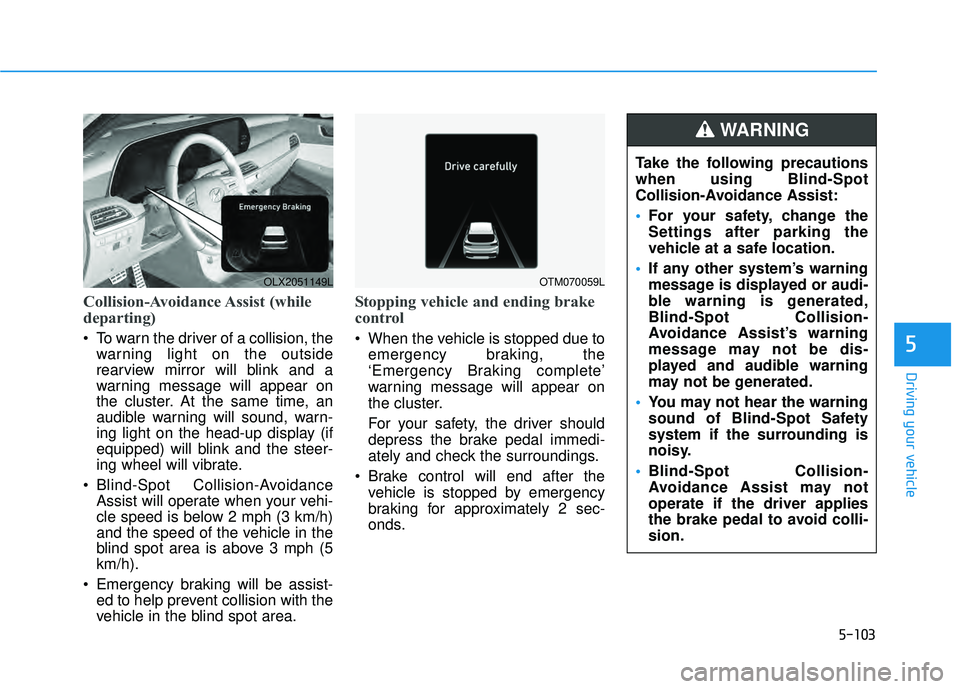
Collision-Avoidance Assist (while
departing)
To warn the driver of a collision, thewarning light on the outside
rearview mirror will blink and a
warning message will appear on
the cluster. At the same time, an
audible warning will sound, warn-
ing light on the head-up display (if
equipped) will blink and the steer-
ing wheel will vibrate.
Blind-Spot Collision-Avoidance Assist will operate when your vehi-
cle speed is below 2 mph (3 km/h)
and the speed of the vehicle in the
blind spot area is above 3 mph (5
km/h).
Emergency braking will be assist- ed to help prevent collision with the
vehicle in the blind spot area.
Stopping vehicle and ending brake
control
When the vehicle is stopped due to
emergency braking, the
‘Emergency Braking complete’
warning message will appear on
the cluster.
For your safety, the driver should
depress the brake pedal immedi-
ately and check the surroundings.
Brake control will end after the vehicle is stopped by emergency
braking for approximately 2 sec-
onds.
OLX2051149LOTM070059L
Take the following precautions
when using Blind-Spot
Collision-Avoidance Assist:
For your safety, change the
Settings after parking the
vehicle at a safe location.
If any other system’s warning
message is displayed or audi-
ble warning is generated,
Blind-Spot Collision-
Avoidance Assist’s warning
message may not be dis-
played and audible warning
may not be generated.
You may not hear the warning
sound of Blind-Spot Safety
system if the surrounding is
noisy.
Blind-Spot Collision-
Avoidance Assist may not
operate if the driver applies
the brake pedal to avoid colli-
sion.
WARNING
Page 448 of 663
5-114
Driving your vehicle
Collision Warning
To warn the driver of an approach-ing vehicle from the rear left/right
side of your vehicle, the outside
rearview mirror will blink and a
warning will appear on the cluster.
At the same time, an audible warn-
ing will sound and the steering
wheel will vibrate. If the Rear View
Monitor is operating, a warning will
also appear on the infotainment
system screen.
Rear Cross-Traffic Collision Warning will operate when all the
following conditions are satisfied:
- The gear is shifted to R (Reverse)
- Vehicle speed is below 5 mph (8km/h)
- The approaching vehicle is within approximately 82 ft. (25 m) from
the left and right side of your vehi-
cle
- The speed of the vehicle approaching from the left and
right is above 3 mph (5 km/h)Information
If the operating conditions are satis-
fied, there will be a warning whenever
the vehicle approaches from the left or
right side even though your vehicle
speed is 0 mph (0 km/h).
i
Take the following precautions
when using Rear Cross-Traffic
Collision Warning:
For your safety, change the
Settings after parking the
vehicle at a safe location.
If any other system’s warning
message is displayed or audi-
ble warning is generated,
Rear Cross-Traffic Collision
Warning’s warning message
may not be displayed and
audible warning may not be
generated.
You may not hear the warning
sound of Rear Cross-Traffic
Collision Warning if the sur-
rounding is noisy.
Rear Cross-Traffic Collision
Warning may warn the driver
late or may not warn the driv-
er depending on the road and
driving conditions.
The driver should hold the
responsibility to control the
vehicle. Do not solely depend
on Rear Cross-Traffic
Collision Warning. Rather,
maintain a safe braking dis-
tance, and if necessary,
depress the brake pedal to
reduce driving speed or to
stop the vehicle.
WARNING