engine HYUNDAI SANTA FE HYBRID 2021 Owners Manual
[x] Cancel search | Manufacturer: HYUNDAI, Model Year: 2021, Model line: SANTA FE HYBRID, Model: HYUNDAI SANTA FE HYBRID 2021Pages: 598, PDF Size: 66.6 MB
Page 387 of 598
Driver assistance system
7-34
System malfunction and
limitations
System malfunction
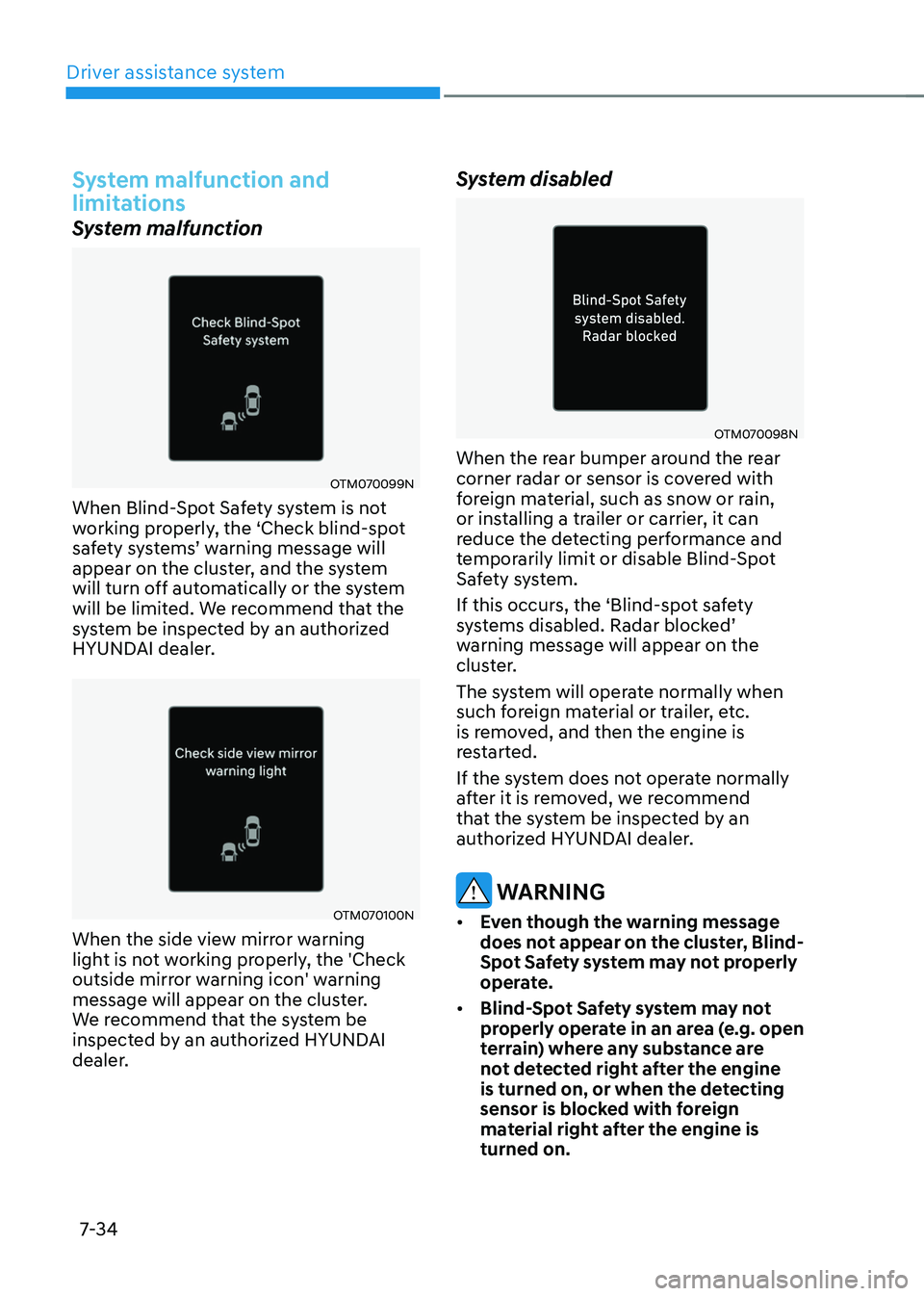
OTM070099N
When Blind-Spot Safety system is not
working properly, the ‘Check blind-spot
safety systems’ warning message will appear on the cluster, and the system
will turn off automatically or the system
will be limited. We recommend that the
system be inspected by an authorized
HYUNDAI dealer.
OTM070100N
When the side view mirror warning
light is not working properly, the 'Check
outside mirror warning icon' warning
message will appear on the cluster.
We recommend that the system be
inspected by an authorized HYUNDAI
dealer.
System disabled
OTM070098N
When the rear bumper around the rear
corner radar or sensor is covered with
foreign material, such as snow or rain,
or installing a trailer or carrier, it can
reduce the detecting performance and
temporarily limit or disable Blind-Spot
Safety system.
If this occurs, the ‘Blind-spot safety
systems disabled. Radar blocked’ warning message will appear on the
cluster.
The system will operate normally when
such foreign material or trailer, etc.
is removed, and then the engine is
restarted.
If the system does not operate normally
after it is removed, we recommend
that the system be inspected by an
authorized HYUNDAI dealer.
WARNING
• Even though the warning message
does not appear on the cluster, Blind-
Spot Safety system may not properly
operate.
• Blind-Spot Safety system may not
properly operate in an area (e.g. open
terrain) where any substance are
not detected right after the engine
is turned on, or when the detecting
sensor is blocked with foreign
material right after the engine is
turned on.
Page 393 of 598
Driver assistance system
7-40
System settings
Setting functions for the system
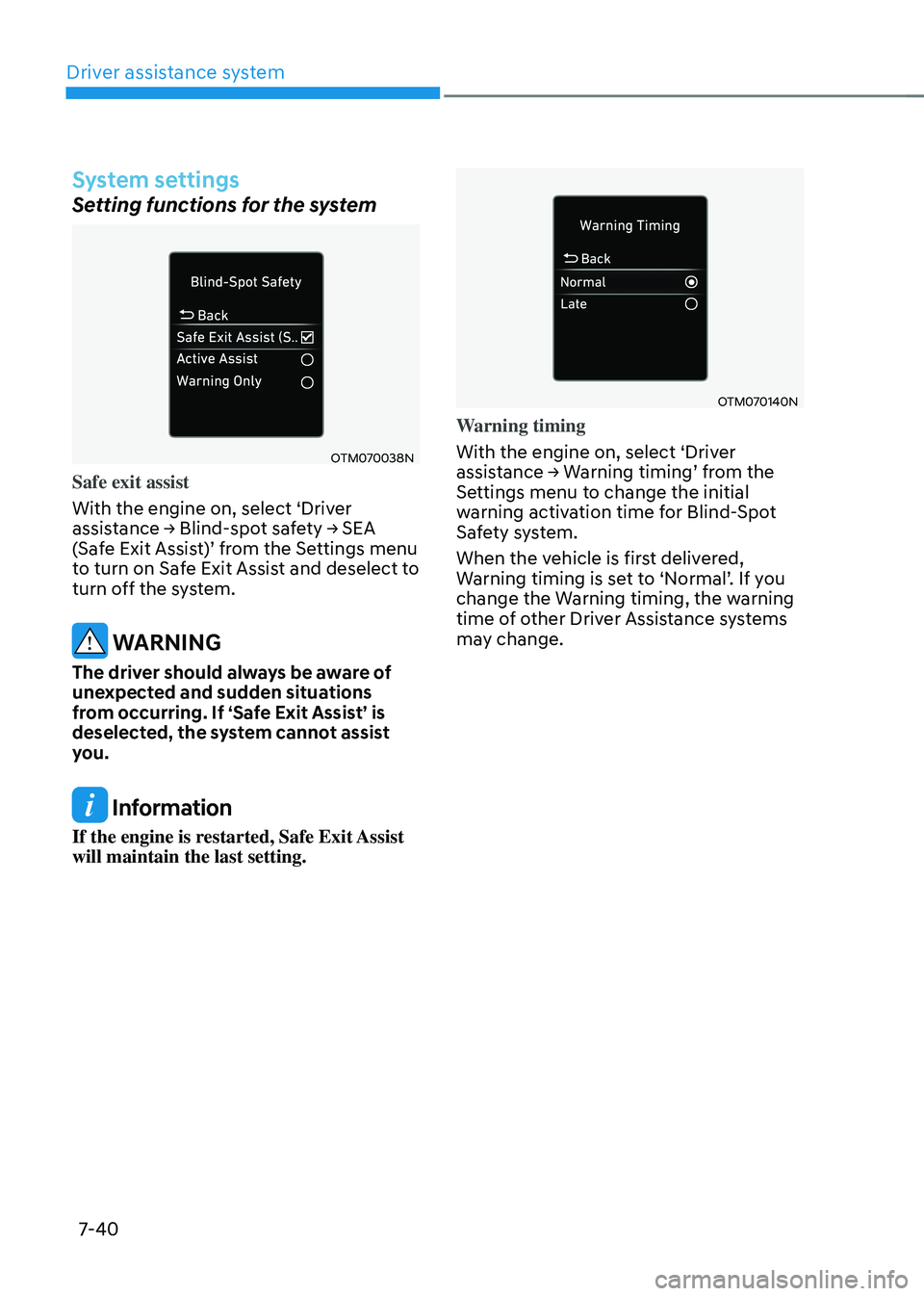
OTM070038N
Safe exit assist
With the engine on, select ‘Driver
assistance → Blind-spot safety → SEA (Safe Exit Assist)’ from the Settings menu to turn on Safe Exit Assist and deselect to
turn off the system.
WARNING
The driver should always be aware of
unexpected and sudden situations
from occurring. If ‘Safe Exit Assist’ is
deselected, the system cannot assist
you.
Information
If the engine is restarted, Safe Exit Assist
will maintain the last setting.
OTM070140N
Warning timing
With the engine on, select ‘Driver
assistance → Warning timing’ from the Settings menu to change the initial
warning activation time for Blind-Spot
Safety system.
When the vehicle is first delivered,
Warning timing is set to ‘Normal’. If you change the Warning timing, the warning
time of other Driver Assistance systems
may change.
Page 394 of 598
07
7-41
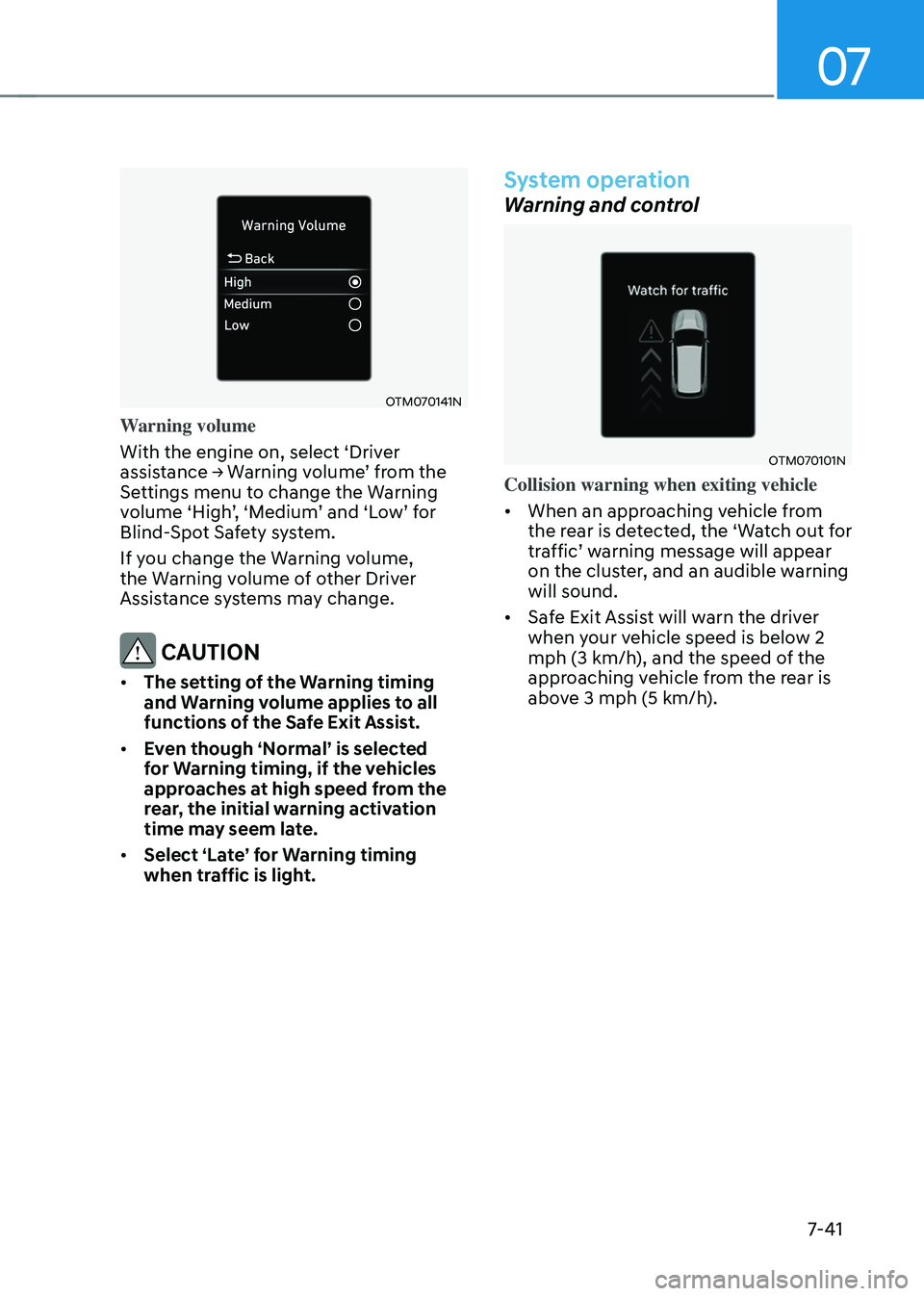
OTM070141N
Warning volume
With the engine on, select ‘Driver
assistance → Warning volume’ from the Settings menu to change the Warning volume ‘High’, ‘Medium’ and ‘Low’ for Blind-Spot Safety system.
If you change the Warning volume,
the Warning volume of other Driver
Assistance systems may change.
CAUTION
• The setting of the Warning timing
and Warning volume applies to all
functions of the Safe Exit Assist.
• Even though ‘Normal’ is selected
for Warning timing, if the vehicles
approaches at high speed from the
rear, the initial warning activation
time may seem late.
• Select ‘Late’ for Warning timing
when traffic is light.
System operation
Warning and control
OTM070101N
Collision warning when exiting vehicle
• When an approaching vehicle from
the rear is detected, the ‘Watch out for
traffic’ warning message will appear on the cluster, and an audible warning
will sound.
• Safe Exit Assist will warn the driver
when your vehicle speed is below 2
mph (3 km/h), and the speed of the
approaching vehicle from the rear is
above 3 mph (5 km/h).
Page 396 of 598
07
7-43
• The driver and passengers are
responsible for accidents that occurs
while exiting the vehicle. Always
check the surroundings before you
exit the vehicle.
• Never deliberately operate Safe Exit
Assist. Doing so may lead to serious
injury or death.
• Safe Exit Assist does not operate
if there is a problem with Blind-
Spot Safety system. There may be
a problem with Blind Spot Safety
system when:
-Blind Spot Safety system warning
light appears
-Blind-Spot Safety system sensor or
the sensor surrounding is polluted
or covered
-Blind-Spot Safety system fails to
warn passengers or falsely warn
passengers
Information
After the engine is turned off, Safe Exit
Assist operates approximately for 3
minutes, but turns off immediately if the
doors are locked.
System malfunction and
limitations
System malfunction
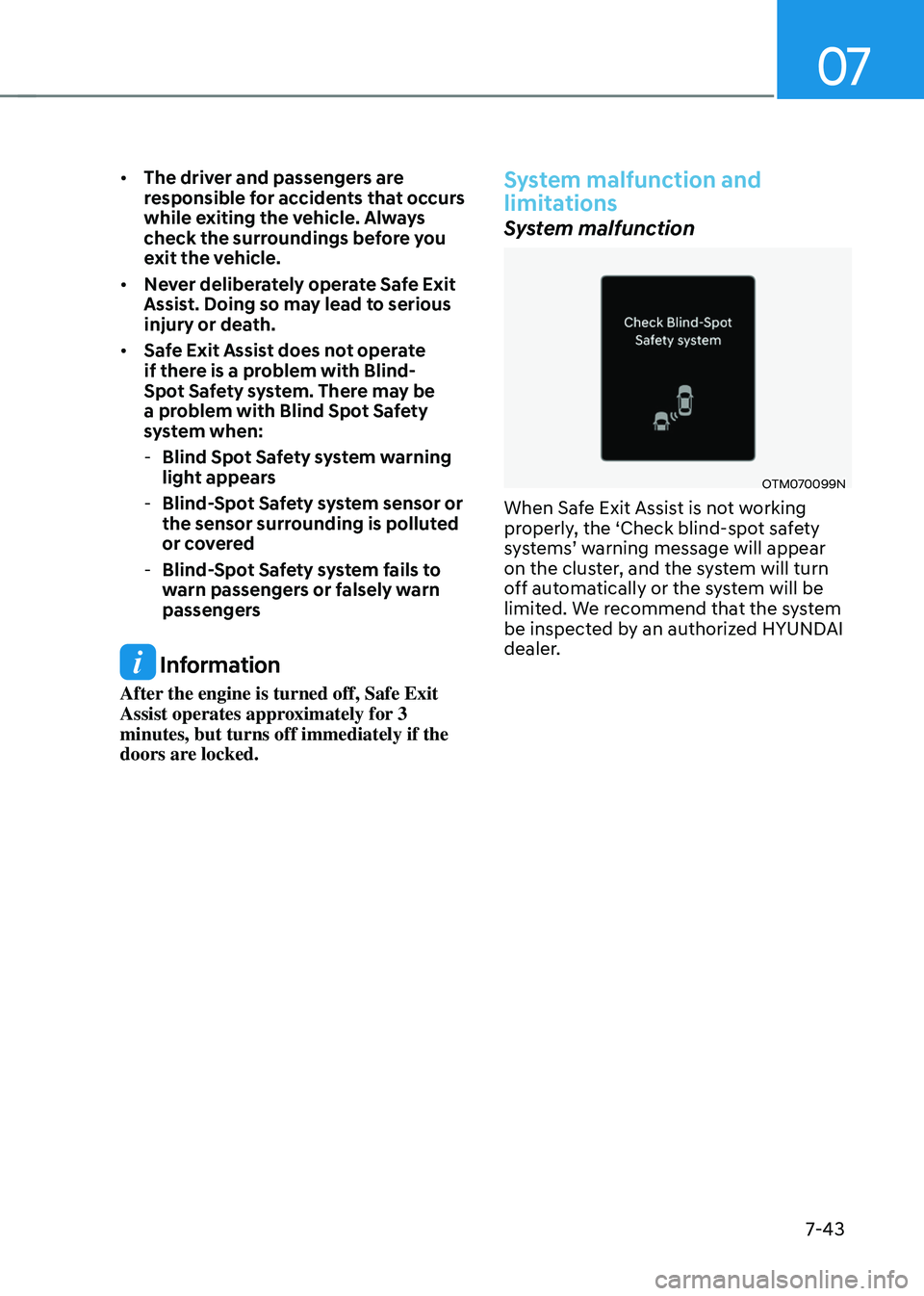
OTM070099N
When Safe Exit Assist is not working
properly, the ‘Check blind-spot safety
systems’ warning message will appear on the cluster, and the system will turn
off automatically or the system will be
limited. We recommend that the system
be inspected by an authorized HYUNDAI
dealer.
Page 397 of 598
Driver assistance system
7-44
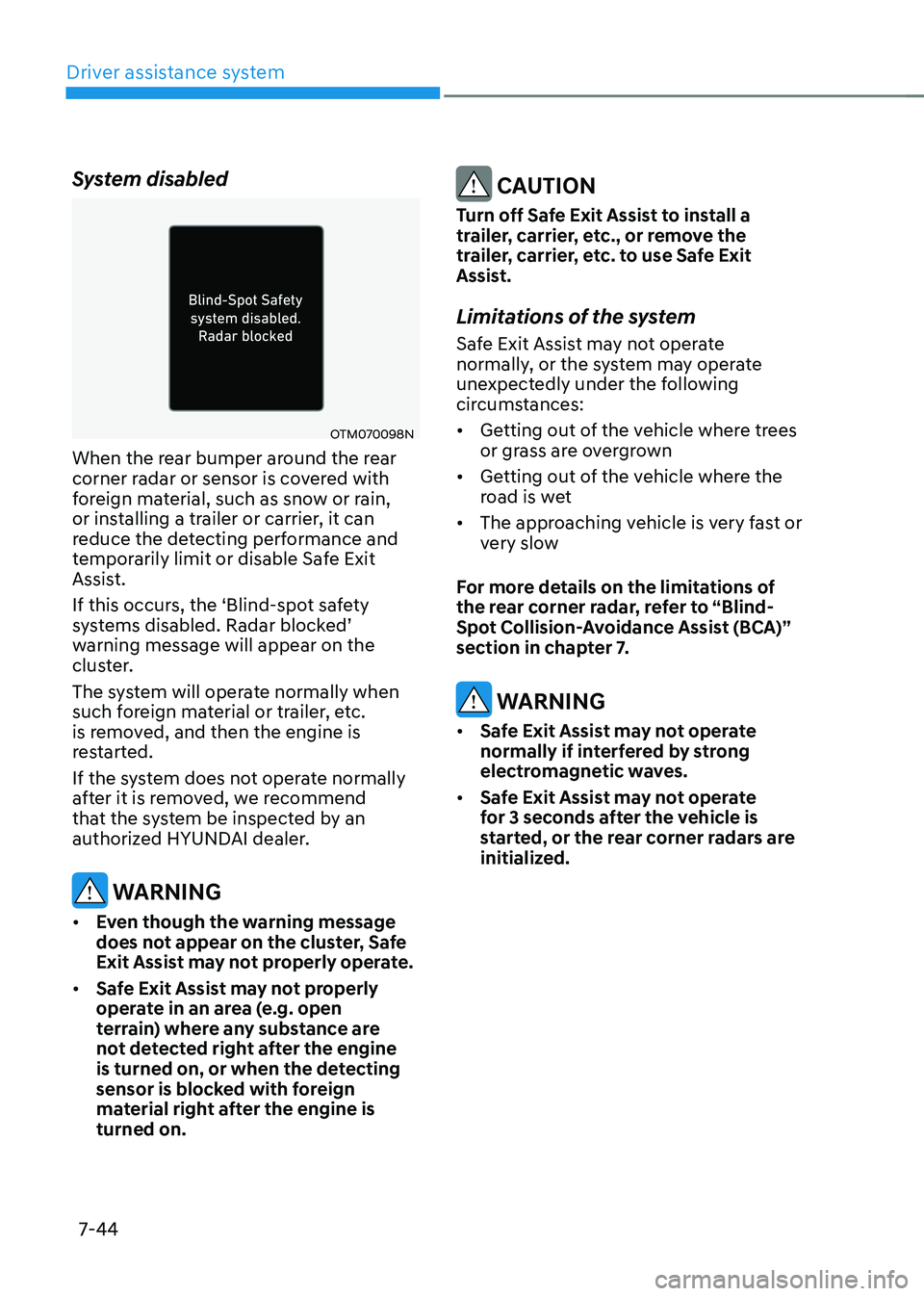
System disabled
OTM070098N
When the rear bumper around the rear
corner radar or sensor is covered with
foreign material, such as snow or rain,
or installing a trailer or carrier, it can
reduce the detecting performance and
temporarily limit or disable Safe Exit
Assist.
If this occurs, the ‘Blind-spot safety
systems disabled. Radar blocked’ warning message will appear on the
cluster.
The system will operate normally when
such foreign material or trailer, etc.
is removed, and then the engine is
restarted.
If the system does not operate normally
after it is removed, we recommend
that the system be inspected by an
authorized HYUNDAI dealer.
WARNING
• Even though the warning message
does not appear on the cluster, Safe
Exit Assist may not properly operate.
• Safe Exit Assist may not properly
operate in an area (e.g. open
terrain) where any substance are
not detected right after the engine
is turned on, or when the detecting
sensor is blocked with foreign
material right after the engine is
turned on.
CAUTION
Turn off Safe Exit Assist to install a
trailer, carrier, etc., or remove the
trailer, carrier, etc. to use Safe Exit
Assist.
Limitations of the system
Safe Exit Assist may not operate
normally, or the system may operate
unexpectedly under the following
circumstances:
• Getting out of the vehicle where trees
or grass are overgrown
• Getting out of the vehicle where the
road is wet
• The approaching vehicle is very fast or
very slow
For more details on the limitations of
the rear corner radar, refer to “Blind-
Spot Collision-Avoidance Assist (BCA)”
section in chapter 7.
WARNING
• Safe Exit Assist may not operate
normally if interfered by strong
electromagnetic waves.
• Safe Exit Assist may not operate
for 3 seconds after the vehicle is
started, or the rear corner radars are
initialized.
Page 398 of 598
07
7-45
Basic function
Driver Attention Warning will help
determine the driver's attention level by
analyzing driving pattern, driving time,
etc. while vehicle is being driven. The
system will recommend a break when
the driver’s attention level falls below a certain level.
Leading Vehicle Departure Alert
function
Leading Vehicle Departure Alert function
will inform the driver when the front
vehicle departs from a stop.
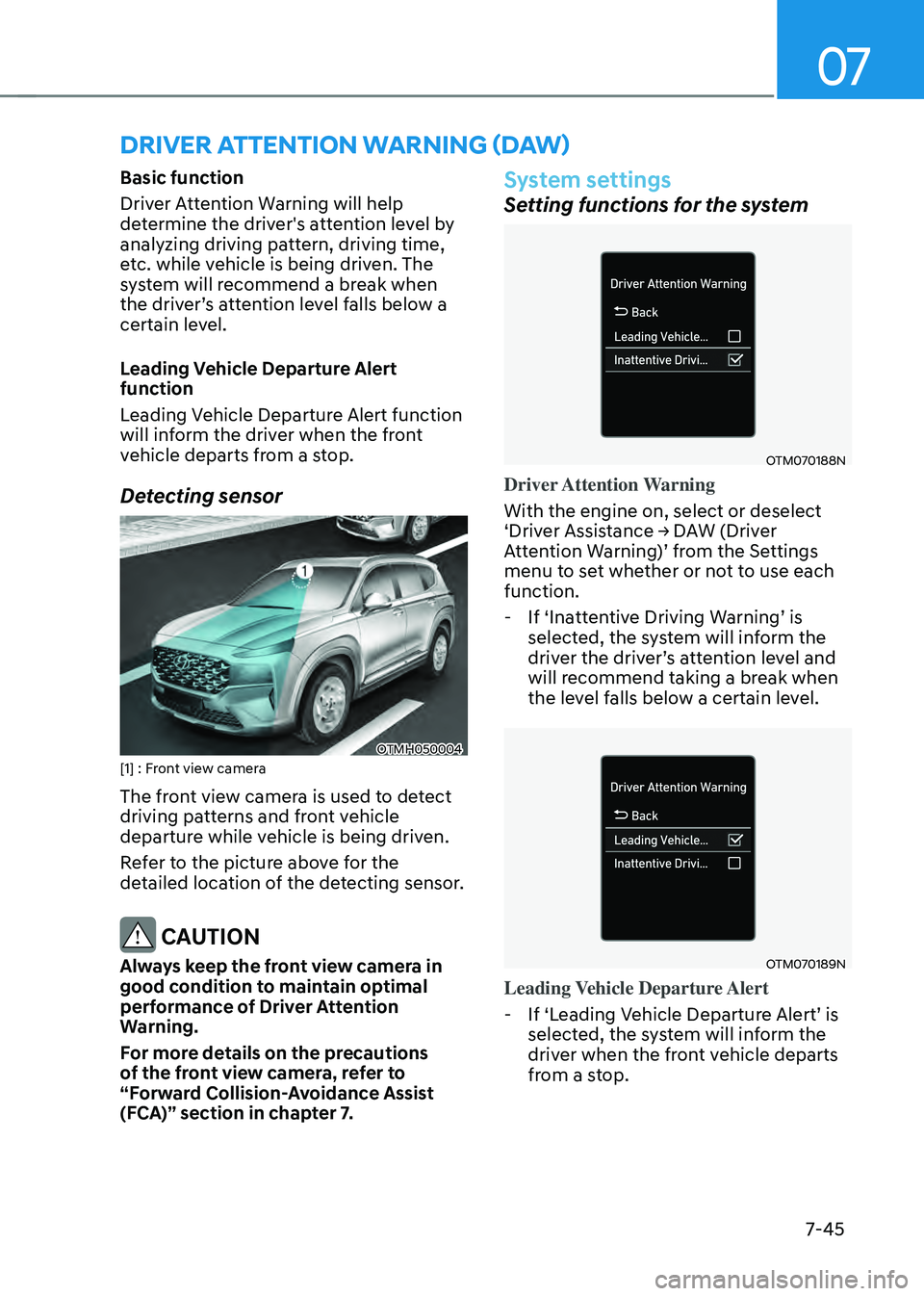
Detecting sensor
OTMH050004[1] : Front view camera
The front view camera is used to detect
driving patterns and front vehicle
departure while vehicle is being driven.
Refer to the picture above for the
detailed location of the detecting sensor.
CAUTION
Always keep the front view camera in
good condition to maintain optimal
performance of Driver Attention
Warning.
For more details on the precautions
of the front view camera, refer to
“Forward Collision-Avoidance Assist
(FCA)” section in chapter 7.
System settings
Setting functions for the system
OTM070188N
Driver Attention Warning
With the engine on, select or deselect
‘Driver Assistance → DAW (Driver Attention Warning)’ from the Settings menu to set whether or not to use each
function.
-If ‘Inattentive Driving Warning’ is selected, the system will inform the driver the driver’s attention level and will recommend taking a break when
the level falls below a certain level.
OTM070189N
Leading Vehicle Departure Alert
-If ‘Leading Vehicle Departure Alert’ is selected, the system will inform the
driver when the front vehicle departs
from a stop.
DRIVER ATTENTION WARNING (DAW)
Page 399 of 598
Driver assistance system
7-46
OTM070140N
Warning timing
With the engine on, select ‘Driver
assistance → Warning timing’ from the Settings menu to change the initial
warning activation time for Driver
Attention Warning.
When the vehicle is first delivered,
Warning timing is set to ‘Normal’. If you change the Warning timing, the warning
time of other Driver Assistance systems
may change.
Information
If the engine is restarted, Driver Attention
Warning will maintain the last setting.
System operation
Basic function
System display and warning
The basic function of Driver Attention
Warning is to inform the driver of their
‘Attention Level’ and to warn the driver to ‘Consider taking a break’.
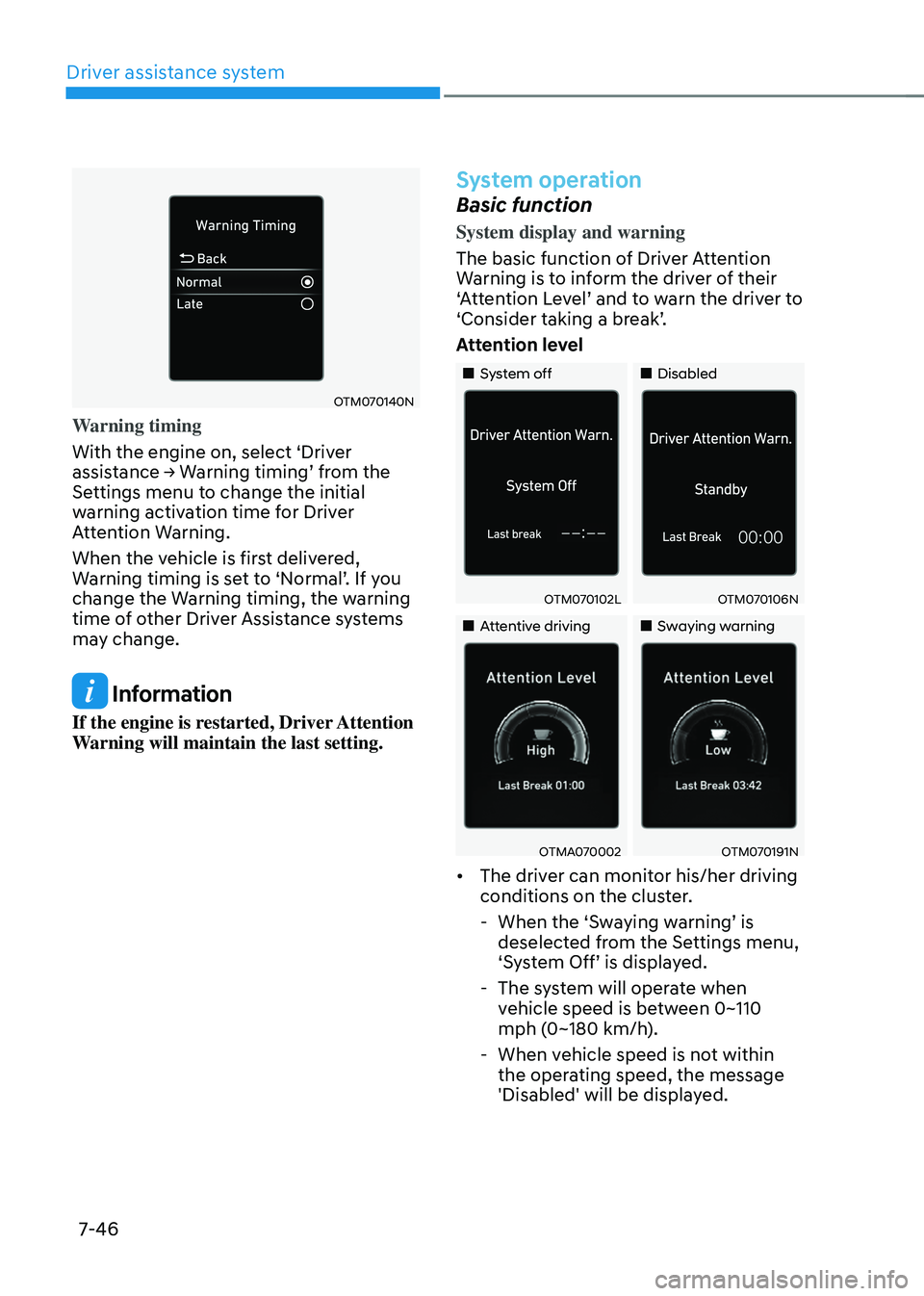
Attention level
„„System off„„Disabled
OTM070102LOTM070106N
„„Attentive driving„„Swaying warning
OTMA070002OTM070191N
• The driver can monitor his/her driving
conditions on the cluster.
-When the ‘Swaying warning’ is deselected from the Settings menu, ‘System Off’ is displayed.
-The system will operate when
vehicle speed is between 0~110
mph (0~180 km/h).
-When vehicle speed is not within
the operating speed, the message
'Disabled' will be displayed.
Page 400 of 598
07
7-47
• The driver’s attention level is displayed on the scale of 1 to 5. The lower the
level is, the more inattentive the driver
is.
• The level decreases when the driver
does not take a break for a certain
period of time.
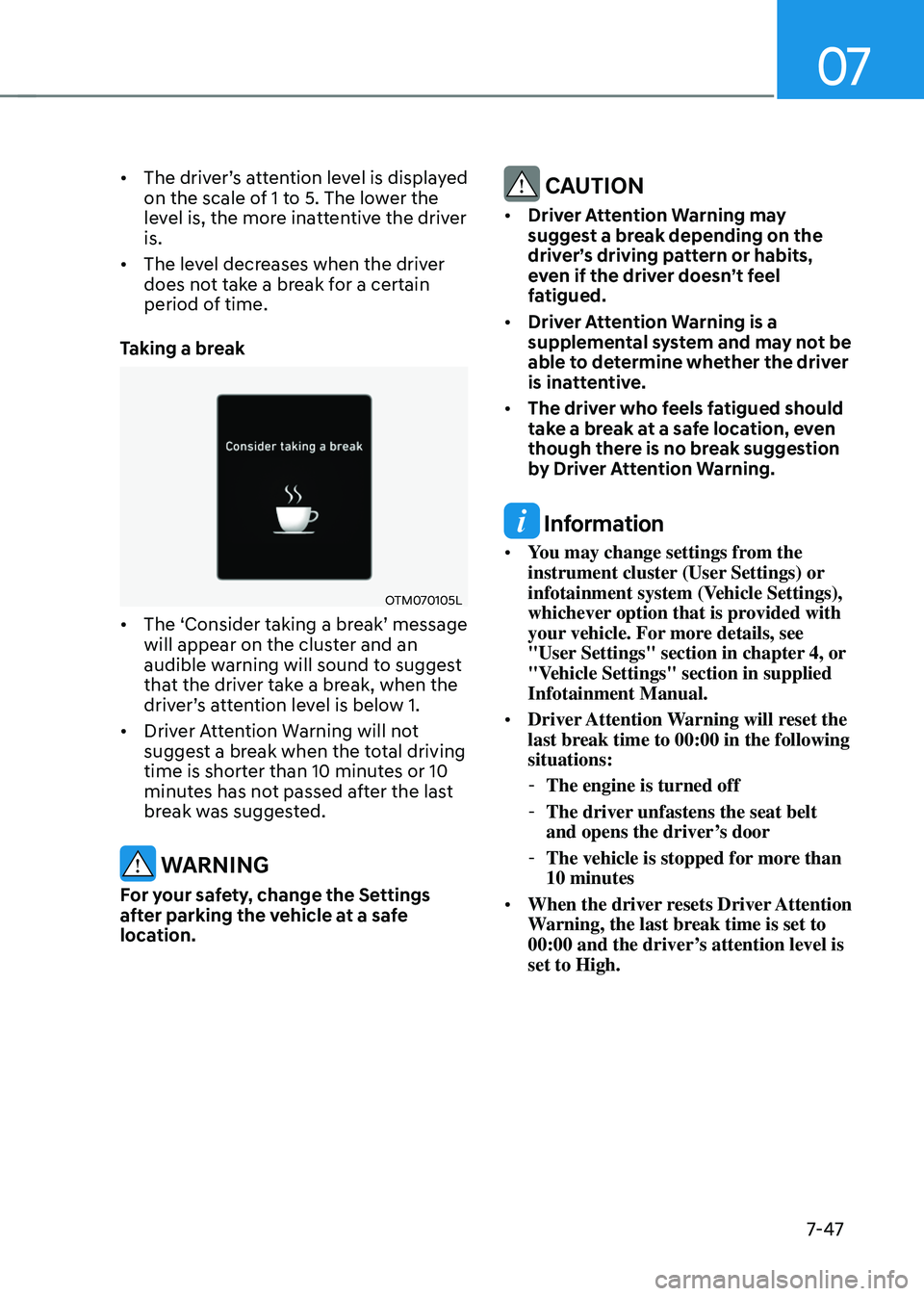
Taking a break
OTM070105L
• The ‘Consider taking a break’ message will appear on the cluster and an
audible warning will sound to suggest
that the driver take a break, when the
driver’s attention level is below 1.
• Driver Attention Warning will not
suggest a break when the total driving
time is shorter than 10 minutes or 10
minutes has not passed after the last
break was suggested.
WARNING
For your safety, change the Settings
after parking the vehicle at a safe
location.
CAUTION
• Driver Attention Warning may
suggest a break depending on the
driver’s driving pattern or habits,
even if the driver doesn’t feel
fatigued.
• Driver Attention Warning is a
supplemental system and may not be
able to determine whether the driver
is inattentive.
• The driver who feels fatigued should
take a break at a safe location, even
though there is no break suggestion
by Driver Attention Warning.
Information
• You may change settings from the
instrument cluster (User Settings) or
infotainment system (Vehicle Settings),
whichever option that is provided with
your vehicle. For more details, see
"User Settings" section in chapter 4, or
"Vehicle Settings" section in supplied
Infotainment Manual.
• Driver Attention Warning will reset the
last break time to 00:00 in the following
situations:
-The engine is turned off
-The driver unfastens the seat belt
and opens the driver’s door
-The vehicle is stopped for more than
10 minutes
• When the driver resets Driver Attention
Warning, the last break time is set to
00:00 and the driver’s attention level is
set to High.
Page 404 of 598
07
7-51
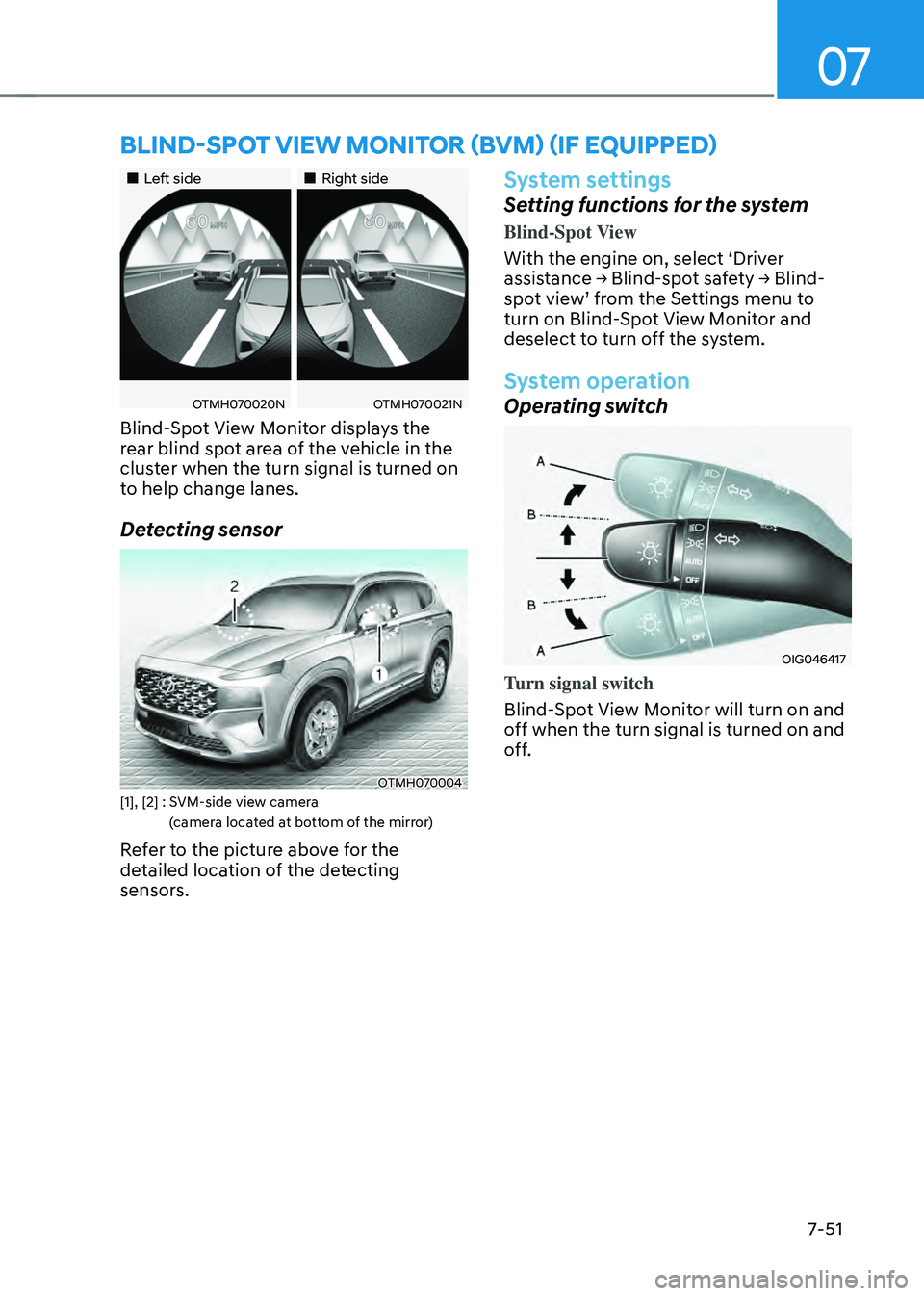
„„Left side„„Right side
OTMH070020NOTMH070021N
Blind-Spot View Monitor displays the
rear blind spot area of the vehicle in the
cluster when the turn signal is turned on
to help change lanes.
Detecting sensor
OTMH070004[1], [2] : SVM-side view camera
(camera located at bottom of the mirror)
Refer to the picture above for the
detailed location of the detecting
sensors.
System settings
Setting functions for the system
Blind-Spot View
With the engine on, select ‘Driver
assistance → Blind-spot safety → Blind-spot view’ from the Settings menu to turn on Blind-Spot View Monitor and
deselect to turn off the system.
System operation
Operating switch
OIG046417
Turn signal switch
Blind-Spot View Monitor will turn on and
off when the turn signal is turned on and
off.
BLIND-SPOT VIEW MONITOR (BVM) (IF EQUIPPED)
Page 407 of 598
![HYUNDAI SANTA FE HYBRID 2021 Owners Manual Driver assistance system
7-54
System settings
Setting functions for the system
OTMH070019N[A] : Type A, [B] : Type B
To turn on the system
• Press the Driving Assist button to turn
on the system. T](/img/35/56184/w960_56184-406.png "HYUNDAI SANTA FE HYBRID 2021 Owners Manual Driver assistance system
7-54
System settings
Setting functions for the system
OTMH070019N[A] : Type A, [B] : Type B
To turn on the system
• Press the Driving Assist button to turn
on the system. T")
Driver assistance system
7-54
System settings
Setting functions for the system
OTMH070019N[A] : Type A, [B] : Type B
To turn on the system
• Press the Driving Assist button to turn
on the system. The speed will be set
to the current speed on the cluster.
• If there is no vehicle in front of you,
the set speed will be maintained, but
if there is a vehicle in front of you,
the speed may decrease to maintain
the distance to the vehicle ahead. If
the vehicle ahead accelerates, your
vehicle will travel at a steady cruising
speed after accelerating to the set
speed.
Information
• If your vehicle speed is between 0~20
mph (0~30 km/h) when you press the
Driving Assist button, the Smart Cruise
Control speed will be set to 0~20 mph
(0~30 km/h).
• The Driving Assist button symbol may
vary depending on your vehicle option.
OTM070206L[A] : Type A, [B] : Type B
To set vehicle distance
Each time the button is pressed, the
vehicle distance changes as follows:
Distance 4 Distance 3
Distance 1Distance 2
Information
• If you drive at 56 mph (90 km/h), the
distance is maintained as follows:
Distance 4 -
approximately 172 ft. (53 m)
Distance 3 -
approximately 130 ft. (40 m)
Distance 2 -
approximately 106 ft. (30 m)
Distance 1 -
approximately 82 ft. (25 m)
• The distance is set to the last set
distance when the engine is restarted,
or when the system was temporarily
canceled.