change time Hyundai Sonata 2014 Service Manual
[x] Cancel search | Manufacturer: HYUNDAI, Model Year: 2014, Model line: Sonata, Model: Hyundai Sonata 2014Pages: 665, PDF Size: 17.43 MB
Page 315 of 665
![Hyundai Sonata 2014 Service Manual 4-57
Multimedia System
4
Switching to Radio Mode
Pressing the key will change
the operating mode in order of FM1
➟FM2 ➟FMA ➟AM ➟AMA
If [Pop up Mode] is turned on within
[Display]](/img/35/16805/w960_16805-314.png "Hyundai Sonata 2014 Service Manual 4-57
Multimedia System
4
Switching to Radio Mode
Pressing the key will change
the operating mode in order of FM1
➟FM2 ➟FMA ➟AM ➟AMA
If [Pop up Mode] is turned on within
[Display]")
4-57
Multimedia System
4
Switching to Radio Mode
Pressing the key will change
the operating mode in order of FM1
➟FM2 ➟FMA ➟AM ➟AMA
If [Pop up Mode] is turned on within
[Display], then pressing the
key will display the Radio
Pop-up Mode screen.
Turn the TUNE knob to move the
focus. Press the knob to select.
Searching Radio Frequencies
Using Seek
Press the key to play the
previous/next frequency.
Using TUNE
Turn the TUNE knob to select the
desired frequency.
•FM : Increases/decreased by
50kHz
•AM :Increases/decreased by 9kHz
SEEKTRACK
RADIO
SETUP
RADIO
Page 318 of 665
4-60
Multimedia System
RADIO MODE
Basic Mode Screen
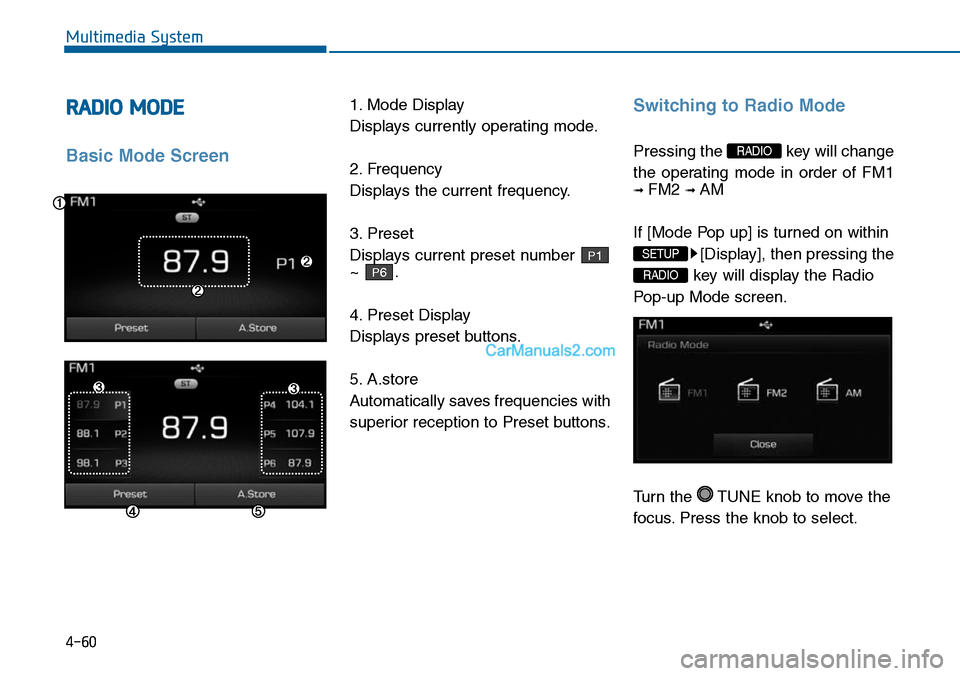
1. Mode Display
Displays currently operating mode.
2. Frequency
Displays the current frequency.
3. Preset
Displays current preset number
~ .
4. Preset Display
Displays preset buttons.
5. A.store
Automatically saves frequencies with
superior reception to Preset buttons.
Switching to Radio Mode
Pressing the key will change
the operating mode in order of FM1
➟ FM2 ➟ AM
If [Mode Pop up] is turned on within
[Display], then pressing the
key will display the Radio
Pop-up Mode screen.
Turn the TUNE knob to move the
focus. Press the knob to select.
RADIO
SETUP
RADIO
P6
P1
Page 320 of 665
![Hyundai Sonata 2014 Service Manual 4-62
Multimedia System
MEDIA MODE
Pressing the key will change
the operating mode in order of CD ➟
USB(iPod®) ➟ AUX ➟ My Music ➟BT
Audio.
If [Mode Pop up] is turned on within
[Display](/img/35/16805/w960_16805-319.png "Hyundai Sonata 2014 Service Manual 4-62
Multimedia System
MEDIA MODE
Pressing the key will change
the operating mode in order of CD ➟
USB(iPod®) ➟ AUX ➟ My Music ➟BT
Audio.
If [Mode Pop up] is turned on within
[Display")
4-62
Multimedia System
MEDIA MODE
Pressing the key will change
the operating mode in order of CD ➟
USB(iPod®) ➟ AUX ➟ My Music ➟BT
Audio.
If [Mode Pop up] is turned on within
[Display], then pressing the
key will display the Media
Pop-up Mode screen.
Turn the TUNE knob to move the
focus. Press the knob to select.
Information
The media mode pop up screen can be
displayed only when there are two or
more media modes turned on.
Title Icon
When a Bluetooth®Wireless
Te c h n o l o g y, i P o d®, USB, or AUX
device is connected or a CD is
inserted, the corresponding mode
icon will be displayed.
Icon Title
Bluetooth®Wireless Technology
CD
iPod®
USB
AUX
i
MEDIA
SETUP
MEDIA
Page 326 of 665
4-68
Multimedia System
Random(Shuffle)
Press the ( ) button to
play files in random(Shuffle) order.
Each time the button is pressed, the
feature changes in order of Random
(Shuffle) Folder ➟ Random (Shuffle)
All ➟ Off.
• Random(Shuffle) Folder : Plays all
files within the current folder in
Random (Shuffle) order.
• Random(Shuffle) All : Plays all files
in Random(Shuffle) order.
Repeat
Press the ( ) button to
repeat the current file or folder.
Each time the button is pressed, the
feature changes in order of Repeat
➟Repeat Folder➟Off.
• Repeat: Repeats the current file.
• Repeat Folder: Repeats all files
within the current Folder.
Copying Files
Press the ( ) button to
copy the current file into My Music.
Information
Selecting another feature during
copying will display a pop-up asking
whether you wish to cancel copying.
To cancel, select 'Yes’.
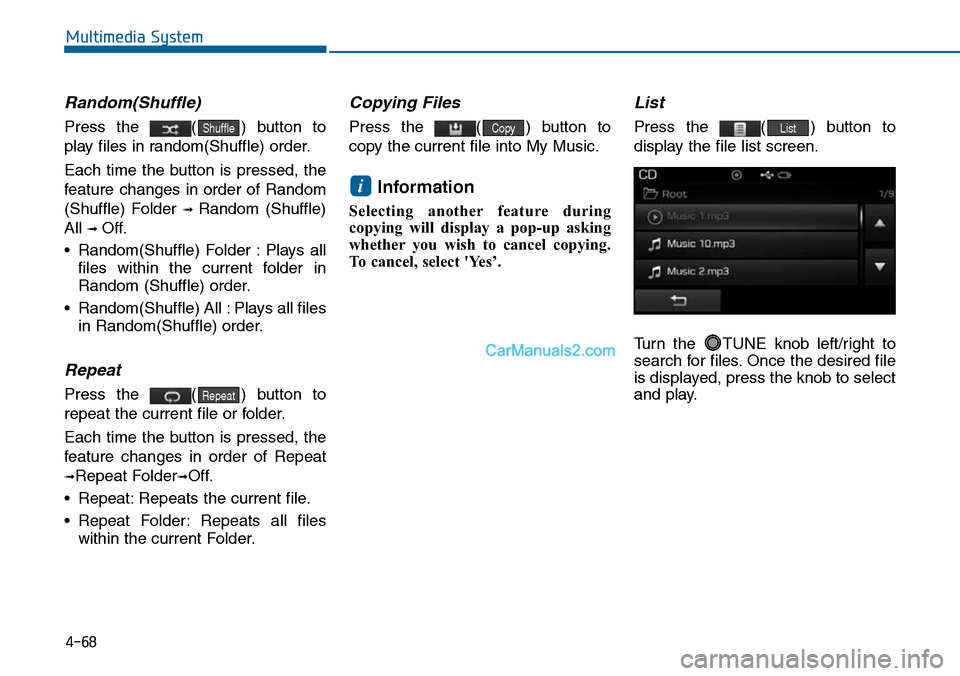
List
Press the ( ) button to
display the file list screen.
Turn the TUNE knob left/right to
search for files. Once the desired file
is displayed, press the knob to select
and play.
List
i
Copy
Repeat
Shuffle
Page 329 of 665
4-71
Multimedia System
4
Info
Press the ( ) button to
display details about the current file.
Information
• When the ‘Folder File’ option is set
as the default display within Display
setup, the album/artist/file informa-
tion are displayed as detailed file
information.
•When the ‘Album Artist Song’
option is set as the default display,
the folder name/file name are dis-
played as detailed file information.
• The title, artist and album info are
displayed only when such informa-
tion are recorded within the MP3
file ID3 tag.
Random (Shuffle)
Press the ( ) button to
play files in random(Shuffle) order.
Each time the button is pressed, the
feature changes in order of
Random(Shuffle) Folder➟Random
(Shuffle) All➟Off.
• Random(Shuffle) Folder : Plays the
files in the current folder in ran-
dom(Shuffle) order.
• Random(Shuffle) All : Plays all files
in random(Shuffle) order.
Repeat
Press the ( ) button to
repeat the current file or folder.
Each time the button is pressed, the
feature changes in order of Repeat➟
Repeat Folder ➟Off.
• Repeat : Repeats the current file.
• Repeat Folder : Repeats all files
within the current folder.
Copying Files
Press the ( ) button to
copy the current file into My Music.
Information
Selecting another feature during
copying will display a pop-up asking
whether you wish to cancel copying.
To cancel, select 'Yes’.
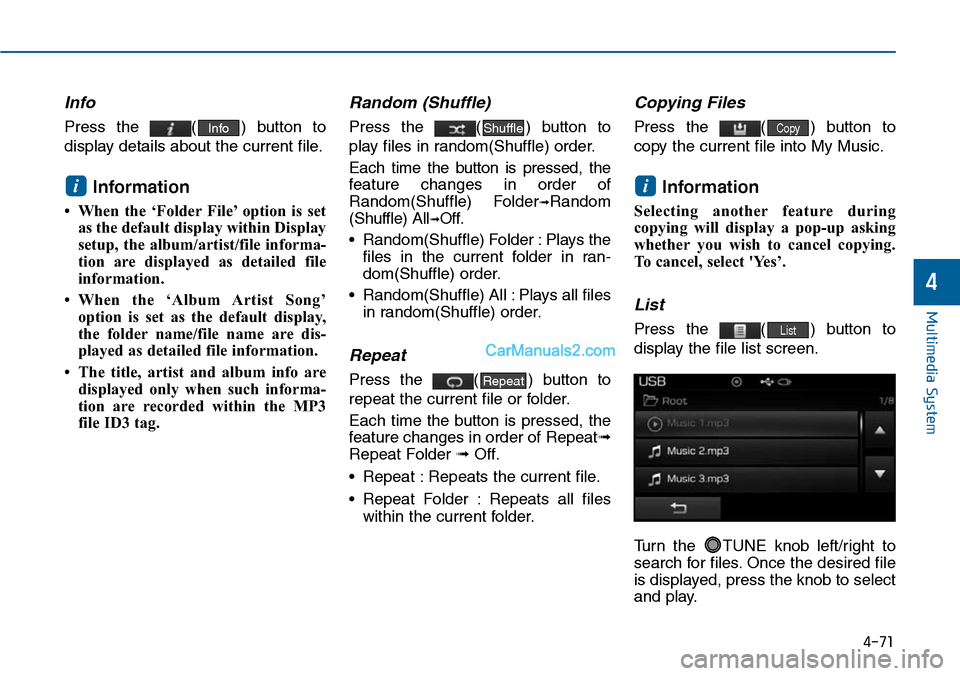
List
Press the ( ) button to
display the file list screen.
Turn the TUNE knob left/right to
search for files. Once the desired file
is displayed, press the knob to select
and play.
List
i
Copy
Repeat
Shuffle
i
Info
Page 343 of 665
![Hyundai Sonata 2014 Service Manual Connecting a Device
Press the key Select
[Phone] Select [Paired Phone List]
1) Connected Phone : Device that is
currently connected
2) Paired Phone : Device that is
paired but not connected](/img/35/16805/w960_16805-342.png "Hyundai Sonata 2014 Service Manual Connecting a Device
Press the key Select
[Phone] Select [Paired Phone List]
1) Connected Phone : Device that is
currently connected
2) Paired Phone : Device that is
paired but not connected")
Connecting a Device
Press the key Select
[Phone] Select [Paired Phone List]
1) Connected Phone : Device that is
currently connected
2) Paired Phone : Device that is
paired but not connected
From the paired phone list, select the
device you want to connect and
press the button.
Changing Priority
What is Priority?
It is possible to pair up to five
Bluetooth®Wireless Technology
devices with the car audio system.
As a result, the “Change Priority’ fea-
ture is used to set the connection pri-
ority of paired phones. However, the
most recently connected phone will
always be set as the highest priority.
Press the key Select
[Phone] Select [Paired Phone List]
SETUP
SETUP
4-85
Multimedia System
4
Page 344 of 665
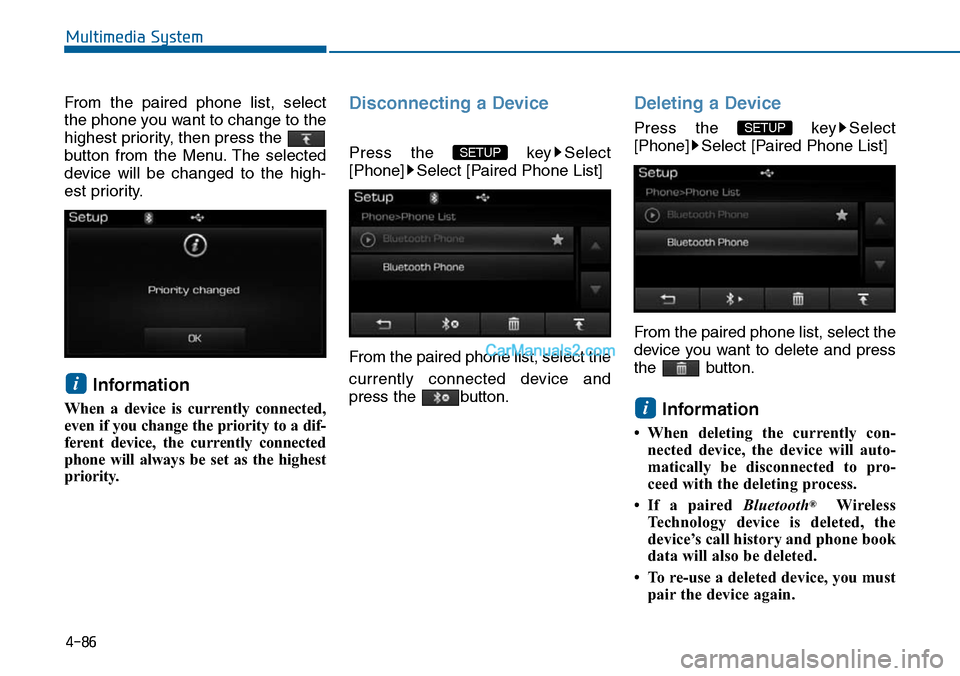
From the paired phone list, select
the phone you want to change to the
highest priority, then press the
button from the Menu. The selected
device will be changed to the high-
est priority.
Information
When a device is currently connected,
even if you change the priority to a dif-
ferent device, the currently connected
phone will always be set as the highest
priority.
Disconnecting a Device
Press the key Select
[Phone] Select [Paired Phone List]
From the paired phone list, select the
currently connected device and
press the button.
Deleting a Device
Press the key Select
[Phone] Select [Paired Phone List]
From the paired phone list, select the
device you want to delete and press
the button.
Information
• When deleting the currently con-
nected device, the device will auto-
matically be disconnected to pro-
ceed with the deleting process.
•If a paired Bluetooth®Wireless
Te c h n o l o g y d e v i c e i s d e l e t e d , t h e
device’s call history and phone book
data will also be deleted.
• To re-use a deleted device, you must
pair the device again.
i
SETUP
SETUP
i
4-86
Multimedia System
Page 351 of 665
![Hyundai Sonata 2014 Service Manual Connecting a Device
Press the key Select
[Phone] Select [Paired Phone List]
1) Connected Phone : Device that is
currently connected
2) Paired Phone : Device that is
paired but not connected](/img/35/16805/w960_16805-350.png "Hyundai Sonata 2014 Service Manual Connecting a Device
Press the key Select
[Phone] Select [Paired Phone List]
1) Connected Phone : Device that is
currently connected
2) Paired Phone : Device that is
paired but not connected")
Connecting a Device
Press the key Select
[Phone] Select [Paired Phone List]
1) Connected Phone : Device that is
currently connected
2) Paired Phone : Device that is
paired but not connected
From the paired phone list, select the
device you want to connect and
press the button.
Changing Priority
What is Priority?
It is possible to pair up to five
Bluetooth®Wireless Technology
devices with the car audio system.
As a result, the “Change Priority’ fea-
ture is used to set the connection pri-
ority of paired phones. However, the
most recently connected phone will
always be set as the highest priority.
Press the key Select
[Phone] Select [Paired Phone List]
SETUP
ConnectSETUP
4-93
Multimedia System
4
Page 352 of 665
4-94
Multimedia System
From the paired phone list, select the
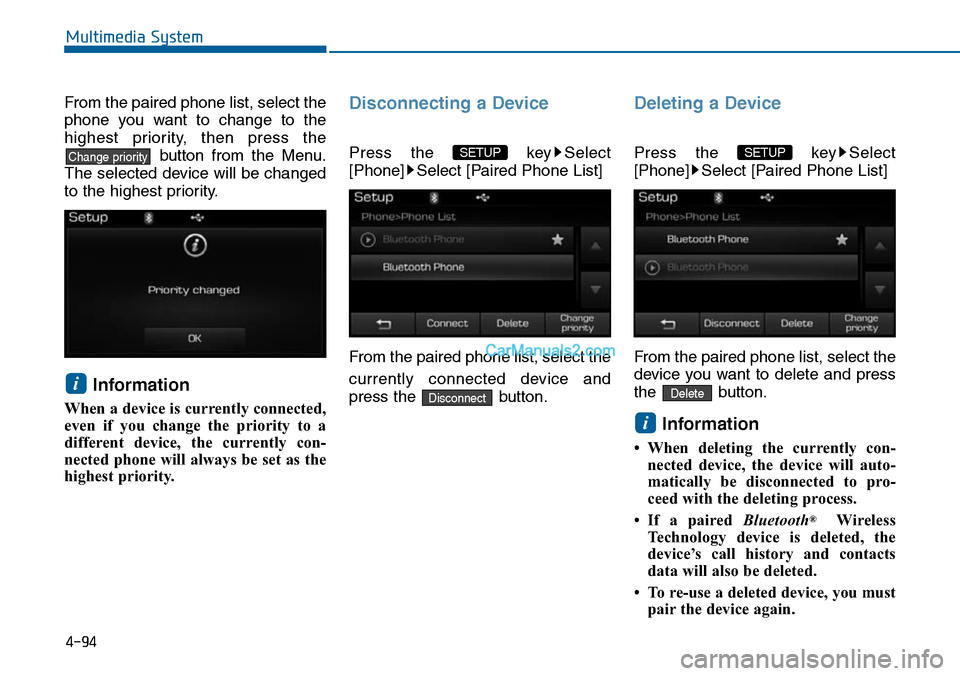
phone you want to change to the
highest priority, then press the
button from the Menu.
The selected device will be changed
to the highest priority.
Information
When a device is currently connected,
even if you change the priority to a
different device, the currently con-
nected phone will always be set as the
highest priority.
Disconnecting a Device
Press the key Select
[Phone] Select [Paired Phone List]
From the paired phone list, select the
currently connected device and
press the button.
Deleting a Device
Press the key Select
[Phone] Select [Paired Phone List]
From the paired phone list, select the
device you want to delete and press
the button.
Information
• When deleting the currently con-
nected device, the device will auto-
matically be disconnected to pro-
ceed with the deleting process.
•If a paired Bluetooth®Wireless
Te c h n o l o g y d e v i c e i s d e l e t e d , t h e
device’s call history and contacts
data will also be deleted.
• To re-use a deleted device, you must
pair the device again.
i
Delete
SETUP
Disconnect
SETUP
i
Change priority
Page 357 of 665
4-99
Multimedia System
4
VOICE RECOGNITION
(if equipped)
Using Voice Recognition
Starting Voice Recognition
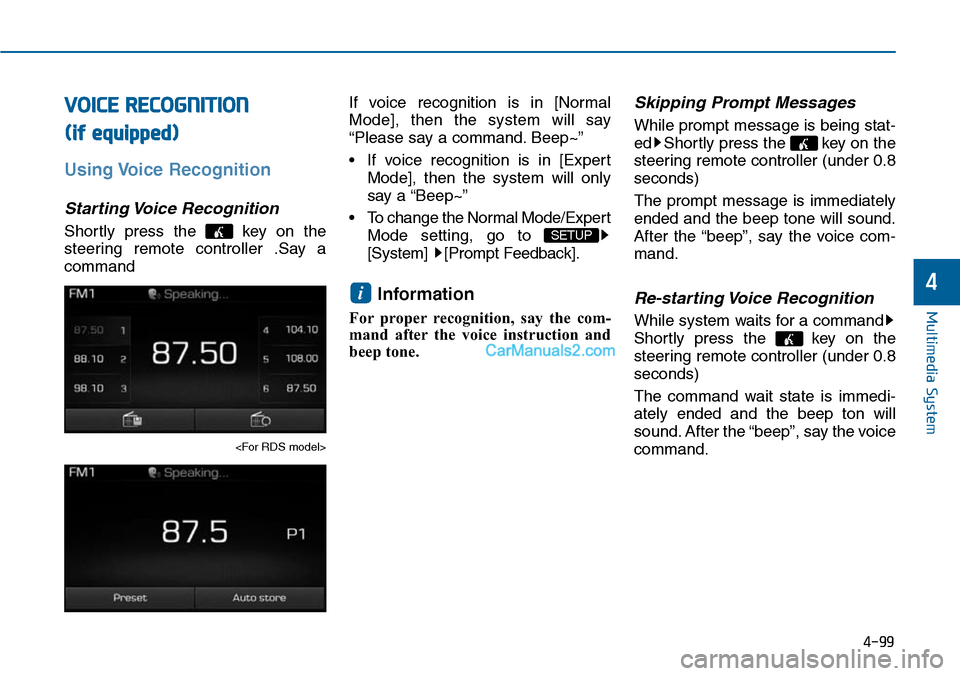
Shortly press the key on the
steering remote controller .Say a
command
If voice recognition is in [Normal
Mode], then the system will say
“Please say a command. Beep~”
• If voice recognition is in [Expert
Mode], then the system will only
say a “Beep~”
•To change the Normal Mode/Expert
Mode setting, go to
[System] [Prompt Feedback].
Information
For proper recognition, say the com-
mand after the voice instruction and
beep tone.
Skipping Prompt Messages
While prompt message is being stat-
ed Shortly press the key on the
steering remote controller (under 0.8
seconds)
The prompt message is immediately
ended and the beep tone will sound.
After the “beep”, say the voice com-
mand.
Re-starting Voice Recognition
While system waits for a command
Shortly press the key on the
steering remote controller (under 0.8
seconds)
The command wait state is immedi-
ately ended and the beep ton will
sound. After the “beep”, say the voice
command.
i
SETUP