lock Hyundai Sonata 2016 - RHD (UK, Australia) Service Manual
[x] Cancel search | Manufacturer: HYUNDAI, Model Year: 2016, Model line: Sonata, Model: Hyundai Sonata 2016Pages: 504, PDF Size: 12.45 MB
Page 115 of 504
3-31
Convenient features of your vehicle
3
The outside rearview mirrors will
automatically revert to their original
positions if any of the following occur:
The ignition switch is pressed to
either the LOCK/OFF position or the
ACC position.
• The shift lever is moved to any
position except R (Reverse).
• The remote control outside rearview
mirror switch is not selected.
Page 116 of 504
3-32
Convenient features of your vehicle
WINDOWS
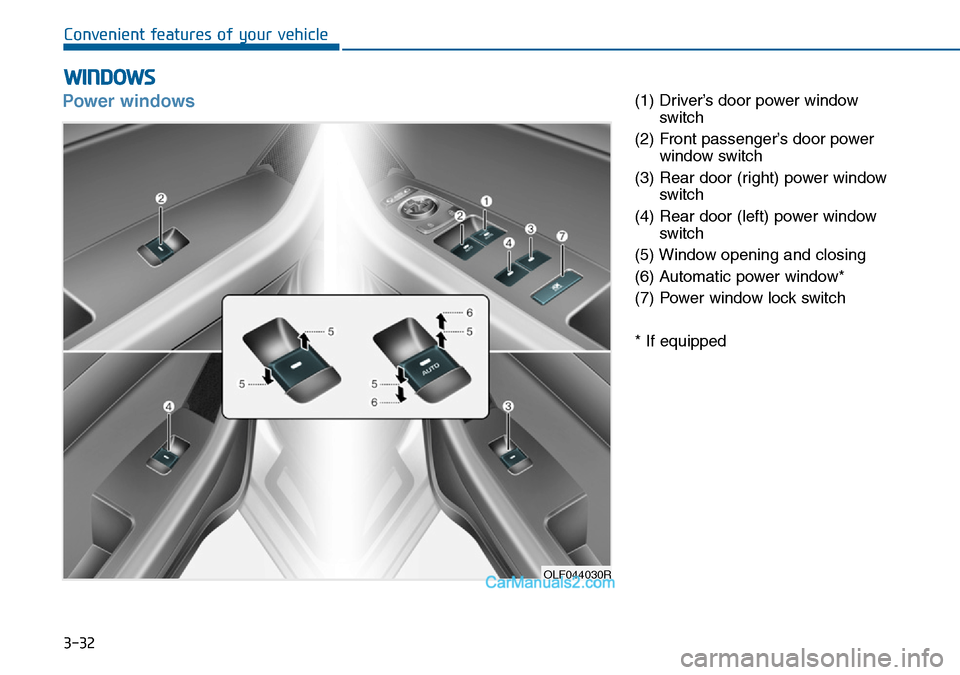
Power windows(1) Driver’s door power window
switch
(2) Front passenger’s door power
window switch
(3) Rear door (right) power window
switch
(4) Rear door (left) power window
switch
(5) Window opening and closing
(6) Automatic power window*
(7) Power window lock switch
* If equipped
OLF044030R
Page 117 of 504
3-33
Convenient features of your vehicle
3
The ignition switch must be in the ON
position to be able to raise or lower
the windows. Each door has a power
window switch to control that door's
window. The driver has a power win-
dow lock switch which can block the
operation of passenger windows.
The power windows will operate for
approximately 30 seconds after the
ignition switch is placed in the ACC
or OFF position. However, if the front
doors are opened, the power win-
dows cannot be operated even with-
in the 30 second period.Information
• In cold and wet climates, power win-
dows may not work properly due to
freezing conditions.
• Whilst driving with the rear win-
dows down or with the sunroof (if
equipped) opened (or partially
opened), your vehicle may demon-
strate a wind buffeting or pulsation
noise. This noise is normal and can
be reduced or eliminated by taking
the following actions. If the noise
occurs with one or both of the rear
windows down, partially lower both
front windows approximately one
inch. If you experience the noise
with the sunroof open, slightly close
the sunroof.
Window opening and closing
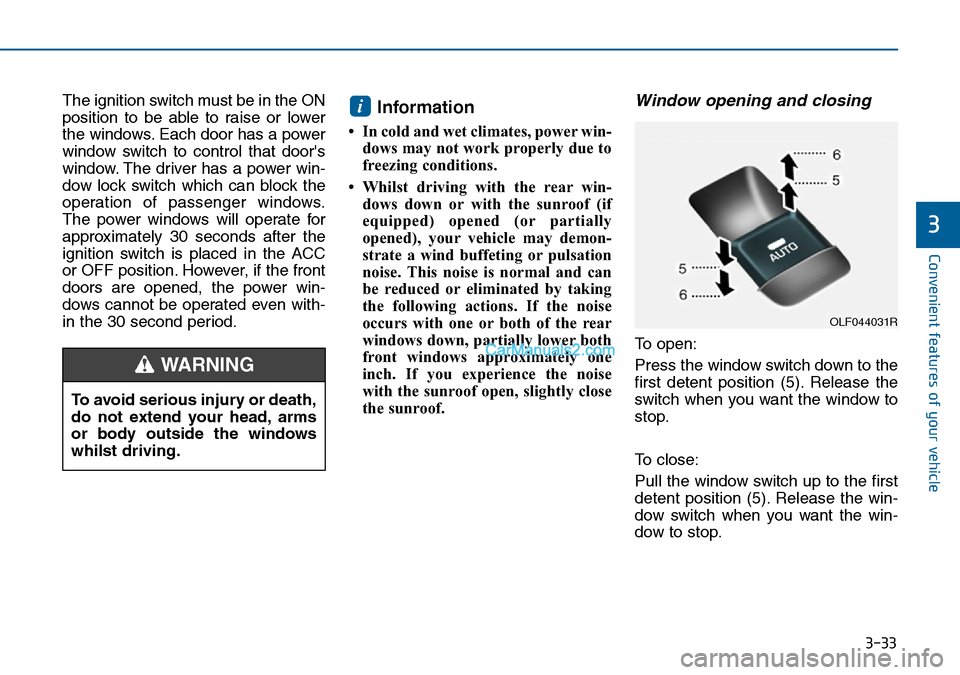
To open:
Press the window switch down to the
first detent position (5). Release the
switch when you want the window to
stop.
To close:
Pull the window switch up to the first
detent position (5). Release the win-
dow switch when you want the win-
dow to stop.
i
To avoid serious injury or death,
do not extend your head, arms
or body outside the windows
whilst driving.
WARNING
OLF044031R
Page 119 of 504
3-35
Convenient features of your vehicle
3
Information
The automatic reverse feature is only
active when the “Auto Up” feature is
used by fully pulling up the switch to
the second detent.
Power window lock switch
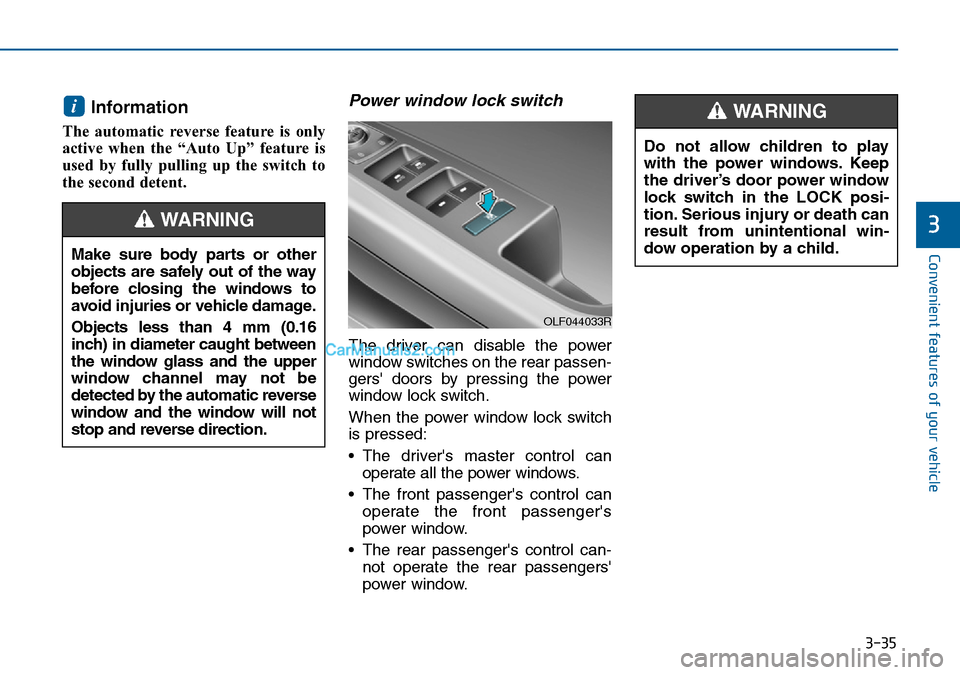
The driver can disable the power
window switches on the rear passen-
gers' doors by pressing the power
window lock switch.
When the power window lock switch
is pressed:
• The driver's master control can
operate all the power windows.
• The front passenger's control can
operate the front passenger's
power window.
• The rear passenger's control can-
not operate the rear passengers'
power window.
i
Make sure body parts or other
objects are safely out of the way
before closing the windows to
avoid injuries or vehicle damage.
Objects less than 4 mm (0.16
inch) in diameter caught between
the window glass and the upper
window channel may not be
detected by the automatic reverse
window and the window will not
stop and reverse direction.
WARNING
Do not allow children to play
with the power windows. Keep
the driver’s door power window
lock switch in the LOCK posi-
tion. Serious injury or death can
result from unintentional win-
dow operation by a child.
WARNING
OLF044033R
Page 120 of 504
3-36
Convenient features of your vehicle
• To prevent possible damage to
the power window system, do
not open or close two windows
or more at the same time. This
will also ensure the longevity of
the fuse.
• Never try to operate the main
switch on the driver's door and
the individual door window
switch in opposite directions at
the same time. If this is done, the
window will stop and cannot be
opened or closed.
NOTICE
•NEVER leave the keys in your
vehicle with unsupervised
children, when the engine is
running.
•NEVER leave any child unat-
tended in the vehicle. Even
very young children may inad-
vertently cause the vehicle to
move, entangle themselves in
the windows, or otherwise
injure themselves or others.
•Always double check to make
sure all arms, hands, head
and other obstructions are
safely out of the way before
closing a window.
(Continued)
(Continued)
•Do not allow children to play
with the power windows. Keep
the driver’s door power window
lock switch in the LOCK posi-
tion (pressed). Serious injury
can result from unintentional
window operation by the child.
•Do not extend your head,
arms or body outside the win-
dows whilst driving.
WARNING
Page 126 of 504
3-42
Convenient features of your vehicle
Bonnet
Opening the bonnet
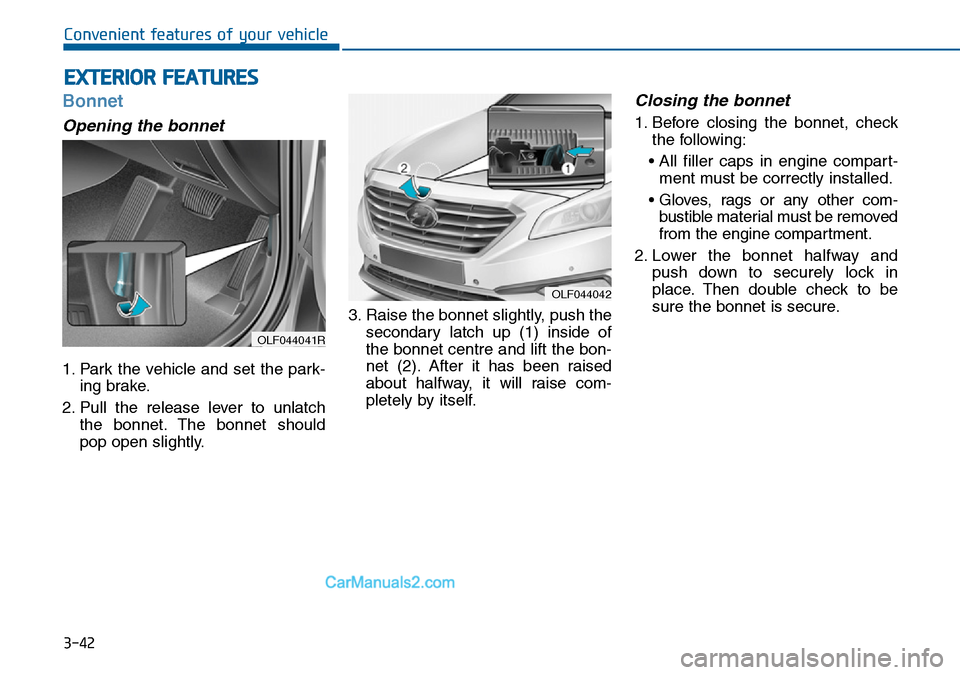
1. Park the vehicle and set the park-
ing brake.
2. Pull the release lever to unlatch
the bonnet. The bonnet should
pop open slightly.3. Raise the bonnet slightly, push the
secondary latch up (1) inside of
the bonnet centre and lift the bon-
net (2). After it has been raised
about halfway, it will raise com-
pletely by itself.
Closing the bonnet
1. Before closing the bonnet, check
the following:
• All filler caps in engine compart-
ment must be correctly installed.
• Gloves, rags or any other com-
bustible material must be removed
from the engine compartment.
2. Lower the bonnet halfway and
push down to securely lock in
place. Then double check to be
sure the bonnet is secure.
EXTERIOR FEATURES
OLF044042
OLF044041R
Page 127 of 504
3-43
Convenient features of your vehicle
3
Boot
Opening the boot
1. Make sure the shift lever is in P
(Park, for automatic transaxle) or
first gear or R (Reverse, for manu-
al transaxle) and set the parking
brake.
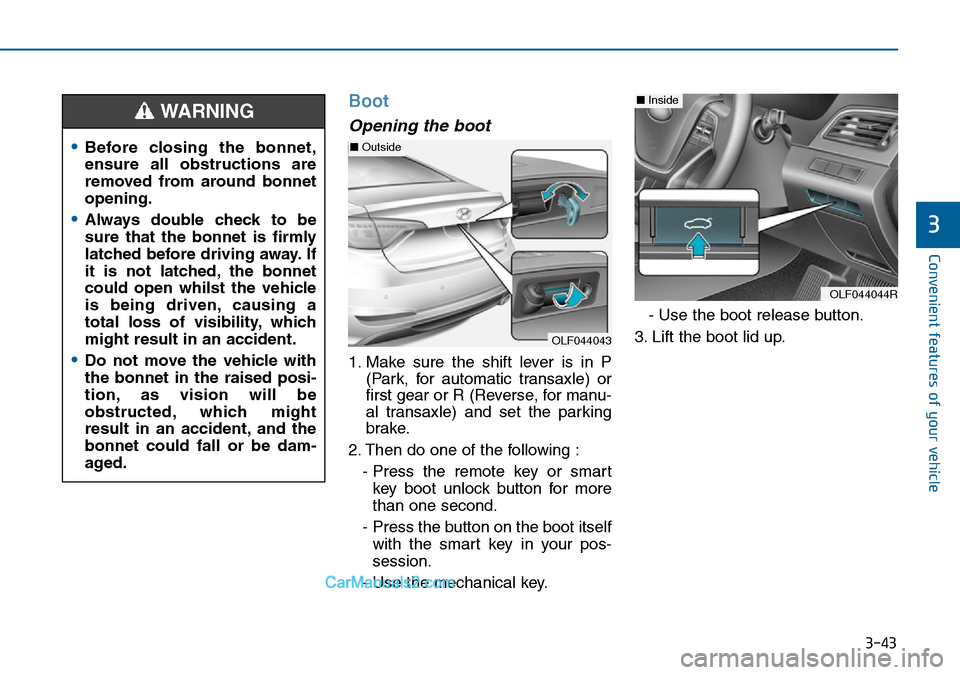
2. Then do one of the following :
- Press the remote key or smart
key boot unlock button for more
than one second.
- Press the button on the boot itself
with the smart key in your pos-
session.
- Use the mechanical key.- Use the boot release button.
3. Lift the boot lid up.
•Before closing the bonnet,
ensure all obstructions are
removed from around bonnet
opening.
•Always double check to be
sure that the bonnet is firmly
latched before driving away. If
it is not latched, the bonnet
could open whilst the vehicle
is being driven, causing a
total loss of visibility, which
might result in an accident.
•Do not move the vehicle with
the bonnet in the raised posi-
tion, as vision will be
obstructed, which might
result in an accident, and the
bonnet could fall or be dam-
aged.
WARNING
OLF044043
■Outside
OLF044044R
■Inside
Page 128 of 504
3-44
Convenient features of your vehicle
Closing the boot
Lower the boot lid and press down
until it locks.Information
To prevent damage to the boot lift
cylinders and the attached hardware,
always close the boot before driving.
In cold and wet climates, boot lock
and boot mechanisms may not
work properly due to freezing con-
ditions.
Emergency boot safety
release (if equipped)
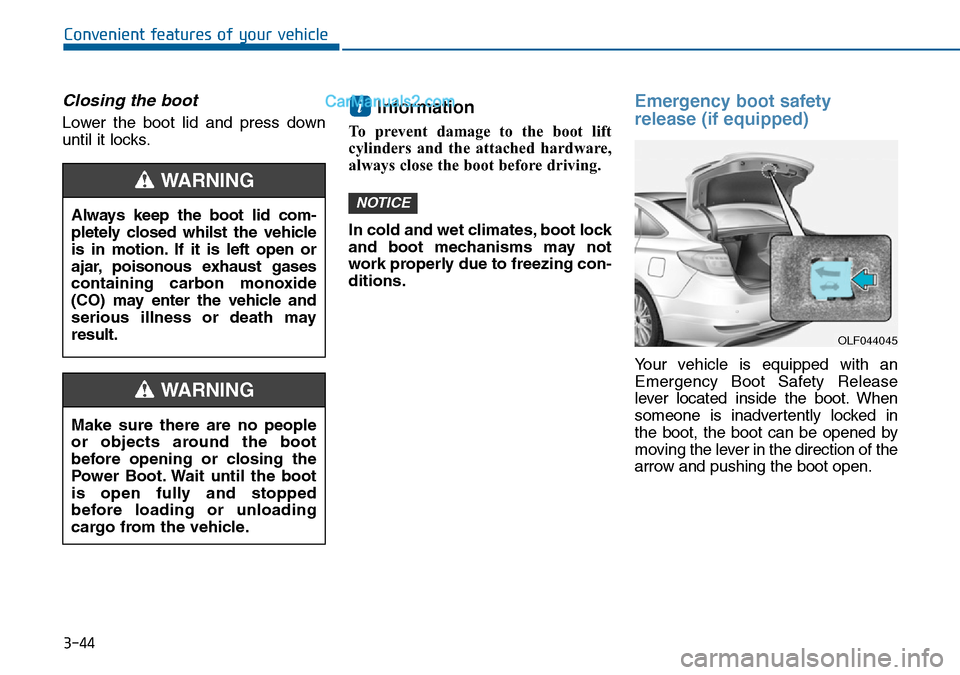
Your vehicle is equipped with an
Emergency Boot Safety Release
lever located inside the boot. When
someone is inadvertently locked in
the boot, the boot can be opened by
moving the lever in the direction of the
arrow and pushing the boot open.
NOTICE
i
OLF044045
Always keep the boot lid com-
pletely closed whilst the vehicle
is in motion. If it is left open or
ajar, poisonous exhaust gases
containing carbon monoxide
(CO) may enter the vehicle and
serious illness or death may
result.
WARNING
Make sure there are no people
or objects around the boot
before opening or closing the
Power Boot. Wait until the boot
is open fully and stopped
before loading or unloading
cargo from the vehicle.
WARNING
Page 129 of 504
3-45
Convenient features of your vehicle
3
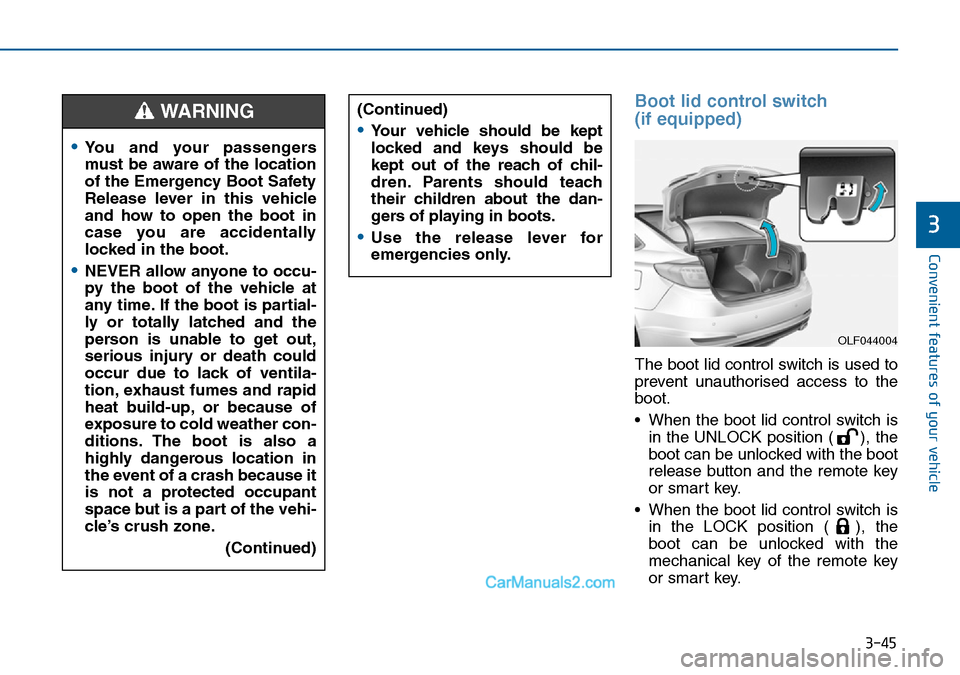
Boot lid control switch
(if equipped)
The boot lid control switch is used to
prevent unauthorised access to the
boot.
• When the boot lid control switch is
in the UNLOCK position ( ), the
boot can be unlocked with the boot
release button and the remote key
or smart key.
• When the boot lid control switch is
in the LOCK position ( ), the
boot can be unlocked with the
mechanical key of the remote key
or smart key.
•You and your passengers
must be aware of the location
of the Emergency Boot Safety
Release lever in this vehicle
and how to open the boot in
case you are accidentally
locked in the boot.
•NEVER allow anyone to occu-
py the boot of the vehicle at
any time. If the boot is partial-
ly or totally latched and the
person is unable to get out,
serious injury or death could
occur due to lack of ventila-
tion, exhaust fumes and rapid
heat build-up, or because of
exposure to cold weather con-
ditions. The boot is also a
highly dangerous location in
the event of a crash because it
is not a protected occupant
space but is a part of the vehi-
cle’s crush zone.
(Continued)
WARNING (Continued)
•Your vehicle should be kept
locked and keys should be
kept out of the reach of chil-
dren. Parents should teach
their children about the dan-
gers of playing in boots.
•Use the release lever for
emergencies only.
OLF044004
Page 130 of 504
3-46
Convenient features of your vehicle
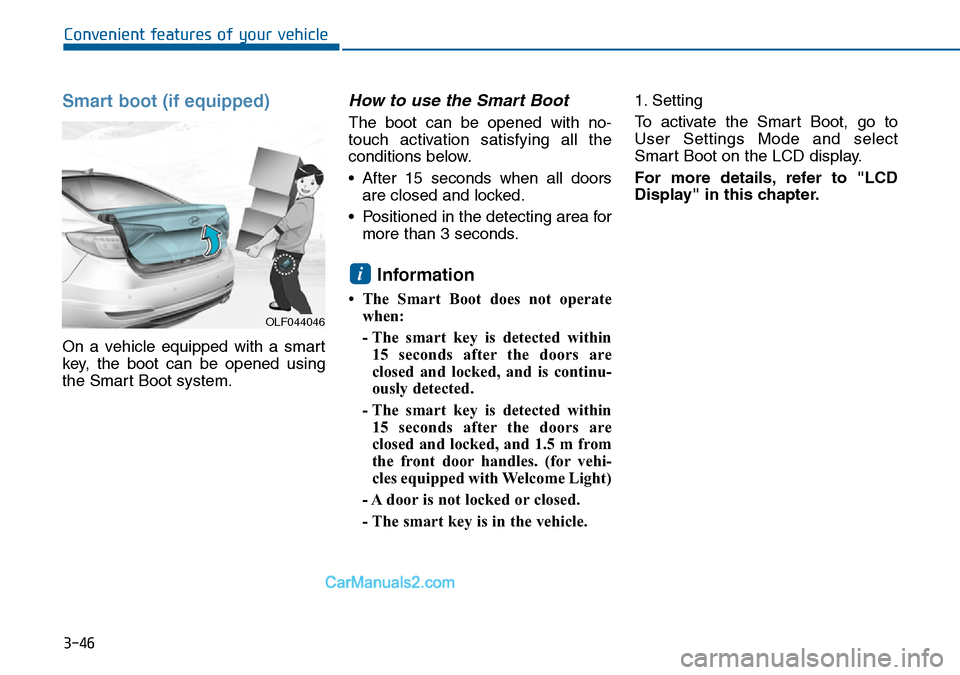
Smart boot (if equipped)
On a vehicle equipped with a smart
key, the boot can be opened using
the Smart Boot system.
How to use the Smart Boot
The boot can be opened with no-
touch activation satisfying all the
conditions below.
• After 15 seconds when all doors
are closed and locked.
• Positioned in the detecting area for
more than 3 seconds.
Information
• The Smart Boot does not operate
when:
- The smart key is detected within
15 seconds after the doors are
closed and locked, and is continu-
ously detected.
- The smart key is detected within
15 seconds after the doors are
closed and locked, and 1.5 m from
the front door handles. (for vehi-
cles equipped with Welcome Light)
- A door is not locked or closed.
- The smart key is in the vehicle. 1. Setting
To activate the Smart Boot, go to
User Settings Mode and select
Smart Boot on the LCD display.
For more details, refer to "LCD
Display" in this chapter.
i
OLF044046