lock Hyundai Sonata 2016 - RHD (UK, Australia) Manual PDF
[x] Cancel search | Manufacturer: HYUNDAI, Model Year: 2016, Model line: Sonata, Model: Hyundai Sonata 2016Pages: 504, PDF Size: 12.45 MB
Page 231 of 504
3-147
Convenient features of your vehicle
3
INTERIOR FEATURES
Ashtray (if equipped)
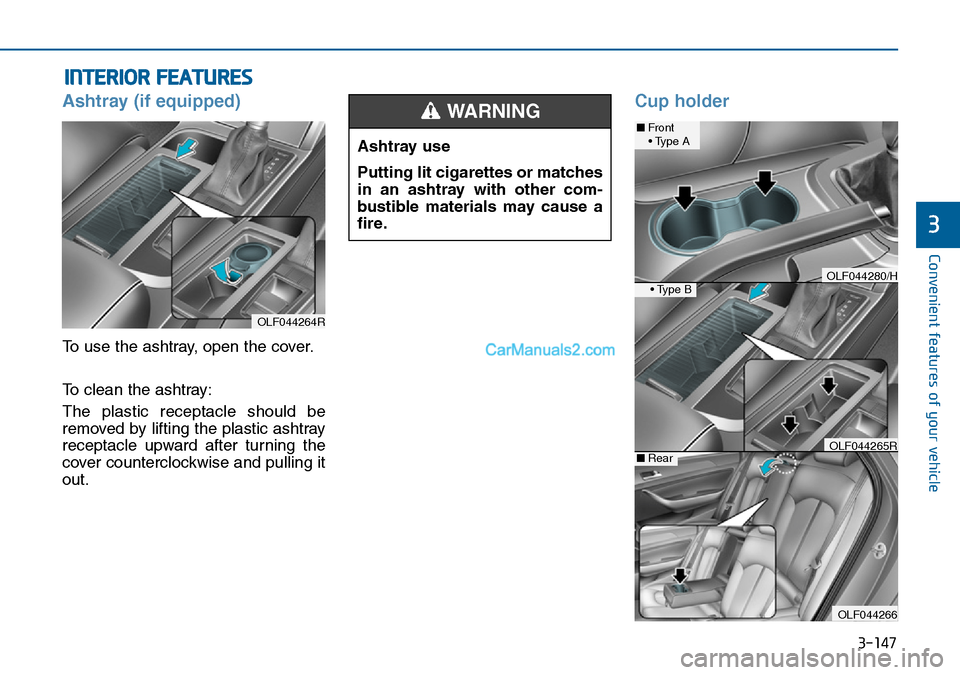
To use the ashtray, open the cover.
To clean the ashtray:
The plastic receptacle should be
removed by lifting the plastic ashtray
receptacle upward after turning the
cover counterclockwise and pulling it
out.
Cup holder
OLF044264R
Ashtray use
Putting lit cigarettes or matches
in an ashtray with other com-
bustible materials may cause a
fire.
WARNING ■Front
• Type A
• Type B
■Rear
OLF044266
OLF044280/H
OLF044265R
Page 233 of 504
3-149
Convenient features of your vehicle
3
Sunvisor
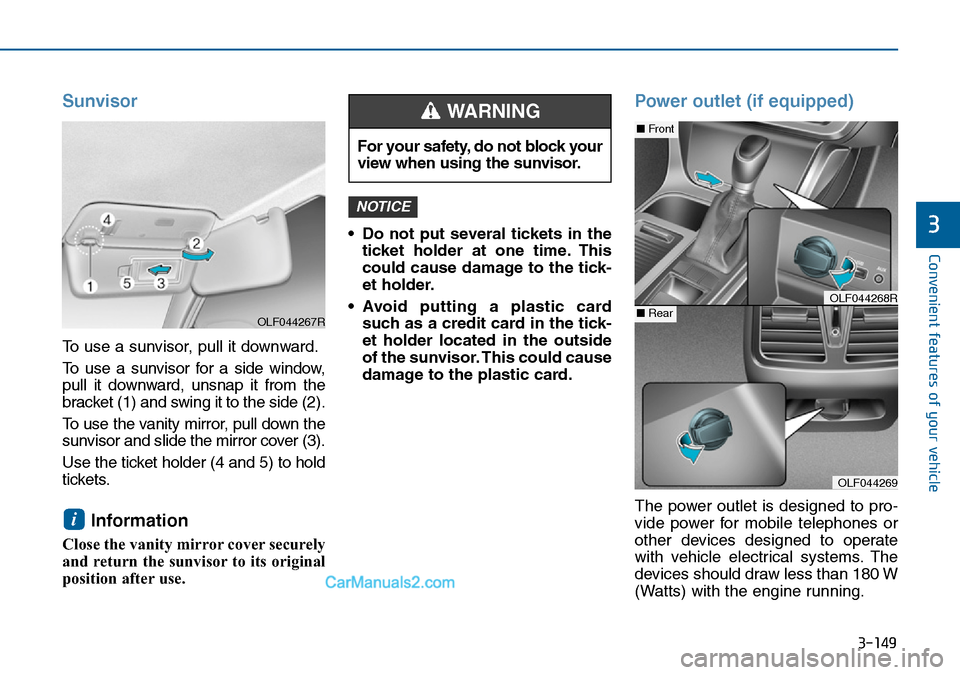
To use a sunvisor, pull it downward.
To use a sunvisor for a side window,
pull it downward, unsnap it from the
bracket (1) and swing it to the side (2).
To use the vanity mirror, pull down the
sunvisor and slide the mirror cover (3).
Use the ticket holder (4 and 5) to hold
tickets.
Information
Close the vanity mirror cover securely
and return the sunvisor to its original
position after use.• Do not put several tickets in the
ticket holder at one time. This
could cause damage to the tick-
et holder.
• Avoid putting a plastic card
such as a credit card in the tick-
et holder located in the outside
of the sunvisor. This could cause
damage to the plastic card.
Power outlet (if equipped)
The power outlet is designed to pro-
vide power for mobile telephones or
other devices designed to operate
with vehicle electrical systems. The
devices should draw less than 180 W
(Watts) with the engine running.
NOTICE
i
For your safety, do not block your
view when using the sunvisor.
WARNING
OLF044269
■Front
■RearOLF044268R
OLF044267R
Page 236 of 504
3-152
Convenient features of your vehicle
Clock
Whenever the battery terminals or
related fuses are disconnected, you
must reset the time.To set the time :
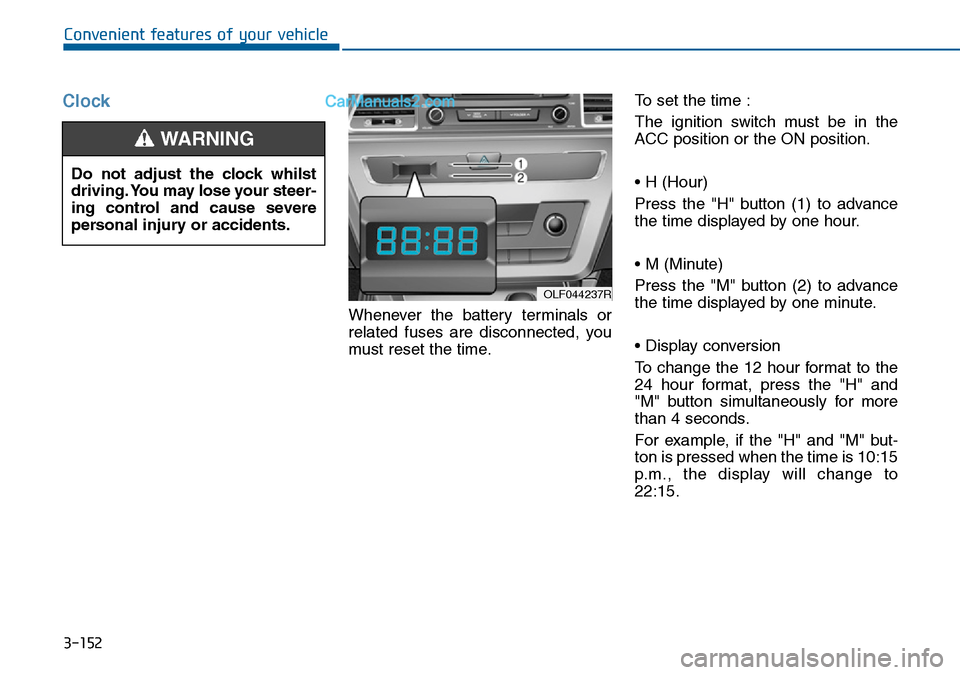
The ignition switch must be in the
ACC position or the ON position.
• H (Hour)
Press the "H" button (1) to advance
the time displayed by one hour.
• M (Minute)
Press the "M" button (2) to advance
the time displayed by one minute.
• Display conversion
To change the 12 hour format to the
24 hour format, press the "H" and
"M" button simultaneously for more
than 4 seconds.
For example, if the "H" and "M" but-
ton is pressed when the time is 10:15
p.m., the display will change to
22:15.
OLF044237R
Do not adjust the clock whilst
driving. You may lose your steer-
ing control and cause severe
personal injury or accidents.
WARNING
Page 246 of 504
4-7
Multimedia System
4
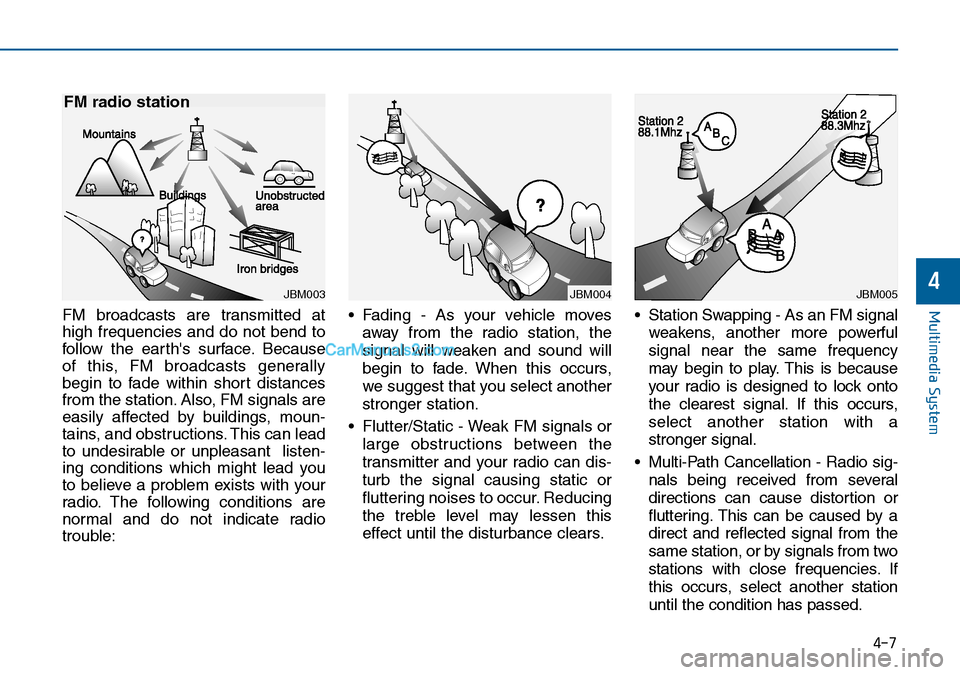
FM broadcasts are transmitted at
high frequencies and do not bend to
follow the earth's surface. Because
of this, FM broadcasts generally
begin to fade within short distances
from the station. Also, FM signals are
easily affected by buildings, moun-
tains, and obstructions. This can lead
to undesirable or unpleasant listen-
ing conditions which might lead you
to believe a problem exists with your
radio. The following conditions are
normal and do not indicate radio
trouble:• Fading - As your vehicle moves
away from the radio station, the
signal will weaken and sound will
begin to fade. When this occurs,
we suggest that you select another
stronger station.
• Flutter/Static - Weak FM signals or
large obstructions between the
transmitter and your radio can dis-
turb the signal causing static or
fluttering noises to occur. Reducing
the treble level may lessen this
effect until the disturbance clears.• Station Swapping - As an FM signal
weakens, another more powerful
signal near the same frequency
may begin to play. This is because
your radio is designed to lock onto
the clearest signal. If this occurs,
select another station with a
stronger signal.
• Multi-Path Cancellation - Radio sig-
nals being received from several
directions can cause distortion or
fluttering. This can be caused by a
direct and reflected signal from the
same station, or by signals from two
stations with close frequencies. If
this occurs, select another station
until the condition has passed.
JBM003
FM radio station
JBM004JBM005
Page 254 of 504
4-15
Multimedia System
4
(Continued)
• When using mass storage USB
devices with separate logical drives,
only files saved to the root drive can
be played.
• Files may not properly operate if
application programs are installed
to the USBs.
• The device may not operate normal-
ly if MP3 Players, cellular phones,
digital cameras, or other electronic
devices (USB devices not recognized
as portable disk drives) are connect-
ed with the device.
• Charging through the USB may not
work for some mobile devices.
• The device may not support normal
operation when using a USB memo-
ry type besides (Metal Cover Type)
USB Memory.
(Continued)(Continued)
• The device may not support normal
operation when using formats such
as HDD Type, CF, or SD Memory.
• The device will not support files
locked by DRM (Digital Rights
Management.)
• USB memory sticks used by con-
necting an Adaptor (SD Type or CF
Type) may not be properly recog-
nized.
• The device may not operate proper-
ly when using USB HDDs or USBs
subject to connection failures
caused by vehicle vibrations. (e.g. i-
stick type)
(Continued)(Continued)
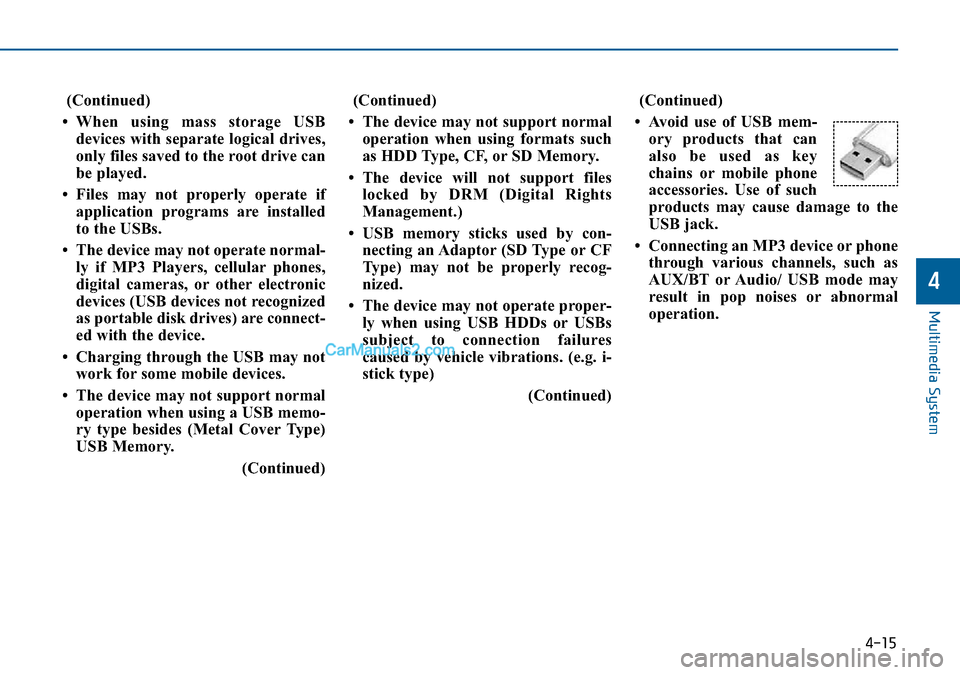
• Avoid use of USB mem-
ory products that can
also be used as key
chains or mobile phone
accessories. Use of such
products may cause damage to the
USB jack.
• Connecting an MP3 device or phone
through various channels, such as
AUX/BT or Audio/ USB mode may
result in pop noises or abnormal
operation.
Page 311 of 504
4-72
Multimedia System
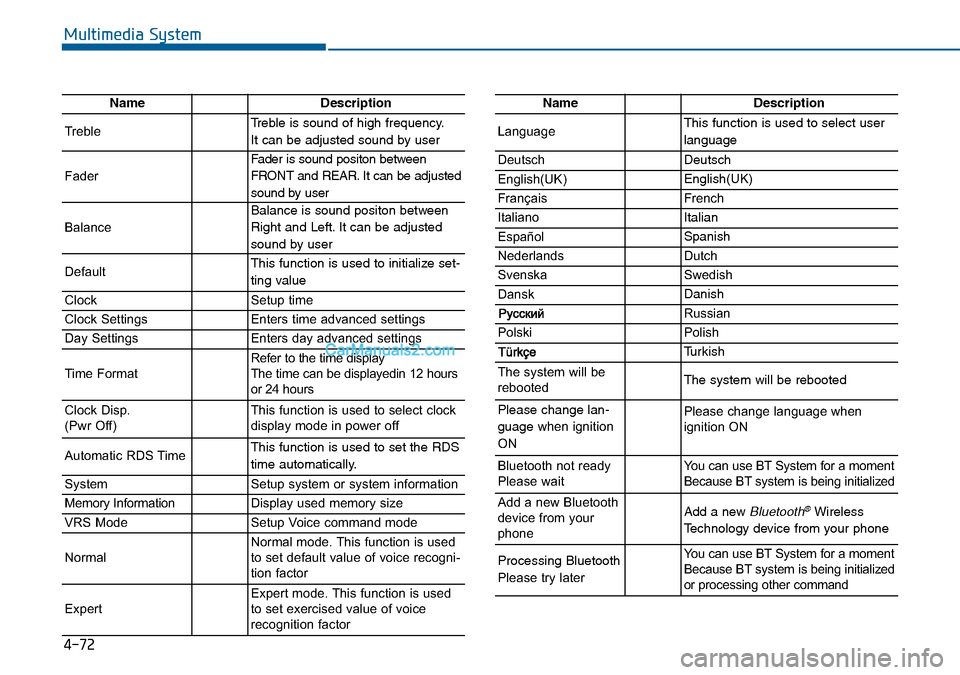
NameDescription
TrebleTreble is sound of high frequency.
It can be adjusted sound by user
Fader
Fader is sound positon between
FRONT and REAR. It can be adjusted
sound by user
Balance
Balance is sound positon between
Right and Left. It can be adjusted
sound by user
DefaultThis function is used to initialize set-
ting value
ClockSetup time
Clock SettingsEnters time advanced settings
Day SettingsEnters day advanced settings
Time FormatRefer to the time display
The time can be displayedin 12 hours
or 24 hours
Clock Disp.
(Pwr Off)This function is used to select clock
display mode in power off
Automatic RDS TimeThis function is used to set the RDS
time automatically.
SystemSetup system or system information
Memory InformationDisplay used memory size
VRS ModeSetup Voice command mode
NormalNormal mode. This function is used
to set default value of voice recogni-
tion factor
ExpertExpert mode. This function is used
to set exercised value of voice
recognition factor
NameDescription
LanguageThis function is used to select user
language
DeutschDeutsch
English(UK)English(UK)
FrançaisFrench
Italiano Italian
EspañolSpanish
NederlandsDutch
SvenskaSwedish
DanskDanish
Russian
PolskiPolish
Turkish
The system will be
rebootedThe system will be rebooted
Please change lan-
guage when ignition
ONPlease change language when
ignition ON
Bluetooth not ready
Please waitYou can use BT System for a moment
Because BT system is being initialized
Add a new Bluetooth
device from your
phoneAdd a new Bluetooth®Wireless
Technology device from your phone
Processing Bluetooth
Please try laterYou can use BT System for a moment
Because BT system is being initialized
or processing other command
Page 314 of 504
Driving your vehicle
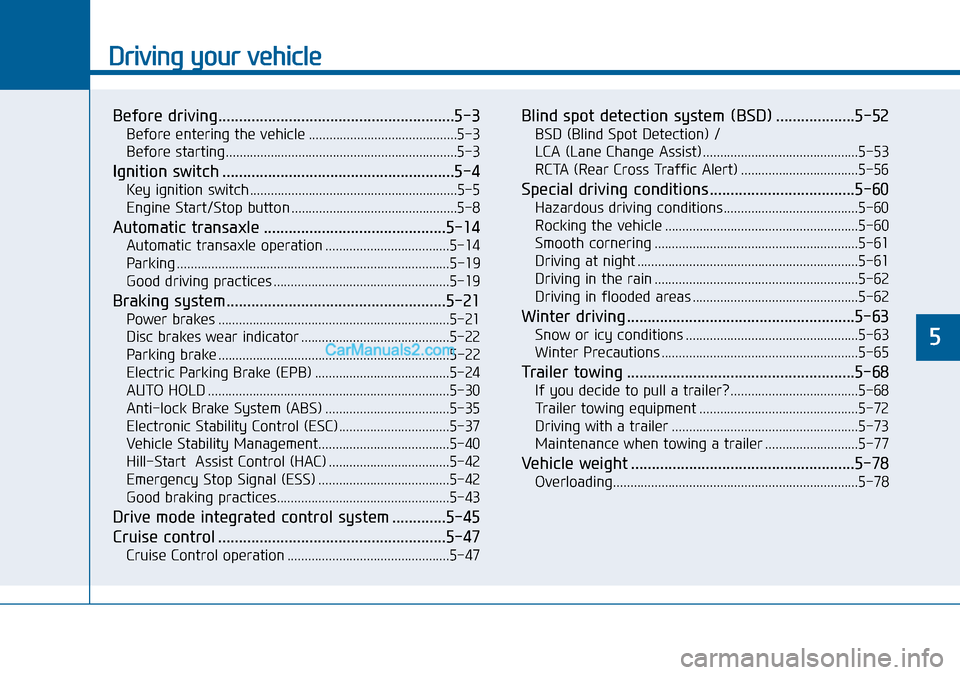
Before driving.........................................................5-3
Before entering the vehicle ...........................................5-3
Before starting...................................................................5-3
Ignition switch ........................................................5-4
Key ignition switch ............................................................5-5
Engine Start/Stop button ................................................5-8
Automatic transaxle ............................................5-14
Automatic transaxle operation ....................................5-14
Parking ...............................................................................5-19
Good driving practices ...................................................5-19
Braking system.....................................................5-21
Power brakes ...................................................................5-21
Disc brakes wear indicator ...........................................5-22
Parking brake ...................................................................5-22
Electric Parking Brake (EPB) .......................................5-24
AUTO HOLD ......................................................................5-30
Anti-lock Brake System (ABS) ....................................5-35
Electronic Stability Control (ESC)................................5-37
Vehicle Stability Management......................................5-40
Hill-Start Assist Control (HAC) ...................................5-42
Emergency Stop Signal (ESS) ......................................5-42
Good braking practices..................................................5-43
Drive mode integrated control system .............5-45
Cruise control .......................................................5-47
Cruise Control operation ...............................................5-47
Blind spot detection system (BSD) ...................5-52
BSD (Blind Spot Detection) /
LCA (Lane Change Assist) .............................................5-53
RCTA (Rear Cross Traffic Alert) ..................................5-56
Special driving conditions ...................................5-60
Hazardous driving conditions.......................................5-60
Rocking the vehicle ........................................................5-60
Smooth cornering ...........................................................5-61
Driving at night ................................................................5-61
Driving in the rain ...........................................................5-62
Driving in flooded areas ................................................5-62
Winter driving .......................................................5-63
Snow or icy conditions ..................................................5-63
Winter Precautions .........................................................5-65
Trailer towing .......................................................5-68
If you decide to pull a trailer? .....................................5-68
Trailer towing equipment ..............................................5-72
Driving with a trailer ......................................................5-73
Maintenance when towing a trailer ...........................5-77
Vehicle weight ......................................................5-78
Overloading.......................................................................5-78
5
Page 316 of 504
5-3
Driving your vehicle
5
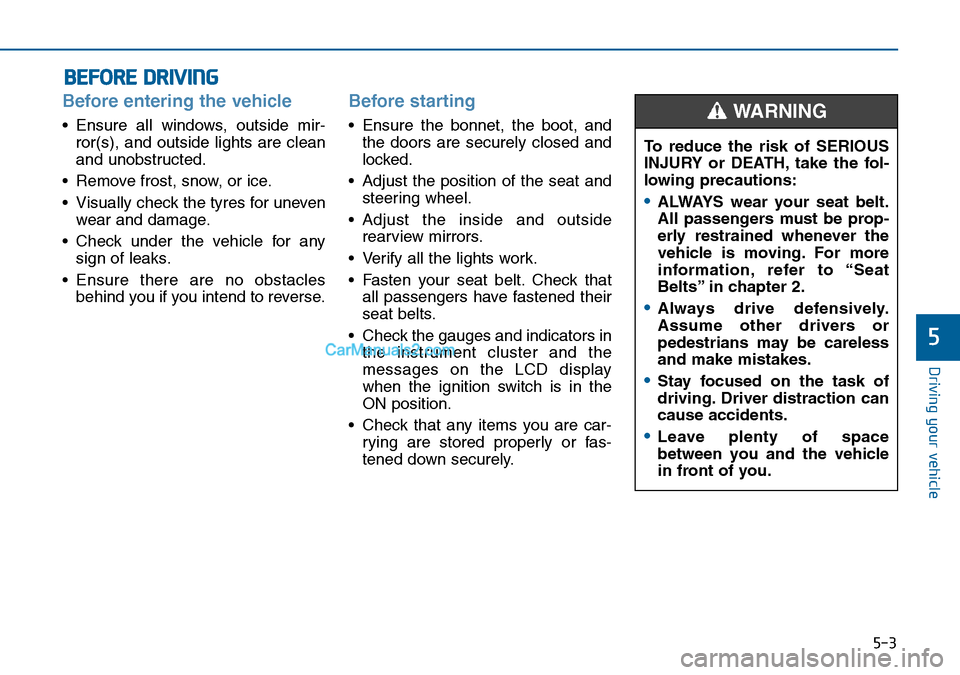
Before entering the vehicle
• Ensure all windows, outside mir-
ror(s), and outside lights are clean
and unobstructed.
• Remove frost, snow, or ice.
• Visually check the tyres for uneven
wear and damage.
• Check under the vehicle for any
sign of leaks.
• Ensure there are no obstacles
behind you if you intend to reverse.
Before starting
• Ensure the bonnet, the boot, and
the doors are securely closed and
locked.
• Adjust the position of the seat and
steering wheel.
• Adjust the inside and outside
rearview mirrors.
• Verify all the lights work.
• Fasten your seat belt. Check that
all passengers have fastened their
seat belts.
• Check the gauges and indicators in
the instrument cluster and the
messages on the LCD display
when the ignition switch is in the
ON position.
• Check that any items you are car-
rying are stored properly or fas-
tened down securely.
BEFORE DRIVING
To reduce the risk of SERIOUS
INJURY or DEATH, take the fol-
lowing precautions:
•ALWAYS wear your seat belt.
All passengers must be prop-
erly restrained whenever the
vehicle is moving. For more
information, refer to “Seat
Belts” in chapter 2.
•Always drive defensively.
Assume other drivers or
pedestrians may be careless
and make mistakes.
•Stay focused on the task of
driving. Driver distraction can
cause accidents.
•Leave plenty of space
between you and the vehicle
in front of you.
WARNING
Page 318 of 504
5-5
Driving your vehicle
5
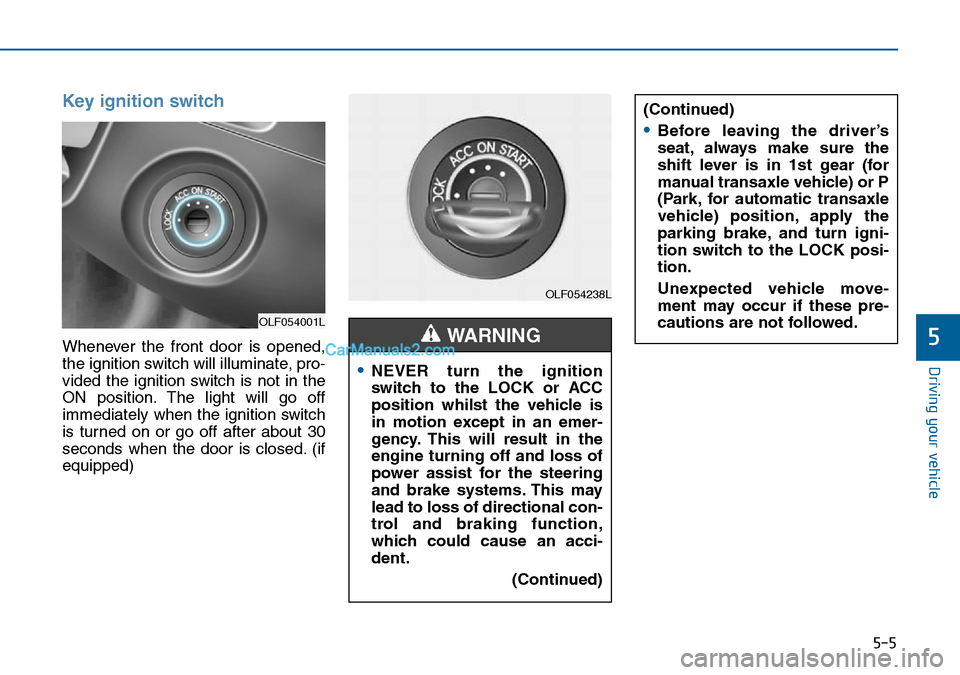
Key ignition switch
Whenever the front door is opened,
the ignition switch will illuminate, pro-
vided the ignition switch is not in the
ON position. The light will go off
immediately when the ignition switch
is turned on or go off after about 30
seconds when the door is closed. (if
equipped)
OLF054001L
OLF054238L
•NEVER turn the ignition
switch to the LOCK or ACC
position whilst the vehicle is
in motion except in an emer-
gency. This will result in the
engine turning off and loss of
power assist for the steering
and brake systems. This may
lead to loss of directional con-
trol and braking function,
which could cause an acci-
dent.
(Continued)
WARNING
(Continued)
•Before leaving the driver’s
seat, always make sure the
shift lever is in 1st gear (for
manual transaxle vehicle) or P
(Park, for automatic transaxle
vehicle) position, apply the
parking brake, and turn igni-
tion switch to the LOCK posi-
tion.
Unexpected vehicle move-
ment may occur if these pre-
cautions are not followed.
Page 319 of 504
5-6
Driving your vehicle
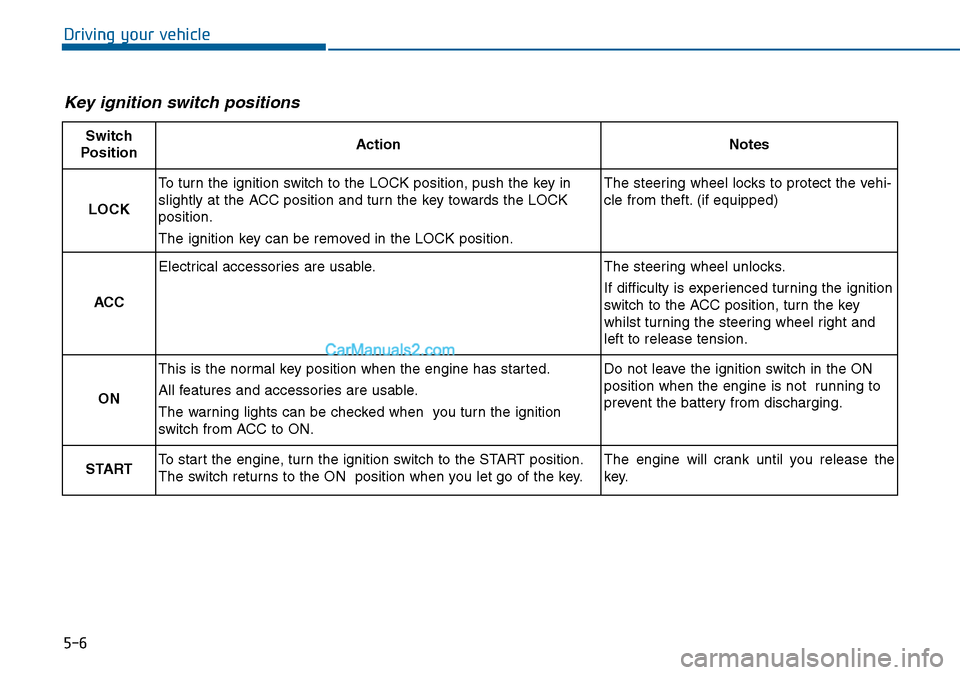
Key ignition switch positions
Switch
PositionActionNotes
LOCK
To turn the ignition switch to the LOCK position, push the key in
slightly at the ACC position and turn the key towards the LOCK
position.
The ignition key can be removed in the LOCK position.The steering wheel locks to protect the vehi-
cle from theft. (if equipped)
ACC
Electrical accessories are usable.The steering wheel unlocks.
If difficulty is experienced turning the ignition
switch to the ACC position, turn the key
whilst turning the steering wheel right and
left to release tension.
ON
This is the normal key position when the engine has started.
All features and accessories are usable.
The warning lights can be checked when you turn the ignition
switch from ACC to ON.Do not leave the ignition switch in the ON
position when the engine is not running to
prevent the battery from discharging.
STARTTo start the engine, turn the ignition switch to the START position.
The switch returns to the ON position when you let go of the key.The engine will crank until you release the
key.