lock Hyundai Sonata 2016 - RHD (UK, Australia) Manual Online
[x] Cancel search | Manufacturer: HYUNDAI, Model Year: 2016, Model line: Sonata, Model: Hyundai Sonata 2016Pages: 504, PDF Size: 12.45 MB
Page 322 of 504
5-9
Driving your vehicle
5
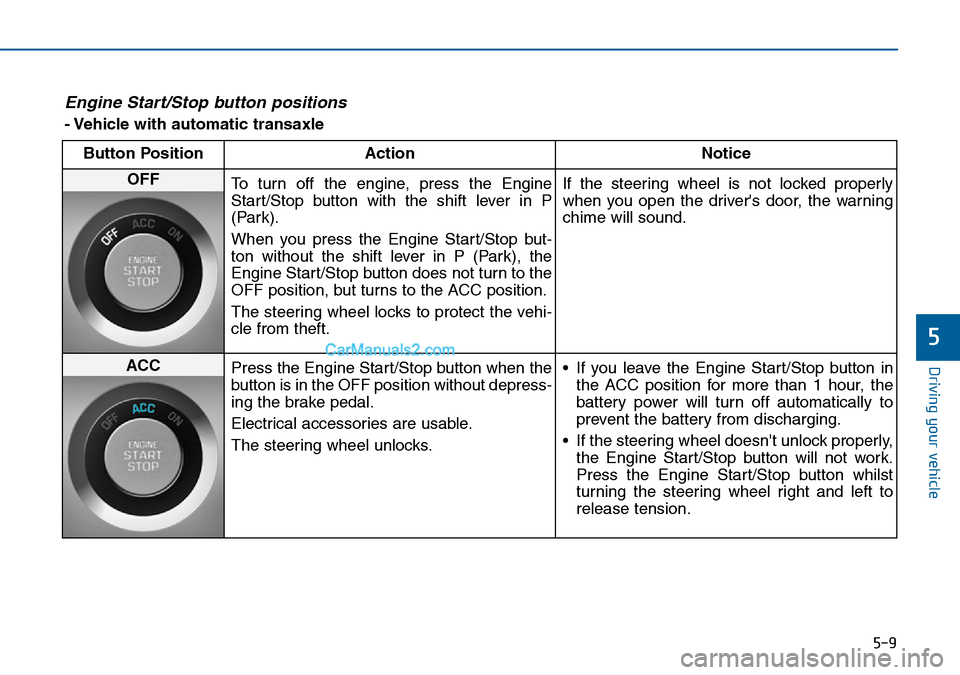
Engine Start/Stop button positions
- Vehicle with automatic transaxle
Button Position Action Notice
OFF
To turn off the engine, press the Engine
Start/Stop button with the shift lever in P
(Park).
When you press the Engine Start/Stop but-
ton without the shift lever in P (Park), the
Engine Start/Stop button does not turn to the
OFF position, but turns to the ACC position.
The steering wheel locks to protect the vehi-
cle from theft.If the steering wheel is not locked properly
when you open the driver's door, the warning
chime will sound.
ACC
Press the Engine Start/Stop button when the
button is in the OFF position without depress-
ing the brake pedal.
Electrical accessories are usable.
The steering wheel unlocks.• If you leave the Engine Start/Stop button in
the ACC position for more than 1 hour, the
battery power will turn off automatically to
prevent the battery from discharging.
• If the steering wheel doesn't unlock properly,
the Engine Start/Stop button will not work.
Press the Engine Start/Stop button whilst
turning the steering wheel right and left to
release tension.
Page 327 of 504
5-14
Driving your vehicle
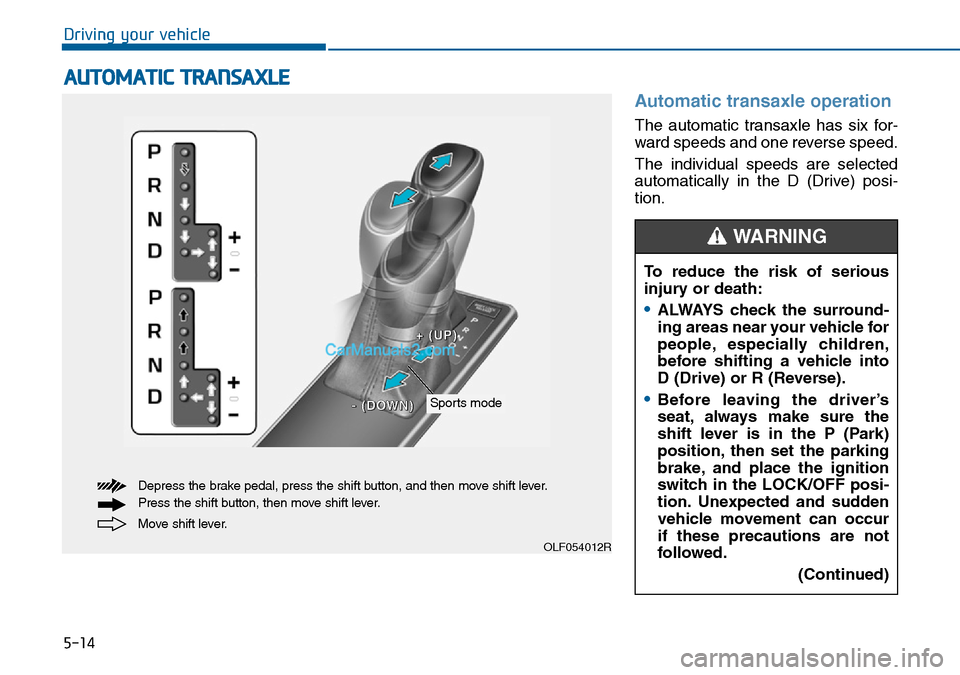
Automatic transaxle operation
The automatic transaxle has six for-
ward speeds and one reverse speed.
The individual speeds are selected
automatically in the D (Drive) posi-
tion.
AUTOMATIC TRANSAXLE
OLF054012R
Move shift lever. Depress the brake pedal, press the shift button, and then move shift lever.
Press the shift button, then move shift lever.
Sports mode
+ +
( (
U U
P P
) )
- -
( (
D D
O O
W W
N N
) )
To reduce the risk of serious
injury or death:
•ALWAYS check the surround-
ing areas near your vehicle for
people, especially children,
before shifting a vehicle into
D (Drive) or R (Reverse).
•Before leaving the driver’s
seat, always make sure the
shift lever is in the P (Park)
position, then set the parking
brake, and place the ignition
switch in the LOCK/OFF posi-
tion. Unexpected and sudden
vehicle movement can occur
if these precautions are not
followed.
(Continued)
WARNING
Page 328 of 504
5-15
Driving your vehicle
5
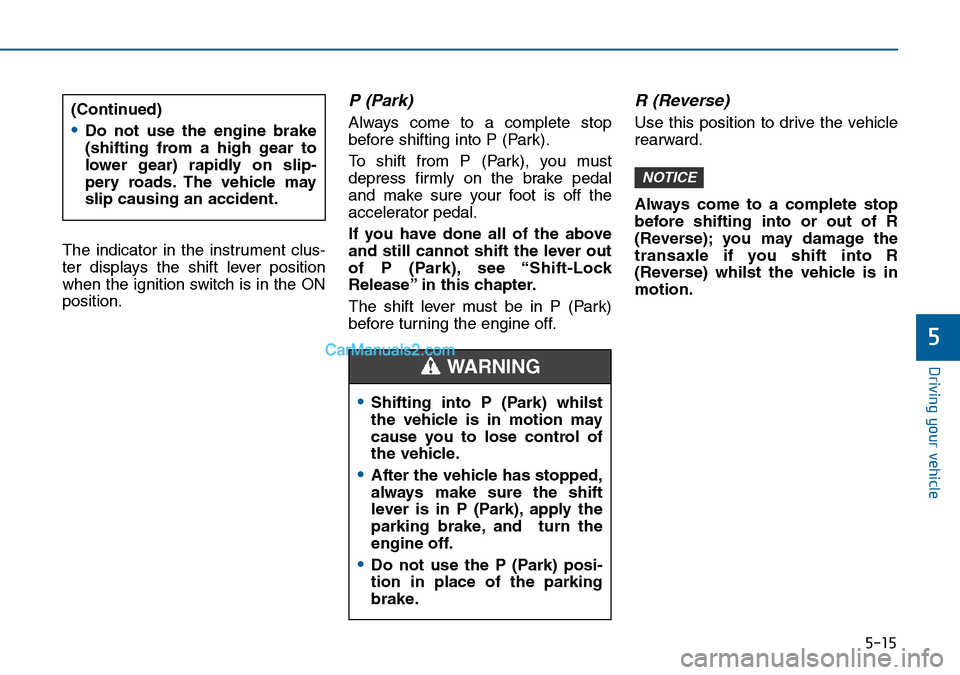
The indicator in the instrument clus-
ter displays the shift lever position
when the ignition switch is in the ON
position.
P (Park)
Always come to a complete stop
before shifting into P (Park).
To shift from P (Park), you must
depress firmly on the brake pedal
and make sure your foot is off the
accelerator pedal.
If you have done all of the above
and still cannot shift the lever out
of P (Park), see “Shift-Lock
Release” in this chapter.
The shift lever must be in P (Park)
before turning the engine off.
R (Reverse)
Use this position to drive the vehicle
rearward.
Always come to a complete stop
before shifting into or out of R
(Reverse); you may damage the
transaxle if you shift into R
(Reverse) whilst the vehicle is in
motion.
NOTICE
(Continued)
•Do not use the engine brake
(shifting from a high gear to
lower gear) rapidly on slip-
pery roads. The vehicle may
slip causing an accident.
•Shifting into P (Park) whilst
the vehicle is in motion may
cause you to lose control of
the vehicle.
•After the vehicle has stopped,
always make sure the shift
lever is in P (Park), apply the
parking brake, and turn the
engine off.
•Do not use the P (Park) posi-
tion in place of the parking
brake.
WARNING
Page 330 of 504
5-17
Driving your vehicle
5
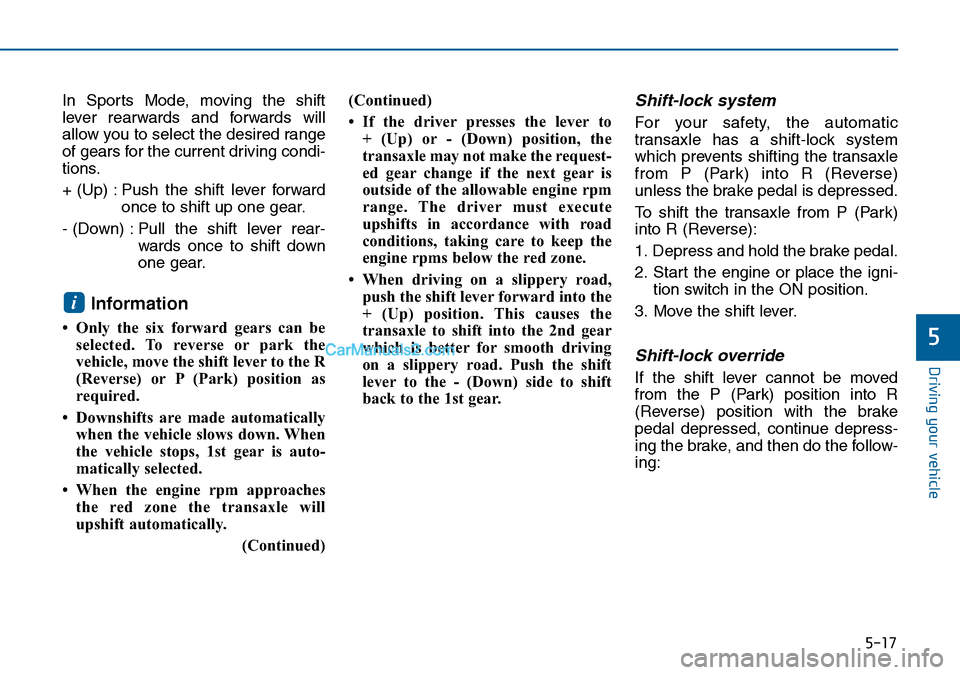
In Sports Mode, moving the shift
lever rearwards and forwards will
allow you to select the desired range
of gears for the current driving condi-
tions.
+ (Up) : Push the shift lever forward
once to shift up one gear.
- (Down) : Pull the shift lever rear-
wards once to shift down
one gear.
Information
• Only the six forward gears can be
selected. To reverse or park the
vehicle, move the shift lever to the R
(Reverse) or P (Park) position as
required.
• Downshifts are made automatically
when the vehicle slows down. When
the vehicle stops, 1st gear is auto-
matically selected.
• When the engine rpm approaches
the red zone the transaxle will
upshift automatically.
(Continued)(Continued)
• If the driver presses the lever to
+ (Up) or - (Down) position, the
transaxle may not make the request-
ed gear change if the next gear is
outside of the allowable engine rpm
range. The driver must execute
upshifts in accordance with road
conditions, taking care to keep the
engine rpms below the red zone.
• When driving on a slippery road,
push the shift lever forward into the
+ (Up) position. This causes the
transaxle to shift into the 2nd gear
which is better for smooth driving
on a slippery road. Push the shift
lever to the - (Down) side to shift
back to the 1st gear.
Shift-lock system
For your safety, the automatic
transaxle has a shift-lock system
which prevents shifting the transaxle
from P (Park) into R (Reverse)
unless the brake pedal is depressed.
To shift the transaxle from P (Park)
into R (Reverse):
1. Depress and hold the brake pedal.
2. Start the engine or place the igni-
tion switch in the ON position.
3. Move the shift lever.
Shift-lock override
If the shift lever cannot be moved
from the P (Park) position into R
(Reverse) position with the brake
pedal depressed, continue depress-
ing the brake, and then do the follow-
ing:
i
Page 331 of 504
5-18
Driving your vehicle
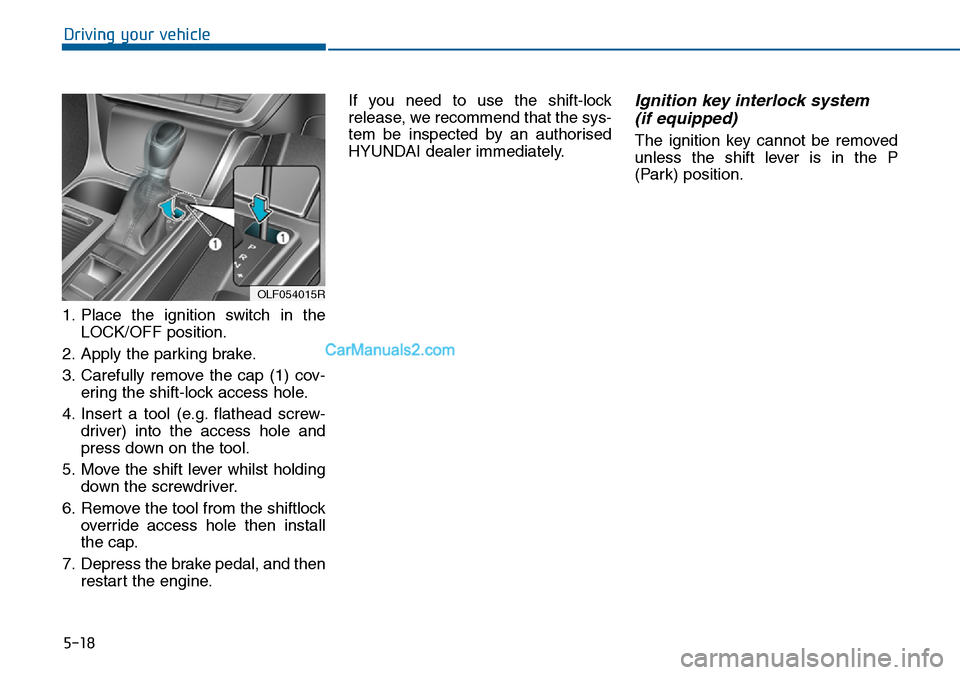
1. Place the ignition switch in the
LOCK/OFF position.
2. Apply the parking brake.
3. Carefully remove the cap (1) cov-
ering the shift-lock access hole.
4. Insert a tool (e.g. flathead screw-
driver) into the access hole and
press down on the tool.
5. Move the shift lever whilst holding
down the screwdriver.
6. Remove the tool from the shiftlock
override access hole then install
the cap.
7. Depress the brake pedal, and then
restart the engine.If you need to use the shift-lock
release, we recommend that the sys-
tem be inspected by an authorised
HYUNDAI dealer immediately.
Ignition key interlock system
(if equipped)
The ignition key cannot be removed
unless the shift lever is in the P
(Park) position.
OLF054015R
Page 332 of 504
5-19
Driving your vehicle
5
Parking
Always come to a complete stop and
continue to depress the brake pedal.
Move the shift lever into the P (Park)
position, apply the parking brake,
and place the ignition switch in the
LOCK/OFF position. Take the key
with you when exiting the vehicle.
Good driving practices
• Never move the shift lever from P
(Park) or N (Neutral) to any other
position with the accelerator pedal
depressed.
• Never move the shift lever into P
(Park) when the vehicle is in
motion.
Ensure the vehicle is completely
stopped before you attempt to shift
into R (Reverse) or D (Drive).
• Do not move the shift lever to N
(Neutral) when driving. Doing so
may result in an accident because
of a loss of engine braking and the
transaxle could be damaged.
• Do not drive with your foot resting
on the brake pedal. Even light, but
consistent pedal pressure can
result in the brakes overheating,
brake wear and possibly even
brake failure.
• When driving in sports mode, slow
down before shifting to a lower
gear. Otherwise, the lower gear
may not be engaged if the engine
rpms are outside of the allowable
range.• Always apply the parking brake
when leaving the vehicle. Do not
depend on placing the transaxle in
P (Park) to keep the vehicle from
moving.
• Exercise extreme caution when
driving on a slippery surface. Be
especially careful when braking,
accelerating or shifting gears. On a
slippery surface, an abrupt change
in vehicle speed can cause the
drive wheels to lose traction and
may cause loss of vehicle control
resulting in an accident
• Optimum vehicle performance and
economy is obtained by smoothly
depressing and releasing the
accelerator. When you stay in the vehicle
with the engine running, be
careful not to depress the accel-
erator pedal for a long period of
time. The engine or exhaust
system may overheat and start
a fire.
The exhaust gas and the
exhaust system are very hot.
Keep away from the exhaust
system components.
Do not stop or park over flam-
mable materials, such as dry
grass, paper or leaves. They
may ignite and cause a fire.
WARNING
Page 336 of 504
5-23
Driving your vehicle
5
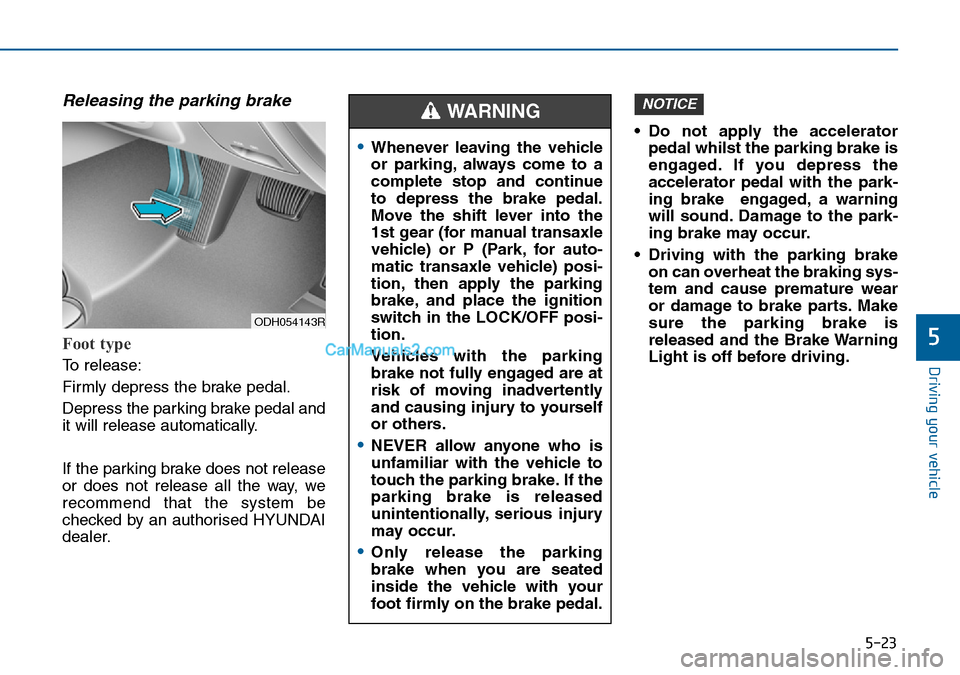
Releasing the parking brake
Foot type
To release:
Firmly depress the brake pedal.
Depress the parking brake pedal and
it will release automatically.
If the parking brake does not release
or does not release all the way, we
recommend that the system be
checked by an authorised HYUNDAI
dealer.• Do not apply the accelerator
pedal whilst the parking brake is
engaged. If you depress the
accelerator pedal with the park-
ing brake engaged, a warning
will sound. Damage to the park-
ing brake may occur.
• Driving with the parking brake
on can overheat the braking sys-
tem and cause premature wear
or damage to brake parts. Make
sure the parking brake is
released and the Brake Warning
Light is off before driving.
NOTICE
ODH054143R
•Whenever leaving the vehicle
or parking, always come to a
complete stop and continue
to depress the brake pedal.
Move the shift lever into the
1st gear (for manual transaxle
vehicle) or P (Park, for auto-
matic transaxle vehicle) posi-
tion, then apply the parking
brake, and place the ignition
switch in the LOCK/OFF posi-
tion.
Vehicles with the parking
brake not fully engaged are at
risk of moving inadvertently
and causing injury to yourself
or others.
•NEVER allow anyone who is
unfamiliar with the vehicle to
touch the parking brake. If the
parking brake is released
unintentionally, serious injury
may occur.
•Only release the parking
brake when you are seated
inside the vehicle with your
foot firmly on the brake pedal.
WARNING
Page 341 of 504
5-28
Driving your vehicle
Information
• A clicking sound may be heard
whilst operating or releasing the
EPB. These conditions are normal
and indicate that the EPB is func-
tioning properly.
• When leaving your keys with a
parking lot attendant or valet, make
sure to inform him/her how to oper-
ate the EPB.
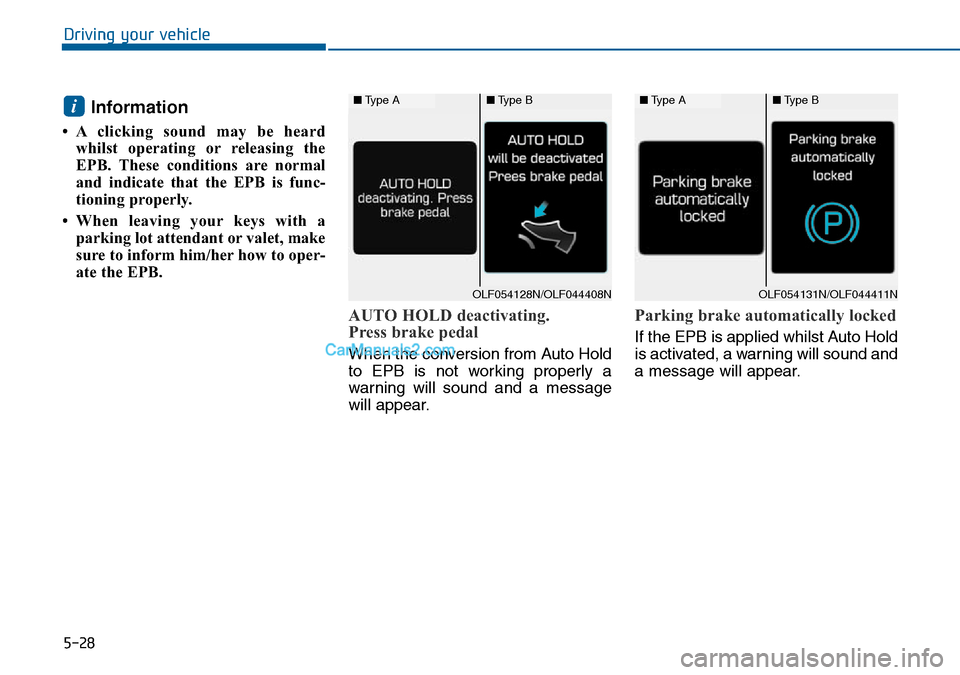
AUTO HOLD deactivating.
Press brake pedal
When the conversion from Auto Hold
to EPB is not working properly a
warning will sound and a message
will appear.
Parking brake automatically locked
If the EPB is applied whilst Auto Hold
is activated, a warning will sound and
a message will appear.
i■Type A■Type B
OLF054131N/OLF044411N
■Type A■Type B
OLF054128N/OLF044408N
Page 346 of 504
5-33
Driving your vehicle
5
(Continued)
In these cases, the brake warning
light comes on, the AUTO HOLD
indicator changes from green to
white, a warning sounds and a mes-
sage will appear to inform you that
EPB has been automatically
engaged. Before driving off again,
press the foot brake pedal, check the
surrounding area near your vehicle
and release the parking brake man-
ually with the EPB switch.
• If the AUTO HOLD indicator
changes to yellow, the Auto Hold is
not working properly. We recom-
mend that you contact an autho-
rised HYUNDAI dealer.
• Whilst operating Auto Hold, you
may hear a mechanical noise. This is
a normal.If there is a malfunction with the
driver’s door, engine bonnet or
boot open detection system, the
Auto Hold may not work properly.
We recommend that you contact
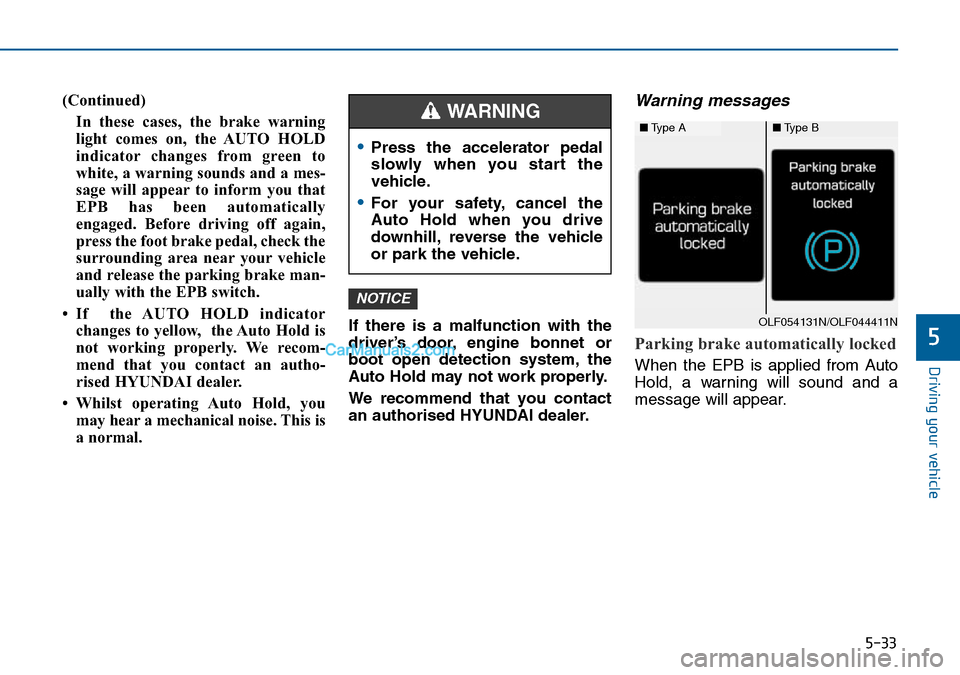
an authorised HYUNDAI dealer.Warning messages
Parking brake automatically locked
When the EPB is applied from Auto
Hold, a warning will sound and a
message will appear.
NOTICE
■Type A■Type B
OLF054131N/OLF044411N
•Press the accelerator pedal
slowly when you start the
vehicle.
•For your safety, cancel the
Auto Hold when you drive
downhill, reverse the vehicle
or park the vehicle.
WARNING
Page 348 of 504
5-35
Driving your vehicle
5
Anti-lock Brake System (ABS)
ABS is an electronic braking system
that helps prevent a braking skid.
ABS allows the driver to steer and
brake at the same time.
Using ABS
To obtain the maximum benefit from
your ABS in an emergency situation,
do not attempt to modulate your
brake pressure and do not try to
pump your brakes. Depress your
brake pedal as hard as possible.
When you apply your brakes under
conditions which may lock the
wheels, you may hear sounds from
the brakes, or feel a corresponding
sensation in the brake pedal. This is
normal and it means your ABS is
active.
ABS does not reduce the time or dis-
tance it takes to stop the vehicle.
Always maintain a safe distance from
the vehicle in front of you.
ABS will not prevent a skid that
results from sudden changes in
direction, such as trying to take a
corner too fast or making a sudden
lane change. Always drive at a safe
speed for the road and weather con-
ditions. An Anti-lock Braking System
(ABS) or an Electronic Stability
Control (ESC) system will not
prevent accidents due to
improper or dangerous driving
manoeuvres. Even though vehi-
cle control is improved during
emergency braking, always
maintain a safe distance
between you and objects ahead
of you. Vehicle speeds should
always be reduced during
extreme road conditions. The
braking distance for vehicles
equipped with ABS or ESC may
be longer than for those without
these systems in particular
road conditions.
Drive your vehicle at reduced
speeds in the following condi-
tions:
•Rough, gravel or snow-cov-
ered roads.
(Continued)
WARNING
(Continued)
•On roads where the road sur-
face is pitted or uneven.
•Tyre chains are installed on
your vehicle.
The safety features of an ABS
or ESC equipped vehicle should
not be tested by high speed
driving or cornering. This could
endanger the safety of yourself
or others.