check engine HYUNDAI SONATA 2023 Owner's Guide
[x] Cancel search | Manufacturer: HYUNDAI, Model Year: 2023, Model line: SONATA, Model: HYUNDAI SONATA 2023Pages: 555, PDF Size: 42.72 MB
Page 381 of 555
While Driving
6-94
Function malfunction and
limitations
Function malfunction
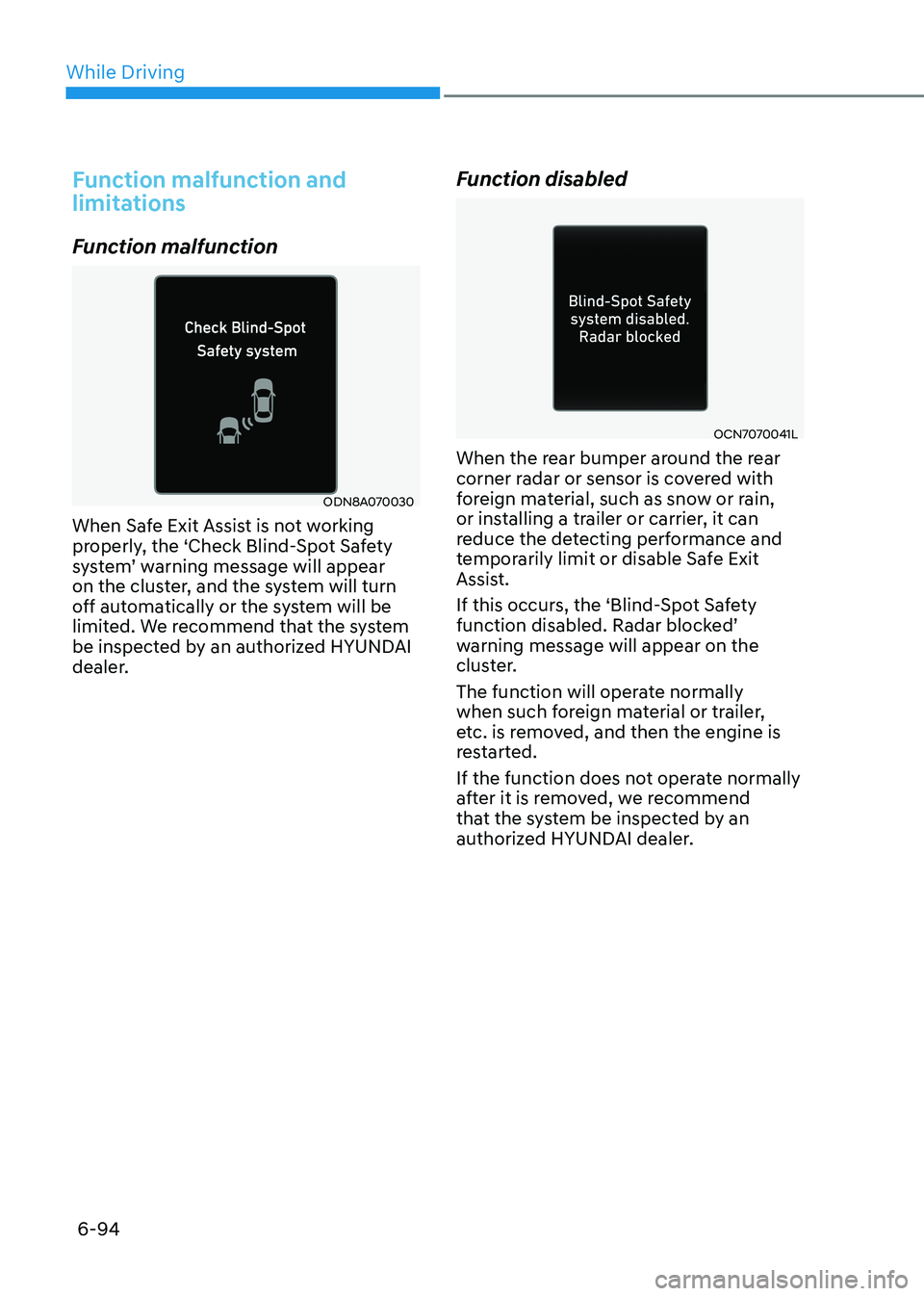
ODN8A070030
When Safe Exit Assist is not working
properly, the ‘Check Blind-Spot Safety
system’ warning message will appear
on the cluster, and the system will turn
off automatically or the system will be
limited. We recommend that the system
be inspected by an authorized HYUNDAI
dealer. Function disabled
OCN7070041L
When the rear bumper around the rear
corner radar or sensor is covered with
foreign material, such as snow or rain,
or installing a trailer or carrier, it can
reduce the detecting performance and
temporarily limit or disable Safe Exit
Assist.
If this occurs, the ‘Blind-Spot Safety
function disabled. Radar blocked’
warning message will appear on the
cluster.
The function will operate normally
when such foreign material or trailer,
etc. is removed, and then the engine is
restarted.
If the function does not operate normally
after it is removed, we recommend
that the system be inspected by an
authorized HYUNDAI dealer.
Page 391 of 555
While Driving
6-104
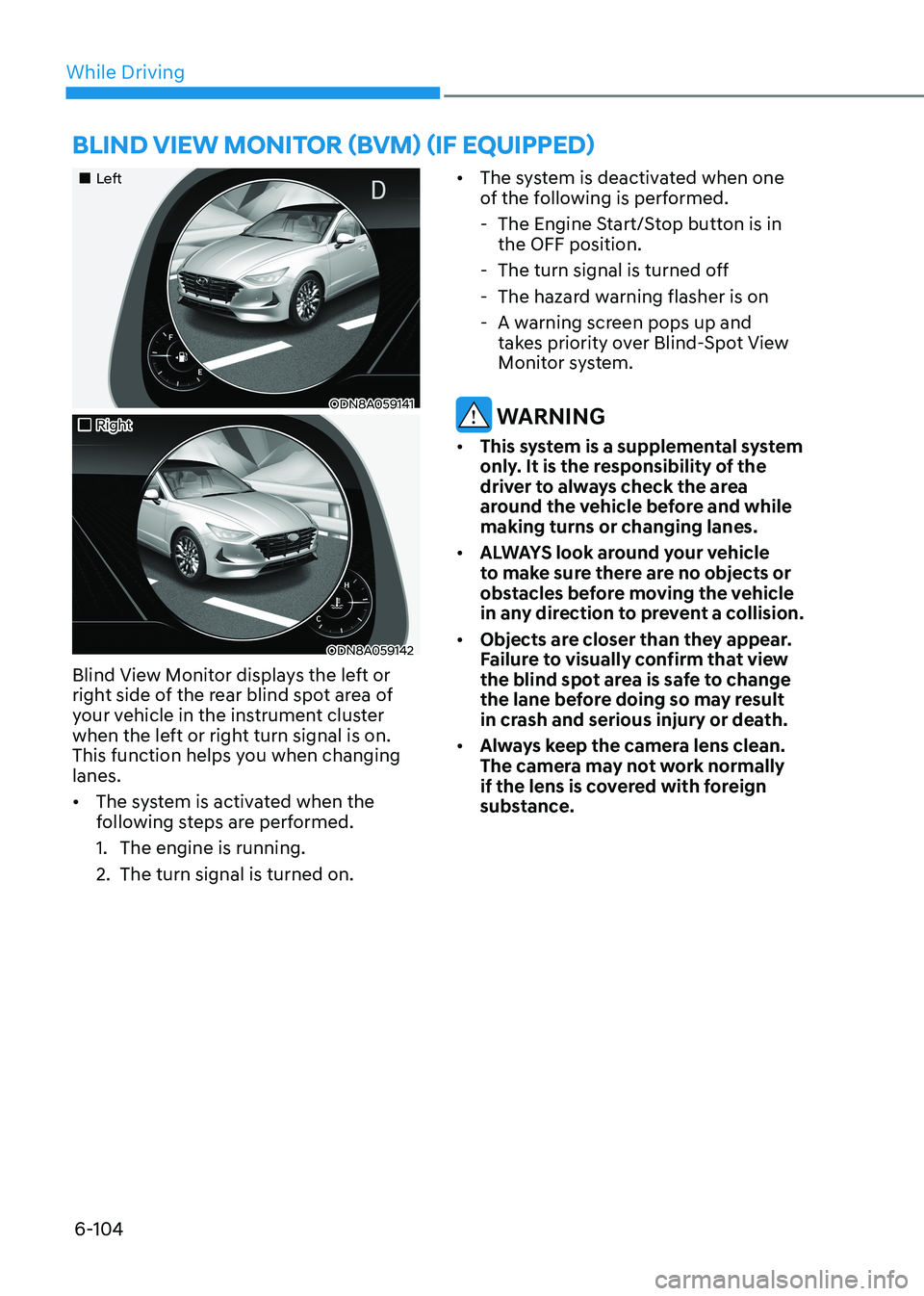
„„Left
ODN8A059141
„„Right
ODN8A059142
Blind View Monitor displays the left or
right side of the rear blind spot area of
your vehicle in the instrument cluster
when the left or right turn signal is on.
This function helps you when changing lanes. • The system is activated when the
following steps are performed.
1. The engine is running.
2. The turn signal is turned on. •
The system is deactivated when one
of the following is performed.
- The Engine Start/Stop button is in the OFF position.
- The turn signal is turned off
- The hazard warning flasher is on
- A warning screen pops up and takes priority over Blind-Spot View
Monitor system.
WARNING
• This system is a supplemental system
only. It is the responsibility of the
driver to always check the area
around the vehicle before and while making turns or changing lanes.
• ALWAYS look around your vehicle
to make sure there are no objects or
obstacles before moving the vehicle
in any direction to prevent a collision.
• Objects are closer than they appear.
Failure to visually confirm that view
the blind spot area is safe to change
the lane before doing so may result
in crash and serious injury or death.
• Always keep the camera lens clean.
The camera may not work normally
if the lens is covered with foreign
substance.
BlinD view monitor (Bvm) (if equippeD)
Page 397 of 555
While Driving
6-110
•
The vehicle is stopped for more than
5 minutes.
• The vehicle stops and goes repeatedly
for a long period of time.
• The accelerator pedal is continuously
depressed for a long period of time.
• The accelerator pedal is continuously
depressed for more than one minute.
• The engine performance is abnormal.
• Engine rpm is in the red zone.
• The driver starts driving by pushing
the toggle switch up (RES+)/down
(SET-) or depressing the accelerator
pedal, after the vehicle is stopped by
Smart Cruise Control system with no
other vehicle ahead.
• The driver starts driving by pushing
the toggle switch up (RES+)/down
(SET-) or depressing the accelerator
pedal, after stopping the vehicle with
a vehicle stopped far away in front.
• Forward Collision-Avoidance Assist is
activated.
• The engine speed is in dangerous
range.
• When engine is stopped by ISG (Idle
Stop & Go).
Each of these actions will cancel the
Smart Cruise Control operation. The Set
Speed and Vehicle-to-Vehicle Distance
on the LCD display will go off.
In a condition Smart Cruise Control is
cancelled automatically, Smart Cruise
Control will not resume even though the
RES+ or SET- toggle switch is pushed.
Information
If Smart Cruise Control is cancelled by
other than the reasons mentioned, have the vehicle inspected by an authorized
HYUNDAI dealer.
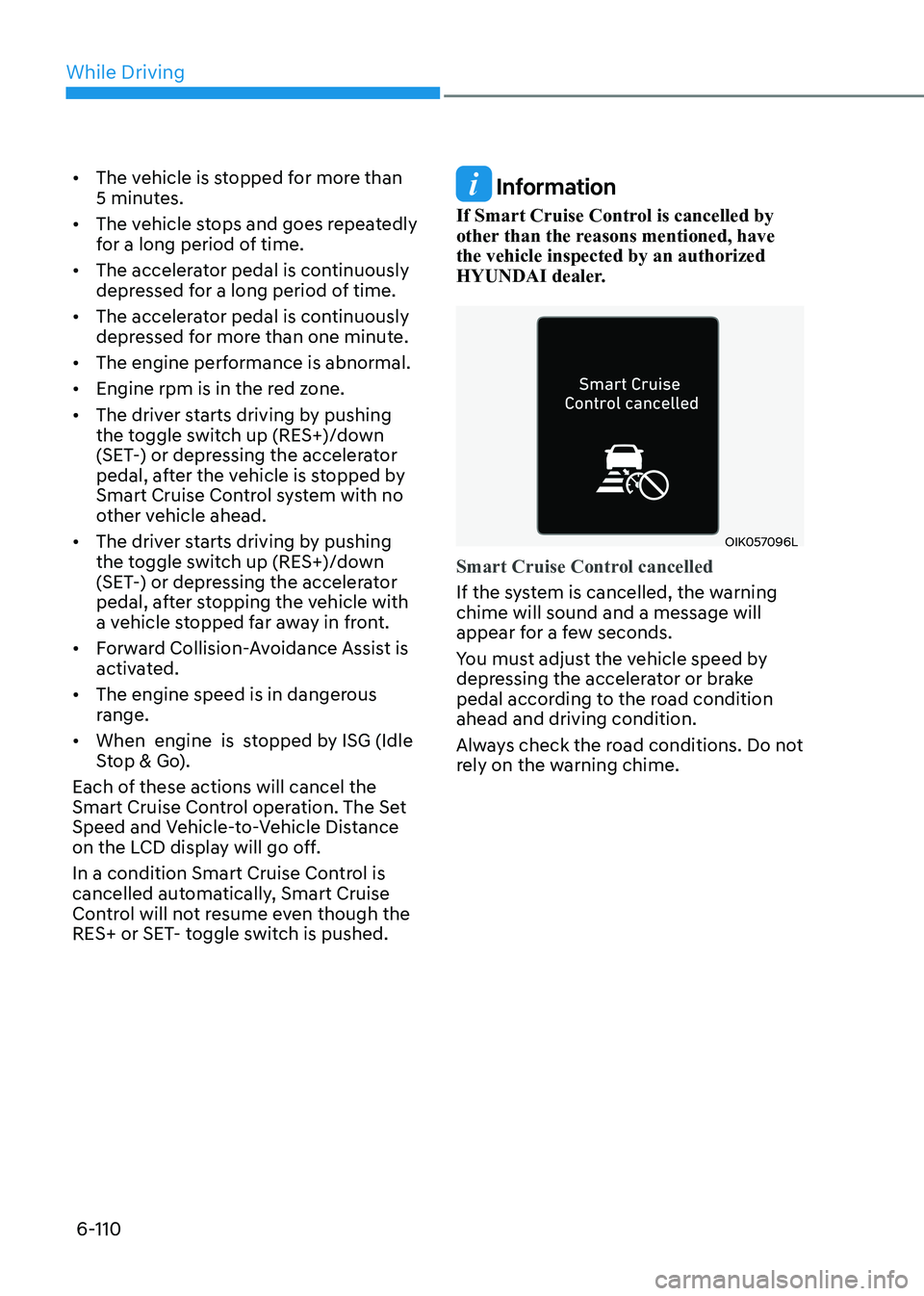
OIK057096L
Smart Cruise Control cancelled
If the system is cancelled, the warning chime will sound and a message will
appear for a few seconds.
You must adjust the vehicle speed by
depressing the accelerator or brake
pedal according to the road condition ahead and driving condition.
Always check the road conditions. Do not
rely on the warning chime.
Page 404 of 555
06
6-117
Warning message
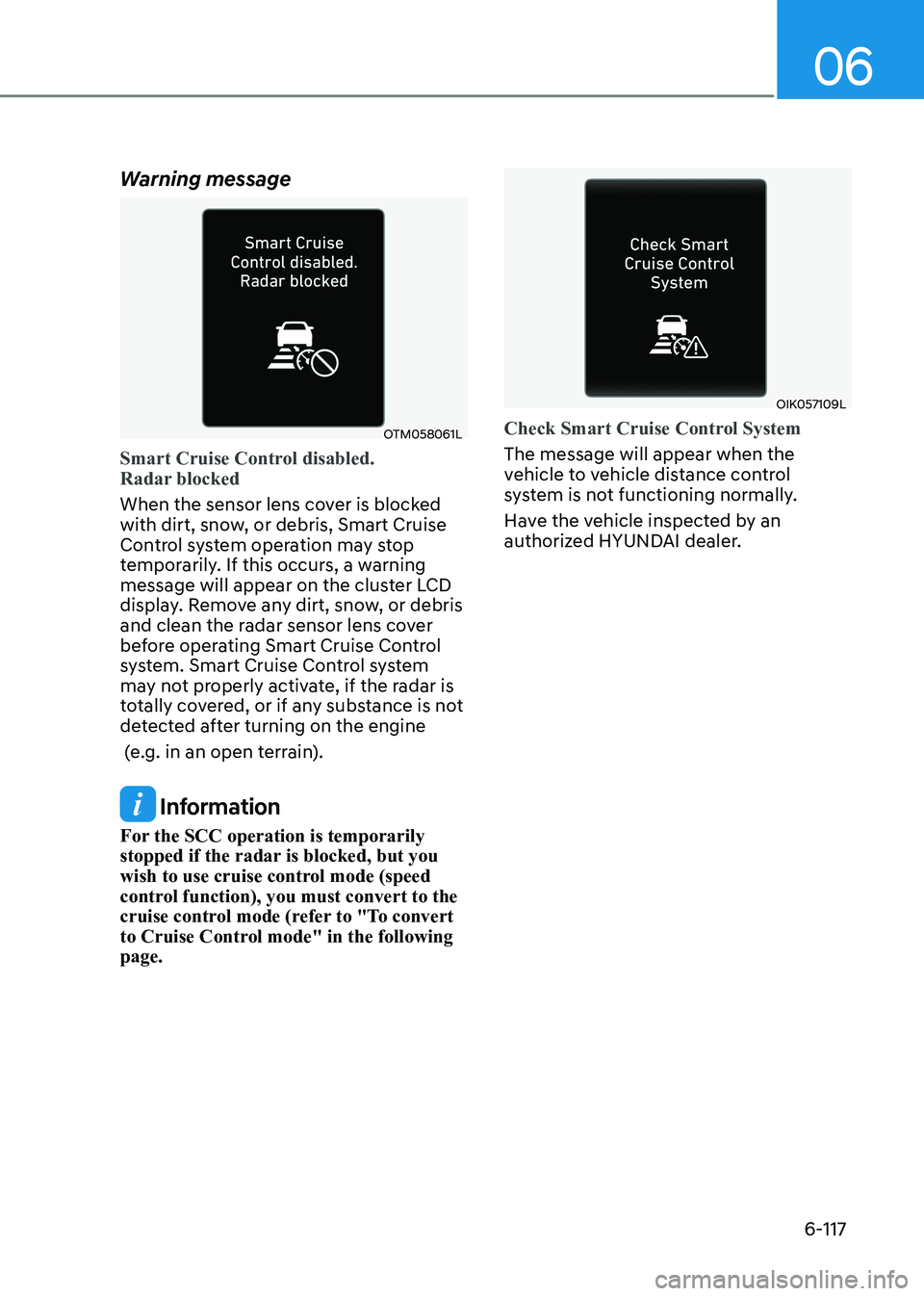
OTM058061L
Smart Cruise Control disabled.
Radar blocked
When the sensor lens cover is blocked
with dirt, snow, or debris, Smart Cruise
Control system operation may stop
temporarily. If this occurs, a warning
message will appear on the cluster LCD
display. Remove any dirt, snow, or debris
and clean the radar sensor lens cover
before operating Smart Cruise Control
system. Smart Cruise Control system
may not properly activate, if the radar is
totally covered, or if any substance is not
detected after turning on the engine
(e.g. in an open terrain).
Information
For the SCC operation is temporarily
stopped if the radar is blocked, but you
wish to use cruise control mode (speed
control function), you must convert to the
cruise control mode (refer to "To convert
to Cruise Control mode" in the following page.
OIK057109L
Check Smart Cruise Control System
The message will appear when the
vehicle to vehicle distance control
system is not functioning normally.
Have the vehicle inspected by an
authorized HYUNDAI dealer.
Page 416 of 555
06
6-129
Information
• Even though the steering is assisted by
the system, the driver may control the steering wheel.
• The steering wheel may feel heavier when the steering wheel is assisted by the system than when it is not.
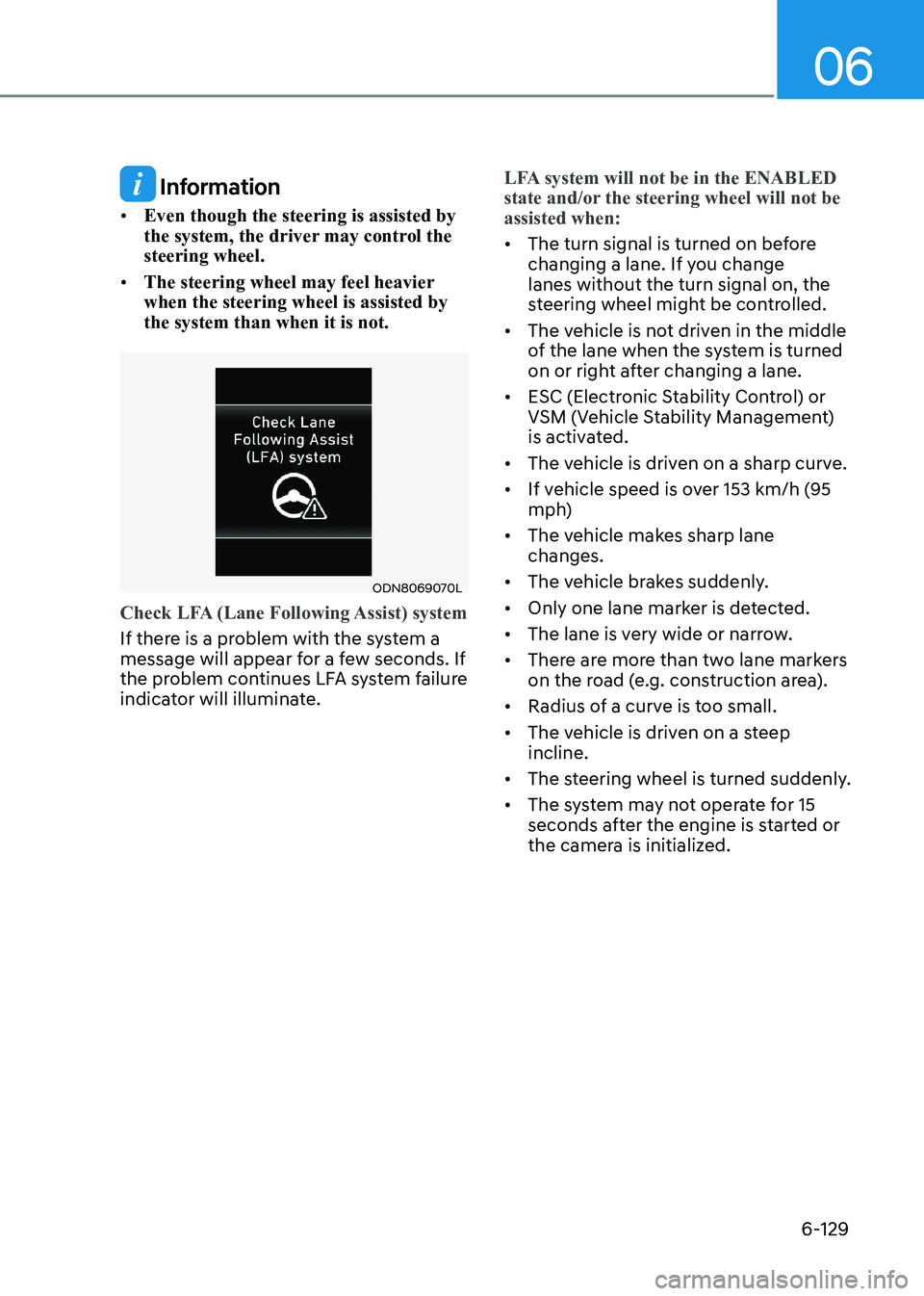
ODN8069070L
Check LFA (Lane Following Assist) system
If there is a problem with the system a
message will appear for a few seconds. If
the problem continues LFA system failure
indicator will illuminate.
LFA system will not be in the ENABLED
state and/or the steering wheel will not be assisted when:
• The turn signal is turned on before
changing a lane. If you change lanes without the turn signal on, the
steering wheel might be controlled.
• The vehicle is not driven in the middle
of the lane when the system is turned
on or right after changing a lane.
• ESC (Electronic Stability Control) or
VSM (Vehicle Stability Management)
is activated.
• The vehicle is driven on a sharp curve.
• If vehicle speed is over 153 km/h (95
mph)
• The vehicle makes sharp lane changes.
• The vehicle brakes suddenly.
• Only one lane marker is detected.
• The lane is very wide or narrow.
• There are more than two lane markers
on the road (e.g. construction area).
• Radius of a curve is too small.
• The vehicle is driven on a steep incline.
• The steering wheel is turned suddenly.
• The system may not operate for 15
seconds after the engine is started or
the camera is initialized.
Page 439 of 555
While Driving
6-152
Driving in Flooded Areas
Avoid driving through flooded areas
unless you are sure the water is no
higher than the bottom of the wheel hub.
Drive through any water slowly. Allow
adequate stopping distance because
brake performance may be reduced.
After driving through water, dry the
brakes by gently applying them several
times while the vehicle is moving slowly.
Highway Driving
Tires
Adjust the tire inflation, as specified.
Under-inflation may overheat or damage
the tires.
Do not install worn-out or damaged tires,
which may reduce traction or adversely
affect vehicle handling. This could lead
to sudden tire failure that may cause
loss of vehicle control resulting in an
accident.
Information
Never over-inflate your tires above the
maximum inflation pressure, as specified
on your tires.
Fuel, engine coolant and engine oil
Driving at higher speeds on the highway
consumes more fuel and is less efficient
than driving at a slower, more moderate
speed. Maintain a moderate speed in
order to conserve fuel when driving on
the highway.
Be sure to check both the engine coolant
level and the engine oil before driving.
Drive belt
A loose or damaged drive belt may
overheat the engine.
Page 440 of 555
06
6-153
The severe weather conditions of winter
quickly wear out tires and cause other
problems. To minimize winter driving
problems, you should take the following
suggestions:
Snow or Icy Conditions
You need to keep sufficient distance
between your vehicle and the vehicle in
front of you.
Apply the brakes gently. Speeding, rapid
acceleration, sudden brake applications,
and sharp turns are potentially
very hazardous practices. During
deceleration, use engine braking to the
fullest extent. Sudden brake applications
on snowy or icy roads may cause the
vehicle to skid.
To drive your vehicle in deep snow, it
may be necessary to use snow tires.
Always carry emergency equipment.
Some of the items you may want to carry
include tow straps or chains, a flashlight,
emergency flares, sand, a shovel, jumper
cables, a window scraper, gloves, ground
cloth, coveralls, a blanket, etc.
Snow tires
WARNING
Snow tires should be equivalent in size
and type to the vehicle’s standard tires.
Otherwise, the safety and handling of
your vehicle may be adversely affected.
If you mount snow tires on your vehicle,
make sure to use radial tires of the same
size and load range as the original tires.
Mount snow tires on all four wheels
to balance your vehicle’s handling in
all weather conditions. The traction
provided by snow tires on dry roads
may not be as high as your vehicle's
original equipment tires. Check with
the tire dealer for maximum speed
recommendations.
Information
Do not install studded tires without first checking local, country and municipal
regulations for possible restrictions against
their use.
winter Driving
Page 441 of 555
While Driving
6-154
Winter Precautions
Use high quality ethylene glycol
coolant
Your vehicle is delivered with high
quality ethylene glycol coolant in the
cooling system. It is the only type of
coolant that should be used because it
helps prevent corrosion in the cooling
system, lubricates the water pump and
prevents freezing. Be sure to replace or
replenish your coolant in accordance
with the maintenance schedule in
chapter 8. Before winter, have your
coolant tested to assure that its freezing
point is sufficient for the temperatures
anticipated during the winter.
Change to "winter weight" oil if necessary
In some climates it is recommended that
a lower viscosity "winter weight" oil be
used during cold weather. See chapter 8
for recommendations. If you aren't sure
what weight oil you should use, consult
an authorized HYUNDAI dealer.
Check battery and cables
Winter puts additional burdens on the
battery system. Visually inspect the
battery and cables as described in
chapter 8. The level of charge in your
battery can be checked by an authorized
HYUNDAI dealer or a service station.Check spark plugs and ignition
system
Inspect your spark plugs as described in
chapter 8 and replace them if necessary. Also check all ignition wiring and
components to be sure they are not
cracked, worn or damaged in any way.
Use approved window washer anti-
freeze in system
To keep the water in the window washer
system from freezing, add an approved
window washer anti-freeze solution in
accordance with instructions on the
container. Window washer anti-freeze is
available from an authorized HYUNDAI
dealer and most auto parts outlets. Do
not use engine coolant or other types
of antifreeze as these may damage the
paint finish.
Do not let your parking brake freeze
Under some conditions your parking
brake can freeze in the engaged position.
This is most likely to happen when
there is an accumulation of snow or
ice around or near the rear brakes or
if the brakes are wet. If there is a risk
the parking brake may freeze, apply
it only temporarily while you put the
gear selector lever in P and block the
rear wheels so the car cannot roll. Then
release the parking brake.
Page 442 of 555
06
6-155
Do not let ice and snow accumulate
underneath
Under some conditions, snow and ice
can build up under the fenders and
interfere with the steering. When driving
in severe winter conditions where this
may happen, you should periodically
check underneath the car to be sure the
movement of the front wheels and the
steering components is not obstructed.
Don't place foreign objects
or materials in the engine
compartment
Placement of foreign object or materials
which prevent cooling of the engine, in
the engine compartment, may cause a
failure or combustion. The manufacturer
is not responsible for the damage caused
by such placement.
To keep locks from freezing
To keep the locks from freezing, squirt
an approved de-icer fluid or glycerine
into the key opening. If a lock is covered
with ice, squirt it with an approved de-
icing fluid to remove the ice. If the lock
is frozen internally, you may be able to
thaw it out by using a heated key. Handle
the heated key with care to avoid injury.
Page 449 of 555
Hazard Warning Flasher ................................................................................. 7-2
In Case of an Emergency While Driving ........................................................7-2
If the Engine Stalls While Driving ............................................................................. 7-2
If the Engine Stalls at a Crossroad or Crossing .......................................................7-2
If you Have a Flat Tire While Driving ........................................................................ 7-3
If the Engine Will not Start ............................................................................. 7-3
If the Engine Doesn’t Turn Over or Turns Over Slowly ............................................7-3
If the Engine Turns Over Normally but Doesn’t Start ..............................................7-3
Jump Starting ................................................................................................ 7-4
If the Engine Overheats ................................................................................. 7-6
Tire Pressure Monitoring System (TPMS) .....................................................7-7
Check Tire Pressure ................................................................................................... 7-7
Tire Pressure Monitoring System ............................................................................ 7-8
Low Tire Pressure Telltale ........................................................................................ 7-9
Low Tire Pressure LCD Display with Position Indicator .........................................7-9
TPMS Malfunction Indicator ................................................................................... 7-10
Changing a Tire with TPMS .................................................................................... 7-10
If you Have a Flat Tire (With Spare Tire) ......................................................7-12
Jack and Tools ......................................................................................................... 7-12
Changing Tires ......................................................................................................... 7-13
Towing ........................................................................................................... 7-18
Towing Service ........................................................................................................ 7-18
Emergency Towing ................................................................................................. 7-19
Basic Troubleshooting Guide ...................................................................... 7-20
7. Emergency Situations
7