sensor HYUNDAI SONATA HYBRID 2019 Owner's Manual
[x] Cancel search | Manufacturer: HYUNDAI, Model Year: 2019, Model line: SONATA HYBRID, Model: HYUNDAI SONATA HYBRID 2019Pages: 546, PDF Size: 78.75 MB
Page 340 of 546
5-50
Driving your vehicle
Operating conditions
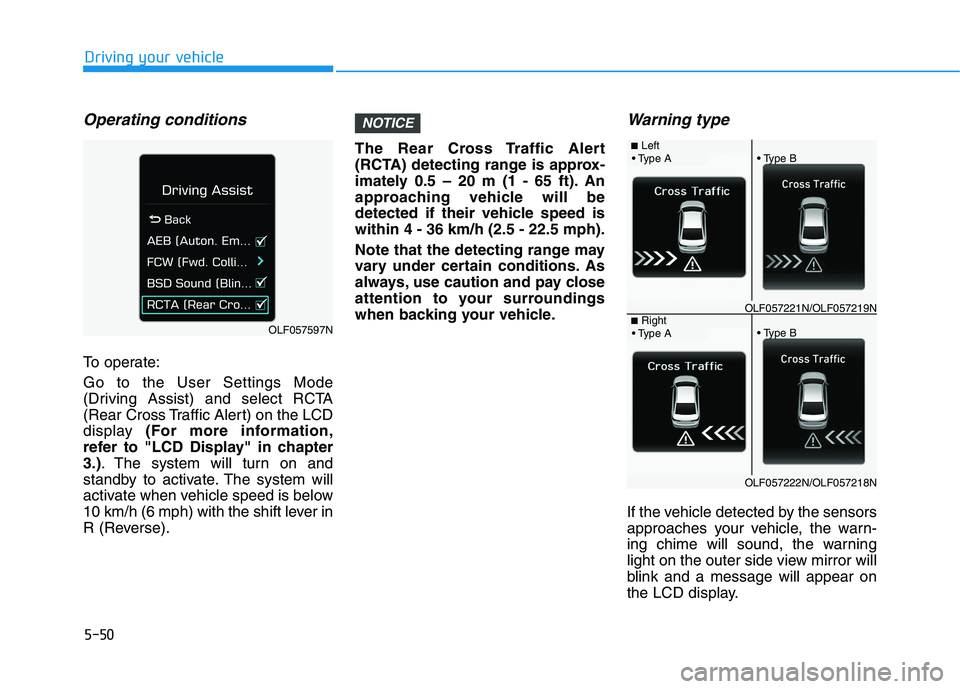
To operate: Go to the User Settings Mode
(Driving Assist) and select RCTA
(Rear Cross Traffic Alert) on the LCD
display (For more information,
refer to "LCD Display" in chapter3.) . The system will turn on and
standby to activate. The system will
activate when vehicle speed is below
10 km/h (6 mph) with the shift lever in
R (Reverse). The Rear Cross Traffic Alert
(RCTA) detecting range is approx-
imately 0.5 – 20 m (1 - 65 ft). An
approaching vehicle will be
detected if their vehicle speed iswithin 4 - 36 km/h (2.5 - 22.5 mph).
Note that the detecting range may
vary under certain conditions. As
always, use caution and pay close
attention to your surroundings
when backing your vehicle.
Warning type
If the vehicle detected by the sensors
approaches your vehicle, the warn-
ing chime will sound, the warning
light on the outer side view mirror will
blink and a message will appear on
the LCD display.
NOTICE
OLF057597N
■
Left
OLF057221N/OLF057219N■ Right
OLF057222N/OLF057218N
Page 342 of 546
5-52
Driving your vehicle
Limitations of the system
The driver must be cautious in the
below situations, because the sys-
tem may not detect other vehicles or
objects in certain circumstances.
- The vehicle drives on a curved roador through a tollgate.
- The sensor is polluted with rain, snow, mud, etc.
- The rear bumper where the sensor is located is covered with a foreign
object such as a bumper sticker, a
bumper guard, a bike stand, etc.
- The rear bumper is damaged, or the sensor is out of the original
default position.
- The vehicle height gets lower or higher due to heavy loading in a
trunk, abnormal tire pressure, etc.
- The vehicle drives in inclement weather such as heavy rain or
snow.
- There is a fixed object near the vehicle, such as a guardrail.
- A big vehicle is near such as a bus or truck. - A motorcycle or bicycle is near.
- A flat trailer is near.
- If the vehicle has started at the
same time as the vehicle next to
you and has accelerated.
- When the other vehicle passes at a very fast speed.
- While changing lanes.
- While going down or up a steep road where the height of the lane is
different.
- When the other vehicle approaches very close.
- When a trailer or carrier is installed.
- When the temperature of the rear bumper is high.
- When the sensors are blocked by the other vehicles, walls or parking-
lot pillars.
- When the detected vehicle also moves back, as your vehicle drives
back.
- If there are small objects in the detecting area such as a shopping
cart or a baby carriage.
- If there is a low height vehicle such as a sports car. - When other vehicles are close to
your vehicle.
- When the vehicle in the next lane moves two lanes away from you
OR when the vehicle two lanes
away moves to the next lane from
you.
- When driving through a narrow road with many trees or bushes.
Information
This device complies with Industry
Canada RSS-210 standard(s).
Operation is subject to the following
two conditions:
1. This device may not cause interfer- ence, and
2. This device must accept any inter- ference, including interference that
may cause undesired operation of
the device.
i
Page 345 of 546
5-55
Driving your vehicle
5
If you press the LKAS button again,
the indicator on the cluster display
will go off. The color of indicator will change
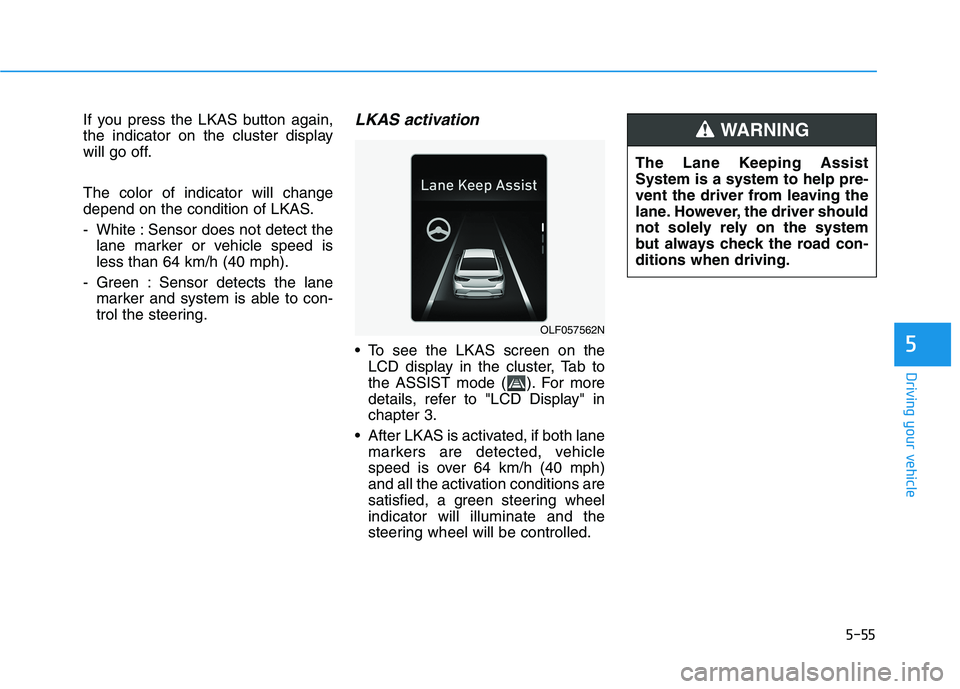
depend on the condition of LKAS.
- White : Sensor does not detect thelane marker or vehicle speed is less than 64 km/h (40 mph).
- Green : Sensor detects the lane marker and system is able to con-
trol the steering.LKAS activation
To see the LKAS screen on theLCD display in the cluster, Tab to
the ASSIST mode ( ). For more
details, refer to "LCD Display" inchapter 3.
After LKAS is activated, if both lane markers are detected, vehicle
speed is over 64 km/h (40 mph)
and all the activation conditions are
satisfied, a green steering wheelindicator will illuminate and the
steering wheel will be controlled.
OLF057562N The Lane Keeping Assist System is a system to help pre-
vent the driver from leaving the
lane. However, the driver should
not solely rely on the system
but always check the road con-ditions when driving.
WARNING
Page 351 of 546
5-61
Driving your vehicle
Limitations of the System
The driver must be cautious in the
below situations may not work prop-
erly when :
It is difficult to distinguish the lanemarker from road when the lane
marker is covered with dust.
It is difficult to distinguish the color of the lane marker from road.
There is something looks like a lane marker.
The lane marker is indistinct or damaged.
The number of lanes increases/ decreases or the lane lines are
crossing (Driving through a toll
plaza/toll gate, merged/dividedlane).
There are more than two lane markers.
The lane marker is very thick or thin.
The lane marker is not visible due to snow, rain, stain, a puddle or
other factors. A shadow is on the lane marker
because of a median strip,
guardrail, noise barriers and oth-
ers.
When the lane markers are compli- cated or a structure substitutes for
the lines such as a constructionarea.
There are crosswalk signs or other symbols on the road.
The lane marker in a tunnel is cov- ered with dirt or oil.
The brightness of outside changes suddenly when entering or exitinga tunnel.
The headlamps are not on at night or in a tunnel, or light level is low.
There is a boundary structure in the roadway.
The light of street, sun, oncoming vehicle and so on reflects from the
water on the road.
When light shines brightly in the reverse direction you drive.
The lane suddenly disappears such as at the intersection. The distance from the vehicle
ahead is very short or the vehicle
ahead drives hiding the lane line.
You drive on a steep grade or a sharp curve.
The vehicle vibrates heavily.
The temperature near inside mirror is very high due to direct sun light.
The lens or windshield is covered by strange materials.
The sensor cannot detect the lane because of fog, heavy rain or snow.
The windshield is fogged by humid air in the vehicle.
Putting something on the crash pad.
Information
This device complies with Industry
Canada RSS-210 standard.
Operation is subject to the following
two conditions:
1. This device may not cause harmful interference, and
2. This device must accept any inter- ference received, including interfer-
ence that may cause undesired
operation.
i
5
Page 354 of 546
5-64
Resetting the system
The last break time is set to 00:00and the driver's attention level is
set to 5 (very attentive) when the
driver resets the Driver Attention
Alert system.
The Driver Attention Alert system resets in the following situations.
- The engine is turned OFF.
- The driver unfastens the seat beltand then opens the driver’s door.
- Stop lasting more than 10 min- utes.
The Driver attention Alert system
operates again, when the driver
restarts driving.
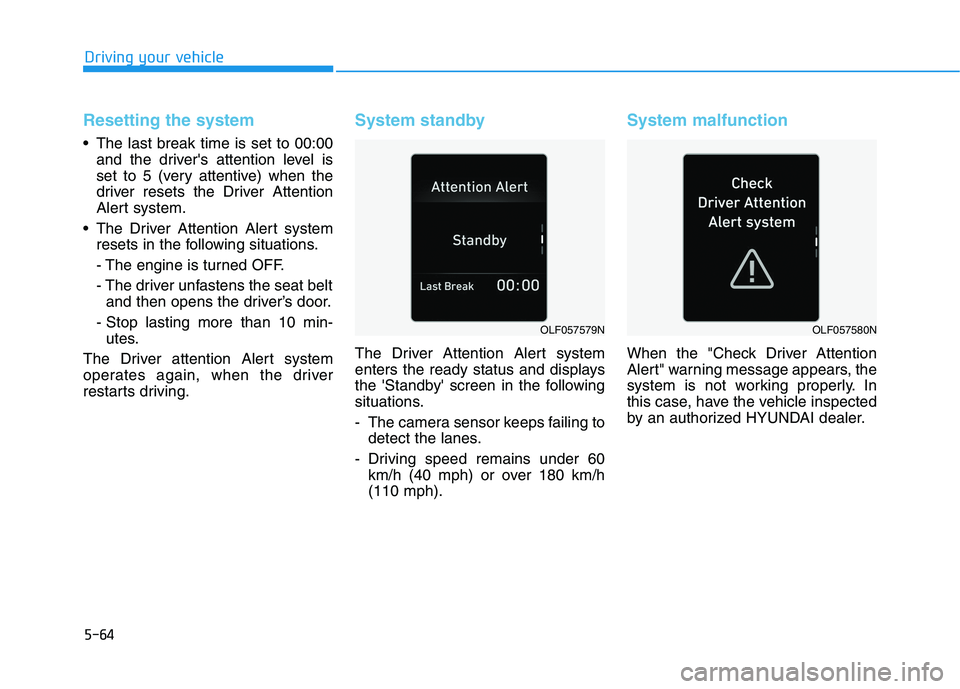
System standby
The Driver Attention Alert system
enters the ready status and displays
the 'Standby' screen in the following
situations.
- The camera sensor keeps failing to detect the lanes.
- Driving speed remains under 60 km/h (40 mph) or over 180 km/h (110 mph).
System malfunction
When the "Check Driver Attention
Alert" warning message appears, the
system is not working properly. In
this case, have the vehicle inspected
by an authorized HYUNDAI dealer.
Driving your vehicle
OLF057579NOLF057580N
Page 355 of 546
5-65
Driving your vehicle
The Driver Attention Alert system
utilizes the camera sensor on the
front windshield for its operation.
To keep the camera sensor in the
best condition, you should
observe the followings:
Do not disassemble cameratemporarily for tinted window or
attaching any types of coatings
and accessories. If you disas-
semble a camera and assemble
it again, take your vehicle to an
authorized HYUNDAI dealer and
have the system checked for acalibration.
Do not locate any reflective objects (i.e. white paper, mirror)
over the dashboard. Any light
reflection may cause a mal-func-
tion of the Driver Attention Alert
(DAA) system.
Pay extreme caution to keep the camera sensor out of water.
(Continued)(Continued)
Do not arbitrarily disassemble
the camera assembly, nor apply
any impact on the camera
assembly.
Playing the vehicle audio sys- tem at high volume may offset
the Driver Attention Alert sys-tem warning sounds.
NOTICE
5
The Driver Attention Alert
system is not a substitute for
safe driving practices, but a
convenience function only. Itis the responsibility of the
driver to always drive cau-
tiously to prevent unexpected
and sudden situations from
occurring. Pay attention to the
road conditions at all times.
It may suggest a break
according to the driver's driv-
ing pattern or habits even if
the driver doesn't feelfatigued.
The driver, who feels fatigued,
should take a break, eventhough there is no break sug-
gestion by the Driver
Attention Alert system.
WARNING
Page 357 of 546
5-67
Driving your vehicle
The Automatic Emergency Braking (AEB) system is designed to help
detect and monitor the vehicle ahead
or help detect a pedestrian in the
roadway through radar signals and
camera recognition to warn the driv-er that a collision is imminent, and if
necessary, apply emergency brak-ing.System setting and activation
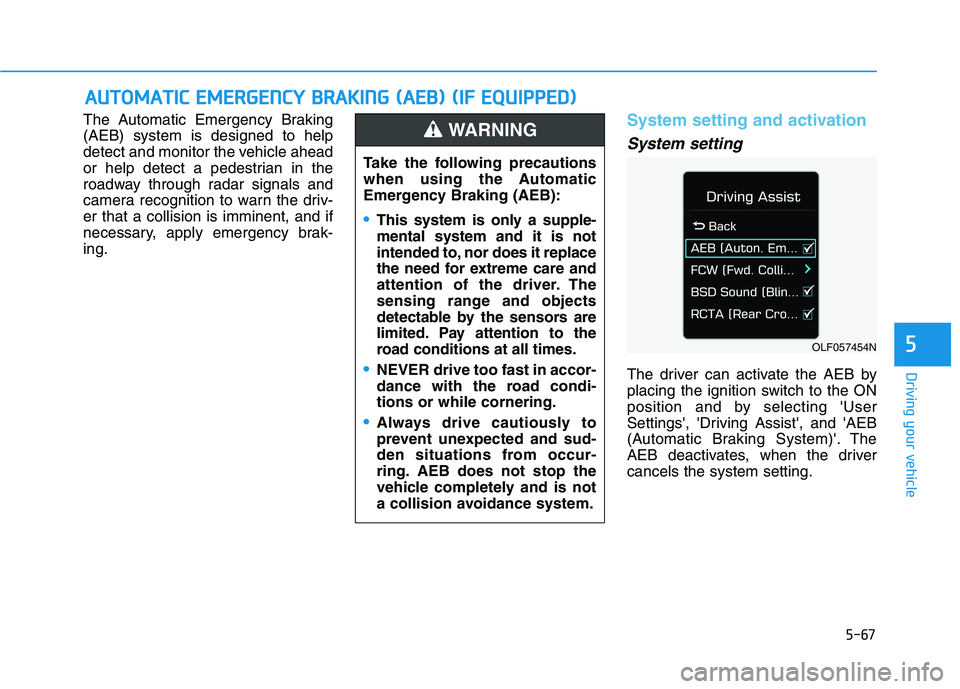
System setting
The driver can activate the AEB by
placing the ignition switch to the ON
position and by selecting 'User
Settings', 'Driving Assist', and 'AEB
(Automatic Braking System)'. The
AEB deactivates, when the drivercancels the system setting.
AAUU TTOO MM AATTIICC EE MM EERR GG EENN CCYY BB RRAA KKIINN GG (( AA EEBB )) (( IIFF EE QQ UUIIPP PPEEDD ))
5OLF057454N
Take the following precautions
when using the Automatic
Emergency Braking (AEB):
This system is only a supple- mental system and it is not
intended to, nor does it replace
the need for extreme care and
attention of the driver. The
sensing range and objects
detectable by the sensors are
limited. Pay attention to the
road conditions at all times.
NEVER drive too fast in accor-
dance with the road condi-tions or while cornering.
Always drive cautiously to
prevent unexpected and sud-
den situations from occur-
ring. AEB does not stop the
vehicle completely and is not
a collision avoidance system.
WARNING
Page 362 of 546
5-72
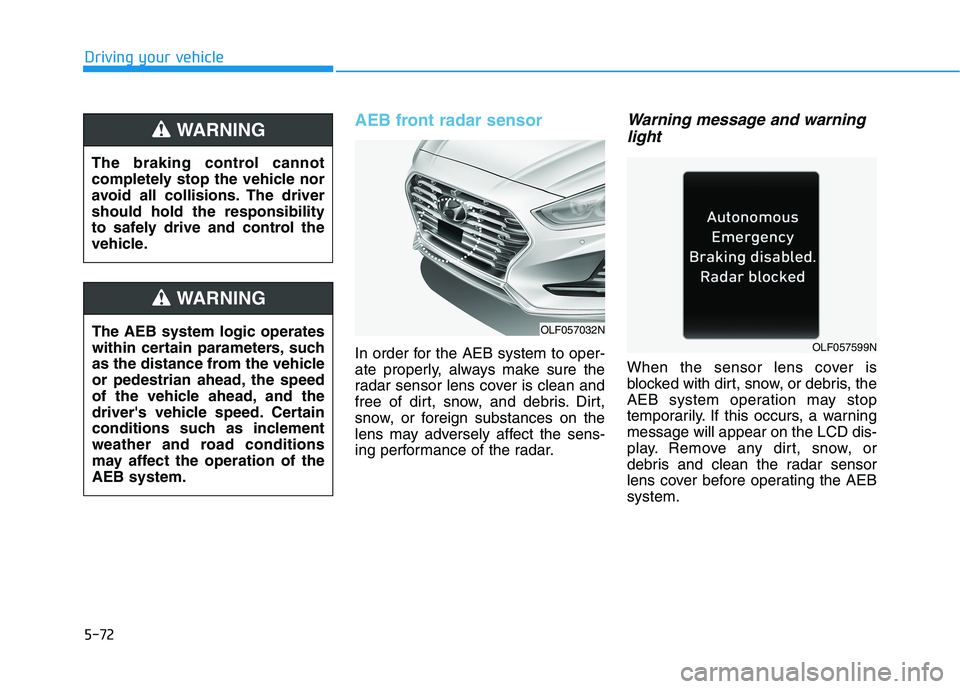
AEB front radar sensor
In order for the AEB system to oper-
ate properly, always make sure the
radar sensor lens cover is clean and
free of dirt, snow, and debris. Dirt,
snow, or foreign substances on the
lens may adversely affect the sens-
ing performance of the radar.
Warning message and warninglight
When the sensor lens cover is
blocked with dirt, snow, or debris, the
AEB system operation may stop
temporarily. If this occurs, a warningmessage will appear on the LCD dis-
play. Remove any dirt, snow, or
debris and clean the radar sensor
lens cover before operating the AEBsystem.
Driving your vehicle
OLF057032N
OLF057599N
The AEB system logic operates
within certain parameters, such
as the distance from the vehicle
or pedestrian ahead, the speed
of the vehicle ahead, and the
driver's vehicle speed. Certain
conditions such as inclement
weather and road conditions
may affect the operation of theAEB system.
WARNING
The braking control cannot
completely stop the vehicle nor
avoid all collisions. The drivershould hold the responsibility
to safely drive and control the
vehicle.
WARNING
Page 363 of 546
5-73
Driving your vehicle
Do not apply foreign objectssuch as a bumper sticker or a
bumper guard near the radar
sensor. Doing so may adversely
affect the sensing performance
of the radar.
Always keep the radar sensor and lens cover clean and free of
dirt and debris.
Use only a soft cloth to wash the vehicle. Do not spray pressur-
ized water directly on the sensor
or sensor cover.
Be careful not to apply unneces- sary force on the radar sensor or
sensor cover. If the sensor is
forcibly moved out of proper
alignment, the AEB system may
not operate correctly. In this
case, a warning message may
not be displayed. Have the vehi-
cle inspected by an authorized
HYUNDAI dealer.
(Continued)(Continued)
If the front bumper becomes
damaged in the area around the
radar sensor, the AEB system
may not operate properly. Have
the vehicle inspected by an
authorized HYUNDAI dealer.
Use only genuine HYUNDAI parts to repair or replace a dam-
aged sensor or sensor cover. Do
not apply paint to the sensor
cover.
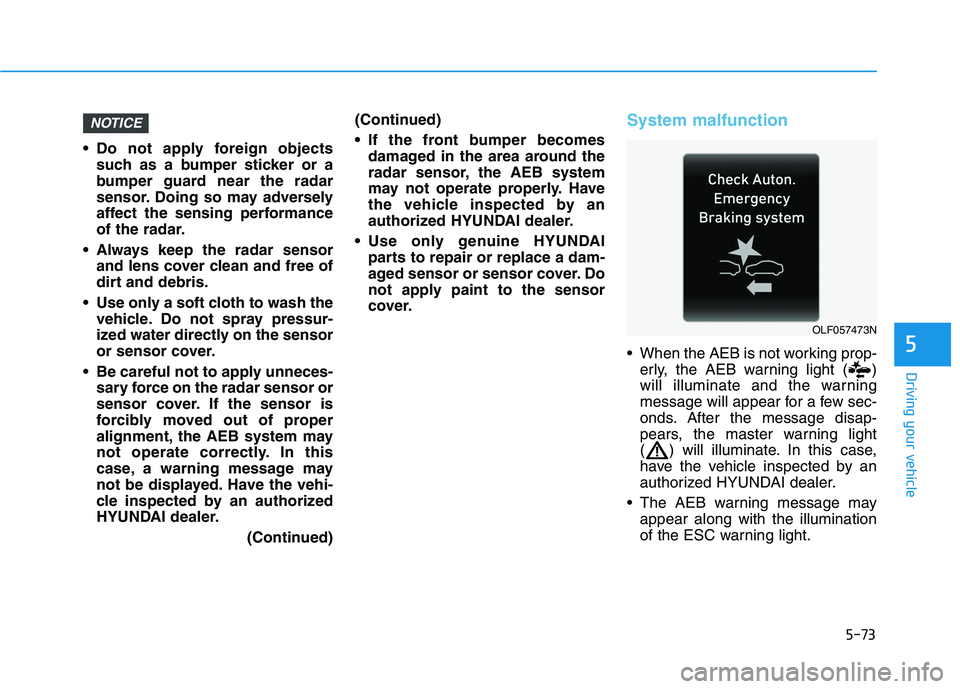
System malfunction
When the AEB is not working prop-erly, the AEB warning light ( )
will illuminate and the warning
message will appear for a few sec-
onds. After the message disap-
pears, the master warning light
( ) will illuminate. In this case,
have the vehicle inspected by an
authorized HYUNDAI dealer.
The AEB warning message may appear along with the illumination
of the ESC warning light.
NOTICE
5
OLF057473N
Page 364 of 546
5-74
Driving your vehicle
The AEB is only a supplemen-
tal system for the driver’s con-
venience. The driver shouldhold the responsibility to con-
trol the vehicle operation. Do
not solely depend on the AEB
system. Rather, maintain a
safe braking distance, and, if
necessary, depress the brakepedal to reduce the drivingspeed.
In certain instances and
under certain driving condi-
tions, the AEB system may
activate prematurely. This ini-
tial warning message appears
on the LCD display with a
warning chime.
Also, in certain instances the
front radar sensor or camera
recognition system may not
detect the vehicle or pedestri-
an ahead. The AEB system
may not activate and the
warning message will not be
displayed. (Continued)
(Continued)
If there is a malfunction with
the AEB system, the automat-
ic emergency braking is not
applied even though the brak-ing system is operating nor-
mally.
The AEB system operates
only to help detect vehicles or
pedestrians in front of the
vehicle. The AEB system does not
operate when the vehicle is in
reverse. The AEB system is not designed to detect other
objects on the road such asanimals. The AEB system does not
detect cross traffic vehicles
that are approaching. The AEB system cannot
detect the driver approaching
the side view of a parked vehi-
cle (for example on a deadend street.)(Continued)
(Continued)
In these cases, you must
maintain a safe braking dis-
tance, and if necessary,depress the brake pedal toreduce the driving speed in
order to maintain a safe dis-
tance.WARNING