steering Hyundai Terracan 2003 Service Manual
[x] Cancel search | Manufacturer: HYUNDAI, Model Year: 2003, Model line: Terracan, Model: Hyundai Terracan 2003Pages: 349, PDF Size: 4.56 MB
Page 230 of 349
CONTROLS AND EQUIPMENT
1- 36
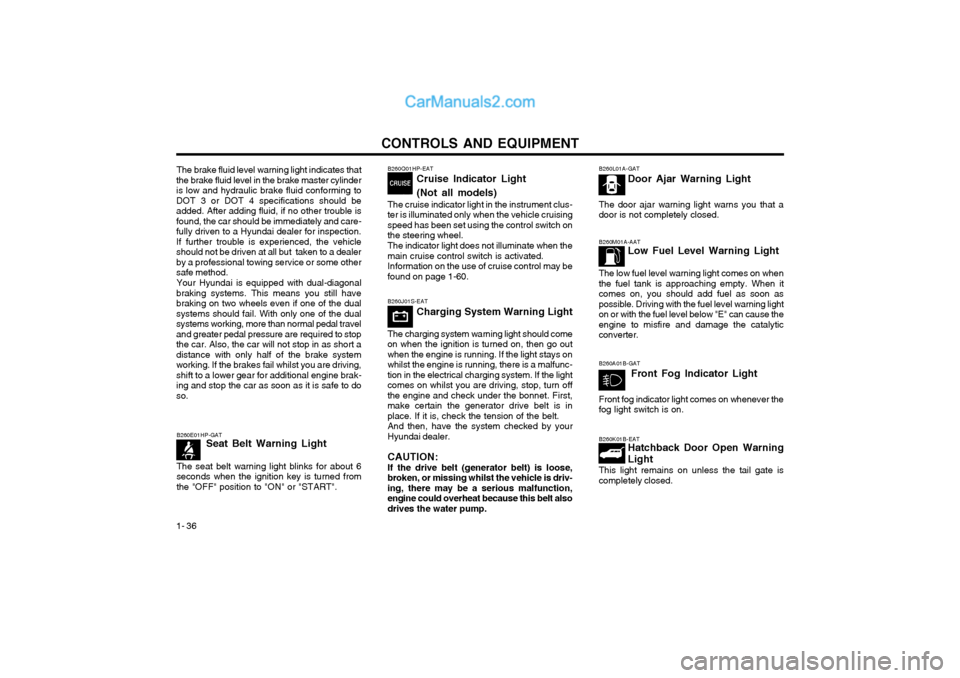
B260M01A-AAT Low Fuel Level Warning Light
The low fuel level warning light comes on when the fuel tank is approaching empty. When itcomes on, you should add fuel as soon aspossible. Driving with the fuel level warning lighton or with the fuel level below "E" can cause theengine to misfire and damage the catalyticconverter. B260K01B-EAT Hatchback Door Open Warning Light
This light remains on unless the tail gate is completely closed.
B260E01HP-GAT
Seat Belt Warning Light
The seat belt warning light blinks for about 6seconds when the ignition key is turned fromthe "OFF" position to "ON" or "START".
B260L01A-GAT Door Ajar Warning Light
The door ajar warning light warns you that a door is not completely closed.
B260A01B-GAT Front Fog Indicator Light
Front fog indicator light comes on whenever the fog light switch is on.
B260J01S-EAT Charging System Warning Light
The charging system warning light should come
on when the ignition is turned on, then go out when the engine is running. If the light stays onwhilst the engine is running, there is a malfunc-tion in the electrical charging system. If the lightcomes on whilst you are driving, stop, turn offthe engine and check under the bonnet. First,make certain the generator drive belt is inplace. If it is, check the tension of the belt. And then, have the system checked by your
Hyundai dealer.
CAUTION: If the drive belt (generator belt) is loose,
broken, or missing whilst the vehicle is driv- ing, there may be a serious malfunction,engine could overheat because this belt alsodrives the water pump.
B260Q01HP-EAT
Cruise Indicator Light (Not all models)
The cruise indicator light in the instrument clus- ter is illuminated only when the vehicle cruisingspeed has been set using the control switch onthe steering wheel. The indicator light does not illuminate when the main cruise control switch is activated.Information on the use of cruise control may befound on page 1-60.
The brake fluid level warning light indicates that
the brake fluid level in the brake master cylinderis low and hydraulic brake fluid conforming toDOT 3 or DOT 4 specifications should beadded. After adding fluid, if no other trouble isfound, the car should be immediately and care-fully driven to a Hyundai dealer for inspection.If further trouble is experienced, the vehicleshould not be driven at all but taken to a dealerby a professional towing service or some othersafe method.
Your Hyundai is equipped with dual-diagonal
braking systems. This means you still havebraking on two wheels even if one of the dualsystems should fail. With only one of the dualsystems working, more than normal pedal traveland greater pedal pressure are required to stopthe car. Also, the car will not stop in as short adistance with only half of the brake systemworking. If the brakes fail whilst you are driving,shift to a lower gear for additional engine brak-ing and stop the car as soon as it is safe to doso.
Page 235 of 349
CONTROLS AND EQUIPMENT1- 41
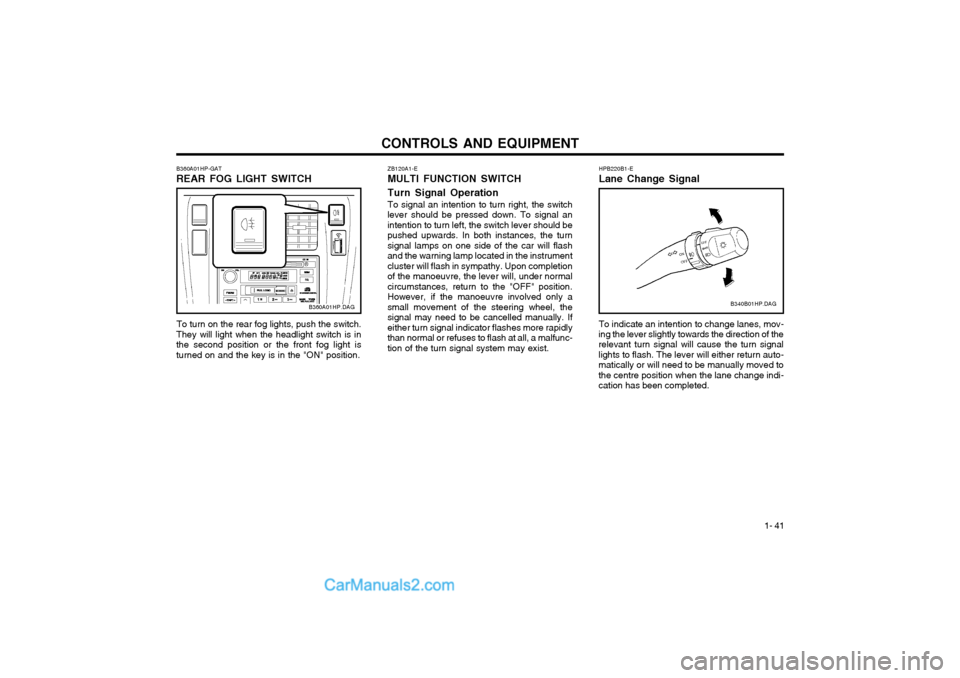
ZB120A1-E MULTI FUNCTION SWITCH Turn Signal Operation To signal an intention to turn right, the switch
lever should be pressed down. To signal an intention to turn left, the switch lever should bepushed upwards. In both instances, the turnsignal lamps on one side of the car will flashand the warning lamp located in the instrumentcluster will flash in sympathy. Upon completionof the manoeuvre, the lever will, under normalcircumstances, return to the "OFF" position.However, if the manoeuvre involved only asmall movement of the steering wheel, thesignal may need to be cancelled manually. Ifeither turn signal indicator flashes more rapidlythan normal or refuses to flash at all, a malfunc-tion of the turn signal system may exist.
B360A01HP-GAT REAR FOG LIGHT SWITCH
B360A01HP.DAG
To turn on the rear fog lights, push the switch.
They will light when the headlight switch is in the second position or the front fog light isturned on and the key is in the "ON" position.HPB220B1-E Lane Change Signal To indicate an intention to change lanes, mov-
ing the lever slightly towards the direction of the relevant turn signal will cause the turn signal lights to flash. The lever will either return auto-matically or will need to be manually moved tothe centre position when the lane change indi-cation has been completed. B340B01HP.DAG
Page 236 of 349
CONTROLS AND EQUIPMENT
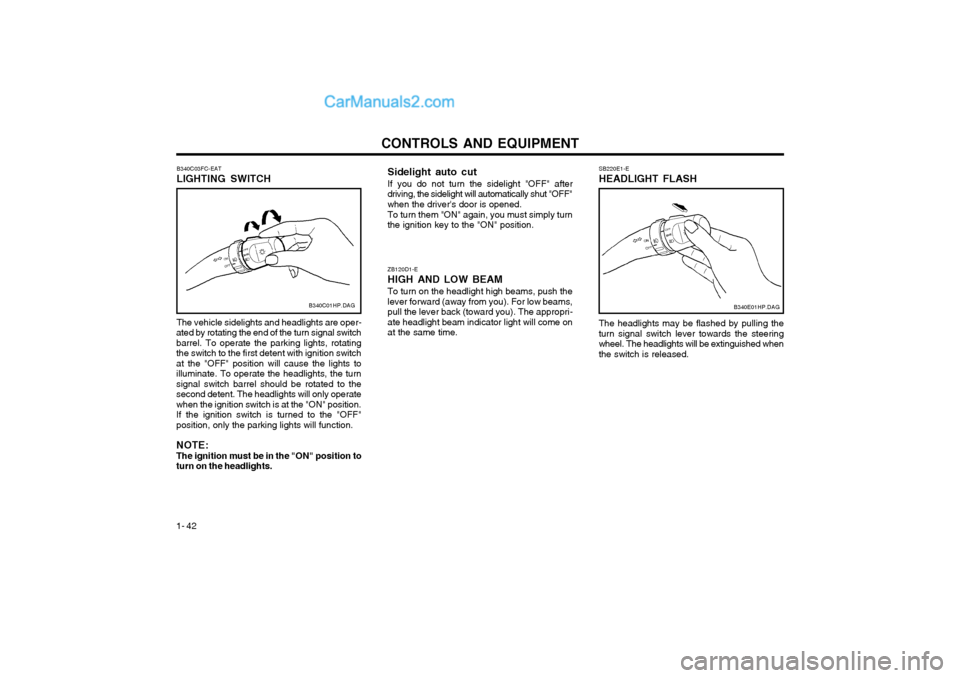
1- 42 ZB120D1-E HIGH AND LOW BEAMTo turn on the headlight high beams, push the lever forward (away from you). For low beams,pull the lever back (toward you). The appropri-ate headlight beam indicator light will come onat the same time.
B340C03FC-EAT LIGHTING SWITCH The vehicle sidelights and headlights are oper-
ated by rotating the end of the turn signal switch barrel. To operate the parking lights, rotatingthe switch to the first detent with ignition switchat the "OFF" position will cause the lights toilluminate. To operate the headlights, the turnsignal switch barrel should be rotated to thesecond detent. The headlights will only operatewhen the ignition switch is at the "ON" position.If the ignition switch is turned to the "OFF"position, only the parking lights will function. NOTE: The ignition must be in the "ON" position toturn on the headlights. B340C01HP.DAG
Sidelight auto cut If you do not turn the sidelight "OFF" after
driving, the sidelight will automatically shut "OFF" when the driver's door is opened.
To turn them "ON" again, you must simply turn
the ignition key to the "ON" position. SB220E1-E HEADLIGHT FLASH The headlights may be flashed by pulling the turn signal switch lever towards the steeringwheel. The headlights will be extinguished whenthe switch is released.
B340E01HP.DAG
Page 237 of 349
CONTROLS AND EQUIPMENT1- 43
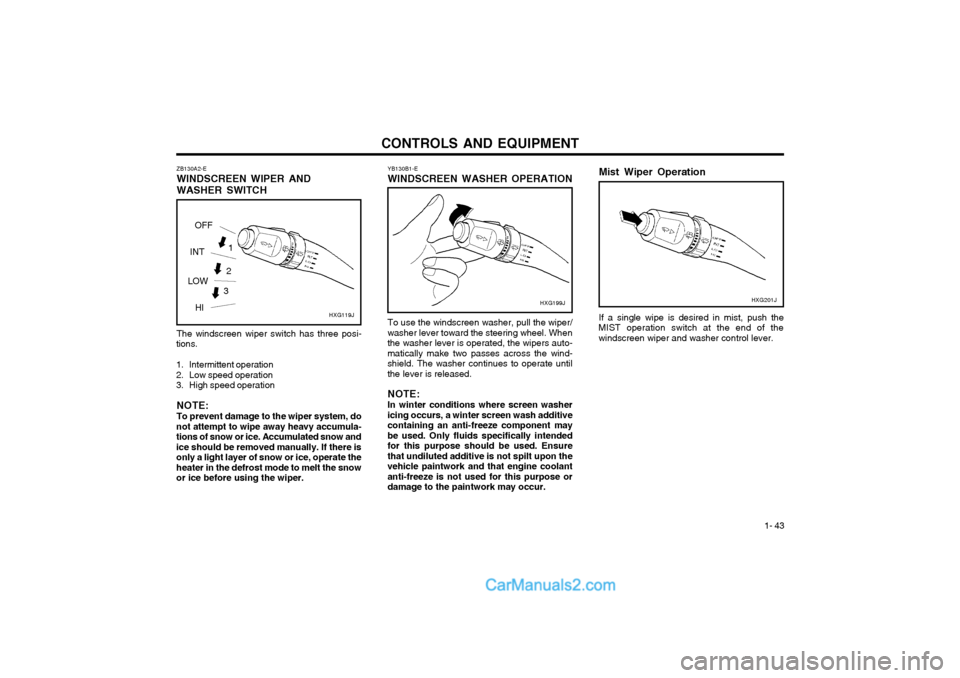
ZB130A2-E WINDSCREEN WIPER ANDWASHER SWITCH The windscreen wiper switch has three posi-
tions.
1. Intermittent operation
2. Low speed operation
3. High speed operation
NOTE: To prevent damage to the wiper system, do
not attempt to wipe away heavy accumula- tions of snow or ice. Accumulated snow andice should be removed manually. If there isonly a light layer of snow or ice, operate theheater in the defrost mode to melt the snowor ice before using the wiper. YB130B1-E WINDSCREEN WASHER OPERATION
To use the windscreen washer, pull the wiper/
washer lever toward the steering wheel. When the washer lever is operated, the wipers auto-matically make two passes across the wind-shield. The washer continues to operate untilthe lever is released.
NOTE: In winter conditions where screen washer
icing occurs, a winter screen wash additive containing an anti-freeze component maybe used. Only fluids specifically intendedfor this purpose should be used. Ensurethat undiluted additive is not spilt upon thevehicle paintwork and that engine coolantanti-freeze is not used for this purpose ordamage to the paintwork may occur. HXG199J
3
2
HXG119J
1
OFF
INT
LOW HI Mist Wiper Operation If a single wipe is desired in mist, push the
MIST operation switch at the end of the windscreen wiper and washer control lever. HXG201J
Page 252 of 349
CONTROLS AND EQUIPMENT
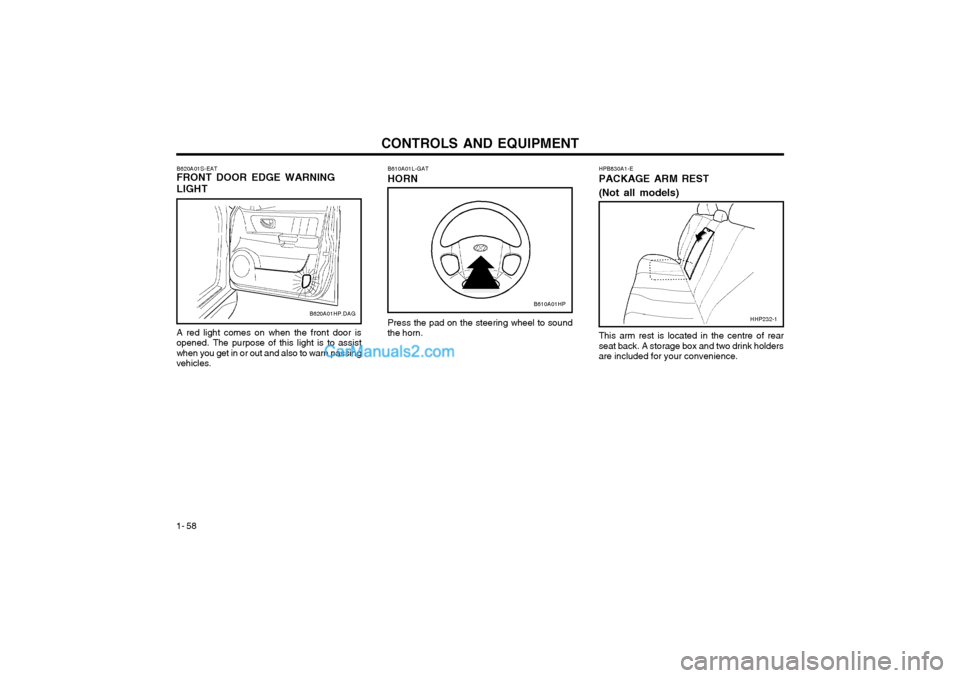
1- 58 HPB830A1-E PACKAGE ARM REST (Not all models)
Press the pad on the steering wheel to sound the horn.
B610A01L-GAT HORN
This arm rest is located in the centre of rear seat back. A storage box and two drink holdersare included for your convenience.HHP232-1
A red light comes on when the front door isopened. The purpose of this light is to assistwhen you get in or out and also to warn passingvehicles.
B620A01S-EAT FRONT DOOR EDGE WARNING LIGHTB620A01HP.DAGB610A01HP
Page 253 of 349
CONTROLS AND EQUIPMENT1- 59
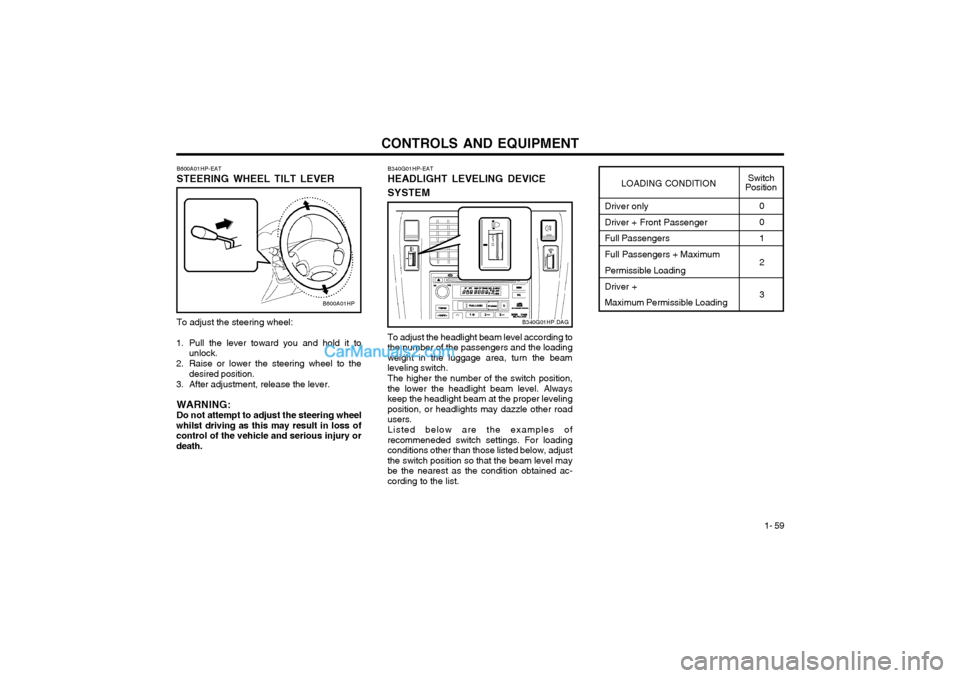
To adjust the steering wheel:
1. Pull the lever toward you and hold it to unlock.
2. Raise or lower the steering wheel to the desired position.
3. After adjustment, release the lever.
WARNING: Do not attempt to adjust the steering wheel
whilst driving as this may result in loss ofcontrol of the vehicle and serious injury ordeath. B600A01HP-EAT STEERING WHEEL TILT LEVER
B600A01HP
Driver only Driver + Front Passenger Full Passengers Full Passengers + Maximum Permissible Loading Driver + Maximum Permissible Loading0 0 1 2 3
LOADING CONDITION
Switch
Position
To adjust the headlight beam level according to
the number of the passengers and the loading weight in the luggage area, turn the beamleveling switch.
The higher the number of the switch position,
the lower the headlight beam level. Alwayskeep the headlight beam at the proper levelingposition, or headlights may dazzle other roadusers.
Listed below are the examples of
recommeneded switch settings. For loadingconditions other than those listed below, adjustthe switch position so that the beam level maybe the nearest as the condition obtained ac-cording to the list. B340G01HP-EAT HEADLIGHT LEVELING DEVICE SYSTEM
B340G01HP.DAG
Page 273 of 349
DRIVING YOUR HYUNDAI
2- 2 C020A01A-EAT
BEFORE STARTING THE ENGINE
Before you start the engine, you should always:
1. Look around the vehicle to be sure there are no flat tyres, puddles of oil or water or other indications of possible trouble.
2. After entering the car, check to be sure the parking brake is engaged.
3. Check that all windows, and lights are clean.
4. Check that the interior and exterior mirrors are clean and in position.
5. Check your seat, seatback and headrest to be sure they are in their proper positions.
6. Close all the doors.
7. Fasten your seat belt and be sure that all other occupants have fastened theirs.
8. Turn off all lights and accessories that are not needed.
9. When you turn the ignition switch to "ON" check that all appropriate warning lights are operating and that you have sufficient fuel.
10.Check the operation of warning lights and all bulbs when key is in the "ON" position. C030A01HP-EAT COMBINATION IGNITION SWITCH AND STEERING LOCK To Start the Engine
o If your Hyundai is equipped with a manual
transmission, place the shift lever in neutral and depress the clutch pedal fully.
o If your Hyundai has an automatic transmis- sion, place the shift lever in "P" (park).
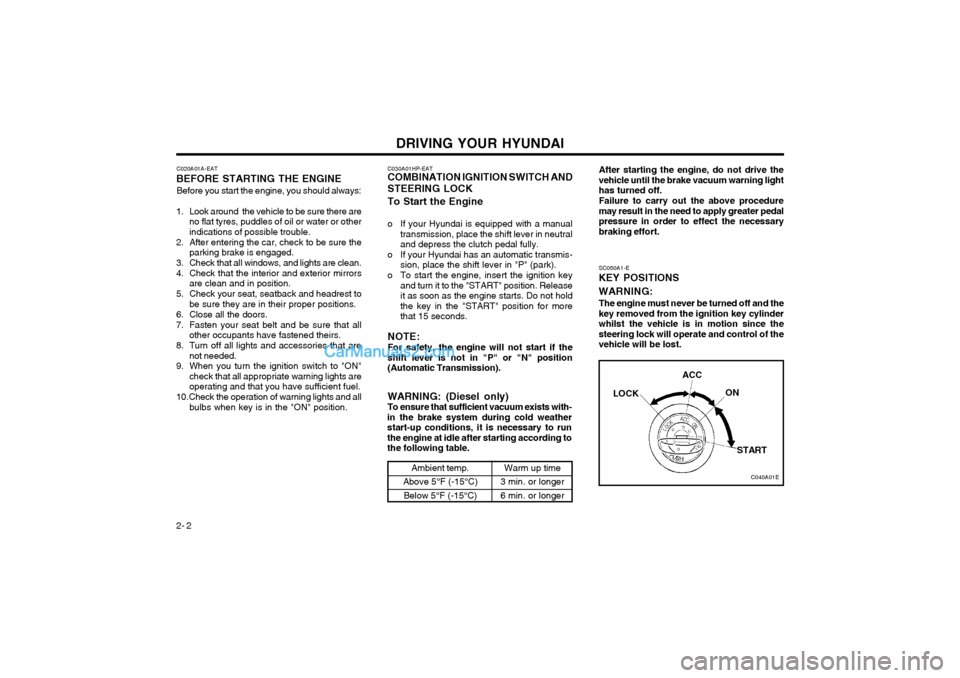
o To start the engine, insert the ignition key and turn it to the "START" position. Releaseit as soon as the engine starts. Do not holdthe key in the "START" position for morethat 15 seconds.
NOTE: For safety, the engine will not start if the shift lever is not in "P" or "N" position(Automatic Transmission). SC050A1-E
KEY POSITIONS WARNING:
The engine must never be turned off and the key removed from the ignition key cylinderwhilst the vehicle is in motion since thesteering lock will operate and control of thevehicle will be lost.
C040A01E
LOCK
ACC
ON
START
WARNING: (Diesel only) To ensure that sufficient vacuum exists with-
in the brake system during cold weatherstart-up conditions, it is necessary to runthe engine at idle after starting according tothe following table.
Ambient temp.
Above 5°F (-15°C) Below 5°F (-15°C)Warm up time
3 min. or longer 6 min. or longer After starting the engine, do not drive the vehicle until the brake vacuum warning lighthas turned off. Failure to carry out the above procedure may result in the need to apply greater pedalpressure in order to effect the necessarybraking effort.
Page 274 of 349
DRIVING YOUR HYUNDAI 2- 3
YC030A1-E
STEERING WHEEL LOCK
When the ignition key is removed, the steering
wheel lock will be activated. The lock only engages at one position of the steering wheeland therefore it will be possible to turn the wheeluntil this position is reached. It is not, however,necessary for the lock to be engaged beforeleaving the vehicle since in the event of at-tempted unauthorized removal, the lock willengage when attempts are made to steer thevehicle.
Should it be difficult to turn the key from the
"LOCK" position, it may be found that rockingthe steering wheel to and fro whilst turning thekey will assist.
CAUTION: Never remove the key from the ignition lock
whilst the vehicle is in motion since the steering mechanism lock will be activated.
"START"
The engine is started in this position. It will
crank until you release the key.
NOTE: Do not hold the key in the "START" position
for more than 15 seconds. "ON"
When the key is at the "ON" position, the
ignition and all accessories are available for use. If the engine is not running, the key shouldnot be left at this position since the battery willbecome discharged and damage to the ignitionsystem may also result. For information regard-ing engine starting, refer to "STARTING THEENGINE". "ACC"
When the ignition key is at the "ACC" position,
the radio and other accessories may be used."LOCK"
The ignition key may only be inserted or re-
moved at this position.
NOTE: The ignition key can only be removed if the
transmission selector is at the "P" position (automatic transmission only). C070C01A-AAT
To Remove the Ignition Key
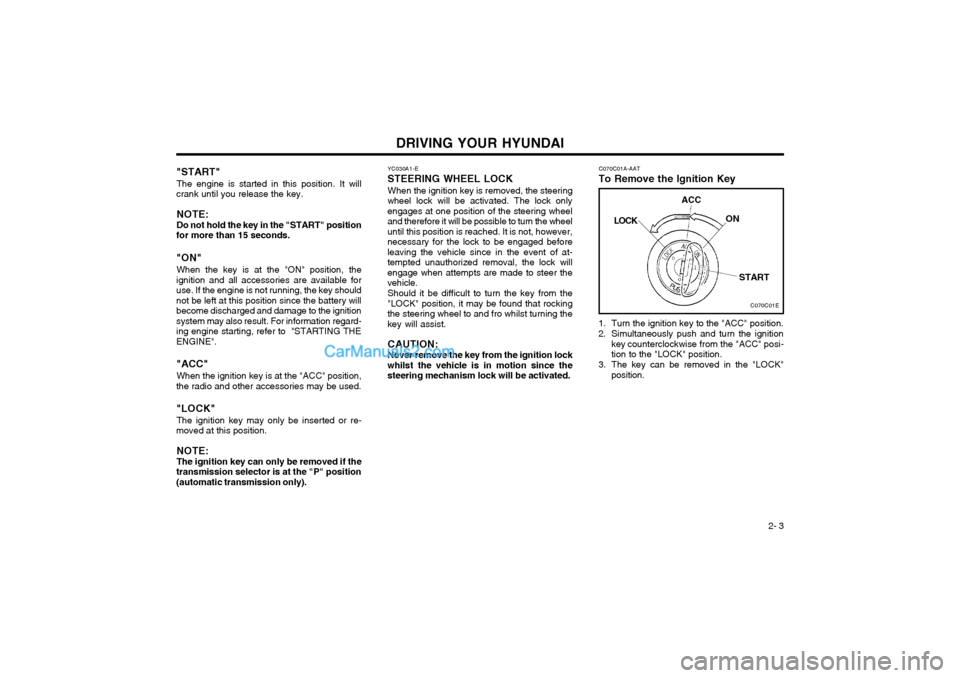
1. Turn the ignition key to the "ACC" position.
2. Simultaneously push and turn the ignition key counterclockwise from the "ACC" posi- tion to the "LOCK" position.
3. The key can be removed in the "LOCK" position.
C070C01E
LOCK
ACC
ON
START
Page 281 of 349
DRIVING YOUR HYUNDAI
2- 10
2. Transfer shift knob operation By turning the transfer shift knob(4H, 4L), both
axles of the vehicle are rigidly connected with each other. This improves the traction charac-teristics.
2H
4H
Turn the transfer shift knob from the 2H mode
to the 4H mode at speed below 50mph (80 km/h). It is not necessary to depress the clutchpedal (Manual Transmission) or put the shiftlever into "N(neutral)" position (Automatic Trans-mission). Perform this operation when drivingstraight.
4H
2H
Turn the transfer shift knob from the 4H mode
to the 2H mode at speed below 50mph (80 km/h). It is not necessary to depress the clutchpedal (Manual Transmission) or put the shiftlever into "N(neutral)" position (Automatic Trans-
mission). Perform this operation when driving straight.
4H
4L
1. Stop the vehicle.
2. Depress the clutch pedal (Manual Trans- mission) or put the shift lever into "N (neu- tral)" position (Automatic Transmission).
3. Select the 4L mode.
4L
4H
1. Stop the vehicle.
2. Depress the clutch pedal (Manual Trans- mission) or put the shift lever into "N (neu- tral)" position (Automatic Transmission).
3. Select the 4H mode.CAUTION: Do not select 4WD (4H or 4L) mode on dry
paved roads. Especially on dry highway, never select the 4WD mode.
Four-wheel driving on dry paved roads for a
long period will increase the fuel consump-tion with possible noise generation and ear-ly tyre wear. In addition, axle gear oil tem-perature increases with possible driving sys-tem part wear. D090E01HP-EAT
Driving Four-wheel drive safely
o The driving posture should be more upright; adjust the seat to a good position for easy steering and pedal operation.
o Be sure to wear the seat belt.
o Drive carefully when off the road and avoid dangerous areas.
o 4WD has higher ground clearance and a narrower track to make them capable of performing in a wide variety of off roadapplications. Specific design characteristicsgive them a higher centre of gravity thanordinary cars. An advantage of the higherground clearance is a better view of the roadallowing you to anticipate problems. Theyare not designed for cornering at the samespeeds as conventional 2-wheel drive vehi-cles any more than low-slung sports carsare designed to perform satisfactorily underoff-road conditions. If at all possible, avoidsharp turns or abrupt maneuvers. As withother vehicles of this type, failure to operatethis vehicle correctly may result in loss ofcontrol or vehicle rollover.
o Do not grip the inside or spokes of the steering wheel when driving off-road. Thesteering wheel could jerk and injure yourhands. Always firmly hold the outer steeringwheel when you are driving off-road.
o Drive at lower speeds in strong crosswinds. Because of your vehicle’s high centre ofgravity, its stability will be affected in cross-winds. Slower speeds ensure better vehiclecontrol.
Page 282 of 349
DRIVING YOUR HYUNDAI 2- 11
o Check your brake condition once you areout of mud or water. Press the brake several times as you move slowly until your feelnormal braking forces return.
o Four-wheel driving on flat and normal roads can result in a severe binding conditionwhen turning the steering wheel.
Driving on dry paved road and high- way Select the 2H(2WD) to drive on dry paved roads. Especially on dry highway, never selectthe 4H or 4L(4WD).
Driving on snowy or icy roads Select the 4H or 4L in accordance with the roadconditions, and then gradually depress the ac-celerator pedal for a smooth start.
Driving on sandy or muddy roads Select the 4H or 4L and then gradually depressthe accelerator pedal for a smooth start. Keepthe pressure on the accelerator pedal constantas possible, and drive at low speed.
Climbing sharp grades Select the 4L to maximize use the engine torque.
Descending sharp grades Select the 4L, use the engine brake and de-scend slowly. Driving in Water
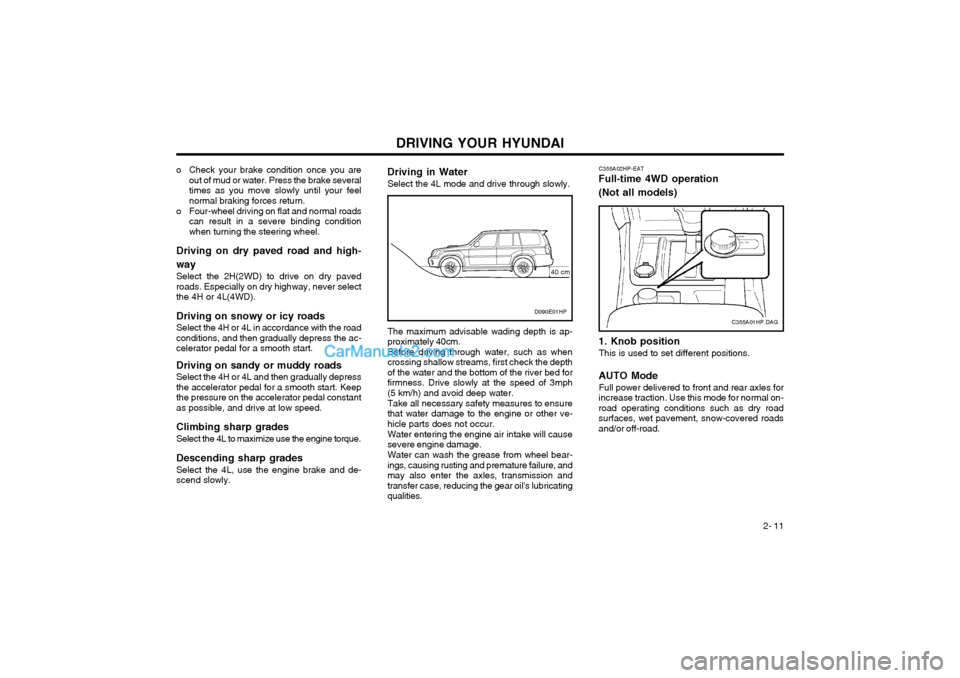
Select the 4L mode and drive through slowly. The maximum advisable wading depth is ap- proximately 40cm.Before driving through water, such as whencrossing shallow streams, first check the depthof the water and the bottom of the river bed forfirmness. Drive slowly at the speed of 3mph(5 km/h) and avoid deep water. Take all necessary safety measures to ensure that water damage to the engine or other ve-hicle parts does not occur. Water entering the engine air intake will cause severe engine damage. Water can wash the grease from wheel bear- ings, causing rusting and premature failure, andmay also enter the axles, transmission andtransfer case, reducing the gear oil's lubricatingqualities.C355A02HP-EAT
Full-time 4WD operation (Not all models) 1. Knob position
This is used to set different positions.
AUTO Mode Full power delivered to front and rear axles for
increase traction. Use this mode for normal on- road operating conditions such as dry roadsurfaces, wet pavement, snow-covered roadsand/or off-road.
C355A01HP.DAGD090E01HP
40 cm