light Hyundai Terracan 2004 Owner's Guide
[x] Cancel search | Manufacturer: HYUNDAI, Model Year: 2004, Model line: Terracan, Model: Hyundai Terracan 2004Pages: 361, PDF Size: 4.69 MB
Page 63 of 361
FEATURES OF YOUR HYUNDAI 1- 55
The interior courtesy light has three buttons. The three buttons are: o DOOR
In the "DOOR" position, the interior courtesy lightcomes on when any door is opened regardless ofthe ignition key position. The light goes out gradu-ally 6 seconds after the door is closed. o ON In the "ON" position, the light stays on at all times.Do not leave this button pressed for an extendedperiod of time when the vehicle is not running.
B480B01Y-AAT MAP LIGHT
B480B01HP
B460F01HP
Push in the map light switch to turn the light on or off. This light produces a spot beam for conve-nient use as a map light at night or as a personallight for the driver and the passenger.
B490A01O
B490A02Y-AAT INTERIOR LIGHT
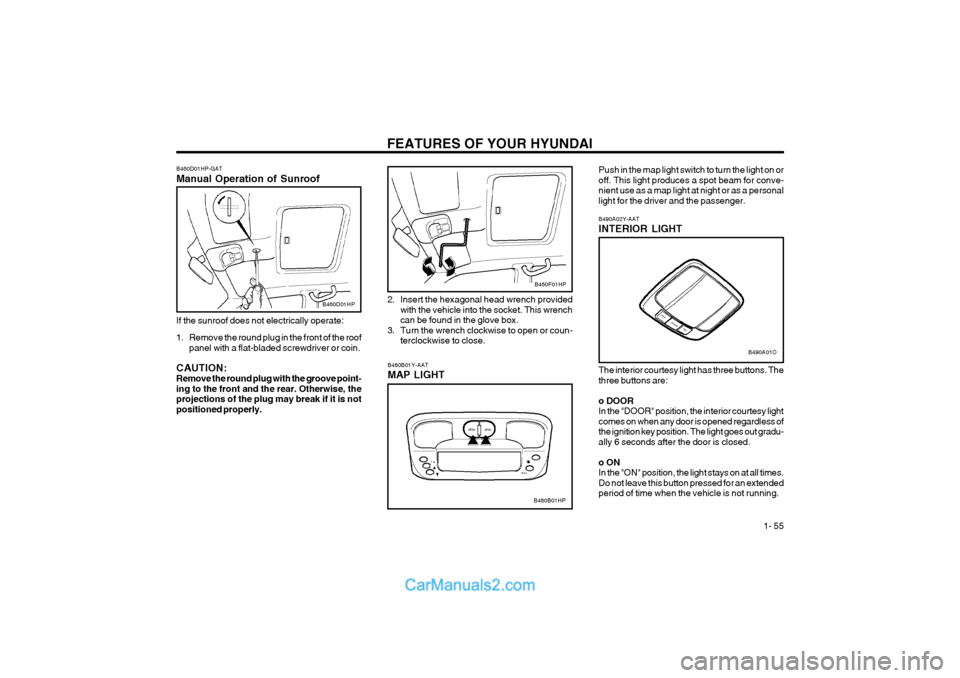
2. Insert the hexagonal head wrench provided
with the vehicle into the socket. This wrench can be found in the glove box.
3. Turn the wrench clockwise to open or coun- terclockwise to close.
B460D01HP-GAT Manual Operation of Sunroof
B460D01HP
If the sunroof does not electrically operate:
1. Remove the round plug in the front of the roof panel with a flat-bladed screwdriver or coin.
CAUTION: Remove the round plug with the groove point-ing to the front and the rear. Otherwise, theprojections of the plug may break if it is notpositioned properly.
Page 64 of 361
FEATURES OF YOUR HYUNDAI
1- 56
B510A01HP
B500A01A-AAT GLOVE BOX
B500A01HP
WARNING: To avoid the possibility of injury in case of an accident or a sudden stop, the glove box doorshould be kept closed when the car is inmotion.
o To open the glove box, pull on the glove box release lever.
B500B01HP
The multi box may be opened by pulling it out by its grip. It is used for storing small articles.
B500B01HP-DAT MULTI BOX
o OFF In the "OFF" position, the light stays off at alltimes even though a door is open.
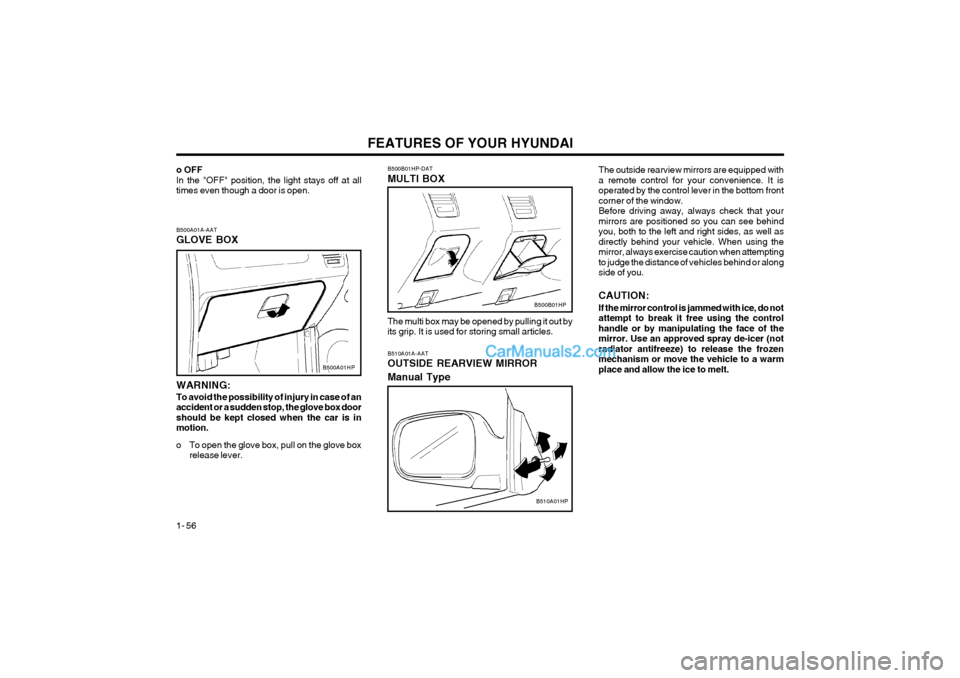
B510A01A-AAT OUTSIDE REARVIEW MIRROR Manual TypeThe outside rearview mirrors are equipped with a remote control for your convenience. It isoperated by the control lever in the bottom frontcorner of the window.Before driving away, always check that yourmirrors are positioned so you can see behindyou, both to the left and right sides, as well asdirectly behind your vehicle. When using themirror, always exercise caution when attemptingto judge the distance of vehicles behind or alongside of you. CAUTION: If the mirror control is jammed with ice, do not attempt to break it free using the controlhandle or by manipulating the face of themirror. Use an approved spray de-icer (notradiator antifreeze) to release the frozenmechanism or move the vehicle to a warmplace and allow the ice to melt.
Page 66 of 361
FEATURES OF YOUR HYUNDAI
1- 58
B520A01HPB510C01HP B515A01HP-GAT SIDE UNDER VIEW MIRROR (If installed) Traffic and road conditions can be viewed on the lower right-hand side of the vehicle with the sideunder view mirror.B515A01HP
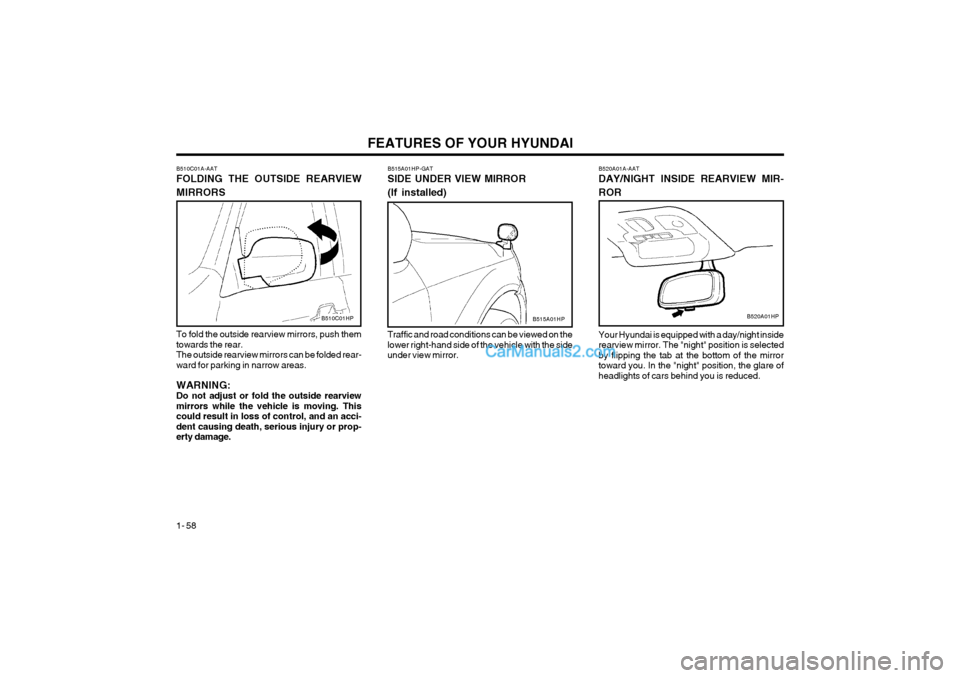
B510C01A-AAT FOLDING THE OUTSIDE REARVIEW MIRRORS To fold the outside rearview mirrors, push them towards the rear.The outside rearview mirrors can be folded rear-ward for parking in narrow areas. WARNING: Do not adjust or fold the outside rearviewmirrors while the vehicle is moving. Thiscould result in loss of control, and an acci-dent causing death, serious injury or prop-erty damage. B520A01A-AAT DAY/NIGHT INSIDE REARVIEW MIR- ROR Your Hyundai is equipped with a day/night inside rearview mirror. The "night" position is selectedby flipping the tab at the bottom of the mirrortoward you. In the "night" position, the glare ofheadlights of cars behind you is reduced.
Page 67 of 361
FEATURES OF YOUR HYUNDAI 1- 59
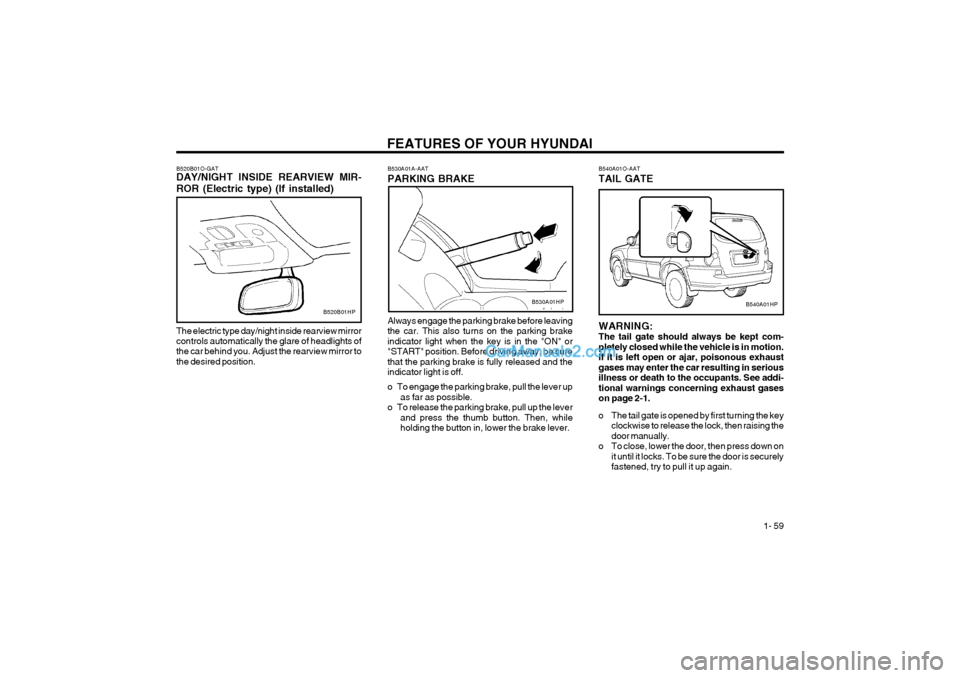
Always engage the parking brake before leaving the car. This also turns on the parking brakeindicator light when the key is in the "ON" or"START" position. Before driving away, be surethat the parking brake is fully released and theindicator light is off.
o To engage the parking brake, pull the lever upas far as possible.
o To release the parking brake, pull up the lever and press the thumb button. Then, while holding the button in, lower the brake lever.
B530A01A-AAT PARKING BRAKE
B520B01O-GAT DAY/NIGHT INSIDE REARVIEW MIR- ROR (Electric type) (If installed)
B520B01HP
The electric type day/night inside rearview mirror controls automatically the glare of headlights of the car behind you. Adjust the rearview mirror tothe desired position.B530A01HP
B540A01O-AAT TAIL GATE
B540A01HP
WARNING: The tail gate should always be kept com-pletely closed while the vehicle is in motion.If it is left open or ajar, poisonous exhaustgases may enter the car resulting in seriousillness or death to the occupants. See addi-tional warnings concerning exhaust gaseson page 2-1.
o The tail gate is opened by first turning the key clockwise to release the lock, then raising the door manually.
o To close, lower the door, then press down on it until it locks. To be sure the door is securelyfastened, try to pull it up again.
Page 68 of 361
FEATURES OF YOUR HYUNDAI
1- 60
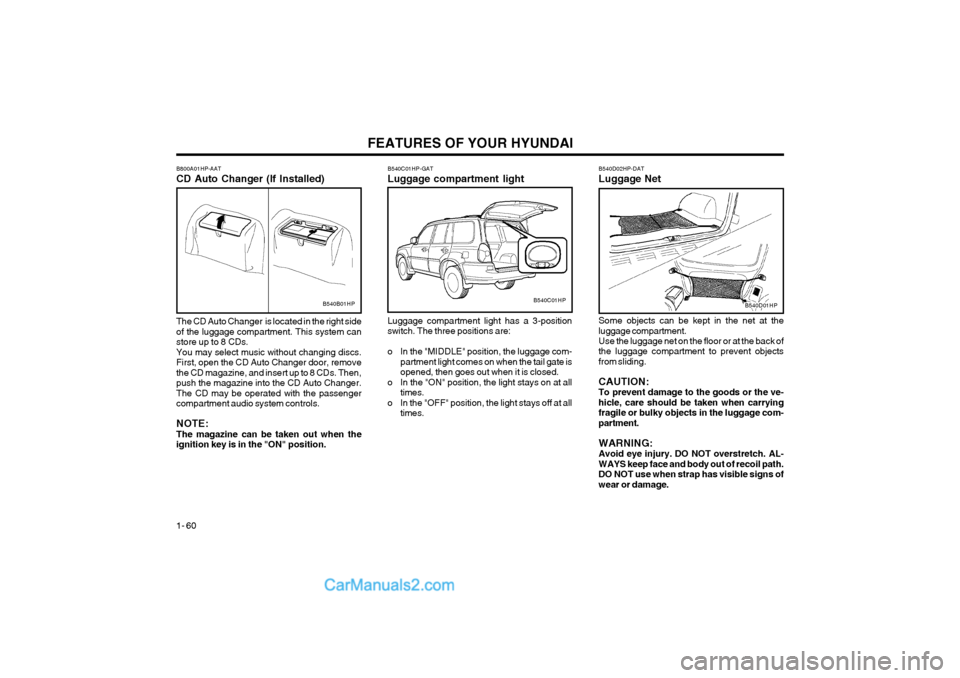
B540B01HP B540C01HP-GAT Luggage compartment light Luggage compartment light has a 3-position switch. The three positions are:
o In the "MIDDLE" position, the luggage com-
partment light comes on when the tail gate is opened, then goes out when it is closed.
o In the "ON" position, the light stays on at all times.
o In the "OFF" position, the light stays off at all times.B540C01HPB540D01HP
B800A01HP-AAT CD Auto Changer (If Installed) The CD Auto Changer is located in the right side of the luggage compartment. This system canstore up to 8 CDs.You may select music without changing discs.First, open the CD Auto Changer door, removethe CD magazine, and insert up to 8 CDs. Then,push the magazine into the CD Auto Changer.The CD may be operated with the passengercompartment audio system controls. NOTE: The magazine can be taken out when theignition key is in the "ON" position. B540D02HP-DAT Luggage Net Some objects can be kept in the net at the luggage compartment. Use the luggage net on the floor or at the back of the luggage compartment to prevent objectsfrom sliding. CAUTION: To prevent damage to the goods or the ve-hicle, care should be taken when carryingfragile or bulky objects in the luggage com-partment. WARNING: Avoid eye injury. DO NOT overstretch. AL-WAYS keep face and body out of recoil path.DO NOT use when strap has visible signs ofwear or damage.
Page 70 of 361
FEATURES OF YOUR HYUNDAI
1- 62
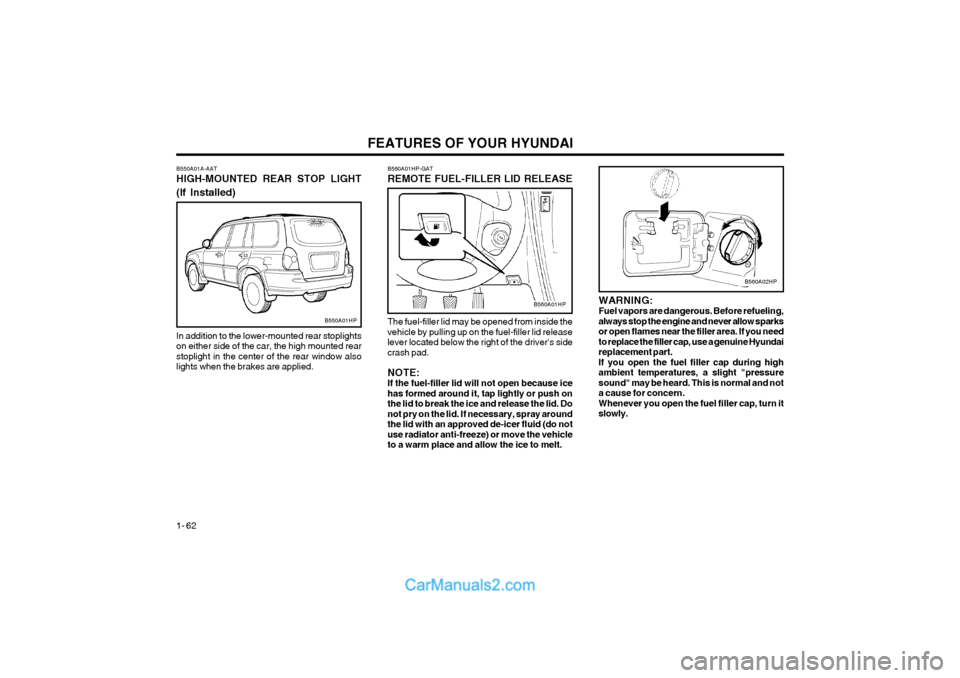
WARNING: Fuel vapors are dangerous. Before refueling,always stop the engine and never allow sparksor open flames near the filler area. If you needto replace the filler cap, use a genuine Hyundaireplacement part.If you open the fuel filler cap during highambient temperatures, a slight "pressuresound" may be heard. This is normal and nota cause for concern.Whenever you open the fuel filler cap, turn itslowly.
B550A01A-AAT HIGH-MOUNTED REAR STOP LIGHT (If Installed)
In addition to the lower-mounted rear stoplights on either side of the car, the high mounted rearstoplight in the center of the rear window alsolights when the brakes are applied.
B550A01HP
B560A01HP-GAT REMOTE FUEL-FILLER LID RELEASE
The fuel-filler lid may be opened from inside the vehicle by pulling up on the fuel-filler lid releaselever located below the right of the driver's sidecrash pad. NOTE: If the fuel-filler lid will not open because icehas formed around it, tap lightly or push onthe lid to break the ice and release the lid. Donot pry on the lid. If necessary, spray aroundthe lid with an approved de-icer fluid (do notuse radiator anti-freeze) or move the vehicleto a warm place and allow the ice to melt.
B560A01HP
B560A02HP
Page 72 of 361
FEATURES OF YOUR HYUNDAI
1- 64
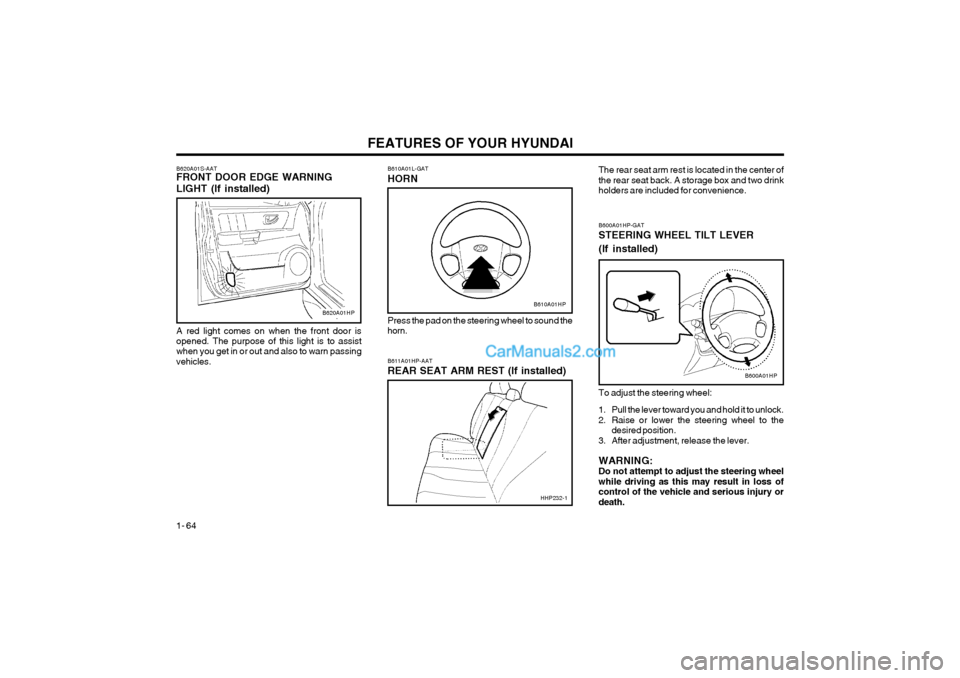
B600A01HP-GAT STEERING WHEEL TILT LEVER (If installed) To adjust the steering wheel:
1. Pull the lever toward you and hold it to unlock.
2. Raise or lower the steering wheel to the desired position.
3. After adjustment, release the lever. WARNING: Do not attempt to adjust the steering wheelwhile driving as this may result in loss ofcontrol of the vehicle and serious injury ordeath.
B600A01HP
B620A01S-AAT FRONT DOOR EDGE WARNING LIGHT (If installed) A red light comes on when the front door is opened. The purpose of this light is to assist when you get in or out and also to warn passingvehicles.B610A01L-GAT HORN
B610A01HP
Press the pad on the steering wheel to sound the horn. B611A01HP-AAT REAR SEAT ARM REST (If installed) The rear seat arm rest is located in the center of the rear seat back. A storage box and two drinkholders are included for convenience.B620A01HP
HHP232-1
Page 73 of 361
FEATURES OF YOUR HYUNDAI 1- 65
Driver only
Driver + Front PassengerFull PassengersFull passengers + MaximumPermissible Loading
Driver + Maximum Permissible
Loading0 01 2 3
LOADING CONDITIONSwitch
position
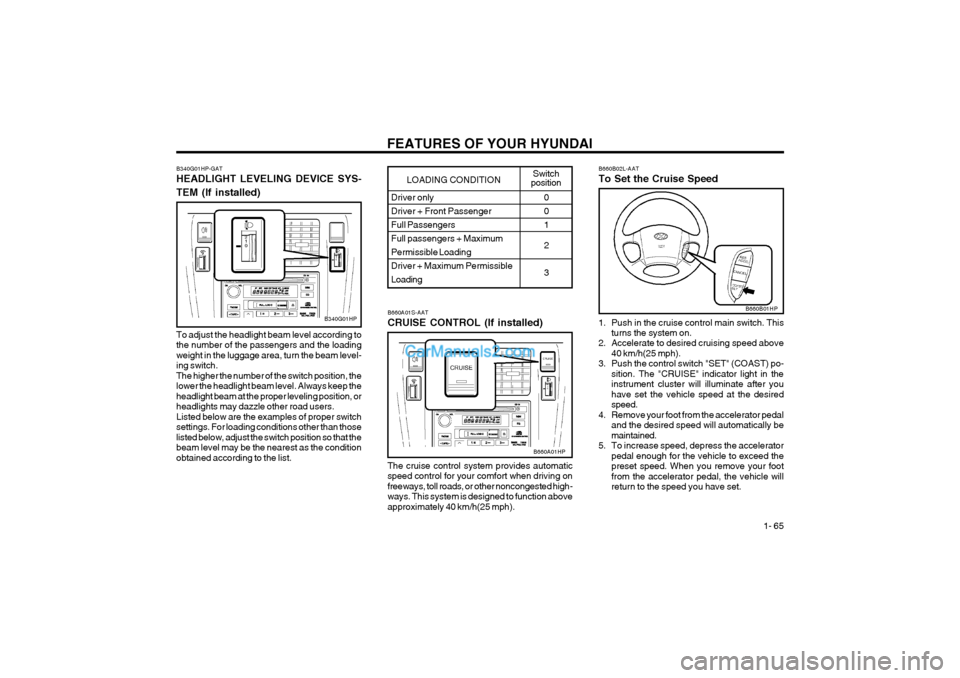
B340G01HP-GAT HEADLIGHT LEVELING DEVICE SYS- TEM (If installed)
To adjust the headlight beam level according to the number of the passengers and the loadingweight in the luggage area, turn the beam level-ing switch.The higher the number of the switch position, thelower the headlight beam level. Always keep theheadlight beam at the proper leveling position, orheadlights may dazzle other road users.Listed below are the examples of proper switchsettings. For loading conditions other than thoselisted below, adjust the switch position so that thebeam level may be the nearest as the conditionobtained according to the list.
B340G01HPB660A01S-AAT CRUISE CONTROL (If installed) The cruise control system provides automatic speed control for your comfort when driving onfreeways, toll roads, or other noncongested high-ways. This system is designed to function aboveapproximately 40 km/h(25 mph).
B660A01HP B660B02L-AAT To Set the Cruise Speed
1. Push in the cruise control main switch. This
turns the system on.
2. Accelerate to desired cruising speed above
40 km/h(25 mph).
3. Push the control switch "SET" (COAST) po- sition. The "CRUISE" indicator light in the instrument cluster will illuminate after youhave set the vehicle speed at the desiredspeed.
4. Remove your foot from the accelerator pedal and the desired speed will automatically bemaintained.
5. To increase speed, depress the accelerator pedal enough for the vehicle to exceed thepreset speed. When you remove your footfrom the accelerator pedal, the vehicle willreturn to the speed you have set.
B660B01HP
Page 81 of 361
FEATURES OF YOUR HYUNDAI 1- 73
B740B01HP-GAT
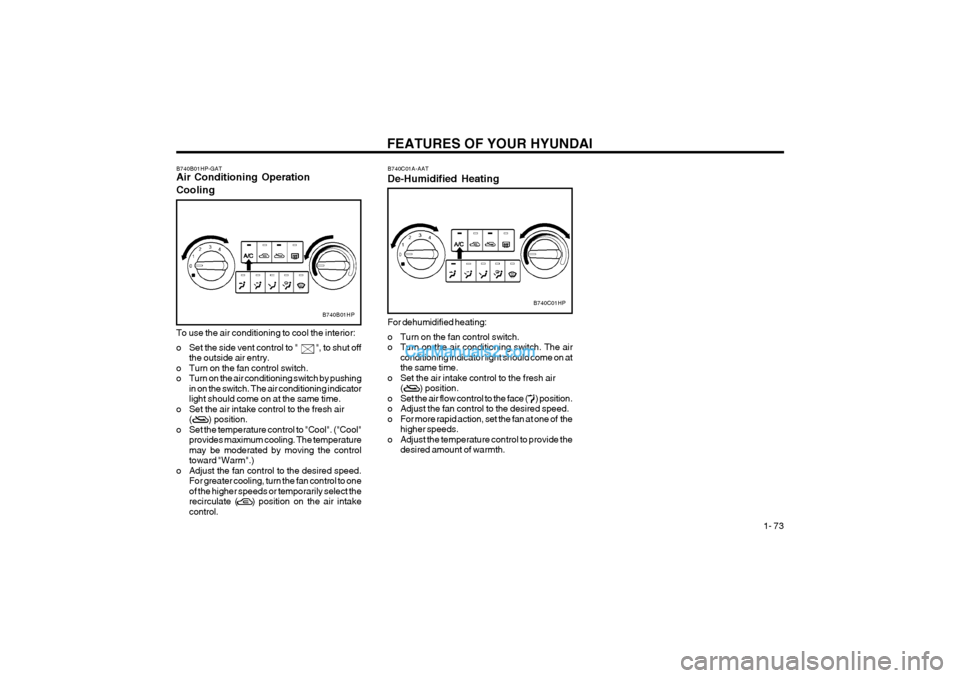
Air Conditioning Operation Cooling
B740B01HP
To use the air conditioning to cool the interior:
o Set the side vent control to " ", to shut off
the outside air entry.
o Turn on the fan control switch.
o Turn on the air conditioning switch by pushing in on the switch. The air conditioning indicatorlight should come on at the same time.
o Set the air intake control to the fresh air ( ) position.
o Set the temperature control to "Cool". ("Cool" provides maximum cooling. The temperaturemay be moderated by moving the controltoward "Warm".)
o Adjust the fan control to the desired speed. For greater cooling, turn the fan control to oneof the higher speeds or temporarily select therecirculate ( ) position on the air intakecontrol. B740C01A-AAT De-Humidified Heating
B740C01HP
For dehumidified heating:
o Turn on the fan control switch.
o Turn on the air conditioning switch. The air conditioning indicator light should come on atthe same time.
o Set the air intake control to the fresh air ( ) position.
o Set the air flow control to the face ( ) position.
o Adjust the fan control to the desired speed.
o For more rapid action, set the fan at one of the higher speeds.
o Adjust the temperature control to provide the desired amount of warmth.
Page 83 of 361
FEATURES OF YOUR HYUNDAI 1- 75
B970C02L-AAT Automatic Operation
B970C01HP
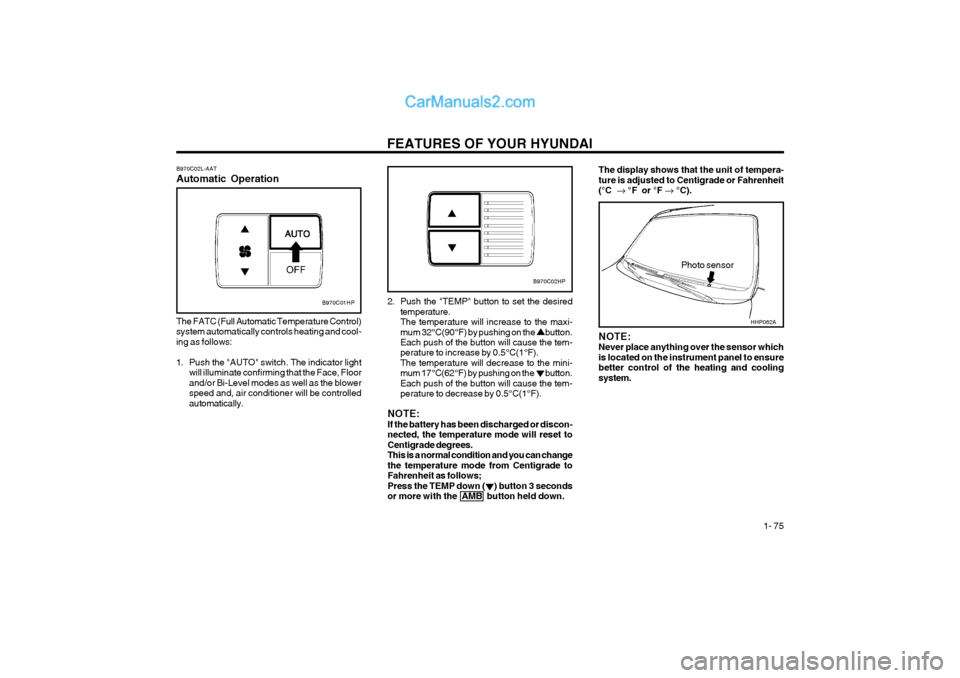
The FATC (Full Automatic Temperature Control) system automatically controls heating and cool-ing as follows:
1. Push the "AUTO" switch. The indicator light will illuminate confirming that the Face, Floor and/or Bi-Level modes as well as the blowerspeed and, air conditioner will be controlledautomatically. 2. Push the "TEMP" button to set the desired
temperature.The temperature will increase to the maxi-mum 32°C(90°F) by pushing on the button. Each push of the button will cause the tem- perature to increase by 0.5°C(1°F).The temperature will decrease to the mini-mum 17°C(62°F) by pushing on the button.Each push of the button will cause the tem-perature to decrease by 0.5°C(1°F).
NOTE:If the battery has been discharged or discon-nected, the temperature mode will reset toCentigrade degrees.This is a normal condition and you can changethe temperature mode from Centigrade toFahrenheit as follows;Press the TEMP down ( ) button 3 secondsor more with the AMB button held down.
Photo sensor
B970C02HP
NOTE: Never place anything over the sensor whichis located on the instrument panel to ensurebetter control of the heating and coolingsystem.
The display shows that the unit of tempera- ture is adjusted to Centigrade or Fahrenheit(°C °F or °F °C).
HHP062A