lights Hyundai Terracan 2005 User Guide
[x] Cancel search | Manufacturer: HYUNDAI, Model Year: 2005, Model line: Terracan, Model: Hyundai Terracan 2005Pages: 539, PDF Size: 18.03 MB
Page 89 of 539
1
FEATURES OF YOUR HYUNDAI
75
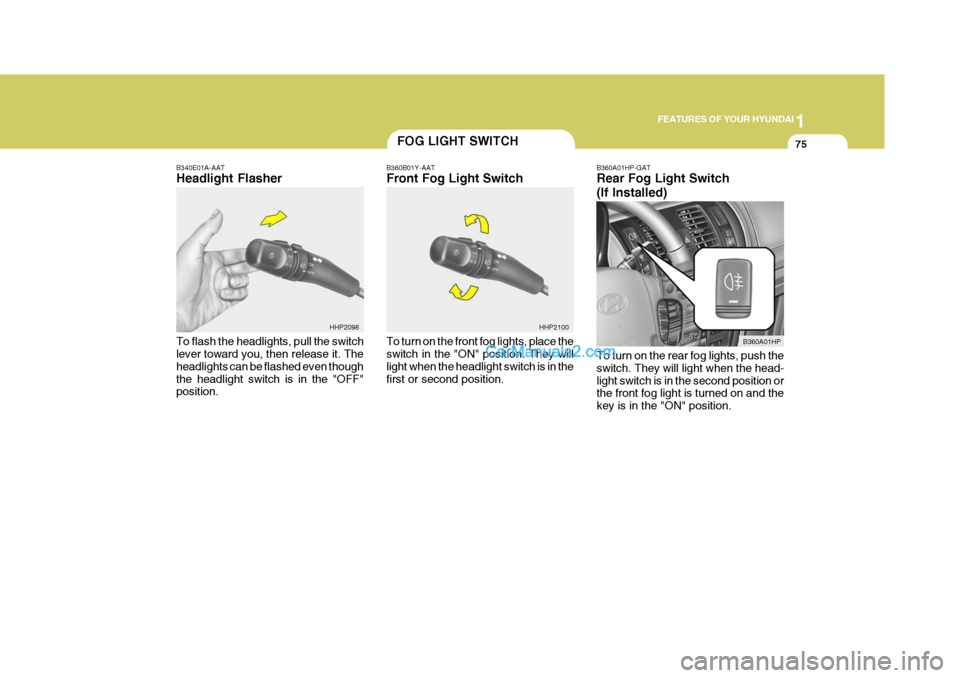
B340E01A-AAT Headlight Flasher To flash the headlights, pull the switch lever toward you, then release it. The headlights can be flashed even thoughthe headlight switch is in the "OFF" position.
FOG LIGHT SWITCH
B360B01Y-AAT Front Fog Light Switch To turn on the front fog lights, place the switch in the "ON" position. They will light when the headlight switch is in thefirst or second position. B360A01HP-GAT Rear Fog Light Switch (If Installed) To turn on the rear fog lights, push the switch. They will light when the head-light switch is in the second position or the front fog light is turned on and the key is in the "ON" position.
HHP2100
B360A01HP
HHP2098
Page 92 of 539
1FEATURES OF YOUR HYUNDAI
78FRONT/REAR WINDOW DE- FROSTER SWITCHHAZARD WARNING SYSTEM
!
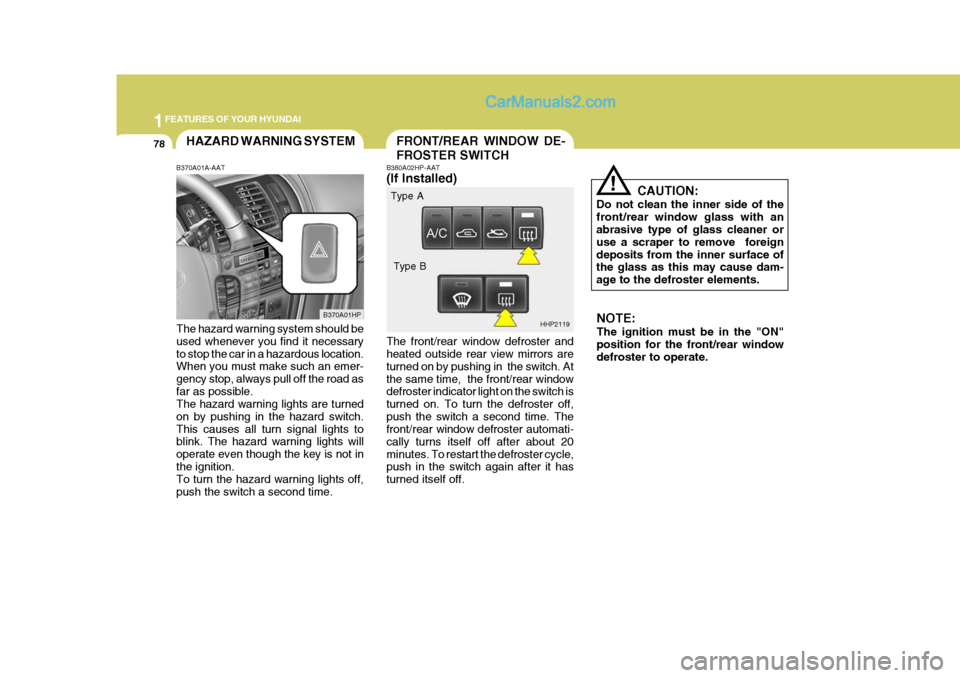
B380A02HP-AAT (If Installed) The front/rear window defroster and heated outside rear view mirrors are turned on by pushing in the switch. Atthe same time, the front/rear window defroster indicator light on the switch is turned on. To turn the defroster off,push the switch a second time. The front/rear window defroster automati- cally turns itself off after about 20minutes. To restart the defroster cycle, push in the switch again after it has turned itself off. CAUTION:
Do not clean the inner side of thefront/rear window glass with an abrasive type of glass cleaner or use a scraper to remove foreigndeposits from the inner surface of the glass as this may cause dam- age to the defroster elements.
B370A01A-AAT The hazard warning system should be used whenever you find it necessary to stop the car in a hazardous location. When you must make such an emer- gency stop, always pull off the road asfar as possible. The hazard warning lights are turned on by pushing in the hazard switch.This causes all turn signal lights to blink. The hazard warning lights will operate even though the key is not inthe ignition. To turn the hazard warning lights off, push the switch a second time. B370A01HP
HHP2119NOTE: The ignition must be in the "ON" position for the front/rear window defroster to operate.
Type A
Type B
Page 93 of 539
1
FEATURES OF YOUR HYUNDAI
79INSTRUMENT PANEL LIGHT CONTROL (RHEOSTAT)DIGITAL CLOCK
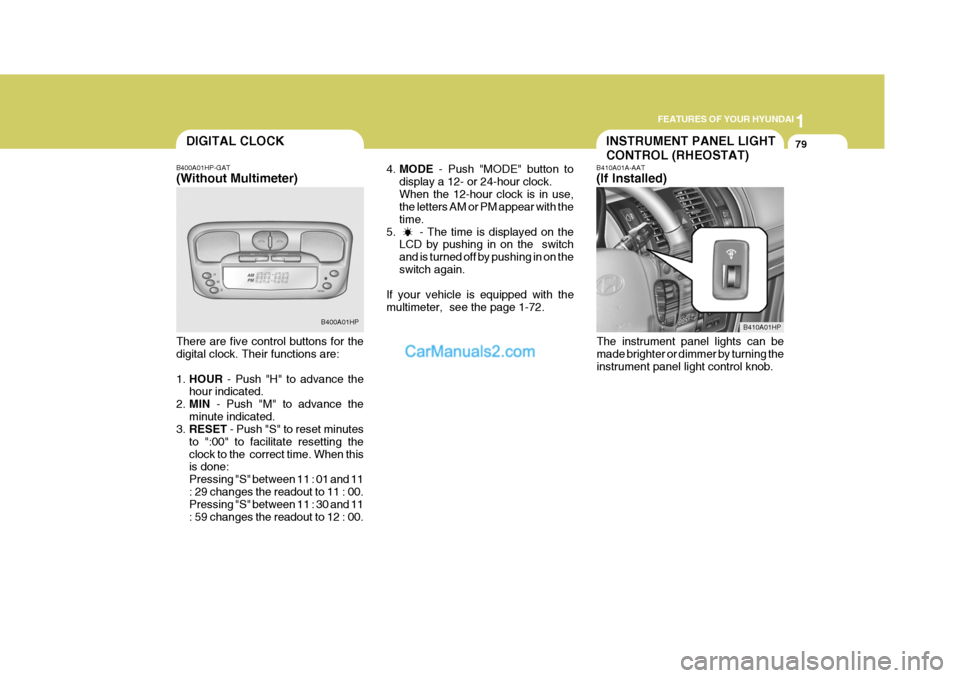
B400A01HP-GAT (Without Multimeter) There are five control buttons for the digital clock. Their functions are: 1. HOUR - Push "H" to advance the
hour indicated.
2. MIN - Push "M" to advance the
minute indicated.
3. RESET - Push "S" to reset minutes
to ":00" to facilitate resetting the clock to the correct time. When this is done: Pressing "S" between 11 : 01 and 11: 29 changes the readout to 11 : 00. Pressing "S" between 11 : 30 and 11 : 59 changes the readout to 12 : 00. B400A01HP
4.
MODE - Push "MODE" button to
display a 12- or 24-hour clock.When the 12-hour clock is in use, the letters AM or PM appear with the time.
5. - The time is displayed on the LCD by pushing in on the switchand is turned off by pushing in on theswitch again.
If your vehicle is equipped with themultimeter, see the page 1-72. B410A01A-AAT (If Installed)
The instrument panel lights can be made brighter or dimmer by turning the instrument panel light control knob.
B410A01HP
Page 95 of 539
1
FEATURES OF YOUR HYUNDAI
81ASHTRAY
!
These supply 12V electric power to operate electric accessories or equip-ment only when the key is in the "ON" or "ACC" position.
CAUTION:
o Use when the engine is running and remove a plug from the power outlet after using the electric ap-pliance. Using when the engine stops or remaining the electric appliance with plugged in formany hours may cause the bat- tery to be discharged.
o Do not use the power outlet to connect electric accessories orequipment other than those de- signed to operate on 12 volts.
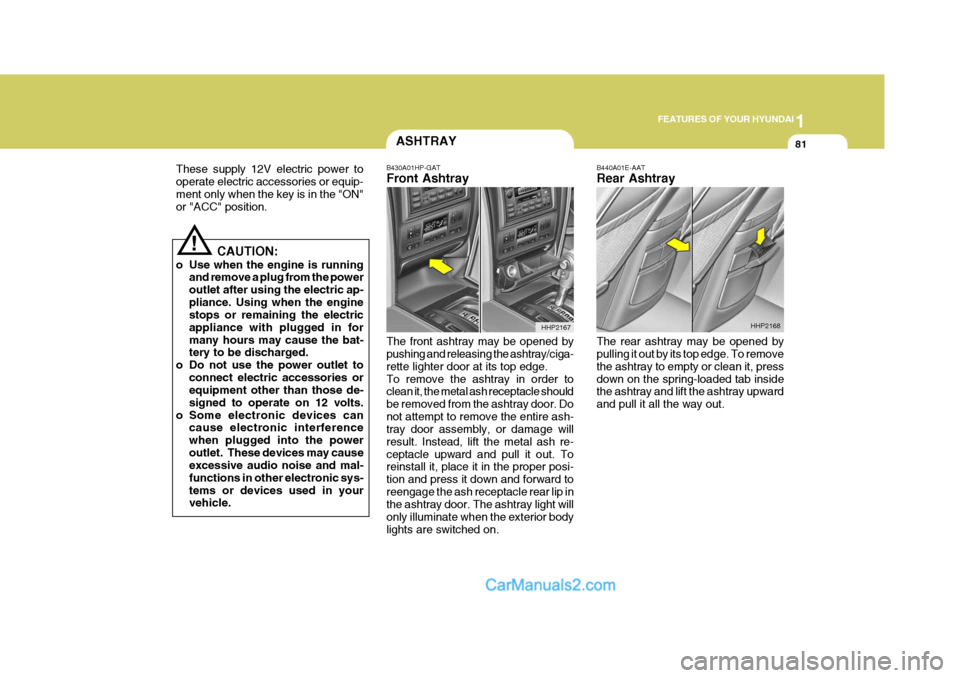
o Some electronic devices can cause electronic interferencewhen plugged into the poweroutlet. These devices may cause excessive audio noise and mal- functions in other electronic sys-tems or devices used in your vehicle. B430A01HP-GAT Front Ashtray The front ashtray may be opened by pushing and releasing the ashtray/ciga- rette lighter door at its top edge.To remove the ashtray in order to clean it, the metal ash receptacle should be removed from the ashtray door. Donot attempt to remove the entire ash- tray door assembly, or damage will result. Instead, lift the metal ash re-ceptacle upward and pull it out. To reinstall it, place it in the proper posi- tion and press it down and forward toreengage the ash receptacle rear lip in the ashtray door. The ashtray light will only illuminate when the exterior bodylights are switched on.
HHP2167
B440A01E-AAT Rear Ashtray The rear ashtray may be opened by pulling it out by its top edge. To remove the ashtray to empty or clean it, pressdown on the spring-loaded tab inside the ashtray and lift the ashtray upward and pull it all the way out.
HHP2168
Page 105 of 539
1
FEATURES OF YOUR HYUNDAI
91PARKING BRAKEDAY/NIGHT INSIDE REAR- VIEW MIRROR
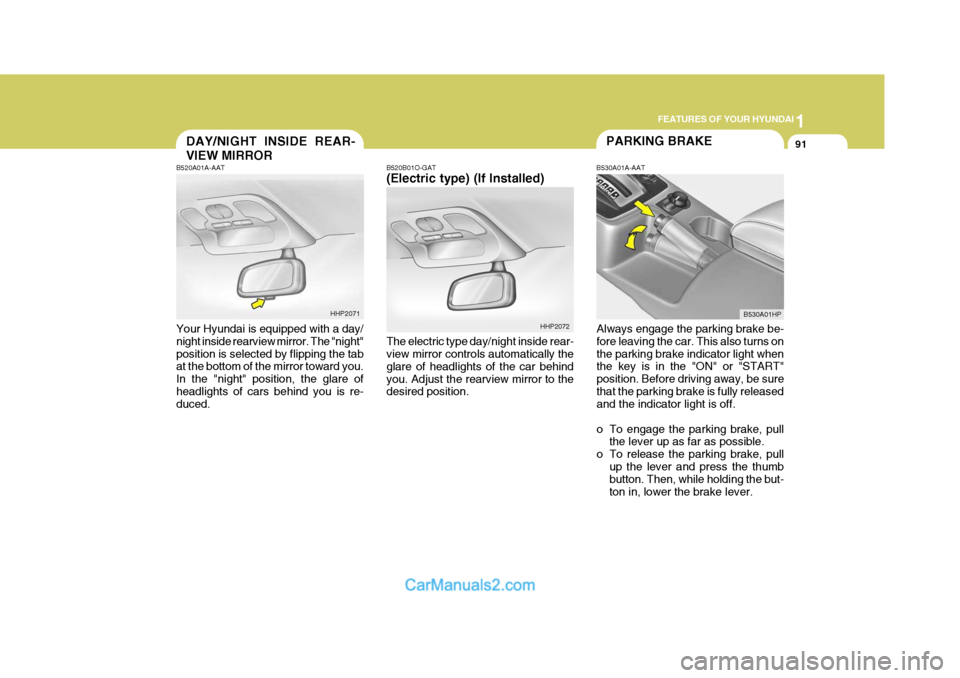
B520B01O-GAT (Electric type) (If Installed) The electric type day/night inside rear- view mirror controls automatically the glare of headlights of the car behindyou. Adjust the rearview mirror to the desired position. B530A01A-AAT
Always engage the parking brake be-fore leaving the car. This also turns on the parking brake indicator light when the key is in the "ON" or "START" position. Before driving away, be surethat the parking brake is fully released and the indicator light is off.
o To engage the parking brake, pull the lever up as far as possible.
o To release the parking brake, pull up the lever and press the thumb button. Then, while holding the but- ton in, lower the brake lever.
B520A01A-AAT Your Hyundai is equipped with a day/ night inside rearview mirror. The "night" position is selected by flipping the tab at the bottom of the mirror toward you. In the "night" position, the glare ofheadlights of cars behind you is re- duced.
HHP2071
HHP2072B530A01HP
Page 109 of 539
1
FEATURES OF YOUR HYUNDAI
95HIGH-MOUNTED REAR STOP LIGHT
o Always drive your vehicle at a
moderate speed.
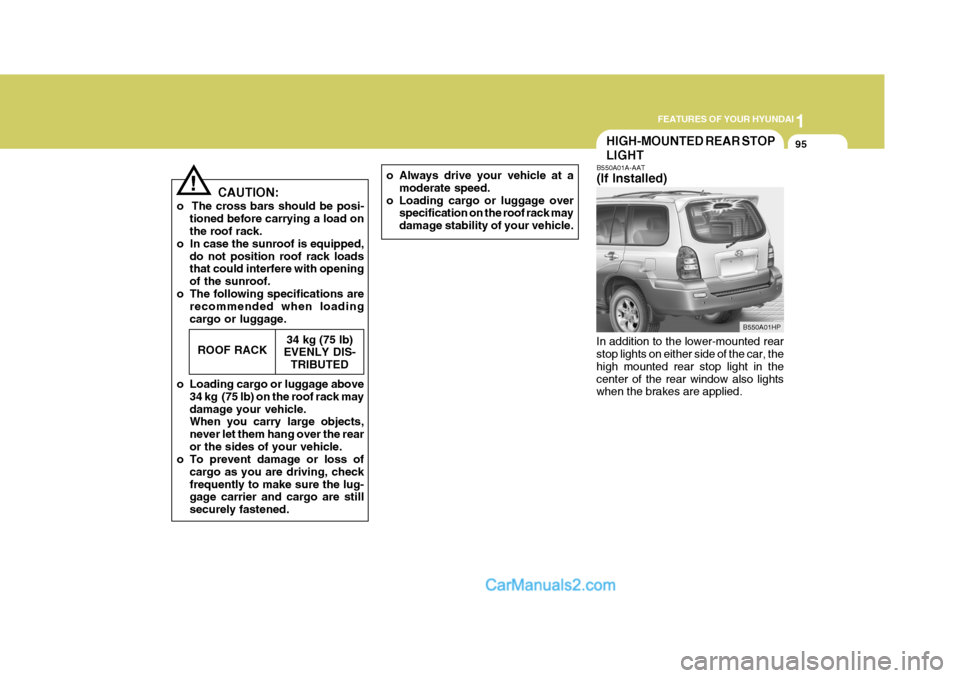
o Loading cargo or luggage over specification on the roof rack may damage stability of your vehicle.B550A01A-AAT (If Installed)
In addition to the lower-mounted rear stop lights on either side of the car, the high mounted rear stop light in thecenter of the rear window also lights when the brakes are applied.
! CAUTION:
o The cross bars should be posi- tioned before carrying a load on the roof rack.
o In case the sunroof is equipped, do not position roof rack loadsthat could interfere with opening of the sunroof.
o The following specifications are recommended when loadingcargo or luggage.
o Loading cargo or luggage above 34 kg (75 lb) on the roof rack maydamage your vehicle. When you carry large objects, never let them hang over the rearor the sides of your vehicle.
o To prevent damage or loss of
cargo as you are driving, checkfrequently to make sure the lug- gage carrier and cargo are still securely fastened.ROOF RACK
34 kg (75 lb)
EVENLY DIS-
TRIBUTED
B550A01HP
Page 113 of 539
1
FEATURES OF YOUR HYUNDAI
99HEADLIGHT LEVELING DE- VICE SYSTEMSTEERING WHEEL TILT LEVERREAR SEAT ARMREST
!
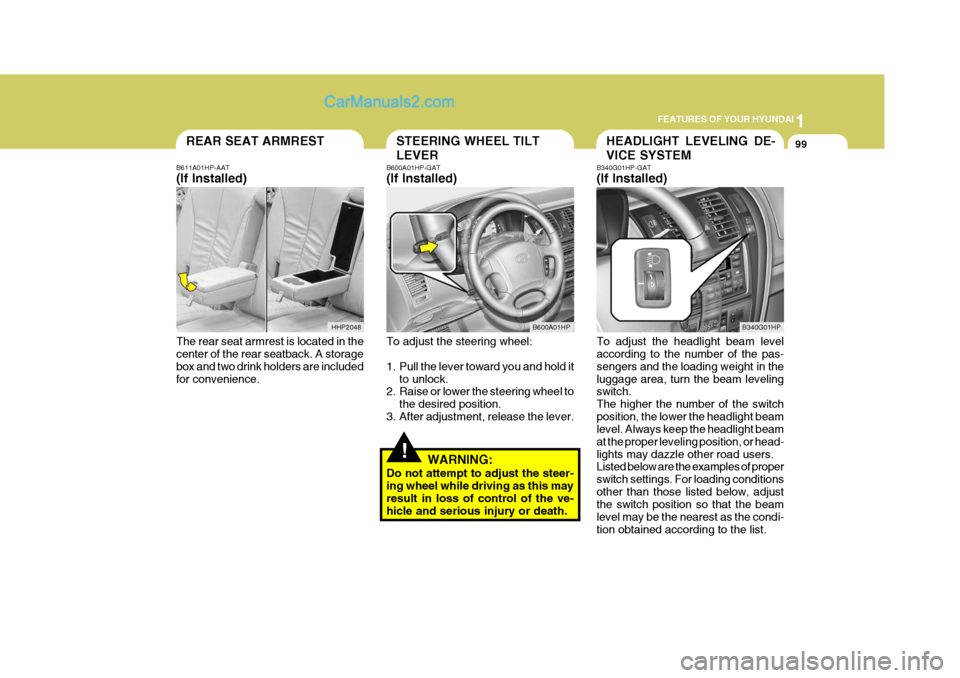
B611A01HP-AAT (If Installed) The rear seat armrest is located in the center of the rear seatback. A storage box and two drink holders are includedfor convenience. B600A01HP-GAT (If Installed) To adjust the steering wheel:
1. Pull the lever toward you and hold it
to unlock.
2. Raise or lower the steering wheel to
the desired position.
3. After adjustment, release the lever.
WARNING:
Do not attempt to adjust the steer- ing wheel while driving as this may result in loss of control of the ve- hicle and serious injury or death. B340G01HP-GAT (If Installed) To adjust the headlight beam level according to the number of the pas- sengers and the loading weight in theluggage area, turn the beam leveling switch. The higher the number of the switchposition, the lower the headlight beam level. Always keep the headlight beam at the proper leveling position, or head-lights may dazzle other road users. Listed below are the examples of proper switch settings. For loading conditionsother than those listed below, adjust the switch position so that the beam level may be the nearest as the condi-tion obtained according to the list.
B600A01HP
B340G01HP
HHP2048
Page 158 of 539
2
DRIVING YOUR HYUNDAI
3
!
TO START THE ENGINEBEFORE STARTING THE ENGINE
C020A01A-AAT Before you start the engine, you should always:
1. Look around the vehicle to be sure
there are no flat tires, puddles of oil, water or other indications of possible trouble.
2. After entering the car, check to be sure the parking brake is engaged.
3. Check that all windows, and lights are clean.
4. Check that the interior and exterior
mirrors are clean and in position.
5. Check your seat, seatback and headrest to be sure they are in theirproper positions.
6. Lock all the doors.
7. Fasten your seat belt and be sure
that all other occupants have fas- tened theirs.
8. Turn off all lights and accessories
that are not needed.
9. When you turn the ignition switch to "ON", check that all appropriatewarning lights are operating andthat you have sufficient fuel.
10. Check the operation of warning
lights and all bulbs when key is inthe "ON" position. C030A01HP-GAT Combination Ignition Switch
o If your Hyundai is equipped with a
manual transmission, place the shift lever in neutral and depress the clutch pedal fully.
o If your Hyundai has an automatic transmission, place the shift lever in"P" (park).
o To start the engine, insert the igni- tion key and turn it to the "START"position. Release it as soon as the engine starts. Do not hold the key inthe "START" position for more than 15 seconds.
NOTE: For safety, the engine will not start if the shift lever is not in "P" or "N" Position (Automatic Transmission).
WARNING:
Your vehicle is equipped with tires designed to provide for safe ride and handling capability.Do not use a size and type of tire and wheel that is different from the one that was originally installed onyour vehicle. It can affect the safety and performance of your vehicle, which could lead to handling fail-ure or rollover and serious injury. When replacing the tires, be sure to equip all four tires with the tire andwheel of the same size, type, tread, brand and load-carrying capacity. If you nevertheless decide to equipyour vehicle with any tire/wheel combination not recommended by Hyundai for off-road driving, youshould not use these tires for high- way driving.
Page 164 of 539
2
DRIVING YOUR HYUNDAI
9AUTOMATIC TRANSMIS- SION
!
o Exercise extreme caution when driv-
ing on a slippery surface. Be espe- cially careful when braking, acceler- ating or shifting gears. On a slippery surface, an abrupt change in ve-hicle speed can cause the drive wheels to lose traction and the ve- hicle to go out of control. o In the event your vehicle leaves
the roadway, do not steer sharply.Instead, slow down before pull- ing back into the travel lanes.
o Never exceed posted speed lim- its.
WARNING:
o Avoid high cornering speeds.
o Do not make quick steering wheel movements, such as sharp lanechanges or fast, sharp turns.
o Always wear your seat belts. In a collision crash, an unbeltedperson is significantly more likelyto die than a person wearing a seatbelt.
o The risk of rollover is greatly in-
creased if you lose control ofyour vehicle at highway speeds.
o Loss of control often occurs if
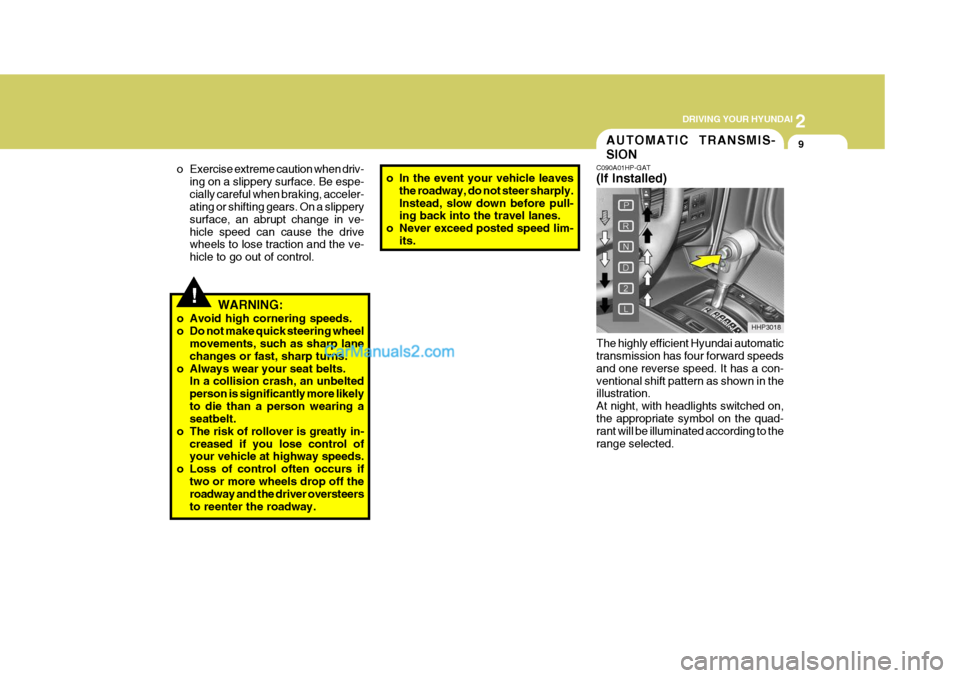
two or more wheels drop off theroadway and the driver oversteers to reenter the roadway. C090A01HP-GAT (If Installed) The highly efficient Hyundai automatic transmission has four forward speeds and one reverse speed. It has a con-ventional shift pattern as shown in the illustration. At night, with headlights switched on,the appropriate symbol on the quad- rant will be illuminated according to the range selected.
HHP3018
Page 178 of 539
2
DRIVING YOUR HYUNDAI
23
o Don't coast down hills with the car out of gear. This is extremely haz- ardous. Keep the car in gear at all times, use the brakes to slow down, then shift to a lower gear so thatengine braking will help you main- tain a safe speed.
o Don't "ride" the brake pedal. Rest- ing your foot on the brake pedalwhile driving can be dangerous be- cause it can result in the brakesoverheating and losing their effec- tiveness. It also increases the wear of thebrake components.
o If a tire goes flat while you are
driving, apply the brakes gently andkeep the car pointed straight ahead while you slow down. When you are moving slowly enough for it to besafe to do so, pull off the road and stop in a safe place.
o If your car is equipped with an auto- matic transmission, don't let yourcar creep forward. To avoid creep- ing forward, keep your foot firmly onthe brake pedal when the car is stopped.
o Use caution when parking on a hill. Engage the parking brake and place the gear selector lever in "P" (auto- matic transmission) or in first orreverse gear (manual transmission). If your car is facing downhill, turn the front wheels into the curb to helpkeep the car from rolling. If your car is facing uphill, turn the front wheels away from the curb to help keep thecar from rolling. If there is no curb or if it is required by other conditions to keep the car from rolling, block thewheels.
o Under some conditions your park-
ing brake can freeze in the engagedposition. This is most likely to hap- pen when there is an accumulation of snow or ice around or near therear brakes or if the brakes are wet. If there is a risk that the parking brake may freeze, apply it only tem-porarily while you put the gear se- lector lever in "P" (automatic) or in first or reverse gear (manual trans-mission) and block the rear wheels so the car cannot roll. Then release the parking brake.
o Do not hold the vehicle on the up- grade with the accelerator pedal.This can cause the transmission tooverheat. Always use the brake pedal or parking brake.DRIVING FOR ECONOMY
C140A01A-AAT You can save fuel and get more miles from your car if you follow these sug- gestions:
o Drive smoothly. Accelerate at a moderate rate. Don't make "jack- rabbit" starts or full-throttle shiftsand maintain a steady cruising speed. Don't race between stop- lights. Try to adjust your speed tothat of the other traffic so you don't have to change speeds unneces- sarily. Avoid heavy traffic wheneverpossible. Always maintain a safe distance from other vehicles so you can avoid unnecessary braking. Thisalso reduces brake wear.
o Drive at a moderate speed. The
faster you drive, the more fuel yourcar uses. Driving at a moderate speed, especially on the highway, is one of the most effective ways toreduce fuel consumption.