Ac system HYUNDAI TUCSON 2023 Owners Manual
[x] Cancel search | Manufacturer: HYUNDAI, Model Year: 2023, Model line: TUCSON, Model: HYUNDAI TUCSON 2023Pages: 638, PDF Size: 26.51 MB
Page 415 of 638
Driver assistance system
7-52
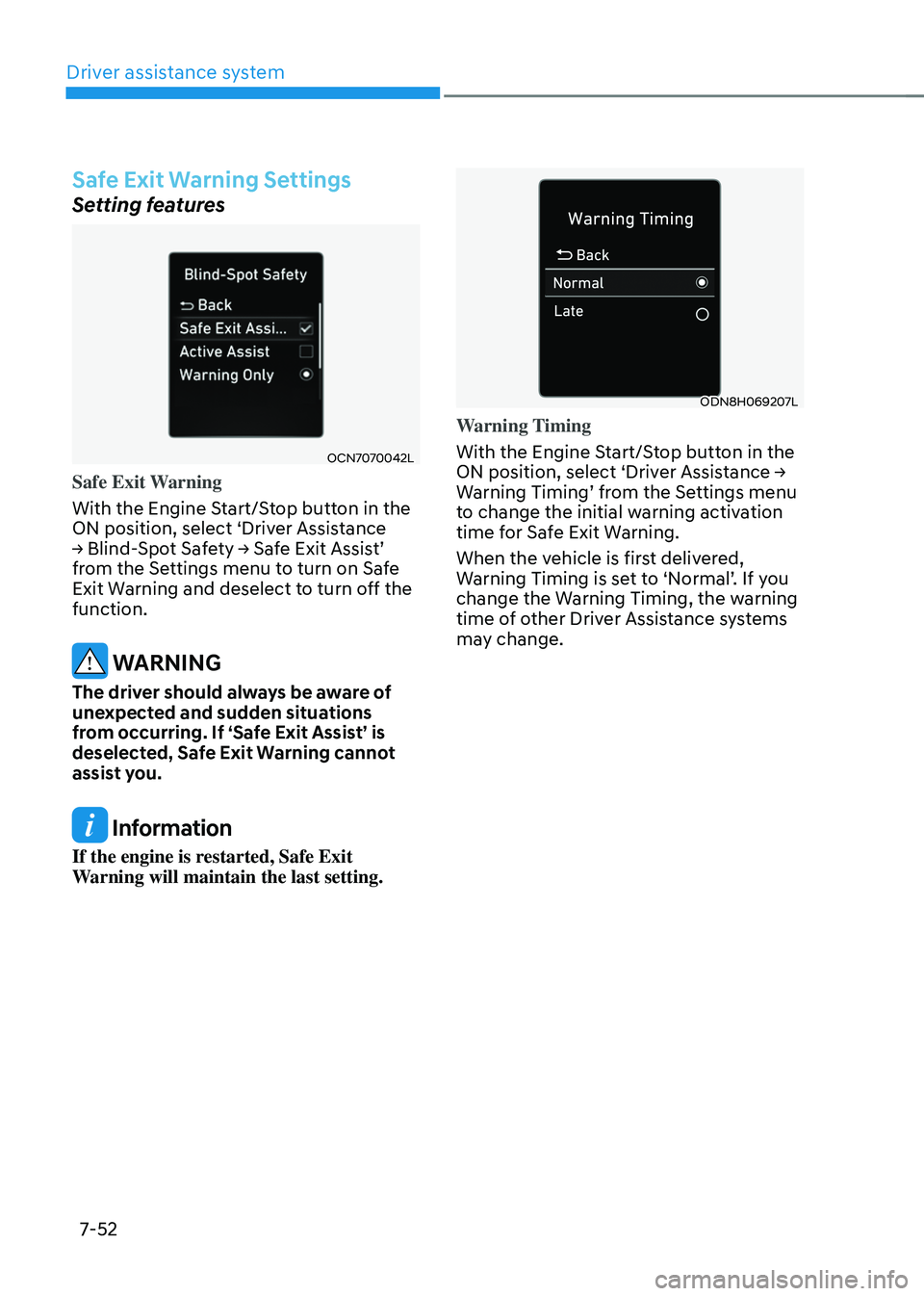
Safe Exit Warning Settings
Setting features
OCN7070042L
Safe Exit Warning
With the Engine Start/Stop button in the
ON position, select ‘Driver Assistance
→ Blind-Spot Safety → Safe Exit Assist’ from the Settings menu to turn on Safe
Exit Warning and deselect to turn off the
function.
WARNING
The driver should always be aware of
unexpected and sudden situations
from occurring. If ‘Safe Exit Assist’ is
deselected, Safe Exit Warning cannot
assist you.
Information
If the engine is restarted, Safe Exit
Warning will maintain the last setting.
ODN8H069207L
Warning Timing
With the Engine Start/Stop button in the
ON position, select ‘Driver Assistance → Warning Timing’ from the Settings menu to change the initial warning activation
time for Safe Exit Warning.
When the vehicle is first delivered,
Warning Timing is set to ‘Normal’. If you change the Warning Timing, the warning
time of other Driver Assistance systems
may change.
Page 416 of 638
07
7-53
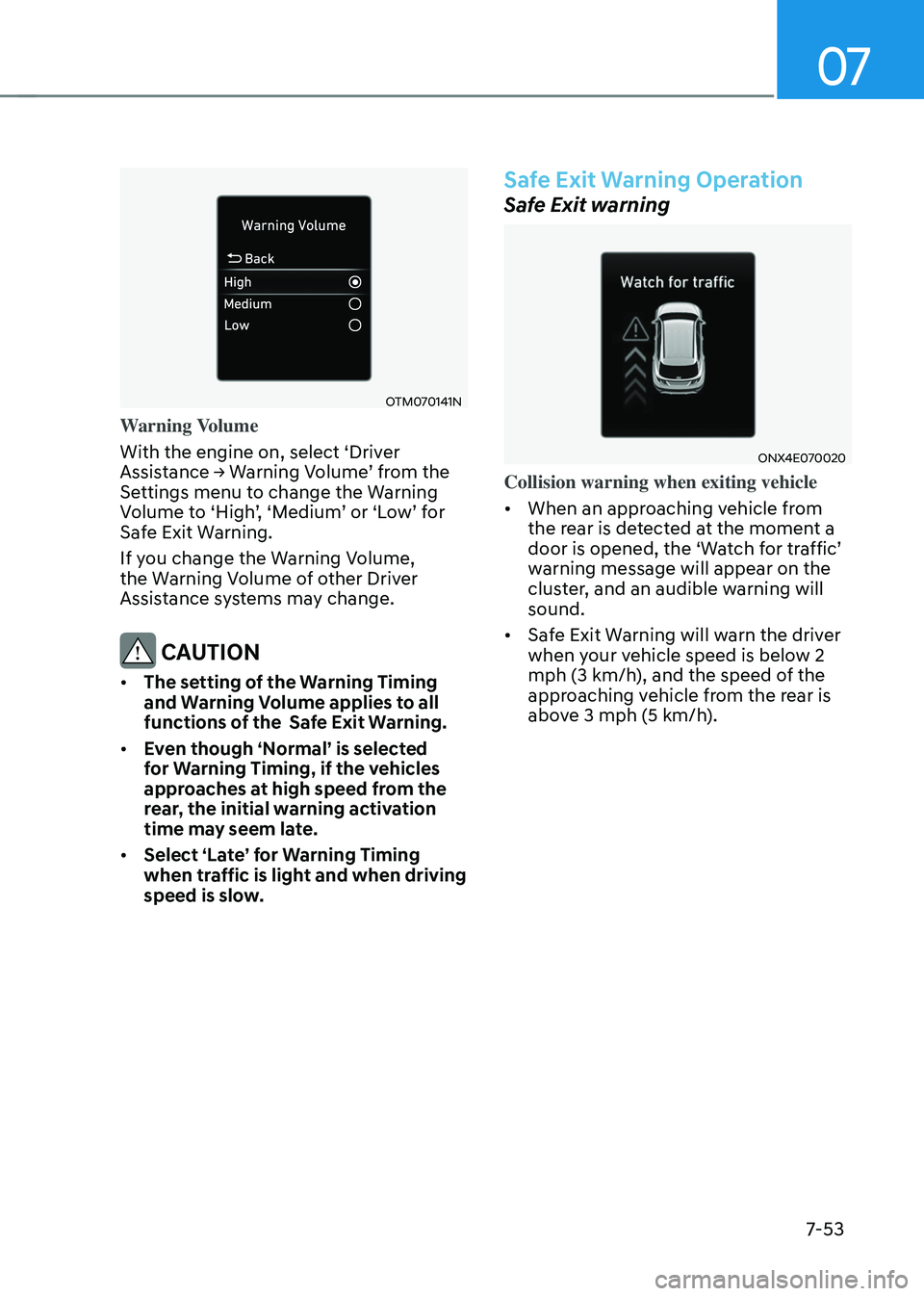
OTM070141N
Warning Volume
With the engine on, select ‘Driver
Assistance → Warning Volume’ from the Settings menu to change the Warning Volume to ‘High’, ‘Medium’ or ‘Low’ for Safe Exit Warning.
If you change the Warning Volume,
the Warning Volume of other Driver
Assistance systems may change.
CAUTION
• The setting of the Warning Timing
and Warning Volume applies to all
functions of the Safe Exit Warning.
• Even though ‘Normal’ is selected
for Warning Timing, if the vehicles
approaches at high speed from the
rear, the initial warning activation
time may seem late.
• Select ‘Late’ for Warning Timing
when traffic is light and when driving
speed is slow.
Safe Exit Warning Operation
Safe Exit warning
ONX4E070020
Collision warning when exiting vehicle
• When an approaching vehicle from
the rear is detected at the moment a
door is opened, the ‘Watch for traffic’ warning message will appear on the
cluster, and an audible warning will
sound.
• Safe Exit Warning will warn the driver
when your vehicle speed is below 2
mph (3 km/h), and the speed of the
approaching vehicle from the rear is
above 3 mph (5 km/h).
Page 417 of 638
Driver assistance system
7-54
WARNING
Take the following precautions when
using Safe Exit Warning:
• For your safety, change the Settings
after parking the vehicle at a safe
location.
• If any other function’s warning
message is displayed or audible
warning is generated, Safe Exit
Warning's warning message may not
be displayed and audible warning
may not be generated.
• You may not hear the warning
sound of Safe Exit Warning if the
surrounding is noisy.
• Safe Exit Warning does not operate
in all situations or cannot prevent all
collisions.
• Safe Exit Warning may warn the
driver late or may not warn the driver
depending on the road and driving
conditions. Always check vehicle
surroundings. •
The driver and passengers are
responsible for accidents that occurs
while exiting the vehicle. Always
check the surroundings before you
exit the vehicle.
• Never deliberately operate Safe
Exit Warning. Doing so may lead to
serious injury or death.
• Safe Exit Warning does not operate
if there is a problem with Blind-Spot
Safety system. The warning message
of Blind-Spot Safety system will
appear when:
-Blind-Spot Safety system sensor or
the sensor surrounding is polluted
or covered
-Blind-Spot Safety system fails to
warn passengers or falsely warn
passengers
Information
After the engine is turned off, Safe Exit
Warning operates approximately for 3
minutes, but turns off immediately if the
doors are locked.
Page 418 of 638
07
7-55
Safe Exit Warning Malfunction
and Limitations
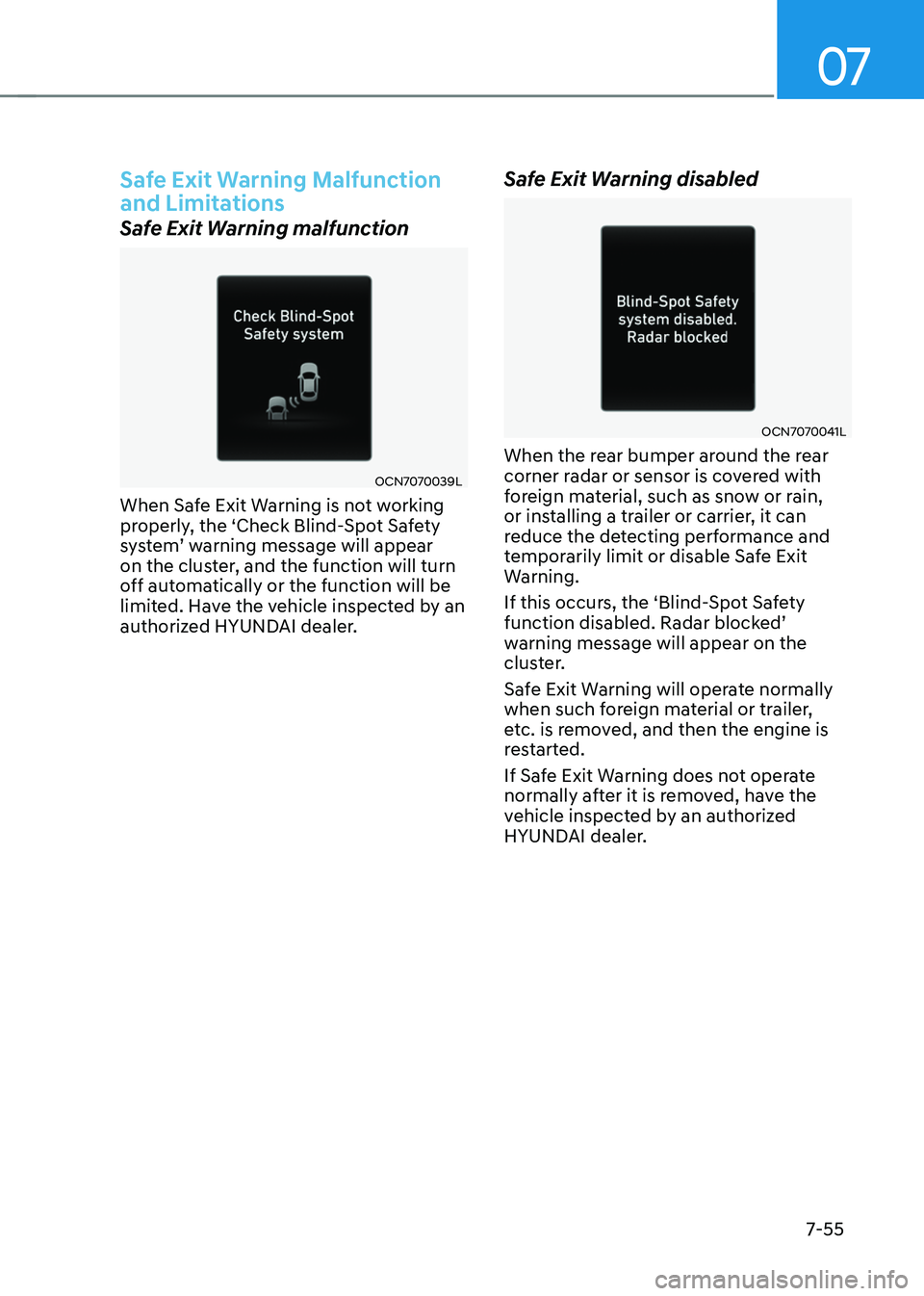
Safe Exit Warning malfunction
OCN7070039L
When Safe Exit Warning is not working
properly, the ‘Check Blind-Spot Safety
system’ warning message will appear on the cluster, and the function will turn
off automatically or the function will be
limited. Have the vehicle inspected by an
authorized HYUNDAI dealer.
Safe Exit Warning disabled
OCN7070041L
When the rear bumper around the rear
corner radar or sensor is covered with
foreign material, such as snow or rain,
or installing a trailer or carrier, it can
reduce the detecting performance and
temporarily limit or disable Safe Exit
Warning.
If this occurs, the ‘Blind-Spot Safety
function disabled. Radar blocked’ warning message will appear on the
cluster.
Safe Exit Warning will operate normally
when such foreign material or trailer,
etc. is removed, and then the engine is
restarted.
If Safe Exit Warning does not operate
normally after it is removed, have the
vehicle inspected by an authorized
HYUNDAI dealer.
Page 419 of 638
Driver assistance system
7-56
WARNING
• Even though the warning message
does not appear on the cluster,
Safe Exit Warning may not properly
operate.
• Safe Exit Warning may not properly
operate in an area (e.g. open
terrain) where any substance are
not detected right after the engine
is turned on, or when the detecting
sensor is blocked with foreign
material right after the engine is
turned on.
CAUTION
Turn off Safe Exit Warning to install
a trailer, carrier, etc., or remove the
trailer, carrier, etc. to use Safe Exit
Warning.
Limitations of Safe Exit Warning
Safe Exit Warning may not operate
normally, or the function may operate
unexpectedly under the following
circumstances:
• Getting out of the vehicle where trees
or grass are overgrown
• Getting out of the vehicle where the
road is wet
• The approaching vehicle is very fast or
very slow
Information
For more details on the limitations of the
rear corner radar, refer to “Blind- Spot
Collision-Avoidance Assist (BCA)” section
in this chapter.
WARNING
• Safe Exit Warning may not operate
normally if interfered by strong
electromagnetic waves.
• Safe Exit Warning may not operate
for 3 seconds after the vehicle is
started, or rear corner radars are
initialized.
Page 421 of 638
Driver assistance system
7-58
OTM070203L
3. The set speed limit will be displayed
on the cluster.
If you would like to drive over the
preset speed limit, depress the
accelerator pedal beyond the pressure
point to activate the kickdown
mechanism.
The set speed limit will blink and
chime will sound until you return the
vehicle speed within the speed limit.
Information
• When the accelerator pedal is not
depressed beyond the pressure point,
vehicle speed will maintain within the
speed limit.
• A clicking sound may be heard from
the kickdown mechanism when the
accelerator pedal is depressed beyond
the pressure point.
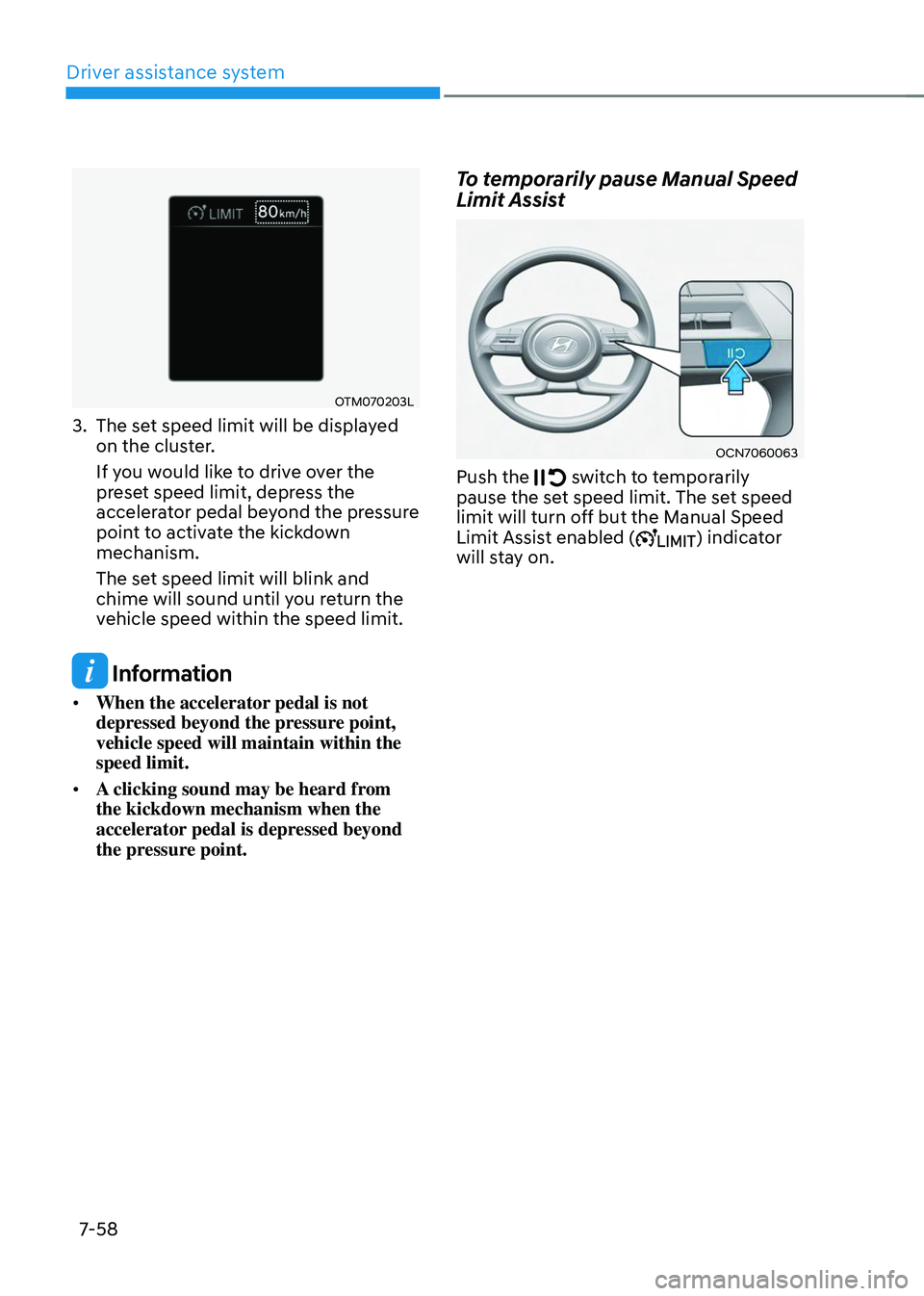
To temporarily pause Manual Speed
Limit Assist
OCN7060063
Push the switch to temporarily pause the set speed limit. The set speed
limit will turn off but the Manual Speed
Limit Assist enabled (
) indicator
will stay on.
Page 423 of 638
Driver assistance system7-60
INTELLIGENT SPEED LIMIT ASSIST (ISLA) (IF EQUIPPED)
Intelligent Speed Limit Assist uses
information from the detected road sign
and navigation system to inform the
driver of the speed limit and additional
information of the current road. Also,
Intelligent Speed Limit Assist helps the
driver to maintain within the speed limit
of the road.
CAUTION
Intelligent Speed Limit Assist may not
operate properly if the function is used
in other countries.
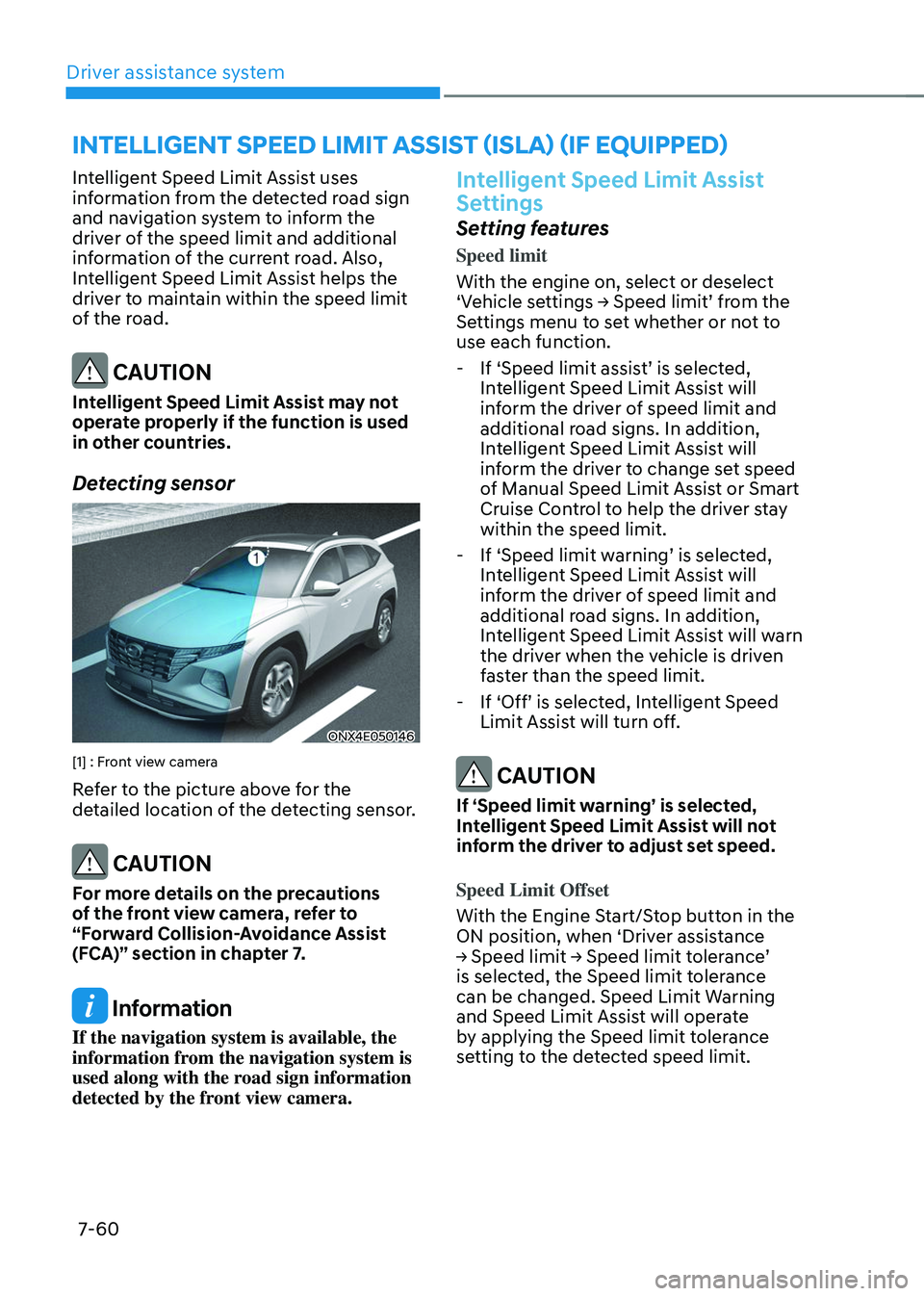
Detecting sensor
ONX4E050146
[1] : Front view camera
Refer to the picture above for the
detailed location of the detecting sensor.
CAUTION
For more details on the precautions
of the front view camera, refer to
“Forward Collision-Avoidance Assist
(FCA)” section in chapter 7.
Information
If the navigation system is available, the
information from the navigation system is
used along with the road sign information
detected by the front view camera.
Intelligent Speed Limit Assist
Settings
Setting features
Speed limit
With the engine on, select or deselect
‘Vehicle settings → Speed limit’ from the Settings menu to set whether or not to
use each function.
-If ‘Speed limit assist’ is selected, Intelligent Speed Limit Assist will
inform the driver of speed limit and
additional road signs. In addition,
Intelligent Speed Limit Assist will
inform the driver to change set speed
of Manual Speed Limit Assist or Smart
Cruise Control to help the driver stay
within the speed limit.
-If ‘Speed limit warning’ is selected, Intelligent Speed Limit Assist will
inform the driver of speed limit and
additional road signs. In addition,
Intelligent Speed Limit Assist will warn
the driver when the vehicle is driven
faster than the speed limit.
-If ‘Off’ is selected, Intelligent Speed Limit Assist will turn off.
CAUTION
If ‘Speed limit warning’ is selected,
Intelligent Speed Limit Assist will not
inform the driver to adjust set speed.
Speed Limit Offset
With the Engine Start/Stop button in the
ON position, when ‘Driver assistance
→ Speed limit → Speed limit tolerance’ is selected, the Speed limit tolerance
can be changed. Speed Limit Warning
and Speed Limit Assist will operate
by applying the Speed limit tolerance
setting to the detected speed limit.
Page 425 of 638
Driver assistance system
7-62
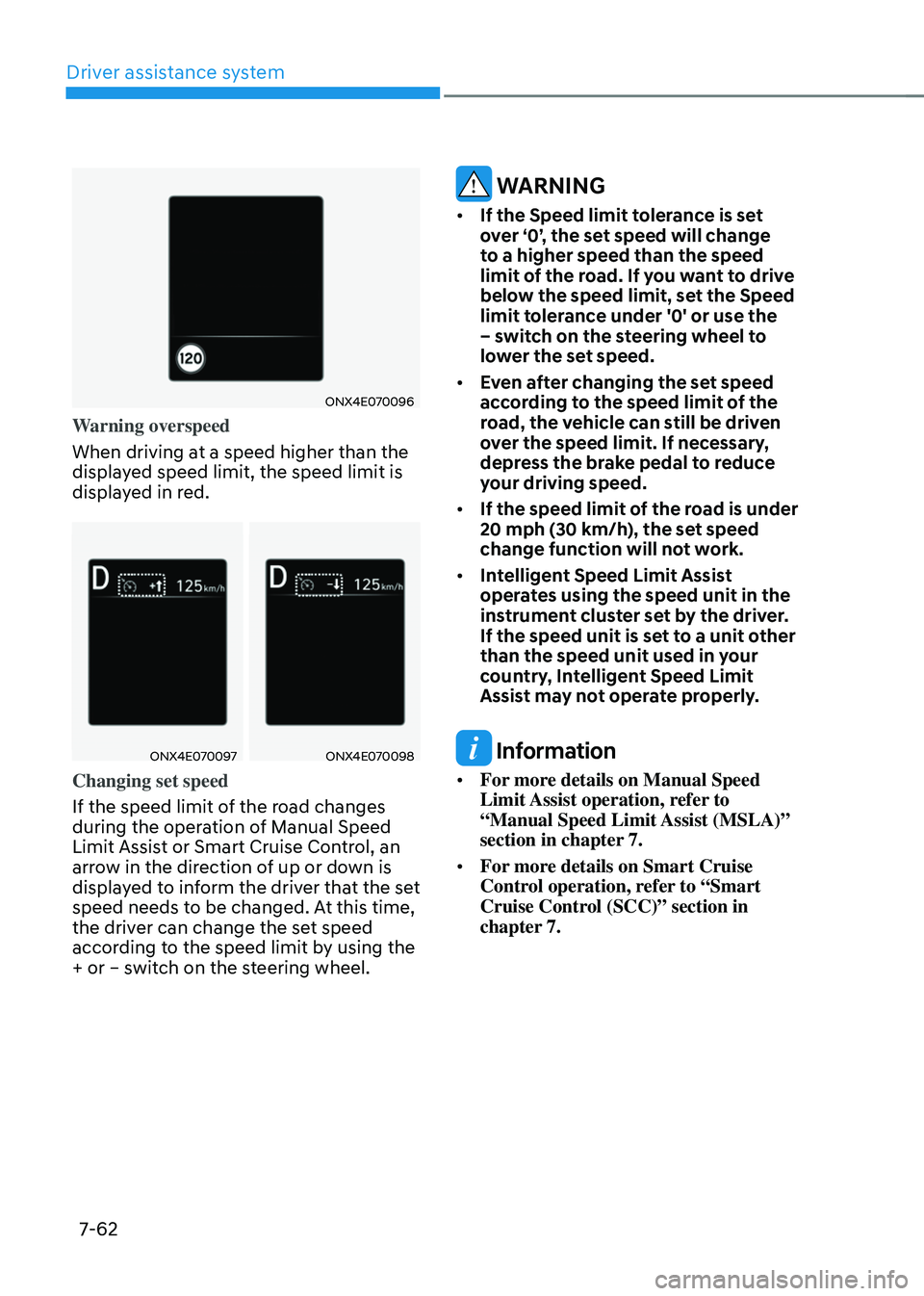
ONX4E070096
Warning overspeed
When driving at a speed higher than the
displayed speed limit, the speed limit is
displayed in red.
ONX4E070097ONX4E070098
Changing set speed
If the speed limit of the road changes
during the operation of Manual Speed
Limit Assist or Smart Cruise Control, an
arrow in the direction of up or down is
displayed to inform the driver that the set
speed needs to be changed. At this time,
the driver can change the set speed
according to the speed limit by using the
+ or – switch on the steering wheel.
WARNING
• If the Speed limit tolerance is set
over ‘0’, the set speed will change
to a higher speed than the speed
limit of the road. If you want to drive
below the speed limit, set the Speed
limit tolerance under '0' or use the
– switch on the steering wheel to
lower the set speed.
• Even after changing the set speed
according to the speed limit of the
road, the vehicle can still be driven
over the speed limit. If necessary,
depress the brake pedal to reduce
your driving speed.
• If the speed limit of the road is under
20 mph (30 km/h), the set speed
change function will not work.
• Intelligent Speed Limit Assist
operates using the speed unit in the
instrument cluster set by the driver.
If the speed unit is set to a unit other
than the speed unit used in your
country, Intelligent Speed Limit
Assist may not operate properly.
Information
• For more details on Manual Speed
Limit Assist operation, refer to
“Manual Speed Limit Assist (MSLA)”
section in chapter 7.
• For more details on Smart Cruise
Control operation, refer to “Smart
Cruise Control (SCC)” section in
chapter 7.
Page 426 of 638
07
7-63
Intelligent Speed Limit Assist
Malfunction and Limitations
Intelligent Speed Limit Assist
malfunction
OBC3070032
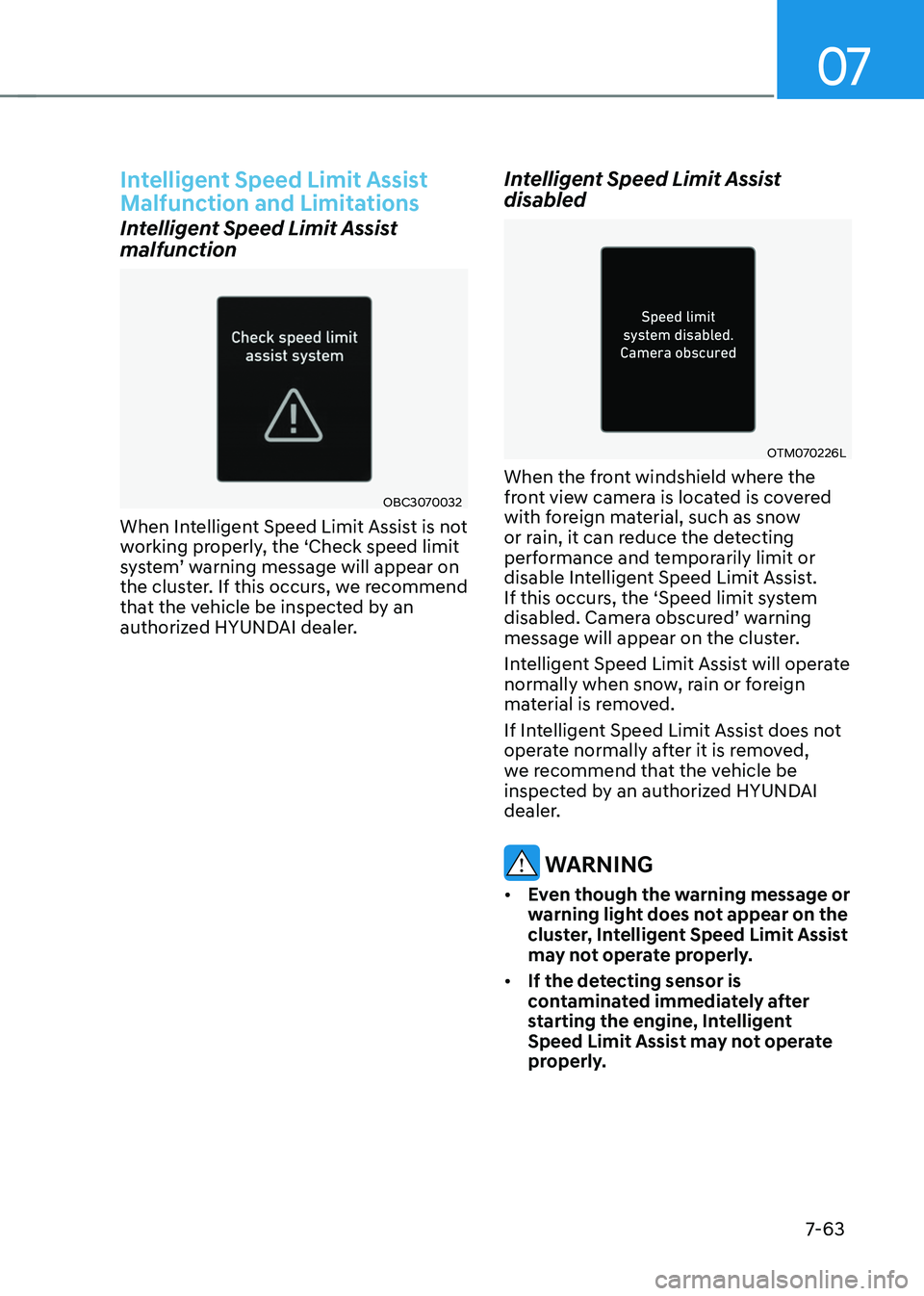
When Intelligent Speed Limit Assist is not
working properly, the ‘Check speed limit
system’ warning message will appear on the cluster. If this occurs, we recommend
that the vehicle be inspected by an
authorized HYUNDAI dealer.
Intelligent Speed Limit Assist
disabled
OTM070226L
When the front windshield where the
front view camera is located is covered
with foreign material, such as snow
or rain, it can reduce the detecting
performance and temporarily limit or
disable Intelligent Speed Limit Assist.
If this occurs, the ‘Speed limit system
disabled. Camera obscured’ warning message will appear on the cluster.
Intelligent Speed Limit Assist will operate
normally when snow, rain or foreign
material is removed.
If Intelligent Speed Limit Assist does not
operate normally after it is removed,
we recommend that the vehicle be
inspected by an authorized HYUNDAI
dealer.
WARNING
• Even though the warning message or
warning light does not appear on the
cluster, Intelligent Speed Limit Assist
may not operate properly.
• If the detecting sensor is
contaminated immediately after
starting the engine, Intelligent
Speed Limit Assist may not operate
properly.
Page 427 of 638
Driver assistance system
7-64
Limitations of Intelligent Speed
Limit Assist
Intelligent Speed Limit Assist may not
operate or may not provide correct
information under the following
circumstances:
• The road sign is contaminated or
indistinguishable
-The road sign is difficult to see due
to bad weather, such as rain, snow,
fog, etc.
-The road sign is not clear or
damaged
-The road sign is partially obscured
by surrounding objects or shadow
• The road signs do not conform to the
standard
-The text or picture on the road sign
is different from the standard
-The road sign is installed between
the main line and the exit road or
between diverging roads
-There is no conditional road signs
on the road sign located on the exit
road
-A sign is attached to another vehicle
• The brightness changes suddenly, for
example when entering or exiting a
tunnel or passing under a bridge
• Headlamps are not used or the
brightness of the headlamps are weak
at night or in the tunnel
• Road signs are difficult to recognize
due to the reflection of sunlight, street
lights, or oncoming vehicles
• The distance between the driving lane
and the road sign is far
• Luminous road signs
• There is a similar object or text which
is in the road sign or an object like a
road sign
• There is an error in the navigation map
data or GPS data
• The vehicle does not drive based on
the route guidance •
The field of view of the front view
camera is obstructed by sun glare
• Driving on a road that is sharply
curved or continuously curved
• Driving through speed bumps, or
driving up and down or left to right on
steep inclines
• The vehicle is shaking heavily
Information
For more details on the limitations of the
front view camera, refer to “Forward
Collision-Avoidance Assist (FCA)” section
in chapter 7.
WARNING
• Intelligent Speed Limit Assist is a
supplemental function that helps the
driver to comply with the speed limit
on the road, and may not display the
correct speed limit or control the
driving speed properly.
• Always set the vehicle speed to the
speed limit in your country.