cruise control INFINITI FX 2013 Owner's Manual
[x] Cancel search | Manufacturer: INFINITI, Model Year: 2013, Model line: FX, Model: INFINITI FX 2013Pages: 522, PDF Size: 7.53 MB
Page 13 of 522

0-6Illustrated table of contents
GUID-D9E4FAA2-776C-401D-BFFC-C90DAAA337CA
SIC4246
1. Outside mirror remote control switch(P.3-30)
2. Intelligent Brake Assist (IBA) off
switch (if so equipped) (P.2-48)
3. Instrument brightness control switch (P.2-42) 4. Headlight, fog light and turn signal
switch (P.2-37)
5. Steering-wheel-mounted controls (left side)
—For audio system (P.4-54)
— For Bluetooth
®Hands-Free Phone System (with navigation system)
(P.4-94)
—
For Bluetooth
®Hands-Free Phone
System (without navigation system)
(P.4-104)
— For INFINITI Voice Recognition Sys-
tem (with navigation system)
(P.4-119)
6. Trip computer switch (P.2-28)
7. Windshield wiper and washer switch (P.2-33)
8. Steering-wheel-mounted controls
(right side)
—Cruise control switches (if so
equipped) (P.5-30)
— Intelligent Cruise Control (ICC)
switches (if so equipped) (P.5-32)
— Dynamic Driver Assistance switch
(if so equipped) (P.5-21, P.5-54)
9. Warning systems switch (if so
equipped)
—Forward Collision Warning (FCW)
(P.2-46, P.5-67)
— Lane Departure Warning (LDW)
(P.2-46, P.5-21)
9. Headlight aiming control (if so
equipped) (P.2-40)
COCKPIT
Page 19 of 522

0-12Illustrated table of contents
GUID-B9B205DD-BA4F-46E1-BDB8-CF9F6E9167BE
All-Wheel Drive (AWD) warning
light (AWD models)*2-13
Anti-lock Braking System (ABS)
warning light2-13
Automatic Transmission check
warning light
2-13
Brake warning light
2-13
Charge warning light2-14
Distance Control Assist (DCA)
system warning light (orange)* 2-14
Engine oil pressure warning
light
2-14
Intelligent Cruise Control (ICC)
system warning light (orange)*2-15
Intelligent Key warning light 2-15
Lane departure warning light
(orange)*
2-15
Low tire pressure warning light 2-15
Master warning light
2-17
Preview Function warning light
(orange)* 2-17
Rear Active Steer warning light* 2-17 Warning
light Name
Page
Seat belt warning light 2-17
Supplemental air bag warning
light 2-17
Vehicle Dynamic Control (VDC)
warning light2-18Indicator
light Name
Page
Adaptive Front lighting System
(AFS) indicator light* 2-18
Automatic Transmission posi-
tion indicator light
2-18
Exterior light indicator
2-19
Front passenger air bag status
light 2-19
High beam indicator light 2-19
Intelligent Brake Assist (IBA) off
indicator light*2-19
Lane Departure Prevention
(LDP) ON indicator light (green)*2-19
Malfunction Indicator Light
(MIL)2-19
Security indicator light 2-20
SPORT mode indicator light* 2-20
Turn signal/hazard indicator
lights
2-20
Vehicle Dynamic Control (VDC)
off indicator light2-20
*: if so equipped
WARNING AND INDICATOR LIGHTS
Page 74 of 522

GUID-786704CA-5415-49E0-B051-5131386B6540
SIC4246
1. Outside mirror remote control switch
2.Intelligent Brake Assist (IBA) off
switch (if so equipped)
3. Instrument brightness control switch
4. Headlight, fog light and turn signal switch 5. Steering-wheel-mounted controls (left
side)
—For audio system
— For Bluetooth
®Hands-Free Phone
System (with navigation system)
— For Bluetooth
®Hands-Free Phone System (without navigation system)
—
For INFINITI Voice Recognition Sys-
tem (with navigation system)
6. Trip computer switch
7. Windshield wiper and washer switch
8. Steering-wheel-mounted controls
(right side)
—Cruise control switches (if so
equipped)
— Intelligent Cruise Control (ICC)
switches (if so equipped)
— Dynamic Driver Assistance switch
(if so equipped)
9. Warning systems switch (if so
equipped)
—Forward Collision Warning (FCW)
— Lane Departure Warning (LDW)
9. Headlight aiming control (if so
equipped)
10. Vehicle Dynamic Control (VDC) OFF switch
11. Intelligent Key port
12. Power lift gate switch
13. Power lift gate main switch
14. TRIP/RESET switch for twin trip od- ometer
15. Electric tilting/telescopic steering
Instruments and controls2-3
COCKPIT
Page 83 of 522

2-12Instruments and controls
GUID-3B7E2B79-E712-41D2-976D-4E1B161E68FC
All-Wheel Drive (AWD) warning light (AWD
models)*Lane departure warning light
(orange)*Front passenger air bag status light
Anti-lock Braking System (ABS) warning
lightLow tire pressure warning lightHigh beam indicator light
Master warning lightIntelligent Brake Assist (IBA) off indicator
light*
Automatic transmission check warning lightPreview Function warning light (orange)*Lane Departure Prevention (LDP) ON indica-
tor light (green)*
Brake warning lightRear Active Steer warning light*Malfunction Indicator Light (MIL)
Seat belt warning lightSecurity indicator light
Charge warning lightSupplemental air bag warning lightSPORT mode indicator light*
Distance Control Assist (DCA) system warn-
ing light (orange)*Vehicle Dynamic Control (VDC) warning lightTurn signal/hazard indicator lights
Engine oil pressure warning lightAdaptive Front lighting System (AFS) indi-
cator light*Vehicle Dynamic Control (VDC) off indicator
light
Intelligent Cruise Control (ICC) system
warning light (orange)*Automatic transmission position indicator
light*: if so equipped
Intelligent Key warning lightExterior light indicator
CHECKING BULBSGUID-FCD7FF45-DCC8-41AD-86CC-E12DA130279A
,or,,,,,,
The following lights come on briefly and then go off (if so equipped):
,or,,,,,,,,
If any light does not come on, it may
indicate a burned-out bulb or an open
circuit in the electrical system. Have the
system checked by an INFINITI retailer.
Some indicators and warnings are also
displayed on the dot matrix crystal display between the speedometer and tachometer.
(See
“Dot matrix liquid crystal display”
(P.2-21).)
WARNING/INDICATOR LIGHTS AND
AUDIBLE REMINDERS
Page 86 of 522
CAUTION
Running the engine with the engine oil
pressure warning light on could cause
serious damage to the engine almost
immediately. Such damage is not covered
by warranty. Turn off the engine as soon as
it is safe to do so.
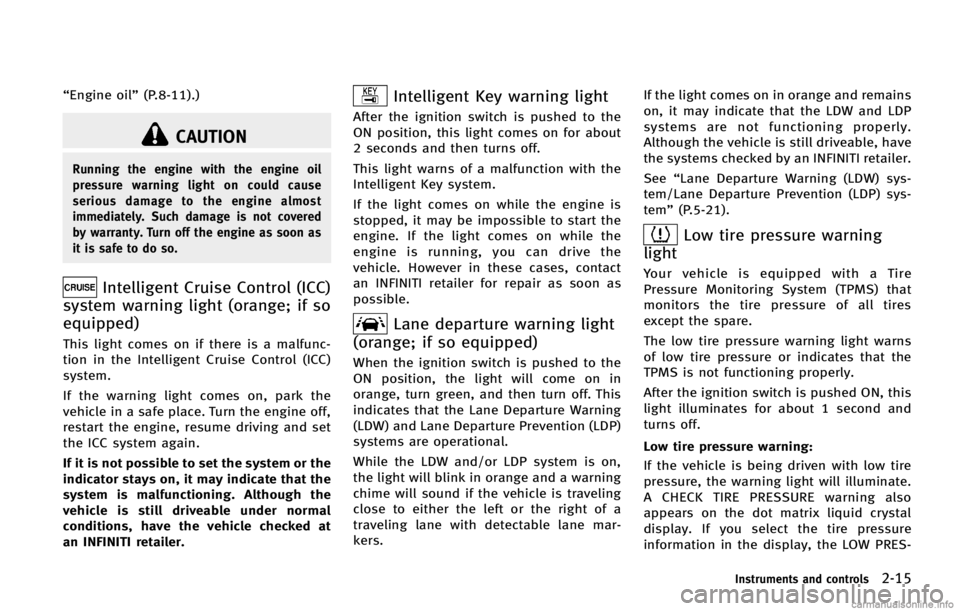
Intelligent Cruise Control (ICC)
system warning light (orange; if so
equipped)
GUID-8A8088B0-D52F-4F2D-9A30-A944A99D8FA4
Intelligent Key warning lightGUID-889E11EF-BF64-4F39-9B3D-9B97AA734596
Lane departure warning light
(orange; if so equipped)
GUID-FA98E4AA-7153-4C9D-9AAF-E14A51588487
Low tire pressure warning
light
GUID-DEB90009-D025-4784-B7BE-740045D48157
Page 92 of 522

are not operating.
AUDIBLE REMINDERSGUID-C0FA3258-142A-4A63-A081-BEA4082ED041
orposition and the ignition switch
in the ACC, OFF or LOCK position.
Turn the light switch off when you leave the
vehicle.
Parking brake reminder chimeGUID-A8E0CFE9-4B3C-4682-9102-FA10802A7450
SIC3827
The dot matrix liquid crystal display*1is
located between the tachometer and the
speedometer, and it displays the auto-
matic transmission position indicator, the
Intelligent Cruise Control (ICC) system (if so
equipped), the Distance Control Assist
(DCA) system (if so equipped) information,
the Intelligent Key operation information
and other warnings and information.
For detailed information about each sys-
tem, see the following sections:
. Automatic Transmission (AT)
— “Warning/indicator lights and audi- ble reminders” (P.2-12).
Instruments and controls2-21
DOT MATRIX LIQUID CRYSTAL DISPLAY
Page 93 of 522

2-22Instruments and controls
— “Driving the vehicle”(P.5-15).
. Intelligent Cruise Control (ICC) system
— “Intelligent Cruise Control (ICC) sys- tem (FULL SPEED RANGE)” (P.5-32).
. Distance Control Assist (DCA) system
— “Distance Control Assist (DCA) sys- tem” (P.5-54).
. Intelligent Key system
— “Intelligent Key system” (P.3-6).
— “Push-button ignition switch” (P.5-
11).
Page 353 of 522

5-30Starting and driving
GUID-3AF831C5-B9AE-429C-98EA-DD3D081712CA
WARNING
Do not use the cruise control when driving
under the following conditions:
.when it is not possible to keep the
vehicle at a set speed .
in heavy traffic or in traffic that varies in
speed
. on winding or hilly roads
. on slippery roads (rain, snow, ice, etc.)
. in very windy areas
Doing so could cause a loss of vehicle
control and result in an accident.
SSD0788
1. ACCELERATE/RESUME switch
2. COAST/SET switch
3. CANCEL switch
4. MAIN (ON·OFF) switch
CRUISE CONTROL OPERATIONSGUID-E3CE7F3D-06AD-405D-AC72-5E1139BE8F81
Page 354 of 522

COAST/SET switch and release it. (The
CRUISE SET indicator will come on in the
instrument panel.) Take your foot off the
accelerator pedal. Your vehicle will main-
tain the set speed.
.To pass another vehicle, depress the
accelerator pedal. When you release
the pedal, the vehicle will return to the
previously set speed.
. The vehicle may not maintain the set
speed on winding or hilly roads. If this
happens, drive without the cruise con-
trol.
To cancel the preset speed, follow any of
these methods:
1. Push the CANCEL button. The SET
indicator will go out.
2. Tap the brake pedal. The SET indicator will go out.
3. Move the selector lever to the N
(Neutral) position. The SET indicator
will go out.
4. Turn the MAIN switch off. Both the CRUISE indicator and SET indicator will
go out.
. If you depress the brake pedal while
pushing the ACCELERATE/RESUME or
COAST/SET switch and reset at the cruising speed, the cruise control will
disengage. Turn the MAIN switch off
once and then turn it on again.
. The cruise control will automatically
cancel if the vehicle slows more than
8 MPH (13 km/h) below the set speed.
. If you move the selector lever to the N
(Neutral) position, the cruise control
will be canceled.
To reset at a faster cruising speed, use one
of the following methods:
. Depress the accelerator pedal. When
the vehicle attains the desired speed,
push and release the COAST/SET
switch.
. Push and hold the ACCELERATE/RE-
SUME switch. When the vehicle attains
the speed you desire, release the
switch.
. Push, then quickly release the ACCEL-
ERATE/RESUME switch. Each time you
do this, the set speed will increase by
about 1 MPH (1.6 km/h).
To reset at a slower cruising speed, use
one of the following methods:
. Lightly tap the brake pedal. When the
vehicle attains the desired speed, push
the COAST/SET switch and release it. .
Push and hold the COAST/SET switch.
Release the switch when the vehicle
slows down to the desired speed.
. Push, then quickly release the COAST/
SET switch. Each time you do this, the
set speed will decrease by about 1 MPH
(1.6 km/h).
To resume the preset speed, push and
release the ACCELERATE/RESUME switch.
The vehicle will resume the last set
cruising speed when the vehicle speed is
over 25 MPH (40 km/h).
Starting and driving5-31
Page 355 of 522

5-32Starting and driving
GUID-9419D013-FCF6-417B-973D-87903F341120
WARNING
.Always drive carefully and attentively
when using either cruise control mode.
Read and understand the Owner’s Man-
ual thoroughly before using the cruise
control. To avoid serious injury or death,
do not rely on the system to prevent accidents or to control the vehicle’s
speed in emergency situations. Do not
use cruise control except in appropriate
road and traffic conditions.
. In the conventional (fixed speed) cruise
control mode, a warning chime will not
sound to warn you if you are too close to
the vehicle ahead. Pay special attention
to the distance between your vehicle and
the vehicle ahead of you or a collision
could occur.
INTELLIGENT CRUISE CONTROL (ICC)
SYSTEM (FULL SPEED RANGE) (if so
equipped)