ECU INFINITI FX35 2008 User Guide
[x] Cancel search | Manufacturer: INFINITI, Model Year: 2008, Model line: FX35, Model: INFINITI FX35 2008Pages: 3924, PDF Size: 81.37 MB
Page 50 of 3924
![INFINITI FX35 2008 User Guide
TROUBLE DIAGNOSIS FOR SELF-DIAGNOSTIC ITEMS
ACS-43
< SERVICE INFORMATION > [ICC]
C
D
E
F
G H
I
J
L
M A
B
ACS
N
O P
1. Turn ignition switch OFF.
2. Disconnect ICC unit connector and brake booster conn](/img/42/57017/w960_57017-49.png "INFINITI FX35 2008 User Guide
TROUBLE DIAGNOSIS FOR SELF-DIAGNOSTIC ITEMS
ACS-43
< SERVICE INFORMATION > [ICC]
C
D
E
F
G H
I
J
L
M A
B
ACS
N
O P
1. Turn ignition switch OFF.
2. Disconnect ICC unit connector and brake booster conn")
TROUBLE DIAGNOSIS FOR SELF-DIAGNOSTIC ITEMS
ACS-43
< SERVICE INFORMATION > [ICC]
C
D
E
F
G H
I
J
L
M A
B
ACS
N
O P
1. Turn ignition switch OFF.
2. Disconnect ICC unit connector and brake booster connector.
3. Check continuity between ICC unit harness connector (A) and brake booster harness connector (B).
4. Check continuity between ICC unit harness connector and ground.
OK or NG
OK >> GO TO 3.
NG >> 1. Repair harness between brake booster and ICC unit.
2. Erase DTC and perform ICC syst em running test. Then perform self-diagnosis of ICC system
again.
3.CHECK BOOSTER SOLENOID
Check booster solenoid. Refer to ACS-63, "
Booster Solenoid".
OK or NG
OK >> 1. Replace ICC unit. 2. Erase DTC and perform ICC syst em running test. Then perform self-diagnosis of ICC system
again.
NG >> Booster solenoid malfunction 1. Replace brake booster.
2. Erase DTC and perform ICC syst em running test. Then perform self-diagnosis of ICC system
again.
DTC 63 RELEASE SW CIRCUITINFOID:0000000001328835
1.CHECK SOLENOID/RELEASE SWITCH AND ICC UNIT CONNECTOR
1. Turn ignition switch OFF.
2. Disconnect brake booster connector and ICC unit connector, and connect them securely again.
3. Erase DTC and perform ICC system running test. Then perform self-diagnosis of ICC system again.
Is malfunction indicated?
YES >> GO TO 2.
NO >> Poor connector connection 1. Check connector. (Check connector housing for disconnected, loose, bent, and collapsed ter-
minals. If any malfunction is detected, repair applicable part.)
2. Erase DTC and perform ICC syst em running test. Then perform self-diagnosis of ICC system
again.
2.CHECK HARNESS SOLENOID/REL EASE SWITCH AND ICC UNIT
AB
Continuity
Connector Terminal Connector Terminal
M88 10
E54 4
Ye s
12 6
PKIC5179E
ICC unit
connector Te r m i n a l
GroundContinuity
M88 10
No
12
PKIB4148E
3AA93ABC3ACD3AC03ACA3AC03AC63AC53A913A773A893A873A873A8E3A773A983AC73AC93AC03AC3
3A893A873A873A8F3A773A9D3AAF3A8A3A8C3A863A9D3AAF3A8B3A8C
Page 53 of 3924
![INFINITI FX35 2008 User Guide
ACS-46
< SERVICE INFORMATION >[ICC]
TROUBLE DIAGNOSIS FOR
SELF-DIAGNOSTIC ITEMS
2. Erase DTC and perform ICC system running test. Then perform self-diagnosis of ICC system
again.
NO >> INSPECTION E](/img/42/57017/w960_57017-52.png "INFINITI FX35 2008 User Guide
ACS-46
< SERVICE INFORMATION >[ICC]
TROUBLE DIAGNOSIS FOR
SELF-DIAGNOSTIC ITEMS
2. Erase DTC and perform ICC system running test. Then perform self-diagnosis of ICC system
again.
NO >> INSPECTION E")
ACS-46
< SERVICE INFORMATION >[ICC]
TROUBLE DIAGNOSIS FOR
SELF-DIAGNOSTIC ITEMS
2. Erase DTC and perform ICC system running test. Then perform self-diagnosis of ICC system
again.
NO >> INSPECTION END
DTC 90 STOP LAMP RLY FIXINFOID:0000000001328838
1.CHECK CONNECTOR ICC UNIT
1. Turn ignition switch OFF.
2. Disconnect ICC unit connector, and connect it securely again.
3. Erase DTC and perform ICC system running test. T hen perform self-diagnosis of ICC system again.
Is malfunction indicated?
YES >> GO TO 2.
NO >> Poor connector connection 1. Check connector (Check connector housing for disconnected, loose, bent, and collapsed ter-minals. If any malfunction is detected, repair applicable part).
2. Erase DTC and perform ICC system running test. Then perform self-diagnosis of ICC system
again.
2.CHECK STOP LAMP SWITCH AND ICC BRAKE SWITCH
With “Data Monitor” of “ICC”, check that “S TOP LAMP SW” and “BRAKE SW” operate normally.
OK or NG
OK >> GO TO 12.
NG-1 >> “BRAKE SW” NG: GO TO 3.
NG-2 >> “STOP LAMP SW” NG: GO TO 9.
3.CHECK BRAKE SWITCH INSTALLATION AND ADJUSTMENT
Check brake switch for proper installation, and adjust the switch if necessary. Refer to BR-5, "
Inspection and
Adjustment".
OK or NG
OK >> GO TO 4.
NG >> After adjustment, erase DTC and perform ICC system running test. Then perform self-diagnosis
of ICC system again.
4.CHECK ICC BRAKE SWITCH AND STOP LAMP SWITCH
Check ICC brake switch and stop lamp switch. Refer to ACS-64, "
ICC Brake Switch and Stop Lamp Switch".
OK or NG
OK >> GO TO 5.
NG >> 1. Replace ICC brake switch. 2. Erase DTC and perform ICC system running test. Then perform self-diagnosis of ICC system
again.
5.CHECK ICC BRAKE HOLD RELAY
1. Turn ignition switch OFF.
2. Disconnect ICC brake hold relay.
3. Check ICC brake hold relay. Refer to ACS-64, "
ICC Brake Hold Relay".
OK or NG
OK >> GO TO 6.
NG >> 1. Replace ICC brake hold relay. 2. Erase DTC and perform ICC system running test. Then perform self-diagnosis of ICC system
again.
6.CHECK HARNESS BETWEEN ICC BRAKE HOLD RELAY AND ICC BRAKE SWITCH
1. Disconnect ICC brake switch connector and ICC unit connector.
3AA93ABC3ACD3AC03ACA3AC03AC63AC53A913A773A893A873A873A8E3A773A983AC73AC93AC03AC3
3A893A873A873A8F3A773A9D3AAF3A8A3A8C3A863A9D3AAF3A8B3A8C
Page 58 of 3924
![INFINITI FX35 2008 User Guide
TROUBLE DIAGNOSIS FOR SELF-DIAGNOSTIC ITEMS
ACS-51
< SERVICE INFORMATION > [ICC]
C
D
E
F
G H
I
J
L
M A
B
ACS
N
O P
Is it indicated?
YES >> 1. Repair or replace applicable item. 2. Erase DTC and perfo](/img/42/57017/w960_57017-57.png "INFINITI FX35 2008 User Guide
TROUBLE DIAGNOSIS FOR SELF-DIAGNOSTIC ITEMS
ACS-51
< SERVICE INFORMATION > [ICC]
C
D
E
F
G H
I
J
L
M A
B
ACS
N
O P
Is it indicated?
YES >> 1. Repair or replace applicable item. 2. Erase DTC and perfo")
TROUBLE DIAGNOSIS FOR SELF-DIAGNOSTIC ITEMS
ACS-51
< SERVICE INFORMATION > [ICC]
C
D
E
F
G H
I
J
L
M A
B
ACS
N
O P
Is it indicated?
YES >> 1. Repair or replace applicable item. 2. Erase DTC and perform ICC syst em running test. Then perform self-diagnosis of ICC system
again.
NO >> GO TO 2.
2.PERFORM SELF-DIAGNOSIS OF ECM
1. Perform self-diagnosis of ECM.
2. Check if malfunction is indicated.
Is malfunction indicated?
YES >> 1. Repair or replace applicable item. 2. Erase DTC and perform ICC syst em running test. Then perform self-diagnosis of ICC system
again.
NO >> 1. Replace ICC unit. 2. Erase DTC and perform ICC syst em running test. Then perform self-diagnosis of ICC system
again.
DTC 96 NP RANGEINFOID:0000000001328840
1.CHECK CONNECTOR ICC UNIT
1. Turn ignition switch OFF.
2. Disconnect ICC unit connector, and connect them securely again.
3. Erase DTC and then perform ICC system running test . Then perform self-diagnosis of ICC system again.
Is malfunction indicated?
YES >> GO TO 2.
NO >> Poor connector connection 1. Check connector. (Check connector housing for disconnected, loose, bent, and collapsed ter-
minals. If any malfunction is detected, repair applicable part.)
2. Erase DTC and perform ICC syst em running test. Then perform self-diagnosis of ICC system
again.
2.CHECK NP RANGE SWITCH SIGNAL
With “Data Monitor” of “ICC”, check that “NP RANGE SW” operates normally.
OK or NG
OK >> GO TO 5.
NG >> GO TO 3.
3.CHECK HARNESS BETWEEN ICC UNIT AND TCM
1. Turn ignition switch OFF.
2. Disconnect ICC unit connector and A/T assembly connector.
3. Check continuity between ICC unit harness connector and A/T assembly harness connector.
4. Check continuity between ICC unit harness connector and ground.
OK or NG
OK >> GO TO 4.
ICC unit
connector Te r m i n a lA/T assembly
connector Terminal Continuity
M88 7 F44 9 Yes
PKIB1447E
ICC unit
connector Te r m i n a l
Ground Continuity
M88 7 No
3AA93ABC3ACD3AC03ACA3AC03AC63AC53A913A773A893A873A873A8E3A773A983AC73AC93AC03AC3
3A893A873A873A8F3A773A9D3AAF3A8A3A8C3A863A9D3AAF3A8B3A8C
Page 80 of 3924
PRECAUTIONSAT-7
< SERVICE INFORMATION >
DE
F
G H
I
J
K L
M A
B
AT
N
O P
PRECAUTIONS
Precaution for Supplemental Restraint System (SRS) "AIR BAG" and "SEAT BELT
PRE-TENSIONER"
INFOID:0000000001612925
The Supplemental Restraint System such as “A IR BAG” and “SEAT BELT PRE-TENSIONER”, used along
with a front seat belt, helps to reduce the risk or severi ty of injury to the driver and front passenger for certain
types of collision. This system includes seat belt switch inputs and dual stage front air bag modules. The SRS
system uses the seat belt switches to determine the front air bag deployment, and may only deploy one front
air bag, depending on the severity of a collision and whether the front occupants are belted or unbelted.
Information necessary to service the system safely is included in the “SUPPLEMENTAL RESTRAINT SYS-
TEM” and “SEAT BELTS” of this Service Manual.
WARNING:
To avoid rendering the SRS inoper ative, which could increase the risk of personal injury or death in
the event of a collision which would result in air bag inflation, all maintenance must be performed by
an authorized NISSAN/INFINITI dealer.
Improper maintenance, including in correct removal and installation of the SRS, can lead to personal
injury caused by unintentional act ivation of the system. For removal of Spiral Cable and Air Bag
Module, see the “SUPPLEMEN TAL RESTRAINT SYSTEM”.
Do not use electrical test equipm ent on any circuit related to the SRS unless instructed to in this
Service Manual. SRS wiring harnesses can be identi fied by yellow and/or orange harnesses or har-
ness connectors.
Precaution for On Board Diagnosis (OBD) System of A/T and EngineINFOID:0000000001327123
The ECM has an on board diagnostic system. It will light up the malfunction indicator lamp (MIL) to warn the
driver of a malfunction causing emission deterioration.
CAUTION:
Be sure to turn the ignition sw itch OFF and disconnect the battery cable from the negative terminal
before any repair or inspection work. The open/s hort circuit of related switches, sensors, solenoid
valves, etc. Will cause the MIL to light up.
Be sure to connect and lock the connectors secure ly after work. A loose (unlocked) connector will
cause the MIL to light up due to an open circuit. (Be sure the connector is free from water, grease,
dirt, bent terminals, etc.)
Be sure to route and secure the harnesses properly after work. Interference of the harness with a
bracket, etc. May cause the MIL to li ght up due to a short circuit.
Be sure to connect rubber tubes properly afte r work. A misconnected or disconnected rubber tube
may cause the MIL to light up due to a malfunction of the EVAP system or fuel injection system, etc.
Be sure to erase the unnecessary malfunction informa tion (repairs completed) from the TCM and
ECM before returning the vehicle to the customer.
PrecautionINFOID:0000000001327124
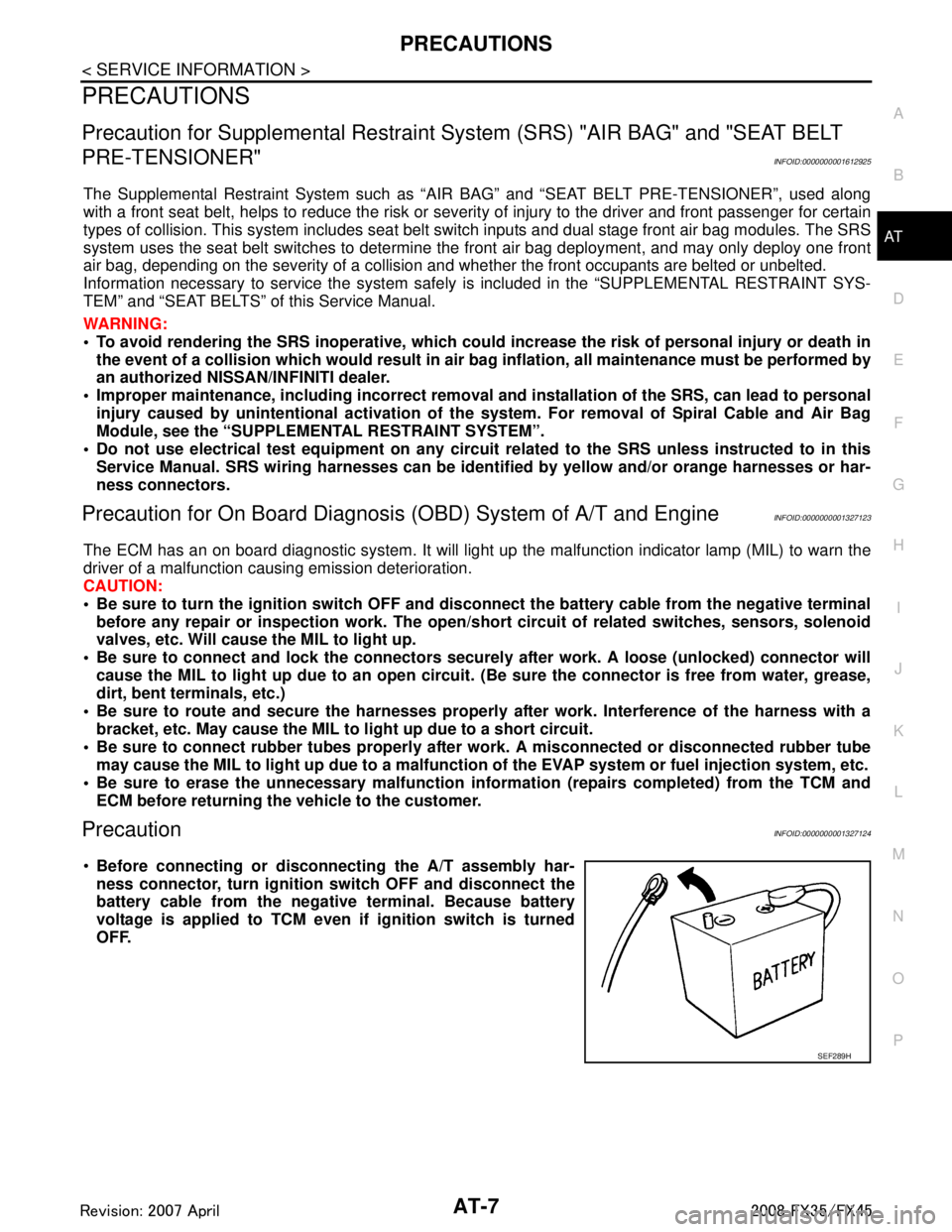
Before connecting or disco nnecting the A/T assembly har-
ness connector, turn ignition switch OFF and disconnect the
battery cable from the negative terminal. Because battery
voltage is applied to TCM even if ignition switch is turned
OFF.
SEF289H
3AA93ABC3ACD3AC03ACA3AC03AC63AC53A913A773A893A873A873A8E3A773A983AC73AC93AC03AC3
3A893A873A873A8F3A773A9D3AAF3A8A3A8C3A863A9D3AAF3A8B3A8C
Page 123 of 3924
AT-50
< SERVICE INFORMATION >
TROUBLE DIAGNOSIS
A/T Fluid Condition Check
Inspect the A/T fluid condition.
STALL TEST
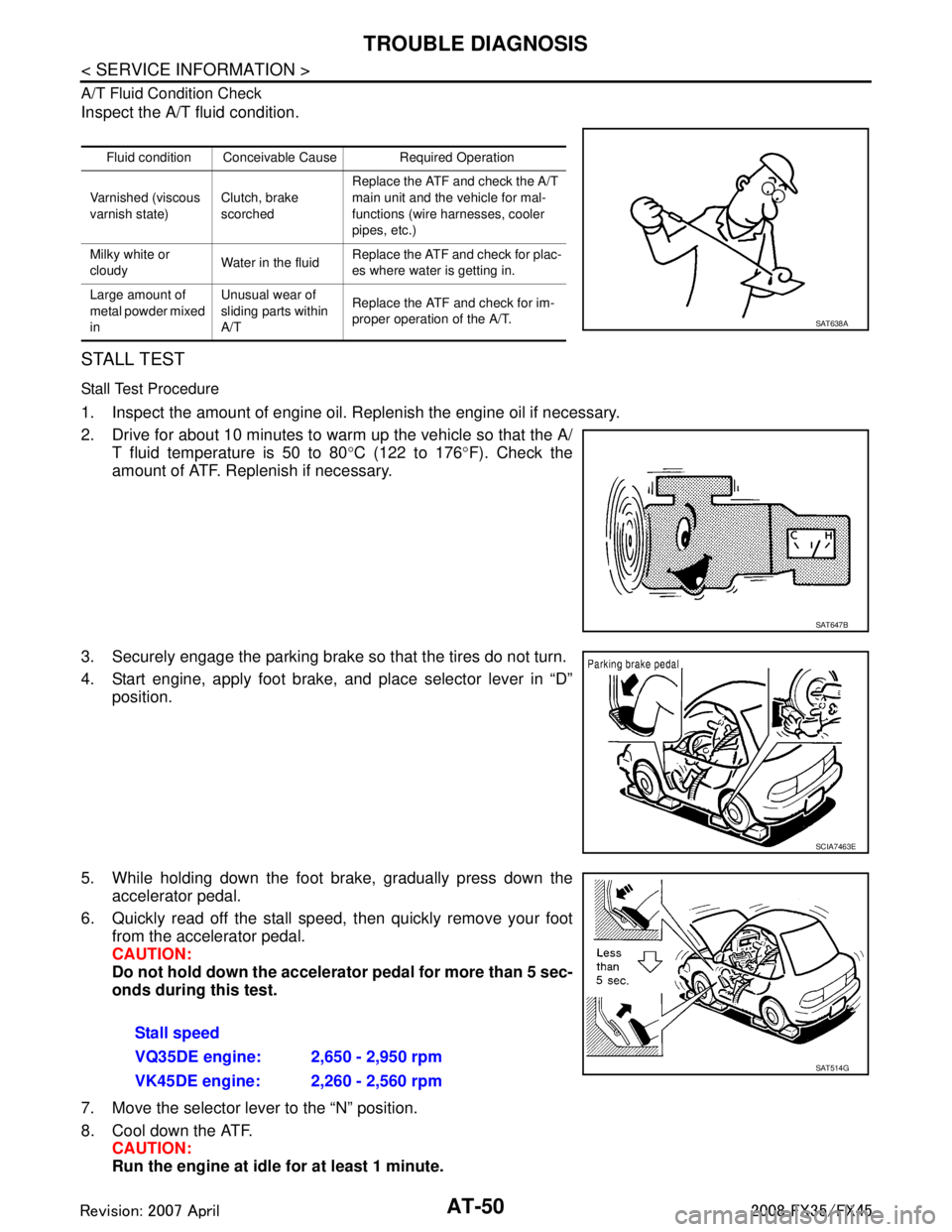
Stall Test Procedure
1. Inspect the amount of engine oil. Replenish the engine oil if necessary.
2. Drive for about 10 minutes to warm up the vehicle so that the A/T fluid temperature is 50 to 80 °C (122 to 176 °F). Check the
amount of ATF. Replenish if necessary.
3. Securely engage the parking brake so that the tires do not turn.
4. Start engine, apply foot brake, and place selector lever in “D” position.
5. While holding down the foot brake, gradually press down the accelerator pedal.
6. Quickly read off the stall speed, then quickly remove your foot from the accelerator pedal.
CAUTION:
Do not hold down the accelerator pedal for more than 5 sec-
onds during this test.
7. Move the selector lever to the “N” position.
8. Cool down the ATF. CAUTION:
Run the engine at idle for at least 1 minute.
Fluid condition Conceivable Cause Required Operation
Varnished (viscous
varnish state) Clutch, brake
scorchedReplace the ATF and check the A/T
main unit and the vehicle for mal-
functions (wire harnesses, cooler
pipes, etc.)
Milky white or
cloudy Water in the fluidReplace the ATF and check for plac-
es where water is getting in.
Large amount of
metal powder mixed
in Unusual wear of
sliding parts within
A/T
Replace the ATF and check for im-
proper operation of the A/T.
SAT638A
SAT647B
SCIA7463E
Stall speed
VQ35DE engine: 2,650 - 2,950 rpm
VK45DE engine: 2,260 - 2,560 rpm
SAT514G
3AA93ABC3ACD3AC03ACA3AC03AC63AC53A913A773A893A873A873A8E3A773A983AC73AC93AC03AC3
3A893A873A873A8F3A773A9D3AAF3A8A3A8C3A863A9D3AAF3A8B3A8C
Page 125 of 3924

AT-52
< SERVICE INFORMATION >
TROUBLE DIAGNOSIS
5. Securely engage the parking brake so that the tires do not turn.
6. Start the engine, then measure the line pressure at both idle andthe stall speed.
CAUTION:
Keep the brake pedal pressed all the way down duringmeasurement.
When measuring the line pressure at the stall speed, refer to "STALL TEST".
7. After the measurements are complete, install the oil pressure detection plug and tighten to the specified torque.
CAUTION:
Do not reuse the O-ring.
Apply ATF to the O-ring.
Line Pressure
Judgement of Line Pressure Test
SCIA7463E
:7.3 N·m (0.74 kg-m, 65 in-lb)SAT493G
Engine speed Line pressure kPa (kg/cm
2, psi)
“R” position “D” and “M” positions
At idle speed 425 - 465 (4.3 - 4.7, 62 - 67) 379 - 428 (3.9 - 4.4, 55 - 62)
At stall speed 1,605 - 1,950 (16.4 - 19.9, 233 - 283) 1,310 - 1,500 (13.4 - 15.3, 190 - 218)
Judgement Possible cause
Idle speed Low for all positions
(“P”, “R”, “N”, “D”,
“M”)
Possible causes include malfunctions in the pressure supply system and low oil pump output.
For example
Oil pump wear
Pressure regulator valve or plug sticking or spring fatigue
Oil strainer
⇒ oil pump ⇒ pressure regulator valve passage oil leak
Engine idle speed too low
Only low for a spe-
cific position Possible causes include an oil pressure leak in a passage or device related to the position after
the pressure is distributed by the manual valve.
High Possible causes include a sensor malfunction or malfunction in the line pressure adjustment func-
tion.
For example
Accelerator pedal position signal malfunction
ATF temperature sensor malfunction
Line pressure solenoid malfunction (sticking in OFF state, filter clog, cut line)
Pressure regulator valve or plug sticking
:
Page 157 of 3924

AT-84
< SERVICE INFORMATION >
TROUBLE DIAGNOSIS
Data are reference value and are measured between each terminal and ground.
CONSULT-III Function (TRANSMISSION)INFOID:0000000001327163
CONSULT-III can display each diagnostic item us ing the diagnostic test models shown following.
FUNCTION
CONSULT-III REFERENCE VALUE
NOTICE:
1. The CONSULT-III electrically displays shift timi ng and lock-up timing (that is, operation timing of each
solenoid).
Check for time difference between actual shift timi ng and the CONSULT-III display. If the difference is
noticeable, mechanical parts (except solenoids, sens ors, etc.) may be malfunctioning. Check mechanical
parts using applicable diagnostic procedures.
2. Shift schedule (which implies gear position) display ed on CONSULT-III and that indicated in Service Man-
ual may differ slightly. This occurs because of the following reasons:
- Actual shift schedule has more or less tolerance or allowance,
- Shift schedule indicated in Service Manual refers to the point where shifts start, and
- Gear position displayed on CONSULT-III indicates the point where shifts are completed.
Te r m i n a l Wire
color Item Condition Data (Approx.)
1LG Power supply
(Memory back-up) Always Battery voltage
2LG Power supply
(Memory back-up)
Always Battery voltage
3 L CAN-H – –
4PU K-line (CONSULT-
III signal) The terminal is connected to the data link connector for CONSULT-III. –
5 B Ground – –
6YPower supply – Battery voltage
–0 V
7OR Back-up lamp re-
lay Selector lever in “R” position. 0 V
Selector lever in other positions. Battery voltage
8 P CAN-L – –
9 GY Starter relay Selector lever in “N” and “P
” positions. Battery voltage
Selector lever in other positions. 0 V
10 B Ground – –
Diagnostic test mode Function
Work support This mode enables a technician to adjust some devices faster and more accurately by following the in-
dications on CONSULT-III.
Self-diagnostic results Self-diagnostic results can be read and erased quickly.
Data monitor Input/Output data in the ECU can be read.
CAN diagnostic support mon-
itor The results of transmit/receive diagnosis of CAN communication can be read.
Function test Performed by CONSULT-III instead of a technician to determine whether each system is “OK” or “NG”.
DTC work support Select the operating condition to confirm Diagnosis Trouble Codes.
ECU part number TCM part number can be read.
3AA93ABC3ACD3AC03ACA3AC03AC63AC53A913A773A893A873A873A8E3A773A983AC73AC93AC03AC3
3A893A873A873A8F3A773A9D3AAF3A8A3A8C3A863A9D3AAF3A8B3A8C
Page 161 of 3924

AT-88
< SERVICE INFORMATION >
TROUBLE DIAGNOSIS
*2: These malfunctions cannot be displayed MIL if another malfunction is assigned to MIL.
DATA MONITOR MODE
Display Items List
X: Standard, —: Not applicable, : Option
Monitored item (Unit)Select Monitor Item
Remarks
ECU IN-
PUT SIG- NALS MAIN SIG-
NALS SELEC-
TION
FROM
MENU
VHCL/S SE-A/T (km/h) X X Revolution sensor
VHCL/S SE-MTR (km/h) X —
ACCELE POSI (0.0/8) X — Accelerator pedal position signal
THROTTLE POSI (0.0/8) X X Degree of opening for accelerator recognized by
the TCM
For fail-safe operation, the specific value used
for control is displayed.
CLSD THL POS (ON/OFF) X — Signal input with CAN communications
W/O THL POS (ON/OFF) X —
BRAKE SW (ON/OFF) X — Stop lamp switch
GEAR — X Gear position recognized by the TCM updated
after gear-shifting
ENGINE SPEED (rpm) X X
TURBINE REV (rpm) X X
OUTPUT REV (rpm) X X
GEAR RATIO — X
TC SLIP SPEED (rpm) — X Difference between engine speed and torque
converter input shaft speed
F SUN GR REV (rpm) — —
F CARR GR REV (rpm) — —
ATF TEMP SE 1 (V) X —
ATF TEMP SE 2 (V) X —
ATF TEMP 1 ( °C) — X
ATF TEMP 2 ( °C) — X
BATTERY VOLT (V) X —
ATF PRES SW 1 (ON/OFF) X X (for FR/B solenoid)
ATF PRES SW 2 (ON/OFF) X X (for LC/B solenoid)
ATF PRES SW 3 (ON/OFF) X X (for I/C solenoid)
ATF PRES SW 5 (ON/OFF) X X (for D/C solenoid)
ATF PRES SW 6 (ON/OFF) X X (for HLR/C solenoid)
PNP SW 1 (ON/OFF) X —
PNP SW 2 (ON/OFF) X —
PNP SW 3 (ON/OFF) X —
PNP SW 4 (ON/OFF) X —
3AA93ABC3ACD3AC03ACA3AC03AC63AC53A913A773A893A873A873A8E3A773A983AC73AC93AC03AC3
3A893A873A873A8F3A773A9D3AAF3A8A3A8C3A863A9D3AAF3A8B3A8C
Page 162 of 3924

TROUBLE DIAGNOSISAT-89
< SERVICE INFORMATION >
DE
F
G H
I
J
K L
M A
B
AT
N
O P
1 POSITION SW (ON/OFF) X —
SLCT LVR POSI — X Selector lever position is recognized by the TCM.
For fail-safe operation, the specific value used
for control is displayed.
OD CONT SW (ON/OFF) X —
Not mounted but displayed.
POWERSHIFT SW (ON/OFF) X —
HOLD SW (ON/OFF) X —
MANU MODE SW (ON/OFF) X —
NON M-MODE SW (ON/OFF) X —
UP SW LEVER (ON/OFF) X —
DOWN SW LEVER (ON/OFF) X —
SFT UP ST SW (ON/OFF) — —
Not mounted but displayed.
SFT DWN ST SW (ON/OFF) — —
ASCD-OD CUT (ON/OFF) — —
ASCD-CRUISE (ON/OFF) — —
ABS SIGNAL (ON/OFF) — —
ACC-OD CUT (ON/OFF) — — ICC (intelligent cruise control)
ACC-SIGNAL (ON/OFF) — —
TCS GR/P KEEP (ON/OFF) — —
TCS SIGNAL 2 (ON/OFF) — —
TCS SIGNAL 1 (ON/OFF) — —
TCC SOLENOID (A) — X
LINE PRES SOL (A) — X
I/C SOLENOID (A) — X
FR/B SOLENOID (A) — X
D/C SOLENOID (A) — X
HLR/C SOL (A) — X
ON OFF SOL (ON/OFF) — — LC/B solenoid
TCC SOL MON (A) — —
L/P SOL MON (A) — —
I/C SL MON (A) — —
FR/B SOL MON (A) — —
D/C SOL MON (A) — —
HLR/C SOL MON (A) — —
ON OFF SOL MON (ON/OFF) — — LC/B solenoid
P POSI IND (ON/OFF) — — Monitored item (Unit)
Select Monitor Item
Remarks
ECU IN-
PUT SIG- NALS MAIN SIG-
NALS SELEC-
TION
FROM
MENU
3AA93ABC3ACD3AC03ACA3AC03AC63AC53A913A773A893A873A873A8E3A773A983AC73AC93AC03AC3
3A893A873A873A8F3A773A9D3AAF3A8A3A8C3A863A9D3AAF3A8B3A8C
Page 163 of 3924

AT-90
< SERVICE INFORMATION >
TROUBLE DIAGNOSIS
R POSI IND (ON/OFF) — —
N POSI IND (ON/OFF) — —
D POSI IND (ON/OFF) — —
4TH POSI IND (ON/OFF) — —
3RD POSI IND (ON/OFF) — —
2ND POSI IND (ON/OFF) — —
1ST POSI IND (ON/OFF) — —
MANU MODE IND (ON/OFF) — —
POWER M LAMP (ON/OFF) — —
F-SAFE IND/L (ON/OFF) — —
ATF WARN LAMP (ON/OFF) — — Not mounted but displayed
BACK-UP LAMP (ON/OFF) — —
STARTER RELAY (ON/OFF) — —
PNP SW3 MON (ON/OFF) — —
C/V CLB ID1 — —
C/V CLB ID2 — —
C/V CLB ID3 — —
UNIT CLB ID1 — —
UNIT CLB ID2 — —
UNIT CLB ID3 — —
TRGT GR RATIO — —
TRGT PRES TCC (kPa) — —
TRGT PRES L/P (kPa) — —
TRGT PRES I/C (kPa) — —
TRGT PRE FR/B (kPa) — —
TRGT PRES D/C (kPa) — —
TRG PRE HLR/C (kPa) — —
SHIFT PATTERN — —
DRV CST JUDGE — —
START RLY MON — —
NEXT GR POSI — —
SHIFT MODE — —
MANU GR POSI — —
VEHICLE SPEED (km/h) — X Vehicle sp eed recognized by the TCM.
Monitored item (Unit)
Select Monitor Item
Remarks
ECU IN-
PUT SIG- NALS MAIN SIG-
NALS SELEC-
TION
FROM
MENU
3AA93ABC3ACD3AC03ACA3AC03AC63AC53A913A773A893A873A873A8E3A773A983AC73AC93AC03AC3
3A893A873A873A8F3A773A9D3AAF3A8A3A8C3A863A9D3AAF3A8B3A8C