wheel INFINITI G35 2006 Owner's Guide
[x] Cancel search | Manufacturer: INFINITI, Model Year: 2006, Model line: G35, Model: INFINITI G35 2006Pages: 344, PDF Size: 6.81 MB
Page 199 of 344
The system confirms the name, location
and number. The system then asks if you
would like to store another location for
the same name. If you do not wish to
store another location, the system ends
the VR session.
ªEditº
q B
Use the Edit command to alter an existing
phone book entry or to add a 2nd, 3rd or
4th phone number to an existing entry.
When prompted by the system, say the
name of the entry you wish to edit.
The system acknowledges the name and
asks you for the location you would like
to edit.
Say the name of the location. The system
acknowledges and asks you for the phone
number you would like to store with this
location.
See ªHow to say numbersº earlier in this
section for more information.
The system repeats the number and
prompts you for the next command. When
you have finished entering numbers,
choose ªStore.º
The system confirms the name, location
and number, then announces that the en- try has been stored. The system then
ends the VR session.
ªDeleteº
q C
Use the Delete command to erase one en-
try from the phone book, all entries from
the phone book, the current redial
number or the current call back number.
To delete entries from the phone book,
say a name or ªAll entriesº when
prompted by the system.
The system acknowledges the command
and asks you to confirm the deletion.
To delete the current redial number or call
back number, say ªredial numberº or ªcall
back numberº when prompted by the sys-
tem.
If a redial number or a call back number
exists, the system deletes them without
asking for confirmation.
If there is no number for the entry you are
trying to delete, the system says so and
ends the VR session.
ªList namesº
q D
Use the List Names command to hear all
the names and locations in the phone
book. The system recites the phone book en-
tries but does not include the actual
phone numbers. When the playback of
the list is complete the system ends the
VR session.
You can stop the playback of the list at
any time by pressing the button on
the steering wheel. The system ends the
VR session.
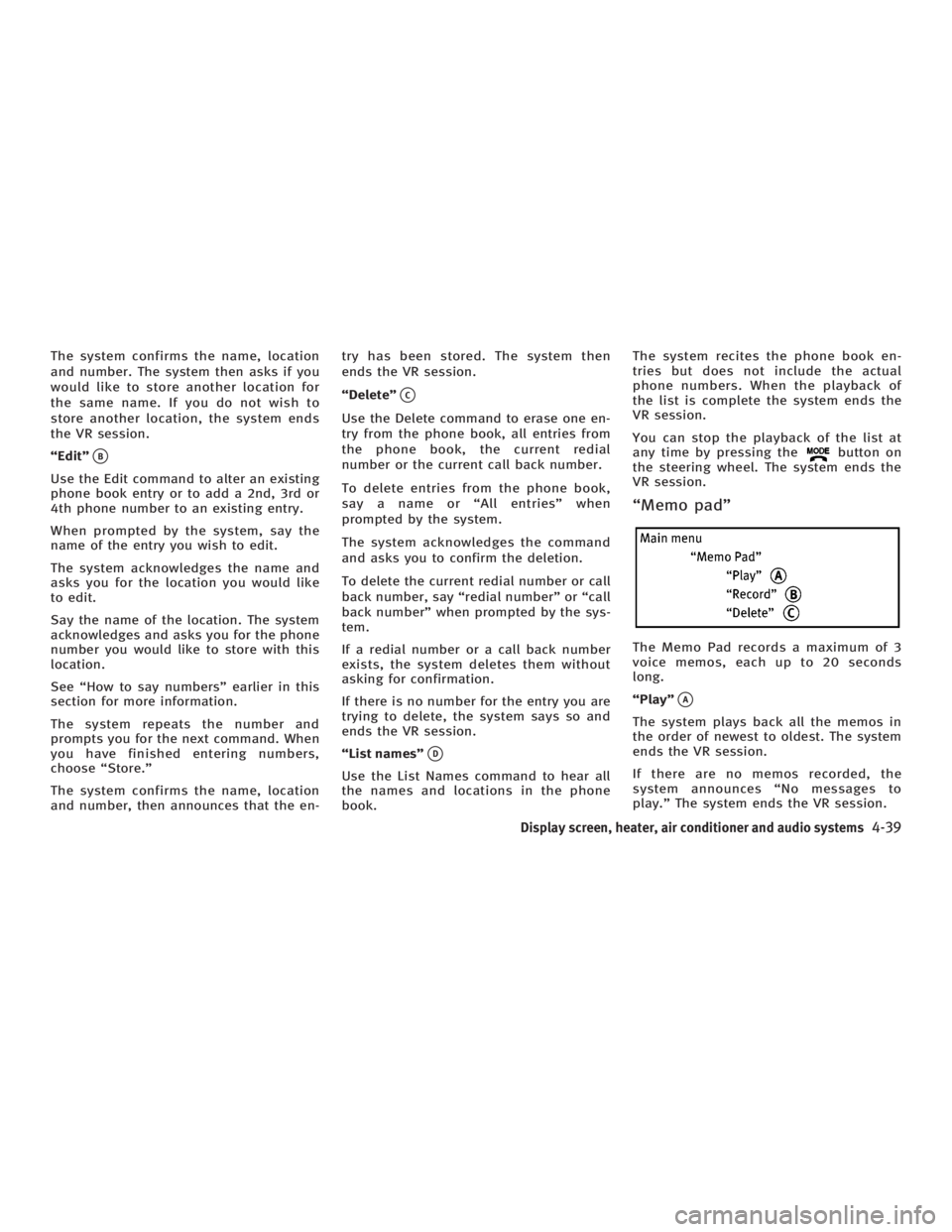
ªMemo padº
The Memo Pad records a maximum of 3
voice memos, each up to 20 seconds
long.
ªPlayº
q A
The system plays back all the memos in
the order of newest to oldest. The system
ends the VR session.
If there are no memos recorded, the
system announces ªNo messages to
play.º The system ends the VR session.
Display screen, heater, air conditioner and audio systems
4-39
w 06.1.4/V35-D/V5.0
X
Page 200 of 344
ªRecordº
q B
The system announces ªRecordingº and a
tone sounds signaling you to begin.
Speak the information you wish to record
clearly. When you are done, press the
or button on the steering
wheel.
A tone sounds and the system announces
ªMemo recorded.º Another tone sounds
to end the VR session.
If the memo pad is full, the system asks if
you wish to record over the oldest memo.
ªDeleteº
q C
The Delete command erases all memos.
The system asks you to confirm this ac-
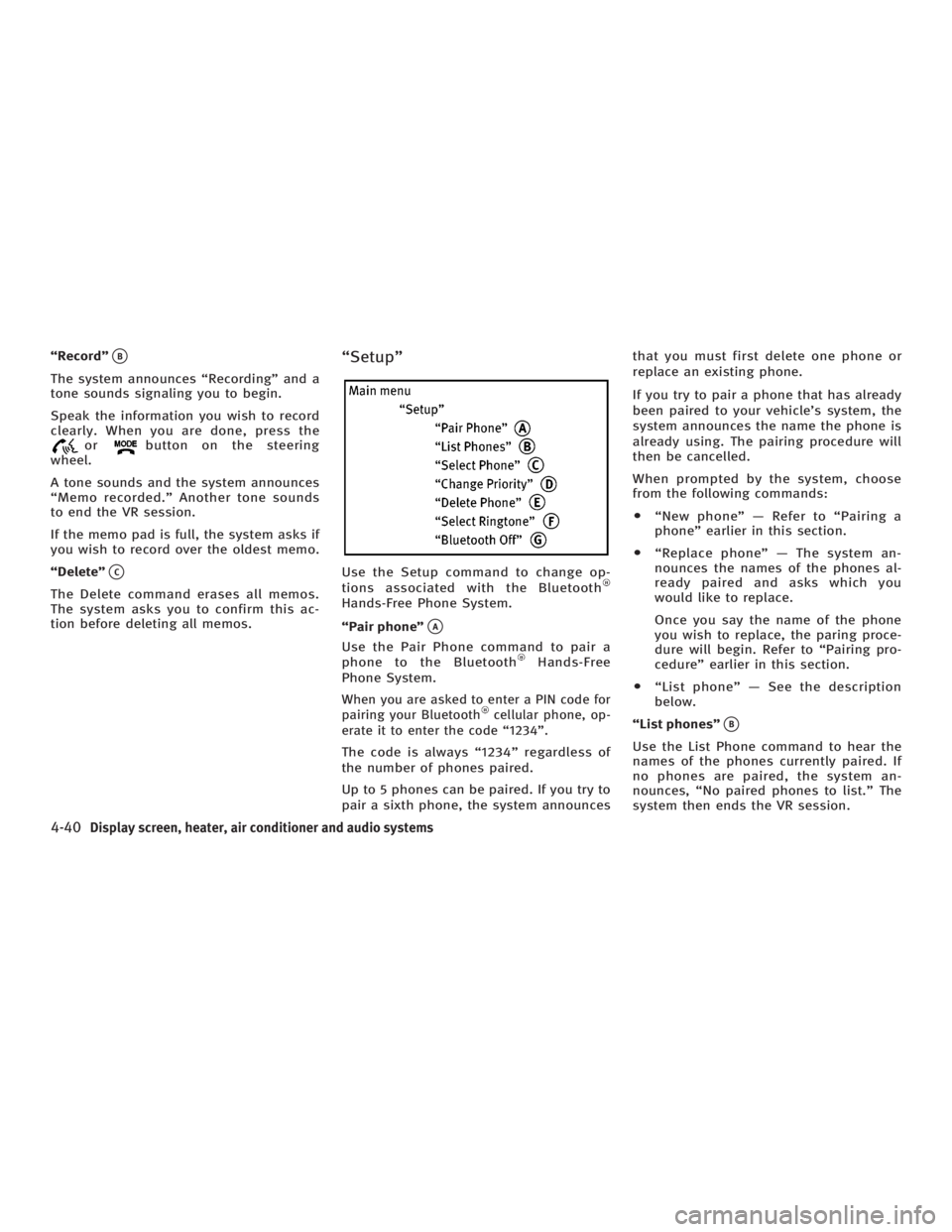
tion before deleting all memos. ªSetupº
Use the Setup command to change op-
tions associated with the Bluetooth
Hands-Free Phone System.
ªPair phoneº
q A
Use the Pair Phone command to pair a
phone to the Bluetooth Hands-Free
Phone System.
When you are asked to enter a PIN code for
pairing your Bluetooth cellular phone, op-
erate it to enter the code ª1234º.
The code is always ª1234º regardless of
the number of phones paired.
Up to 5 phones can be paired. If you try to
pair a sixth phone, the system announces that you must first delete one phone or
replace an existing phone.
If you try to pair a phone that has already
been paired to your vehicle's system, the
system announces the name the phone is
already using. The pairing procedure will
then be cancelled.
When prompted by the system, choose
from the following commands:
O ªNew phoneº Ð Refer to ªPairing a
phoneº earlier in this section.
O ªReplace phoneº Ð The system an-
nounces the names of the phones al-
ready paired and asks which you
would like to replace.
Once you say the name of the phone
you wish to replace, the paring proce-
dure will begin. Refer to ªPairing pro-
cedureº earlier in this section.
O ªList phoneº Ð See the description
below.
ªList phonesº
q B
Use the List Phone command to hear the
names of the phones currently paired. If
no phones are paired, the system an-
nounces, ªNo paired phones to list.º The
system then ends the VR session.
4-40 Display screen, heater, air conditioner and audio systems
w 06.1.4/V35-D/V5.0
X
Page 205 of 344
5 Starting and driving Precautions when starting and driving .............. 5-2
Exhaust gas (Carbon monoxide) .................. 5-2
Three way catalyst....................................... 5-3
Tire pressure monitoring system (TPMS) ..... 5-3
Avoiding collision and rollover..................... 5-5
Drinking alcohol/drugs and driving ............. 5-5
All-wheel drive (AWD) driving safety
precautions (for AWD models) .................... 5-6
Ignition switch (except Intelligent Key
system)............................................................. 5-6
Automatic transmission ............................... 5-6
Manual transmission .................................. 5-7
Key positions .............................................. 5-8
INFINITI Vehicle Immobilizer System ............ 5-8
Ignition switch (models with the Intelligent
Key system) ...................................................... 5-9
Ignition switch positions ............................. 5-9
INFINITI Vehicle Immobilizer System .......... 5-10
Before starting the engine............................... 5-10
Starting the engine .......................................... 5-11
Driving the vehicle .......................................... 5-12
Automatic transmission.............................. 5-12
Manual transmission ................................ 5-16
Parking brake .................................................. 5-19 Cruise control ................................................. 5-20
Precautions on cruise control .................... 5-20
Cruise control operations .......................... 5-20
Break-in schedule ........................................... 5-22
Increasing fuel economy ................................. 5-22
All-wheel drive (AWD) (if so equipped) ............ 5-23
All-wheel drive (AWD) warning light ........... 5-23
Parking/parking on hills ................................. 5-24
Power steering ................................................ 5-25
Brake system .................................................. 5-26
Braking precautions .................................. 5-26
Anti-lock brake system (ABS)..................... 5-26
Vehicle Dynamic Control (VDC) system .......... 5-28
Rear active steer (RAS) system (if so
equipped) ....................................................... 5-29
Cold weather driving....................................... 5-30
Freeing a frozen door lock ......................... 5-30
Anti-freeze ................................................. 5-30
Battery ...................................................... 5-30
Draining of coolant water .......................... 5-30
Tire equipment .......................................... 5-30
Special winter equipment........................... 5-31
Driving on snow or ice ............................... 5-31
Engine block heater (if so equipped) ......... 5-32
w 06.1.13/V35-D/V5.0
X
Page 208 of 344

Your vehicle has also been equipped with a
TPMS malfunction indicator to indicate
when the system is not operating properly.
The TPMS malfunction indicator is com-
bined with the low tire pressure telltale.
When the system detects a malfunction, the
telltale will flash for approximately one
minute and then remain continuously illu-
minated. This sequence will continue upon
subsequent vehicle start-ups as long as the
malfunction exists. When the malfunction
indicator is illuminated, the system may not
be able to detect or signal low tire pressure
as intended. TPMS malfunctions may occur
for a variety of reasons, including the in-
stallation of replacement or alternate tires
or wheels on the vehicle that prevent the
TPMS from functioning properly. Always
check the TPMS malfunction telltale after
replacing one or more tires or wheels on
your vehicle to ensure that the replacement
or alternate tires and wheels allow the
TPMS to continue to function properly.
Additional information
O The TPMS does not monitor the tire
pressure of the spare tire.
O The TPMS will activate only when the ve-
hicle is driven at speeds above 16 MPH
(25 km/h). Also, this system may not de- tect a sudden drop in tire pressure (for
example a flat tire while driving).
O Tire pressure rises and falls de-
pending on the heat caused by the ve-
hicle's operation and the outside tem-
perature. Low outside temperature can
lower the temperature of the air inside
the tire which can cause a lower tire
inflation pressure. This may cause the
low tire pressure warning light to illu-
minate. If the warning light illuminates
in low ambient temperature, check the
tire pressure for all four tires.
For additional information, see ªLow tire
pressure warning lightº in the ª2. Instru-
ments and controlsº section and ªTire
pressure monitoring system (TPMS)º in
the ª6. In case of emergencyº section.
WARNING O If the low tire pressure warning light illumi-
nates while driving, avoid sudden steering
maneuvers or abrupt braking, reduce ve-
hicle speed, pull off the road to a safe loca-
tion and stop the vehicle as soon as pos-
sible. Serious vehicle damage could occur and may lead to an accident and could re-
sult in serious personal injury. Check the
tire pressure for all four tires. Adjust the
tire pressure to the recommended COLD
tire pressure shown on the Tire and
Loading Information label to turn the low
tire pressure warning light OFF. If you have
a flat tire, replace it with a spare tire as
soon as possible. (See ªFlat tireº in the ª6.
In case of emergencyº section for changing
a flat tire.)
O When a spare tire is mounted or a wheel
is replaced, tire pressure will not be indi-
cated, the TPMS will not function and the
low tire pressure warning light will flash.
Contact your INFINITI dealer as soon as
possible for tire replacement and/or sys-
tem resetting.
O Replacing tires with those not originally
specified by INFINITI could affect the
proper operation of the TPMS.
O Do not inject any tire liquid or aerosol
tire sealant into the tires, as this may
cause a malfunction of the tire pressure
sensors.
5-4 Starting and driving
w 06.1.5/V35-D/V5.0
X
Page 210 of 344
Remember, drinking and driving don't
mix!
And that's true for drugs too (over the
counter, prescription, and illegal drugs).
Don't drive if your ability to operate your
vehicle is impaired by alcohol, drugs, or
some other physical condition.
ALL-WHEEL DRIVE (AWD) DRIVING
SAFETY PRECAUTIONS (for AWD
models)
WARNINGO Do not drive beyond the performance ca-
pability of the tires, even with AWD en-
gaged. Accelerating quickly, sharp
steering maneuvers or sudden braking
may cause loss of control.
O Always use tires of the same type, size,
brand, construction (bias, bias-belted or
radial), and tread pattern on all four
wheels. Install tire chains on the rear
wheels when driving on slippery roads
and drive carefully. O This vehicle is not designed for off-road
(rough road) use. Do not drive on sandy
or muddy roads that tires may get stuck
in.
O Do not place an AWD equipped vehicle
on a two wheel dynamometer or raise
two wheels off the ground and shift the
transmission to any D (drive) or R (re-
verse) position. Doing so may result in
transmission damage or unexpected ve-
hicle movement which could result in se-
rious vehicle damage or personal injury.
O Never operate the accelerator pedal with
any wheels raised and the other wheels
on the ground while jacking up or with
any wheels on a roller and the other
wheels on the ground. Otherwise, the
vehicle could lurch forward or backward.
O When a wheel is off the ground due to an
unlevel surface, do not spin the wheel
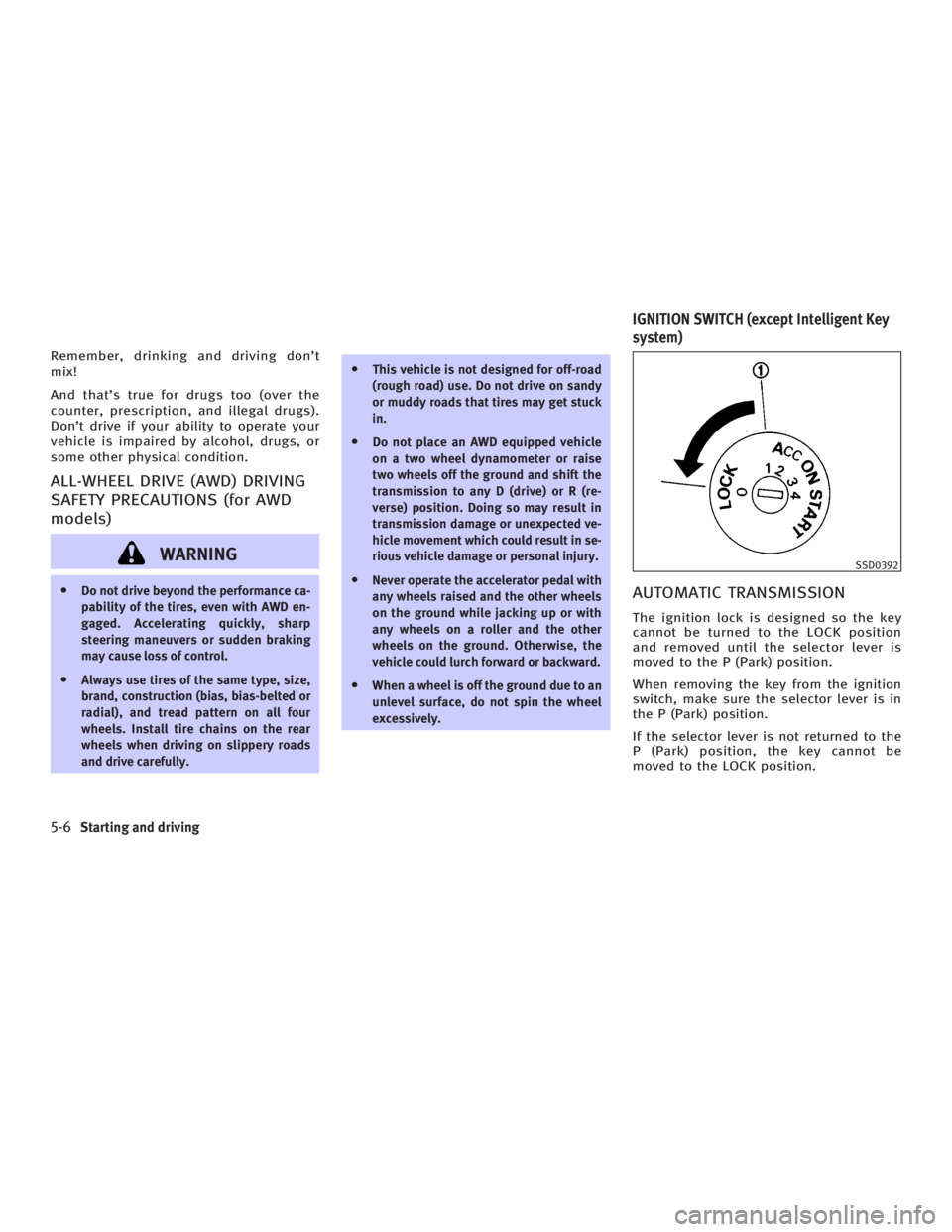
excessively. AUTOMATIC TRANSMISSION The ignition lock is designed so the key
cannot be turned to the LOCK position
and removed until the selector lever is
moved to the P (Park) position.
When removing the key from the ignition
switch, make sure the selector lever is in
the P (Park) position.
If the selector lever is not returned to the
P (Park) position, the key cannot be
moved to the LOCK position. SSD0392
IGNITION SWITCH (except Intelligent Key
system)
5-6 Starting and driving
w 06.1.4/V35-D/V5.0
X
Page 211 of 344
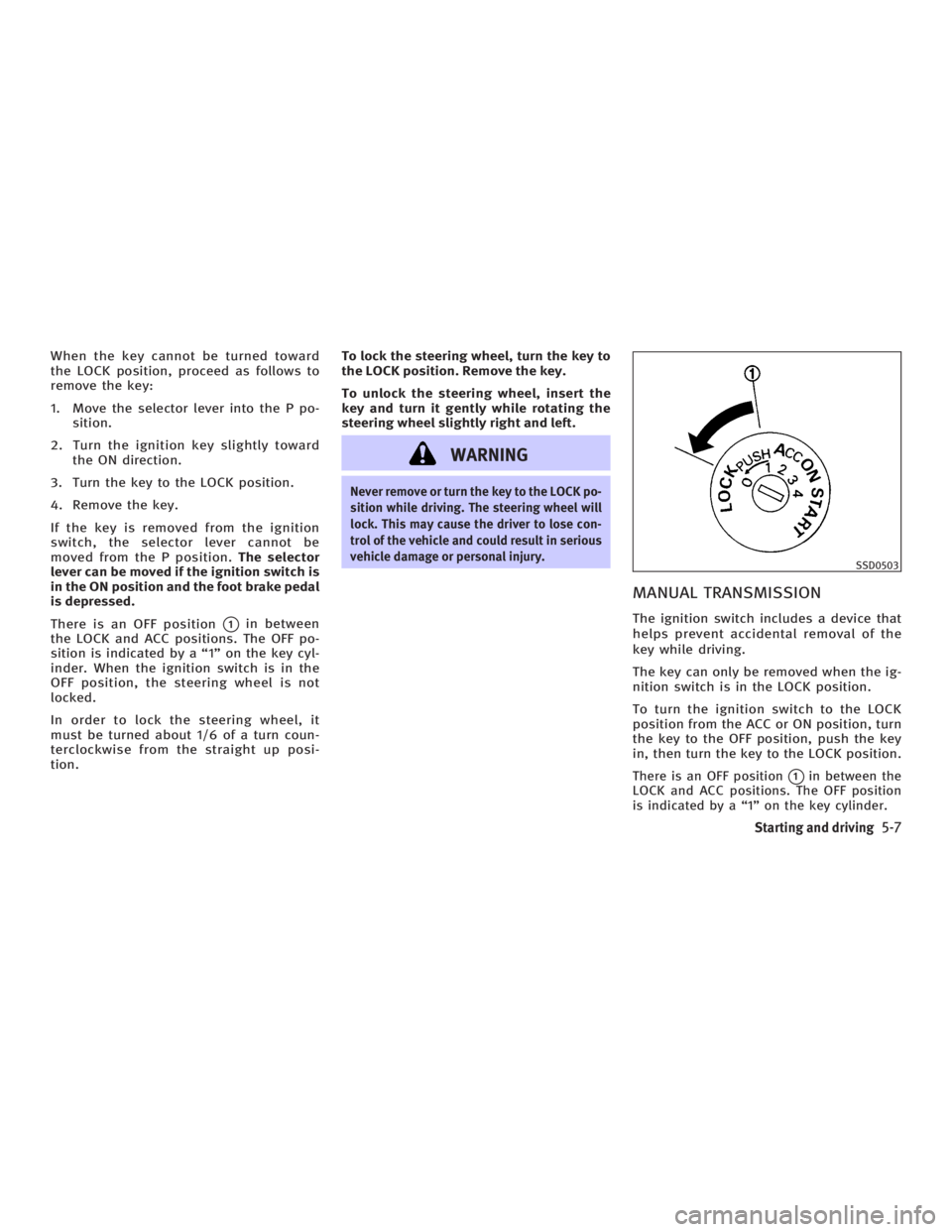
When the key cannot be turned toward
the LOCK position, proceed as follows to
remove the key:
1. Move the selector lever into the P po-
sition.
2. Turn the ignition key slightly toward
the ON direction.
3. Turn the key to the LOCK position.
4. Remove the key.
If the key is removed from the ignition
switch, the selector lever cannot be
moved from the P position. The selector
lever can be moved if the ignition switch is
in the ON position and the foot brake pedal
is depressed.
There is an OFF position
q 1
in between
the LOCK and ACC positions. The OFF po-
sition is indicated by a ª1º on the key cyl-
inder. When the ignition switch is in the
OFF position, the steering wheel is not
locked.
In order to lock the steering wheel, it
must be turned about 1/6 of a turn coun-
terclockwise from the straight up posi-
tion. To lock the steering wheel, turn the key to
the LOCK position. Remove the key.
To unlock the steering wheel, insert the
key and turn it gently while rotating the
steering wheel slightly right and left.
WARNING Never remove or turn the key to the LOCK po-
sition while driving. The steering wheel will
lock. This may cause the driver to lose con-
trol of the vehicle and could result in serious
vehicle damage or personal injury.
MANUAL TRANSMISSION The ignition switch includes a device that
helps prevent accidental removal of the
key while driving.
The key can only be removed when the ig-
nition switch is in the LOCK position.
To turn the ignition switch to the LOCK
position from the ACC or ON position, turn
the key to the OFF position, push the key
in, then turn the key to the LOCK position.
There is an OFF position
q 1
in between the
LOCK and ACC positions. The OFF position
is indicated by a ª1º on the key cylinder. SSD0503
Starting and driving
5-7
w 06.1.4/V35-D/V5.0
X
Page 212 of 344
In order for the steering wheel to be
locked, it must be turned about 1/6 of a
turn clockwise from the straight up posi-
tion.
To lock the steering wheel, turn the key to
the LOCK position. Remove the key.
To unlock the steering wheel, insert the
key and turn it gently while rotating the
steering wheel slightly right and left.
WARNINGNever remove or turn the key to the LOCK po-
sition while driving. The steering wheel will
lock. This may cause the driver to lose con-
trol of the vehicle and could result in serious
vehicle damage and/or personal injury.
KEY POSITIONS The ignition switch includes an anti-theft
steering lock device.
LOCK (Normal parking position) (0)
The ignition key can only be removed
when the ignition switch is in this posi-
tion. OFF (1)
The engine can be turned off without
locking the steering wheel.
The ignition lock is designed so that the
key cannot be turned to the LOCK position
and removed until the selector lever is
moved to the P position (for automatic
transmission) or the key is pushed in
while turning the key between the ACC
and LOCK positions.
ACC (Accessories) (2)
This position activates electrical accesso-
ries when the engine is not running.
ON (Normal operating position) (3)
This position activates ignition system in
addition to electrical accessories.
START (4)
This position activates the starter motor,
starting the engine.
INFINITI VEHICLE IMMOBILIZER
SYSTEM The INFINITI Vehicle Immobilizer System
will not allow the engine to start without
the use of the registered key. If the engine fails to start using a regis-
tered key (for example, when interference
is caused by another registered key, an
automated toll road device or automated
payment device on the key ring), restart
the engine using the following proce-
dures:
1. Leave the ignition switch in the ON po-
sition for approximately 5 seconds.
2. Turn the ignition switch to the OFF or
LOCK position and wait approximately
10 seconds.
3. Repeat steps 1 and 2.
4. Restart the engine while holding the
device (which may have caused the in-
terference) away from the registered
key.
If this procedure allows the engine to
start, INFINITI recommends placing the
registered key on a separate key ring to
avoid interference from other devices.
5-8 Starting and driving
w 06.1.4/V35-D/V5.0
X
Page 213 of 344
The ignition lock is designed so that the
ignition switch cannot be turned to the
LOCK position and removed until the se-
lector lever is moved to the P (Park) posi-
tion.
When turning the ignition switch, make
sure the selector lever is in the P position.
If the selector lever is not returned to the
P position, the ignition switch cannot be
moved toward the LOCK position.
When the ignition switch cannot be
turned toward the LOCK position, proceed
as follows: 1. Move the selector lever into the P po-
sition.
2. Turn the ignition switch slightly in the
ON direction.
3. Turn the key toward the LOCK posi-
tion.
The selector lever can be moved from the P
position if the ignition switch is in the ON
position and the foot brake pedal is de-
pressed.
There is an OFF position in between the
LOCK and ACC positions, although it does
not show on the lock cylinder. When the
ignition is in the OFF position the steering
wheel is not locked.
In order for the steering wheel to be
locked, it must be turned about 1/6 of a
turn counterclockwise from the straight
up position.
To lock the steering wheel, turn the igni-
tion switch to the LOCK position. To unlock
the steering wheel, push the ignition
switch in and turn it gently while rotating
the steering wheel slightly right and left.
If the battery of the vehicle equipped with
the Intelligent Key system is discharged,
the ignition switch cannot be turned from the LOCK position, even using the me-
chanical key or valet key.
WARNING Never turn the ignition switch to the LOCK
position while driving. The steering wheel
will lock. This may cause the driver to lose
control of the vehicle and could result in se-
rious vehicle damage and/or personal injury.
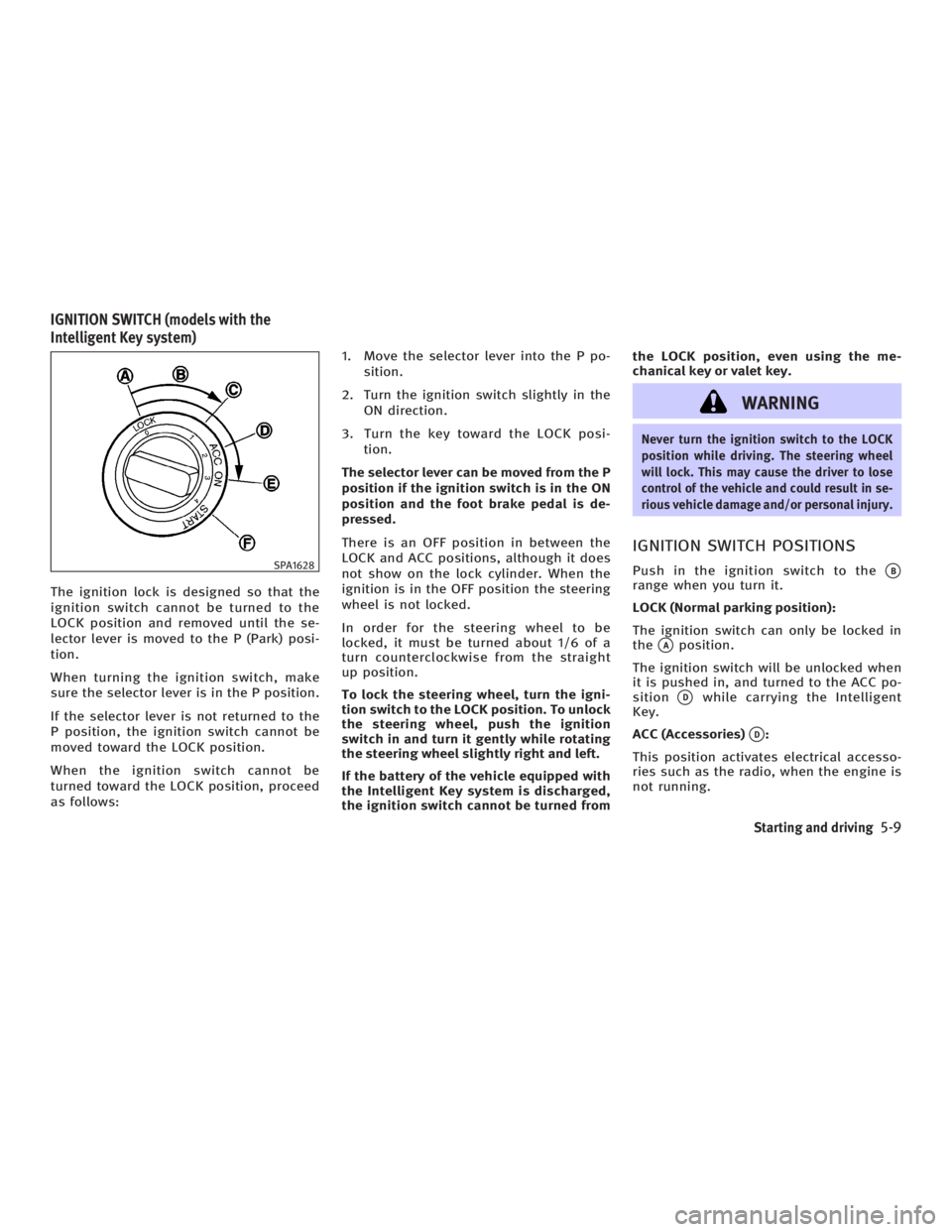
IGNITION SWITCH POSITIONS Push in the ignition switch to the
q B
range when you turn it.
LOCK (Normal parking position):
The ignition switch can only be locked in
the
q A
position.
The ignition switch will be unlocked when
it is pushed in, and turned to the ACC po-
sition
q D
while carrying the Intelligent
Key.
ACC (Accessories)
q D
:
This position activates electrical accesso-
ries such as the radio, when the engine is
not running.SPA1628
IGNITION SWITCH (models with the
Intelligent Key system)
Starting and driving
5-9
w 06.1.4/V35-D/V5.0
X
Page 218 of 344
D (Drive):
Use this position for all normal forward
driving.
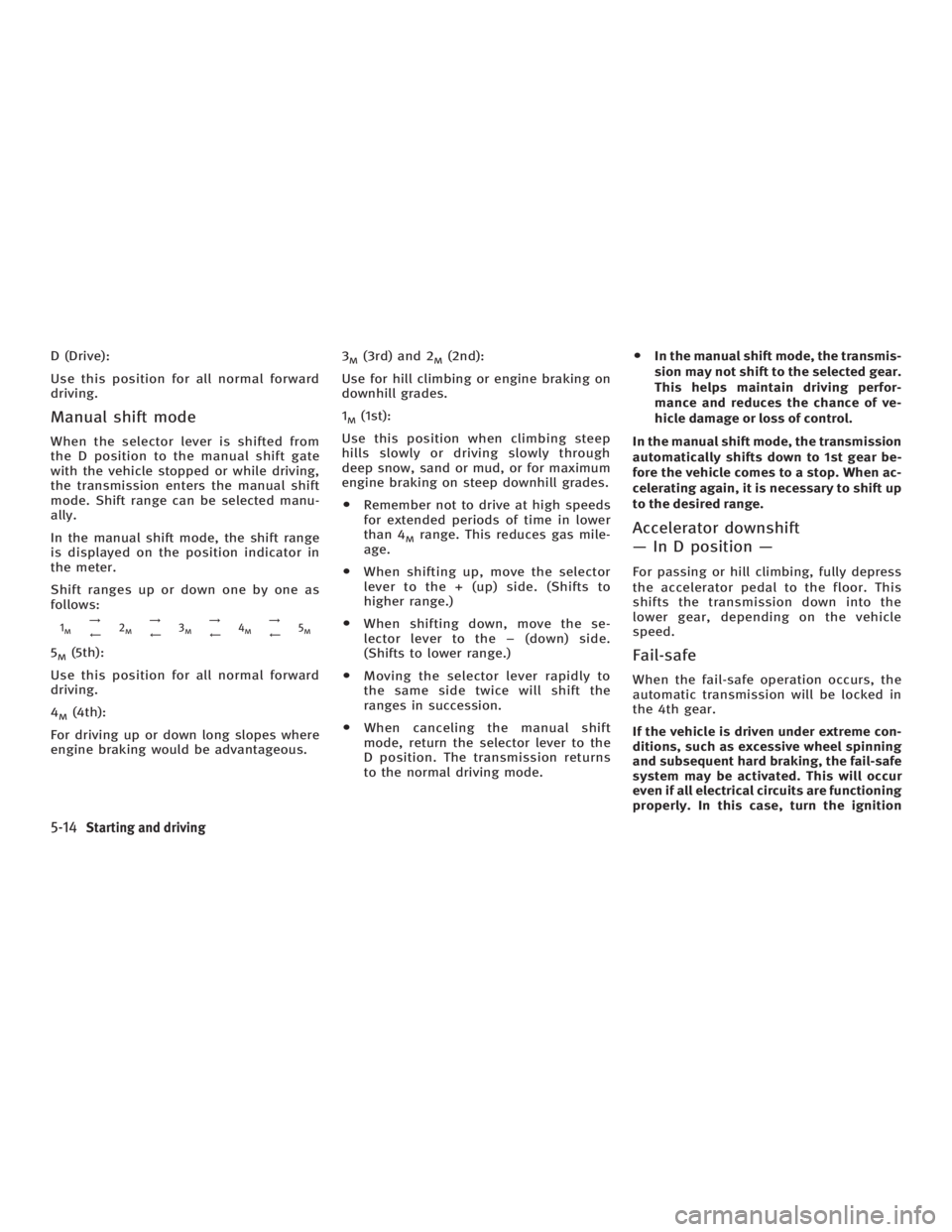
Manual shift mode When the selector lever is shifted from
the D position to the manual shift gate
with the vehicle stopped or while driving,
the transmission enters the manual shift
mode. Shift range can be selected manu-
ally.
In the manual shift mode, the shift range
is displayed on the position indicator in
the meter.
Shift ranges up or down one by one as
follows: 1 M
!
à 2 M
!
à 3 M
!
à 4 M
!
à 5 M
5 M
(5th):
Use this position for all normal forward
driving.
4 M
(4th):
For driving up or down long slopes where
engine braking would be advantageous. 3 M
(3rd) and 2 M
(2nd):
Use for hill climbing or engine braking on
downhill grades.
1 M
(1st):
Use this position when climbing steep
hills slowly or driving slowly through
deep snow, sand or mud, or for maximum
engine braking on steep downhill grades.
O Remember not to drive at high speeds
for extended periods of time in lower
than 4 M
range. This reduces gas mile-
age.
O When shifting up, move the selector
lever to the + (up) side. (Shifts to
higher range.)
O When shifting down, move the se-
lector lever to the þ (down) side.
(Shifts to lower range.)
O Moving the selector lever rapidly to
the same side twice will shift the
ranges in succession.
O When canceling the manual shift
mode, return the selector lever to the
D position. The transmission returns
to the normal driving mode. O In the manual shift mode, the transmis-
sion may not shift to the selected gear.
This helps maintain driving perfor-
mance and reduces the chance of ve-
hicle damage or loss of control.
In the manual shift mode, the transmission
automatically shifts down to 1st gear be-
fore the vehicle comes to a stop. When ac-
celerating again, it is necessary to shift up
to the desired range.
Accelerator downshift
Ð In D position Ð For passing or hill climbing, fully depress
the accelerator pedal to the floor. This
shifts the transmission down into the
lower gear, depending on the vehicle
speed.
Fail-safe When the fail-safe operation occurs, the
automatic transmission will be locked in
the 4th gear.
If the vehicle is driven under extreme con-
ditions, such as excessive wheel spinning
and subsequent hard braking, the fail-safe
system may be activated. This will occur
even if all electrical circuits are functioning
properly. In this case, turn the ignition
5-14 Starting and driving
w 06.1.4/V35-D/V5.0
X
Page 219 of 344
switch to the OFF position and wait for 3
seconds. Then turn the key back to the ON
position. The vehicle should return to its
normal operating condition. If it does not
return to its normal operating condition,
have an INFINITI dealer check the trans-
mission and repair if necessary.
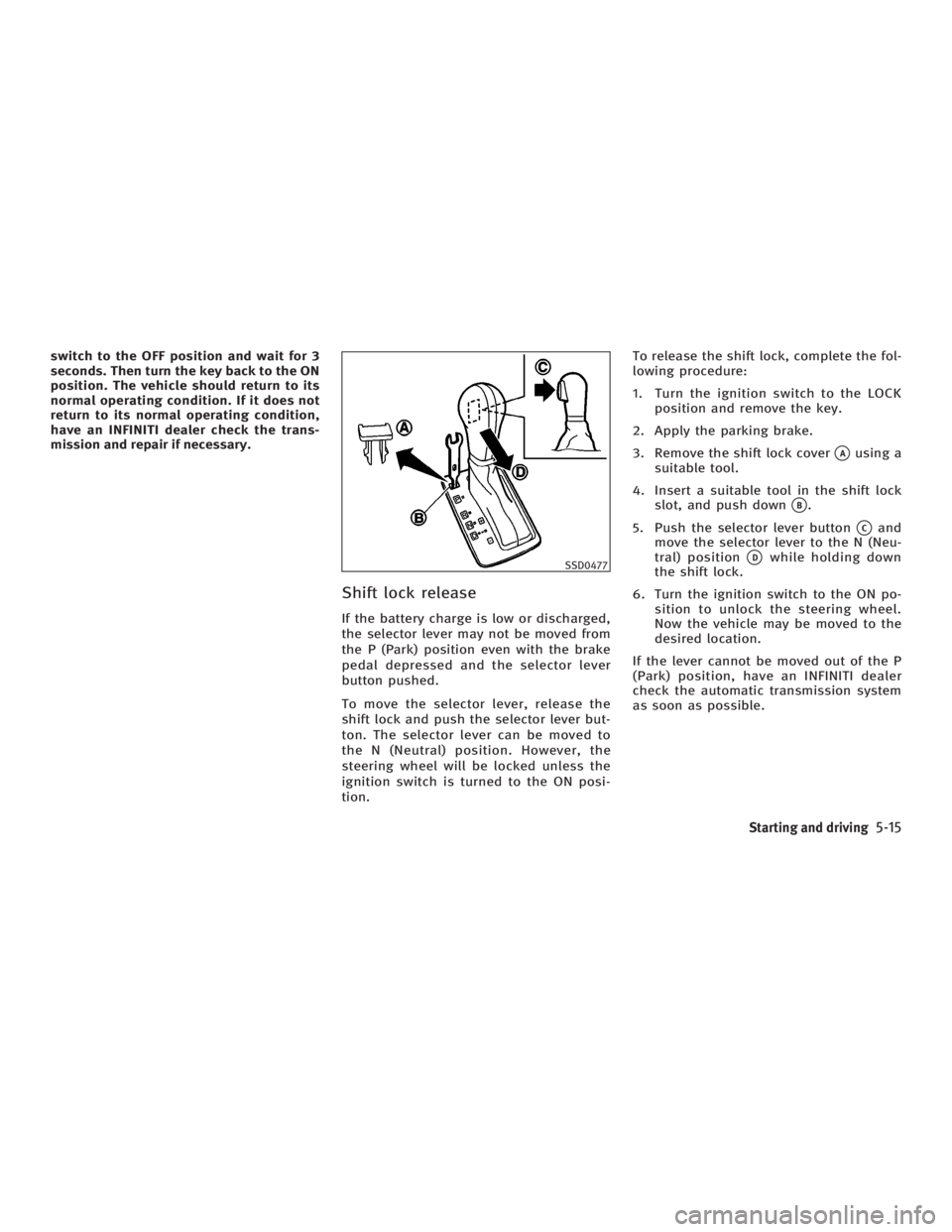
Shift lock release If the battery charge is low or discharged,
the selector lever may not be moved from
the P (Park) position even with the brake
pedal depressed and the selector lever
button pushed.
To move the selector lever, release the
shift lock and push the selector lever but-
ton. The selector lever can be moved to
the N (Neutral) position. However, the
steering wheel will be locked unless the
ignition switch is turned to the ON posi-
tion. To release the shift lock, complete the fol-
lowing procedure:
1. Turn the ignition switch to the LOCK
position and remove the key.
2. Apply the parking brake.
3. Remove the shift lock cover
q A
using a
suitable tool.
4. Insert a suitable tool in the shift lock
slot, and push down
q B
.
5. Push the selector lever button
q C
and
move the selector lever to the N (Neu-
tral) position
q D
while holding down
the shift lock.
6. Turn the ignition switch to the ON po-
sition to unlock the steering wheel.
Now the vehicle may be moved to the
desired location.
If the lever cannot be moved out of the P
(Park) position, have an INFINITI dealer
check the automatic transmission system
as soon as possible. SSD0477
Starting and driving
5-15
w 06.1.4/V35-D/V5.0
X