light INFINITI G35 2006 Workshop Manual
[x] Cancel search | Manufacturer: INFINITI, Model Year: 2006, Model line: G35, Model: INFINITI G35 2006Pages: 344, PDF Size: 6.81 MB
Page 101 of 344

If the power supply is disconnected, the
clock will not indicate the correct time. Re-
adjust the time.
ADJUSTING THE TIME To move the time forward, push the
button
q 1
.
To move the time backward, push the
button
q 2
.
Push and hold each adjusting switch to
move the time forward or backward con-
tinuously. The power outlet is for powering electrical
accessories such as cellular telephones.
CAUTION O The outlet and plug may be hot during or
immediately after use.
O This power outlet is not designed for use
with a cigarette lighter unit.
O Do not use with accessories that exceed a
12 volt, 120W (10A) power draw. Do not
use double adapters or more than one
electrical accessory. O Use power outlets with the engine running
to avoid discharging the vehicle battery.
O Avoid using power outlets when the air
conditioner, headlights or rear window de-
froster is on.
O Before inserting or disconnecting a plug,
be sure the electrical accessory being used
is turned OFF.
O Push the plug in as far as it will go. If good
contact is not made, the plug may overheat
or the internal temperature fuse may open.
O When not in use, be sure to close the cap.
Do not allow water to contact the outlet.SIC2568 SIC1840B
Automatic transmission model SIC2673
Manual transmission modelsCLOCK POWER OUTLET
Instruments and controls
2-29
w 06.1.5/V35-D/V5.0
X
Page 102 of 344
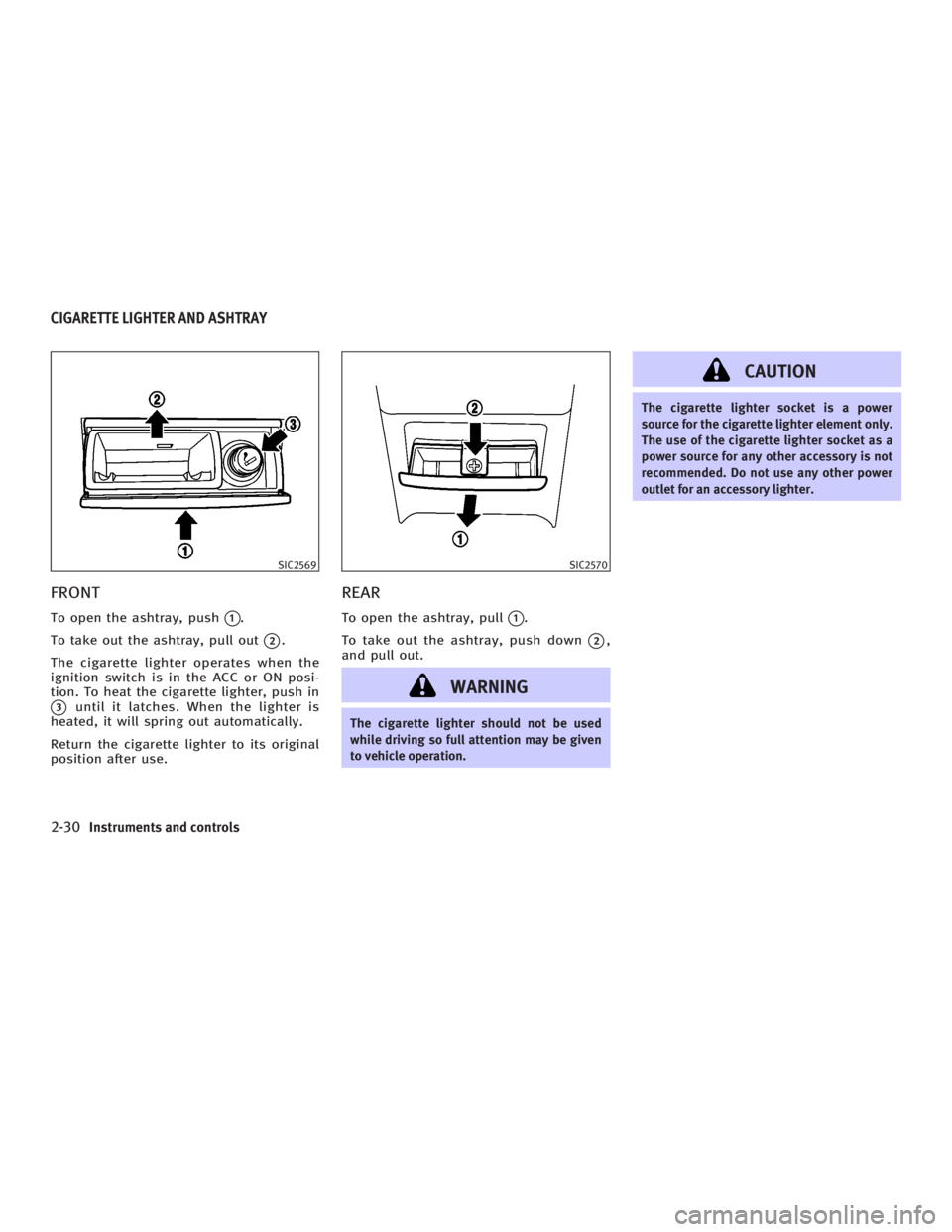
FRONT To open the ashtray, push
q 1
.
To take out the ashtray, pull out
q 2
.
The cigarette lighter operates when the
ignition switch is in the ACC or ON posi-
tion. To heat the cigarette lighter, push in
q 3
until it latches. When the lighter is
heated, it will spring out automatically.
Return the cigarette lighter to its original
position after use. REAR To open the ashtray, pull
q 1
.
To take out the ashtray, push down
q 2
,
and pull out.
WARNING The cigarette lighter should not be used
while driving so full attention may be given
to vehicle operation. CAUTION The cigarette lighter socket is a power
source for the cigarette lighter element only.
The use of the cigarette lighter socket as a
power source for any other accessory is not
recommended. Do not use any other power
outlet for an accessory lighter.SIC2569 SIC2570
CIGARETTE LIGHTER AND ASHTRAY
2-30 Instruments and controls
w 06.1.5/V35-D/V5.0
X
Page 104 of 344
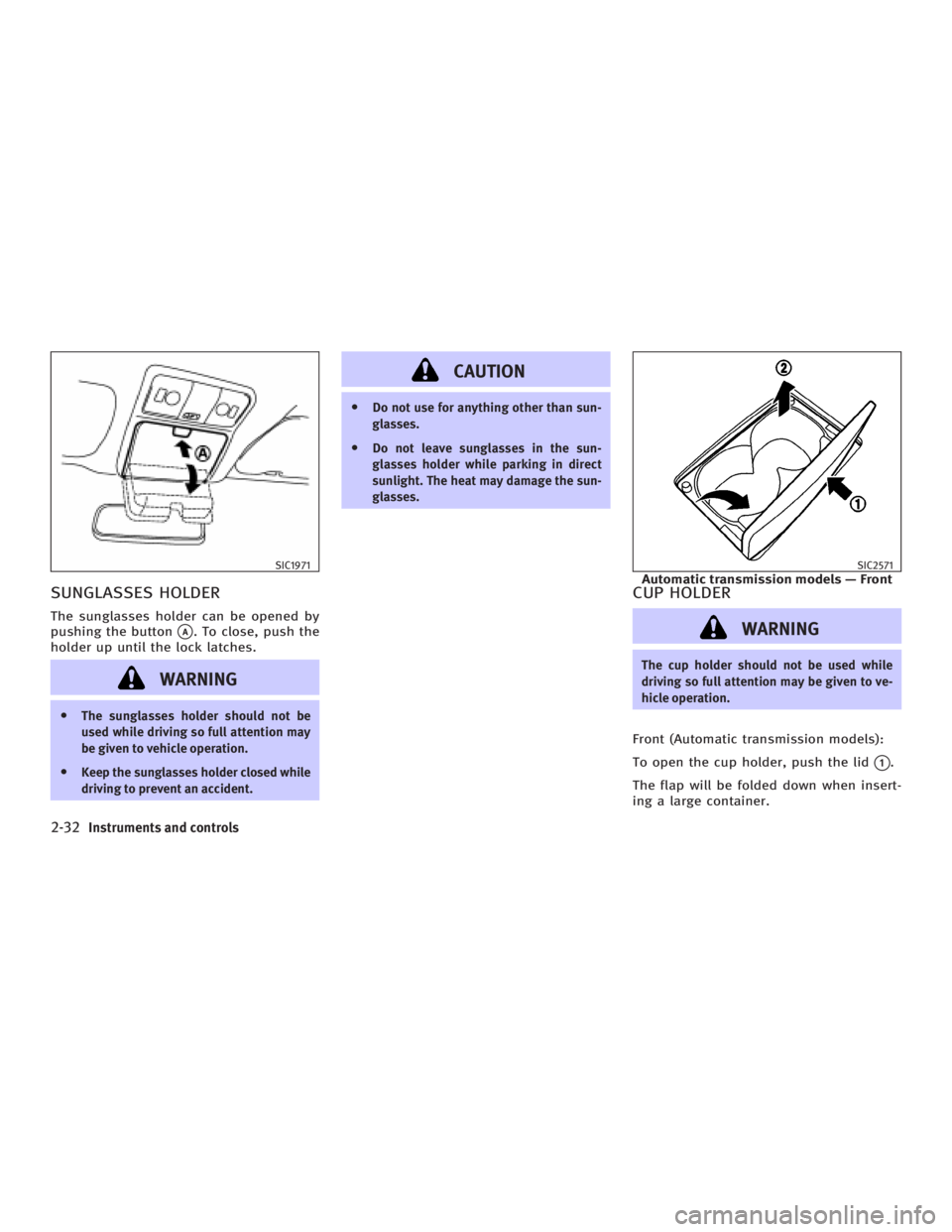
SUNGLASSES HOLDER The sunglasses holder can be opened by
pushing the button
q A
. To close, push the
holder up until the lock latches.
WARNINGO The sunglasses holder should not be
used while driving so full attention may
be given to vehicle operation.
O Keep the sunglasses holder closed while
driving to prevent an accident. CAUTION O Do not use for anything other than sun-
glasses.
O Do not leave sunglasses in the sun-
glasses holder while parking in direct
sunlight. The heat may damage the sun-
glasses.
CUP HOLDER
WARNING The cup holder should not be used while
driving so full attention may be given to ve-
hicle operation.
Front (Automatic transmission models):
To open the cup holder, push the lid
q 1
.
The flap will be folded down when insert-
ing a large container.SIC1971 SIC2571
Automatic transmission models Ð Front
2-32 Instruments and controls
w 06.1.4/V35-D/V5.0
X
Page 107 of 344
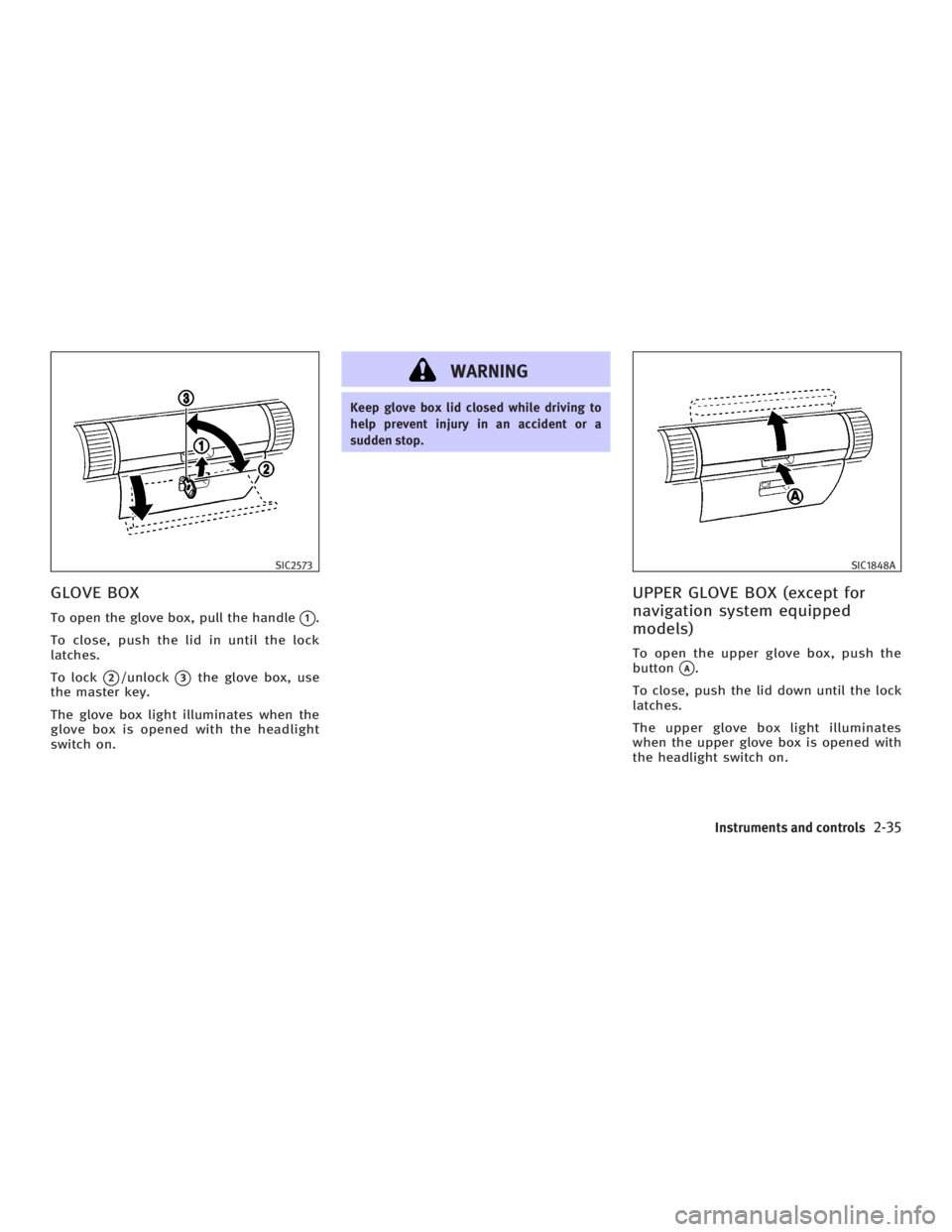
GLOVE BOX To open the glove box, pull the handle
q 1
.
To close, push the lid in until the lock
latches.
To lock
q 2
/unlock
q 3
the glove box, use
the master key.
The glove box light illuminates when the
glove box is opened with the headlight
switch on. WARNING Keep glove box lid closed while driving to
help prevent injury in an accident or a
sudden stop.
UPPER GLOVE BOX (except for
navigation system equipped
models) To open the upper glove box, push the
button
q A
.
To close, push the lid down until the lock
latches.
The upper glove box light illuminates
when the upper glove box is opened with
the headlight switch on.SIC2573 SIC1848A
Instruments and controls
2-35
w 06.1.4/V35-D/V5.0
X
Page 113 of 344
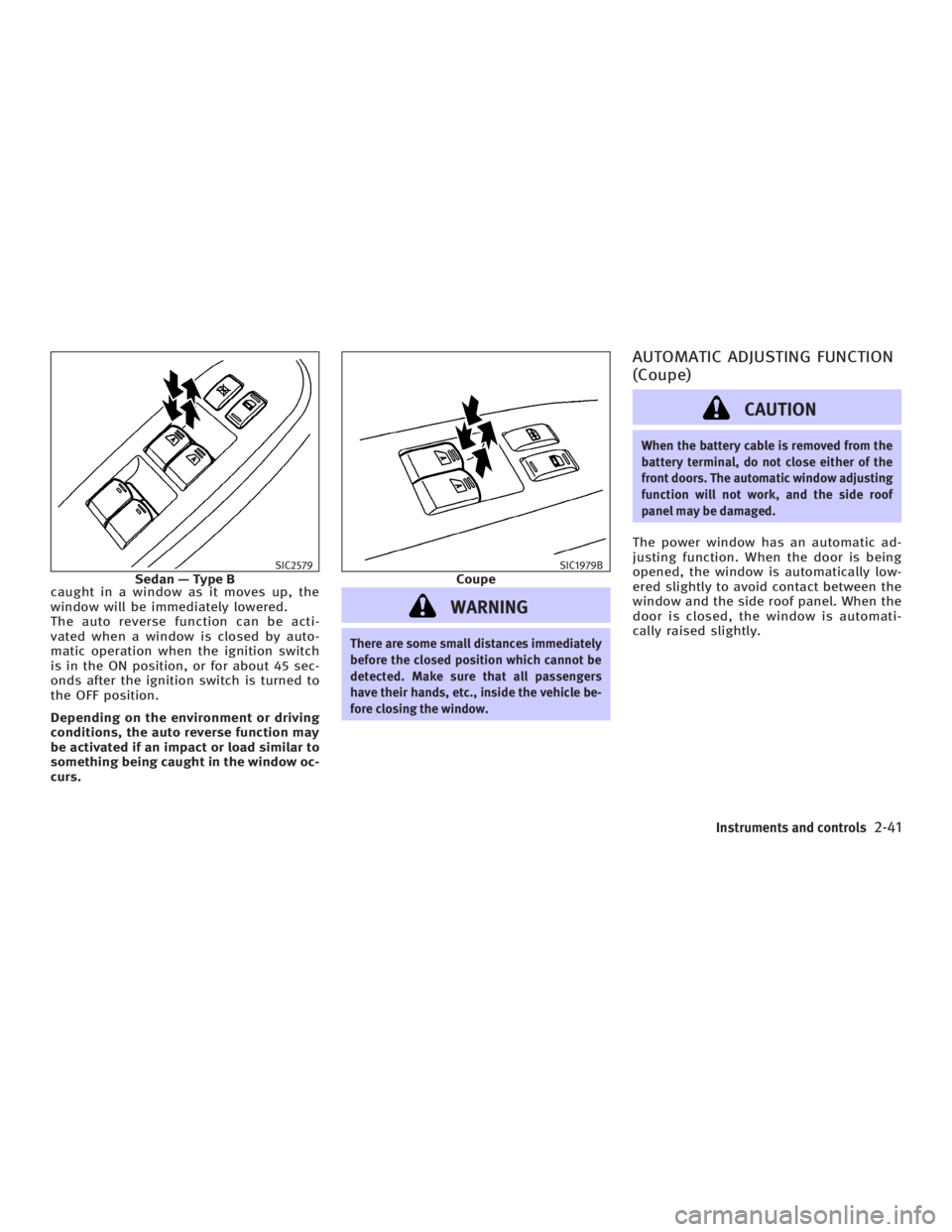
caught in a window as it moves up, the
window will be immediately lowered.
The auto reverse function can be acti-
vated when a window is closed by auto-
matic operation when the ignition switch
is in the ON position, or for about 45 sec-
onds after the ignition switch is turned to
the OFF position.
Depending on the environment or driving
conditions, the auto reverse function may
be activated if an impact or load similar to
something being caught in the window oc-
curs.
WARNING There are some small distances immediately
before the closed position which cannot be
detected. Make sure that all passengers
have their hands, etc., inside the vehicle be-
fore closing the window. AUTOMATIC ADJUSTING FUNCTION
(Coupe)
CAUTION When the battery cable is removed from the
battery terminal, do not close either of the
front doors. The automatic window adjusting
function will not work, and the side roof
panel may be damaged.
The power window has an automatic ad-
justing function. When the door is being
opened, the window is automatically low-
ered slightly to avoid contact between the
window and the side roof panel. When the
door is closed, the window is automati-
cally raised slightly.SIC2579
Sedan Ð Type B SIC1979B
Coupe
Instruments and controls
2-41
w 06.1.4/V35-D/V5.0
X
Page 116 of 344
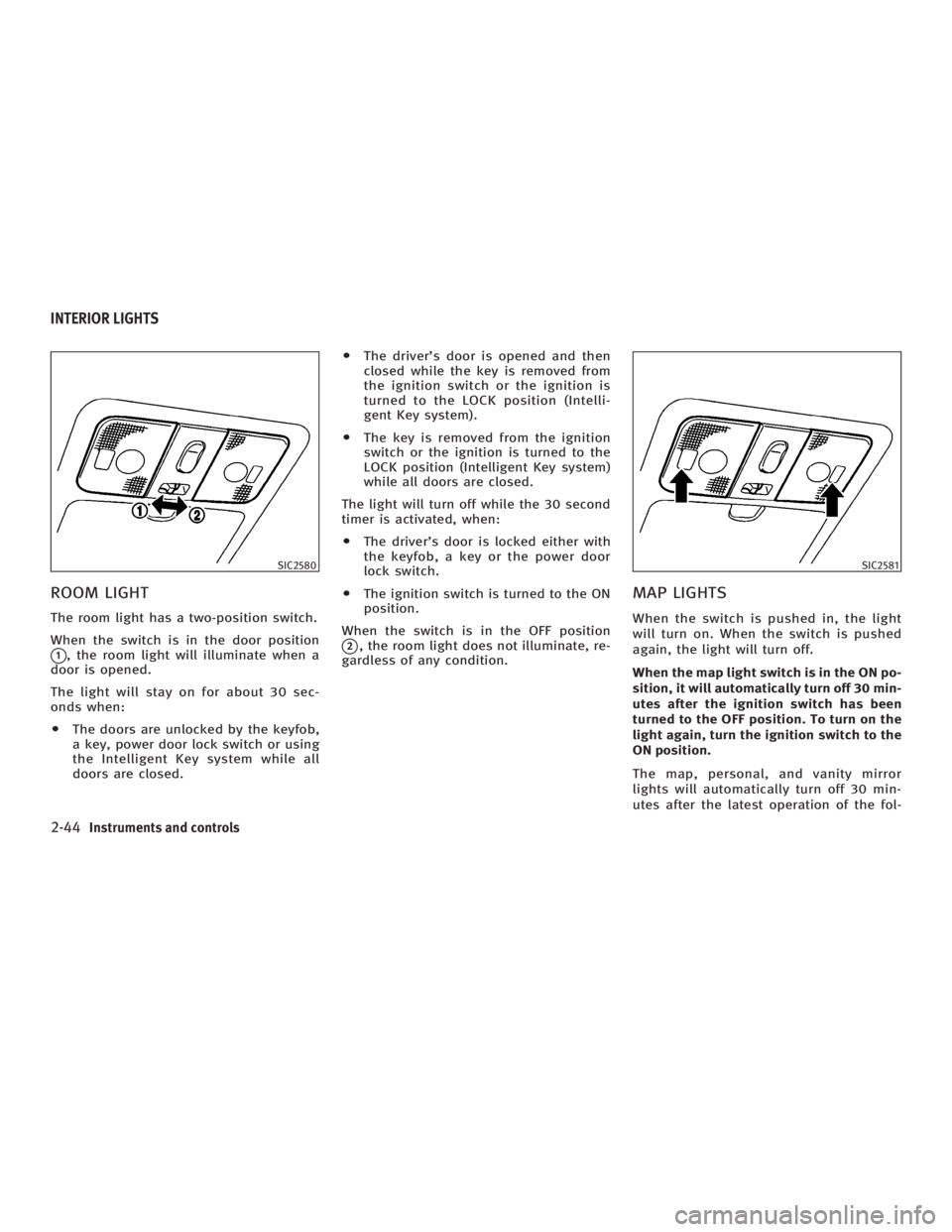
ROOM LIGHT The room light has a two-position switch.
When the switch is in the door position
q 1
, the room light will illuminate when a
door is opened.
The light will stay on for about 30 sec-
onds when:
O The doors are unlocked by the keyfob,
a key, power door lock switch or using
the Intelligent Key system while all
doors are closed. O The driver's door is opened and then
closed while the key is removed from
the ignition switch or the ignition is
turned to the LOCK position (Intelli-
gent Key system).
O The key is removed from the ignition
switch or the ignition is turned to the
LOCK position (Intelligent Key system)
while all doors are closed.
The light will turn off while the 30 second
timer is activated, when:
O The driver's door is locked either with
the keyfob, a key or the power door
lock switch.
O The ignition switch is turned to the ON
position.
When the switch is in the OFF position
q 2
, the room light does not illuminate, re-
gardless of any condition.
MAP LIGHTS When the switch is pushed in, the light
will turn on. When the switch is pushed
again, the light will turn off.
When the map light switch is in the ON po-
sition, it will automatically turn off 30 min-
utes after the ignition switch has been
turned to the OFF position. To turn on the
light again, turn the ignition switch to the
ON position.
The map, personal, and vanity mirror
lights will automatically turn off 30 min-
utes after the latest operation of the fol-SIC2580 SIC2581
INTERIOR LIGHTS
2-44 Instruments and controls
w 06.1.4/V35-D/V5.0
X
Page 117 of 344

lowing with the ignition switch in the ACC
or OFF position:
O Opening or closing any door
O Locking or unlocking with the keyfob,
a key, the power door lock switch or
the ignition is turned to the LOCK po-
sition (Intelligent Key system)
O Inserting or removing a key from the
ignition switch
These lights will turn on again when any
of the above operations is performed after
the lights have turned off automatically.
(The lights will turn off 30 minutes after
the latest operation of the above as well.)
CAUTIONO Turn off the map, personal and vanity
mirror lights when you leave the vehicle.
O Do not use for extended periods of time
with the engine stopped. This could re-
sult in a discharged battery. PERSONAL LIGHTS
Rear (Sedan)
q A
: Left-hand side
q B
: Right-hand side
The rear personal light has a three-
position switch.
When the switch is in the door position
q 2
, the light will illuminate when the rear
door is opened. When the rear personal light switch is in
the ON position
q 1
, the rear personal
lights illuminate, regardless of any condi-
tion.
When the switch is in the OFF
q 3
position,
the rear personal lights do not illuminate,
regardless of any condition.
When the personal light switch is in the
ON position, it will automatically turn off
30 minutes after the ignition switch has
been turned to the OFF position. To turn on
the light again, turn the ignition switch to
the ON position. SIC2582
Instruments and controls
2-45
w 06.1.4/V35-D/V5.0
X
Page 118 of 344
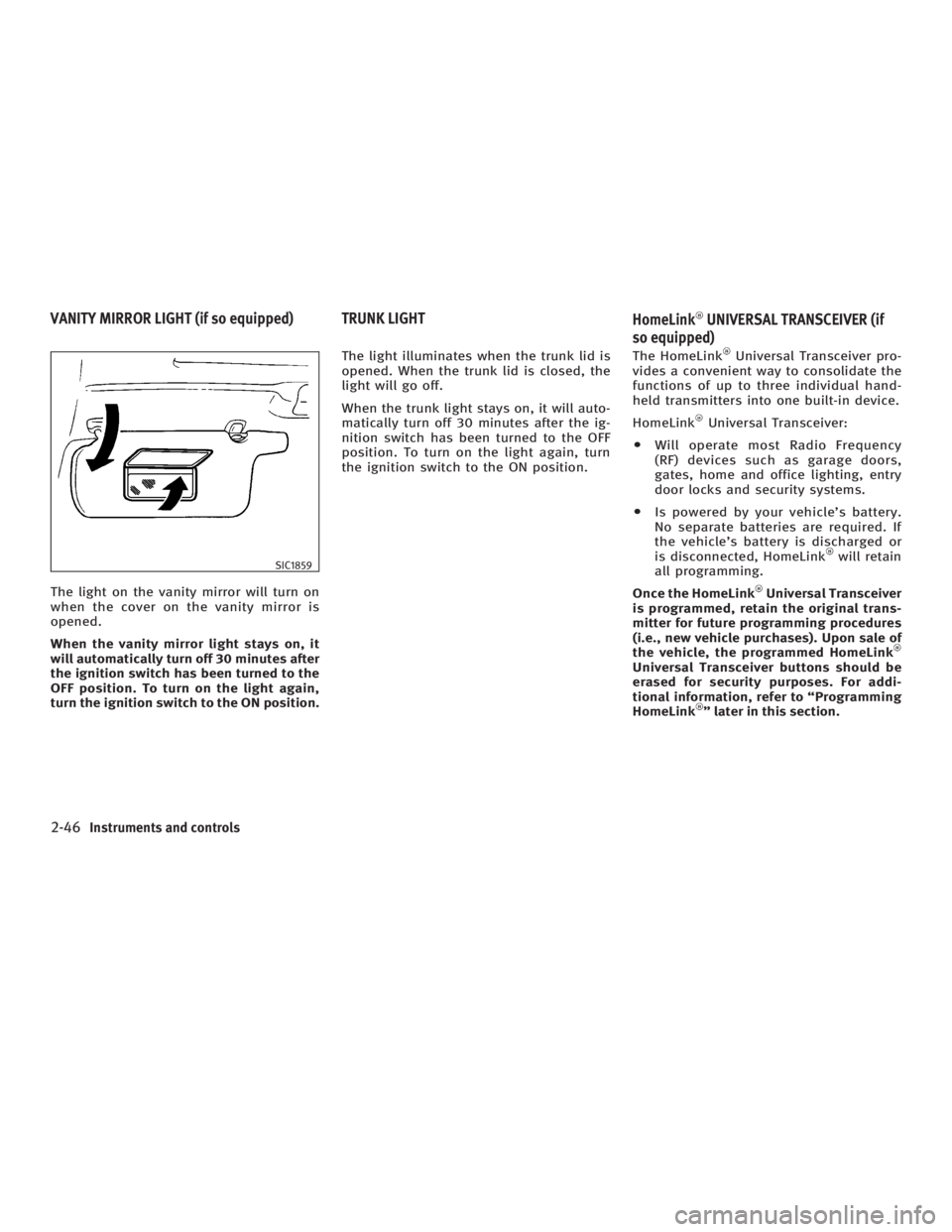
The light on the vanity mirror will turn on
when the cover on the vanity mirror is
opened.
When the vanity mirror light stays on, it
will automatically turn off 30 minutes after
the ignition switch has been turned to the
OFF position. To turn on the light again,
turn the ignition switch to the ON position. The light illuminates when the trunk lid is
opened. When the trunk lid is closed, the
light will go off.
When the trunk light stays on, it will auto-
matically turn off 30 minutes after the ig-
nition switch has been turned to the OFF
position. To turn on the light again, turn
the ignition switch to the ON position. The HomeLink Universal Transceiver pro-
vides a convenient way to consolidate the
functions of up to three individual hand-
held transmitters into one built-in device.
HomeLink Universal Transceiver:
O Will operate most Radio Frequency
(RF) devices such as garage doors,
gates, home and office lighting, entry
door locks and security systems.
O Is powered by your vehicle's battery.
No separate batteries are required. If
the vehicle's battery is discharged or
is disconnected, HomeLink will retain
all programming.
Once the HomeLink Universal Transceiver
is programmed, retain the original trans-
mitter for future programming procedures
(i.e., new vehicle purchases). Upon sale of
the vehicle, the programmed HomeLink
Universal Transceiver buttons should be
erased for security purposes. For addi-
tional information, refer to ªProgramming
HomeLink º later in this section.SIC1859
VANITY MIRROR LIGHT (if so equipped) TRUNK LIGHT
HomeLink UNIVERSAL TRANSCEIVER (if
so equipped)
2-46 Instruments and controls
w 06.1.4/V35-D/V5.0
X
Page 119 of 344

WARNINGO Do not use the HomeLink Universal
Transceiver with any garage door opener
that lacks safety stop and reverse features
as required by federal safety standards.
(These standards became effective for
opener models manufactured after April 1,
1982.) A garage door opener which cannot
detect an object in the path of a closing
garage door and then automatically stop
and reverse, does not meet current federal
safety standards. Using a garage door
opener without these features increases
the risk of serious injury or death.
O During the programming procedure, your
garage door or security gate will open or
close (if the transmitter is within range).
Make sure that people or objects are clear
of the garage door, gate, etc. that you are
programming.
O Your vehicle's engine should be turned
off while programming the HomeLink
Universal Transceiver. PROGRAMMING HomeLink To program your HomeLink Transceiver
to operate a garage door, gate, or entry
door opener, home or office lighting, you
need to be at the same location as the
device. Note: Garage door openers (manu-
factured after 1996) have ªrolling code
protectionº. To program a garage door
opener equipped with ªrolling code pro-
tectionº; you will need to use a ladder to
get up to the garage door opener motor to
be able to access the ªtrainingº program
button.
1. To begin, push and hold the 2 outer
HomeLink buttons (to clear the
memory) until the indicator light
q A
blinks (after 20 seconds). Release both
buttons.
2. Position the end of the hand-held trans-
mitte r1-3 inches (26 - 76 mm) away
from the HomeLink
surface. SIC3012
Instruments and controls
2-47
w 06.1.4/V35-D/V5.0
X
Page 120 of 344
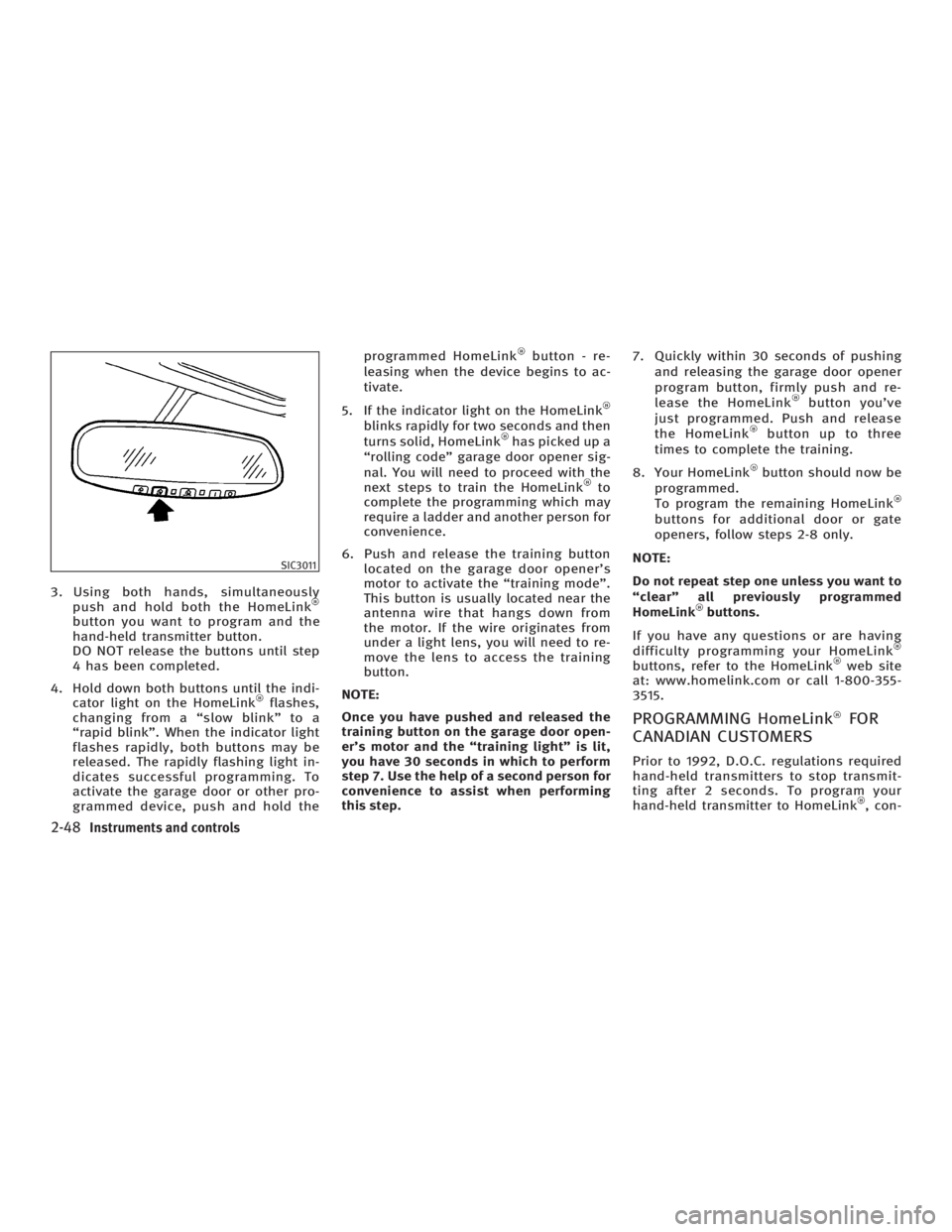
3. Using both hands, simultaneously
push and hold both the HomeLink
button you want to program and the
hand-held transmitter button.
DO NOT release the buttons until step
4 has been completed.
4. Hold down both buttons until the indi-
cator light on the HomeLink flashes,
changing from a ªslow blinkº to a
ªrapid blinkº. When the indicator light
flashes rapidly, both buttons may be
released. The rapidly flashing light in-
dicates successful programming. To
activate the garage door or other pro-
grammed device, push and hold the programmed HomeLink button - re-
leasing when the device begins to ac-
tivate.
5. If the indicator light on the HomeLink
blinks rapidly for two seconds and then
turns solid, HomeLink has picked up a
ªrolling codeº garage door opener sig-
nal. You will need to proceed with the
next steps to train the HomeLink to
complete the programming which may
require a ladder and another person for
convenience.
6. Push and release the training button
located on the garage door opener's
motor to activate the ªtraining modeº.
This button is usually located near the
antenna wire that hangs down from
the motor. If the wire originates from
under a light lens, you will need to re-
move the lens to access the training
button.
NOTE:
Once you have pushed and released the
training button on the garage door open-
er's motor and the ªtraining lightº is lit,
you have 30 seconds in which to perform
step 7. Use the help of a second person for
convenience to assist when performing
this step. 7. Quickly within 30 seconds of pushing
and releasing the garage door opener
program button, firmly push and re-
lease the HomeLink button you've
just programmed. Push and release
the HomeLink button up to three
times to complete the training.
8. Your HomeLink button should now be
programmed.
To program the remaining HomeLink
buttons for additional door or gate
openers, follow steps 2-8 only.
NOTE:
Do not repeat step one unless you want to
ªclearº all previously programmed
HomeLink buttons.
If you have any questions or are having
difficulty programming your HomeLink
buttons, refer to the HomeLink web site
at: www.homelink.com or call 1-800-355-
3515.
PROGRAMMING HomeLink FOR
CANADIAN CUSTOMERS Prior to 1992, D.O.C. regulations required
hand-held transmitters to stop transmit-
ting after 2 seconds. To program your
hand-held transmitter to HomeLink , con-SIC3011
2-48 Instruments and controls
w 06.1.4/V35-D/V5.0
X