warning INFINITI G35 2006 Workshop Manual
[x] Cancel search | Manufacturer: INFINITI, Model Year: 2006, Model line: G35, Model: INFINITI G35 2006Pages: 344, PDF Size: 6.81 MB
Page 92 of 344

q 2
Low Ð continuous low speed opera-
tion
q 3
High Ð continuous high speed opera-
tion
Push the lever up
q 4
to have one sweep
operation of the wiper.
Pull the lever toward you
q 5
to operate
the washer. Then the wiper will also oper-
ate several times.
CAUTIONO Do not operate the washer continuously
for more than 30 seconds.
O Do not operate the washer if the reser-
voir tank is empty.
O Do not fill the window washer reservoir
tank with washer fluid concentrates at
full strength. Some methyl alcohol
based washer fluid concentrates may
permanently stain the grille if spilled
while filling the window washer reser-
voir tank.
O Pre-mix washer fluid concentrates with
water to the manufacturer's recom- mended levels before pouring the fluid
into the window washer reservoir tank.
Do not use the window washer reservoir
tank to mix the washer fluid concentrate
and water.
WARNING In freezing temperatures the washer solu-
tion may freeze on the windshield and ob-
scure your vision which may lead to an acci-
dent. Warm the windshield with the de-
froster before you wash the windshield.
To defog/defrost the rear window glass
and outside mirrors, start the engine and
push the switch
q 1
on. The indicator light
q A
will come on. Push the switch again to
turn the defroster off.
It will automatically turn off in approxi-
mately 15 minutes.
CAUTION When cleaning the inner side of the rear win-
dow, be careful not to scratch or damage the
rear window defroster. SIC2565
REAR WINDOW AND OUTSIDE MIRROR
DEFROSTER SWITCH
2-20 Instruments and controls
w 06.1.4/V35-D/V5.0
X
Page 93 of 344
XENON HEADLIGHTS
WARNING HIGH VOLTAGE
O When xenon headlights are on, they pro-
duce a high voltage. To prevent an elec-
tric shock, never attempt to modify or
disassemble. Always have your xenon
headlights replaced at an INFINITI
dealer.
O Xenon headlights provide considerably
more light than conventional headlights.
If they are not correctly aimed, they
might temporarily blind an oncoming
driver or the driver ahead of you and
cause a serious accident. If headlights
are not aimed correctly, immediately
take your vehicle to an INFINITI dealer
and have the headlights adjusted
correctly. When the xenon headlight is initially
turned on, its brightness or color varies
slightly. However, the color and bright-
ness will soon stabilize.
O The life of xenon headlights will be
shortened by frequent on-off opera-
tion. It is generally desirable not to
turn off the headlights for short inter-
vals (for example, when the vehicle
stops at a traffic signal). Even when the
daytime running lights are active
(Canada only), the xenon headlights do
not turn on. This way the life of the
xenon headlights is not reduced.
O If a xenon headlight bulb is close to
burning out, the brightness will drasti-
cally decrease, the light will start
blinking, or the color of the light will
become reddish. If one or more of the
above signs appear, contact an INFINITI
dealer.
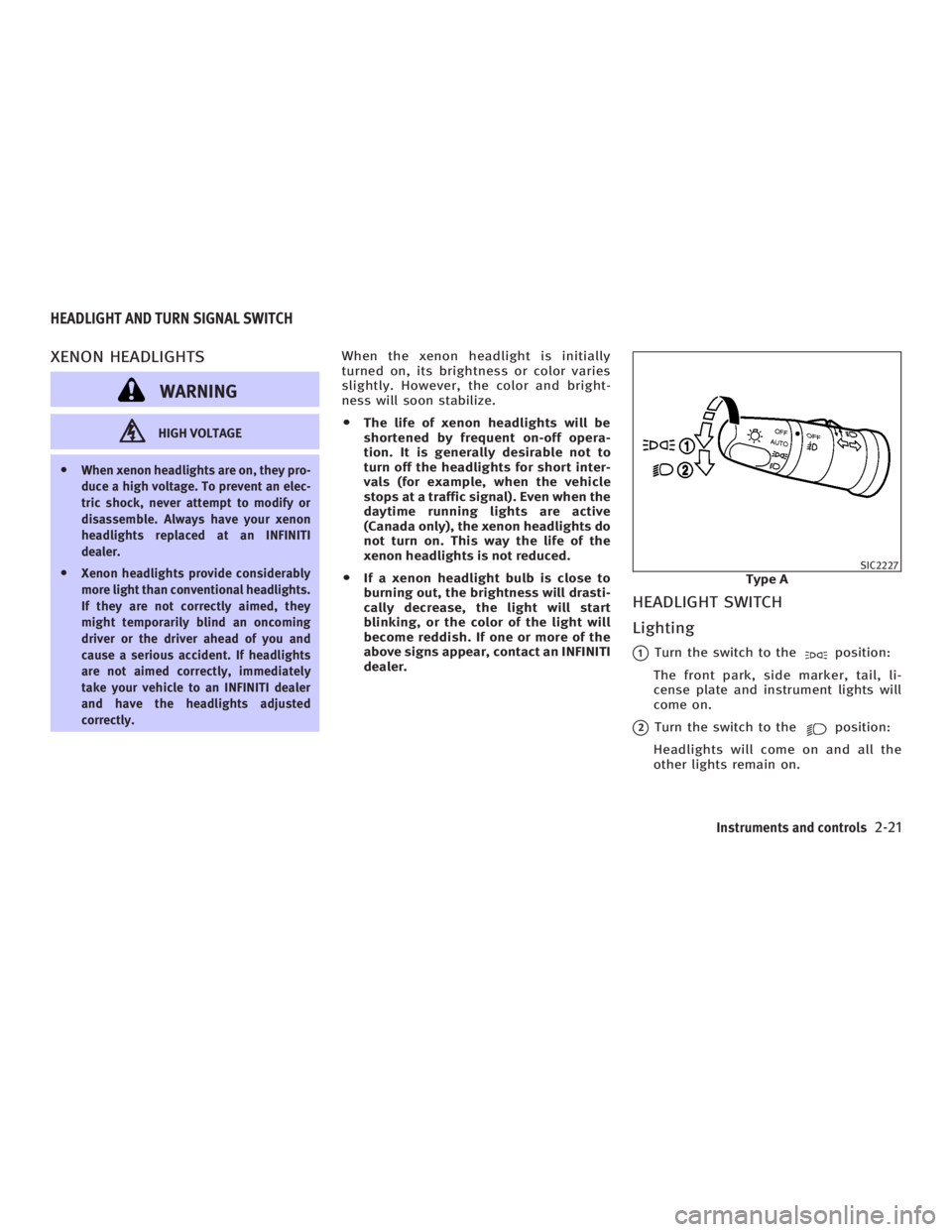
HEADLIGHT SWITCH
Lighting
q 1
Turn the switch to the position:
The front park, side marker, tail, li-
cense plate and instrument lights will
come on.
q 2
Turn the switch to the position:
Headlights will come on and all the
other lights remain on. SIC2227
Type AHEADLIGHT AND TURN SIGNAL SWITCH
Instruments and controls
2-21
w 06.1.13/V35-D/V5.0
X
Page 96 of 344
Daytime running light system
(Canada only) The headlights automatically illuminate at
a reduced intensity when the engine is
started with the parking brake released.
The daytime running lights operate with
the headlight switch in the OFF position
or in the position. Turn the headlight
switch to the position for full illumi-
nation when driving at night.
If the parking brake is applied before the
engine is started, the daytime running
lights do not illuminate. The daytime run-
ning lights illuminate once the parking
brake is released. The daytime running
lights will remain on until the ignition
switch is turned off.
WARNINGWhen the daytime running light system is
active, tail lights on your vehicle are not on.
It is necessary at dusk to turn on your head-
lights. Failure to do so could cause an acci-
dent injuring yourself and others. Instrument brightness control The instrument brightness control oper-
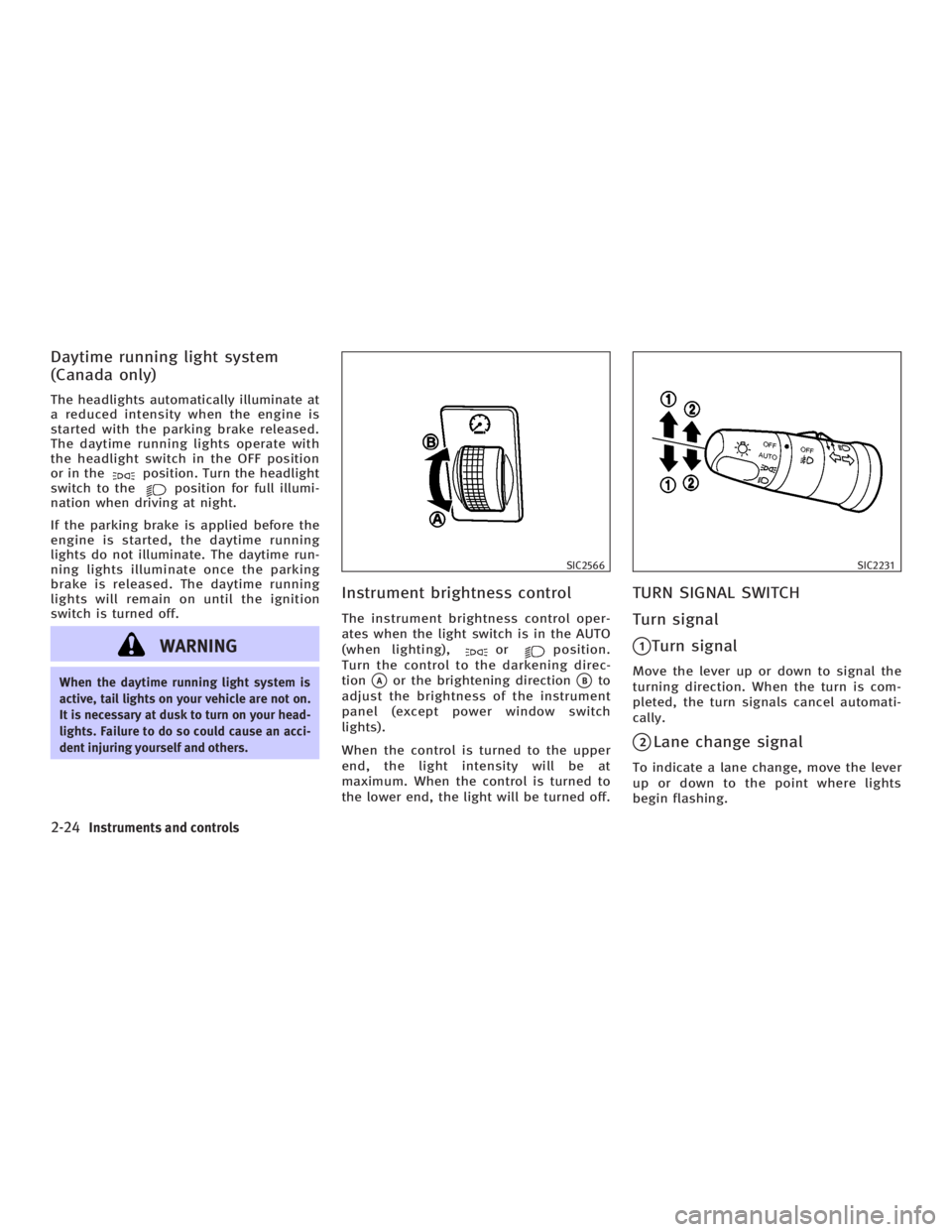
ates when the light switch is in the AUTO
(when lighting), or position.
Turn the control to the darkening direc-
tion
q A
or the brightening direction
q B
to
adjust the brightness of the instrument
panel (except power window switch
lights).
When the control is turned to the upper
end, the light intensity will be at
maximum. When the control is turned to
the lower end, the light will be turned off. TURN SIGNAL SWITCH
Turn signal
q 1
Turn signal Move the lever up or down to signal the
turning direction. When the turn is com-
pleted, the turn signals cancel automati-
cally.
q 2
Lane change signal To indicate a lane change, move the lever
up or down to the point where lights
begin flashing. SIC2566 SIC2231
2-24 Instruments and controls
w 06.1.4/V35-D/V5.0
X
Page 97 of 344
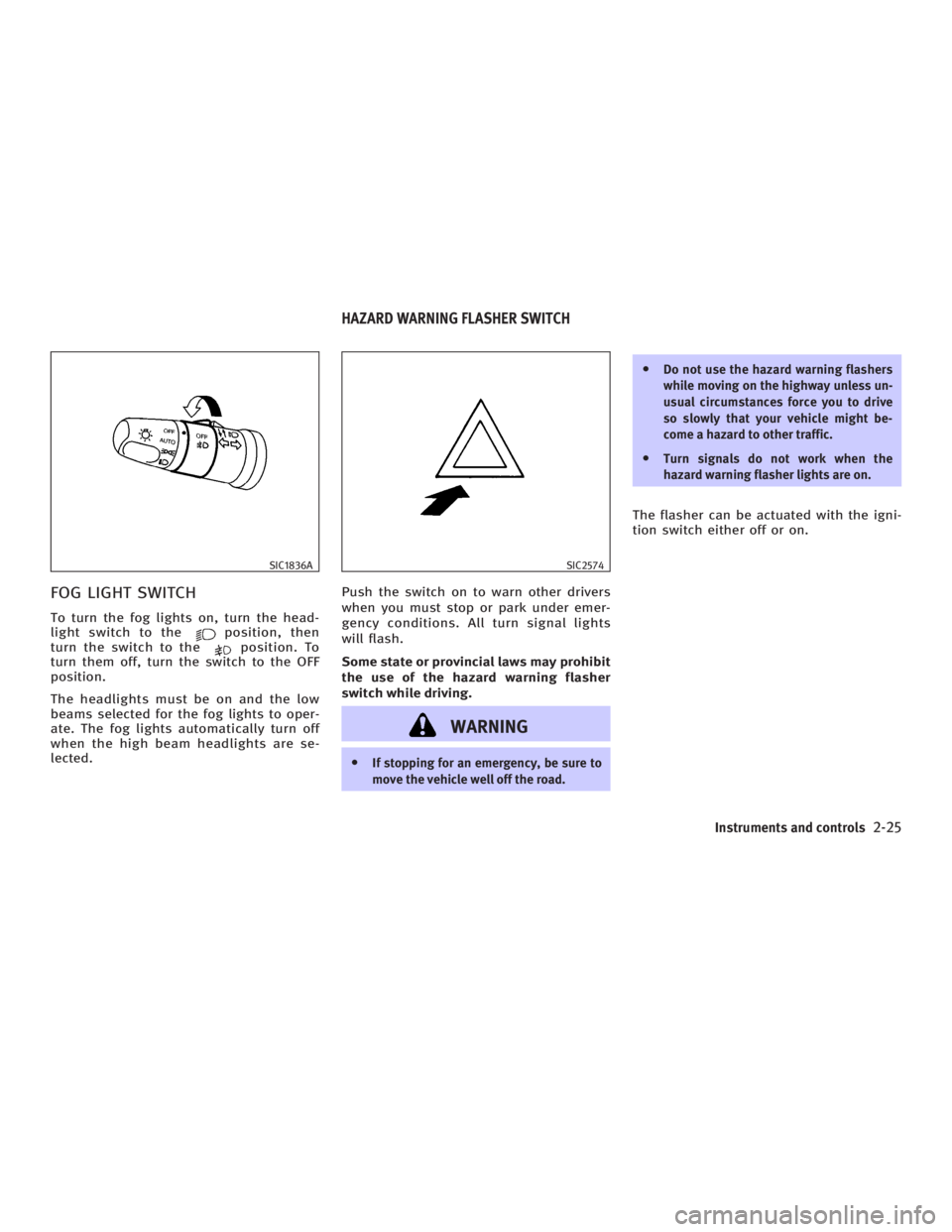
FOG LIGHT SWITCH To turn the fog lights on, turn the head-
light switch to the position, then
turn the switch to the position. To
turn them off, turn the switch to the OFF
position.
The headlights must be on and the low
beams selected for the fog lights to oper-
ate. The fog lights automatically turn off
when the high beam headlights are se-
lected. Push the switch on to warn other drivers
when you must stop or park under emer-
gency conditions. All turn signal lights
will flash.
Some state or provincial laws may prohibit
the use of the hazard warning flasher
switch while driving.
WARNING O If stopping for an emergency, be sure to
move the vehicle well off the road. O Do not use the hazard warning flashers
while moving on the highway unless un-
usual circumstances force you to drive
so slowly that your vehicle might be-
come a hazard to other traffic.
O Turn signals do not work when the
hazard warning flasher lights are on.
The flasher can be actuated with the igni-
tion switch either off or on.SIC1836A SIC2574
HAZARD WARNING FLASHER SWITCH
Instruments and controls
2-25
w 06.1.4/V35-D/V5.0
X
Page 98 of 344

To sound the horn, push on or near the
horn marks of the steering wheel.
WARNINGDo not disassemble the horn. Doing so could
affect proper operation of the supplemental
front air bag system. Tampering with the
supplemental front air bag system may re-
sult in serious personal injury. The front seats are warmed by built-in
heaters. The switches located on the cen-
ter console can be operated indepen-
dently (driver side seat
q A
and front pas-
senger seat
q B
) of each other.
1. Start the engine.
2. Select heat range.
q 1
For low heat, push the (Low)
side of the switch.
q 2
For high heat, push the
(High) side of the switch.
q 3
For no heat, the switch has a cen- ter OFF position between low and
high.
The indicator light in the switch
q C
will
illuminate when low or high is se-
lected.
The heater is controlled by a thermo-
stat, automatically turning the heater
on and off. The indicator light will re-
main on as long as the switch is on.
3. When the vehicle's interior is warmed,
or before you leave the vehicle, be
sure to turn the switch to the off posi-
tion (center)
q 3
.SIC1838 SIC2793
AT models SIC2672
MT modelsHORN HEATED SEATS
2-26 Instruments and controls
w 06.1.4/V35-D/V5.0
X
Page 102 of 344
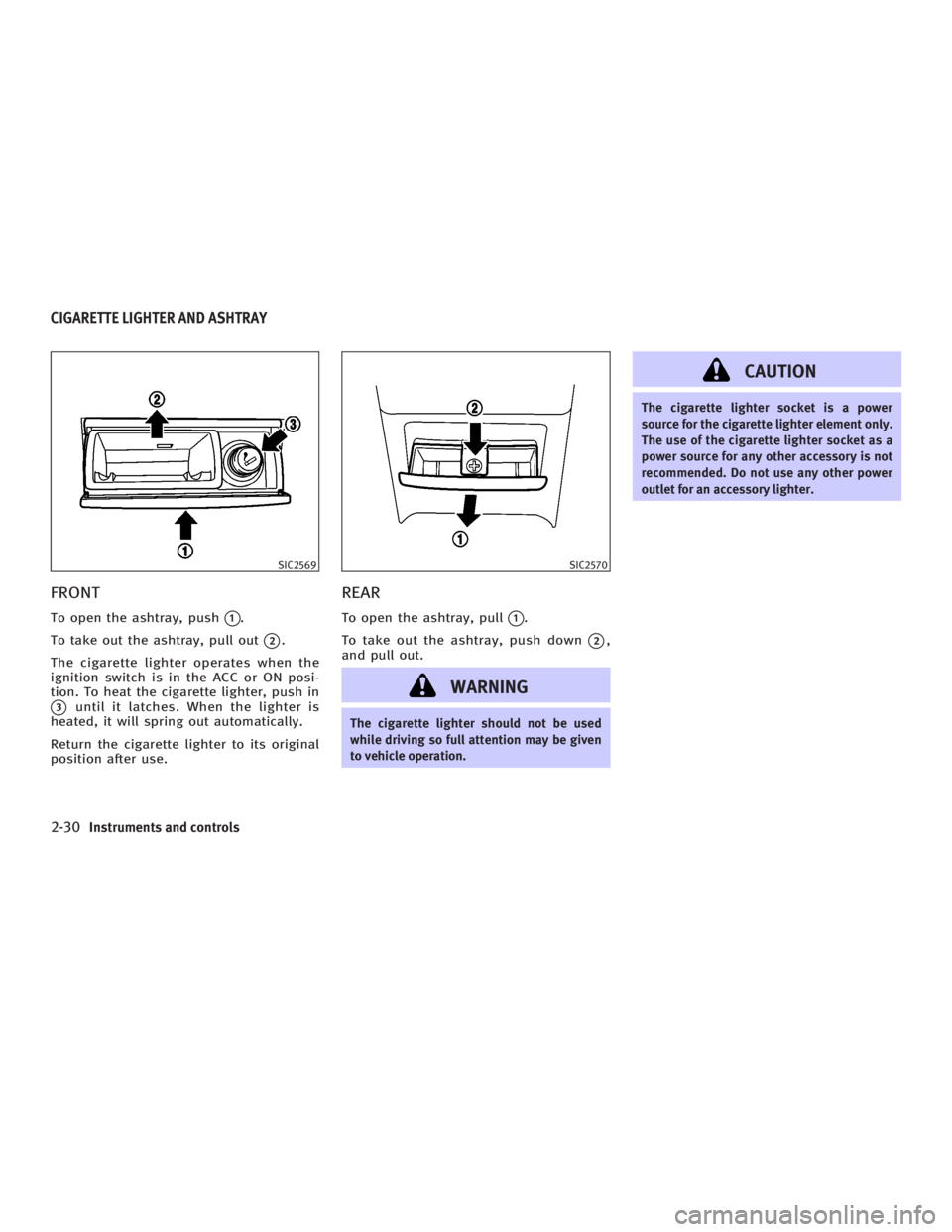
FRONT To open the ashtray, push
q 1
.
To take out the ashtray, pull out
q 2
.
The cigarette lighter operates when the
ignition switch is in the ACC or ON posi-
tion. To heat the cigarette lighter, push in
q 3
until it latches. When the lighter is
heated, it will spring out automatically.
Return the cigarette lighter to its original
position after use. REAR To open the ashtray, pull
q 1
.
To take out the ashtray, push down
q 2
,
and pull out.
WARNING The cigarette lighter should not be used
while driving so full attention may be given
to vehicle operation. CAUTION The cigarette lighter socket is a power
source for the cigarette lighter element only.
The use of the cigarette lighter socket as a
power source for any other accessory is not
recommended. Do not use any other power
outlet for an accessory lighter.SIC2569 SIC2570
CIGARETTE LIGHTER AND ASHTRAY
2-30 Instruments and controls
w 06.1.5/V35-D/V5.0
X
Page 103 of 344

DOOR POCKETS The door pockets are located on the driv-
er's and front passenger's doors. The
door pocket opening can be expanded to
make it easier to store and retrieve items.
Items stored in the door pocket should
not be larger than the door pocket
opening in its closed position. Make sure
the item does not hold the door pocket in
the open position. CAUTION Do not store items in the door pocket that are
larger then the opening in the closed posi-
tion. Do not force the door pocket closed if an
item holds the door pocket in the open posi-
tion. Doing so may damage the door pocket.
INSTRUMENT POCKET (except for
navigation system equipped models)
WARNING O The instrument pocket should not be
used while driving so full attention may
be given to vehicle operation.
O Keep the pocket lid closed while driving
to help prevent injury in an accident or a
sudden stop.
To open the instrument pocket, pull the
lid up.
To close, push the lid down.SIC3171 SIC2815
STORAGE
Instruments and controls
2-31
w 06.1.12/V35-D/V5.0
X
Page 104 of 344
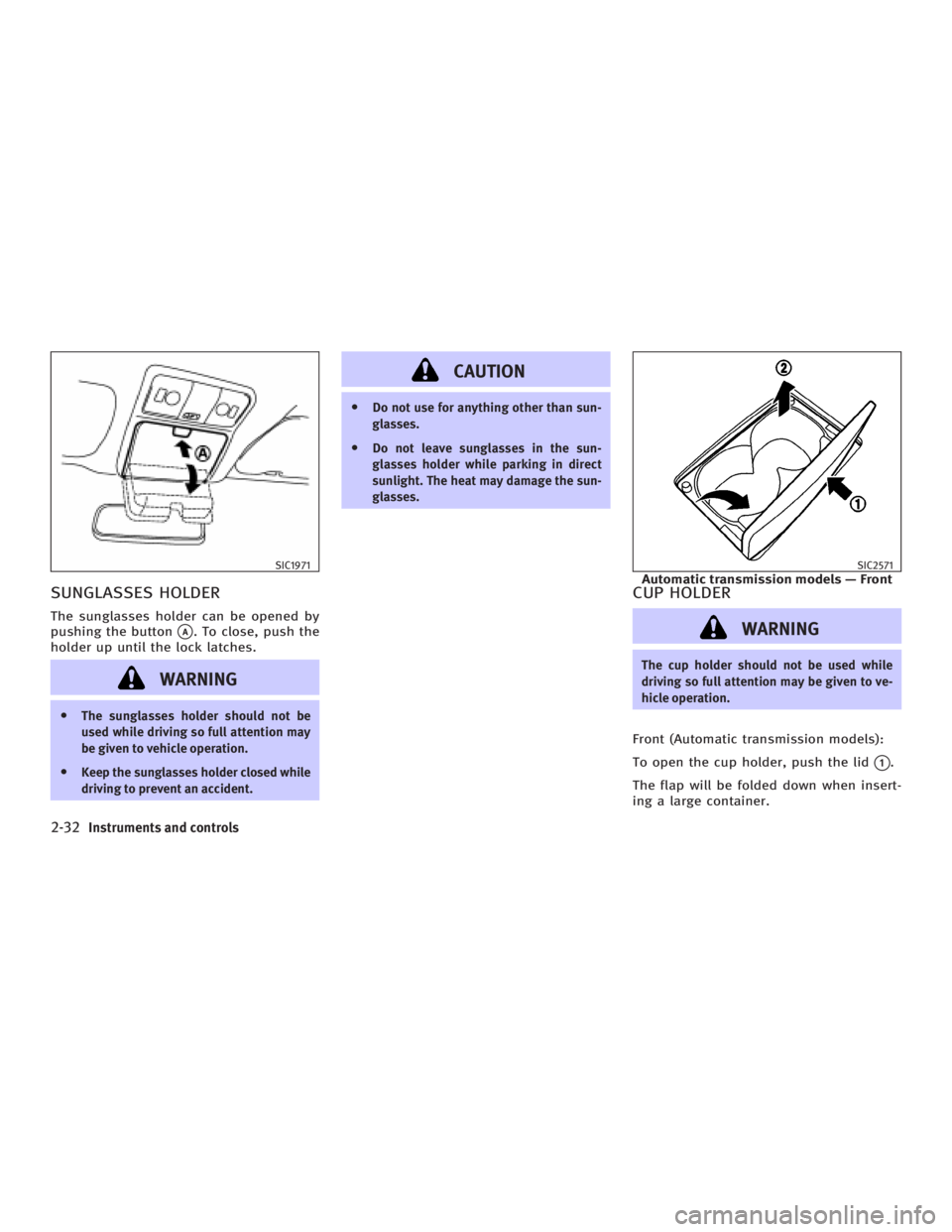
SUNGLASSES HOLDER The sunglasses holder can be opened by
pushing the button
q A
. To close, push the
holder up until the lock latches.
WARNINGO The sunglasses holder should not be
used while driving so full attention may
be given to vehicle operation.
O Keep the sunglasses holder closed while
driving to prevent an accident. CAUTION O Do not use for anything other than sun-
glasses.
O Do not leave sunglasses in the sun-
glasses holder while parking in direct
sunlight. The heat may damage the sun-
glasses.
CUP HOLDER
WARNING The cup holder should not be used while
driving so full attention may be given to ve-
hicle operation.
Front (Automatic transmission models):
To open the cup holder, push the lid
q 1
.
The flap will be folded down when insert-
ing a large container.SIC1971 SIC2571
Automatic transmission models Ð Front
2-32 Instruments and controls
w 06.1.4/V35-D/V5.0
X
Page 107 of 344
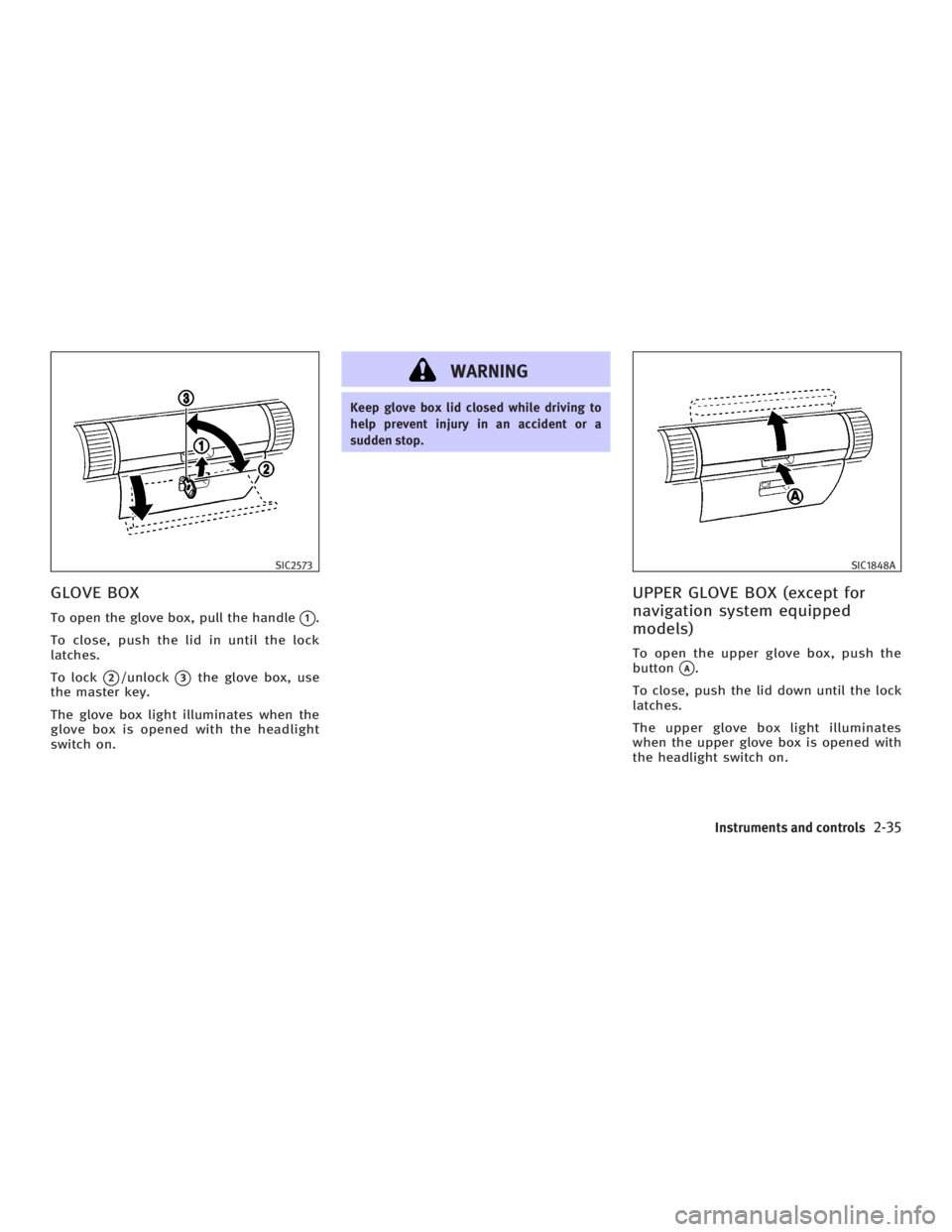
GLOVE BOX To open the glove box, pull the handle
q 1
.
To close, push the lid in until the lock
latches.
To lock
q 2
/unlock
q 3
the glove box, use
the master key.
The glove box light illuminates when the
glove box is opened with the headlight
switch on. WARNING Keep glove box lid closed while driving to
help prevent injury in an accident or a
sudden stop.
UPPER GLOVE BOX (except for
navigation system equipped
models) To open the upper glove box, push the
button
q A
.
To close, push the lid down until the lock
latches.
The upper glove box light illuminates
when the upper glove box is opened with
the headlight switch on.SIC2573 SIC1848A
Instruments and controls
2-35
w 06.1.4/V35-D/V5.0
X
Page 108 of 344
WARNINGKeep upper glove box lid closed while
driving to help prevent injury in an accident
or a sudden stop.
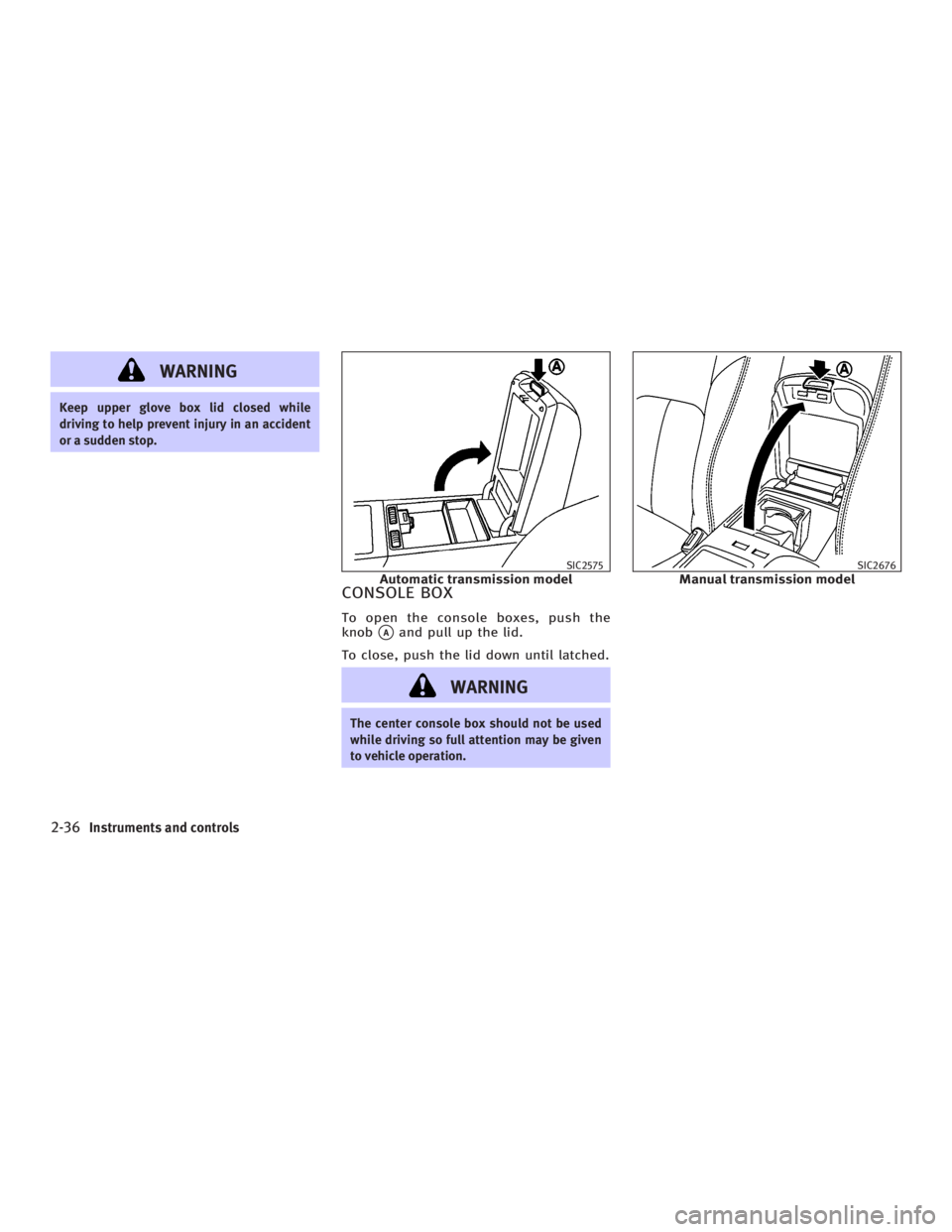
CONSOLE BOX To open the console boxes, push the
knob
q A
and pull up the lid.
To close, push the lid down until latched.
WARNING The center console box should not be used
while driving so full attention may be given
to vehicle operation. SIC2575
Automatic transmission model SIC2676
Manual transmission model
2-36 Instruments and controls
w 06.1.4/V35-D/V5.0
X