warning INFINITI G35 2006 Repair Manual
[x] Cancel search | Manufacturer: INFINITI, Model Year: 2006, Model line: G35, Model: INFINITI G35 2006Pages: 344, PDF Size: 6.81 MB
Page 110 of 344
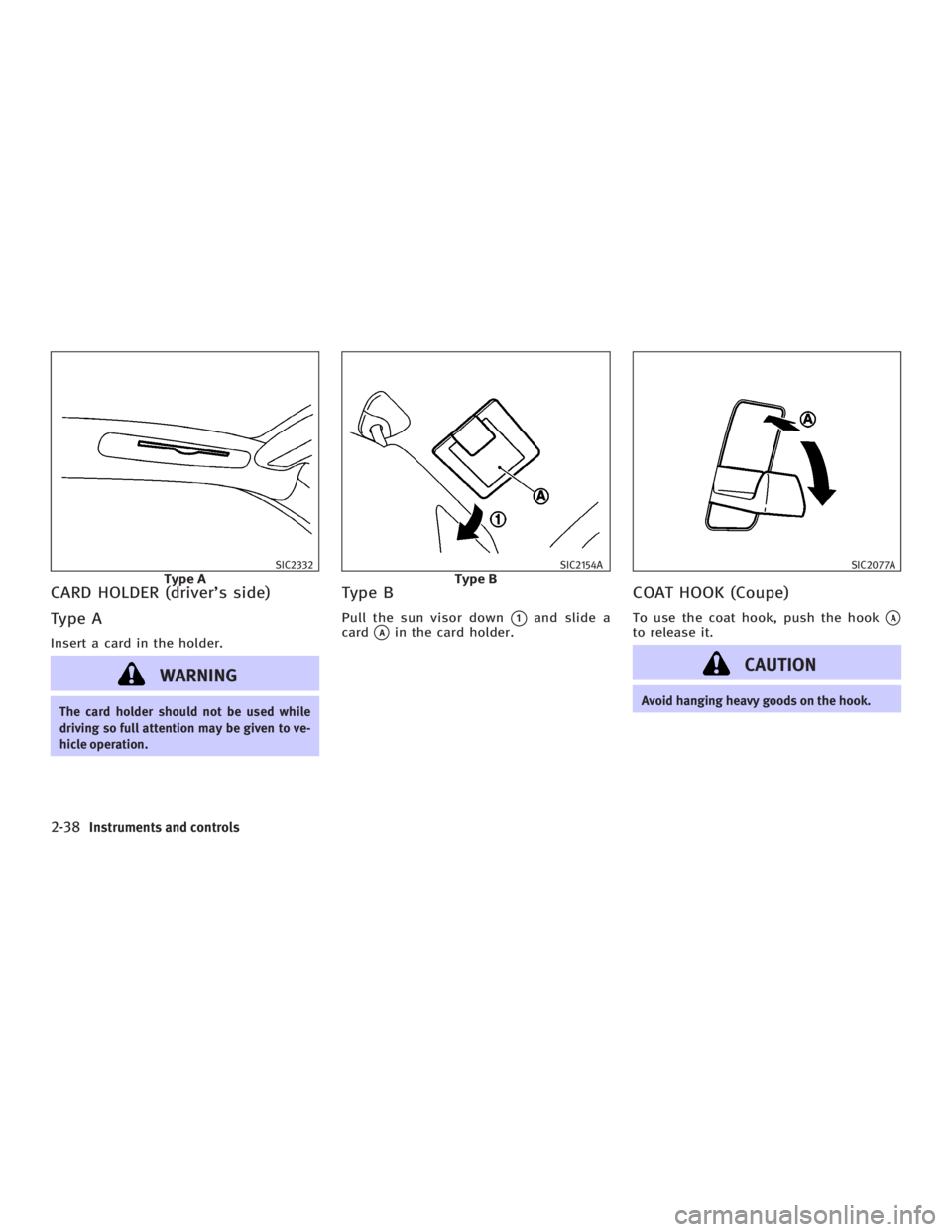
CARD HOLDER (driver's side)
Type A Insert a card in the holder.
WARNINGThe card holder should not be used while
driving so full attention may be given to ve-
hicle operation. Type B Pull the sun visor down
q 1
and slide a
card
q A
in the card holder.
COAT HOOK (Coupe) To use the coat hook, push the hook
q A
to release it.
CAUTION Avoid hanging heavy goods on the hook.SIC2332
Type A SIC2154A
Type B SIC2077A
2-38 Instruments and controls
w 06.1.4/V35-D/V5.0
X
Page 111 of 344
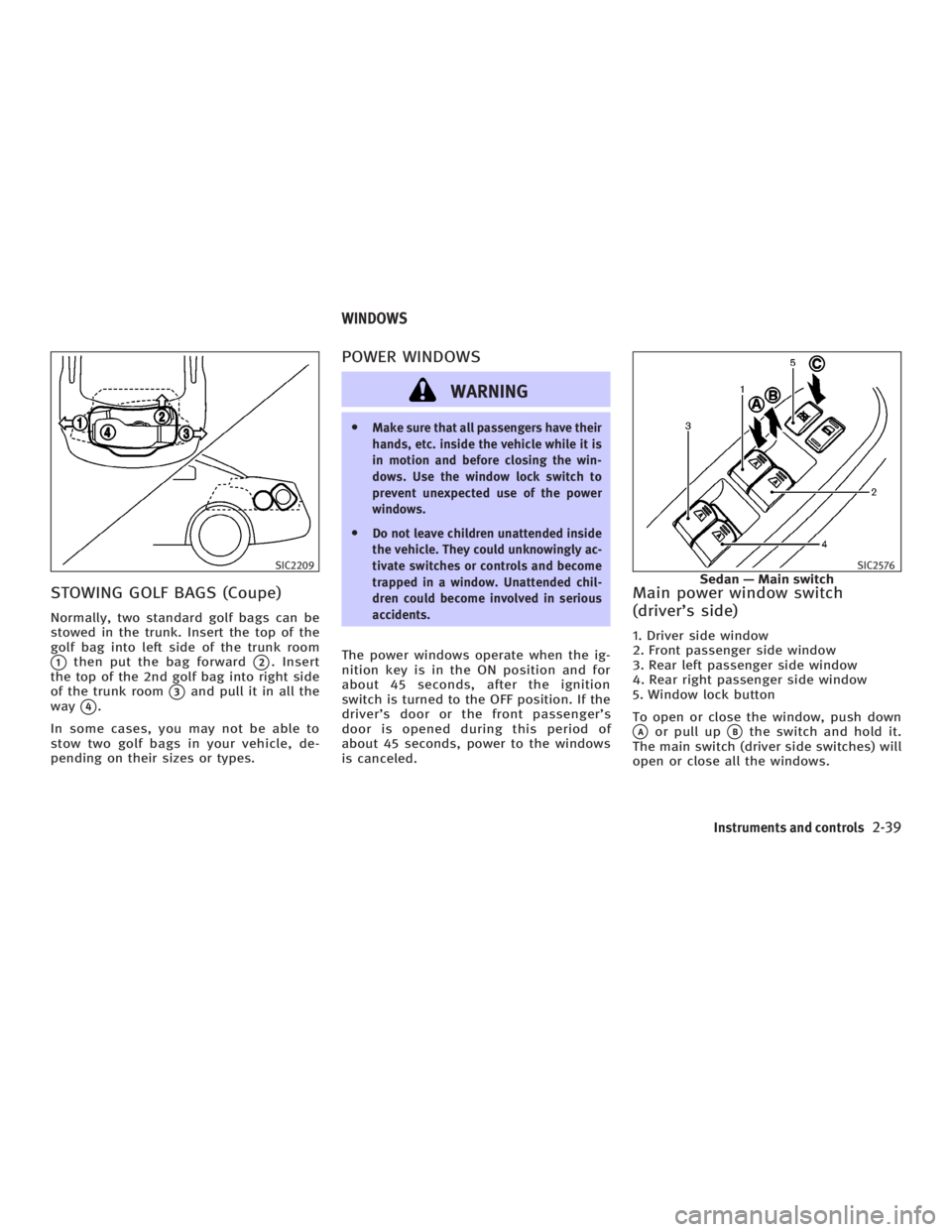
STOWING GOLF BAGS (Coupe) Normally, two standard golf bags can be
stowed in the trunk. Insert the top of the
golf bag into left side of the trunk room
q 1
then put the bag forward
q 2
. Insert
the top of the 2nd golf bag into right side
of the trunk room
q 3
and pull it in all the
way
q 4
.
In some cases, you may not be able to
stow two golf bags in your vehicle, de-
pending on their sizes or types. POWER WINDOWS
WARNING O Make sure that all passengers have their
hands, etc. inside the vehicle while it is
in motion and before closing the win-
dows. Use the window lock switch to
prevent unexpected use of the power
windows.
O Do not leave children unattended inside
the vehicle. They could unknowingly ac-
tivate switches or controls and become
trapped in a window. Unattended chil-
dren could become involved in serious
accidents.
The power windows operate when the ig-
nition key is in the ON position and for
about 45 seconds, after the ignition
switch is turned to the OFF position. If the
driver's door or the front passenger's
door is opened during this period of
about 45 seconds, power to the windows
is canceled. Main power window switch
(driver's side) 1. Driver side window
2. Front passenger side window
3. Rear left passenger side window
4. Rear right passenger side window
5. Window lock button
To open or close the window, push down
q A
or pull up
q B
the switch and hold it.
The main switch (driver side switches) will
open or close all the windows.SIC2209 SIC2576
Sedan Ð Main switchWINDOWS
Instruments and controls
2-39
w 06.1.4/V35-D/V5.0
X
Page 113 of 344
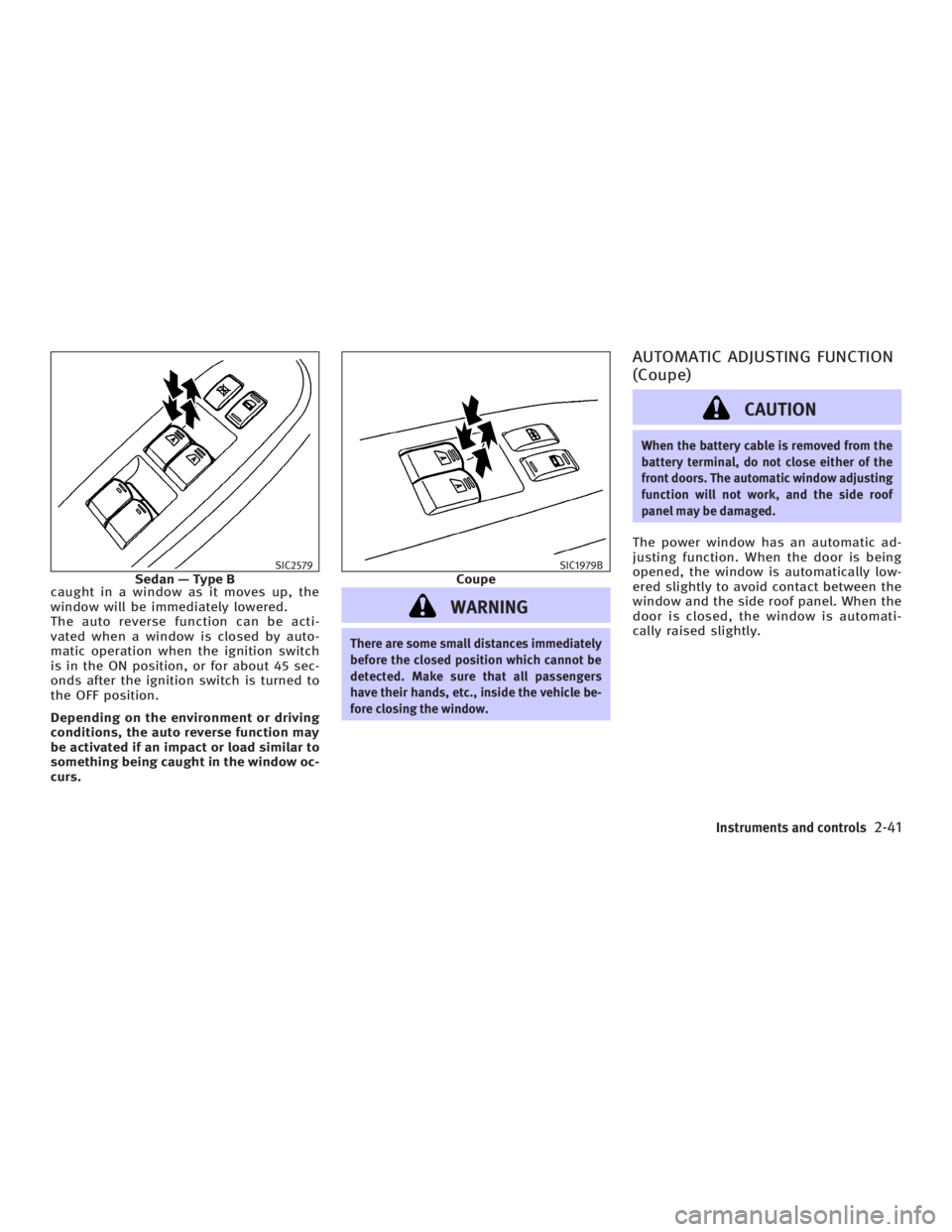
caught in a window as it moves up, the
window will be immediately lowered.
The auto reverse function can be acti-
vated when a window is closed by auto-
matic operation when the ignition switch
is in the ON position, or for about 45 sec-
onds after the ignition switch is turned to
the OFF position.
Depending on the environment or driving
conditions, the auto reverse function may
be activated if an impact or load similar to
something being caught in the window oc-
curs.
WARNING There are some small distances immediately
before the closed position which cannot be
detected. Make sure that all passengers
have their hands, etc., inside the vehicle be-
fore closing the window. AUTOMATIC ADJUSTING FUNCTION
(Coupe)
CAUTION When the battery cable is removed from the
battery terminal, do not close either of the
front doors. The automatic window adjusting
function will not work, and the side roof
panel may be damaged.
The power window has an automatic ad-
justing function. When the door is being
opened, the window is automatically low-
ered slightly to avoid contact between the
window and the side roof panel. When the
door is closed, the window is automati-
cally raised slightly.SIC2579
Sedan Ð Type B SIC1979B
Coupe
Instruments and controls
2-41
w 06.1.4/V35-D/V5.0
X
Page 114 of 344
AUTOMATIC SUNROOF The sunroof will only operate when the ig-
nition switch is in the ON position.
The automatic sunroof is operational for
about 45 seconds, even if the ignition
switch is turned to the OFF position. If the
driver's door or the front passenger's
door is opened during this period of
about 45 seconds, power to the sunroof is
canceled.
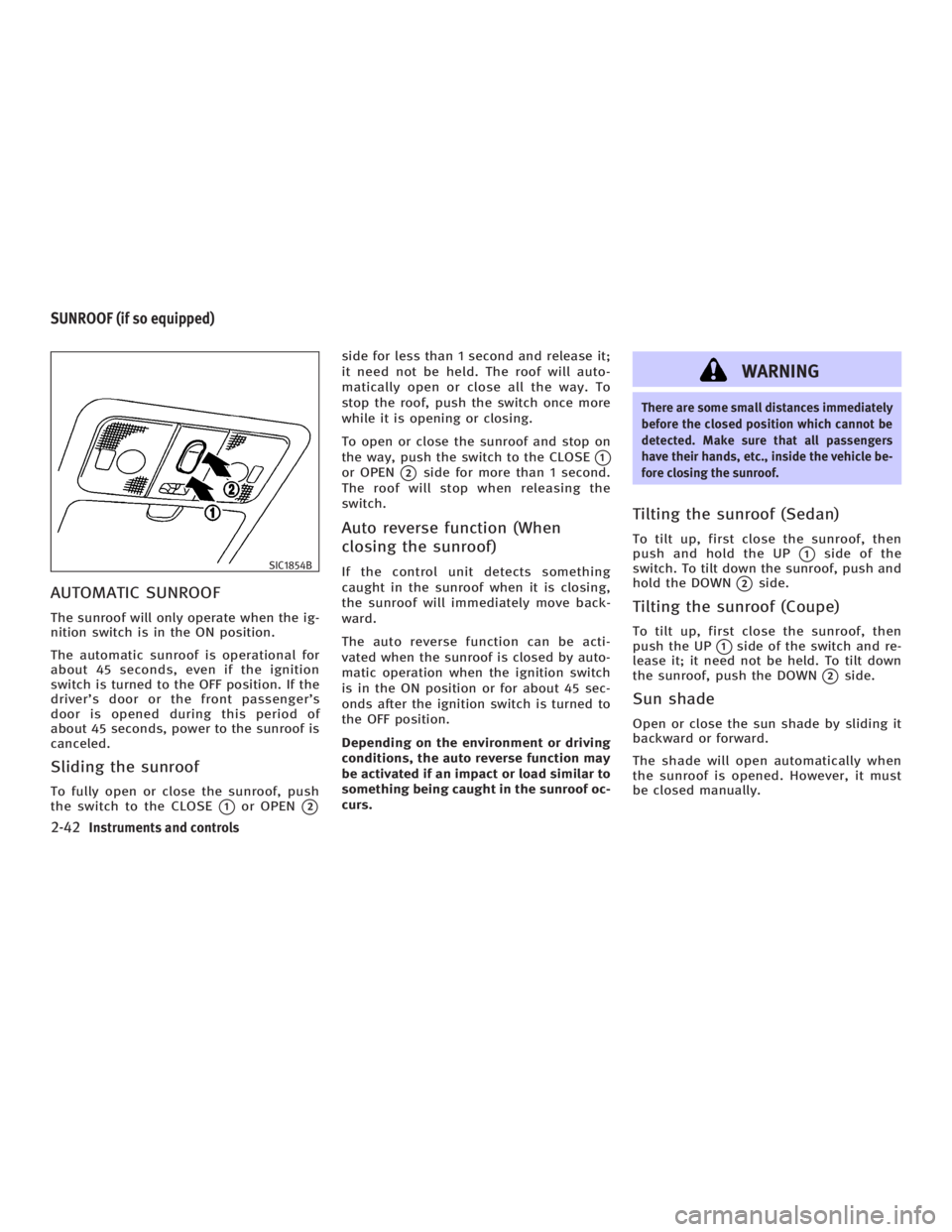
Sliding the sunroof To fully open or close the sunroof, push
the switch to the CLOSE
q 1
or OPEN
q 2side for less than 1 second and release it;
it need not be held. The roof will auto-
matically open or close all the way. To
stop the roof, push the switch once more
while it is opening or closing.
To open or close the sunroof and stop on
the way, push the switch to the CLOSE
q 1
or OPEN
q 2
side for more than 1 second.
The roof will stop when releasing the
switch.
Auto reverse function (When
closing the sunroof) If the control unit detects something
caught in the sunroof when it is closing,
the sunroof will immediately move back-
ward.
The auto reverse function can be acti-
vated when the sunroof is closed by auto-
matic operation when the ignition switch
is in the ON position or for about 45 sec-
onds after the ignition switch is turned to
the OFF position.
Depending on the environment or driving
conditions, the auto reverse function may
be activated if an impact or load similar to
something being caught in the sunroof oc-
curs. WARNING There are some small distances immediately
before the closed position which cannot be
detected. Make sure that all passengers
have their hands, etc., inside the vehicle be-
fore closing the sunroof.
Tilting the sunroof (Sedan) To tilt up, first close the sunroof, then
push and hold the UP
q 1
side of the
switch. To tilt down the sunroof, push and
hold the DOWN
q 2
side.
Tilting the sunroof (Coupe) To tilt up, first close the sunroof, then
push the UP
q 1
side of the switch and re-
lease it; it need not be held. To tilt down
the sunroof, push the DOWN
q 2
side.
Sun shade Open or close the sun shade by sliding it
backward or forward.
The shade will open automatically when
the sunroof is opened. However, it must
be closed manually.SIC1854B
SUNROOF (if so equipped)
2-42 Instruments and controls
w 06.1.4/V35-D/V5.0
X
Page 115 of 344
WARNINGO In an accident you could be thrown from
the vehicle through an open sunroof. Al-
ways use seat belts and child restraints.
O Do not allow anyone to stand up or ex-
tend any portion of their body out of the
sunroof opening while the vehicle is in
motion or while the sunroof is closing.
CAUTIONO Remove water drops, snow, ice or sand
from the sunroof before opening.
O Do not place any heavy object on the
sunroof or surrounding area.
If the sunroof does not close If the sunroof does not close or open au-
tomatically, use the following procedure
to return sunroof operation to normal. Sedan:
1. Push the switch to the CLOSE/UP side
q 1
to tilt up the sunroof. Release the
switch when the sunroof is in the fully
tilted up position.
2. Push and hold the switch to the
CLOSE/UP
q 1
side for approximately
10 seconds until the sunroof moves
automatically.
Continue to push and hold the switch
while the sunroof operates automati-
cally. Do not release the switch.
3. Release the switch when the sunroof
stops.
4. If the sunroof does not operate prop-
erly after step 4, repeat the procedure
starting with step 1.
Coupe:
1. Push the switch to the CLOSE/UP
q 1
side to tilt up the sunroof.
2. Release the switch when the sunroof
is in the fully tilted up position.
3. Push and hold the switch to the
CLOSE/UP
q 1
side for approximately
10 seconds until the sunroof automati-
cally closes. 4. Release the switch when the sunroof
stops.
5. Push and hold the switch to the
CLOSE/UP
q 1
side for approximately 4
seconds until the sunroof moves auto-
matically.
Continue to push and hold the switch
while the sunroof operates automati-
cally. Do not release the switch.
6. Release the switch when the sunroof
stops.
7. If the sunroof does not operate prop-
erly after step 6, repeat the procedure
starting with step 1.
Have an INFINITI dealer check and repair
the sunroof.
Instruments and controls
2-43
w 06.1.4/V35-D/V5.0
X
Page 119 of 344

WARNINGO Do not use the HomeLink Universal
Transceiver with any garage door opener
that lacks safety stop and reverse features
as required by federal safety standards.
(These standards became effective for
opener models manufactured after April 1,
1982.) A garage door opener which cannot
detect an object in the path of a closing
garage door and then automatically stop
and reverse, does not meet current federal
safety standards. Using a garage door
opener without these features increases
the risk of serious injury or death.
O During the programming procedure, your
garage door or security gate will open or
close (if the transmitter is within range).
Make sure that people or objects are clear
of the garage door, gate, etc. that you are
programming.
O Your vehicle's engine should be turned
off while programming the HomeLink
Universal Transceiver. PROGRAMMING HomeLink To program your HomeLink Transceiver
to operate a garage door, gate, or entry
door opener, home or office lighting, you
need to be at the same location as the
device. Note: Garage door openers (manu-
factured after 1996) have ªrolling code
protectionº. To program a garage door
opener equipped with ªrolling code pro-
tectionº; you will need to use a ladder to
get up to the garage door opener motor to
be able to access the ªtrainingº program
button.
1. To begin, push and hold the 2 outer
HomeLink buttons (to clear the
memory) until the indicator light
q A
blinks (after 20 seconds). Release both
buttons.
2. Position the end of the hand-held trans-
mitte r1-3 inches (26 - 76 mm) away
from the HomeLink
surface. SIC3012
Instruments and controls
2-47
w 06.1.4/V35-D/V5.0
X
Page 123 of 344
3 Pre-driving checks and adjustments Keys ................................................................. 3-2
Infiniti vehicle immobilizer system keys ...... 3-2
Doors ............................................................... 3-3
Locking with key ......................................... 3-3
Locking with inside lock knob ..................... 3-4
Locking with power door lock switch........... 3-4
Child safety rear door lock (Sedan) ............. 3-5
Remote keyless entry system (models without
Intelligent Key system) ..................................... 3-5
How to use remote keyless entry system .... 3-6
Intelligent Key system (if so equipped) ............. 3-9
Door locks/unlocks precaution .................. 3-11
Intelligent Key operation ............................ 3-11
Opening and closing windows ................... 3-14
Operating the engine ................................. 3-14
Intelligent Key operating range ................. 3-16
Warning signals ......................................... 3-17
Trouble-shooting guide .............................. 3-19
Operation with intelligent remote keyless
entry system ............................................. 3-20
Operation with the mechanical key and
valet key ................................................... 3-23 Hood .............................................................. 3-24
Trunk lid ......................................................... 3-25
Opener operation ...................................... 3-25
Interior trunk lid release ............................ 3-27
Secondary trunk lid release ....................... 3-27
Fuel-filler door ................................................ 3-28
Opening the fuel-filler door ....................... 3-28
Fuel-filler cap ............................................ 3-29
Steering wheel ............................................... 3-30
Manual operation ...................................... 3-30
Electric operation (if so equipped) ............. 3-31
Sun visors ...................................................... 3-32
Mirrors............................................................ 3-32
Automatic anti-glare inside mirror (if so
equipped) .................................................. 3-32
Outside mirrors ......................................... 3-33
Automatic drive positioner (if so equipped) .... 3-34
Automatic drive positioner operation ......... 3-34
Entry/exit function (if so equipped) ........... 3-34
Memory storage function ........................... 3-35
System operation ...................................... 3-36
Cancel switch (if so equipped)................... 3-37
w 06.1.4/V35-D/V5.0
X
Page 125 of 344
Never leave these keys in the vehicle.
Additional or replacement keys:
If you still have a key, the key number is
not necessary when you need extra
INFINITI Vehicle Immobilizer System keys.
An INFINITI dealer can duplicate it. As
many as 5 INFINITI Vehicle Immobilizer
System keys can be used with one ve-
hicle. You should bring all registered keys
that you have to an INFINITI dealer for reg-
istration. This is because the registration
process will erase the memory of all key
codes previously registered into the
INFINITI Vehicle Immobilizer System. After
the registration process, these compo-
nents will only recognize keys coded into
the INFINITI Vehicle Immobilizer System
during registration. Any key that is not
given to your dealer at the time of regis-
tration will no longer be able to start your
vehicle.
Do not allow the immobilizer system key,
which contains an electrical transponder,
to come into contact with salt water. This
could affect system function. WARNING O Always have the doors locked while driv-
ing. Along with the use of seat belts, this
provides greater safety in the event of an
accident by helping to prevent persons
from being thrown from the vehicle. This
also helps keep children and others from
unintentionally opening the doors, and
will help keep out intruders.
O Before opening any door, always look for
and avoid oncoming traffic.
O Do not leave children unattended inside
the vehicle. They could unknowingly ac-
tivate switches or controls. Unattended
children could become involved in se-
rious accidents.
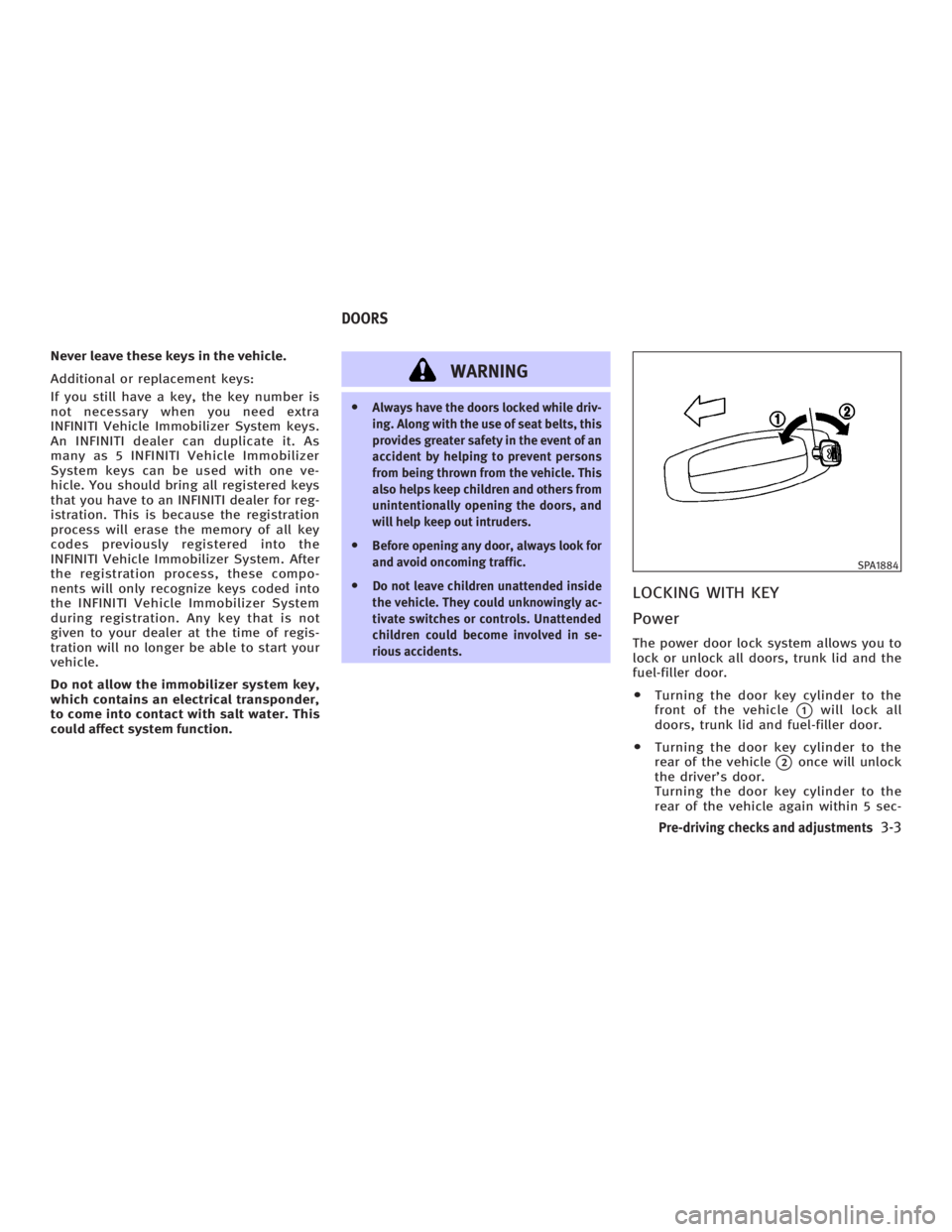
LOCKING WITH KEY
Power The power door lock system allows you to
lock or unlock all doors, trunk lid and the
fuel-filler door.
O Turning the door key cylinder to the
front of the vehicle
q 1
will lock all
doors, trunk lid and fuel-filler door.
O Turning the door key cylinder to the
rear of the vehicle
q 2
once will unlock
the driver's door.
Turning the door key cylinder to the
rear of the vehicle again within 5 sec- SPA1884
DOORS
Pre-driving checks and adjustments
3-3
w 06.1.4/V35-D/V5.0
X
Page 129 of 344

Unlocking doors and fuel-filler
door 1. Push the UNLOCK button on the
keyfob once.
O The driver's door and fuel-filler door
unlock
O The hazard indicator flashes once if all
doors are completely closed with the
ignition switch in any position except
in the ON position.
O The interior light timer activates and
the interior light comes on for 30 sec-
onds when the interior light switch is
at the DOOR position with the ignition
switch in any position except in the
ON position.
2. Push the UNLOCK button on the
keyfob again within 5 seconds.
O All doors and trunk lid unlock
O The hazard indicator flashes once if all
doors are completely closed.
All doors will be locked automatically un-
less one of the following operations is
performed within 1 minute of pushing the
UNLOCK button.
O opening any door. O opening trunk lid.
O turning the ignition switch to the ON
position
The interior light can be turned off
without waiting for 30 seconds by turning
the ignition switch to the ON position or
by locking the doors with the keyfob.
Opening the windows Push the UNLOCK button on the
keyfob.
The driver's door and fuel-filler door will
unlock.
Continue to push the UNLOCK button
for more than 3 seconds. The door win-
dows will start to lower.
Continue to push the UNLOCK button
until windows are fully open.
To stop the windows lowering operation,
release the UNLOCK button.
To start the windows lowering operation,
push the UNLOCK button again for
more than 3 seconds.
Releasing the trunk lid 1. Push the TRUNK button on the
keyfob for longer than 0.5 seconds when the ignition switch is in any po-
sition except the ON position.
2. The trunk lid opens.
The trunk lid cannot be opened by operat-
ing the keyfob when the ignition switch is
in the ON position.
Using the panic alarm If you are near your vehicle and feel
threatened, you may activate the alarm to
call attention as follows:
1. Push the PANIC button on the
keyfob for longer than 0.5 seconds
with the key removed from the ignition
switch.
2. The theft warning alarm and head-
lights will stay on for 25 seconds.
3. The panic alarm stops when:
O It has run for 25 seconds, or
O The LOCK button or the UNLOCK
button on keyfob is pushed, or
O The TRUNK button or the PANIC
button on the keyfob is pushed
for longer than 0.5 second.
Pre-driving checks and adjustments
3-7
w 06.1.4/V35-D/V5.0
X
Page 131 of 344

The Intelligent Key uses coded radio sig-
nals to communicate with the vehicle.
When the Intelligent Key is near the ve-
hicle, such as in your pocket or purse, it
allows the vehicle to be locked, unlocked,
or started without inserting the ignition
key. It is also possible to use the remote
control entry function.
CAUTIONO Be sure to carry the Intelligent Key with
you.
O Do not leave the vehicle with the Intelli-
gent Key inside.
O The Intelligent Key may not function
correctly depending on the environ-
ment or operating conditions. It could
also malfunction if you do not use it
correctly.
O The Intelligent Key transmits faint
radio waves.
In the following situations, the Intelli-
gent Key and remote control entry func-
tions may not operate correctly, and
you may have to use the metal key (me-
chanical key, valet key or wallet key): Ð when there are strong signals
coming from a television tower,
power station or broadcasting sta-
tion.
Ð when you have wireless equipment
or a cellular phone with you.
Ð when the Intelligent Key is in con-
tact with or covered by a metallic
material.
Ð when radio wave-type remote con-
trol entry is used nearby.
Ð when the Intelligent Key is placed
near an electric appliance such as a
personal computer.
O The Intelligent Key continually con-
sumes battery power as the key re-
ceives a signal to communicate with
the vehicle. Battery life is about 2
years, although it varies depending on
the operating conditions. When the
battery of the Intelligent Key is low, the
green blinking key warning light goes
out about 30 seconds after the ignition
switch is turned to the ON position. If
the battery runs down, replace it with a
new one.
O If the Intelligent Key receives strong
signal over an extended period of time, the battery could quickly run down. Do
not place the Intelligent Key near an
electric appliance such as a television
set or personal computer.
O Because the ignition switch is elec-
tronically controlled, if the battery is
completely discharged when the igni-
tion switch is in the LOCK position, the
steering lock cannot be released and
the ignition switch cannot be turned
(including the mechanical key). Be
careful not to completely discharge the
battery.
O In case the battery is completely dis-
charged, make sure to recharge the
battery immediately.
For information regarding the replacement
of a battery, see ªKeyfob battery replace-
mentº in the ª8. Maintenance and do-it-
yourselfº section.INTELLIGENT KEY SYSTEM (if so equipped)
Pre-driving checks and adjustments
3-9
w 06.1.4/V35-D/V5.0
X