steering INFINITI M 2010 User Guide
[x] Cancel search | Manufacturer: INFINITI, Model Year: 2010, Model line: M, Model: INFINITI M 2010Pages: 445, PDF Size: 6.15 MB
Page 92 of 445

CAUTION
Running the engine with the engine oil pres-
sure warning light on could cause serious dam-
age to the engine almost immediately. Such
damage is not covered by warranty. Turn off the
engine as soon as it is safe to do so.
Intelligent Cruise Control
(ICC) system warning light
(orange; if so equipped)
This light comes on if there is a malfunction in
the Intelligent Cruise Control (ICC) system.
If the warning light comes on, park the vehicle
in a safe place. Turn the engine off, restart the
engine, resume driving and set the ICC system
again.
If it is not possible to set the system or the
indicator stays on, it may indicate that the sys-
tem is malfunctioning. Although the vehicle is
still driveable under normal conditions, have the
vehicle checked at an INFINITI retailer.
See ªINTELLIGENT CRUISE CONTROL (ICC) SYS-
TEMº in the ª5. Starting and drivingº section.
Intelligent Key system
warning light
After the ignition switch is pushed to the ON
position, this light comes on for about 2 sec-
onds and then turns off.
This light warns of a malfunction with the
electrical steering lock system or the Intelligent
Key system.
If the light comes on while the engine is
stopped, it may be impossible to free the
steering lock or to start the engine. If the light
comes on while the engine is running, you can
drive the vehicle. However in these cases, con-
tact an INFINITI retailer for repair as soon as
possible.
See ªINTELLIGENT KEY SYSTEMº in the ª3. Pre-
driving checks and adjustmentsº section.
Lane departure warning light
(orange; if so equipped)
When the ignition switch is pushed to the ON
position, the light will come on in orange, turn
green, and then turn off. This indicates that the
Lane Departure Warning (LDW) and Lane Depar-
ture Prevention (LDP) systems are operational.
While the LDW and/or LDP system is on, the
light will blink in orange and a warning chime
will sound if the vehicle is traveling close toeither the left or the right of a traveling lane
with detectable lane markers.
If the light comes on in orange and remains on,
it may indicate that the LDW and LDP systems
are not functioning properly. Have the systems
checked by an INFINITI retailer.
See ªLANE DEPARTURE WARNING (LDW)
SYSTEM/LANE DEPARTURE PREVENTION (LDP)
SYSTEMº in the ª5. Starting and drivingº sec-
tion.
Low fuel warning light
This light comes on when the fuel in the tank is
getting low. Refuel as soon as it is convenient,
preferably before the fuel gauge reaches ªEº
(Empty).
There will be a small reserve of fuel remaining in
the tank when the fuel gauge needle reaches ªEº
(Empty).
Low tire pressure warning
light
Your vehicle is equipped with a Tire Pressure
Monitoring System (TPMS) that monitors the
tire pressure of all tires except the spare.
The low tire pressure warning light warns of low
tire pressure or indicates that the TPMS is not
functioning properly.
Instruments and controls2-15
wÐ
Ð
05/14/09Ðpattie
X
Page 93 of 445
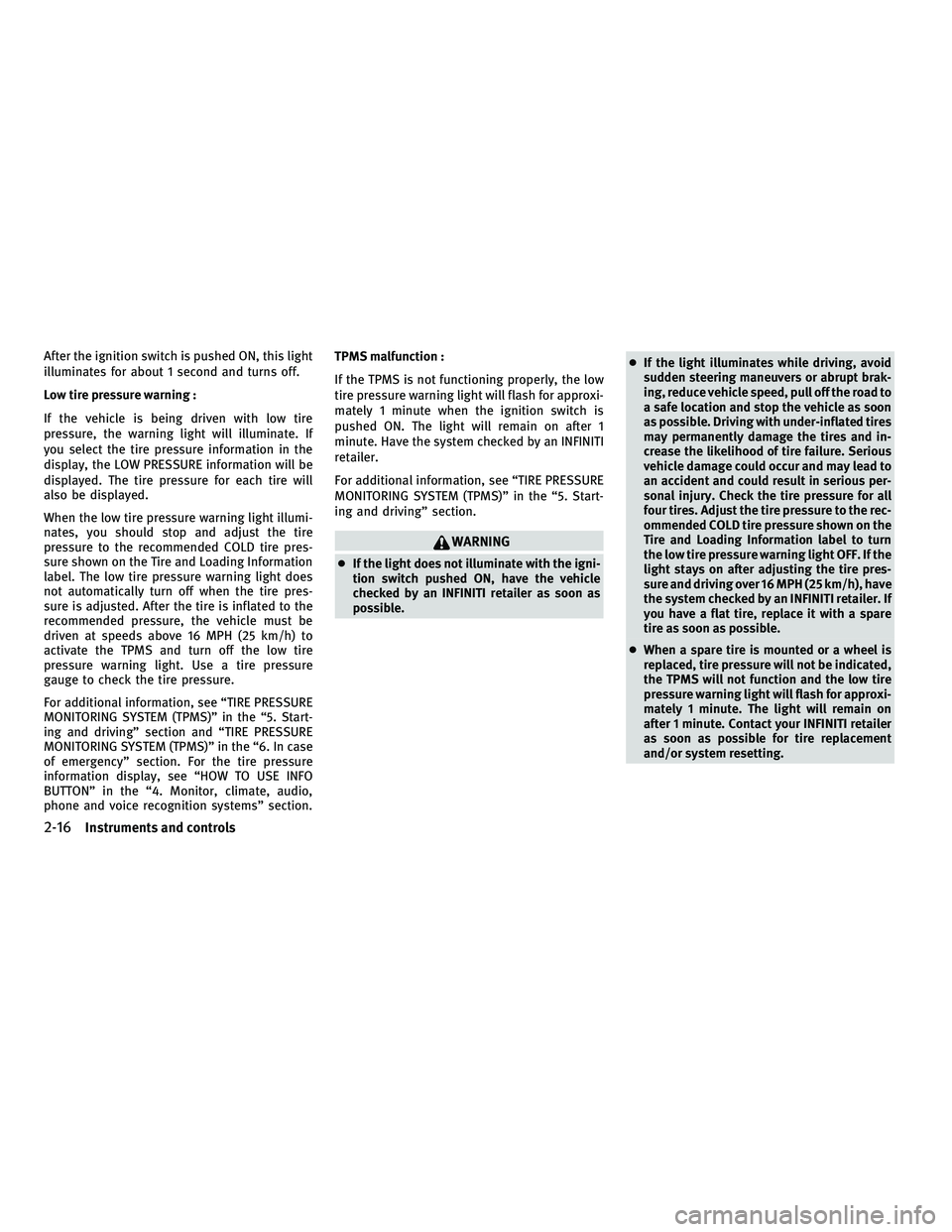
After the ignition switch is pushed ON, this light
illuminates for about 1 second and turns off.
Low tire pressure warning :
If the vehicle is being driven with low tire
pressure, the warning light will illuminate. If
you select the tire pressure information in the
display, the LOW PRESSURE information will be
displayed. The tire pressure for each tire will
also be displayed.
When the low tire pressure warning light illumi-
nates, you should stop and adjust the tire
pressure to the recommended COLD tire pres-
sure shown on the Tire and Loading Information
label. The low tire pressure warning light does
not automatically turn off when the tire pres-
sure is adjusted. After the tire is inflated to the
recommended pressure, the vehicle must be
driven at speeds above 16 MPH (25 km/h) to
activate the TPMS and turn off the low tire
pressure warning light. Use a tire pressure
gauge to check the tire pressure.
For additional information, see ªTIRE PRESSURE
MONITORING SYSTEM (TPMS)º in the ª5. Start-
ing and drivingº section and ªTIRE PRESSURE
MONITORING SYSTEM (TPMS)º in the ª6. In case
of emergencyº section. For the tire pressure
information display, see ªHOW TO USE INFO
BUTTONº in the ª4. Monitor, climate, audio,
phone and voice recognition systemsº section.TPMS malfunction :
If the TPMS is not functioning properly, the low
tire pressure warning light will flash for approxi-
mately 1 minute when the ignition switch is
pushed ON. The light will remain on after 1
minute. Have the system checked by an INFINITI
retailer.
For additional information, see ªTIRE PRESSURE
MONITORING SYSTEM (TPMS)º in the ª5. Start-
ing and drivingº section.
WARNING
c
If the light does not illuminate with the igni-
tion switch pushed ON, have the vehicle
checked by an INFINITI retailer as soon as
possible. c
If the light illuminates while driving, avoid
sudden steering maneuvers or abrupt brak-
ing, reduce vehicle speed, pull off the road to
a safe location and stop the vehicle as soon
as possible. Driving with under-inflated tires
may permanently damage the tires and in-
crease the likelihood of tire failure. Serious
vehicle damage could occur and may lead to
an accident and could result in serious per-
sonal injury. Check the tire pressure for all
four tires. Adjust the tire pressure to the rec-
ommended COLD tire pressure shown on the
Tire and Loading Information label to turn
the low tire pressure warning light OFF. If the
light stays on after adjusting the tire pres-
sure and driving over 16 MPH (25 km/h), have
the system checked by an INFINITI retailer. If
you have a flat tire, replace it with a spare
tire as soon as possible.
c When a spare tire is mounted or a wheel is
replaced, tire pressure will not be indicated,
the TPMS will not function and the low tire
pressure warning light will flash for approxi-
mately 1 minute. The light will remain on
after 1 minute. Contact your INFINITI retailer
as soon as possible for tire replacement
and/or system resetting.
2-16Instruments and controls
wÐ
Ð
05/14/09Ðpattie
X
Page 99 of 445

INDICATORS FOR OPERATION
1. Engine start operation indicator
(ignition switch in the LOCK or ACC
position)
This indicator appears when the selector lever
is in the P (Park) position.
This indicator means that the engine will start
by pushing the ignition switch with the brake
pedal depressed.
2. Engine start operation indicator
(ignition switch in the ON position)
This indicator appears when the ignition switch
is in the ON position with the selector lever in
the P (Park) position.
This indicator means that the engine will start
by pushing the ignition switch with the brake
pedal depressed.
3. Steering lock release malfunction
indicator
This indicator appears when the steering wheel
cannot be released from the LOCK position.
If this indicator appears, push the ignition
switch while lightly turning the steering wheel
right and left.
SIC2765
2-22Instruments and controls
wÐ
Ð
05/19/09Ðtbrooks
X
Page 108 of 445

Headlight beam select
s1To select the low beam, put the lever in
the neutral position as shown.
s2To select the high beam, push the lever
forward while the switch is in the
position. Pull it back to select the low
beam.
s3Pulling the lever toward you will flash the headlight high beam even when the
headlight switch is in the OFF position.
Battery saver system
c When the headlight switch is in theor
position while the ignition switch is in the ON position, the lights will automatically
turn off 5 minutes after the ignition switch
has been pushed to the LOCK position.
c When the headlight switch remains in the
orposition after the lights
automatically turn off, the lights will turn on
when the ignition switch is pushed to the ON
position.
CAUTION
c When you turn on the headlight switch again
after the lights automatically turn off, the
lights will not turn off automatically. Be sure
to turn the light switch to the OFF position
when you leave the vehicle for extended pe-
riods of time, otherwise the battery will be
discharged.
c Never leave the light switch on when the
engine is not running for extended periods of
time even if the headlights turn off
automatically.
Daytime running light system
(Canada only)
The daytime running lights automatically illumi-
nate when the engine is started with the park-
ing brake released. The daytime running lights
operate with the headlight switch in the OFF position or in the
position. Turn the
headlight switch to the
position for full
illumination when driving at night.
If the parking brake is applied before the engine
is started, the daytime running lights do not
illuminate. The daytime running lights illumi-
nate once the parking brake is released. The
daytime running lights will remain on until the
ignition switch is pushed to the LOCK position.
WARNING
When the daytime running light system is ac-
tive, tail lights on your vehicle are not on. It is
necessary at dusk to turn on your headlights.
Failure to do so could cause an accident injur-
ing yourself and others.
Adaptive Front lighting System (AFS)
The Adaptive Front lighting System (AFS) will
automatically adjust the headlights (low beam)
toward the turning direction to improve the
driver's view. When the headlight switch is ON
and the driver operates the steering wheel in a
turn, the AFS system will be activated.
The AFS will operate:
c when the headlight switch is ON.
SIC2413
Instruments and controls2-31
wÐ
Ð
05/14/09Ðpattie
X
Page 109 of 445

cwhen the selector lever is in any position
other than P (Park) or R (Reverse).
c when the vehicle is driven at above 16 MPH
(25 km/h) for the left-side headlight. Note
that the right-side low beam headlight will
swivel but the left side will not swivel when
the vehicle is at a stop and the steering
wheel is turned. The vehicle must attain a
speed above 16 MPH (25 km/h) before AFS
activates the left-side headlight.
To turn the AFS off, push the OFF side of the AFS
switch. (The AFS OFF indicator light will illumi-
nate.) Push the ON side of the switch to turn the
system on again.
AFS will also adjust the headlight to a proper
axis automatically, depending on the number of
occupants in the vehicle, the load the vehicle is
carrying and the road conditions.
If the AFS OFF indicator light blinks after the
ignition switch has been pushed to the ON
position, this may indicate that the AFS is not
functioning properly. Have the system checked
by an INFINITI retailer. When the engine is
started, the headlights will vibrate to check the
system condition. This is not a malfunction.
Instrument brightness control
The instrument brightness control operates
when the light switch is in the AUTO (when
lighting),
orposition with the
ignition switch in the ON position.
Turn the control to the darkening direction
s1
or the brightening directions2to adjust the
brightness of instrument panel lights.
When the control is turned to the upper end, the
light intensity will be at maximum. When the
control is turned to the lower end, the light will
be turned off.
SIC2645SIC3554
2-32Instruments and controls
wÐ
Ð
05/14/09Ðpattie
X
Page 111 of 445

The flasher can be actuated with the ignition
switch in any position.
Some state laws may prohibit the use of the
hazard warning flasher switch while driving.To sound the horn, push the center pad area of
the steering wheel.
WARNING
Do not disassemble the horn. Doing so could
affect proper operation of the supplemental
front air bag system. Tampering with the
supplemental front air bag system may result
in serious personal injury.
CAUTION
cThe battery could run down if the seat heater
is operated while the engine is not running.
c Do not use the seat heater for extended pe-
riods or when no one is using the seat.
c Do not put anything on the seat which insu-
lates heat, such as a blanket, cushion, seat
cover, etc. Otherwise, the seat may become
overheated.
c Do not place anything hard or heavy on the
seat or pierce it with a pin or similar object.
This may result in damage to the heater.
c Any liquid spilled on the heated seat should
be removed immediately with a dry cloth.
c When cleaning the seat, never use gasoline,
thinner, or any similar materials.
c If any malfunctions are found or the heated
seat does not operate, turn the switch off
and have the system checked by an INFINITI
retailer.
SIC2769
HORN HEATED SEATS (rear seats) (if so
equipped)
2-34Instruments and controls
wÐ
Ð
05/14/09Ðpattie
X
Page 132 of 445
3 Pre-driving checks and adjustments
Keys............................................. 3-2
Intelligent Key ................................. 3-2
Valet hand-off .................................. 3-3
Doors ............................................ 3-4
Locking with mechanical key .................... 3-4
Opening and closing windows with the
mechanical key ................................ 3-4
Locking with inside lock knob ................... 3-5
Locking with power door lock switch ............. 3-5
Automatic door locks ........................... 3-5
Child safety rear door lock ...................... 3-6
Intelligent Key system ............................. 3-6
Intelligent Key operating range .................. 3-8
Door locks/unlocks precaution .................. 3-9
Intelligent Key operation ........................ 3-9
Battery saver system ........................... 3-11
Warning signals ................................ 3-11
Troubleshooting guide ......................... 3-12
How to use remote keyless entry function .......3-14
Hood ............................................. 3-17Trunk lid
......................................... 3-17
Trunk lid release switch ........................ 3-18
Trunk open request switch .....................3-18
Opening with key ............................. 3-18
Trunk open button ............................ 3-18
Trunk release power cancel switch ..............3-19
Interior trunk lid release ....................... 3-19
Fuel-filler door ................................... 3-20
Opening the fuel-filler door ....................3-20
Fuel-filler cap ................................. 3-21
Tilt/telescopic steering ........................... 3-22
Tilt or telescopic operation .....................3-22
Sun visors ....................................... 3-22
Mirrors .......................................... 3-23
Inside mirror .................................. 3-23
Outside mirrors ............................... 3-24
Automatic drive positioner ........................3-26
Entry/exit function ............................ 3-26
Memory storage ............................... 3-27
System operation ............................. 3-29
wÐ
Ð
05/14/09Ðpattie
X
Page 138 of 445

cNever leave the Intelligent Key in the vehicle
when you leave the vehicle.
The Intelligent Key is always communicating
with the vehicle as it receives radio waves. The
Intelligent Key system transmits weak radio
waves. Environmental conditions may interfere
with the operation of the Intelligent Key system
under the following operating conditions.
c When operating near a location where strong
radio waves are transmitted, such as a TV
tower, power station and broadcasting sta-
tion.
c When in possession of wireless equipment,
such as a cellular telephone, transceiver,
and CB radio.
c When the Intelligent Key is in contact with or
covered by metallic materials.
c When any type of radio wave remote control
is used nearby.
c When the Intelligent Key is placed near an
electric appliance such as a personal com-
puter.
c When the vehicle is parked near a parking
meter. In such cases, correct the operating conditions
before using the Intelligent Key function or use
the mechanical key.
Although the life of the battery varies depend-
ing on the operating conditions, the battery's
life is approximately 2 years. If the battery is
discharged, replace it with a new one.
Since the Intelligent Key is continuously receiv-
ing radio waves, if the key is left near equip-
ment which transmits strong radio waves, such
as signals from a TV and personal computer, the
battery life may become shorter.
For information regarding replacement of a
battery, see ªBATTERY REPLACEMENTº in the
ª8. Maintenance and do-it-yourselfº section.
Because the steering wheel is locked electri-
cally, unlocking the steering wheel with the
ignition switch in the LOCK position is impos-
sible when the vehicle battery is completely
discharged. Pay special attention that the ve-
hicle battery is not completely discharged.
As many as 4 Intelligent Keys can be registered
and used with one vehicle. For information
about the purchase and use of additional Intel-
ligent Keys, contact an INFINITI retailer.CAUTION
c
Do not allow the Intelligent Key, which con-
tains electrical components, to come into
contact with water or salt water. This could
affect the system function.
c Do not drop the Intelligent Key.
c Do not strike the Intelligent Key sharply
against another object.
c Do not change or modify the Intelligent Key.
c Wetting may damage the Intelligent Key. If
the Intelligent Key gets wet, immediately
wipe until it is completely dry.
c Do not place the Intelligent Key for an ex-
tended period in an area where tempera-
tures exceed 140ÉF (60ÉC).
c Do not attach the Intelligent Key with a key
holder that contains a magnet.
c Do not place the Intelligent Key near equip-
ment that produces a magnetic field, such as
a TV, audio equipment, personal computers
or cellular phones.
Pre-driving checks and adjustments3-7
wÐ
Ð
05/19/09Ðtbrooks
X
Page 153 of 445

WARNING
cDo not adjust the steering wheel while driv-
ing. You could lose control of your vehicle
and cause an accident.
c Do not adjust the steering wheel any closer
to you than is necessary for proper steering
operation and comfort. The driver's air bag
inflates with great force. If you are unre-
strained, leaning forward, sitting sideways
or out of position in any way, you are at
greater risk of injury or death in a crash. You
may also receive serious or fatal injuries
from the air bag if you are up against it when
it inflates. Always sit back against the seat-
back and as far away as practical from the
steering wheel. Always use the seat belts.
TILT OR TELESCOPIC OPERATION
Move the lever to adjust the steering wheel up
or down, forward or rearward to the desired
position.
Entry/Exit function operation
The automatic drive positioner system will
make the steering wheel move up automatically
when the driver's door is opened with the
ignition switch in the LOCK position. This lets
the driver get into and out of the seat more
easily.
For more information, see ªAUTOMATIC DRIVE
POSITIONERº later in this section.
SPA2018
SPA2057
TILT/TELESCOPIC STEERING SUN VISORS
3-22Pre-driving checks and adjustments
wÐ
Ð
05/14/09Ðpattie
X
Page 157 of 445

The automatic drive positioner system has the
following features:
cEntry/exit function
c Memory storage
ENTRY/EXIT FUNCTION
This system is designed so that the driver's seat
and steering column will automatically move
when the selector lever is in the P (Park)
position. This allows the driver to get into and
out of the driver's seat more easily.
The driver's seat will slide backward and the
steering wheel will move up when the driver's
door is opened with the ignition switch in the
LOCK position.
The driver's seat and steering wheel will return
to the previous positions when one of the
following is operated:
cWhen the ignition switch is pushed to the
ACC position after the driver's door is
closed.
c When the ignition switch is pushed to the
ON position.
c When the Intelligent Key is inserted into the
port after the driver's door is closed. The driver's seat will not return to the previous
positions if the seat or steering adjusting
switch is operated when the seat is at the exit
position.
Cancel or activate entry/exit function
To cancel or activate the entry/exit function, the
selector lever must be in the P (Park) position
with the ignition switch in the LOCK position.
Push and hold the SET switch for more than 10
seconds to cancel or activate the entry/exit
function.
The indicator lights on the memory switches (1
and 2) will blink once when the function is
canceled, and the indicator lights will blink
twice when the function is activated.
The entry/exit function can also be canceled or
activated if the ªLift Steering Wheel on Exitº key
or ªSlide Driver Seat Back on Exitº key is turned
to ON or OFF in the ªComfort & Conv.º settings.
(See ªVEHICLE INFORMATION AND SETTINGSº in
the ª4. Monitor, climate, audio, phone and
voice recognition systemsº section.)
Initialize entry/exit function
If the battery cable is disconnected, or if the
fuse opens, the entry/exit function will not work
though this function was set on before. In such
a case, after connecting the battery or replacing
with a new fuse, open and close the driver's
door more than two times after the ignition
switch is pushed to the ON position once, then
pushed to the LOCK position. The entry/exit
function will be activated.
AUTOMATIC DRIVE POSITIONER
3-26Pre-driving checks and adjustments
wÐ
Ð
05/14/09Ðpattie
X