ignition INFINITI QX60 2023 Manual Online
[x] Cancel search | Manufacturer: INFINITI, Model Year: 2023, Model line: QX60, Model: INFINITI QX60 2023Pages: 636, PDF Size: 7.28 MB
Page 289 of 636
4. Maneuver the steering wheel to make thevehicle width guide lines
ODparallel to the
parking space
OCwhile referring to the
predicted course lines.
5. When the vehicle is parked in the space completely, press the park button to en-
gage the P (Park) position and apply the
parking brake.
HOW TO SWITCH THE DISPLAY
With the ignition switch in the ON position,
press the CAMERA button or move the shift
lever to the R (Reverse) position to operate
the Around View® Monitor.
The Around View® Monitor displays differ-
ent split screen views depending on the posi-
tion of the shift lever. When activating the
Around View® Monitor, the guide lines, the
icons and the messages may not be displayed
immediately. Press the CAMERA button to
switch between the available views.
If the shift lever is in the R (Reverse) position,
the available views are:
• Rear view/bird’s-eye view split screen
• Rear view/front-side view split screen
• Rear-wide view If the shift position is in the P (Park) or D
(Drive) position, the available views are:
• Front view/bird’s-eye view split screen
• Front view/front-side view split screen
• Front-wide view
The display will switch from the Around
View® Monitor screen when:
• The shift lever is in the D (Drive) position
and the vehicle speed increases above ap-
proximately 6 mph (10 km/h)
• A different screen is selected.
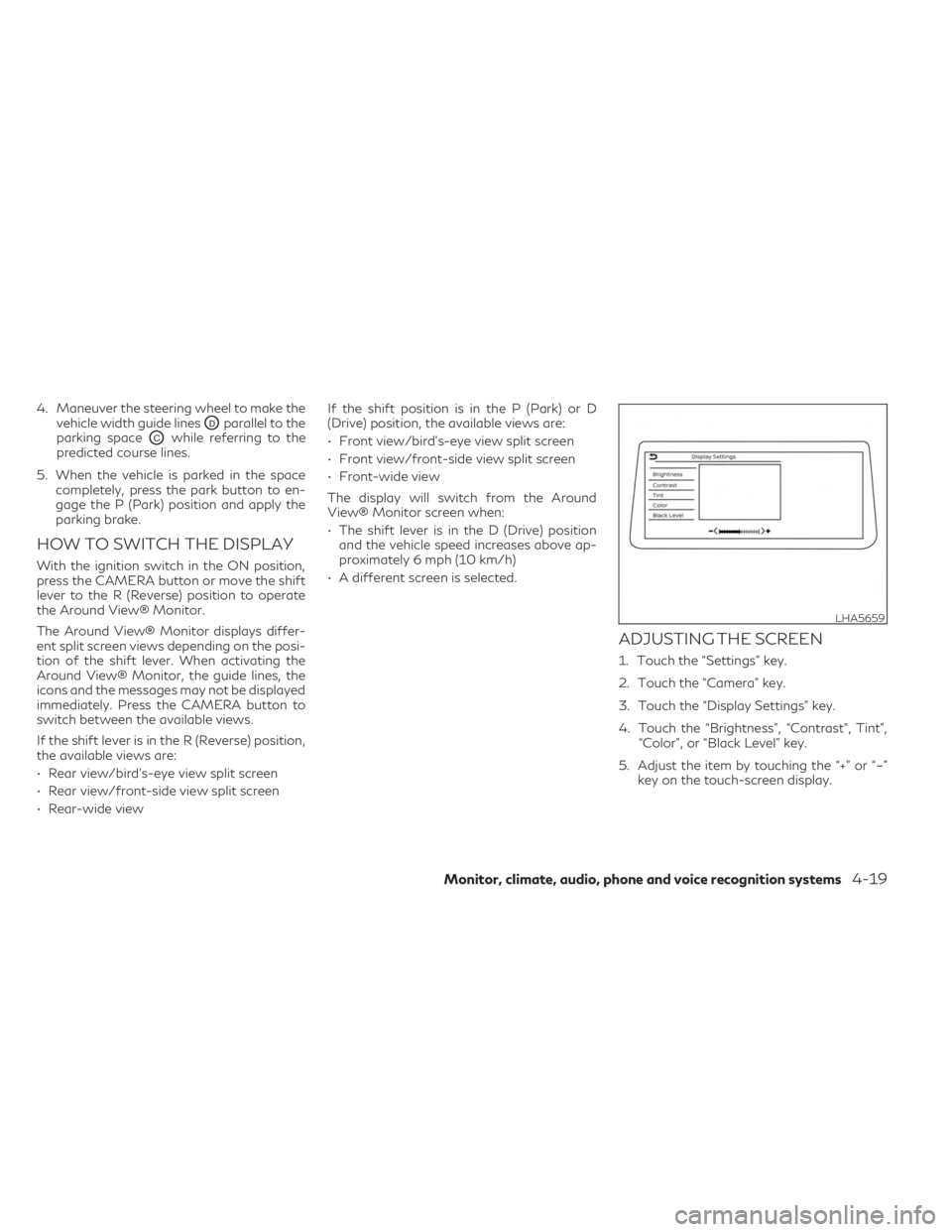
ADJUSTING THE SCREEN
1. Touch the “Settings” key.
2. Touch the “Camera” key.
3. Touch the “Display Settings” key.
4. Touch the “Brightness”, “Contrast”, Tint”, “Color”, or “Black Level” key.
5. Adjust the item by touching the “+” or “–” key on the touch-screen display.
LHA5659
Monitor, climate, audio, phone and voice recognition systems4-19
Page 300 of 636

Start the engine and operate the controls to
activate the air conditioner.
NOTE:
• Odors from inside and outside the vehiclecan build up in the air conditioner unit.
Odor can enter the passenger compart-
ment through the vents.
• When parking, set the heater and air con- ditioner controls to turn off air recircula-
tion to allow fresh air into the passenger
compartment. This should help reduce
odors inside the vehicle.
AUTOMATIC OPERATION
Cooling and/or dehumidified
heating (AUTO)
This mode may be used all year round as the
system automatically works to keep a con-
stant temperature. Air flow distribution, in-
take air control, and fan speed are also con-
trolled automatically.
1. Press the AUTO button. (The indicator on the button will illuminate and AUTO will
be displayed.)
2.
Turn the temperature control dial to the left
or right to set the desired temperature.
• Adjust the temperature display to about 75°F (24°C) for normal operation.
• The temperature of the passenger com- partment will be maintained automatically.
Air flow distribution, intake air control, and
fan speed are also controlled automatically.
• A visible mist may be seen coming from the ventilators in hot, humid conditions as the
air is cooled rapidly. This does not indicate a
malfunction.
3. You can individually set driver's and front passenger's side temperature using each
temperature control dial.
• To synchronize the driver’s and front pas- senger’s temperature settings, press the
SYNC button. PASS SYNC text will appear
in the Climate display.
Dehumidified defrosting or
defogging
1. Press thefront defroster button on.
(The indicator light on the button will
come on.)
2. Turn the temperature control dial to set the desired temperature.
•
To quickly remove ice from the outside of the
windows, use thefan speed control
buttons to set the fan speed to maximum.
• As soon as possible after the windshield is clean, press the AUTO button to return to
the automatic mode.
• When the
front defroster button is
pressed, the air conditioner will automati-
cally be turned on at outside temperatures
above 36°F (2°C). The air recirculate mode
automatically turns off, allowing outside air
to be drawn into the passenger compart-
ment to further improve the defogging
performance.
Remote Engine Start with
Intelligent Climate Control (if so
equipped)
Vehicles equipped with automatic climate
controls and Remote Engine Start function
may go into automatic heating or cooling
mode when Remote Engine Start is activated
depending on outside and cabin tempera-
tures. During this period, the climate control
display and buttons will be inoperable until
the ignition switch is placed in the ON posi-
tion. In Remote Engine Start defrosting
mode, the rear window defroster, heated
seats (if so equipped) and heated steering
wheel (if so equipped) may be activated
automatically.
4-30Monitor, climate, audio, phone and voice recognition systems
Page 308 of 636

5 Starting and driving
Precautions when starting and driving............5-4
Exhaust gas (carbon monoxide) ................5-4
Three-way catalyst ...........................5-4
Tire Pressure Monitoring System (TPMS) ......5-5
On-pavement and off-road driving
precautions ...................................5-8
Avoiding collision and rollover .................5-8
Off-road recovery ............................5-9
Rapid air pressure loss ........................5-9
Drinking alcohol/drugs and driving ...........5-10
Driving safety precautions ...................5-10
Intelligent All-Wheel Drive (AWD) driving
safety precautions (if so equipped) ............5-12
Push-button ignition switch ....................5-13
Operating range for engine start function ....5-13
Push-button ignition switch operation .......5-13
Push-button ignition switch positions ........5-14
Emergency engine shut off ..................5-14
INFINITI Intelligent Key battery
discharge .................................... 5-15
INFINITI Vehicle Immobilizer System ..........5-15
Before starting the engine ......................5-16
Starting the engine ............................. 5-16
Remote Engine Start (if so equipped) .........5-17
Driving the vehicle ............................. 5-18
Automatic Transmission (A/T) ...............5-18Parking brake
.................................. 5-25
Electronic parking brake (switch type) ........5-25
Automatic brake hold .......................... 5-27
How to activate/deactivate the
automatic brake hold function ...............5-28
How to use the automatic brake hold
function .................................... 5-28
INFINITI Drive Mode Selector ..................5-29
STANDARD (2WD models)/AUTO
(AWD models) .............................. 5-30
SPORT mode ............................... 5-30
SNOW mode ............................... 5-30
PERSONAL mode .......................... 5-30
ECO mode ................................. 5-32
Traffic Sign Recognition (TSR) (if so equipped) . . 5-34 System operation ........................... 5-34
Turning the Traffic Sign Recognition
(TSR) system on and off .....................5-35
System temporarily unavailable ..............5-36
System
malfunction ......................... 5-36
System maintenance ........................ 5-36
Lane Departure Warning (LDW) ................5-36
LDW system operation ......................5-37
How to enable/disable the LDW system .....5-39
LDW system limitations .....................5-40
System temporarily unavailable ..............5-41
Page 313 of 636
CAUTION
• Do not use leaded gasoline. Deposits
from leaded gasoline will seriously re-
duce the three-way catalyst's ability to
help reduce exhaust pollutants.
• Keep your engine tuned up. Malfunc-
tions in the ignition, fuel injection, or
electrical systems can cause over rich
fuel flow into the three-way catalyst,
causing it to overheat. Do not keep driv-
ing if the engine misfires, or if noticeable
loss of performance or other unusual op-
erating conditions are detected. Have
the vehicle inspected promptly. It is rec-
ommended that you visit an INFINITI re-
tailer for this service.
• Avoid driving with an extremely low fuel
level. Running out of fuel could cause the
engine to misfire, damaging the three-
way catalyst.
• Do not race the engine while warming it
up.
• Do not push or tow your vehicle to start
the engine.TIRE PRESSURE MONITORING
SYSTEM (TPMS)
Each tire, including the spare (if provided),
should be checked monthly when cold and
inflated to the inflation pressure recom-
mended by the vehicle manufacturer on the
vehicle placard or tire inflation pressure label.
(If your vehicle has tires of a different size
than the size indicated on the vehicle placard
or tire inflation pressure label, you should
determine the proper tire inflation pressure
for those tires.)
As an added safety feature, your vehicle has
been equipped with a Tire Pressure Monitor-
ing System (TPMS) that illuminates a low tire
pressure telltale when one or more of your
tires is significantly under-inflated. Accord-
ingly, when the low tire pressure telltale illu-
minates, you should stop and check your tires
as soon as possible, and inflate them to the
proper pressure. Driving on a significantly
under-inflated tire causes the tire to overheat
and can lead to tire failure. Under-inflation
also reduces fuel efficiency and tire tread life,
and may affect the vehicle’s handling and
stopping ability. Please note that the TPMS is not a substitute
for proper tire maintenance, and it is the driv-
er’s responsibility to maintain correct tire
pressure, even if under-inflation has not
reached the level to trigger illumination of the
TPMS low tire pressure telltale.
Your vehicle has also been equipped with a
TPMS malfunction indicator to indicate
when the system is not operating properly.
The TPMS malfunction indicator is combined
with the low tire pressure telltale. When the
system detects a malfunction, the telltale will
flash for approximately one minute and then
remain continuously illuminated. This se-
quence will continue upon subsequent vehicle
start-ups as long as the malfunction exists.
When the malfunction indicator is illumi-
nated, the system may not be able to detect
or signal low tire pressure as intended. TPMS
malfunctions may occur for a variety of rea-
sons, including the installation of replace-
ment or alternate tires or wheels on the ve-
hicle that prevent the TPMS from functioning
properly. Always check the TPMS malfunc-
tion telltale after replacing one or more tires
or wheels on your vehicle to ensure that the
replacement or alternate tires and wheels al-
low the TPMS to continue to function
properly.
Starting and driving5-5
Page 314 of 636

Additional information:
• When using a wheel without the TPMSsuch as the spare tire, the TPMS does not
monitor the tire pressure of the spare tire.
• The TPMS will activate only when the ve- hicle is driven at speeds above 16 mph (25
km/h). Also, this system may not detect a
sudden drop in tire pressure (for example, a
flat tire while driving).
• The low tire pressure warning light does not automatically turn off when the tire
pressure is adjusted. After the tire is in-
flated to the recommended pressure, the
vehicle must be driven at speeds above 16
mph (25 km/h) to activate the TPMS and
turn off the low tire pressure warning light.
Use a tire pressure gauge to check the tire
pressure.
• The “Tire Pressure Low — Add Air” warning appears in the vehicle information display
when the low tire pressure warning light is
illuminated and low tire pressure is de-
tected. The “Tire Pressure Low - Add Air”
warning turns off when the low tire pres-
sure warning light turns off.
• The “Tire Pressure Low — Add Air” warning appears each time the ignition switch is in
the ON position as long as the low tire
pressure warning light remains illuminated. • The “Tire Pressure Low — Add Air” warning
does not appear if the low tire pressure
warning light illuminates to indicate a
TPMS malfunction.
• Tire pressure rises and falls depending on the heat caused by the vehicle’s operation
and the outside temperature. Do not re-
duce the tire pressure after driving because
the tire pressure rises after driving. Low
outside temperature can lower the tem-
perature of the air inside the tire which can
cause a lower tire inflation pressure. This
may cause the low tire pressure warning
light to illuminate. If the warning light illu-
minates, check the tire pressure for all four
tires.
• The Tire and Loading Information label is located in the driver's door opening.
• You can also check the pressure of all tires (except the spare tire) on the vehicle infor-
mation display screen. The order of the tire
pressure figures displayed on the screen
corresponds with the actual order of the
tire position.
For additional information, see “Low tire
pressure warning light” (P. 2-18),“Tire Pres-
sure Low — Add Air” (P. 2-67) and “Tire Pres-
sure Monitoring System (TPMS)” (P. 6-3).WARNING
• Radio waves could adversely affect elec-
tric medical equipment. Those who use a
pacemaker should contact the electric
medical equipment manufacturer for the
possible influences before use.
• If the low tire pressure warning light illu-
minates while driving, avoid sudden
steering maneuvers or abrupt braking,
reduce vehicle speed, pull off the road to
a safe location and stop the vehicle as
soon as possible. Driving with under-
inflated tires may permanently damage
the tires and increase the likelihood of
tire failure. Serious vehicle damage could
occur and may lead to an accident and
could result in serious personal injury.
Check the tire pressure for all four tires.
Adjust the tire pressure to the recom-
mended COLD tire pressure shown on
the Tire and Loading Information label to
turn the low tire pressure warning light
off. If you have a flat tire, replace it with
a spare tire as soon as possible. For addi-
tional information, see “Flat tire”
(P. 6-3) for changing a flat tire.
5-6Starting and driving
Page 316 of 636

Vehicle set-up:
1. Park the vehicle in a safe and level place.
2. Apply the parking brake and push the parkbutton to engage the P (Park) position.
3. Place the ignition switch in the ON posi- tion. Do not start the engine.
Operation:
1. Add air to the tire.
2. After a few seconds, the hazard indicators will start flashing.
3. When the designated pressure is reached, the horn beeps once and the hazard indi-
cators stop flashing.
4. Perform the above steps for each tire. • If the tire is over-inflated more than ap-proximately 4 psi (30 kPa), the horn
beeps and the hazard indicators flash
three times. To correct the pressure,
push the core of the valve stem on the
tire briefly to release pressure. When the
pressure reaches the designated pres-
sure, the horn beeps once.
• If the hazard indicator does not flash within approximately 15 seconds after
starting to inflate the tire, it indicates
that the TPMS with Tire Inflation Indi-
cator is not operating. • The TPMS will not activate the TPMS
with Tire Inflation Indicator under the
following conditions:– If there is interference from an exter- nal device or transmitter.
– The air pressure from the inflation de- vice is not sufficient to inflate the tire.
– There is a malfunction in the TPMS.
– There is a malfunction in the horn or hazard indicators.
– The identification code of the tire pressure sensor is not registered to
the system.
– The battery of the tire pressure sensor is low.
• If the TPMS with Tire Inflation Indicator does not operate due to TPMS interfer-
ence, move the vehicle about 3 ft (1 m)
backward or forward and try again.
If the TPMS with Tire Inflation Indicator is
not working, use a tire pressure gauge.
ON-PAVEMENT AND OFF-ROAD
DRIVING PRECAUTIONS
Utility vehicles have a significantly higher
rollover rate than other types of vehicles.
They have higher ground clearance than pas-
senger cars to make them capable of per-
forming in a variety of on-pavement and off-
road applications. This gives them a higher center of gravity than ordinary vehicles. An
advantage of higher ground clearance is a
better view of the road, allowing you to an-
ticipate problems. However, they are not de-
signed for cornering at the same speeds as
conventional 2-Wheel Drive vehicles any
more than low-slung sports cars are de-
signed to perform satisfactorily under off-
road conditions. If at all possible, avoid sharp
turns at high speeds. As with other vehicles of
this type, failure to operate this vehicle cor-
rectly may result in loss of control or vehicle
rollover.
In a rollover crash, an unbelted person is sig-
nificantly more likely to die than a person
wearing a seat belt.
For additional information, see “Driving
safety precautions” (P. 5-10).
AVOIDING COLLISION AND
ROLLOVER
WARNING
Failure to operate this vehicle in a safe and
prudent manner may result in loss of con-
trol or an accident.
5-8Starting and driving
Page 321 of 636

WARNING
Do not operate the push-button ignition
switch while driving the vehicle except in
an emergency. (The engine will stop when
the ignition switch is pushed three con-
secutive times in quick succession or the
ignition switch is pushed and held for more
than 2 seconds.) If the engine stops while
the vehicle is being driven, this could lead
to a crash and serious injury.
Before operating the push-button ignition
switch, be sure to press the park button to
shift to the P (Park) position.
OPERATING RANGE FOR
ENGINE START FUNCTION
The Intelligent Key functions can only be used
when the Intelligent Key is within the speci-
fied operating range
O1.
When the Intelligent Key battery is almost
discharged or strong radio waves are present
near the operating location, the Intelligent
Key system’s operating range becomes nar-
rower and may not function properly.
If the Intelligent Key is within the operating
range, it is possible for anyone, even some-
one who does not carry the Intelligent Key, to
push the ignition switch to start the engine. • The cargo room area is not included in the
operating range, but the Intelligent Key
may function.
• If the Intelligent Key is placed on the instru- ment panel or inside the glove box, storage
bin or door pocket, the Intelligent Key may
not function.
• If the Intelligent Key is placed near the door or window outside the vehicle, the Intelli-
gent Key may function.
If the battery of the Intelligent Key is dis-
charged, see “Intelligent Key battery dis-
charge” (P. 5-15).
PUSH-BUTTON IGNITION
SWITCH OPERATION
CAUTION
• Do not leave the vehicle for extended pe-
riods of time when the ignition switch is
in the ON position and the engine is not
running. This can discharge the battery.
• Use electrical accessories with the en-
gine running to avoid discharging the ve-
hicle battery. If you must use accessories
while the engine is not running, do not
use them for extended periods of time
and do not use multiple electrical acces-
sories at the same time.
LSD2020
PUSH-BUTTON IGNITION SWITCH
Starting and driving5-13
Page 322 of 636
When the ignition switch is pushed without
depressing the brake pedal, the ignition
switch will illuminate.
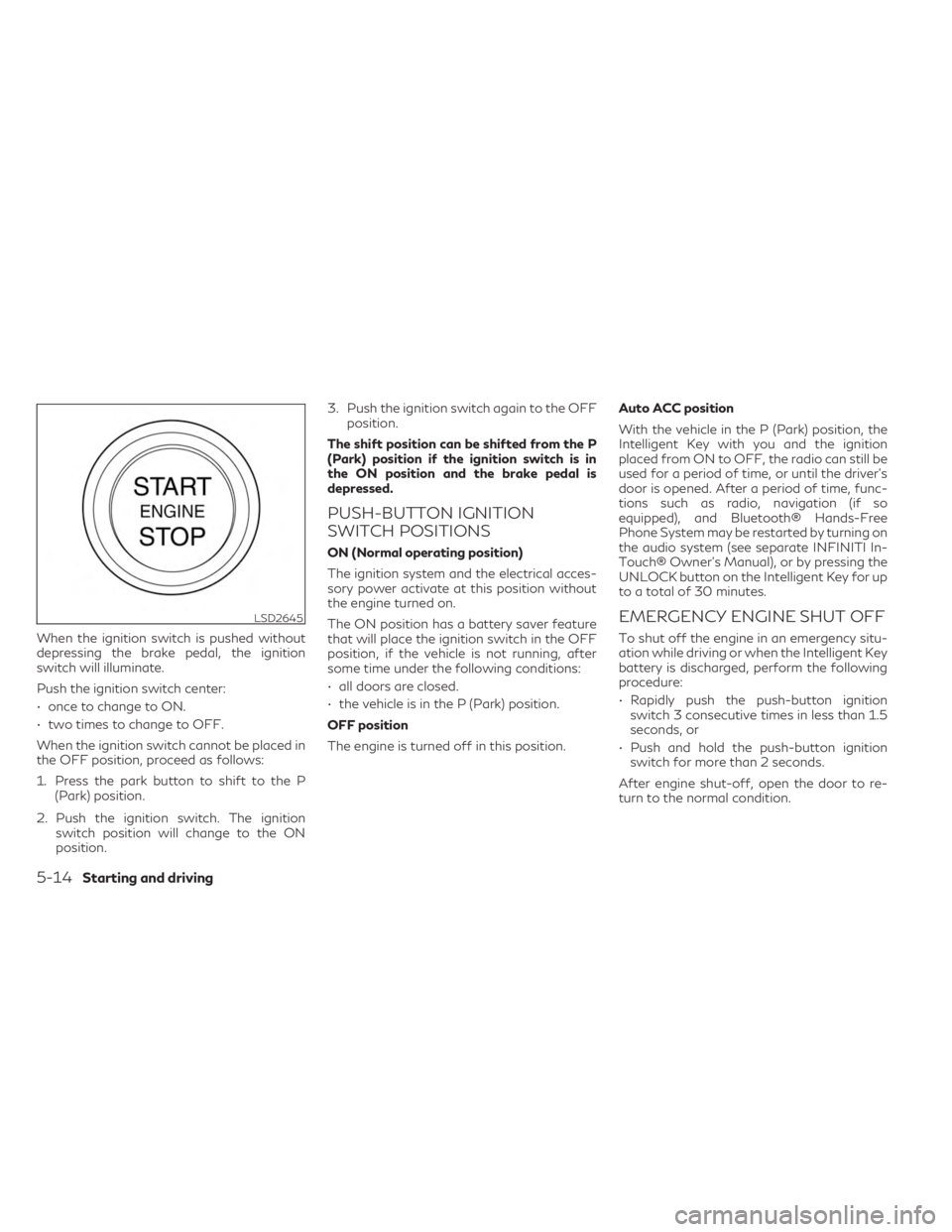
Push the ignition switch center:
• once to change to ON.
• two times to change to OFF.
When the ignition switch cannot be placed in
the OFF position, proceed as follows:
1. Press the park button to shift to the P(Park) position.
2. Push the ignition switch. The ignition switch position will change to the ON
position. 3. Push the ignition switch again to the OFF
position.
The shift position can be shifted from the P
(Park) position if the ignition switch is in
the ON position and the brake pedal is
depressed.
PUSH-BUTTON IGNITION
SWITCH POSITIONS
ON (Normal operating position)
The ignition system and the electrical acces-
sory power activate at this position without
the engine turned on.
The ON position has a battery saver feature
that will place the ignition switch in the OFF
position, if the vehicle is not running, after
some time under the following conditions:
• all doors are closed.
• the vehicle is in the P (Park) position.
OFF position
The engine is turned off in this position. Auto ACC position
With the vehicle in the P (Park) position, the
Intelligent Key with you and the ignition
placed from ON to OFF, the radio can still be
used for a period of time, or until the driver’s
door is opened. After a period of time, func-
tions such as radio, navigation (if so
equipped), and Bluetooth® Hands-Free
Phone System may be restarted by turning on
the audio system (see separate INFINITI In-
Touch® Owner’s Manual), or by pressing the
UNLOCK button on the Intelligent Key for up
to a total of 30 minutes.
EMERGENCY ENGINE SHUT OFF
To shut off the engine in an emergency situ-
ation while driving or when the Intelligent Key
battery is discharged, perform the following
procedure:
• Rapidly push the push-button ignition
switch 3 consecutive times in less than 1.5
seconds, or
• Push and hold the push-button ignition switch for more than 2 seconds.
After engine shut-off, open the door to re-
turn to the normal condition.
LSD2645
5-14Starting and driving
Page 323 of 636

INFINITI INTELLIGENT KEY
BATTERY DISCHARGE
If the battery of the Intelligent Key is dis-
charged, or environmental conditions inter-
fere with the Intelligent Key operation, start
the engine according to the following proce-
dure:
1. Press the park button to shift to the P(Park) position.
2. Firmly apply the foot brake.
3. Touch the ignition switch with the Intelli- gent Key as illustrated. (A chime will
sound.) 4. Push the ignition switch while depressing
the brake pedal within 10 seconds after
the chime sounds. The engine will start.
After step 3 is performed, when the ignition
switch is pushed without depressing the
brake pedal, the ignition switch position will
change to ON.
NOTE:
• When the ignition switch is pushed to the ON position or the engine is started by the
above procedures, the “Key Battery Low”
warning appears (on the vehicle informa-
tion display) even if the Intelligent Key is
inside the vehicle. This is not a malfunc-
tion. To turn off the warning, touch the
ignition switch with the Intelligent Key
again.
• If the “Key Battery Low” warning appears, replace the battery as soon as possible.
For additional information, see “Battery
replacement” (P. 8-24).
INFINITI VEHICLE IMMOBILIZER
SYSTEM
The INFINITI Vehicle Immobilizer System will
not allow the engine to start without the use
of the registered key. If the engine does not start using the regis-
tered Intelligent Key, it may be due to inter-
ference caused by:
• Another Intelligent Key.
• Automated toll road device.
• Automated payment device.
• Other devices that transmit similar signals.
Start the engine using the following
procedure:
1. Remove any items that may be causing
the interference away from the Intelligent
Key.
2. Start the engine again.
If this procedure allows the engine to start,
INFINITI recommends placing the registered
Intelligent Key separate from other devices to
avoid interference.
Statement related to section 15 of FCC rules
for INFINITI Vehicle Immobilizer System
(CONT ASSY-SMART KEYLESS)
LSD3277
Starting and driving5-15
Page 324 of 636

FCC Notice:
For USA:
This device complies with Part 15 of the FCC
Rules. Operation is subject to the following
two conditions: (1) This device may not
cause harmful interference, and (2) this de-
vice must accept any interference received,
including interference that may cause unde-
sired operation.
NOTE:
Changes or modifications not expressly ap-
proved by the party responsible for compli-
ance could void the user’s authority to oper-
ate the equipment.
For Canada:
This device contains licence-exempt
transmitter(s)/receiver(s) that comply with
Innovation, Science and Economic Develop-
ment Canada’s licence-exempt RSS(s). Op-
eration is subject to the following two con-
ditions: (1) This device may not cause
interference. (2) This device must accept any
interference, including interference that
may cause undesired operation of the
device.• Make sure the area around the vehicle is
clear.
• Check fluid levels such as engine oil, cool- ant, brake fluid, and windshield-washer
fluid as frequently as possible, or at least
whenever you refuel.
• Check that all windows and lights are clean.
• Visually inspect tires for their appearance and condition. Also check tires for proper
inflation.
• Check that all doors are closed.
• Position seat and adjust head restraints/headrests.
• Adjust inside and outside mirrors.
• Fasten seat belts and ask all passengers to do likewise.
• Check the operation of warning lights when the ignition switch is placed in the ON
position. For additional information, see
“Warning lights, indicator lights and audible
reminders” (P. 2-12). 1. Apply the parking brake.
2. Confirm that the vehicle is in the P (Park)
position.
The starter is designed not to operate if
the shift lever is in any of the driving
positions.
3. Push the ignition switch to the ON posi- tion. Depress the brake pedal and push
the ignition switch to start the engine.
To start the engine immediately, push and
release the ignition switch while depress-
ing the brake pedal with the ignition
switch in any position.
• If the engine is very hard to start in extremely cold weather or when re-
starting, depress the accelerator pedal a
little (approximately 1/3 to the floor)
and while holding, crank the engine. Re-
lease the accelerator pedal when the
engine starts.
• If the engine is very hard to start be- cause it is flooded, depress the accel-
erator pedal all the way to the floor and
hold it. Push the ignition switch to the
ON position to start cranking the en-
gine. After 5 or 6 seconds, stop cranking
by pushing the ignition switch to the
LOCK position. After cranking the en-
gine, release the accelerator pedal.
BEFORE STARTING THE ENGINE STARTING THE ENGINE
5-16Starting and driving