All JAGUAR XF 2009 1.G Owner's Manual
[x] Cancel search | Manufacturer: JAGUAR, Model Year: 2009, Model line: XF, Model: JAGUAR XF 2009 1.GPages: 391, PDF Size: 19.32 MB
Page 34 of 391
Locks
34
Keyless locking
The vehicle will not lock automatically.
The vehicle will only lock if all doors, luggage
compartment and bonnet are closed. If a lock
attempt is made with an open aperture, the
vehicle will not lock and two audible error
warnings will sound.
• To single-lock the vehicle, press the button
on the door handle once. The hazard
warning lamps will flash once as
confirmation (in some markets, an audible
warning will sound).
• To double-lock the ve hicle, press the
button twice within three seconds. The
hazard warning lamps will flash twice (with
a long second flash). In some markets, a
double audible warning will sound.
Note: Keyless locking will only activate if the
Jaguar Smart Key is outside the vehicle. If no
Smart Key is present, two audible error
warnings will sound.
Window global closing
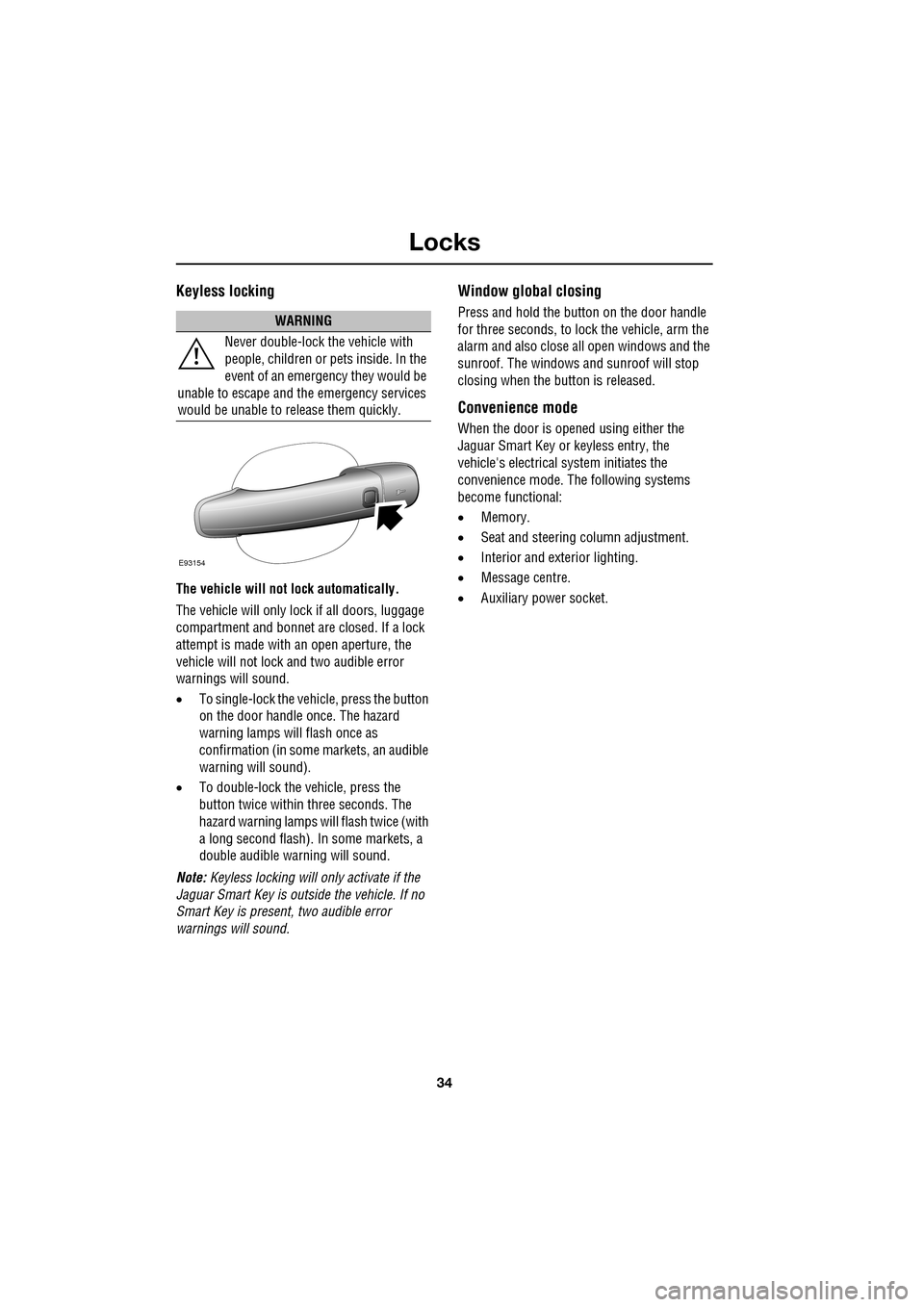
Press and hold the button on the door handle
for three seconds, to lock the vehicle, arm the
alarm and also close all open windows and the
sunroof. The windows and sunroof will stop
closing when the button is released.
Convenience mode
When the door is opened using either the
Jaguar Smart Key or keyless entry, the
vehicle's electrical system initiates the
convenience mode. The following systems
become functional:
• Memory.
• Seat and steering column adjustment.
• Interior and exterior lighting.
• Message centre.
• Auxiliary power socket.
WARNING
Never double-lock the vehicle with
people, children or pets inside. In the
event of an emergency they would be
unable to escape and the emergency services
would be unable to release them quickly.
E93154
Page 35 of 391
35
Locks
Steering column lock
Your vehicle is fitted with an electronic steering
column lock. The column unlocks when it
detects a Jaguar Smart Key inside the vehicle.
The steering column automatically locks when
the starter switch is turned off and the driver's
door is opened.
Any malfunction of the steering column lock
will be indicated by the message STEERING
COLUMN LOCKED displaying in the message
centre. If this occurs:
1. Press the starter button to return to the
convenience mode.
2. Try again to unlock the steering column
lock, by turning the steering wheel gently
to the left and right.
3. If the malfunction st ill persists, seek
qualified assistance as soon as possible.
GLOBAL OPENING AND CLOSING
Global opening and closi ng is enabled/disabled
via the touch-screen.See PROGRAMMING THE
REMOTE CONTROL (page 21).
Window global opening
Press and hold the unlock button
on the Jaguar Smart Key for at least
three seconds. The alarm will
disarm, all doors and the luggage
compartment will unlock and all the windows
and sunroof will open.
Note: The windows and sunroof will continue
to open when the unlock button is released.
Press and hold the inte rior unlock button on
the fascia. After three seconds, all the windows
and the sunroof will open.
Note: The windows and sunroof will stop
opening when the unlock button is released.
CAUTION
During vehicle recovery, the Jaguar
Smart Key must remain inside the
vehicle (or be stowed in the starter control unit
in the centre console), so that the steering
column remains unlocked.WARNING
Accidental closing of an electrically
operated window or sunroof on
fingers, hands or any vulnerable part
of the body, can result in serious injury.
Always observe the following precautions:
Ensure that you have a clear view of all open
apertures on the vehicle and that all apertures
are unobstructed before activating global
closing.
Page 36 of 391
Locks
36
Window global closing (not Japan)
Press and hold the lock button on
the Jaguar Smart Key. The alarm
will arm, all doors and the luggage
compartment will lock and, after three
seconds, all open windows and sunroof will
close.
Note: The windows and sunroof will continue
to close when the lock button is released.
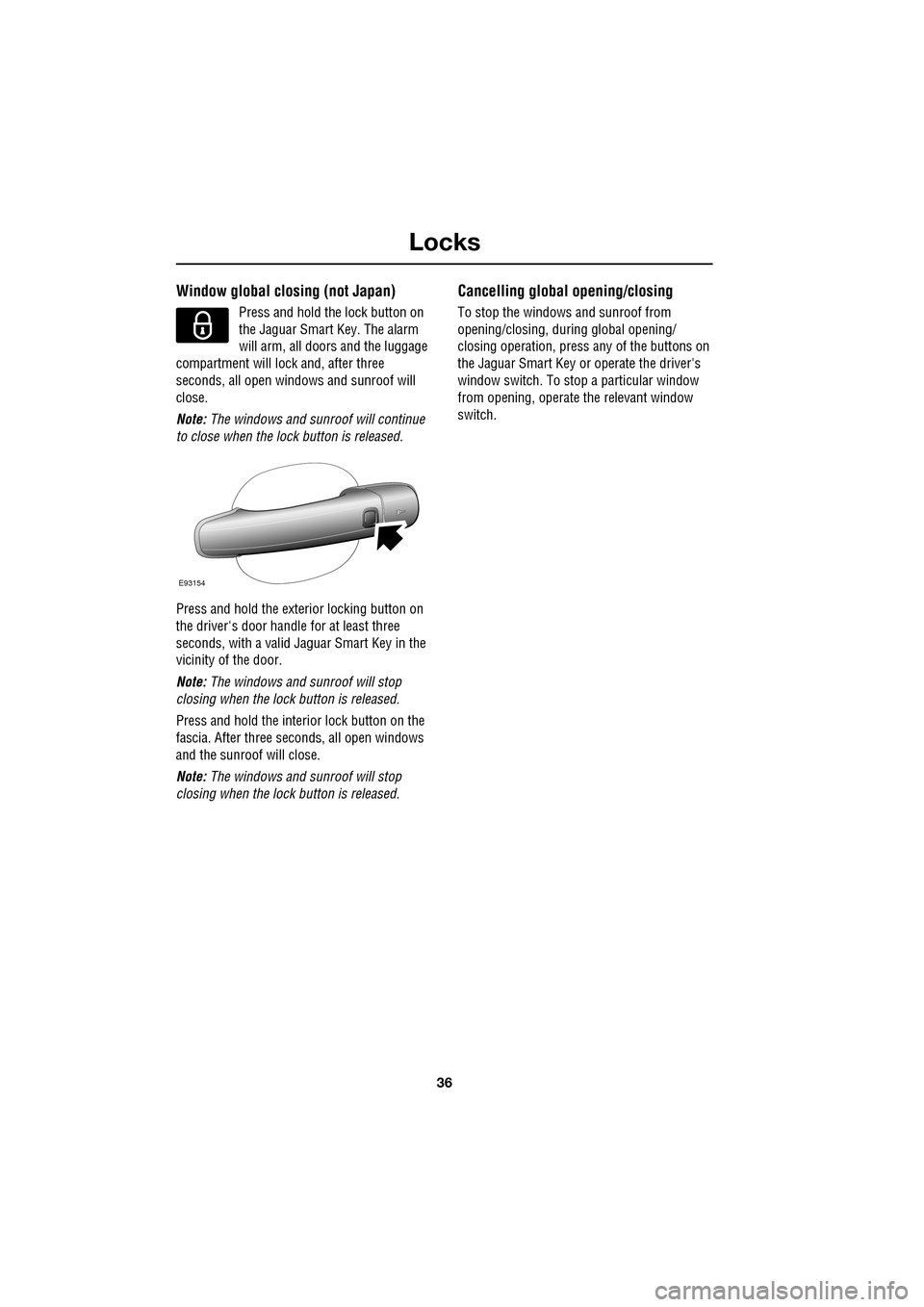
Press and hold the exterior locking button on
the driver's door handle for at least three
seconds, with a valid Jaguar Smart Key in the
vicinity of the door.
Note: The windows and sunroof will stop
closing when the lock button is released.
Press and hold the interior lock button on the
fascia. After th ree seconds, all open windows
and the sunroof will close.
Note: The windows and sunroof will stop
closing when the lock button is released.
Cancelling global opening/closing
To stop the windows and sunroof from
opening/closing, during global opening/
closing operation, press any of the buttons on
the Jaguar Smart Key or operate the driver's
window switch. To stop a particular window
from opening, operate the relevant window
switch.
E93154
Page 37 of 391
37
Alarm
ARMING THE ALARM
The engine is automatically
immobilised when the Jaguar
Smart Key is removed from the
vehicle. The alarm system is armed when the
lock button on the Jaguar Smart Key is pressed
or the button on the ex terior door handle is
pressed with a valid Jaguar Smart Key in close
proximity. The hazard lamps will flash to
indicate that the alarm is armed (in certain
markets, an audible tone will sound). The alarm
can also arm automatically (known as passive
arming), 30 seconds afte r all doors, luggage
compartment and bonnet apertures are closed,
and the Jaguar Smart Key is removed from the
vehicle. Passive arming does not lock the
vehicle.
This feature can be enab led/disabled using the
vehicle touch-screen. See PROGRAMMING
THE REMOTE CONTROL (page 21).
Full alarm
To set full alarm protection, ensure that all the
windows and the sunroof are closed. Then, on
vehicles fitted with doubl e-locking, press the
lock button twice within three seconds. The
hazard warning lights will flash twice to
confirm the alarm state and, in some markets,
an audible tone will sound.
Once fully armed the alarm will sound if:-
• The bonnet, luggage compartment, or a
door are opened.
• If a front door is unlocked using the
emergency key blade or the interior door
lock release levers and then opened.
• Movement is detected within the vehicle
interior.
• A window, front or rear windscreen, or
sunroof glass are broken.
• The vehicle is raised or tilted.
• The vehicle battery is disconnected. •
An attempt is made to disconnect the
alarm siren.
• An attempt is made to start the vehicle,
without a valid Jaguar Smart Key present.
Note: If the alarm is armed and a window or the
sunroof are left open, the alarm may sound due
to movement of air currents.
Note: Some of the above conditions are market
or option dependent a nd therefore may not
apply to your vehicle.
Perimeter alarm
To set perimeter alarm pr otection, briefly press
the lock button once. The hazard warning lights
will flash once to confirm the alarm state.
Once armed the perimeter alarm will sound if:-
• The bonnet, luggage compartment, or a
door are opened.
• If a front door is unlocked using the
emergency key blade or the interior door
lock release levers and then opened.
• The vehicle battery is disconnected.
• An attempt is made to disconnect the
alarm siren.
• An attempt is made to start the vehicle,
without a valid Jaguar Smart Key present.
Note: This setting should be used in
circumstances such as travelling on a ferry,
when pets are to be left in the vehicle, when a
window must be left open etc.
Note: Some of the above conditions are market
or option dependent a nd therefore may not
apply to your vehicle.
Page 38 of 391
Alarm
38
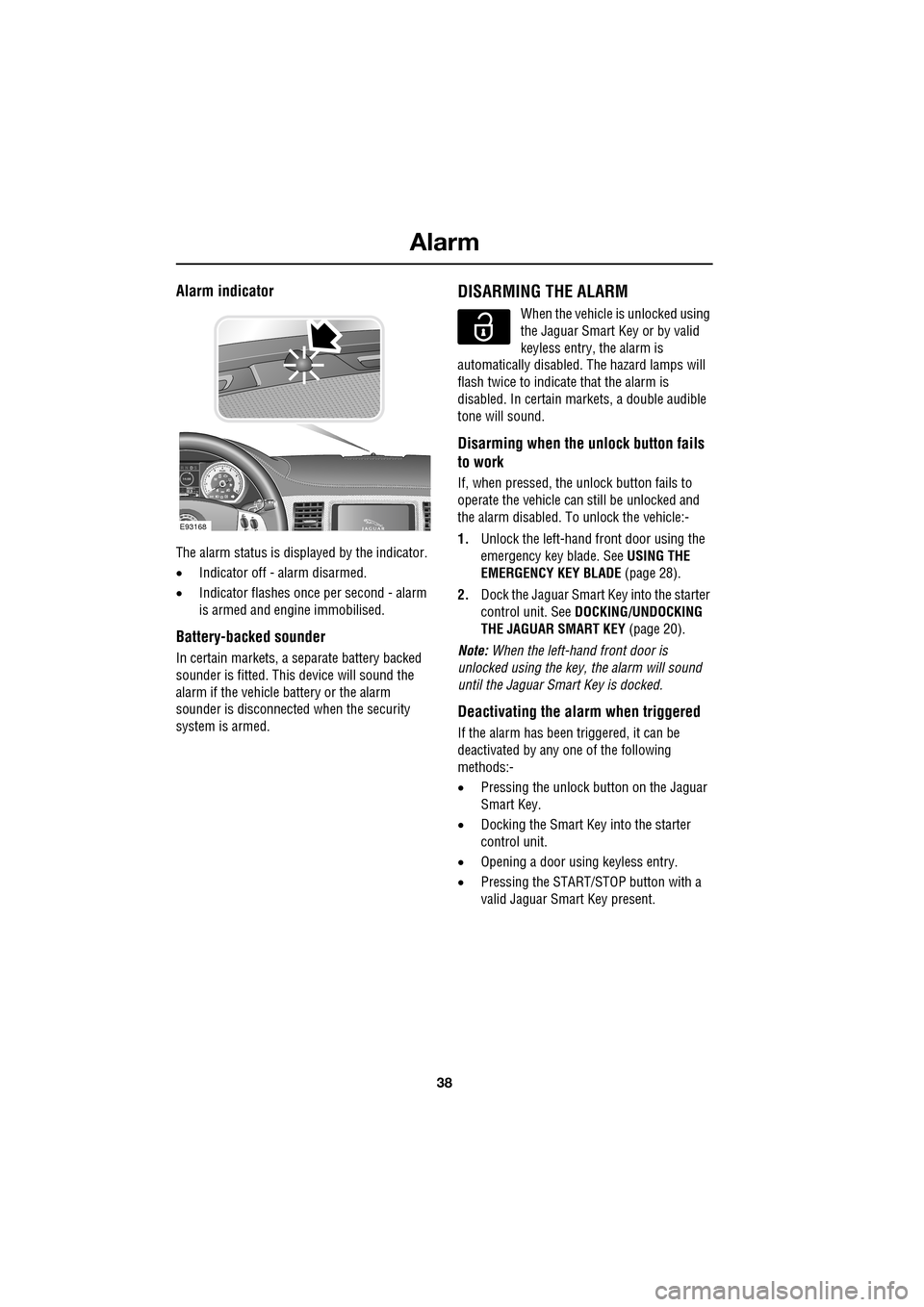
Alarm indicator
The alarm status is displayed by the indicator.
•Indicator off - alarm disarmed.
• Indicator flashes onc e per second - alarm
is armed and engine immobilised.
Battery-backed sounder
In certain markets, a separate battery backed
sounder is fitted. This device will sound the
alarm if the vehicle battery or the alarm
sounder is disconnected when the security
system is armed.
DISARMING THE ALARM
When the vehicle is unlocked using
the Jaguar Smart Key or by valid
keyless entry, the alarm is
automatically disabled. The hazard lamps will
flash twice to indicate that the alarm is
disabled. In certain ma rkets, a double audible
tone will sound.
Disarming when the unlock button fails
to work
If, when pressed, the unlock button fails to
operate the vehicle can still be unlocked and
the alarm disabled. To unlock the vehicle:-
1. Unlock the left-hand front door using the
emergency key blade. See USING THE
EMERGENCY KEY BLADE (page 28).
2. Dock the Jaguar Smart Key into the starter
control unit. See DOCKING/UNDOCKING
THE JAGUAR SMART KEY (page 20).
Note: When the left-hand front door is
unlocked using the key, the alarm will sound
until the Jaguar Smart Key is docked.
Deactivating the alarm when triggered
If the alarm has been triggered, it can be
deactivated by any one of the following
methods:-
• Pressing the unlock button on the Jaguar
Smart Key.
• Docking the Smart Key into the starter
control unit.
• Opening a door using keyless entry.
• Pressing the START/ST OP button with a
valid Jaguar Smart Key present.
km/ 0 km
E93168
Page 39 of 391
39
Alarm
Alarm trigger information
If you have reason to believe that the alarm was
triggered when you were away from the
vehicle, it is possible to check on your return
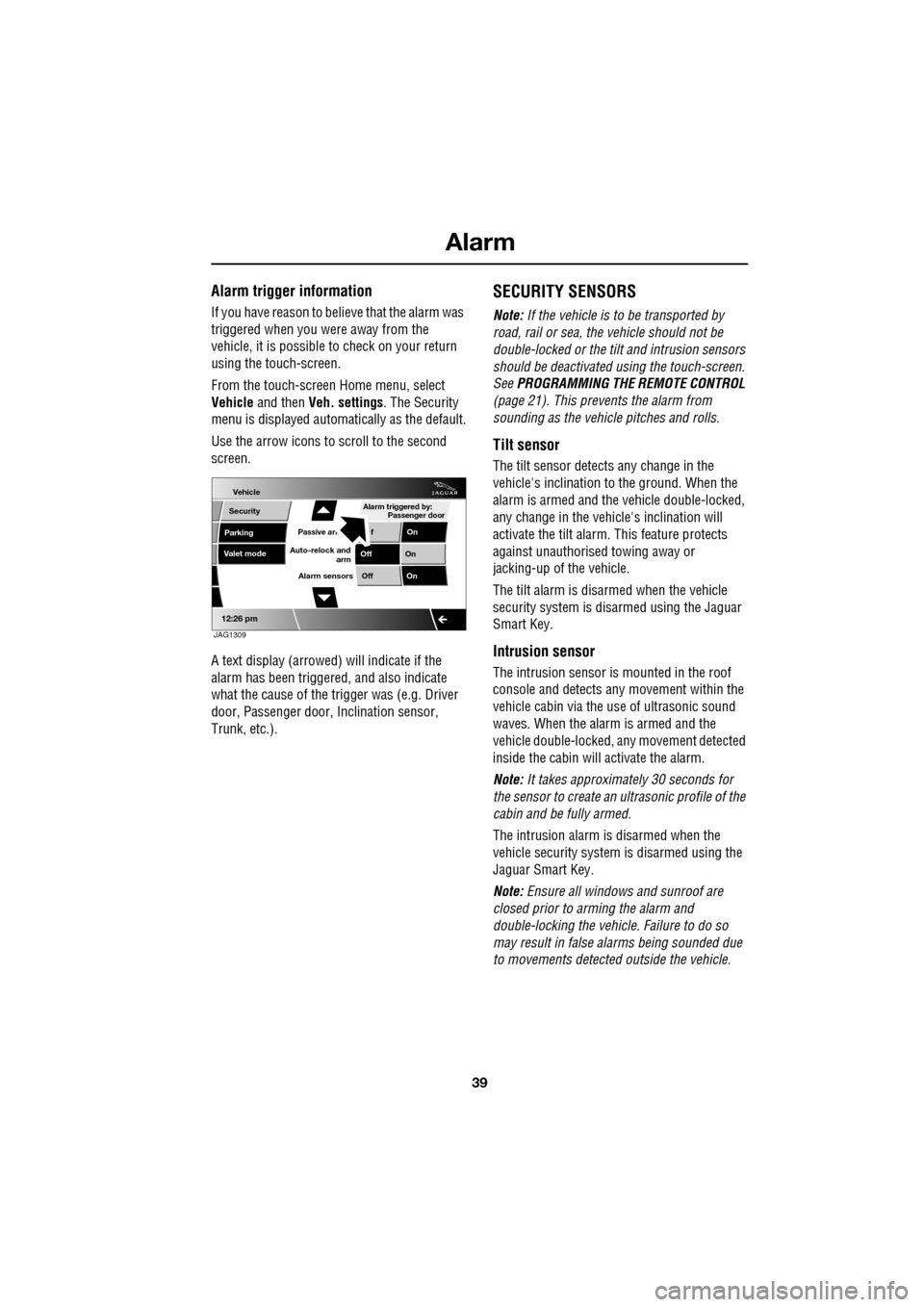
using the touch-screen.
From the touch-screen Home menu, select
Vehicle and then Veh. settings . The Security
menu is displayed automatically as the default.
Use the arrow icons to scroll to the second
screen.
A text display (arrowed) will indicate if the
alarm has been triggere d, and also indicate
what the cause of the trigger was (e.g. Driver
door, Passenger door, Inclination sensor,
Trunk, etc.).
SECURITY SENSORS
Note: If the vehicle is to be transported by
road, rail or sea, the vehicle should not be
double-locked or the tilt and intrusion sensors
should be deactivated using the touch-screen.
See PROGRAMMING THE REMOTE CONTROL
(page 21). This prevents the alarm from
sounding as the vehi cle pitches and rolls.
Tilt sensor
The tilt sensor detect s any change in the
vehicle's inclination to the ground. When the
alarm is armed and the vehicle double-locked,
any change in the vehicle's inclination will
activate the tilt alarm. This feature protects
against unauthorised towing away or
jacking-up of the vehicle.
The tilt alarm is disarmed when the vehicle
security system is disarmed using the Jaguar
Smart Key.
Intrusion sensor
The intrusion sensor is mounted in the roof
console and detects any movement within the
vehicle cabin via the use of ultrasonic sound
waves. When the alarm is armed and the
vehicle double-locked, an y movement detected
inside the cabin will activate the alarm.
Note: It takes approximately 30 seconds for
the sensor to create an ultrasonic profile of the
cabin and be fully armed.
The intrusion alarm is disarmed when the
vehicle security system is disarmed using the
Jaguar Smart Key.
Note: Ensure all windows and sunroof are
closed prior to arming the alarm and
double-locking the vehicl e. Failure to do so
may result in false al arms being sounded due
to movements detected outside the vehicle.
Vehicle
Security
Parking
Passive armf On
Alarm sensors Of f On
12:26 pm
Off On
Auto-relock and
armValet mode
Passenger door
Alarm triggered by:
JAG1309
Page 40 of 391
Alarm
40
Passive arming
This vehicle is fitted with a passive arming
feature which can, if enabled, automatically
arm the anti-theft system. Passive arming will
automatically arm the perimeter alarm system
30 seconds after the driver's door is closed,
provided all doors, bonnet and luggage
compartment are closed, the ignition is
switched off and there are no valid Jaguar
Smart Keys inside the vehicle.
It will also automatically arm the perimeter
alarm system 30 seconds after the vehicle is
unlocked, if none of the doors or the luggage
compartment are opened.
Passive arming will not lock the vehicle,
although access to the luggage compartment
via the interior or exterior release buttons will
be inhibited and the fuel filler flap will be
locked.
Passive arming can be di sabled/enabled using
the touch-screen. See PROGRAMMING THE
REMOTE CONTROL (page 21).
Automatic relocking and re-arming of the
alarm
Automatic relock and re-a rm is a feature which,
if enabled, automatically relocks the vehicle
and arms the anti-theft system.
If the vehicle is in a locked and armed state and
the remote unlock button is pressed, but none
of the doors or the luggage compartment are
opened within 45 seconds, the vehicle will
automatically relock all the doors and the
luggage compartment a nd will re-arm the
alarm system.
Note: Automatic relocking and arming will only
relock to a centrally lo cked state and will only
arm to a perimeter alarm condition.
Automatic relocking an d re-arming can be
disabled/enabled using the touch-screen.
See PROGRAMMING THE REMOTE CONTROL
(page 21).
Sensor faults
If the security systems detect a fault with one
of the security sensors, two error tones will
sound from the alarm sire n after the vehicle is
unlocked and disarmed. If this condition
occurs, please visit your Dealer/Authorised
Repairer for rectification.
Page 41 of 391
41
Seats
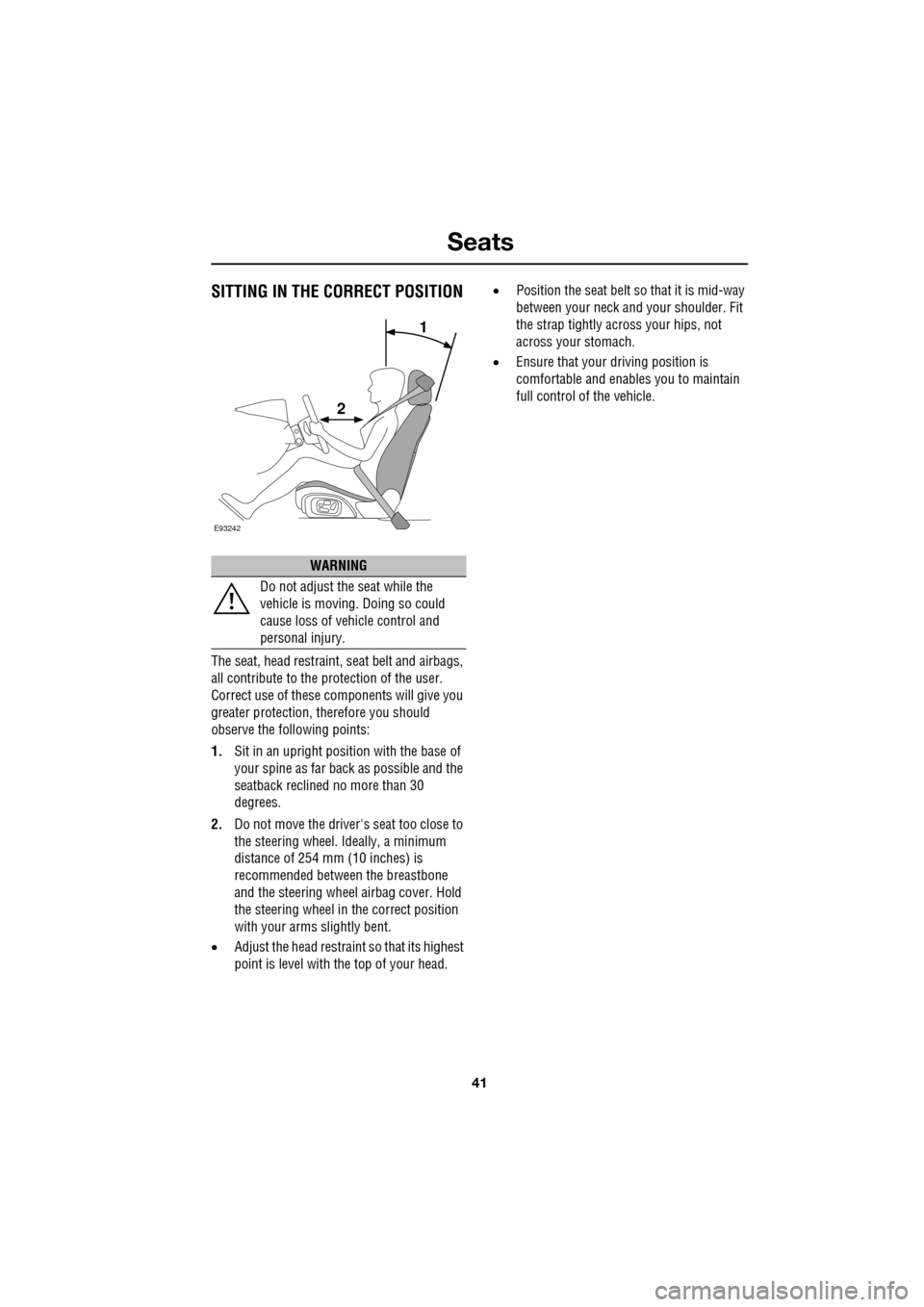
SITTING IN THE CORRECT POSITION
The seat, head restraint, seat belt and airbags,
all contribute to the protection of the user.
Correct use of these components will give you
greater protection, therefore you should
observe the following points:
1. Sit in an upright position with the base of
your spine as far back as possible and the
seatback reclined no more than 30
degrees.
2. Do not move the driver's seat too close to
the steering wheel. Ideally, a minimum
distance of 254 mm (10 inches) is
recommended betwee n the breastbone
and the steering wheel airbag cover. Hold
the steering wheel in the correct position
with your arms slightly bent.
• Adjust the head restraint so that its highest
point is level with the top of your head. •
Position the seat belt so that it is mid-way
between your neck an d your shoulder. Fit
the strap tightly across your hips, not
across your stomach.
• Ensure that your driving position is
comfortable and enables you to maintain
full control of the vehicle.
WARNING
Do not adjust the seat while the
vehicle is moving. Doing so could
cause loss of vehicle control and
personal injury.
E93242
1
2
Page 43 of 391
43
Seats
1.Cushion length adjustment.
2. Bolster adjustment:
A. Bolster inflate.
B. Bolster deflate.
3. Lumbar support adjustment.
4. Seat back angle adjustment.
5. Head restraint height adjustment.
6. Height adjustment.
7. Fore and aft adjustment.
8. Cushion front tilt adjustment.
To adjust the seats, the Jaguar Smart Key must
be in the vehicle and the ignition turned on.Driving position memory
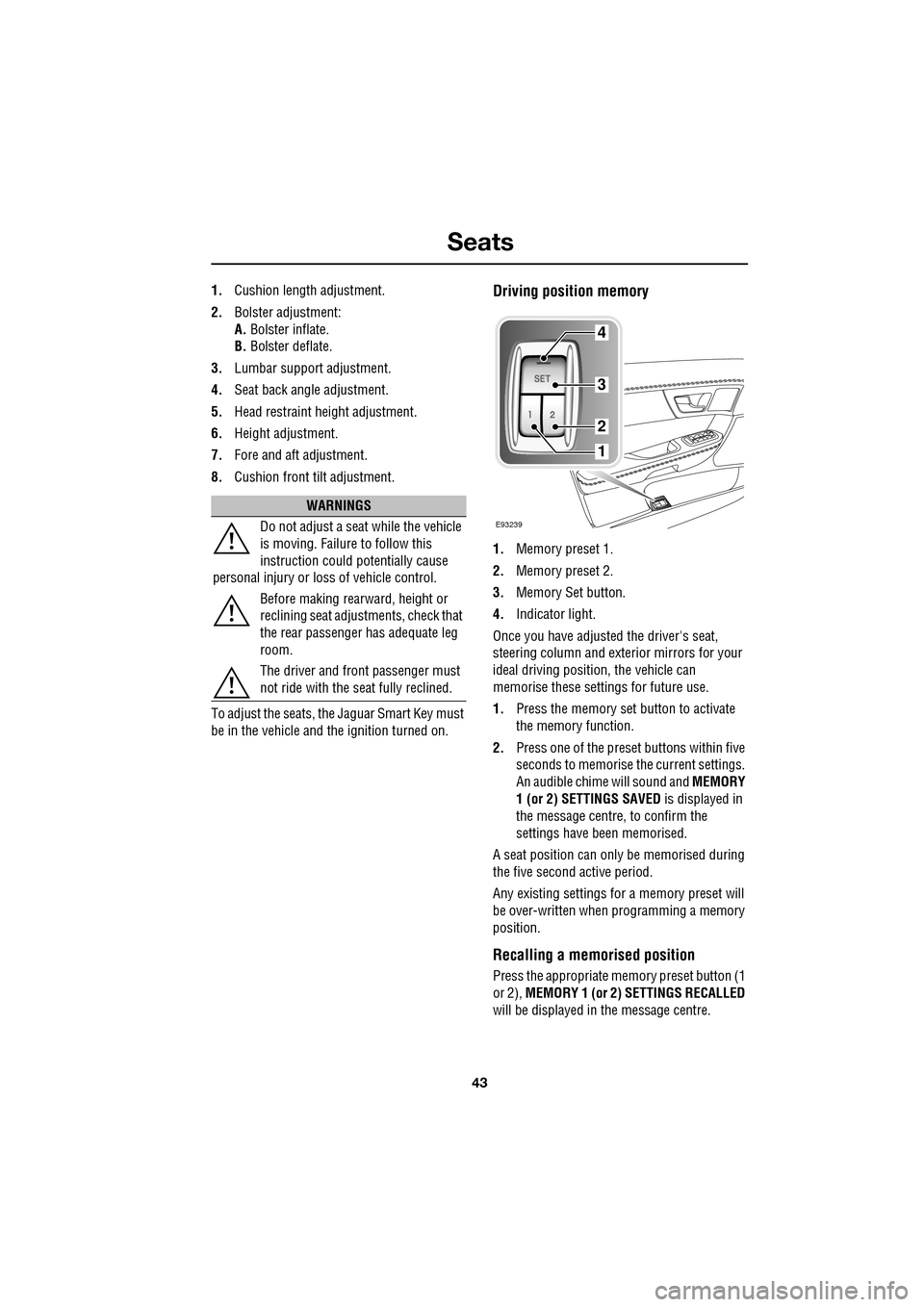
1. Memory preset 1.
2. Memory preset 2.
3. Memory Set button.
4. Indicator light.
Once you have adjusted the driver's seat,
steering column and exte rior mirrors for your
ideal driving position, the vehicle can
memorise these settings for future use.
1. Press the memory set button to activate
the memory function.
2. Press one of the preset buttons within five
seconds to memorise the current settings.
An audible chime will sound and MEMORY
1 (or 2) SETTINGS SAVED is displayed in
the message centre, to confirm the
settings have been memorised.
A seat position can onl y be memorised during
the five second active period.
Any existing settings for a memory preset will
be over-written when programming a memory
position.
Recalling a memorised position
Press the appropriate memory preset button (1
or 2), MEMORY 1 (or 2) SETTINGS RECALLED
will be displayed in the message centre.
WARNINGS
Do not adjust a seat while the vehicle
is moving. Failure to follow this
instruction could potentially cause
personal injury or loss of vehicle control.
Before making rearward, height or
reclining seat adjustments, check that
the rear passenger has adequate leg
room.
The driver and front passenger must
not ride with the seat fully reclined.
E93239
4
3
2
1
Page 45 of 391
45
Seats
Manual head restraints
1.Press the locking collar to release the head
restraint.
2. Whilst pressing the locking collar, move
the head restraint up or down to the
required position.
Note: It is not necessary to press the locking
collar to adjust the head restraint upwards.
Head restraint removal
Manual head restraints may be removed, if
required, to fit larger child seats. Press the
locking collar and lift the restraint out of the
seat back. Ensure the restraint is refitted once
the child seat is removed.
Note: It is not possible to remove power-
operated head restraints. Note:
Refer to the Child Safety section for
details on correct child restraint fitment.
See CHILD SEATS (page 59).
REAR SEATS
The split fold rear seat can be folded
completely to accommodate large loads, or
partially to accommodate long loads, and still
retain seating for passengers.
CAUTION
Do not attempt to remove a front head
restraint fitted with a display screen.
This may damage elec trical connections.
E93185
WARNINGS
Always ensure that objects carried
within the vehicle are secured
properly. Unsecure d items can cause
death or serious injury in the event of an
impact or sudden manoeuvre.
Never allow passengers to travel in
the luggage compartment under any
circumstances. All vehicle occupants
should be seated correct ly, and wear a seat
belt at all times when the vehicle is in motion.
Failure to do so will greatl y increase the risk of
death and serious injury in the event of an
accident or heavy braking.
Always take note of safety warnings
and labels attached to the rear seats.
The labels give advice on safely
folding and erecting the seats.