Message centre JAGUAR XF 2009 1.G Owner's Manual
[x] Cancel search | Manufacturer: JAGUAR, Model Year: 2009, Model line: XF, Model: JAGUAR XF 2009 1.GPages: 391, PDF Size: 19.32 MB
Page 107 of 391
107
Information displays
TRIP COMPUTER
The computer memory stores data for a
journey or series of journeys until it is reset to
zero.
The displayed information is for guidance only,
as it can be affected by traffic, road and
weather conditions.
Three independent memories are available, A,
B and Auto. A and B me mories can be set
independently, while the Auto trip will reset
after every ignition cycle as the vehicle moves.
Full trip computer information for the trip
memories can be displayed on the vehicle
touch-screen located in the centre console,
while current selected trip computer
information is displayed on the instrument
panel message centre.
To access the trip computer touch-screen
settings:
• From the touch-screen Home menu, select
Vehicle .
• Select Trip computer .
• Select requirement s from the menu.
Trip computer information centre display
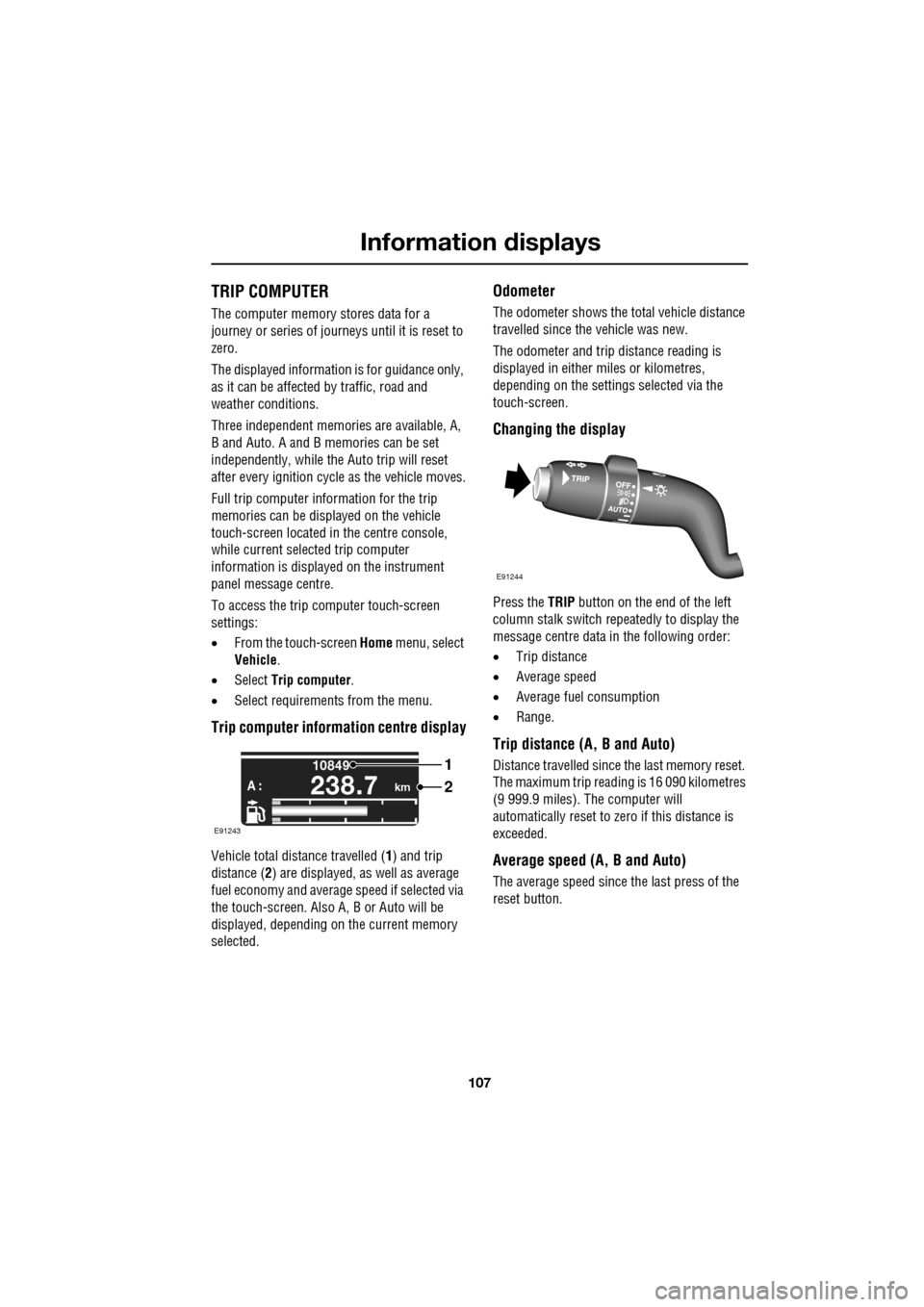
Vehicle total distance travelled ( 1) and trip
distance ( 2) are displayed, as well as average
fuel economy and average speed if selected via
the touch-screen. Also A, B or Auto will be
displayed, depending on the current memory
selected.
Odometer
The odometer shows the total vehicle distance
travelled since the vehicle was new.
The odometer and trip distance reading is
displayed in either miles or kilometres,
depending on the settings selected via the
touch-screen.
Changing the display
Press the TRIP button on the end of the left
column stalk switch repeatedly to display the
message centre data in the following order:
• Trip distance
• Average speed
• Average fuel consumption
• Range.
Trip distance (A, B and Auto)
Distance travelled since the last memory reset.
The maximum trip reading is 16 090 kilometres
(9 999.9 miles). The computer will
automatically reset to zero if this distance is
exceeded.
Average speed (A, B and Auto)
The average speed since the last press of the
reset button.
km
10849
A :238.7
1
2
E91243
E91244
Page 108 of 391
Information displays
108
Average fuel consumption (A, B and
Auto)
The average fuel consumption, stated as litres
per 100 kilometres (except Japan, kilometres
per litre), miles per litre or miles per gallon (UK
only), based on the accumulated distance
travelled and the accumulated fuel used.
Range
This shows the predicte d distance, miles or
kilometres, that the vehi cle should travel on the
remaining fuel, assuming average fuel
economy and fuel consum ption stay constant.
Electronic dipstick (diesel and V8 petrol
engines only)
This shows the current engine oil level and any
associated warnings. SeeENGINE OIL CHECK -
V8 Petrol engines (page 199).
ML-km (also Miles-litre)
The display of metric or imperial units is
selected via the touch-screen.
Display language
The display language is selected via the
touch-screen.
Reset
Resetting of the trip memo ries is carried out via
the touch-screen.
Service interval indicator
The service interval message will only be
displayed when the vehicle has less than
3400 km (2000 miles) before the service is
due.
When the ignition is switched on, and the
vehicle has started it s service countdown,
SERVICE REQ'D XXXX km (XXXX MLS) is
displayed in the message centre. At the same
time the display will glow Amber.
After approximat ely five seconds, the display
reverts to show the preset requirements.
When the service distance has been reached,
SERVICE REQUIRED is displayed in the
message centre and the display will glow Red.
After approximat ely five seconds, the display
reverts to show the preset requirements.
The distance countdown re duces in increments
of 50 km or 50 miles, depending on which
display units have been selected.
The distance countdown is controlled by the
engine management system and is
automatically adjusted to allow for driving style
and conditions. This ga uges when the service
becomes necessary.
Note: After the completion of each service, the
Dealer/Authorised Repairer will reset the
distance display to commence the countdown
to the next service.
CAUTION
If no service interv al indicator is
displayed during the vehicle service
cycle, make sure that your vehicle is serviced
in accordance with the intervals, as stated in
the Service Portfolio.
Page 110 of 391
Information displays
110
Touch-screen use
When the engine START/STOP button is
pressed, the touch-screen is activated by the
on/off switch on the centre console.
The buttons on the centre console, below the
touch-screen display, are referred to as hard
buttons and should be pressed firmly. The
touch-screen buttons are soft buttons and only
require short, light pressu re to function. Do not
use excessive pressure.
When operating touch-sc reen buttons, always
extend the tip of one finger, and withhold the
thumb and remaining finge rs from the screen.
Touching the screen with more than one finger
at a time may cause false inputs.
Throughout the handbook, the expression
Select an item (or similar wording) means
touch the on-screen button to select or alter
the required item.
The handbook shows the on-screen menus,
explains how to oper ate the controls and
illustrates how to select or alter settings and
requirements. After becoming familiar with the
controls, follow the on-screen menus and
prompts, to operate th e system as required.
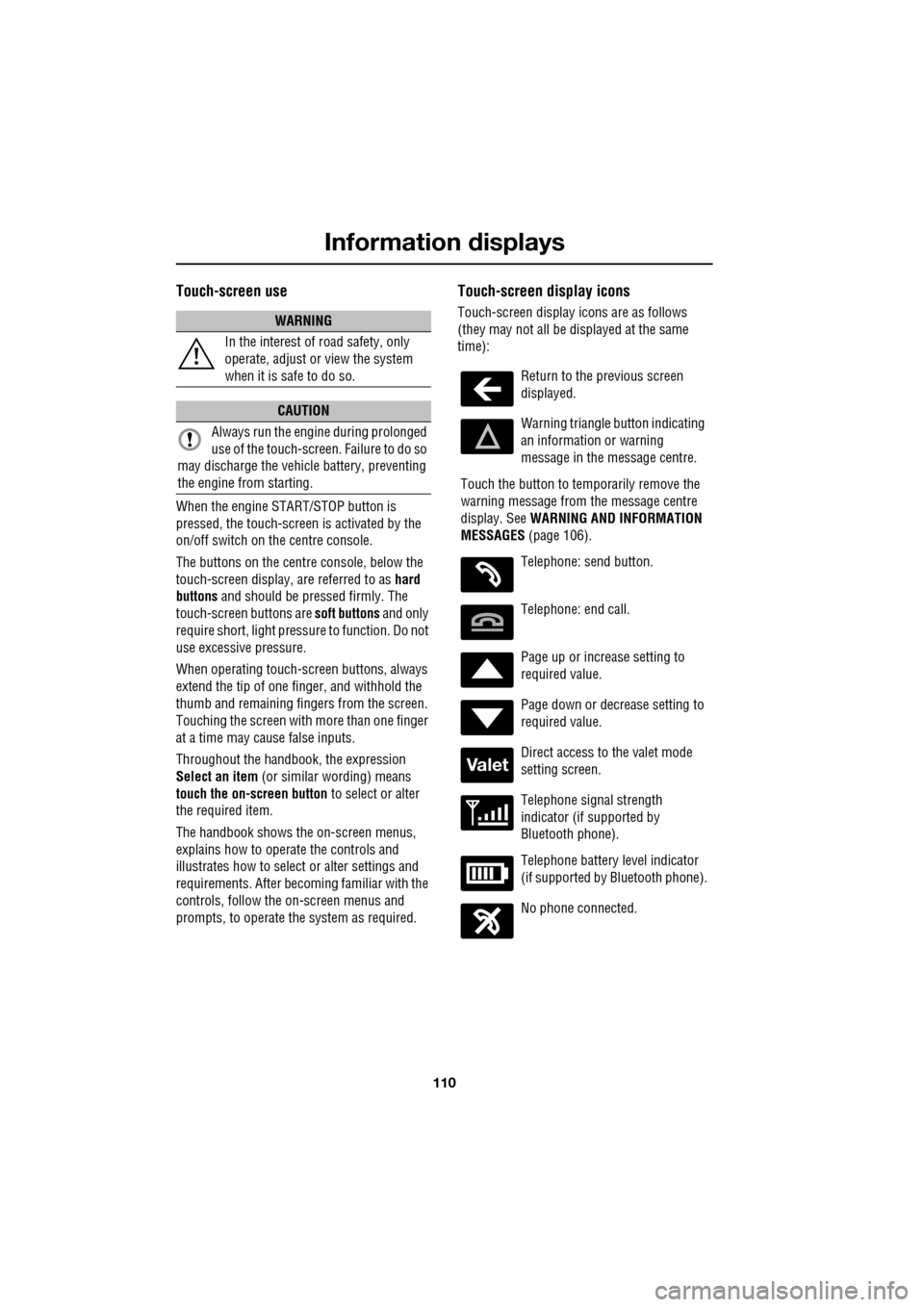
Touch-screen display icons
Touch-screen display icons are as follows
(they may not all be displayed at the same
time):WARNING
In the interest of road safety, only
operate, adjust or view the system
when it is safe to do so.
CAUTION
Always run the engine during prolonged
use of the touch-screen. Failure to do so
may discharge the vehicle battery, preventing
the engine from starting.
Return to the previous screen
displayed.
Warning triangle button indicating
an information or warning
message in the message centre.
Touch the button to temporarily remove the
warning message from the message centre
display. See WARNING AND INFORMATION
MESSAGES (page 106).
Telephone: send button.
Telephone: end call.
Page up or increase setting to
required value.
Page down or decrease setting to
required value.
Direct access to the valet mode
setting screen.
Telephone signal strength
indicator (if supported by
Bluetooth phone).
Telephone battery level indicator
(if supported by Bluetooth phone).
No phone connected.
Valet
Page 132 of 391
Starting the engine
132
GENERAL INFORMATION
START/STOP button
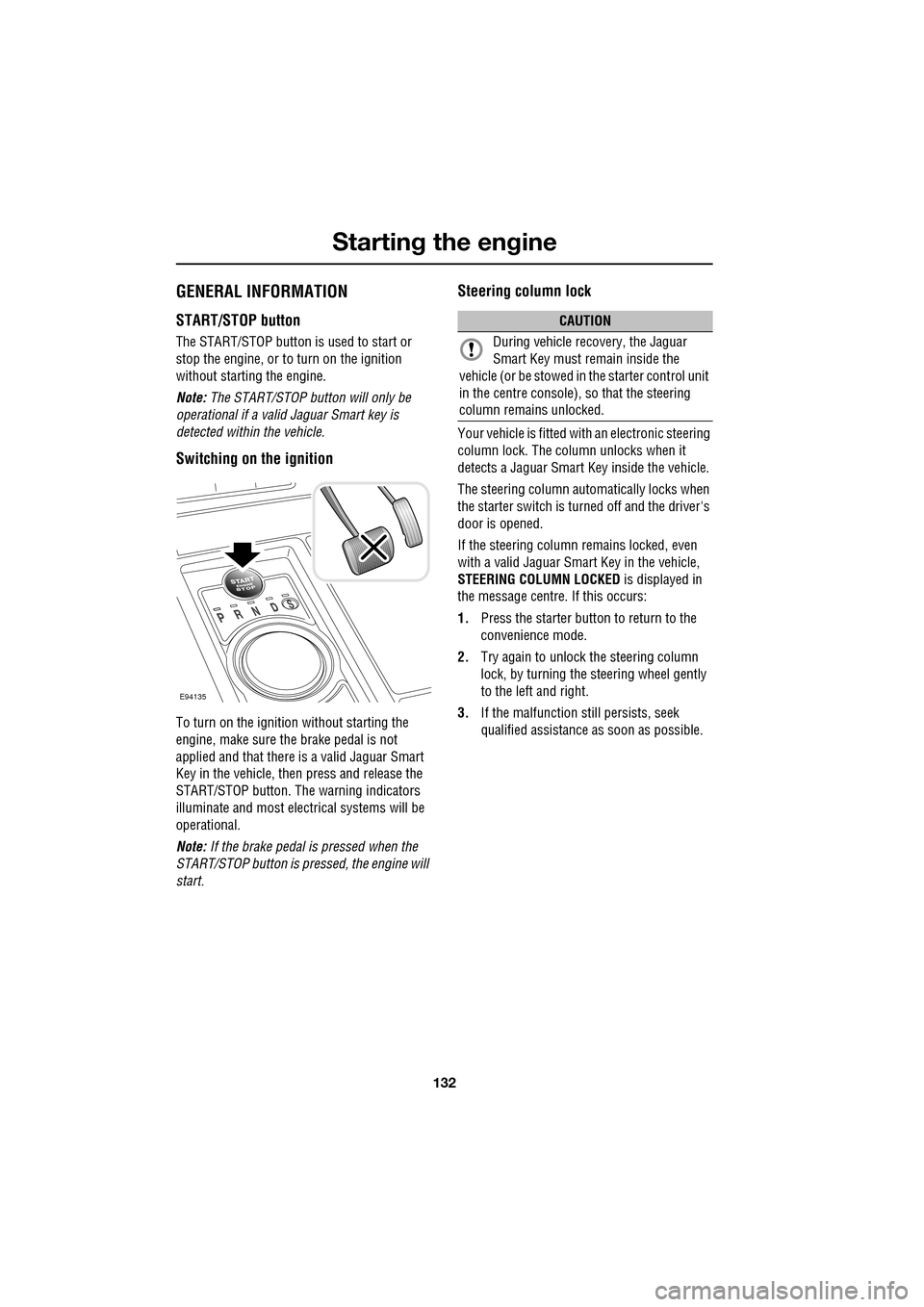
The START/STOP button is used to start or
stop the engine, or to turn on the ignition
without starting the engine.
Note: The START/STOP button will only be
operational if a valid Jaguar Smart key is
detected within the vehicle.
Switching on the ignition
To turn on the ignition without starting the
engine, make sure the brake pedal is not
applied and that there is a valid Jaguar Smart
Key in the vehicle, then press and release the
START/STOP button. The warning indicators
illuminate and most electr ical systems will be
operational.
Note: If the brake pedal is pressed when the
START/STOP button is pressed, the engine will
start.
Steering column lock
Your vehicle is fitted with an electronic steering
column lock. The column unlocks when it
detects a Jaguar Smart Key inside the vehicle.
The steering column automatically locks when
the starter switch is turned off and the driver's
door is opened.
If the steering column remains locked, even
with a valid Jaguar Smart Key in the vehicle,
STEERING COLUMN LOCKED is displayed in
the message centre. If this occurs:
1. Press the starter button to return to the
convenience mode.
2. Try again to unlock the steering column
lock, by turning the steering wheel gently
to the left and right.
3. If the malfunction still persists, seek
qualified assistance as soon as possible.
E94135
CAUTION
During vehicle recovery, the Jaguar
Smart Key must remain inside the
vehicle (or be stowed in the starter control unit
in the centre console), so that the steering
column remains unlocked.
Page 133 of 391
133
Starting the engine
KEYLESS STARTING
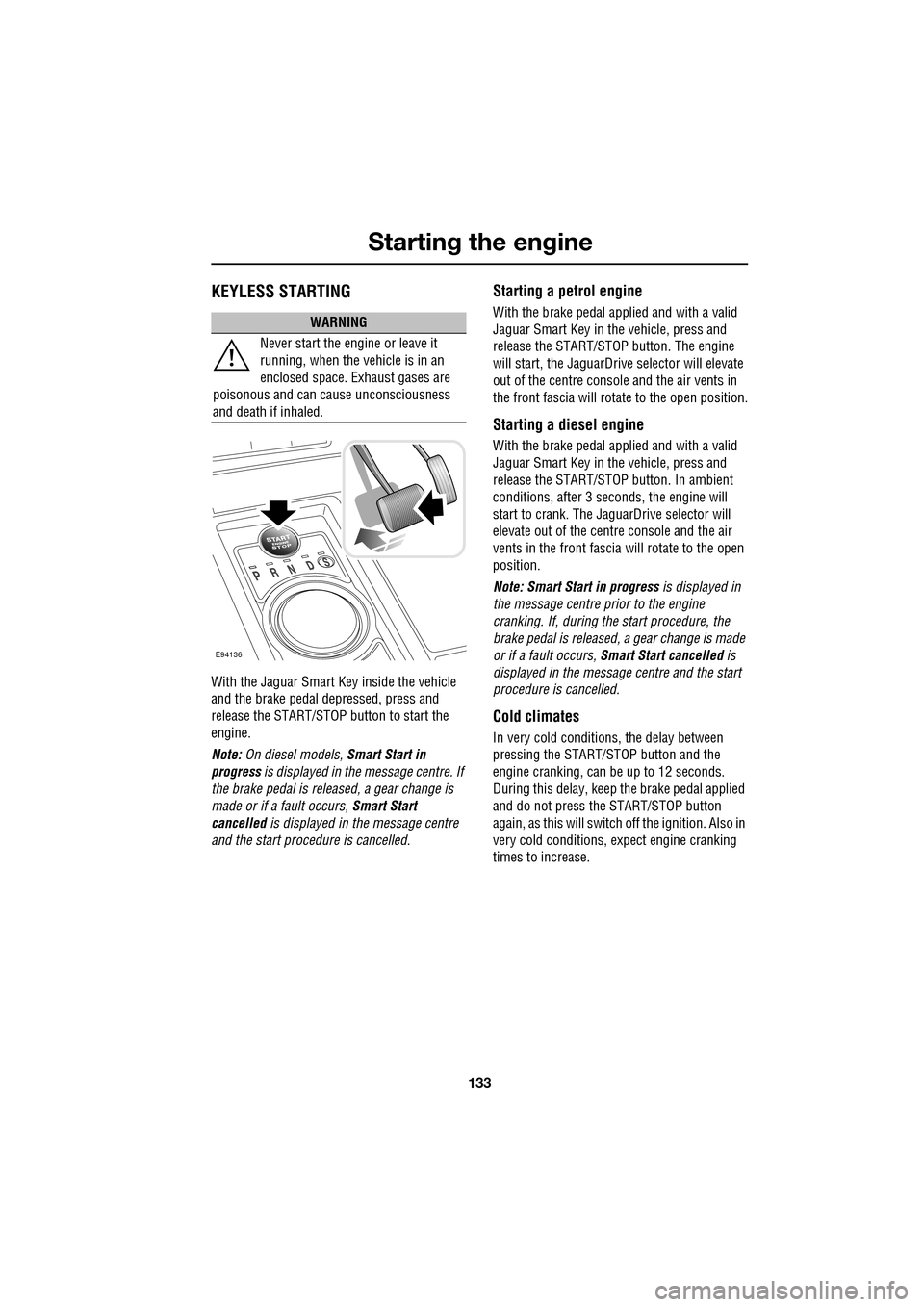
With the Jaguar Smart Key inside the vehicle
and the brake pedal depressed, press and
release the START/STOP button to start the
engine.
Note: On diesel models, Smart Start in
progress is displayed in the message centre. If
the brake pedal is released, a gear change is
made or if a fault occurs, Smart Start
cancelled is displayed in the message centre
and the start procedure is cancelled.
Starting a petrol engine
With the brake pedal applied and with a valid
Jaguar Smart Key in the vehicle, press and
release the START/STOP button. The engine
will start, the JaguarDrive selector will elevate
out of the centre console and the air vents in
the front fascia will ro tate to the open position.
Starting a diesel engine
With the brake pedal applied and with a valid
Jaguar Smart Key in the vehicle, press and
release the START/STOP button. In ambient
conditions, after 3 seconds, the engine will
start to crank. The JaguarDrive selector will
elevate out of the centre console and the air
vents in the front fascia will rotate to the open
position.
Note: Smart Start in progress is displayed in
the message centre prior to the engine
cranking. If, during the start procedure, the
brake pedal is released, a gear change is made
or if a fault occurs, Smart Start cancelled is
displayed in the message centre and the start
procedure is cancelled.
Cold climates
In very cold conditions, the delay between
pressing the START/STOP button and the
engine cranking, can be up to 12 seconds.
During this delay, keep the brake pedal applied
and do not press the START/STOP button
again, as this will switch off the ignition. Also in
very cold conditions, expect engine cranking
times to increase.
WARNING
Never start the engine or leave it
running, when the vehicle is in an
enclosed space. Exhaust gases are
poisonous and can cause unconsciousness
and death if inhaled.
E94136
Page 135 of 391
135
Starting the engine
DIESEL PARTICULATE FILTER (DPF)
The Diesel Particulate Filter (DPF) forms part of
the emissions reduction system fitted to your
vehicle. The DPF will remove a high proportion
of the harmful car bon microspheres (soot)
before they leave the exhaust. It achieves this
by filtering out the particles, which are then
stored until they are burnt away and the filter is
emptied.
Regeneration
Unlike a normal filter which requires periodic
replacement, the DPF has been designed to
regenerate, or clean itself, to maintain
operating efficiency. Th is regeneration process
takes place automatically in most cases.
However, some unfavourable driving
conditions may mean th at the regeneration
process must be initiate d deliberately by the
driver.
Warning indicators and messages
If regeneration cannot be achieved
automatically by the system, due to short
journeys for example, the driver will be notified
via a warning indicator or message.
DPF FULL
If this message appears in the message centre
(with a red backlight), the vehicle should be
taken to your Dealer/Authorised Repairer as
soon as possible.
DPF FULL SEE HANDBOOK
If this message appears in the message centre
(with an amber backlight), the driver should
carry out the DPF regene ration procedure that
follows, as soon as possible.
CAUTION
The regeneration procedure produces
high temperatures in the DPF. Heat can
be felt radiating from beneath the vehicle,
which is normal and not a cause for concern.
However, the vehicle should not be parked
over combustible material, particularly during
dry weather. The heat generated could be
sufficient to start a fire when in close proximity
to combustible material such as long dry
grass, paper etc.
CAUTION
Failure to take the appropriate action
when a warning message appears, may
result in damage to the engine and DPF
system, increased vehicle emissions and
costly repairs.
Page 136 of 391
Starting the engine
136
Regeneration procedure
If the warning DPF FULL SEE HANDBOOK
appears in the message centre, carry out the
following procedure as soon as possible.
Note: At all times during this procedure you
should observe all releva nt speed limits, laws
and regulations. Always ta ke account of traffic
and weather conditions and drive with
consideration for other road users.
1. Drive the vehicle until the engine reaches
normal operating temp erature. The engine
should not be left idli ng to achieve working
temperature.
2. Drive the vehicle for a further twenty
minutes, keeping the vehicle at a steady
speed between 75 km/h (45 mph) and
120 km/h (75 mph).
Keeping a constant speed enables the DPF
to regenerate more efficiently. It is
therefore recommended that Cruise
control is used to achieve this, if possible.
3. If regeneration is su ccessful, the warning
message will extinguish. If the message
remains, repeat the process.
If the warning message fa ils to extinguish after
60 minutes of driving, contact your Dealer/
Authorised Repairer for assistance.
Page 138 of 391
Transmission
138
P should be selected before switching off the
engine. However, it is possible to switch the
engine off with R, D or S selected - the selector
will automatica lly select P, while retracting into
the centre console.
Note: If the engine is switched off with N
selected, the system will wait for 10 minutes
before selecting P. This procedure is to allow
the vehicle to be conveyed through a car wash
only and should not be used for vehicle
recovery purposes.
To prevent the transmission from
automatically selecting P (e.g. for vehicle
recovery purposes), it is necessary to activate
the Emergency Park Release.
See TRANSPORTING THE VEHICLE
(page 254).
Selector positions
P - Park: Use when parked. In this position the
transmission is locked, do not attempt to select
P if the vehicle is moving.
Note: P will be selected automatically when the
engine is switched off.
R - Reverse: Do not select if the vehicle is
moving forward.
N - Neutral: Disconnects drive to the wheels.
Use the parking brake when stopping
temporarily with N selected.
D - Drive: Gear changing is automatic for all six
forward gears. The shift points are determined
by accelerator pedal pos ition and road speed,
to provide the best ba lance of performance,
refinement and fuel economy, for the large
majority of driving conditions.
S - Sport: Gear changing is automatic for all six
forward gears, with modified gear shift points
to maximise the ve hicle response in
demanding driving condi tions. This mode is
not suitable for town or highway cruising. Note:
Both D and S positions also offer
additional features, wh ich are listed under
Automatic mode and Sport mode , later in this
section.
Stationary vehicle
When the vehicle is stationary, the selector
may be left in D or S, unless the vehicle is to be
parked. When stopping fo r extended periods,
either select P or apply the parking brake and
select N.
Selector interlock
The transmission is equippe d with an interlock,
to prevent inadvertent selection of a drive gear
(D , S or R) from the P or N positions. To
release the interlock to select a drive gear,
press the brake pedal while making the
selection.
Ensure the required driv ing range has selected
prior to releasing the brake pedal. The range
indicator ( R, D or S) on the selector and
message centre disp lays, will illuminate
continuously to confirm selection.
Note: If the brake pedal is released too early
during selector rotation from P or N to a driving
range ( R, D or S), then the selected range will
not be engaged. The selected range will flash
on the selector and message centre displays.
To obtain the selected range, press the brake
pedal, select P or N and reselect the required
range, ensuring the brake pedal is depressed.
If N is selected for less than 2 seconds (e.g.
when moving the selector between R and D),
the interlock will not ac tivate and the brake
pedal will not need to be pressed.
Note: The interlock is deactivated when the
vehicle is travelling at more than 5 km/h
(3 mph).
Page 140 of 391
Transmission
140
Fast off
Activated when rapidly lifting off the
accelerator pedal and takes account of road
gradient. This feature inhibits up-shifts,
enhancing pe rformance.
Note: If Sport mode is selected, driver type
recognition will vary the activation of this
feature according to driving style.
Shift adapt under braking
Under braking, the transmission will vary the
down-shift point in proportion to braking effort
and road gradient. This feature works in
conjunction with the posit ive torque function,
resulting in a smoother down-shift.
Note: If Sport mode is selected, driver type
recognition will vary the activation of this
feature according to driving style.
Corner recognition
Inhibits up-shifts during cornering, to provide
improved vehicle balance.
Note: If Sport mode is selected, driver type
recognition will vary the activation of this
feature according to driving style.
Road gradient recognition
When the vehicle is being driven on an uphill
gradient, the transmission adapts the shift
pattern to make better use of engine power.
When driving on a long downhill gradient, the
transmission may automatically select a lower
gear, to increase engi ne braking. Selecting
Sport mode (S ) will increase the tendency of
the transmission to select a lower gear in these
conditions, further incr easing engine braking.
Note: It is also possible to manually select a
lower gear to increase e ngine braking via use of
the shift paddles.
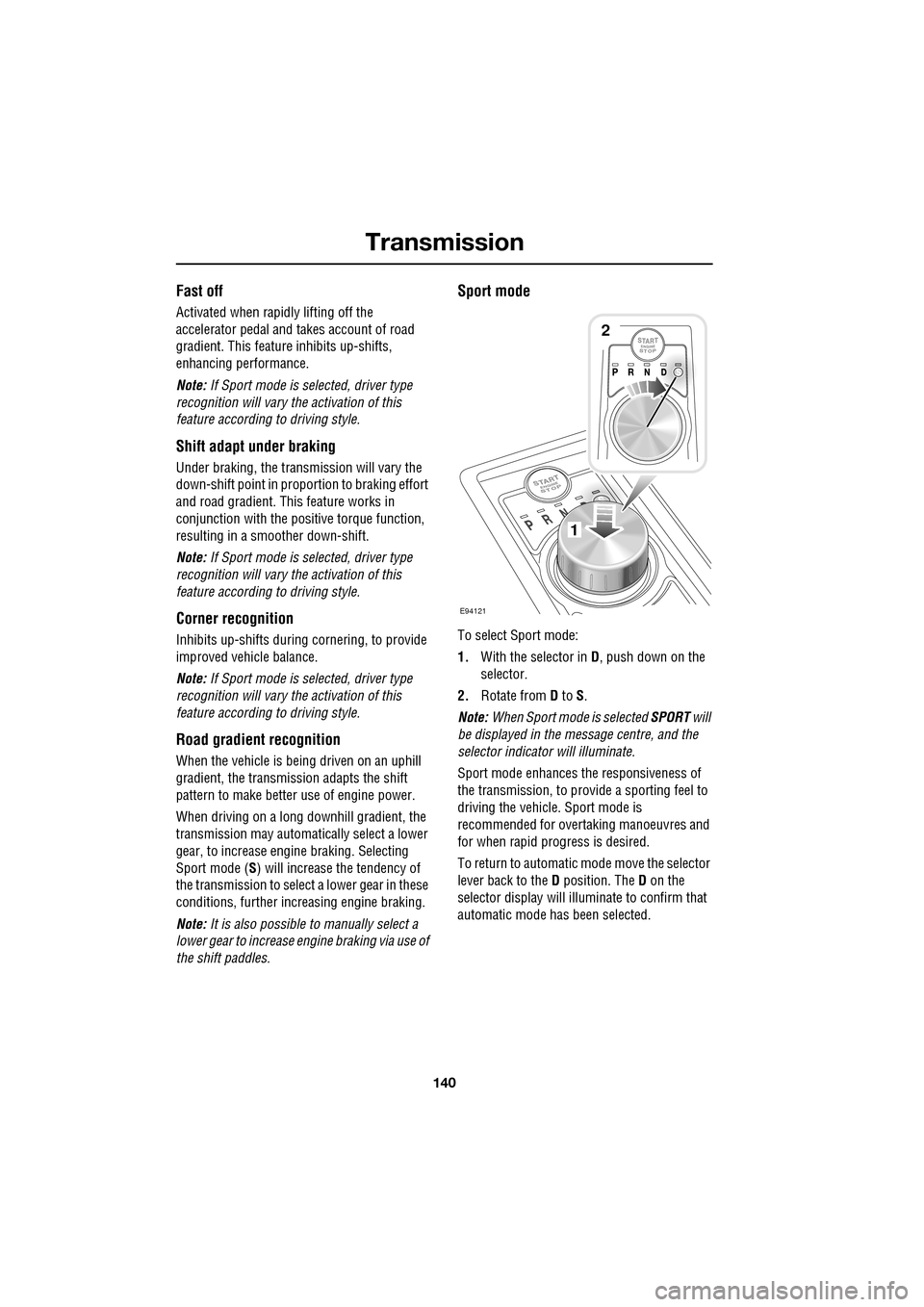
Sport mode
To select Sport mode:
1. With the selector in D, push down on the
selector.
2. Rotate from D to S.
Note: When Sport mode is selected SPORT will
be displayed in the message centre, and the
selector indicator will illuminate.
Sport mode enhances th e responsiveness of
the transmission, to prov ide a sporting feel to
driving the vehicle. Sport mode is
recommended for over taking manoeuvres and
for when rapid progress is desired.
To return to automatic m ode move the selector
lever back to the D position. The D on the
selector display will illuminate to confirm that
automatic mode has been selected.
E94121
1
2
Page 141 of 391
141
Transmission
Driver type recognition
In Sport mode, the transmission monitors
driving style and in combination with sensors
in the vehicle, varies the shift schedule,
fast-off, corner recognition and shift adapt
under braking functions, according to the
driving style.
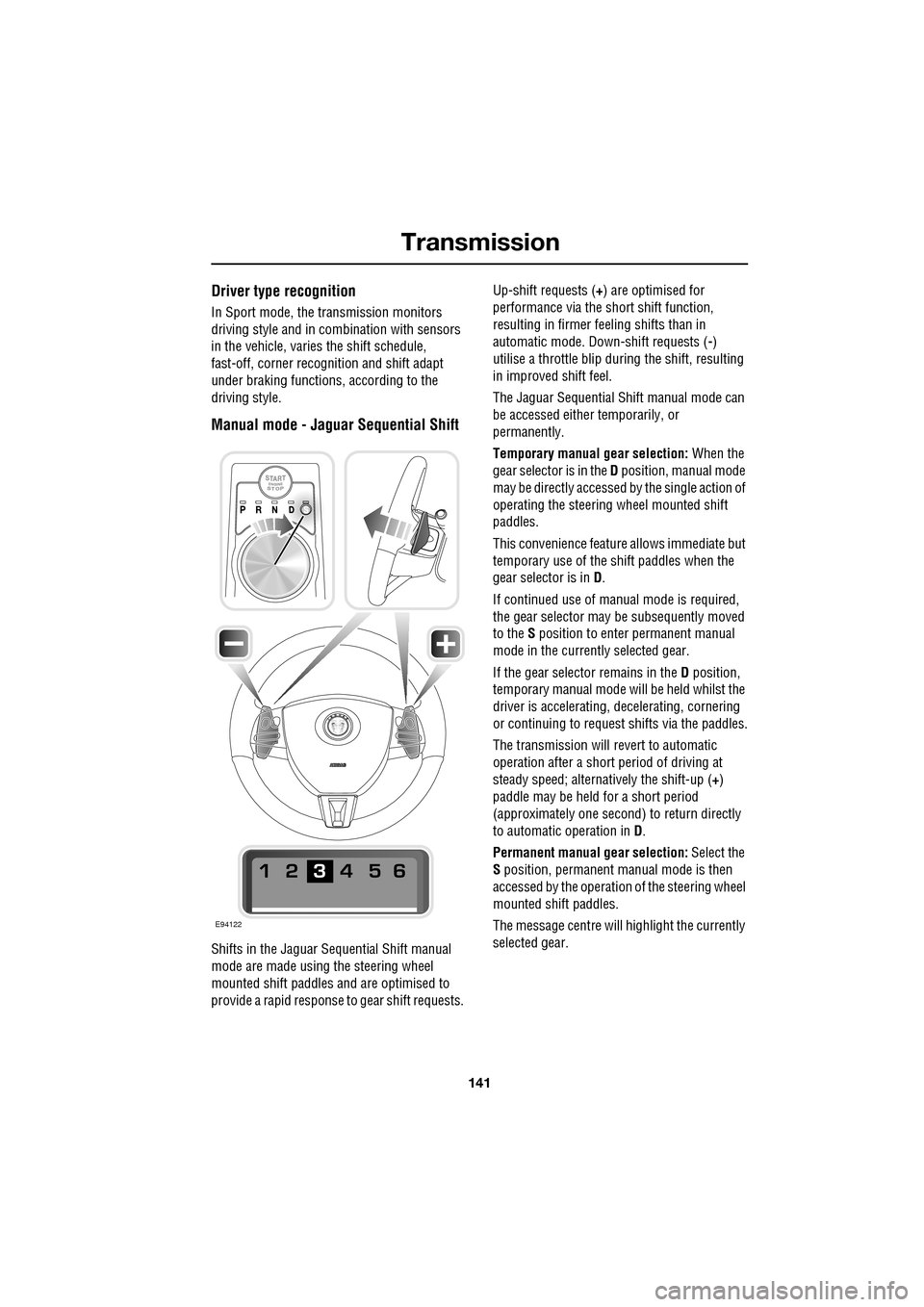
Manual mode - Jaguar Sequential Shift
Shifts in the Jaguar Sequential Shift manual
mode are made using the steering wheel
mounted shift paddles and are optimised to
provide a rapid response to gear shift requests. Up-shift requests (
+) are optimised for
performance via the s hort shift function,
resulting in firmer feeling shifts than in
automatic mode. Down-shift requests ( -)
utilise a throttle blip duri ng the shift, resulting
in improved shift feel.
The Jaguar Sequential Shift manual mode can
be accessed either temporarily, or
permanently.
Temporary manual gear selection: When the
gear selector is in the D position, manual mode
may be directly accessed by the single action of
operating the steering wheel mounted shift
paddles.
This convenience feature allows immediate but
temporary use of the sh ift paddles when the
gear selector is in D.
If continued use of manua l mode is required,
the gear selector may be subsequently moved
to the S position to enter permanent manual
mode in the currently selected gear.
If the gear selector remains in the D position,
temporary manual mode will be held whilst the
driver is accelerating, decelerating, cornering
or continuing to request shifts via the paddles.
The transmission will revert to automatic
operation after a short pe riod of driving at
steady speed; alternatively the shift-up ( +)
paddle may be held for a short period
(approximately one second) to return directly
to automatic operation in D .
Permanent manual gear selection: Select the
S position, permanent manual mode is then
accessed by the operation of the steering wheel
mounted shift paddles.
The message centre will highlight the currently
selected gear.
E94122