Safety JAGUAR XF 2009 1.G Owner's Manual
[x] Cancel search | Manufacturer: JAGUAR, Model Year: 2009, Model line: XF, Model: JAGUAR XF 2009 1.GPages: 391, PDF Size: 19.32 MB
Page 65 of 391
65
Child safety
CHILD SAFETY LOCKS
Child safety locks are fitted to the rear doors to
allow you to prevent accidental opening of the
doors when the vehicle is in motion.
If children are to be carried in the rear seat
positions, it is recommended that the rear door
interior handles are disabled.
Note: For convenience, the rear door interior
handles should be re-e nabled when carrying
adult passengers in th e rear seat positions.
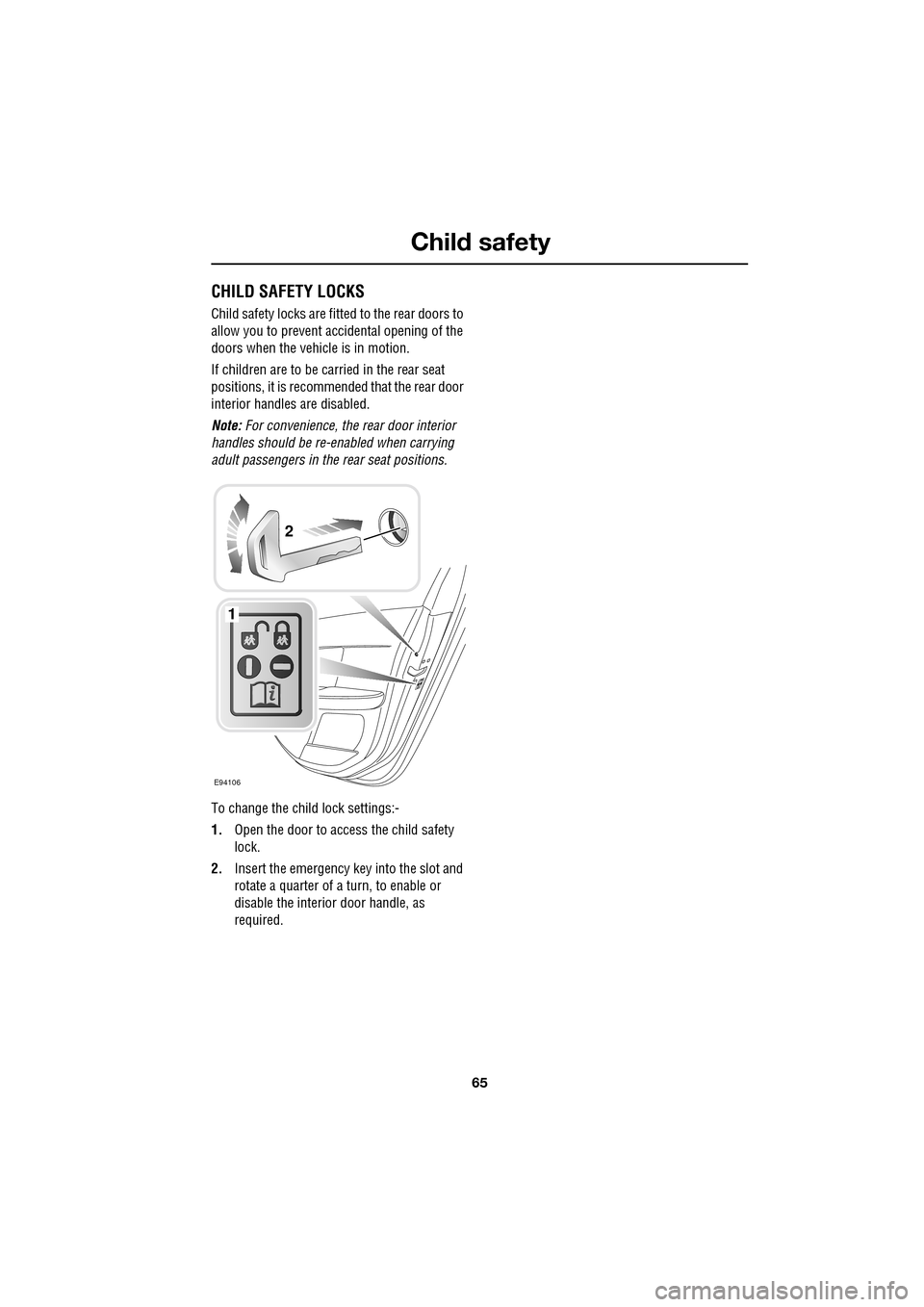
To change the child lock settings:-
1. Open the door to access the child safety
lock.
2. Insert the emergency key into the slot and
rotate a quarter of a turn, to enable or
disable the interior door handle, as
required.
E94106
1
2
Page 101 of 391
101
Instruments
Brake - Red
Illuminates when the ignition
system is on and the parking brake
is applied and/or the brake fluid is
low. The indicator will also illuminate when
there is a fault with the Electronic Brakeforce
Distribution (EBD) system.
If the indicator is illu minated and there are no
associated messages, it means that the parking
brake is applied.
If the indicator is illuminated and the message
PARK BRAKE ON is displayed, it means that the
parking brake is applied but the vehicle is
moving. Release the parking brake or stop the
vehicle when it is safe to do so.
If the indicator is illuminated and the message
LOW BRAKE FLUID with a red priority lamp is
displayed on the message centre, low brake
fluid is indicated. In this case, loss of braking in
one or both brake circ uits may be imminent.
Stop the vehicle gently and check and top-up
the brake fluid reservoir, using the
recommended fluid. If the warning message
remains, do not drive the vehicle until the brake
fault is rectified. Se ek qualified assistance
before continuing. See BRAKE FLUID CHECK
(page 206).
If the indicator is illuminated and the message
EBD FAULT (with red backlight) is displayed in
the message centre, a fault with the EBD
system is indicated. Stop the vehicle gently, as
soon as safety permit s and seek qualified
assistance.
Seat belt - Red
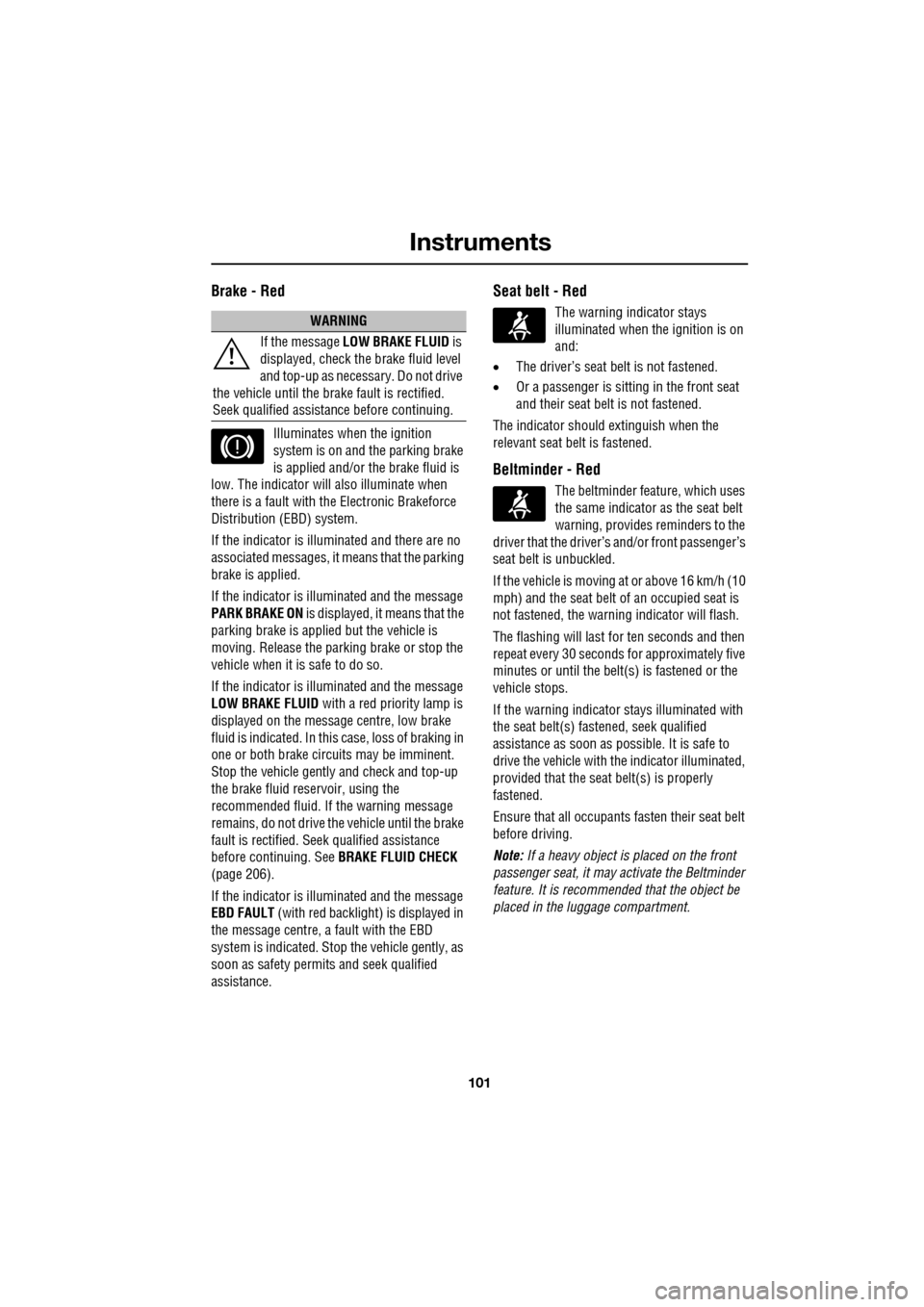
The warning indicator stays
illuminated when the ignition is on
and:
• The driver’s seat be lt is not fastened.
• Or a passenger is sitting in the front seat
and their seat belt is not fastened.
The indicator should extinguish when the
relevant seat belt is fastened.
Beltminder - Red
The beltminder feat ure, which uses
the same indicator as the seat belt
warning, provides reminders to the
driver that the driver’s and/or front passenger’s
seat belt is unbuckled.
If the vehicle is moving at or above 16 km/h (10
mph) and the seat belt of an occupied seat is
not fastened, the warning indicator will flash.
The flashing will last for ten seconds and then
repeat every 30 seconds for approximately five
minutes or until the belt(s ) is fastened or the
vehicle stops.
If the warning indicator stays illuminated with
the seat belt(s) fastened, seek qualified
assistance as s oon as possible. It is safe to
drive the vehicle with th e indicator illuminated,
provided that the seat belt(s) is properly
fastened.
Ensure that all occupants fasten their seat belt
before driving.
Note: If a heavy object is placed on the front
passenger seat, it may activate the Beltminder
feature. It is recommended that the object be
placed in the luggage compartment.
WARNING
If the message LOW BRAKE FLUID is
displayed, check the brake fluid level
and top-up as necessary. Do not drive
the vehicle until the brake fault is rectified.
Seek qualified assistan ce before continuing.
Page 110 of 391
Information displays
110
Touch-screen use
When the engine START/STOP button is
pressed, the touch-screen is activated by the
on/off switch on the centre console.
The buttons on the centre console, below the
touch-screen display, are referred to as hard
buttons and should be pressed firmly. The
touch-screen buttons are soft buttons and only
require short, light pressu re to function. Do not
use excessive pressure.
When operating touch-sc reen buttons, always
extend the tip of one finger, and withhold the
thumb and remaining finge rs from the screen.
Touching the screen with more than one finger
at a time may cause false inputs.
Throughout the handbook, the expression
Select an item (or similar wording) means
touch the on-screen button to select or alter
the required item.
The handbook shows the on-screen menus,
explains how to oper ate the controls and
illustrates how to select or alter settings and
requirements. After becoming familiar with the
controls, follow the on-screen menus and
prompts, to operate th e system as required.
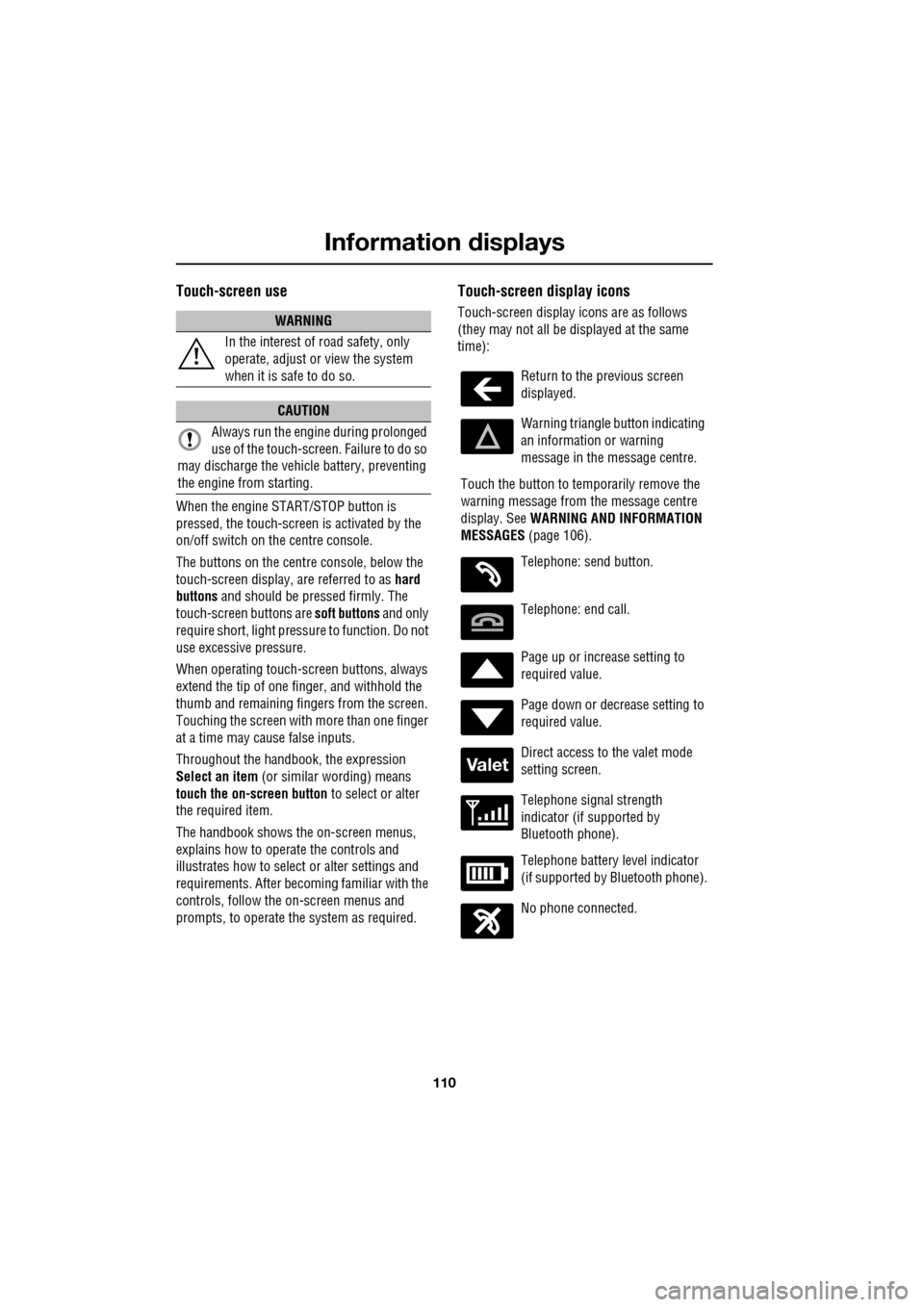
Touch-screen display icons
Touch-screen display icons are as follows
(they may not all be displayed at the same
time):WARNING
In the interest of road safety, only
operate, adjust or view the system
when it is safe to do so.
CAUTION
Always run the engine during prolonged
use of the touch-screen. Failure to do so
may discharge the vehicle battery, preventing
the engine from starting.
Return to the previous screen
displayed.
Warning triangle button indicating
an information or warning
message in the message centre.
Touch the button to temporarily remove the
warning message from the message centre
display. See WARNING AND INFORMATION
MESSAGES (page 106).
Telephone: send button.
Telephone: end call.
Page up or increase setting to
required value.
Page down or decrease setting to
required value.
Direct access to the valet mode
setting screen.
Telephone signal strength
indicator (if supported by
Bluetooth phone).
Telephone battery level indicator
(if supported by Bluetooth phone).
No phone connected.
Valet
Page 128 of 391
Convenience features
128
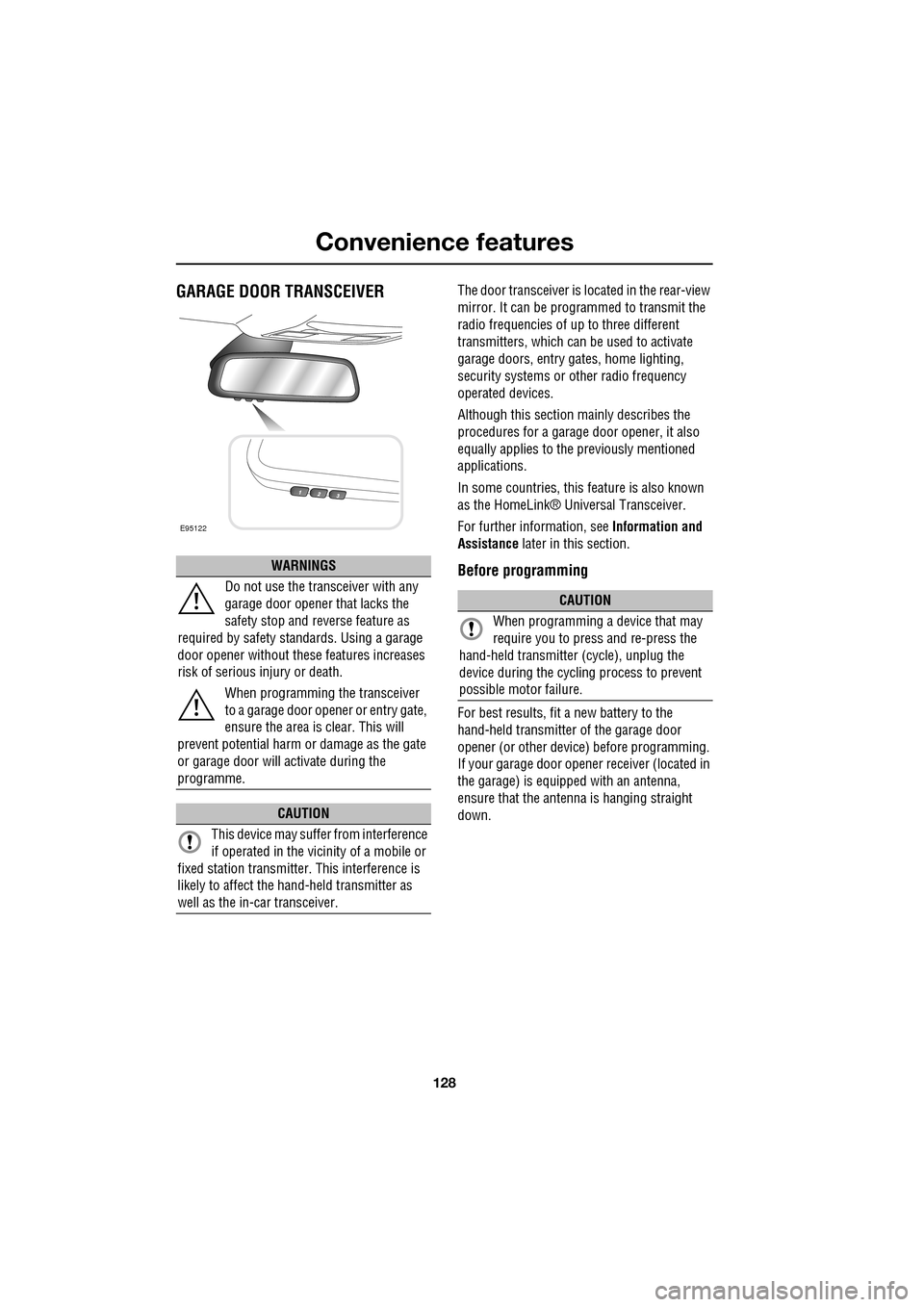
GARAGE DOOR TRANSCEIVERThe door transceiver is located in the rear-view
mirror. It can be programmed to transmit the
radio frequencies of up to three different
transmitters, which can be used to activate
garage doors, entry ga tes, home lighting,
security systems or other radio frequency
operated devices.
Although this section mainly describes the
procedures for a garage door opener, it also
equally applies to the previously mentioned
applications.
In some countries, this feature is also known
as the HomeLink® Universal Transceiver.
For further information, see Information and
Assistance later in this section.
Before programming
For best results, fit a new battery to the
hand-held transmitter of the garage door
opener (or other device ) before programming.
If your garage door opener receiver (located in
the garage) is equippe d with an antenna,
ensure that the antenna is hanging straight
down.
WARNINGS
Do not use the transceiver with any
garage door opener that lacks the
safety stop and reverse feature as
required by safety standards. Using a garage
door opener without these features increases
risk of serious injury or death.
When programming the transceiver
to a garage door opener or entry gate,
ensure the area is clear. This will
prevent potential harm or damage as the gate
or garage door will activate during the
programme.
CAUTION
This device may suffer from interference
if operated in the vici nity of a mobile or
fixed station transmitter. This interference is
likely to affect the hand-held transmitter as
well as the in-car transceiver.
E95122
CAUTION
When programming a device that may
require you to press and re-press the
hand-held transmitte r (cycle), unplug the
device during the cycling process to prevent
possible motor failure.
Page 145 of 391
145
Brakes
During emergency braking conditions ABS
constantly monitors the speed of each wheel.
ABS varies the brake pressure to individual
wheels, according to the grip available. The
constant alteration of brake pressure can be
felt as a pulsing sensation through the brake
pedal. This is not a caus e for concern, as it is
designed to demonstrate to the driver that ABS
is operating.
ABS braking techniques
For optimum ABS performance, these
instructions on braking techniques during ABS
operation should be followed:
• Do not release the brake pressure when
the pulsating effect is felt. Maintain a
constant pressure until the manoeuvre is
completed.
• To familiarise y ourself with the feel of the
brake pedal during ABS braking, practise
an emergency stop pr ocedure, always
making sure it is safe to do so. With the
seat belts fitted to all occupants, drive the
vehicle at 32 km/h (20 mph) and brake
sharply.
• ABS enables the driver to steer around
obstacles during em ergency braking.
However, the consequences of turning
sharply at high speed cannot be overcome
by the ABS.
• Do not attempt to pump the brakes to
avoid skidding, as this can interfere with
ABS operation. The ABS will not allow the
wheels to skid under normal road
conditions.
• The ABS will tend to keep the vehicle
straight during braki ng. Because braking
distances may increase under certain road
conditions, it is nece ssary to plan and
make turning manoeuvres as early as
possible.
Electronic Brakeforce Distribution (EBD)
EBD balances the distribution of braking forces
between the wheels on the front and rear axles,
to maintain maximum braking under all vehicle
loading conditions.
For example; Under light loads, EBD applies
less braking effort to the rear wheels, to
maintain stability. Conv ersely, it allows full
braking effort to the rear wheels when the
vehicle is towing or is heavily laden.
A fault with the EBD system is
indicated by illumination of the red
brake warning indicator and the
message EBD FAULT is displayed in the
message centre. Gently stop the vehicle, as
soon as safety permit s, and seek qualified
assistance.
Page 146 of 391
Brakes
146
Emergency Brake Assist (EBA)
The EBA system measures the rate at which the
brake pressure increases. If the system detects
an emergency braking situation, EBA
automatically init iates full braking effect. This
can reduce stopping dist ances in critical
situations.
EBA stops operating as soon as the brake pedal
is released.
EBA is part of the Dynamic Stability
Control (DSC) system and a fault
with the EBA system is indicated by
the amber DSC warning indicator illuminating
and DSC NOT AVAILABLE (with amber
backlight) displaying in the message centre.
Seek qualified assistan ce as soon as possible.
Brake vacuum assist
(V6 petrol models only)
When the engine is cold and/or engine vacuum
is low, Brake vacuum assist provides additional
brake pedal assistance. When the function is
operating, a pulsation ma y be felt through the
brake pedal - this is not a cause for concern.
A fault is indicate d by the message BRAKE
ASSIST FAULT (with amber backlight)
appearing in the message centre. Increased
brake pedal effort may be required to slow the
vehicle when the engine is cold and/or engine
vacuum is low. Seek qualified assistance.
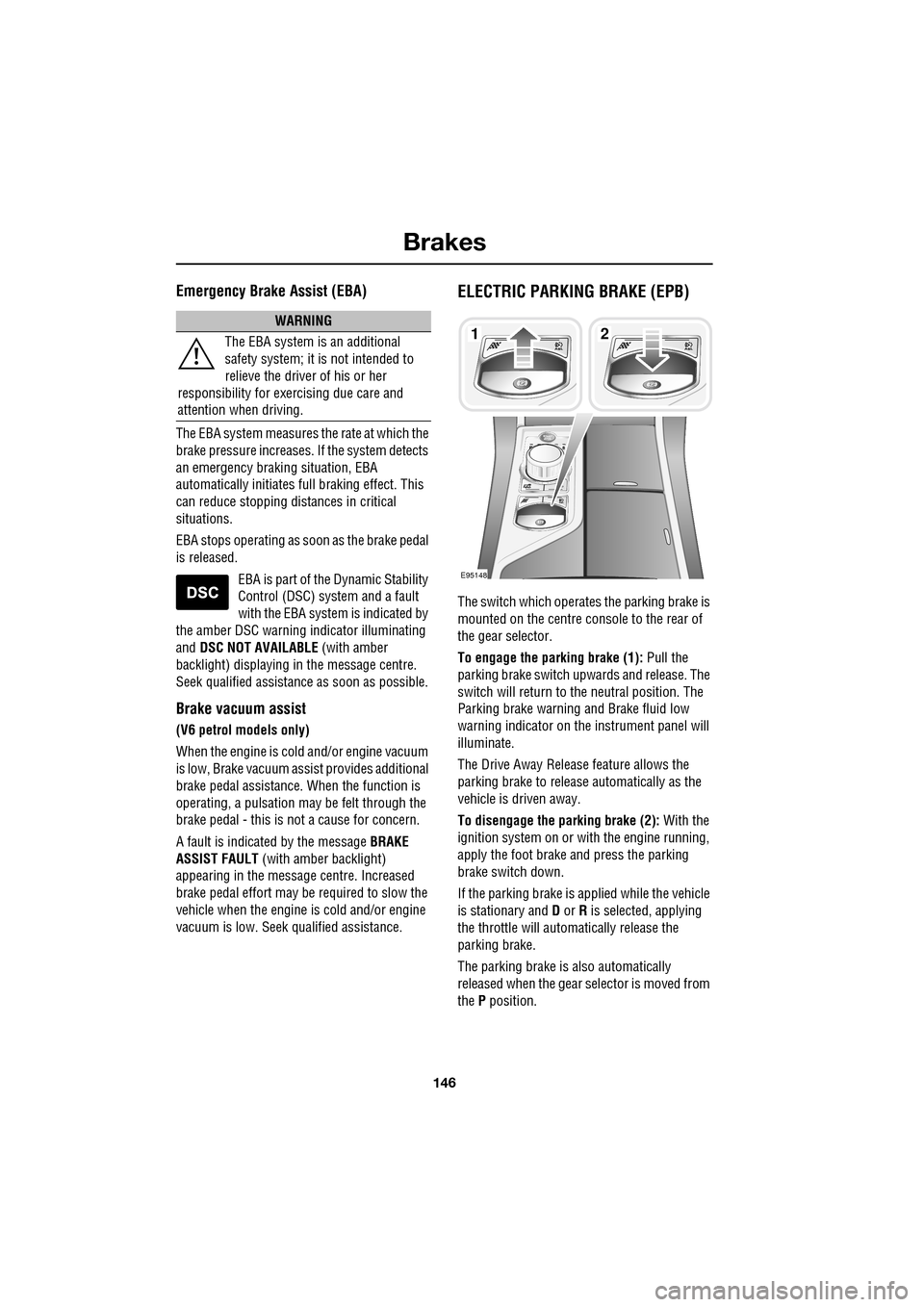
ELECTRIC PARKING BRAKE (EPB)
The switch which operate s the parking brake is
mounted on the centre c onsole to the rear of
the gear selector.
To engage the parking brake (1): Pull the
parking brake switch up wards and release. The
switch will return to the neutral position. The
Parking brake warning and Brake fluid low
warning indicator on the instrument panel will
illuminate.
The Drive Away Release feature allows the
parking brake to release automatically as the
vehicle is driven away.
To disengage the parking brake (2): With the
ignition system on or with the engine running,
apply the foot brake and press the parking
brake switch down.
If the parking brake is a pplied while the vehicle
is stationary and D or R is selected, applying
the throttle will auto matically release the
parking brake.
The parking brake is also automatically
released when the gear selector is moved from
the P position.
WARNING
The EBA system is an additional
safety system; it is not intended to
relieve the driver of his or her
responsibility for exercising due care and
attention when driving.12
E95148
Page 165 of 391
165
Adaptive cruise control (ACC)
ADVANCED EMERGENCY BRAKE
ASSIST
On vehicles fitted with Advanced Emergency
Brake Assist, brake response is improved
during emergency braking when a moving
vehicle is detected close ahead.
Advanced Emergency Brake Assist activates If
the risk of collision increases after the
FORWARD ALERT warning is displayed.
See FORWARD ALERT FUNCTION (page 164).
The brakes are automatica lly applied gently in
preparation for rapid braking (which may be
noticeable). If the brake pedal is then pressed
quickly, then braking is implemented fully,
even if the pressure on the pedal is light.
See HINTS ON DRIVING WITH ABS
(page 144).
Advanced Emergency Brake Assist is available
at speeds above approximately 7 km/h (5 mph)
and will function even if Forward Alert and
Adaptive Cruise Control are switched off. A
fault with the system will be indicated by the
warning FORWARD ALER T UNAVAILABLE
appearing in the mess age centre. Advanced
Emergency Brake Assist will not be available
until the fault is rectified.
WARNING
Advanced Emergency Brake Assist, is
an additional safety system and is not
intended to relieve the driver of the
responsibility for exer cising due care and
attention when driving.
CAUTION
The system may not react to slow
moving vehicles and will not react to
stationary vehicles or vehicles not
travelling in the same direction as your vehicle.
Advanced Emergency Brake Assist can
only improve braking performance if the
driver applies the brakes.
Warnings may not appear if the distance
to the vehicle ahead is very small or if
steering wheel and pedal movements
are large (e.g. to avoid a collision).
Advanced Emergency Brake Assist
utilises the same radar sensor as
Adaptive Cruise Control and Forward
Alert - the same limita tions of performance
apply.
See PRINCIPLE OF OPERATION (page 159).
See USING ACC (page 159).
See FORWARD ALERT FUNCTION
(page 164).
Page 171 of 391
171
Driving dynamics
TracDSC
TracDSC is an alternative setting of DSC with
reduced system interventions. With TracDSC
engaged, traction may be somewhat increased,
although stability may be reduced compared to
normal DSC. TracDSC is intended for use only
on dry tarmac, by suitably experienced drivers
and should not be select ed for other surfaces
or by drivers with insufficient skill and training
to operate the vehicle safely with the TracDSC
function engaged.
The less restrictive TracDSC setting may be
preferred, for example, by expert drivers
engaged in high performance driving on dry
Tarmac surfaces such as tracks and circuits.
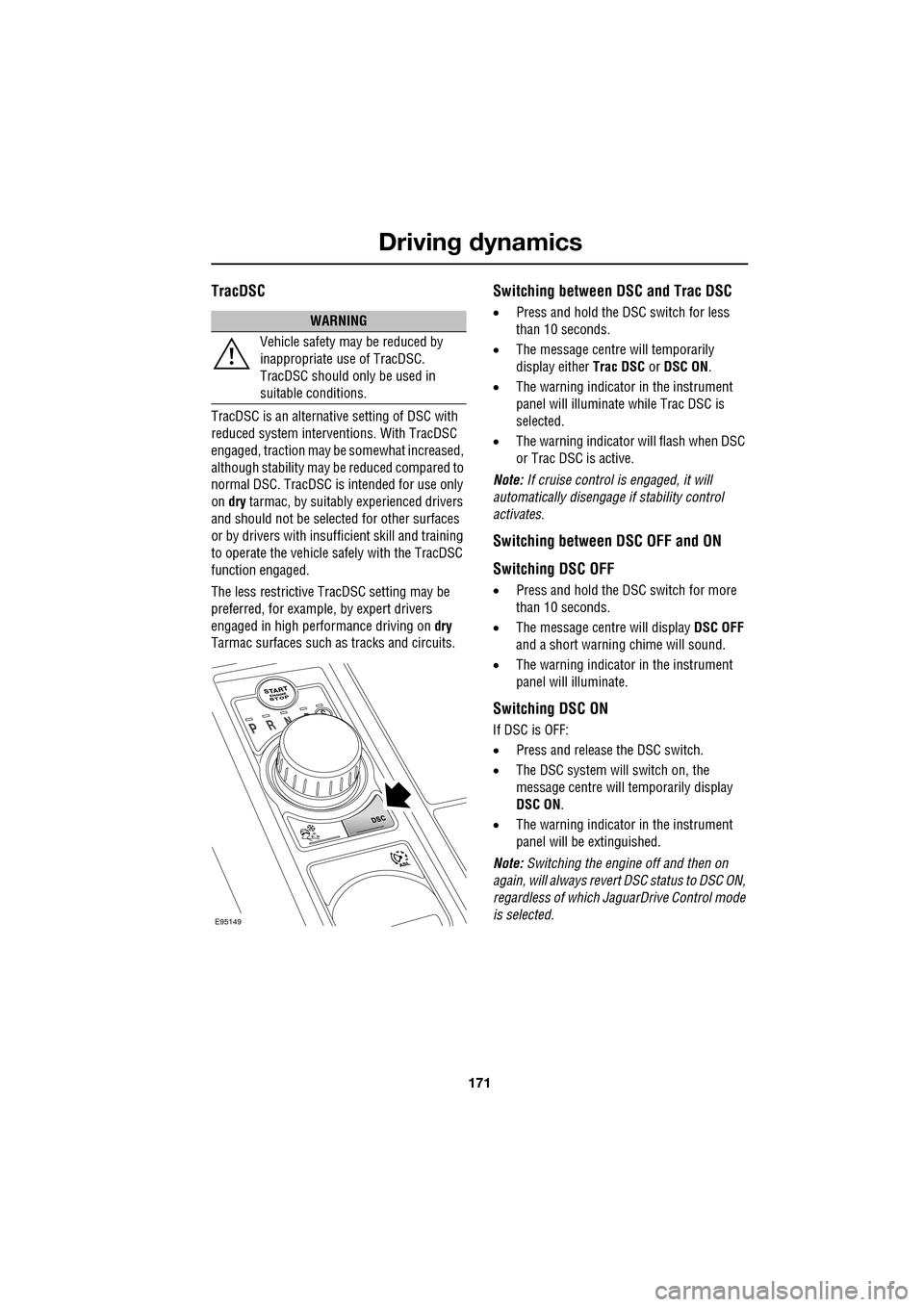
Switching between DSC and Trac DSC
• Press and hold the DSC switch for less
than 10 seconds.
• The message centre will temporarily
display either Trac DSC or DSC ON.
• The warning indicator in the instrument
panel will illuminate while Trac DSC is
selected.
• The warning indicator will flash when DSC
or Trac DSC is active.
Note: If cruise control is engaged, it will
automatically disengage if stability control
activates.
Switching between DSC OFF and ON
Switching DSC OFF
• Press and hold the DSC switch for more
than 10 seconds.
• The message centre will display DSC OFF
and a short warning chime will sound.
• The warning indicator in the instrument
panel will illuminate.
Switching DSC ON
If DSC is OFF:
• Press and release the DSC switch.
• The DSC system will switch on, the
message centre will temporarily display
DSC ON .
• The warning indicator in the instrument
panel will be extinguished.
Note: Switching the engine off and then on
again, will always revert DSC status to DSC ON,
regardless of which Ja guarDrive Control mode
is selected.
WARNING
Vehicle safety may be reduced by
inappropriate use of TracDSC.
TracDSC should only be used in
suitable conditions.
E95149
Page 174 of 391
Fuel and refuelling
174
SAFETY PRECAUTIONSFUEL QUALITY
Water in fuel
Petrol engined vehicles
WARNINGS
Petroleum gasses are highly
flammable, have a low flash point,
and are explosive, especially in
confined spaces. Avoid exposing the gasses to
any potential sources of ignition as the
resulting fire and expl osion may cause serious
injuries and/or death.
Only use containe rs specifically
designed for carrying fuel and always
remove them from the vehicle to fill
them. Failure to do so may result in spillage,
and cause a fire.
Switch off the engine when refuelling,
as it is both a source of extreme
temperatures, and electrical sparks.
The resulting fire a nd explosion may cause
serious injury and death.
Switch off any personal electronic
devices such as mobile phones, or
music players. They have the
potential to cause electrical sparks. The
resulting fire and expl osion may cause serious
injury and death.
Do not smoke, use a naked flame, or
cause sparks. The resulting fire and
explosion may cause serious injury
and death.
Do not overfill the fuel tank.
Overfilling may cause spillage when
the vehicle is driven. Spillage may
also occur if the fuel expands in high ambient
temperatures.
Any modifications to the fuel system
not specifically designed for this
Jaguar are prohibited. Such
modifications in some circumstances, could
result in a fire. All se rvice actions should be
entrusted to a Dealer /Authorised Repairer.The presence of any unusual fumes
(e.g. petrol or exhaust fumes) in the
passenger compartment and/or
luggage compartment, should be corrected
immediately by a Dealer /Authorised Repairer.
If you must drive unde r these conditions, do
so only with all windows fully open.
CAUTIONS
If the warning WATER IN FUEL is
displayed in the message centre, an
excessive amount of wate r has collected in the
fuel filter bowl. Seek assistance from a Jaguar
Dealer/Authorised Repairer to have the filter
drained, as soon as possible.
CAUTIONS
Do not use leaded fuels, lead substitutes
or fuel additives. Doing so can cause
damage to the engine, fuel and emission
control systems.
Only use high quality petrol, as using
lower quality fuels ca n cause damage to
the engine, fuel and emission control systems.
Fuel system cleaning agents should not
be used, unless a pproved by Jaguar.
Unapproved products may be harmful to fuel
system components on your vehicle.
It is the driver’s resp onsibility to fill the
vehicle with the correct fuel. If the
vehicle is filled with the wrong type of fuel, do
not start the engine. Call for Roadside
Assistance.
WARNINGS
Page 183 of 391
183
Towing
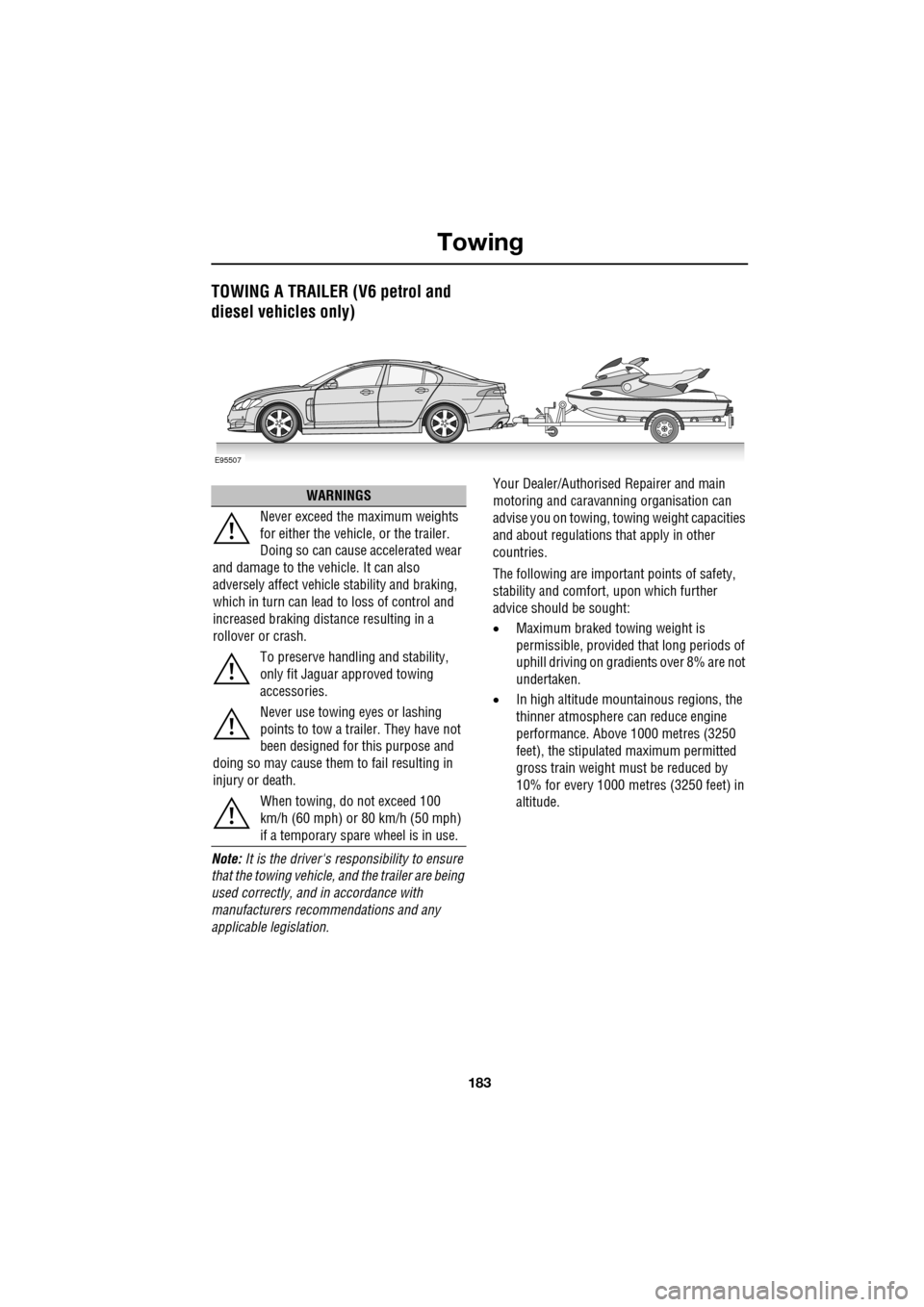
TOWING A TRAILER (V6 petrol and
diesel vehicles only)
Note: It is the driver's responsibility to ensure
that the towing vehicle, and the trailer are being
used correctly, and in accordance with
manufacturers recommendations and any
applicable legislation. Your Dealer/Authorised Repairer and main
motoring and caravanni
ng organisation can
advise you on towing, towing weight capacities
and about regulations that apply in other
countries.
The following are important points of safety,
stability and comfort, upon which further
advice should be sought:
• Maximum braked towing weight is
permissible, provided that long periods of
uphill driving on gradients over 8% are not
undertaken.
• In high altitude mount ainous regions, the
thinner atmosphere can reduce engine
performance. Abov e 1000 metres (3250
feet), the stipulated maximum permitted
gross train weight mu st be reduced by
10% for every 1000 metres (3250 feet) in
altitude.
E95507
WARNINGS
Never exceed the maximum weights
for either the vehicle, or the trailer.
Doing so can cause accelerated wear
and damage to the ve hicle. It can also
adversely affect vehicle stability and braking,
which in turn can lead to loss of control and
increased braking distance resulting in a
rollover or crash.
To preserve handling and stability,
only fit Jaguar approved towing
accessories.
Never use towing eyes or lashing
points to tow a trailer. They have not
been designed for this purpose and
doing so may cause them to fail resulting in
injury or death.
When towing, do not exceed 100
km/h (60 mph) or 80 km/h (50 mph)
if a temporary spare wheel is in use.