parking JAGUAR XF 2009 1.G Owner's Manual
[x] Cancel search | Manufacturer: JAGUAR, Model Year: 2009, Model line: XF, Model: JAGUAR XF 2009 1.GPages: 391, PDF Size: 19.32 MB
Page 150 of 391

Parking aid
150
Front and rear parking aid
When both front and rear parking aids are
fitted, a switch is located in the overhead
console.
Pressing the switch turns both the front and
rear parking aids on or off. The switch warning
indicator will come on when the system is
turned on. A switch is not provided when only
a rear parking aid is fitted.
Note: The front parking aid will also operate
when reverse gear is selected.
The front parking aid provides an audible
proximity warning when driving forwards or
reversing.
The front and rear sensors only operate within
a fixed speed range in forward gears and are
not effective when moving forwards above
15 km/h (9 mph). Objects are detected within the approximate
operating range from the
front of the vehicle,
as shown in the illustration above:
1. 600 mm (24 inches).
2. 1800 mm (71 inches).
3. 800 mm (31 inches).
If an obstacle is detected at the front or rear of
the vehicle, a warning tone will be heard from
the front or rear speaker respectively.
Note: The outer rear sensors ( 1) will show
visual detection on the touch-screen, before
the audible warning is given.
The warning tone increa ses in rate as the
vehicle approaches the obstacle.
CAUTION
The parking aid system automatically
switches off when the vehicle is moving
above 15 km/h (9 mph) in D, and will need to
be reselected when moving below 15 km/h
(9 mph).
E94141
E94142
3
2
1
1
Page 151 of 391
151
Parking aid
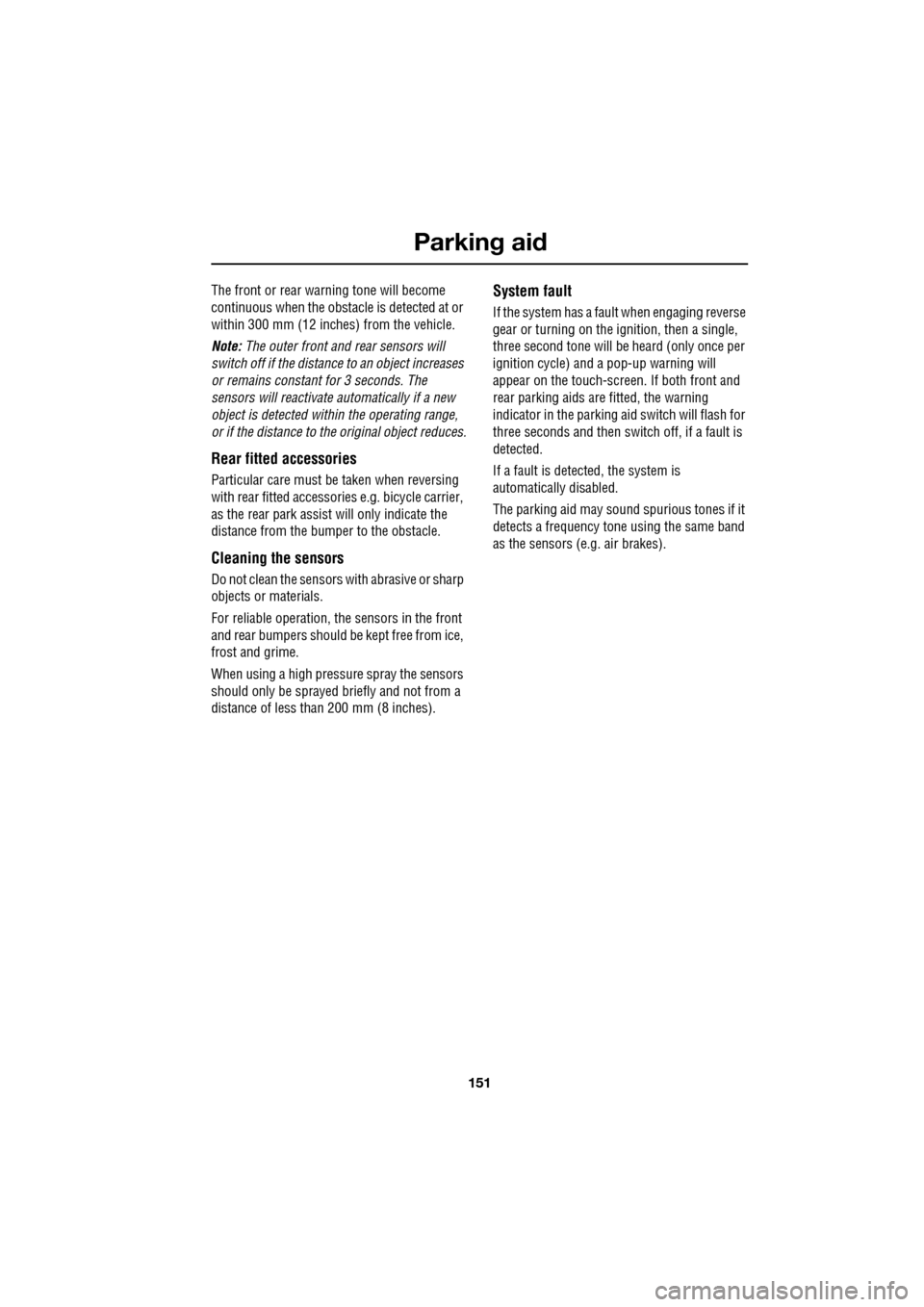
The front or rear warning tone will become
continuous when the obstacle is detected at or
within 300 mm (12 inches) from the vehicle.
Note: The outer front and rear sensors will
switch off if the distance to an object increases
or remains constant for 3 seconds. The
sensors will reactivate automatically if a new
object is detected with in the operating range,
or if the distance to the original object reduces.
Rear fitted accessories
Particular care must be taken when reversing
with rear fitted accessories e.g. bicycle carrier,
as the rear park assist will only indicate the
distance from the bumper to the obstacle.
Cleaning the sensors
Do not clean the sensors with abrasive or sharp
objects or materials.
For reliable operation, th e sensors in the front
and rear bumpers should be kept free from ice,
frost and grime.
When using a high pressure spray the sensors
should only be sprayed br iefly and not from a
distance of less than 200 mm (8 inches).
System fault
If the system has a fault when engaging reverse
gear or turning on the ignition, then a single,
three second tone will be heard (only once per
ignition cycle) and a pop-up warning will
appear on the touch-scre en. If both front and
rear parking aids are fitted, the warning
indicator in the parking aid switch will flash for
three seconds and then switch off, if a fault is
detected.
If a fault is detected, the system is
automatically disabled.
The parking aid may sound spurious tones if it
detects a frequency tone using the same band
as the sensors (e.g. air brakes).
Page 152 of 391
Rear view camera
152
PRINCIPLE OF OPERATION
The system provides a rear view image to
assist in reversing the vehicle.
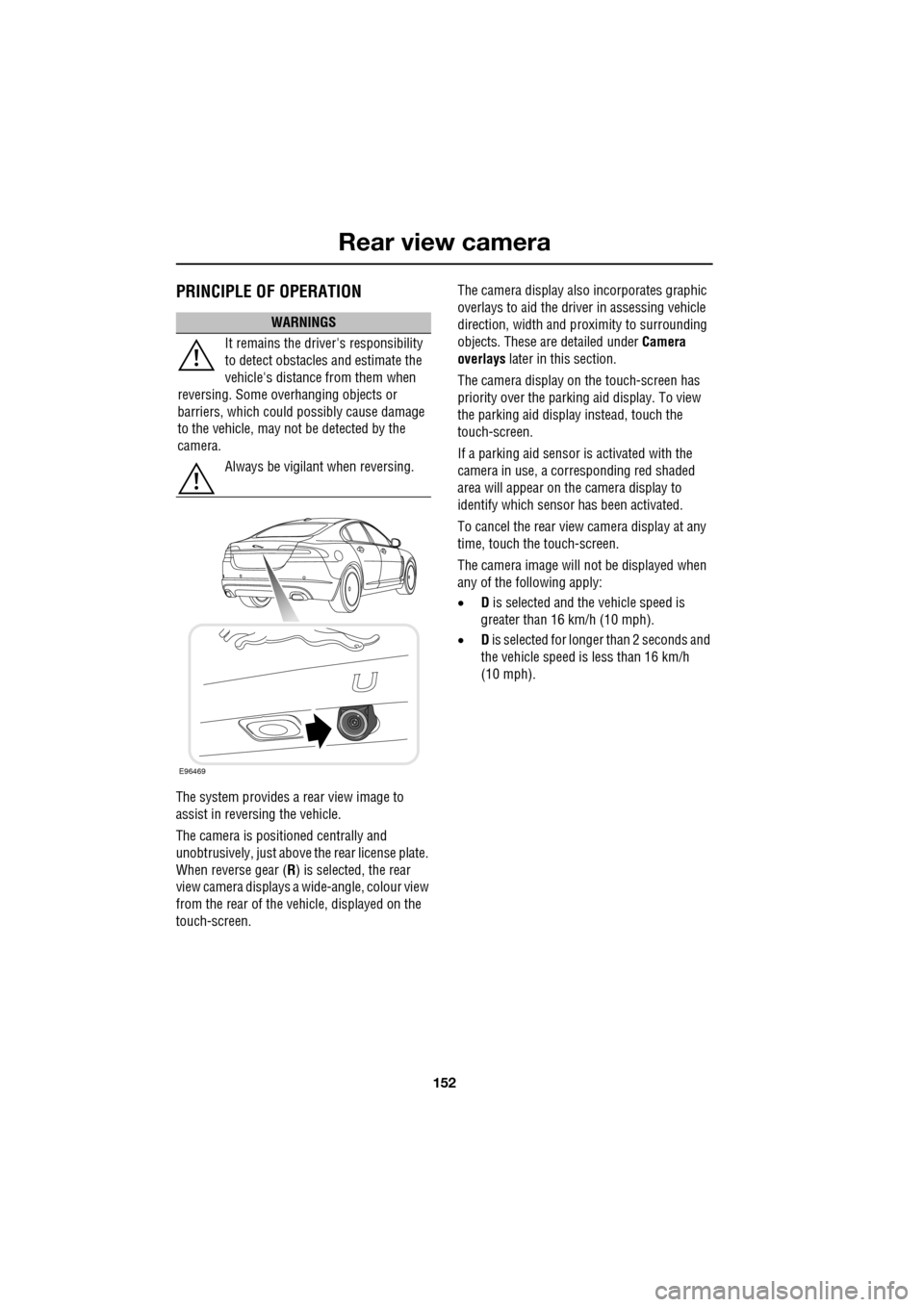
The camera is positioned centrally and
unobtrusively, just above the rear license plate.
When reverse gear (R) is selected, the rear
view camera displays a wide-angle, colour view
from the rear of the vehicle, displayed on the
touch-screen. The camera display also incorporates graphic
overlays to aid the driver in assessing vehicle
direction, width and pr
oximity to surrounding
objects. These are detailed under Camera
overlays later in this section.
The camera display on the touch-screen has
priority over the parki ng aid display. To view
the parking aid display instead, touch the
touch-screen.
If a parking aid sensor is activated with the
camera in use, a corresponding red shaded
area will appear on the camera display to
identify which sensor has been activated.
To cancel the rear view camera display at any
time, touch the touch-screen.
The camera image will not be displayed when
any of the following apply:
• D is selected and the vehicle speed is
greater than 16 km/h (10 mph).
• D is selected for longer than 2 seconds and
the vehicle speed is less than 16 km/h
(10 mph).
WARNINGS
It remains the driver's responsibility
to detect obstacles and estimate the
vehicle's distance from them when
reversing. Some ov erhanging objects or
barriers, which could possibly cause damage
to the vehicle, may not be detected by the
camera.
Always be vigilant when reversing.
E96469
Page 153 of 391
153
Rear view camera
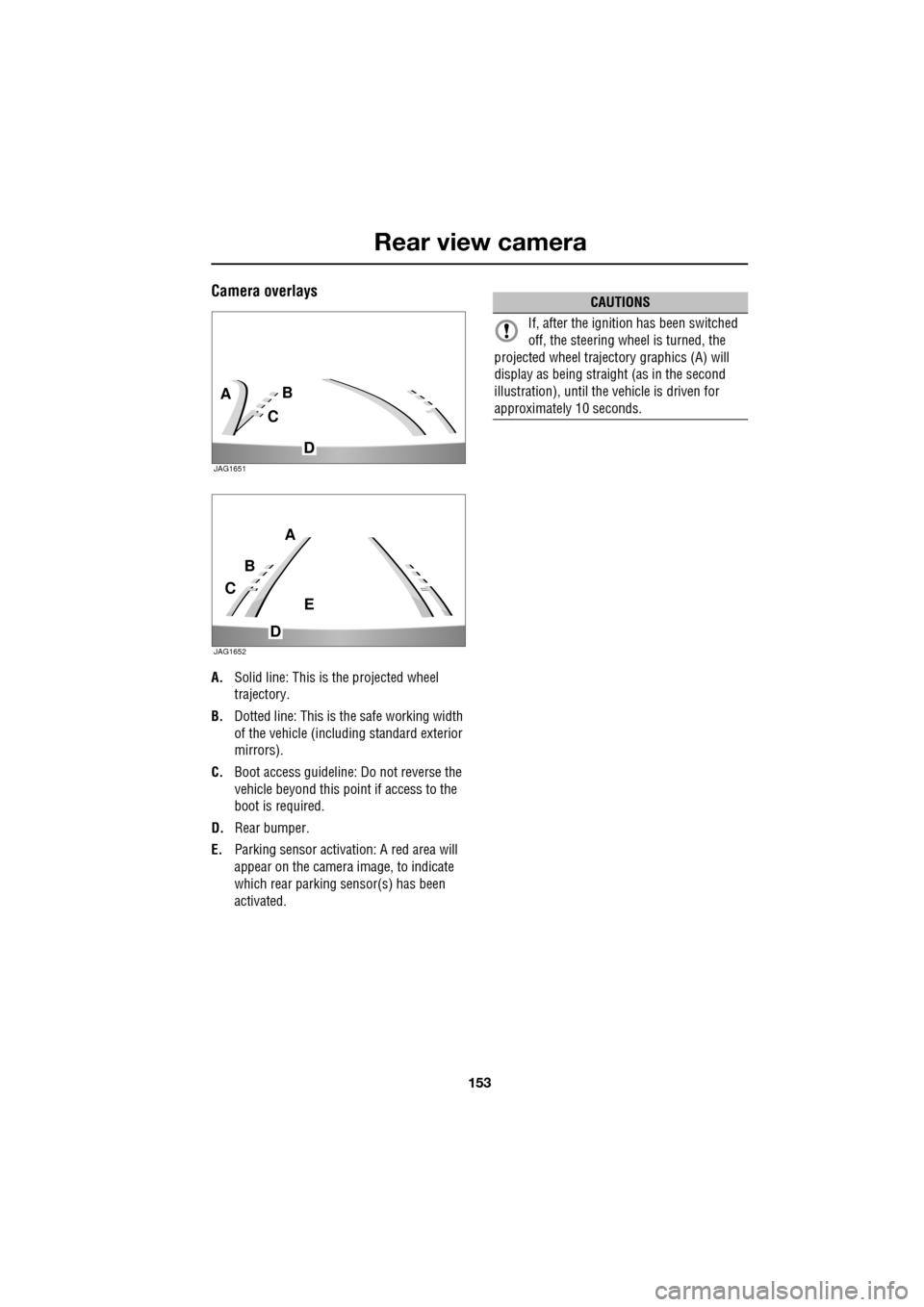
Camera overlays
A.Solid line: This is the projected wheel
trajectory.
B. Dotted line: This is the safe working width
of the vehicle (includi ng standard exterior
mirrors).
C. Boot access guideline: Do not reverse the
vehicle beyond this point if access to the
boot is required.
D. Rear bumper.
E. Parking sensor activa tion: A red area will
appear on the camera image, to indicate
which rear parking sensor(s) has been
activated.
C
BA
D
JAG1651
C
B
A
D
E
JAG1652
CAUTIONS
If, after the ignition has been switched
off, the steering wheel is turned, the
projected wheel trajecto ry graphics (A) will
display as being straight (as in the second
illustration), until the vehicle is driven for
approximately 10 seconds.
Page 184 of 391
Towing
184
Diesel engine vehicles
The diesel engine management system
incorporates sensors to determine optimum
performance. It is also designed to protect the
engine when arduous conditions are
encountered during towing. When ambient
temperature exceeds 40°C (104°F), the engine
coolant temperature may increase above
normal operating level. If this occurs, the
management system will initiate a series of
actions to restore norma l operating conditions.
The actions may include:
• A message centre message.
• Engine performance reduction.
• Air conditioning syst em cycling. The
system temperature output will fluctuate
between hot and cold, in order to dissipate
engine heat. If engine overheat persists,
the air conditioning will move to
continuous heat output.
It is advisable to bring the vehicle and trailer to
a convenient stop and allow the engine to idle
until normal temperature is restored. Do not
turn off the engine.
Trailer electrical connection
Note: The rear parking sensors are
automatically disabled when the trailer
electrical conne ction is made using Jaguar
approved towing equipment.
The vehicle's electrical system has been
designed to support all towing requirements,
and comply with legal requirements for the
specific territory in which the vehicle is first
sold.
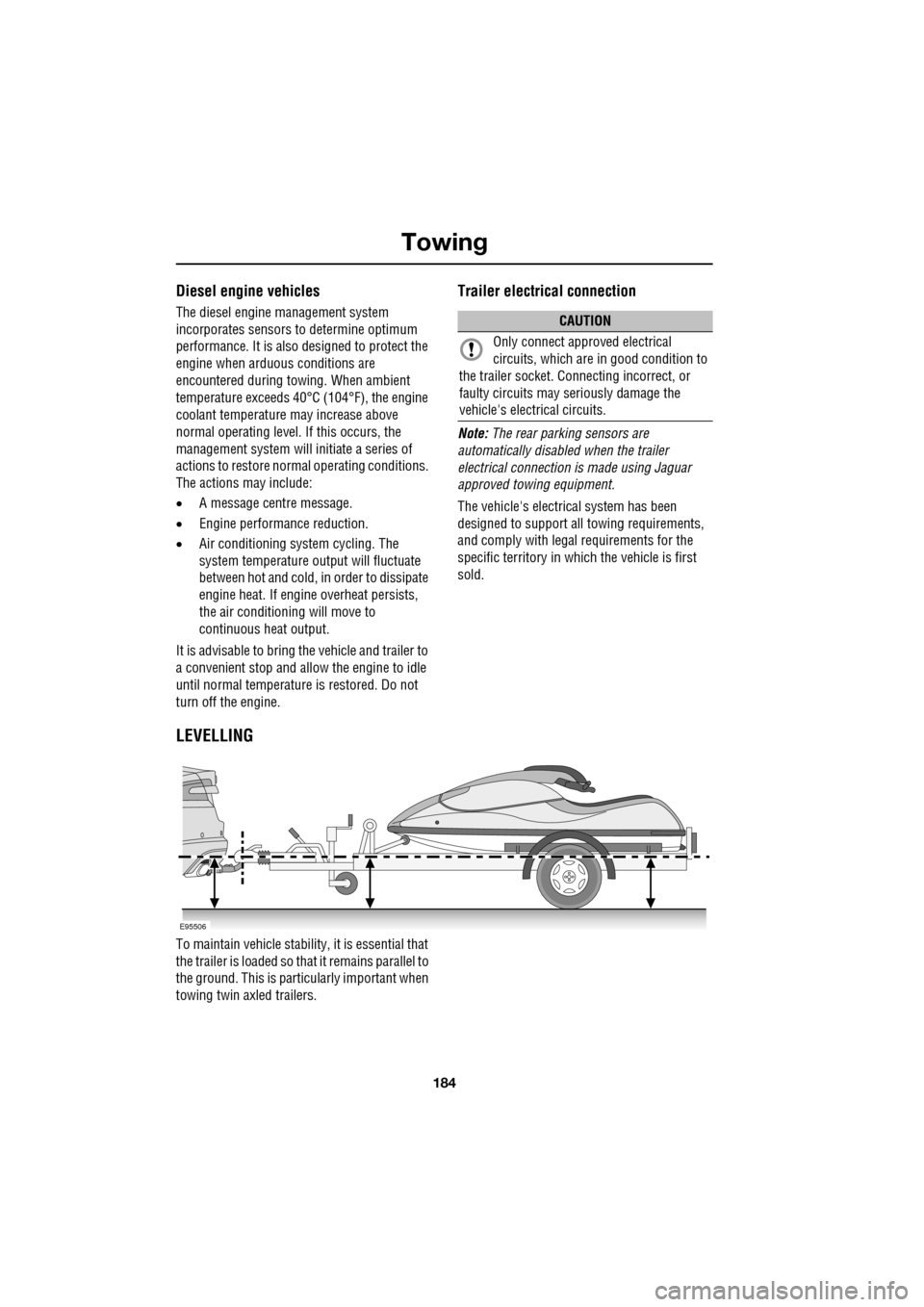
LEVELLING
To maintain vehicle stabilit y, it is essential that
the trailer is loaded so that it remains parallel to
the ground. This is particularly important when
towing twin axled trailers.
CAUTION
Only connect appr oved electrical
circuits, which are in good condition to
the trailer socket. Connecting incorrect, or
faulty circuits may seriously damage the
vehicle's electrical circuits.
E95506
Page 209 of 391
209
Maintenance
WASHER FLUID CHECK
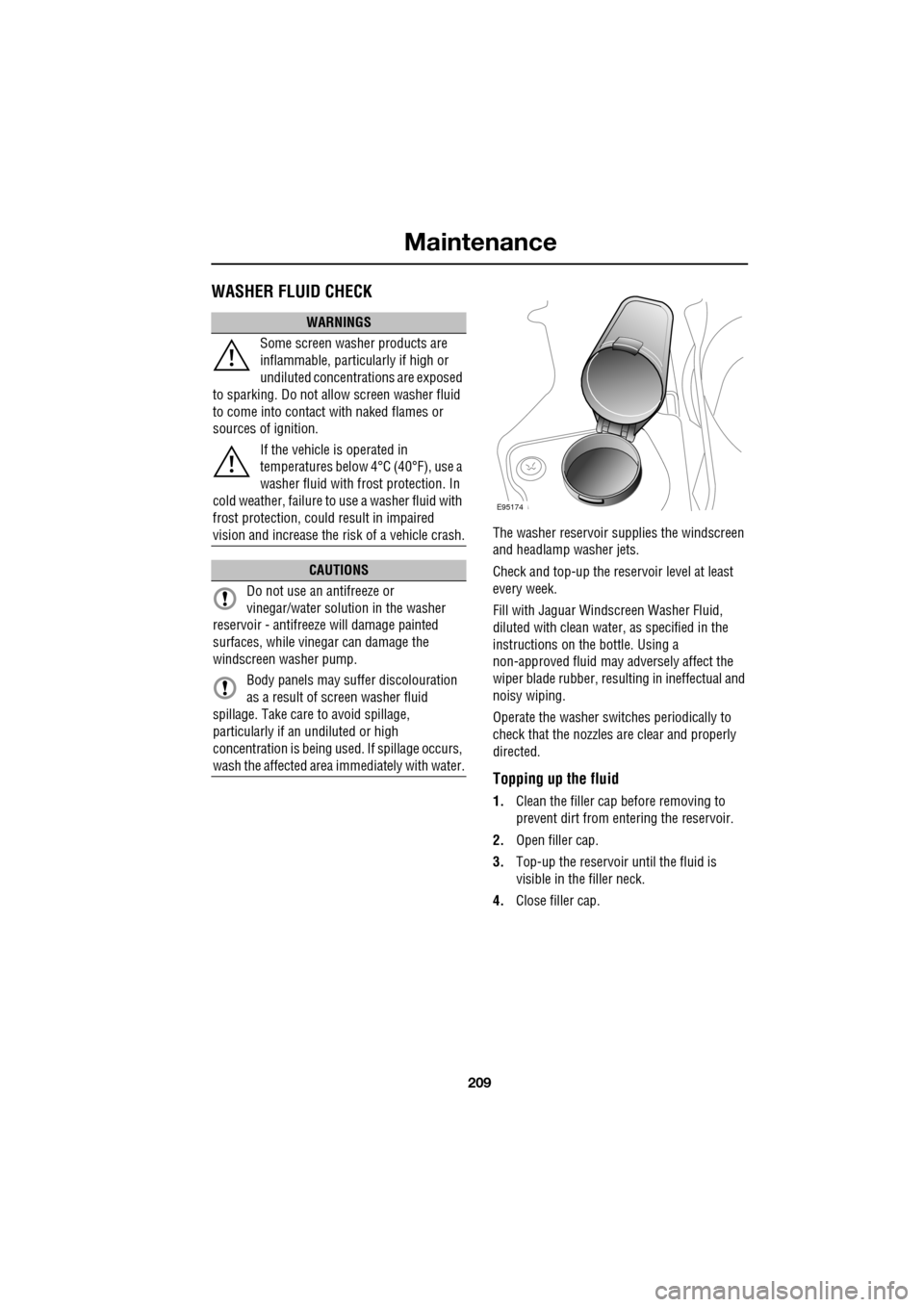
The washer reservoir supplies the windscreen
and headlamp washer jets.
Check and top-up the reservoir level at least
every week.
Fill with Jaguar Windscreen Washer Fluid,
diluted with clean water, as specified in the
instructions on the bottle. Using a
non-approved fluid may adversely affect the
wiper blade rubber, resulting in ineffectual and
noisy wiping.
Operate the washer switches periodically to
check that the nozzles are clear and properly
directed.
Topping up the fluid
1. Clean the filler cap before removing to
prevent dirt from entering the reservoir.
2. Open filler cap.
3. Top-up the reservoir until the fluid is
visible in the filler neck.
4. Close filler cap.
WARNINGS
Some screen washer products are
inflammable, particularly if high or
undiluted concentrations are exposed
to sparking. Do not allow screen washer fluid
to come into contact with naked flames or
sources of ignition.
If the vehicle is operated in
temperatures below 4°C (40°F), use a
washer fluid with frost protection. In
cold weather, failure to use a washer fluid with
frost protection, could result in impaired
vision and increase the risk of a vehicle crash.
CAUTIONS
Do not use an antifreeze or
vinegar/water solution in the washer
reservoir - antifreeze will damage painted
surfaces, while vinegar can damage the
windscreen washer pump.
Body panels may suffer discolouration
as a result of screen washer fluid
spillage. Take care to avoid spillage,
particularly if an undiluted or high
concentration is being us ed. If spillage occurs,
wash the affected area immediately with water.
E95174
Page 220 of 391
Wheels and tyres
220
Tyre pressure compensation chart - high
ambient temperatures
Tyre pressures during long term vehicle
storage
To minimise the possibility and effects of flat
spots during storage, the tyres may be inflated
to the maximum pressure indicated on the tyre
wall.
Note: Before using the st ored vehicle on the
road again, ensure that correct tyre pressures
are restored.
Flat spots
If the vehicle is stati onary for a long period,
when the ambient temperature is high, the
tyres may form flat spots. When the vehicle is
driven, these flat spots will cause a vibration
which will steadily disappear as the tyres warm
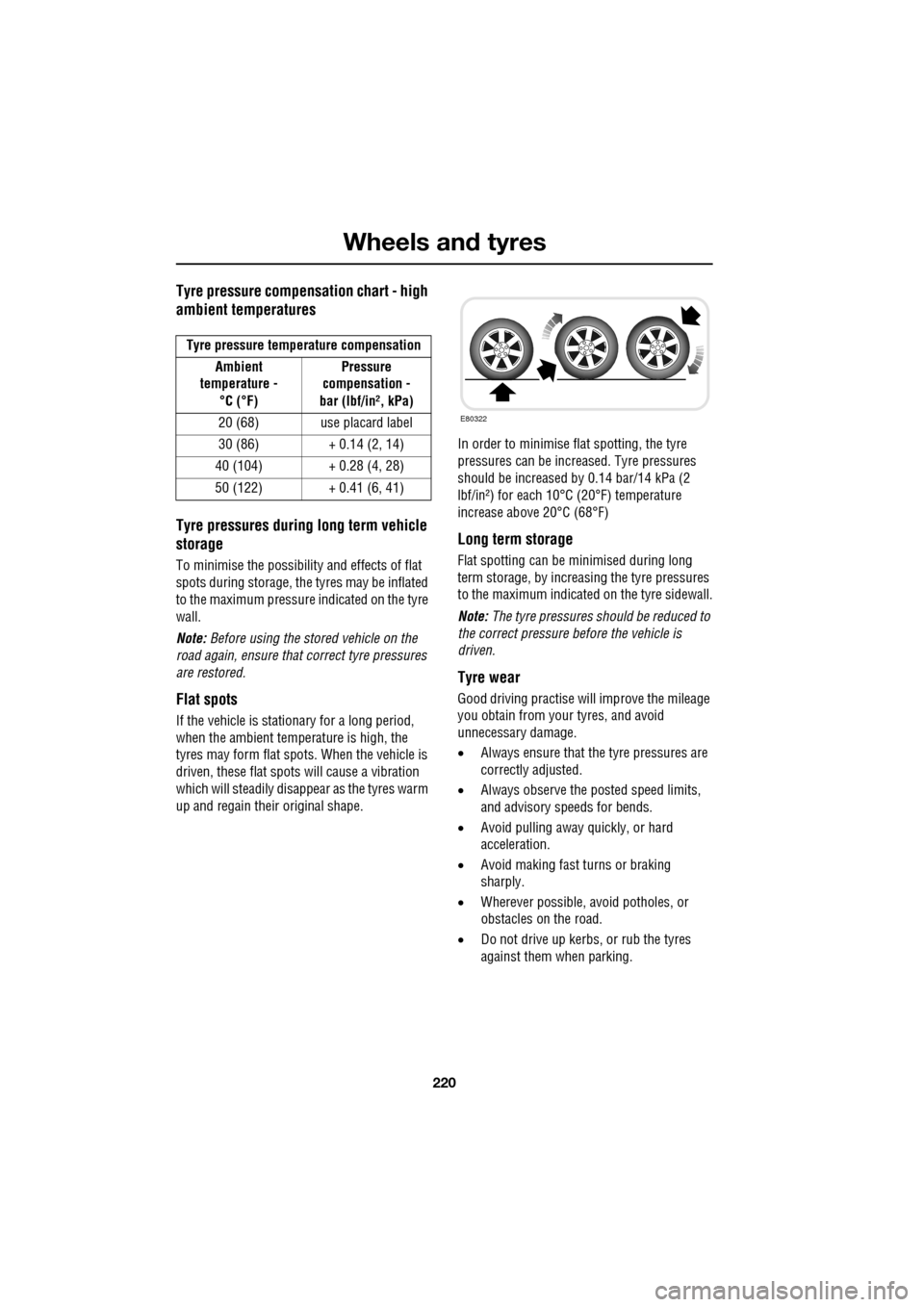
up and regain their original shape. In order to minimise flat spotting, the tyre
pressures can be increa
sed. Tyre pressures
should be increased by 0.14 bar/14 kPa (2
lbf/in²) for each 10°C (20°F) temperature
increase above 20°C (68°F)
Long term storage
Flat spotting can be minimised during long
term storage, by increasing the tyre pressures
to the maximum indicated on the tyre sidewall.
Note: The tyre pressures s hould be reduced to
the correct pressure before the vehicle is
driven.
Tyre wear
Good driving practise will improve the mileage
you obtain from your tyres, and avoid
unnecessary damage.
• Always ensure that the tyre pressures are
correctly adjusted.
• Always observe the posted speed limits,
and advisory speeds for bends.
• Avoid pulling away quickly, or hard
acceleration.
• Avoid making fast turns or braking
sharply.
• Wherever possible, avoid potholes, or
obstacles on the road.
• Do not drive up kerbs, or rub the tyres
against them when parking.
Tyre pressure temperature compensation
Ambient
temperature -
°C (°F) Pressure
compensation -
bar (lbf/in², kPa)
20 (68) use placard label
30 (86) + 0.14 (2, 14)
40 (104) + 0.28 (4, 28)
50 (122) + 0.41 (6, 41)
E80322
Page 227 of 391
227
Wheels and tyres
Wheel changing safety
Before raising the vehicle, or changing a wheel
ensure that you read, and comply with the
following warnings.
WARNINGS
Always find a safe place to stop, off
the highway and away from traffic.
Ensure that the vehicle is on firm level
ground.
Disconnect traile r/caravan from
vehicle.
Switch on the hazard warning lamps.
Ensure that all passengers, and
animals, are out of the vehicle and in
a safe place away from the highway.
Place a warning triangle at a suitable
distance behind th e vehicle, facing
towards oncoming traffic.
Ensure that the front wheels are in the
straight ahead position, and engage
the steering lock.
Apply the parking br ake, and engage
Park (P).
Ensure that the jack is on firm level
ground.
Never place anything between the
jack and the ground, or the jack and
the vehicle.
When one rear wheel is lifted off the
ground the selection P (Park) position
will not prevent the vehicle from
moving and possibly slipping off the jack as
the park brake only operates on the rear
wheels.
Do not start or run the engine while
the vehicle is supported only by a
jack.
The jack is designed for use when
changing a wheel only. Never work
beneath the vehicle with the jack as
the only means of s upport - use vehicle
support stands.
Always chock the wheel diagonally
opposite the wheel to be changed,
using the wheel chock supplied in the
tool kit. Chock the front of a front wheel, or the
rear of a rear wheel.
If jacking the vehicle on a slight slope
is unavoidable, place chocks on the
downhill side of the two opposite
wheels. An additional chock will be
needed.
Take care when lifting the spare
wheel, and removing the punctured
wheel. The wheels are heavy, and can
cause injuries if not handled
correctly.
Remove the spare wheel prior to
jacking the vehicle. To avoid
destabilising the vehicle when raised.
Take care when loosening the wheel
nuts. The wheel brace may slip off if
not properly attached, and the wheel
nuts may give way suddenly. Either
unexpected movement ma y cause an injury.
WARNINGS
Page 228 of 391
Wheels and tyres
228
Wheel changing procedure
1.Ensure that all passengers are in a safe
place, clear of the vehicle.
2. Apply the parking brake and select gear
position P (Park).
3. Ensure that the jack is placed on firm and
level ground.
Observe the instructions printed on the jack.
Use the jack only for lifting the vehicle during
wheel changing and only us e the jack which is
stored in the vehicle.
Before raising the vehi cle slacken but do not
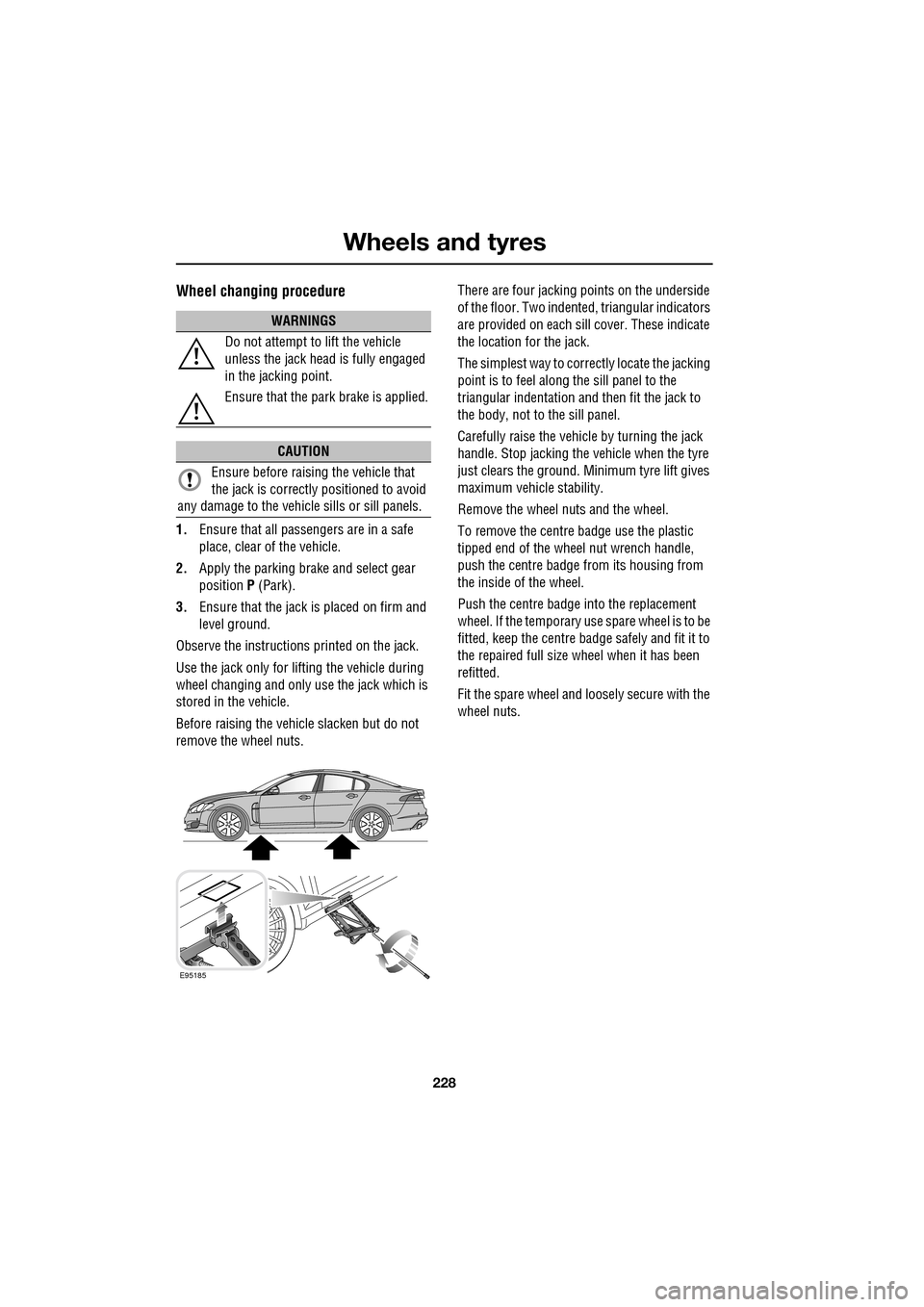
remove the wheel nuts. There are four jacking points on the underside
of the floor. Two indented, triangular indicators
are provided on each sill cover. These indicate
the location for the jack.
The simplest way to correctly locate the jacking
point is to feel along
the sill panel to the
triangular indentation and then fit the jack to
the body, not to the sill panel.
Carefully raise the vehicle by turning the jack
handle. Stop jacking the vehicle when the tyre
just clears the ground. Minimum tyre lift gives
maximum vehicle stability.
Remove the wheel nuts and the wheel.
To remove the centre badge use the plastic
tipped end of the wheel nut wrench handle,
push the centre badge from its housing from
the inside of the wheel.
Push the centre badge into the replacement
wheel. If the temporary use spare wheel is to be
fitted, keep the centre badge safely and fit it to
the repaired full size wheel when it has been
refitted.
Fit the spare wheel and loosely secure with the
wheel nuts.
WARNINGS
Do not attempt to lift the vehicle
unless the jack head is fully engaged
in the jacking point.
Ensure that the park brake is applied.
CAUTION
Ensure before raising the vehicle that
the jack is correctly positioned to avoid
any damage to the vehicle sills or sill panels.
E95185
Page 247 of 391
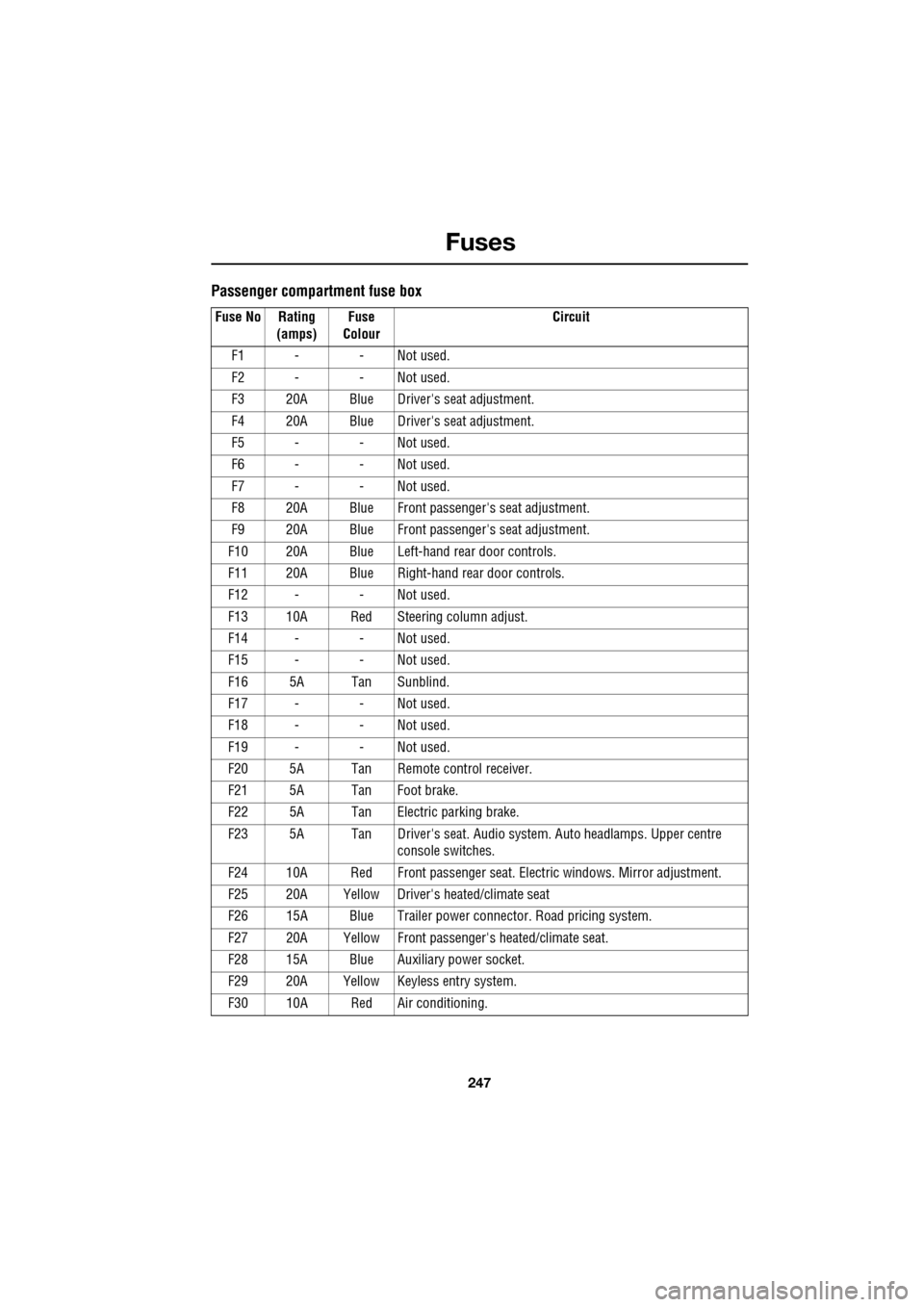
247
Fuses
Passenger compartment fuse box
Fuse No Rating (amps) Fuse
Colour Circuit
F1 - - Not used.
F2 - - Not used.
F3 20A Blue Driver's seat adjustment.
F4 20A Blue Driver's seat adjustment.
F5 - - Not used.
F6 - - Not used.
F7 - - Not used.
F8 20A Blue Front passenger's seat adjustment.
F9 20A Blue Front passenger's seat adjustment.
F10 20A Blue Left-hand rear door controls.
F11 20A Blue Right-hand rear door controls.
F12 - - Not used.
F13 10A Red Steering column adjust.
F14 - - Not used.
F15 - - Not used.
F16 5A Tan Sunblind.
F17 - - Not used.
F18 - - Not used.
F19 - - Not used.
F20 5A Tan Remote control receiver.
F21 5A Tan Foot brake.
F22 5A Tan Electric parking brake.
F23 5A Tan Driver's seat. Audio system. Auto headlamps. Upper centre console switches.
F24 10A Red Front passen ger seat. Electric windows. Mirror adjustment.
F25 20A Yellow Driver's heated/climate seat
F26 15A Blue Trailer power connector. Road pricing system.
F27 20A Yellow Front passenger's heated/climate seat.
F28 15A Blue Auxiliary power socket.
F29 20A Yellow Keyless entry system.
F30 10A Red Air conditioning.