electrical JAGUAR XFR 2010 1.G Workshop Manual
[x] Cancel search | Manufacturer: JAGUAR, Model Year: 2010, Model line: XFR, Model: JAGUAR XFR 2010 1.GPages: 3039, PDF Size: 58.49 MB
Page 2046 of 3039

Installation
1. NOTE: Align to the position noted on removal.
Install the bracket.
Tighten to 5 Nm.
2. Install the height sensor link.
3. Install the headlamp leveling sensor.
Tighten to 25 Nm.
Connect the electrical connector.
Connect the height sensor link.
Page 2047 of 3039
Exterior Lighting - Headlamp Leveling Rear Sensor
Removal and Installation
Removal Published: 11-May-2011
1. WARNING: Do not work on or under a vehicle supported only by a
jack. Always support the vehicle on safety stands.
Raise and support the vehicle.
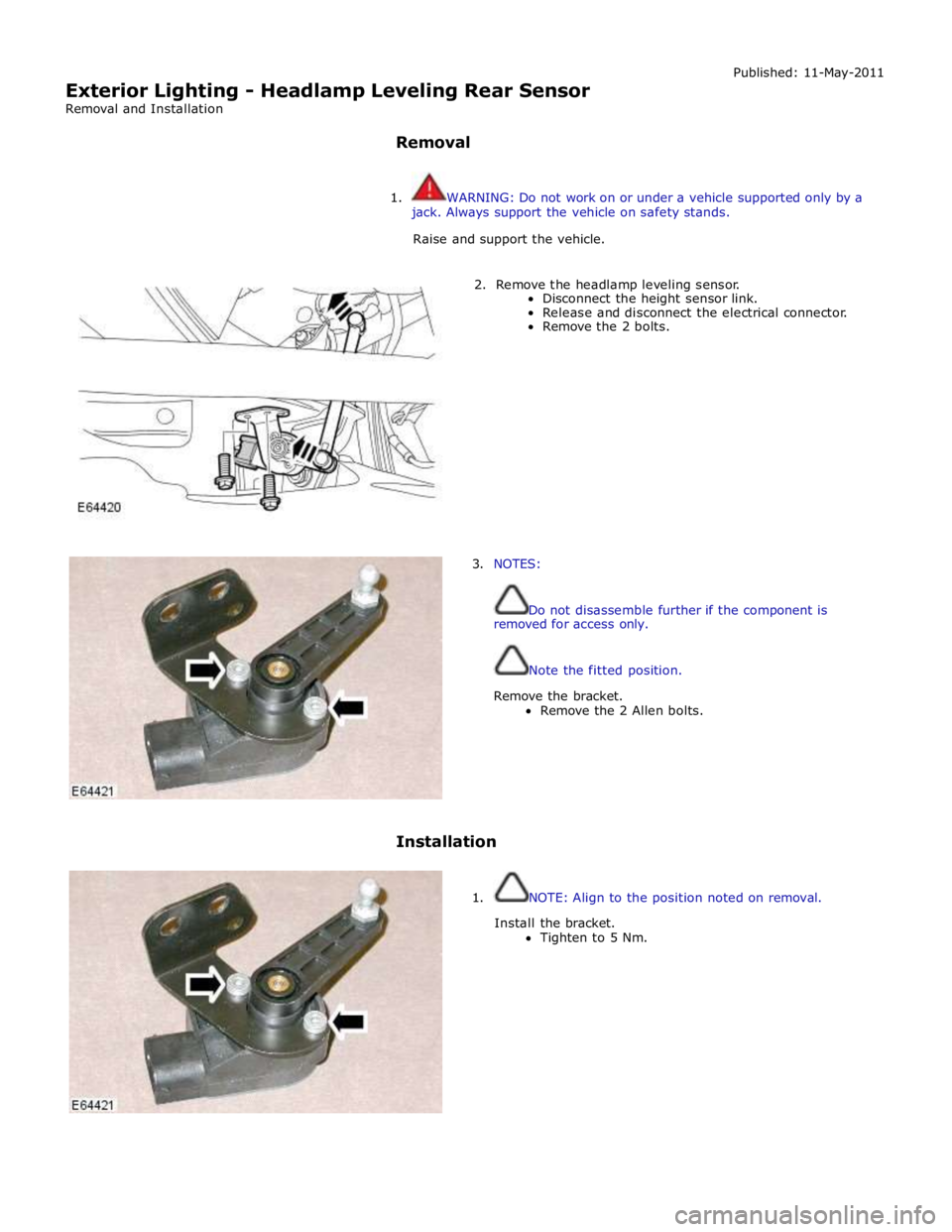
2. Remove the headlamp leveling sensor.
Disconnect the height sensor link.
Release and disconnect the electrical connector.
Remove the 2 bolts.
3. NOTES:
Do not disassemble further if the component is
removed for access only.
Note the fitted position.
Remove the bracket.
Remove the 2 Allen bolts.
Installation
1. NOTE: Align to the position noted on removal.
Install the bracket.
Tighten to 5 Nm.
Page 2048 of 3039

2. Install the headlamp leveling sensor.
Tighten to 25 Nm
Connect the electrical connector.
Install the height sensor link.
Page 2059 of 3039
Once the timer has expired and the lamps are off, any one of the following will 'wake up' the battery saver and the interior
lamps will function again. The timer will be restarted as soon as an input is received by the CJB from one of the following:
Ignition mode changed from off power mode 0 to accessory power mode 4, ignition power mode 6 or crank power mode
9.
Any door, including the luggage compartment lid is opened
An unlock request is received from the Smart Key via the keyless vehicle module
Overhead console interior lamp is switched on via the JaguarSense function.
INTERIOR LAMPS
When the interior lighting system switches the interior lamps on, the CJB ramps the lamps up to full power over a period of 1.3 seconds. When the system switches the lamps off, after the time-out period has expired, the CJB fades the lamps off over a period of 2.6 seconds.
The interior lighting system will illuminate the interior lamps when one of the following events occurs:
The CJB receives an unlock signal from the Smart Key via the keyless vehicle module Any door is opened including the luggage compartment lid
The ignition mode is changed from ignition power mode 6 or accessory power mode 4 to off power mode 0.
The interior lighting system will turn off the interior lamps when one of the following events occurs:
Once the time-out timer delay has expired since the lamps were either activated or the last door is closed and the
vehicle is not locked
The ignition is in off power mode 0 and an external lock is requested (using either the door lock buttons or the Smart
Key) with all doors closed
The ignition mode is changed from the off power mode 0 or the accessory power mode 4 to the ignition power mode 6
The last door is closed and the vehicle is externally locked, on receipt of an unlock request from the Smart Key or door
handle operation detected when the time-out timer is still active.
DELIVERY MODE
Delivery mode is set at the factory on vehicles to minimize battery drain. The mode enables the switching off of non-critical
electrical components, including the interior lighting system. The delivery mode feature is cancelled by the dealer during the
Pre-Delivery Inspection using an approved Jaguar diagnostic system.
CRASH ILLUMINATION
When a crash signal is received from the RCM (restraints control module), the CJB activates the interior lamps once the vehicle speed has reduced to 5 km/h (3.1 mph). The hazard flashers are also activated and the doors are prevented from being locked.
The lamps remain on until the crash signal is removed, they cannot be switched off using the JaguarSense feature. The crash
signal is removed by completing one ignition on and off cycle.
INTERIOR BULB TYPE/RATING Component Description
The following table shows the bulbs used for the interior lighting system and their type and specification.
NOTE: The front overhead console and the front door ambience lighting is illuminated by LED's and are non-serviceable components.
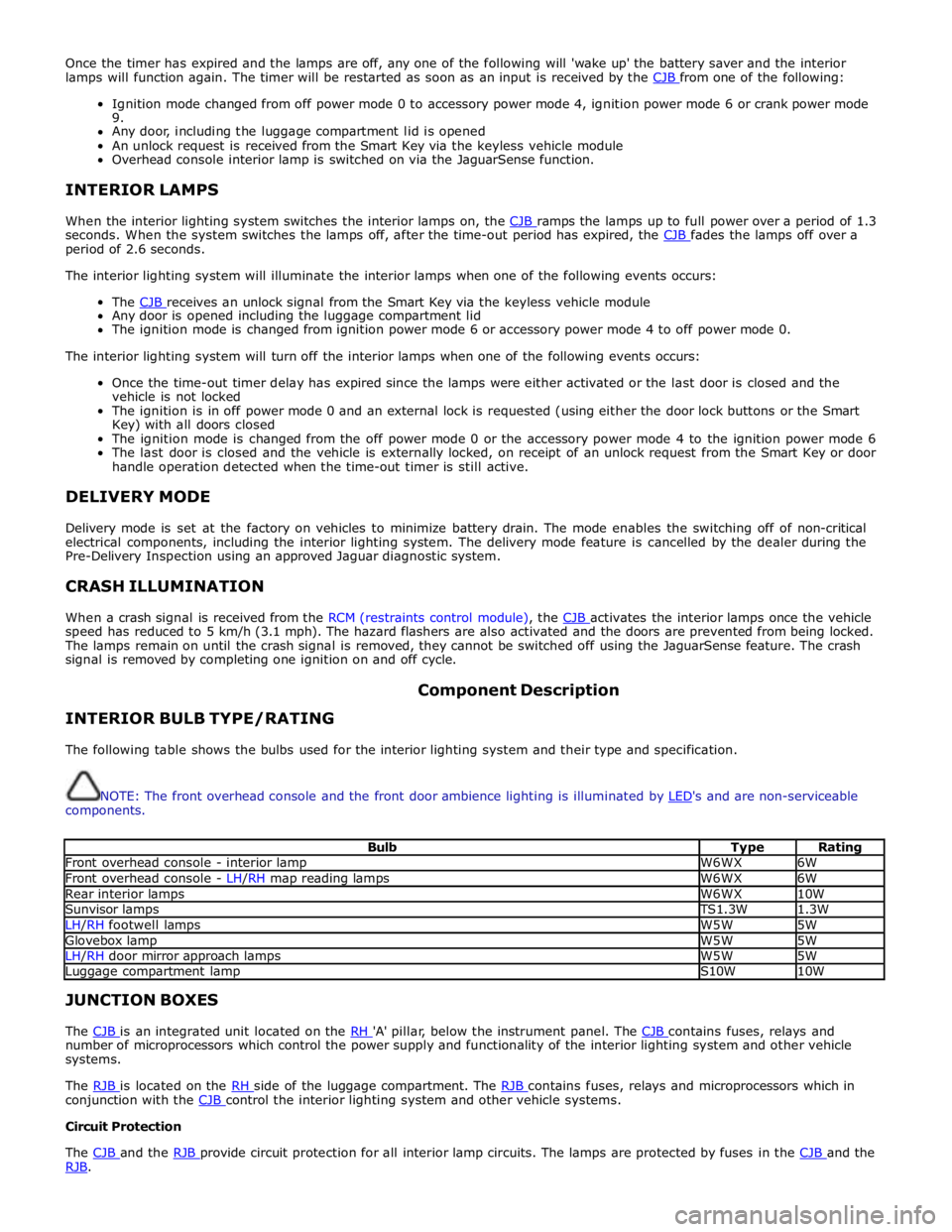
Bulb Type Rating Front overhead console - interior lamp W6WX 6W Front overhead console - LH/RH map reading lamps W6WX 6W Rear interior lamps W6WX 10W Sunvisor lamps TS1.3W 1.3W LH/RH footwell lamps W5W 5W Glovebox lamp W5W 5W LH/RH door mirror approach lamps W5W 5W Luggage compartment lamp S10W 10W JUNCTION BOXES
The CJB is an integrated unit located on the RH 'A' pillar, below the instrument panel. The CJB contains fuses, relays and number of microprocessors which control the power supply and functionality of the interior lighting system and other vehicle
systems.
The RJB is located on the RH side of the luggage compartment. The RJB contains fuses, relays and microprocessors which in conjunction with the CJB control the interior lighting system and other vehicle systems. Circuit Protection
The CJB and the RJB provide circuit protection for all interior lamp circuits. The lamps are protected by fuses in the CJB and the RJB.
Page 2061 of 3039
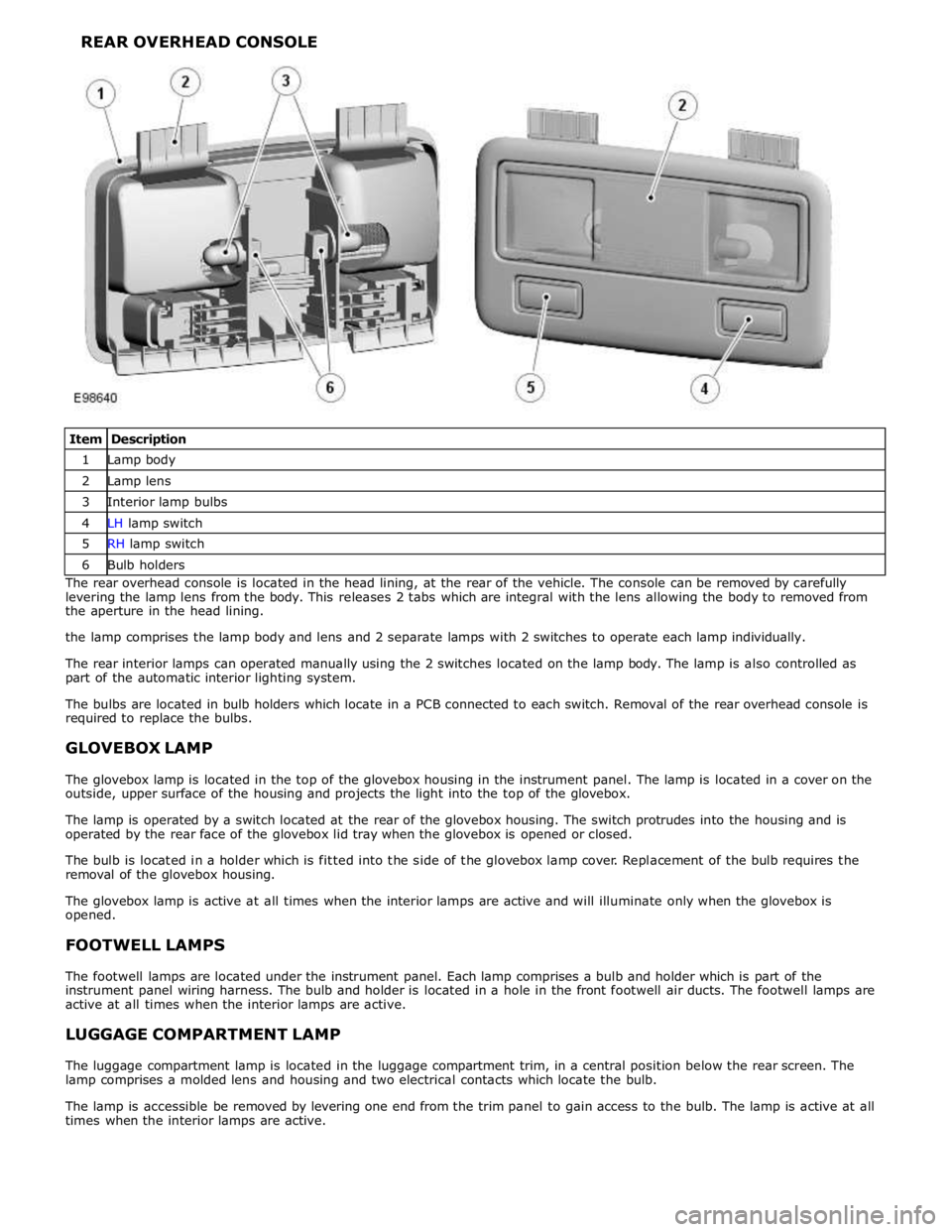
1 Lamp body 2 Lamp lens 3 Interior lamp bulbs 4 LH lamp switch 5 RH lamp switch 6 Bulb holders The rear overhead console is located in the head lining, at the rear of the vehicle. The console can be removed by carefully
levering the lamp lens from the body. This releases 2 tabs which are integral with the lens allowing the body to removed from
the aperture in the head lining.
the lamp comprises the lamp body and lens and 2 separate lamps with 2 switches to operate each lamp individually.
The rear interior lamps can operated manually using the 2 switches located on the lamp body. The lamp is also controlled as
part of the automatic interior lighting system.
The bulbs are located in bulb holders which locate in a PCB connected to each switch. Removal of the rear overhead console is
required to replace the bulbs.
GLOVEBOX LAMP
The glovebox lamp is located in the top of the glovebox housing in the instrument panel. The lamp is located in a cover on the
outside, upper surface of the housing and projects the light into the top of the glovebox.
The lamp is operated by a switch located at the rear of the glovebox housing. The switch protrudes into the housing and is
operated by the rear face of the glovebox lid tray when the glovebox is opened or closed.
The bulb is located in a holder which is fitted into the side of the glovebox lamp cover. Replacement of the bulb requires the
removal of the glovebox housing.
The glovebox lamp is active at all times when the interior lamps are active and will illuminate only when the glovebox is
opened.
FOOTWELL LAMPS
The footwell lamps are located under the instrument panel. Each lamp comprises a bulb and holder which is part of the
instrument panel wiring harness. The bulb and holder is located in a hole in the front footwell air ducts. The footwell lamps are
active at all times when the interior lamps are active.
LUGGAGE COMPARTMENT LAMP
The luggage compartment lamp is located in the luggage compartment trim, in a central position below the rear screen. The
lamp comprises a molded lens and housing and two electrical contacts which locate the bulb.
The lamp is accessible be removed by levering one end from the trim panel to gain access to the bulb. The lamp is active at all
times when the interior lamps are active.
Page 2063 of 3039

Interior Lighting - Interior Lighting
Diagnosis and Testing
Principles of Operation Published: 11-May-2011
For a detailed description of the interior lighting system, refer to the relevant Description and Operation sections in the
workshop manual. REFER to: (417-02 Interior Lighting)
Interior Lighting (Description and Operation), Interior Lighting (Description and Operation), Interior Lighting (Description and Operation).
Inspection and Verification
CAUTION: Diagnosis by substitution from a donor vehicle is NOT acceptable. Substitution of control modules does not
guarantee confirmation of a fault, and may also cause additional faults in the vehicle being tested and/or the donor vehicle.
1. Verify the customer concern.
2. Visually inspect for obvious signs of damage and system integrity.
Visual Inspection
Mechanical Electrical
Bulbs
Fuses/relays (refer to electrical guide)
Wiring harness
Correct engagement of electrical connectors
Loose or corroded connections
3. If an obvious cause for an observed or reported concern is found, correct the cause (if possible) before proceeding to
the next step.
4. If the cause is not visually evident, check for Diagnostic Trouble Codes (DTCs) and refer to the DTC Index.
DTC Index
CAUTION: When probing connectors to take measurements in the course of the pinpoint tests, use the adaptor kit, part
number 3548-1358-00
NOTES:
If the control module or a component is suspect and the vehicle remains under manufacturer warranty, refer to the
Warranty Policy and Procedures manual (section B1.2), or determine if any prior approval programme is in operation, prior to
the installation of a new module/component.
Generic scan tools may not read the codes listed, or may read only five digit codes. Match the five digits from the scan
tool to the first five digits of the seven digit code listed to identify the fault (the last two digits give extra information read by
the manufacturer-approved diagnostic system).
When performing voltage or resistance tests, always use a digital multimeter (DMM) accurate to three decimal places and
with a current calibration certificate. When testing resistance, always take the resistance of the DMM leads into account.
Check and rectify basic faults before beginning diagnostic routines involving pinpoint tests.
If DTCs are recorded and, after performing the pinpoint tests, a fault is not present, an intermittent concern may be the
cause. Always check for loose connections and corroded terminals.
DTC Description Possible Cause Action B116511
Left Front
Puddle Lamp
Output
Left front puddle lamp
control circuit - short to
ground Refer to the electrical circuit diagrams and test left front puddle
lamp control circuit for short to ground
Page 2064 of 3039

DTC Description Possible Cause Action B116515
Left Front
Puddle Lamp
Output
Left front puddle lamp
control circuit - short to
power, open circuit Carry out any pinpoint tests associated with this DTC using the
manufacturer approved diagnostic system. Refer to the electrical
circuit diagrams and test left front puddle lamp control circuit
for short to power, open circuit B116611
Right Front
Puddle Lamp
Output
Right front puddle lamp
control circuit - short to
ground Refer to the electrical circuit diagrams and test right front
puddle lamp control circuit for short to ground B116615
Right Front
Puddle Lamp
Output
Right front puddle lamp
control circuit - short to
power, open circuit Carry out any pinpoint tests associated with this DTC using the
manufacturer approved diagnostic system. Refer to the electrical
circuit diagrams and test right front puddle lamp control circuit
for short to power, open circuit B111E11
Boot/Trunk
Lamps
Luggage compartment lamp
control circuit - short to
ground Carry out any pinpoint test associated with this DTC using the
manufacturer approved diagnostic system. Refer to the electrical
circuit diagrams and check luggage compartment lamp control
circuit for short to ground B111E15
Boot/Trunk
Lamps
Luggage compartment lamp
control circuit - short to
power, open circuit Carry out any pinpoint test associated with this DTC using the
manufacturer approved diagnostic system. Refer to the electrical
circuit diagrams and check luggage compartment lamp control
circuit for short to power, open circuit B112412
Lamp Fade
Control
Interior lamp fade control
circuit - short to power Refer to the electrical circuit diagrams and check interior lamp
fade control circuit for short to power B113C12
Hazard Switch
Illumination
Hazard switch illumination
control circuit - short to
power Refer to the electrical circuit diagrams and check hazard switch
illumination control circuit for short to power B1A8596
Ambient Light
Sensor
Light sensor internal
electronic failure Check and install a new sensor as required U201012
Switch
Illumination
Switch/interior illumination
PWM supply circuit - short to
power Refer to the electrical circuit diagrams and check switch/interior
illumination PWM supply circuit for short to power U201014
Switch
Illumination
Switch/interior illumination
PWM supply circuit - short to
ground, open circuit Refer to the electrical circuit diagrams and check switch/interior
illumination PWM supply circuit for short to ground, open circuit
Page 2067 of 3039

Published: 11-May-2011
Module Communications Network - Communications Network - Overview
Description and Operation
OVERVIEW
A number of different types of communication network are incorporated into the vehicle wiring harnesses for the transmission
of commands and information between control modules. The configuration installed on a particular vehicle depends on the
model and equipment level.
NOTE: The control diagrams shown later in this section are schematics reflecting communications networks fitted to LH
(left-hand) vehicles only. For detailed layouts of the various communications networks fitted to LHD (left-hand drive) and RHD
(right-hand drive) vehicles, refer to the Electrical Guide.
The communications networks available on the vehicle are shown in the table below.
Network Baud Rate LIN (local interconnect network) bus 9.6 kbits/s Medium speed CAN (controller area network) bus 125 kbits/s High speed CAN bus 500 kbits/s Media Orientated System Transport (MOST) ring 24 mbits/s
Page 2075 of 3039
Module Communications Network - Communications Network
Diagnosis and Testing
Principles of Operation Published: 25-Nov-2013
For a detailed description of the Communications Network, refer to the relevant Description and Operation sections in the
workshop manual. REFER to: (418-00 Module Communications Network)
Communications Network (Description and Operation),
Communications Network (Description and Operation), Communications Network (Description and Operation).
Inspection and Verification
CAUTIONS:
Diagnosis by substitution from a donor vehicle is NOT acceptable. Substitution of control modules does not guarantee
confirmation of a fault, and may also cause additional faults in the vehicle being tested and/or the donor vehicle.
Electronic modules are sensitive to static electrical charges. If exposed to these charges, damage may result.
1. Verify the customer concern
2. Visually inspect for obvious signs of damage and system integrity
3. If an obvious cause for an observed or reported concern is found, correct the cause (if possible) before proceeding to
the next step
4. If the cause is not visually evident, check for Diagnostic Trouble Codes (DTCs) and refer to the DTC Index
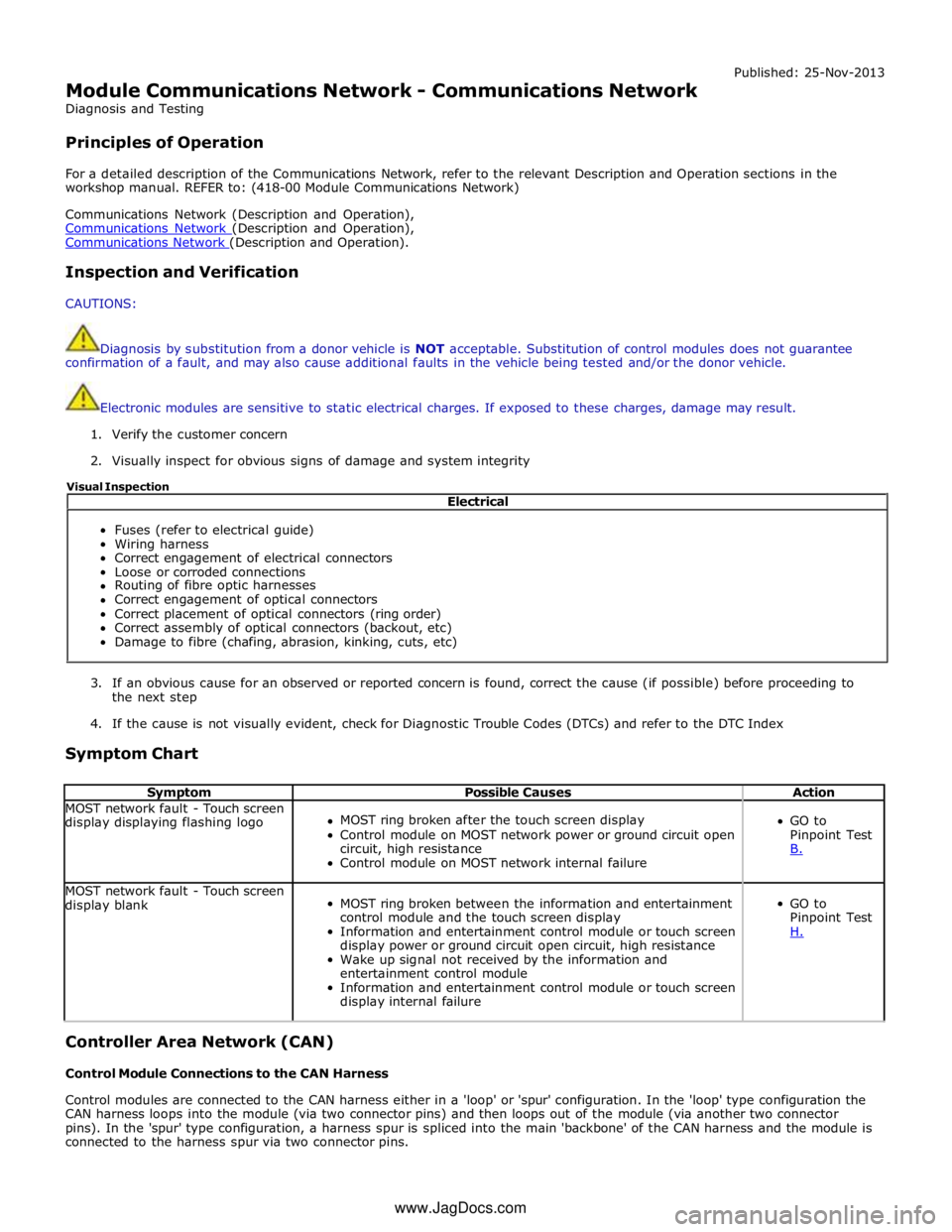
Symptom Chart
Symptom Possible Causes Action MOST network fault - Touch screen
display displaying flashing logo
MOST ring broken after the touch screen display
Control module on MOST network power or ground circuit open
circuit, high resistance
Control module on MOST network internal failure
GO to
Pinpoint Test
B. MOST network fault - Touch screen
display blank
MOST ring broken between the information and entertainment
control module and the touch screen display
Information and entertainment control module or touch screen
display power or ground circuit open circuit, high resistance
Wake up signal not received by the information and
entertainment control module
Information and entertainment control module or touch screen
display internal failure
GO to
Pinpoint Test
H. Controller Area Network (CAN)
Control Module Connections to the CAN Harness
Control modules are connected to the CAN harness either in a 'loop' or 'spur' configuration. In the 'loop' type configuration the
CAN harness loops into the module (via two connector pins) and then loops out of the module (via another two connector
pins). In the 'spur' type configuration, a harness spur is spliced into the main 'backbone' of the CAN harness and the module is
connected to the harness spur via two connector pins. Electrical
Fuses (refer to electrical guide)
Wiring harness
Correct engagement of electrical connectors
Loose or corroded connections
Routing of fibre optic harnesses
Correct engagement of optical connectors
Correct placement of optical connectors (ring order)
Correct assembly of optical connectors (backout, etc)
Damage to fibre (chafing, abrasion, kinking, cuts, etc) Visual Inspection
www.JagDocs.com
Page 2079 of 3039
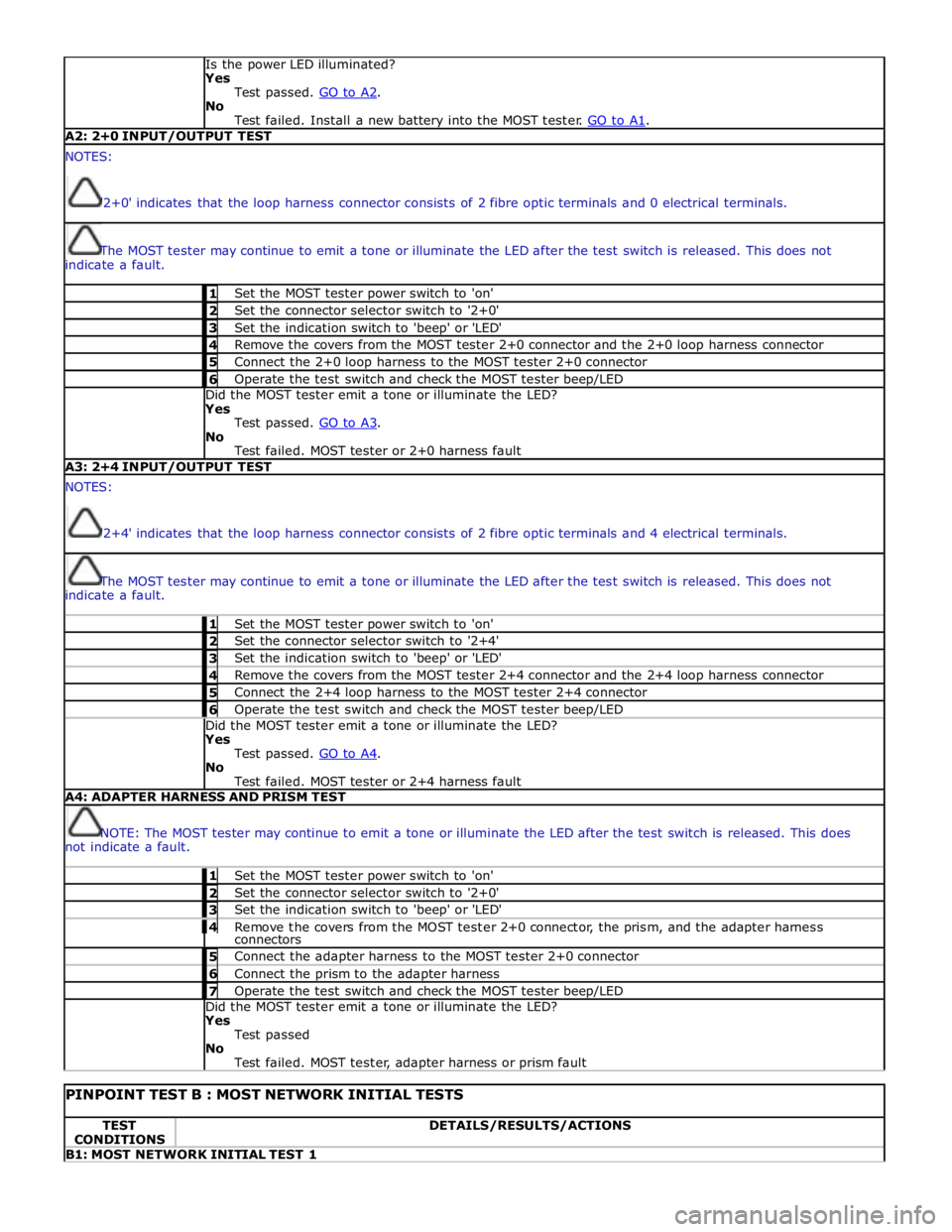
Is the power LED illuminated?
Yes
Test passed. GO to A2. No
Test failed. Install a new battery into the MOST tester. GO to A1. A2: 2+0 INPUT/OUTPUT TEST NOTES:
'2+0' indicates that the loop harness connector consists of 2 fibre optic terminals and 0 electrical terminals.
The MOST tester may continue to emit a tone or illuminate the LED after the test switch is released. This does not
indicate a fault. 1 Set the MOST tester power switch to 'on' 2 Set the connector selector switch to '2+0' 3 Set the indication switch to 'beep' or 'LED' 4 Remove the covers from the MOST tester 2+0 connector and the 2+0 loop harness connector 5 Connect the 2+0 loop harness to the MOST tester 2+0 connector 6 Operate the test switch and check the MOST tester beep/LED Did the MOST tester emit a tone or illuminate the LED?
Yes
Test passed. GO to A3. No
Test failed. MOST tester or 2+0 harness fault A3: 2+4 INPUT/OUTPUT TEST NOTES:
'2+4' indicates that the loop harness connector consists of 2 fibre optic terminals and 4 electrical terminals.
The MOST tester may continue to emit a tone or illuminate the LED after the test switch is released. This does not
indicate a fault. 1 Set the MOST tester power switch to 'on' 2 Set the connector selector switch to '2+4' 3 Set the indication switch to 'beep' or 'LED' 4 Remove the covers from the MOST tester 2+4 connector and the 2+4 loop harness connector 5 Connect the 2+4 loop harness to the MOST tester 2+4 connector 6 Operate the test switch and check the MOST tester beep/LED Did the MOST tester emit a tone or illuminate the LED?
Yes
Test passed. GO to A4. No
Test failed. MOST tester or 2+4 harness fault A4: ADAPTER HARNESS AND PRISM TEST
NOTE: The MOST tester may continue to emit a tone or illuminate the LED after the test switch is released. This does
not indicate a fault. 1 Set the MOST tester power switch to 'on' 2 Set the connector selector switch to '2+0' 3 Set the indication switch to 'beep' or 'LED' 4 Remove the covers from the MOST tester 2+0 connector, the prism, and the adapter harness connectors 5 Connect the adapter harness to the MOST tester 2+0 connector 6 Connect the prism to the adapter harness 7 Operate the test switch and check the MOST tester beep/LED Did the MOST tester emit a tone or illuminate the LED?
Yes
Test passed
No
Test failed. MOST tester, adapter harness or prism fault
PINPOINT TEST B : MOST NETWORK INITIAL TESTS TEST
CONDITIONS DETAILS/RESULTS/ACTIONS B1: MOST NETWORK INITIAL TEST 1