lock JAGUAR XJ6 1994 2.G Workshop Manual
[x] Cancel search | Manufacturer: JAGUAR, Model Year: 1994, Model line: XJ6, Model: JAGUAR XJ6 1994 2.GPages: 521, PDF Size: 17.35 MB
Page 497 of 521
Security System - RESTRICTED ISSUE
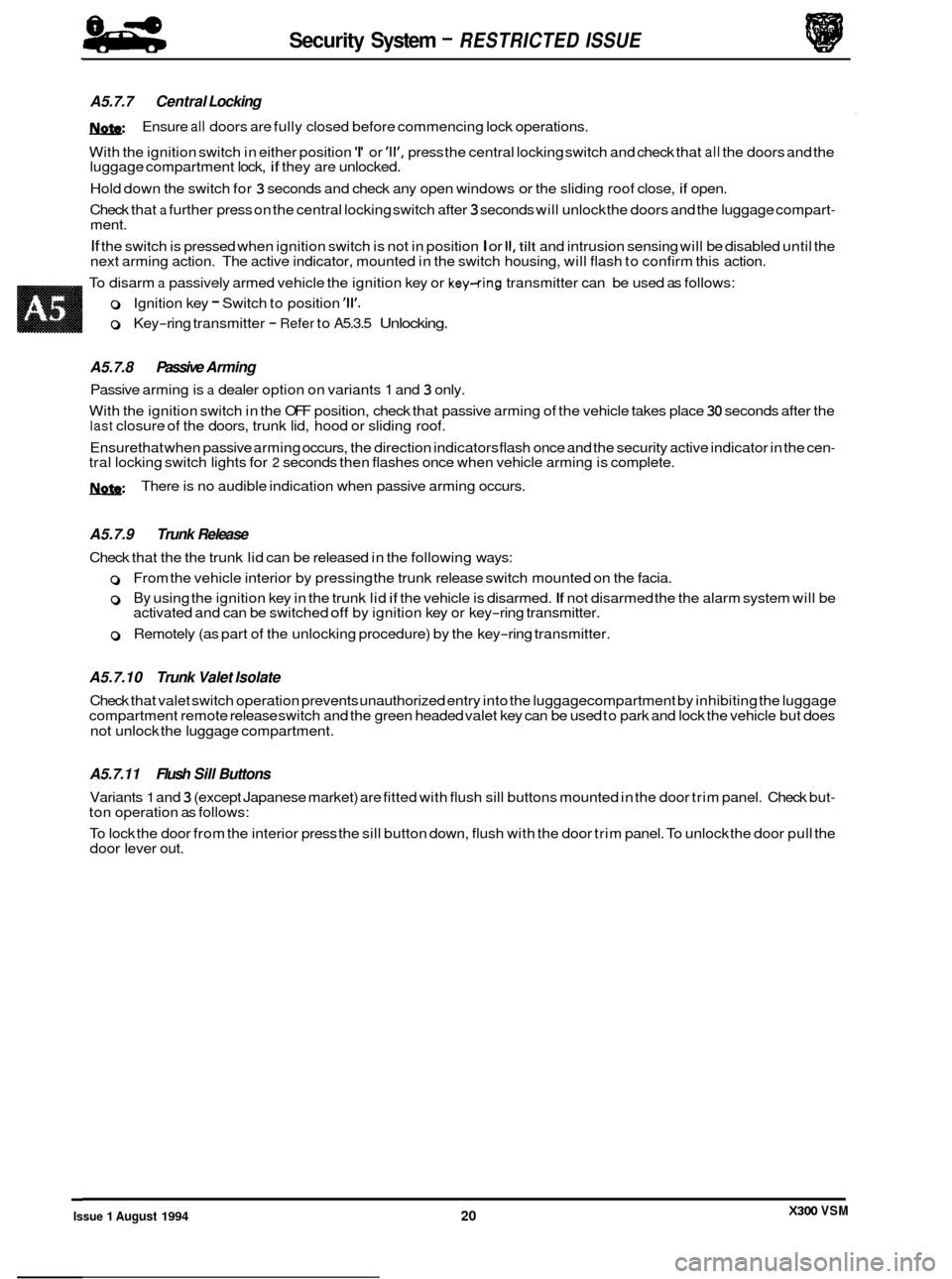
A5.7.7 Central Locking
W
With the ignition switch in either position 'I' or 'll', press the central locking switch and check that all the doors and the
luggage compartment lock, if they are unlocked.
Hold down the switch for
3 seconds and check any open windows or the sliding roof close, if open.
Check that
a further press on the central locking switch after 3 seconds will unlock the doors and the luggage compart- ment.
If the switch is pressed when ignition switch is not in position I or II, tilt and intrusion sensing will be disabled until the
next arming action. The active indicator, mounted in the switch housing, will flash to confirm this action.
To disarm
a passively armed vehicle the ignition key or key-ring transmitter can be used as follows:
Ensure
all doors
are fully closed before commencing lock operations.
0 Ignition key - Switch to position '11'.
0 Key-ring transmitter - Refer to A5.3.5 Unlocking.
A5.7.8 Passive Arming
Passive arming is a dealer option on variants 1 and 3 only.
With the ignition switch in the OFF position, check that passive arming of the vehicle takes place
30 seconds after the last closure of the doors, trunk lid, hood or sliding roof.
Ensurethat when passive arming occurs, the direction indicators flash once and the security active indicator in the cen
- tral locking switch lights for 2 seconds then flashes once when vehicle arming is complete.
W There is no audible indication when passive arming occurs.
A5.7.9 Trunk Release
Check that the the trunk lid can be released in the following ways:
0 From the vehicle interior by pressing the trunk release switch mounted on the facia.
0 By using the ignition key in the trunk lid if the vehicle is disarmed. If not disarmed the the alarm system will be
activated and can be switched off by ignition key or key-ring transmitter.
0 Remotely (as part of the unlocking procedure) by the key-ring transmitter.
A5.7.10 Trunk Valet Isolate
Check that valet switch operation prevents unauthorized entry into the luggagecompartment by inhibiting the luggage
compartment remote release switch and the green headed valet key can be used to park and lock the vehicle but does
not unlock the luggage compartment.
A5.7.11 Flush Sill Buttons
Variants 1 and 3 (except Japanese market) are fitted with flush sill buttons mounted in the door trim panel. Check but- ton operation as follows:
To lock the door from the interior press the sill button down, flush with the door trim panel. To unlock the door pull the
door lever out.
X300 VSM Issue 1 August 1994 20
Page 498 of 521
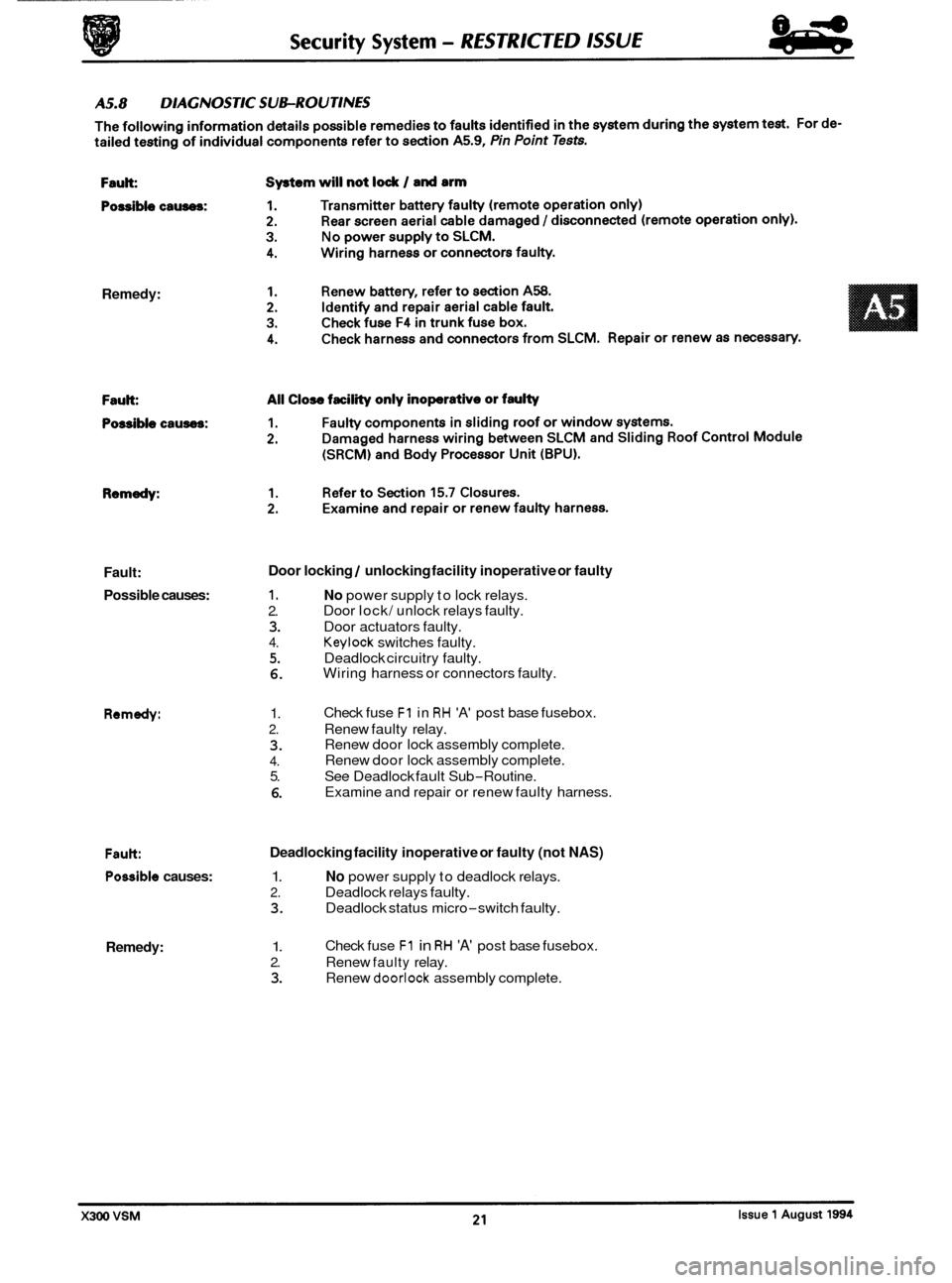
Remedy: Fault:
Possible causes:
1. No power supply to lock relays.
Door lock/ unlock relays faulty.
Door locking / unlocking facility inoperative or faulty
2.
3. Door actuators faulty.
4. Keylock switches faulty.
5. Deadlock circuitry faulty.
6. Wiring harness or connectors faulty.
Remedy: 1.
2. Renew faulty relay.
3.
4.
5. See Deadlock fault Sub-Routine.
6.
Check fuse F1 in RH 'A' post base fusebox.
Renew door lock assembly complete.
Renew door lock assembly complete.
Examine and repair or renew faulty harness.
Fault Deadlocking facility inoperative or faulty (not NAS)
Possible causes: 1. No power supply to deadlock relays.
2. Deadlock relays faulty.
3. Deadlock status micro-switch faulty.
Remedy: 1.
2. Renew faulty relay.
3. Renew doorlock assembly complete.
Check
fuse
F1 in RH 'A' post base fusebox.
Page 499 of 521

Security System - RESTRICTED lSSUE
Fault:
Possible causes:
Remedy: Fault:
Fault:
Possible causes:
Remedy:
Fault:
Possible causes:
Remedy: Intrusion
sensing inoperative
1. Faulty sensor.
2. Harness wiring or connectors faulty.
1. Renew sensor.
2. Examine and repair or renew faulty harness.
Inclination sensing inoperative
1. Faulty sensor.
2. Harness wiring or connectors faulty.
1. Renew sensor.
2. Examine and repair or renew faulty harness.
1.
2.
3.
4.
1.
2.
3.
4.
Fuel filler cap locking / unlocking faulty
No power to actuator relay.
Wiring harness or connectors faulty
Relay faulty
Actuator faulty.
Check fuse
F1 in RH 'A' post fuse box.
Examine and repair or renew faulty harness.
Renew relay.
Renew actuator.
Pan.; feature inoperative
1. Transmitter battery inoperative.
2. Rear screen aerial cable damaged / disconnected.
1. Renew battery.
2. Identify and repair aerial fault.
Fault: Central locking switch inoperative
Possible causes:
1. Harness wiring or connectors faulty.
2. Switch faulty.
Remedy: 1.
2. Renew switch.
Examine
and repair
or renew damaged harness.
X3OO VSM Issue 1 August 1994 22
Page 501 of 521
Security System - RESTRICTED ISSUE 84
eb
Description
Security / Locking Control Module
Central locking switch
Front passenger door ajar switch
RH rear passenger door ajar switch
LH rear passenger door ajar switch
Driver's door ajar switch
Driver's door lock switch
Passenger's door lock switch
Driver's door unlock relay (NAS only)
Non
-deadlock shorting links (NAS only)
Front left
/ rear right deadlock relay
Front right
/ rear left deadlock relay
Door lock relay
Door unlock relay
LH Rear door actuator and switch
RH Rear door actuator and switch
Front door actuator lock
/ deadlock status
switches
Driver's door actuator lock
/ deadlock status
switches
Driver's door unlock shorting link
RH 'A' post base fuse-box
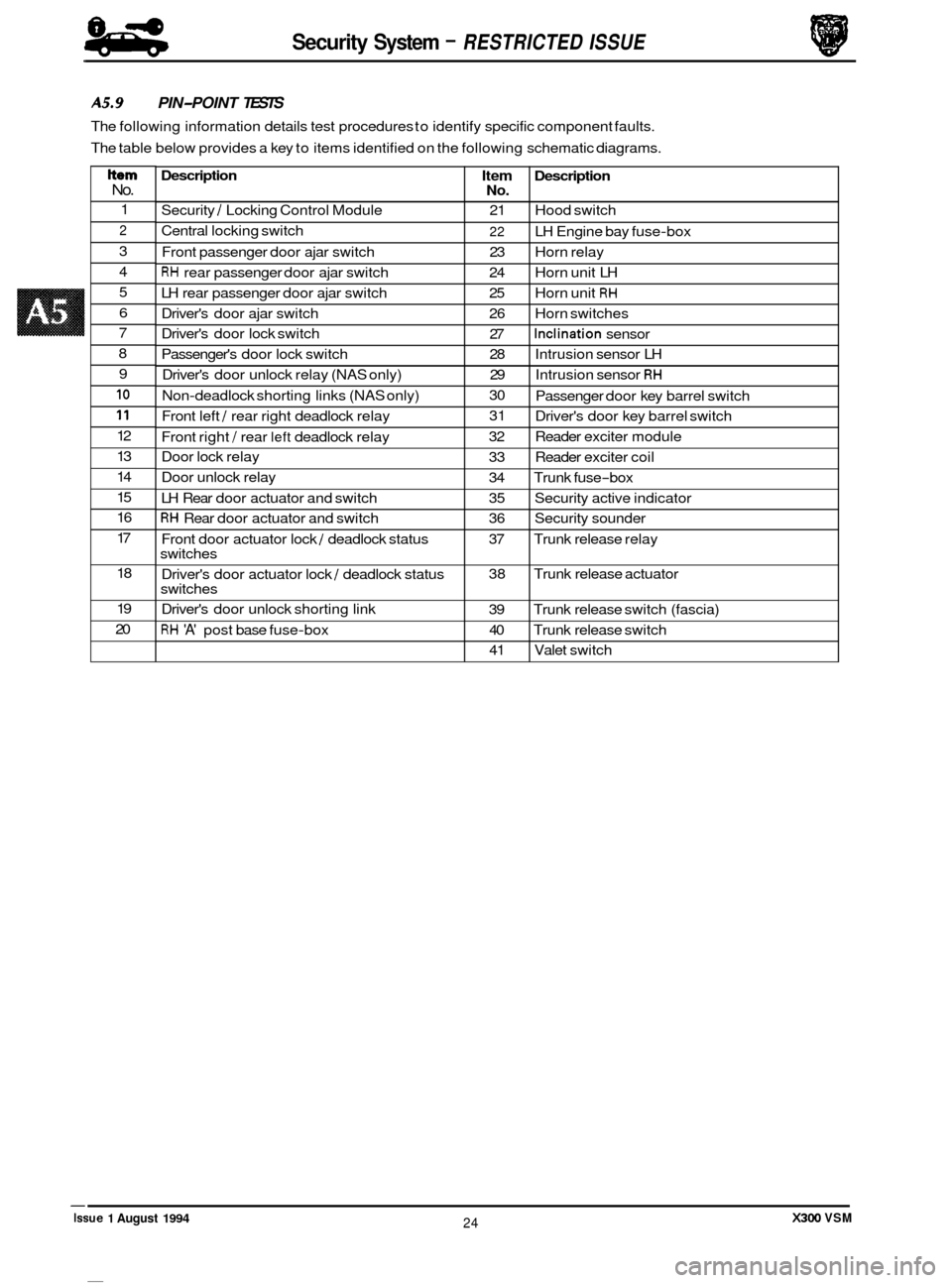
A5.9 PIN-POINT TESTS
The following information details test procedures to identify specific component faults.
The table below provides a key to items identified on the following schematic diagrams.
Item Description No.
21 Hood switch
22 LH Engine bay fuse-box
23 Horn relay
24 Horn unit LH
25 Horn unit
RH
26 Horn switches
27
Inclination sensor
28 Intrusion sensor LH
29 Intrusion sensor
RH
30
31
32 Reader exciter module
33 Reader exciter coil
34 Trunk fuse
-box
35 Security active indicator
36 Security sounder
37 Trunk release relay
38 Trunk release actuator
39 Trunk release switch (fascia)
40 Trunk release switch
41 Valet switch
Passenger
door key barrel switch
Driver's door key barrel switch
Item No.
1
2
3
4
5
6
7
8
9
10
11
12
13
14
15
16
17
18
19
20
X300 VSM 24 Issue 1 August 1994
Page 502 of 521
I
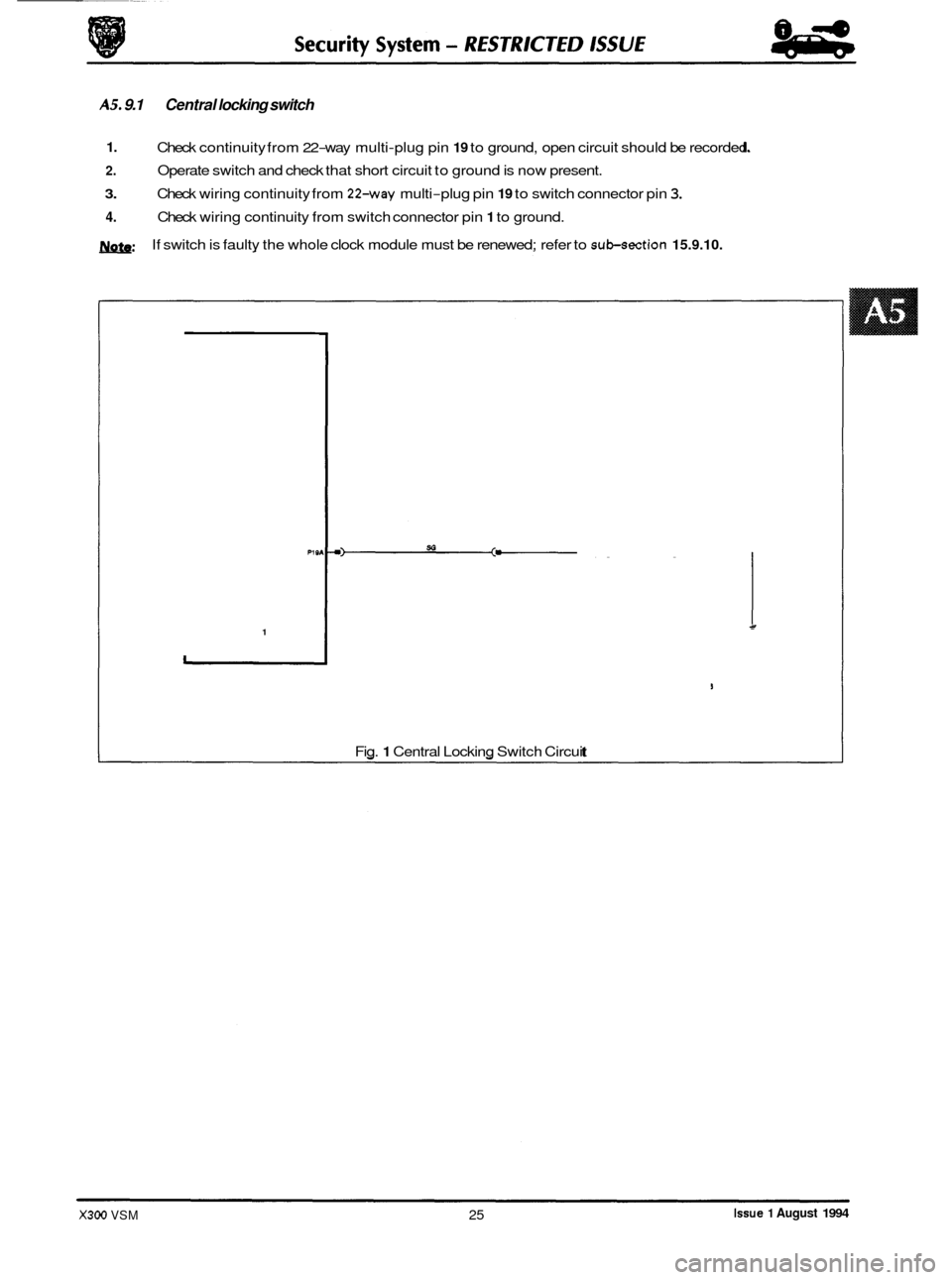
AS. 9.1 Central locking switch
1.
2.
3.
4.
Check continuity from 22-way multi-plug pin 19 to ground, open circuit should be recorded.
Operate switch and check that short circuit to ground is now present.
Check wiring continuity from
224vay multi-plug pin 19 to switch connector pin 3.
Check wiring continuity from switch connector pin 1 to ground.
If switch is faulty the whole clock module must be renewed; refer to
sub-section 15.9.10. m:
PI 9
1
Fig. 1 Central Locking Switch Circuit
Issue 1 August 1994 X300 VSM 25
Page 504 of 521
0
1
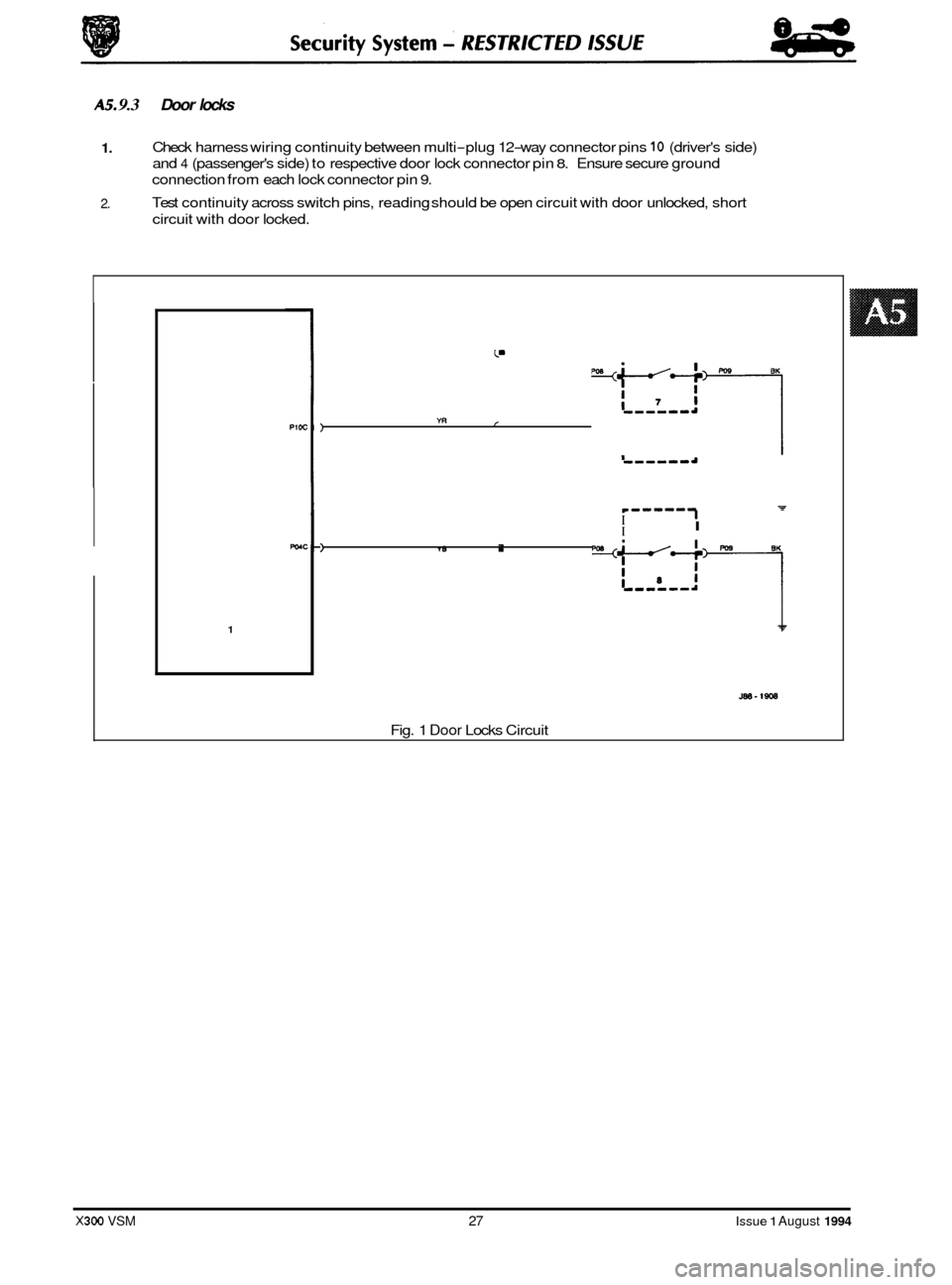
AS. 9.3 Door locks
U 1. Check harness wiring continuity between multi-plug 12-way connector pins 10 (driver's side)
and
4 (passenger's side) to respective door lock connector pin 8. Ensure secure ground
connection from each lock connector pin
9.
Test continuity across switch pins, reading should be open circuit with door unlocked, short
circuit with door locked. 2.
7 e-----
I I I
1 r
I-, -a
.-
mT
YB .
mcE?-l
YR
7 7 p-ww--
I I I
) ,
1
JBB-1908
I Fig. 1 Door Locks Circuit
9 J
3
X300 VSM 27 Issue 1 August 1994
Page 505 of 521

Security System - RESTRICTED ISSUE 84
4b
A5.9.4 Door lock actuators and switch
1.
2.
3.
Examine fuse F1 in right hand 'A' post base fusebox, if blown determine reason for rupture and
renew.
Check continuity of harness wiring as shown on Fig.
1 below. Ensure secure ground connection
from lock/ unlock and deadlock (not N.A.S.) relay pins
4 and 9.
Remove the left hand rear seat hell board, gaining access to lock/ unlock and deadlock (not
N.A.S.) relays. Operate lock/ unlock and deadlock checking for audible relay operation. renew
suspect relays.
Release door lock and measure resistance between actuator unit pins
2 and 3, a value of
approximately
8Q should be recorded. Operate door lock and check that circuit between pins 2
and 3 is opened. Resistance across pins 1 and 3 should now be approximately 88.
4.
SI
+
SR SI I I sa VI II
I 1
J8S-1909
Fig. 1 Door Lock Actuator Circuit
*I N.A.S. only
*2 Not N.A.S.
X300 VSM Issue 1 August 1994 28
Page 508 of 521
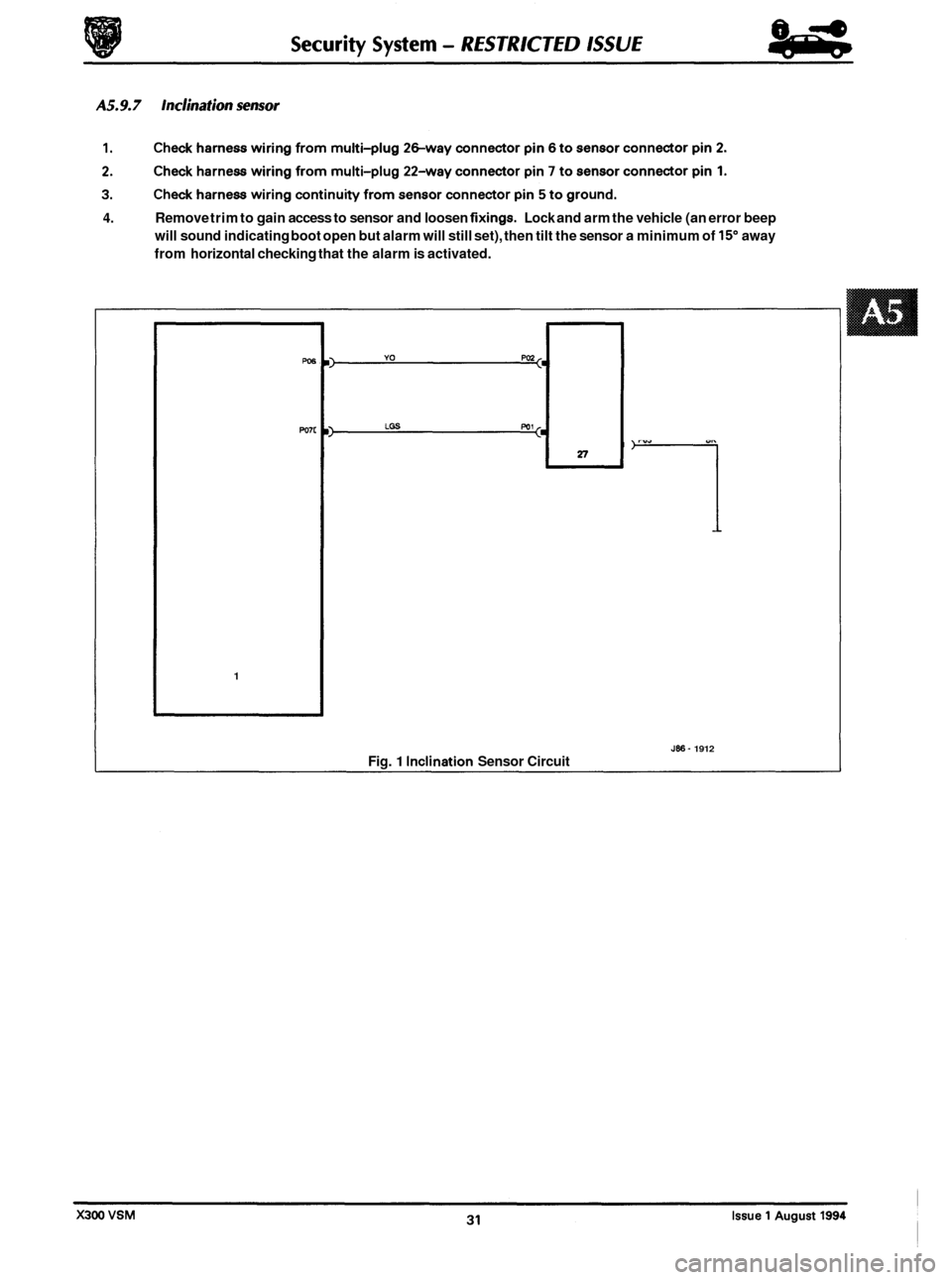
4. Remove trim to gain access to sensor and loosen fixings. Lock and arm the vehicle (an error beep
will sound indicating boot open but alarm will still set), then tilt the sensor a minimum of
15" away
from horizontal checking that the alarm is activated.
w6
Po7c
1
Fig. 1 Inclination Sensor Circuit
1
Jffi- 1912
Page 509 of 521
Security System - RESTRICTED ISSUE 84
-
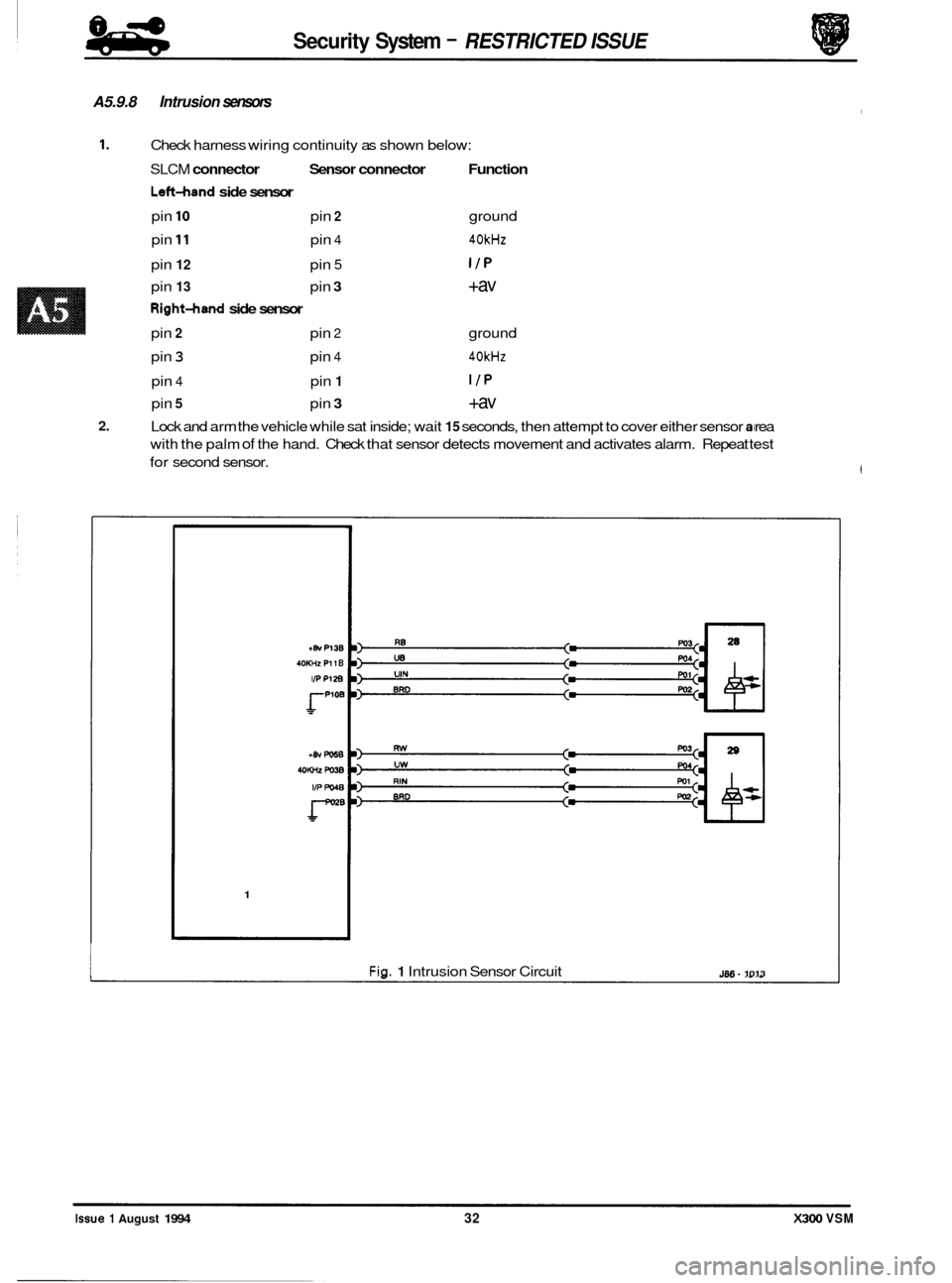
A5.9.8 Intrusion sensors
1. Check harness wiring continuity as shown below:
SLCM connector Sensor connector Function
Lsft-hand side sensor
pin 10 pin 2 ground
pin
11 pin 4 40kHz
pin 12 pin 5 I/P
pin 13 pin 3 +av
RightAand side sensor
pin 2 pin 2 ground
pin
3 pin 4 40kHz
pin 4 pin 1 I/P
pin 5 pin 3 +av
2. Lock and arm the vehicle while sat inside; wait 15 seconds, then attempt to cover either sensor rea
with the palm
of the hand. Check that sensor detects movement and activates alarm. Repeat test
for second sensor.
+8v P13B
40KHz P11 B
IPP128
rPloB
1
Fig. 1 Intrusion Sensor Circuit J86- 1013
Issue 1 August 1994 32 X300 VSM
Page 510 of 521
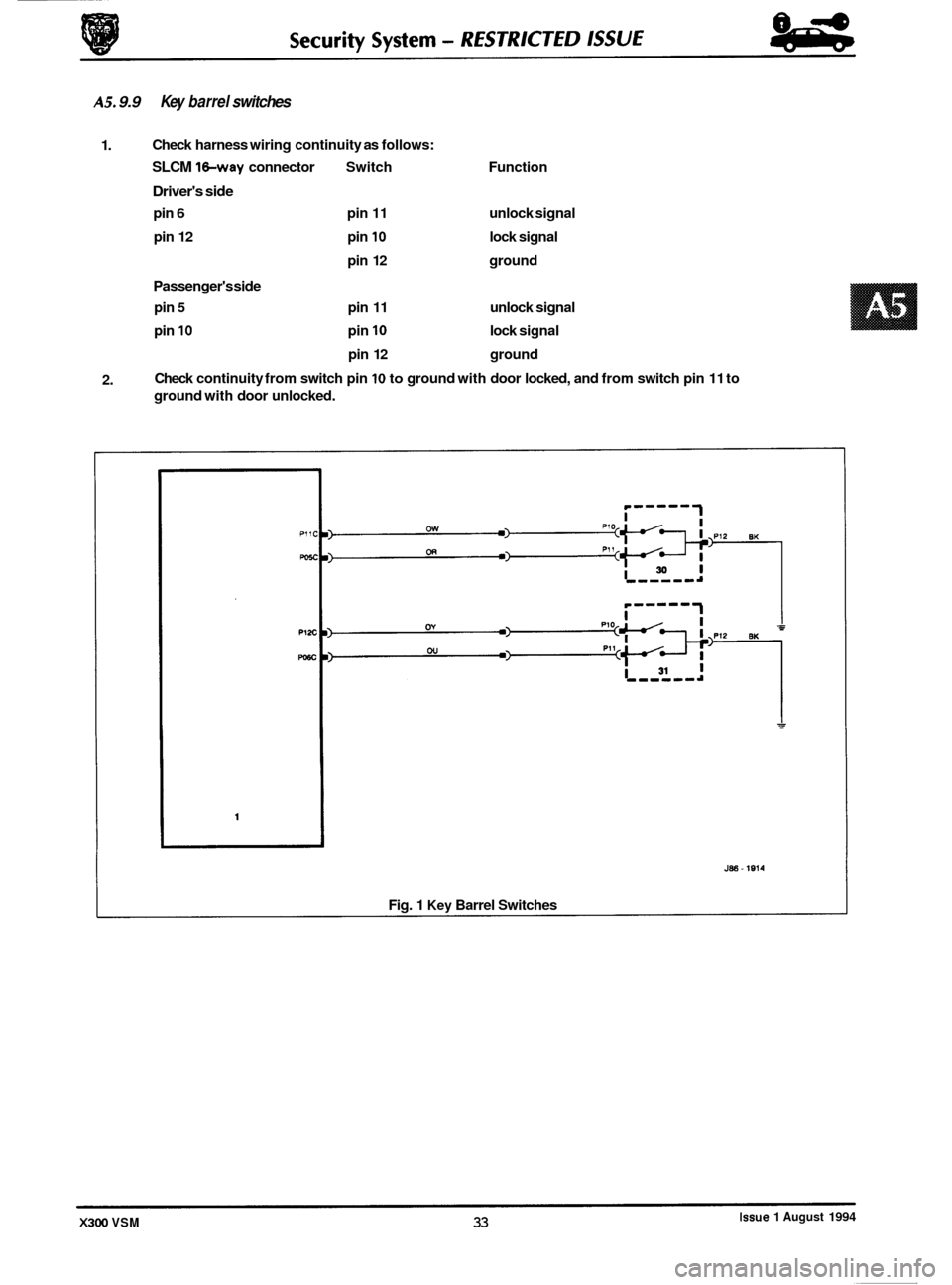
AS. 9.9 Key barrel switches
1. Check
harness wiring continuity as follows:
SLCM 1hay connector Switch Function
Driver's side
pin 6 pin 11 unlock signal
pin 12 pin
10 lock signal
pin 12 ground
Passenger's side
pin 5 pin 11 unlock signal
pin
10 pin 10 lock signal
pin 12 ground
Check continuity from switch pin
10 to ground with door locked, and from switch pin 11 to
ground with door unlocked.
2.
J88 - 1814
Fig. 1 Key Barrel Switches
Issue 1 August 1994 X300 VSM 33