four wheel drive JEEP GLADIATOR 2023 User Guide
[x] Cancel search | Manufacturer: JEEP, Model Year: 2023, Model line: GLADIATOR, Model: JEEP GLADIATOR 2023Pages: 448, PDF Size: 17.37 MB
Page 164 of 448

162STARTING AND OPERATING
4L
Four-Wheel Drive Low Range — This range provides
low speed four-wheel drive. It maximizes torque to
the front driveshaft, forcing the front and rear
wheels to rotate at the same speed. This range
provides additional traction and maximum pulling
power for loose, slippery road surfaces only. Do not
exceed 25 mph (40 km/h).
The transfer case is intended to be driven in the 2H
position for normal street and highway conditions,
such as hard-surfaced roads.
In the event that additional traction is required, the
transfer case 4H and 4L positions can be used to
lock the front and rear driveshafts together, forcing
the front and rear wheels to rotate at the same
speed. The 4H and 4L positions are intended for
loose, slippery road surfaces only and not intended
for normal driving. Driving in the 4H and 4L
positions on hard-surfaced roads will cause
increased tire wear and damage to the driveline
components. For further information on shifting
into 4H or 4L Ú page 162.
The instrument cluster alerts the driver that the
vehicle is in four-wheel drive, and the front and
rear driveshafts are locked together. The light will
illuminate when the transfer case is shifted into
the 4H position.
When operating your vehicle in 4L, the engine
speed will be approximately three times (four times
for Rubicon models) that of the 2H or 4H positions at a given road speed. Take care not to overspeed
the engine.
Proper operation of four-wheel drive vehicles
depends on tires of equal size, type, and
circumference on each wheel. Any difference will
adversely affect shifting and cause damage to the
transfer case.
Because four-wheel drive provides improved
traction, there is a tendency to exceed safe turning
and stopping speeds. Do not go faster than road
conditions permit.
Shifting Procedures
2H TO 4H OR 4H TO 2H
Shifting between 2H and 4H can be made with the
vehicle stopped or in motion. The preferred shifting
speed would be 0 to 45 mph (72 km/h). With the
vehicle in motion, the transfer case will engage/
disengage faster if you momentarily release the
accelerator pedal after completing the shift. Do not
accelerate while shifting the transfer case. Apply a
constant force when shifting the transfer case lever.
NOTE:
Do not attempt to make a shift while only the
front or rear wheels are spinning. The front and
rear driveshaft speeds must be equal for the
shift to take place. Shifting while only the front
or rear wheels are spinning can cause damage
to the transfer case.
Delayed shifts out of four-wheel drive may be
experienced due to uneven tire wear, low or
uneven tire pressures, excessive vehicle
loading, or cold temperatures.
Shifting effort will increase with speed, this is
normal.
During cold weather, you may experience
increased effort in shifting until the transfer case
fluid warms up. This is normal.
4H TO 4L OR 4L TO 4H
With the vehicle rolling at 1 to 3 mph (2 to 5 km/h),
shift an automatic transmission into NEUTRAL (N), or
press the clutch pedal on a manual transmission.
While the vehicle is coasting at 1 to 3 mph (2 to
5 km/h), shift the transfer case lever firmly to the
desired position. Do not pause with the transfer case
in N (Neutral). Once the shift is completed, place the
automatic transmission into DRIVE or release the
clutch pedal on a manual transmission.
NOTE:Shifting into or out of 4L is possible with the vehicle
completely stopped; however, difficulty may occur
due to the mating teeth not being properly aligned.
Several attempts may be required for clutch teeth
alignment and shift completion to occur. The
preferred method is with the vehicle rolling at 1 to
3 mph (2 to 5 km/h). Avoid attempting to engage
or disengage 4L with the vehicle moving faster
than 1 to 3 mph (2 to 5 km/h).
23_JT_OM_EN_USC_t.book Page 162
Page 165 of 448
STARTING AND OPERATING163
During cold weather, you may experience
increased effort in shifting until the transfer case
fluid warms up. This is normal.
FIVE-POSITION TRANSFER CASE —
I
F EQUIPPED
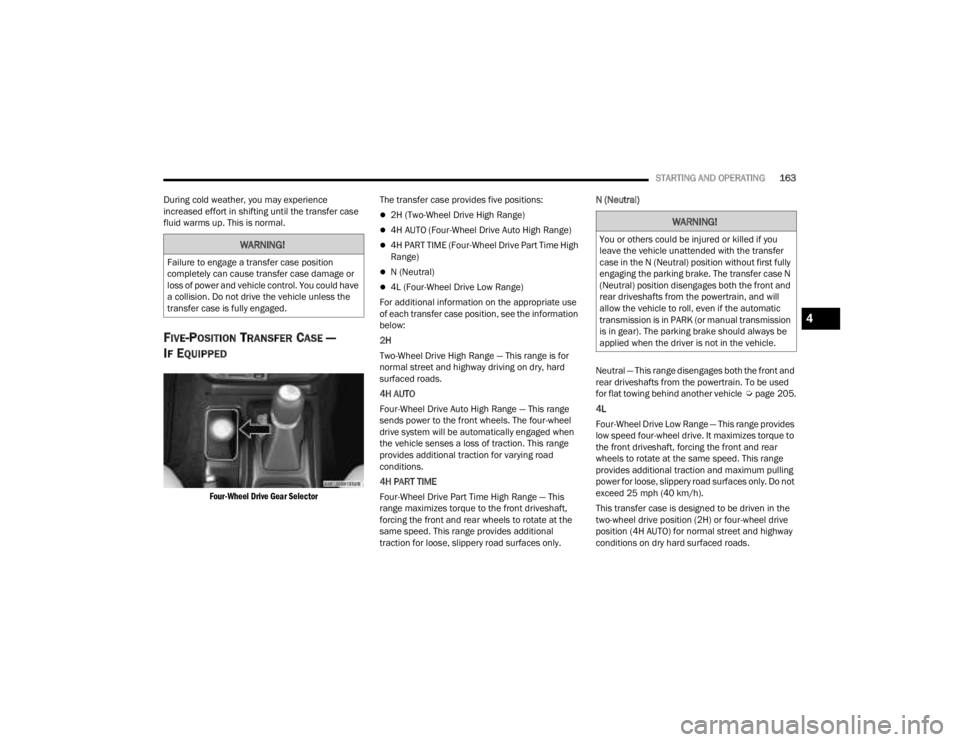
Four-Wheel Drive Gear Selector
The transfer case provides five positions:
2H (Two-Wheel Drive High Range)
4H AUTO (Four-Wheel Drive Auto High Range)
4H PART TIME (Four-Wheel Drive Part Time High
Range)
N (Neutral)
4L (Four-Wheel Drive Low Range)
For additional information on the appropriate use
of each transfer case position, see the information
below:
2H
Two-Wheel Drive High Range — This range is for
normal street and highway driving on dry, hard
surfaced roads.
4H AUTO
Four-Wheel Drive Auto High Range — This range
sends power to the front wheels. The four-wheel
drive system will be automatically engaged when
the vehicle senses a loss of traction. This range
provides additional traction for varying road
conditions.
4H PART TIME
Four-Wheel Drive Part Time High Range — This
range maximizes torque to the front driveshaft,
forcing the front and rear wheels to rotate at the
same speed. This range provides additional
traction for loose, slippery road surfaces only. N (Neutral)
Neutral — This range disengages both the front and
rear driveshafts from the powertrain. To be used
for flat towing behind another vehicle
Úpage 205.
4L
Four-Wheel Drive Low Range — This range provides
low speed four-wheel drive. It maximizes torque to
the front driveshaft, forcing the front and rear
wheels to rotate at the same speed. This range
provides additional traction and maximum pulling
power for loose, slippery road surfaces only. Do not
exceed 25 mph (40 km/h).
This transfer case is designed to be driven in the
two-wheel drive position (2H) or four-wheel drive
position (4H AUTO) for normal street and highway
conditions on dry hard surfaced roads.
WARNING!
Failure to engage a transfer case position
completely can cause transfer case damage or
loss of power and vehicle control. You could have
a collision. Do not drive the vehicle unless the
transfer case is fully engaged.
WARNING!
You or others could be injured or killed if you
leave the vehicle unattended with the transfer
case in the N (Neutral) position without first fully
engaging the parking brake. The transfer case N
(Neutral) position disengages both the front and
rear driveshafts from the powertrain, and will
allow the vehicle to roll, even if the automatic
transmission is in PARK (or manual transmission
is in gear). The parking brake should always be
applied when the driver is not in the vehicle.
4
23_JT_OM_EN_USC_t.book Page 163
Page 166 of 448

164STARTING AND OPERATING
For variable driving conditions, the 4H AUTO mode
can be used. In this mode, the front axle is
engaged, but the vehicle's power is sent to the rear
wheels. Four-wheel drive will be automatically
engaged when the vehicle senses a loss of
traction. Because the front axle is engaged, this
mode will result in lower fuel economy than the 2H
mode.
In the event that additional traction is required, the
transfer case 4H and 4L positions can be used to
lock the front and rear driveshafts together, forcing
the front and rear wheels to rotate at the same
speed. The 4H and 4L positions are intended for
loose, slippery road surfaces only and not intended
for normal driving. Driving in the 4H and 4L
positions on hard-surfaced roads will cause
increased tire wear and damage to the driveline
components. For further information on shifting
into 4H or 4L Ú page 164.
The instrument cluster alerts the driver that the
vehicle is in four-wheel drive, and the front and
rear driveshafts are locked together. The light will
illuminate when the transfer case is shifted into
the 4H position.
When operating your vehicle in 4L, the engine
speed will be approximately three times (four times
for Rubicon models) that of the 2H or 4H positions
at a given road speed. Take care not to overspeed
the engine. Proper operation of four-wheel drive vehicles
depends on tires of equal size, type, and
circumference on each wheel. Any difference will
adversely affect shifting and cause damage to the
transfer case.
Because four-wheel drive provides improved
traction, there is a tendency to exceed safe turning
and stopping speeds. Do not go faster than road
conditions permit.
Shifting Procedures
2H TO 4H AUTO OR 4H AUTO TO 2H
Shifting between 2H and 4H AUTO can be made
with the vehicle stopped or in motion. The
preferred shifting speed would be 0 to 45 mph
(72 km/h). With the vehicle in motion, the transfer
case will engage/disengage faster if you
momentarily release the accelerator pedal after
completing the shift. Do not accelerate while
shifting the transfer case. Apply a constant force
when shifting the transfer case lever.
2H/4H AUTO TO 4H PART TIME OR 4H PART
TIME TO 2H/4H AUTO
Shifting between 2H/4H AUTO to 4H PART TIME
can be made with the vehicle stopped or in motion.
The preferred shifting speed would be 0 to 45 mph
(72 km/h). With the vehicle in motion, the transfer
case will engage/disengage faster if you
momentarily release the accelerator pedal after completing the shift. Do not accelerate while
shifting the transfer case. Apply a constant force
when shifting the transfer case lever.
NOTE:
Do not attempt to make a shift while only the
front or rear wheels are spinning. The front and
rear driveshaft speeds must be equal for the
shift to take place. Shifting while only the front
or rear wheels are spinning can cause damage
to the transfer case.
Delayed shifts out of four-wheel drive may be
experienced due to uneven tire wear, low or
uneven tire pressures, excessive vehicle
loading, or cold temperatures.
Shifting effort will increase with speed, this is
normal.
During cold weather, you may experience
increased effort in shifting until the transfer case
fluid warms up. This is normal.
4H PART TIME/4H AUTO TO 4L OR 4L TO 4H
PART TIME/4H AUTO
With the vehicle rolling at 1 to 3 mph (2 to 5 km/h),
shift an automatic transmission into NEUTRAL (N),
or press the clutch pedal on a manual
transmission. While the vehicle is coasting at 1 to
3 mph (2 to 5 km/h), shift the transfer case lever
firmly to the desired position. Do not pause with
the transfer case in N (Neutral). Once the shift is
23_JT_OM_EN_USC_t.book Page 164
Page 167 of 448
STARTING AND OPERATING165
completed, place the automatic transmission into
DRIVE or release the clutch pedal on a manual
transmission.
NOTE:Shifting into or out of 4L is possible with the vehicle
completely stopped; however, difficulty may occur
due to the mating teeth not being properly aligned.
Several attempts may be required for clutch teeth
alignment and shift completion to occur. The
preferred method is with the vehicle rolling at 1 to
3 mph (2 to 5 km/h). Avoid attempting to engage
or disengage 4L with the vehicle moving faster
than 1 to 3 mph (2 to 5 km/h).
During cold weather, you may experience
increased effort in shifting until the transfer case
fluid warms up. This is normal.
TRAC-LOK REAR AXLE — IF EQUIPPED
The Trac-Lok rear axle provides a constant driving
force to both rear wheels and reduces wheel spin
caused by the loss of traction at one driving wheel.
If traction differs between the two rear wheels, the
differential automatically proportions the usable
torque by providing more torque to the wheel that
has traction.
Trac-Lok is especially helpful during slippery
driving conditions. With both rear wheels on a
slippery surface, a slight application of the
accelerator will supply maximum traction.
AXLE LOCK (TRU-LOK) FRONT AND
R
EAR — IF EQUIPPED
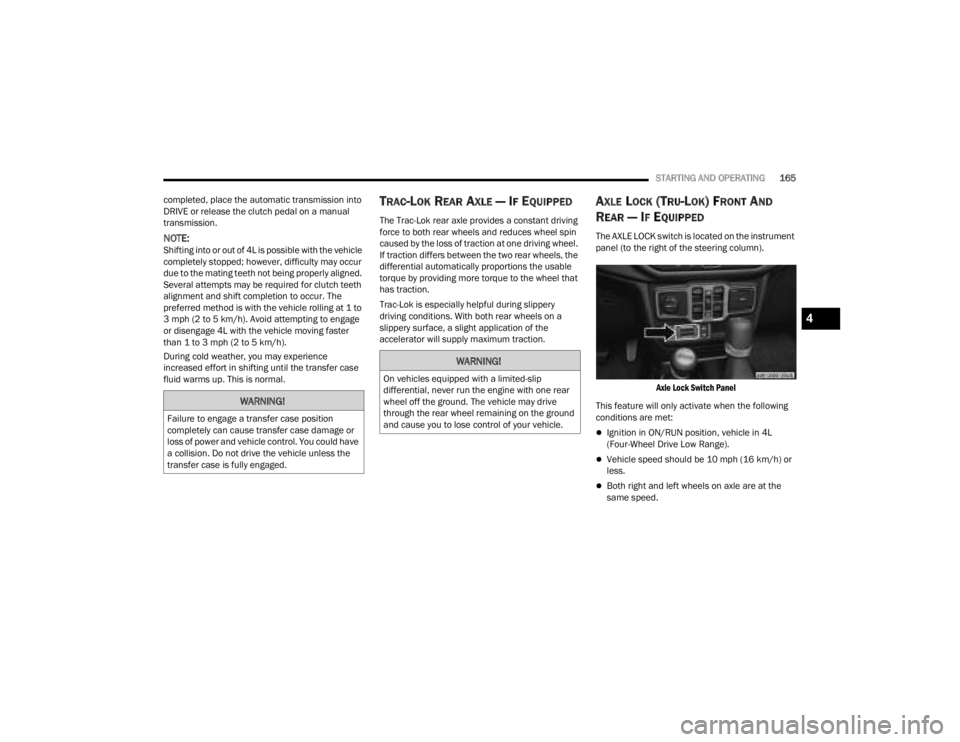
The AXLE LOCK switch is located on the instrument
panel (to the right of the steering column).
Axle Lock Switch Panel
This feature will only activate when the following
conditions are met:
Ignition in ON/RUN position, vehicle in 4L
(Four-Wheel Drive Low Range).
Vehicle speed should be 10 mph (16 km/h) or
less.
Both right and left wheels on axle are at the
same speed.
WARNING!
Failure to engage a transfer case position
completely can cause transfer case damage or
loss of power and vehicle control. You could have
a collision. Do not drive the vehicle unless the
transfer case is fully engaged.
WARNING!
On vehicles equipped with a limited-slip
differential, never run the engine with one rear
wheel off the ground. The vehicle may drive
through the rear wheel remaining on the ground
and cause you to lose control of your vehicle.
4
23_JT_OM_EN_USC_t.book Page 165
Page 168 of 448
166STARTING AND OPERATING
To activate the system, push the AXLE LOCK switch
down to lock the rear axle only (the “REAR ONLY”
will illuminate), push the switch up to lock the front
axle and rear axle (the “FRONT + REAR” will
illuminate). When the rear axle is locked, pushing
the bottom of switch again will lock or unlock the
front axle.
NOTE:The indicator lights will flash until the axles are fully
locked or unlocked.
To unlock the axles, push the AXLE LOCK OFF
button.
Axle Lock will disengage if the vehicle is taken out
of 4L (Four-Wheel Drive Low Range), or the ignition
switch is turned to the OFF position.
The Axle Lock disengages at speeds above 30 mph
(48 km/h), and will automatically re-lock once
vehicle speed is less than 10 mph (16 km/h).
AXLE LOCK (TRU-LOK) REAR ONLY —
I
F EQUIPPED
The rear axle may be locked in 4H if the proper
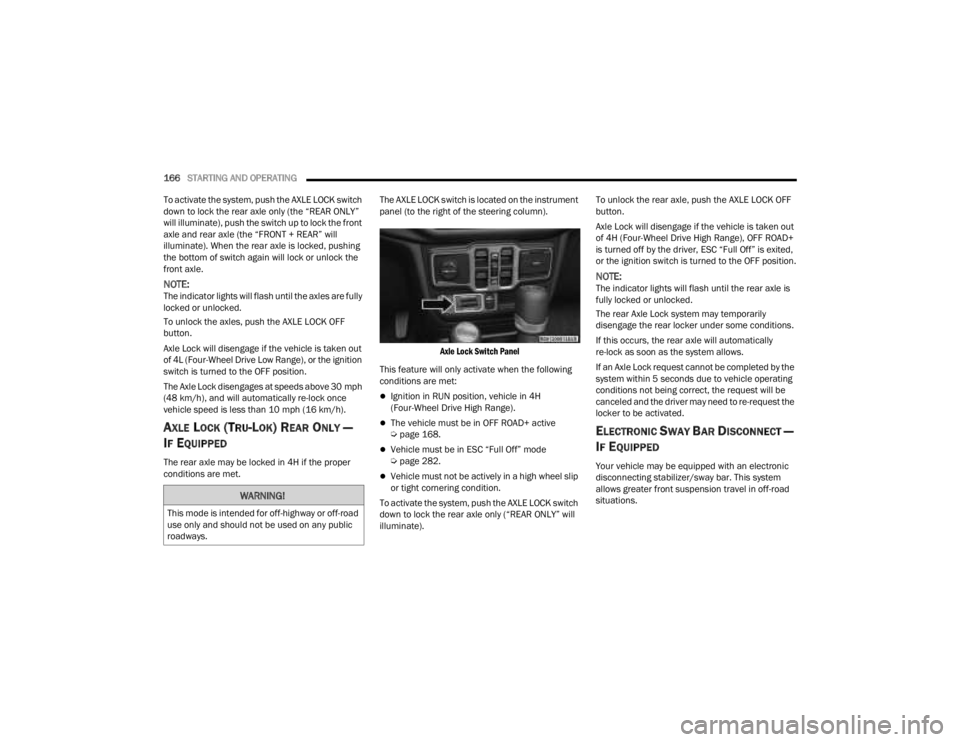
conditions are met. The AXLE LOCK switch is located on the instrument
panel (to the right of the steering column).
Axle Lock Switch Panel
This feature will only activate when the following
conditions are met:
Ignition in RUN position, vehicle in 4H
(Four-Wheel Drive High Range).
The vehicle must be in OFF ROAD+ active
Ú page 168.
Vehicle must be in ESC “Full Off” mode
Úpage 282.
Vehicle must not be actively in a high wheel slip
or tight cornering condition.
To activate the system, push the AXLE LOCK switch
down to lock the rear axle only (“REAR ONLY” will
illuminate). To unlock the rear axle, push the AXLE LOCK OFF
button.
Axle Lock will disengage if the vehicle is taken out
of 4H (Four-Wheel Drive High Range), OFF ROAD+
is turned off by the driver, ESC “Full Off” is exited,
or the ignition switch is turned to the OFF position.
NOTE:The indicator lights will flash until the rear axle is
fully locked or unlocked.
The rear Axle Lock system may temporarily
disengage the rear locker under some conditions.
If this occurs, the rear axle will automatically
re-lock as soon as the system allows.
If an Axle Lock request cannot be completed by the
system within 5 seconds due to vehicle operating
conditions not being correct, the request will be
canceled and the driver may need to re-request the
locker to be activated.
ELECTRONIC SWAY BAR DISCONNECT —
I
F EQUIPPED
Your vehicle may be equipped with an electronic
disconnecting stabilizer/sway bar. This system
allows greater front suspension travel in off-road
situations.
WARNING!
This mode is intended for off-highway or off-road
use only and should not be used on any public
roadways.
23_JT_OM_EN_USC_t.book Page 166
Page 170 of 448
168STARTING AND OPERATING
OFF ROAD+ — IF EQUIPPED
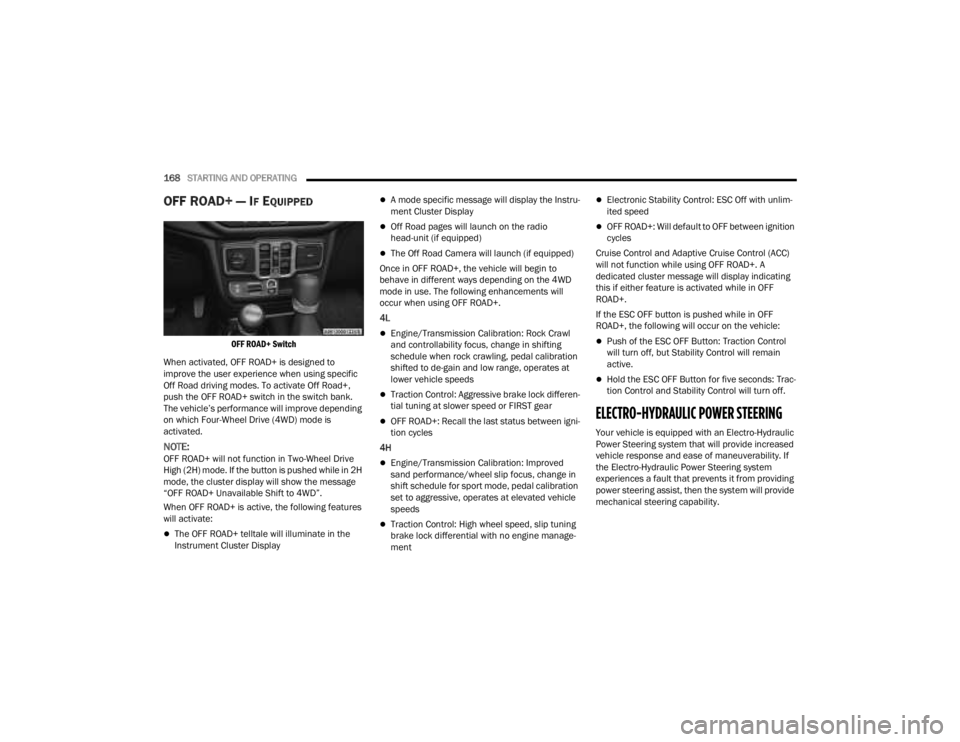
OFF ROAD+ Switch
When activated, OFF ROAD+ is designed to
improve the user experience when using specific
Off Road driving modes. To activate Off Road+,
push the OFF ROAD+ switch in the switch bank.
The vehicle’s performance will improve depending
on which Four-Wheel Drive (4WD) mode is
activated.
NOTE:OFF ROAD+ will not function in Two-Wheel Drive
High (2H) mode. If the button is pushed while in 2H
mode, the cluster display will show the message
“OFF ROAD+ Unavailable Shift to 4WD”.
When OFF ROAD+ is active, the following features
will activate:
The OFF ROAD+ telltale will illuminate in the
Instrument Cluster Display
A mode specific message will display the Instru -
ment Cluster Display
Off Road pages will launch on the radio
head-unit (if equipped)
The Off Road Camera will launch (if equipped)
Once in OFF ROAD+, the vehicle will begin to
behave in different ways depending on the 4WD
mode in use. The following enhancements will
occur when using OFF ROAD+.
4L
Engine/Transmission Calibration: Rock Crawl
and controllability focus, change in shifting
schedule when rock crawling, pedal calibration
shifted to de-gain and low range, operates at
lower vehicle speeds
Traction Control: Aggressive brake lock differen -
tial tuning at slower speed or FIRST gear
OFF ROAD+: Recall the last status between igni -
tion cycles
4H
Engine/Transmission Calibration: Improved
sand performance/wheel slip focus, change in
shift schedule for sport mode, pedal calibration
set to aggressive, operates at elevated vehicle
speeds
Traction Control: High wheel speed, slip tuning
brake lock differential with no engine manage -
ment
Electronic Stability Control: ESC Off with unlim -
ited speed
OFF ROAD+: Will default to OFF between ignition
cycles
Cruise Control and Adaptive Cruise Control (ACC)
will not function while using OFF ROAD+. A
dedicated cluster message will display indicating
this if either feature is activated while in OFF
ROAD+.
If the ESC OFF button is pushed while in OFF
ROAD+, the following will occur on the vehicle:
Push of the ESC OFF Button: Traction Control
will turn off, but Stability Control will remain
active.
Hold the ESC OFF Button for five seconds: Trac -
tion Control and Stability Control will turn off.
ELECTRO-HYDRAULIC POWER STEERING
Your vehicle is equipped with an Electro-Hydraulic
Power Steering system that will provide increased
vehicle response and ease of maneuverability. If
the Electro-Hydraulic Power Steering system
experiences a fault that prevents it from providing
power steering assist, then the system will provide
mechanical steering capability.
23_JT_OM_EN_USC_t.book Page 168
Page 204 of 448
202STARTING AND OPERATING
(Continued)
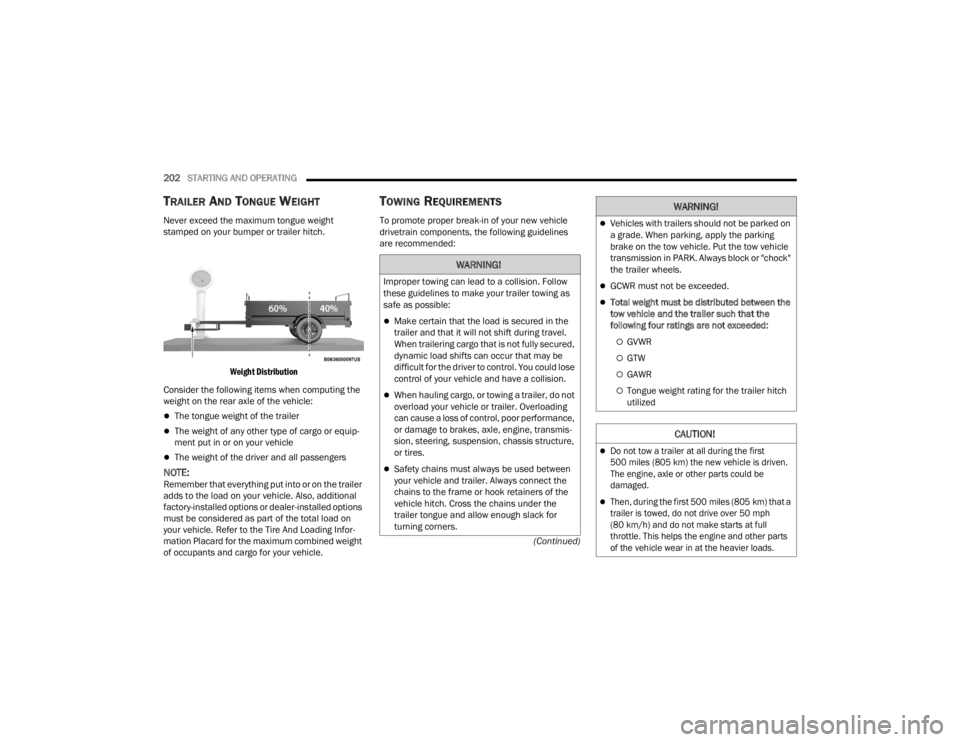
TRAILER AND TONGUE WEIGHT
Never exceed the maximum tongue weight
stamped on your bumper or trailer hitch.
Weight Distribution
Consider the following items when computing the
weight on the rear axle of the vehicle:
The tongue weight of the trailer
The weight of any other type of cargo or equip -
ment put in or on your vehicle
The weight of the driver and all passengers
NOTE:Remember that everything put into or on the trailer
adds to the load on your vehicle. Also, additional
factory-installed options or dealer-installed options
must be considered as part of the total load on
your vehicle. Refer to the Tire And Loading Infor -
mation Placard for the maximum combined weight
of occupants and cargo for your vehicle.
TOWING REQUIREMENTS
To promote proper break-in of your new vehicle
drivetrain components, the following guidelines
are recommended:
WARNING!
Improper towing can lead to a collision. Follow
these guidelines to make your trailer towing as
safe as possible:
Make certain that the load is secured in the
trailer and that it will not shift during travel.
When trailering cargo that is not fully secured,
dynamic load shifts can occur that may be
difficult for the driver to control. You could lose
control of your vehicle and have a collision.
When hauling cargo, or towing a trailer, do not
overload your vehicle or trailer. Overloading
can cause a loss of control, poor performance,
or damage to brakes, axle, engine, transmis -
sion, steering, suspension, chassis structure,
or tires.
Safety chains must always be used between
your vehicle and trailer. Always connect the
chains to the frame or hook retainers of the
vehicle hitch. Cross the chains under the
trailer tongue and allow enough slack for
turning corners.
Vehicles with trailers should not be parked on
a grade. When parking, apply the parking
brake on the tow vehicle. Put the tow vehicle
transmission in PARK. Always block or "chock"
the trailer wheels.
GCWR must not be exceeded.
Total weight must be distributed between the
tow vehicle and the trailer such that the
following four ratings are not exceeded:
GVWR
GTW
GAWR
Tongue weight rating for the trailer hitch
utilized
CAUTION!
Do not tow a trailer at all during the first
500 miles (805 km) the new vehicle is driven.
The engine, axle or other parts could be
damaged.
Then, during the first 500 miles (805 km) that a
trailer is towed, do not drive over 50 mph
(80 km/h) and do not make starts at full
throttle. This helps the engine and other parts
of the vehicle wear in at the heavier loads.
WARNING!
23_JT_OM_EN_USC_t.book Page 202
Page 207 of 448

STARTING AND OPERATING205
(Continued)
(Continued)
RECREATIONAL TOWING (BEHIND MOTORHOME)
TOWING THIS VEHICLE BEHIND ANOTHER VEHICLE
RECREATIONAL TOWING —
F
OUR-WHEEL DRIVE MODELS
NOTE:The transfer case must be shifted into N (Neutral),
automatic transmission must be in PARK, and
manual transmission must be in gear (NOT in
NEUTRAL) for recreational towing.
Towing Condition Wheels OFF the Ground Four-Wheel Drive Models
Flat TowNONESee Instructions
Automatic transmission in PARK.
Manual transmission in gear(NOT in NEUTRAL [N]).
Transfer case in (N) Neutral.
Tow in forward direction.
Dolly Tow Front
NOT ALLOWED
Rear NOT ALLOWED
On Trailer ALL OK
NOTE:When towing your vehicle, always follow applicable state and provincial laws. Contact state and provincial Highway Safety offices for additional details.
CAUTION!
DO NOT dolly tow any 4WD vehicle. Towing
with only one set of wheels on the ground
(front or rear) will cause severe transmission
and/or transfer case damage. Tow with all
four wheels either ON the ground, or OFF the
ground (using a vehicle trailer).Tow only in the forward direction. Towing this
vehicle backwards can cause severe damage
to the transfer case.
CAUTION!
4
23_JT_OM_EN_USC_t.book Page 205
Page 210 of 448
208STARTING AND OPERATING
3. After all bolts and nuts have been removed, pull the side step assembly off of the vehicle.
4. To reinstall the side steps align the studs to the body side holes and fasten all nuts on all four
brackets. Then secure all four bolts to the
underbody. Repeat the reassembly procedure
for the other side.
Bumper End Cap Removal — If Equipped
The end caps on your vehicle’s front bumper can
be removed by following the steps below:
NOTE:Bumper end caps are removable on steel bumpers
only.
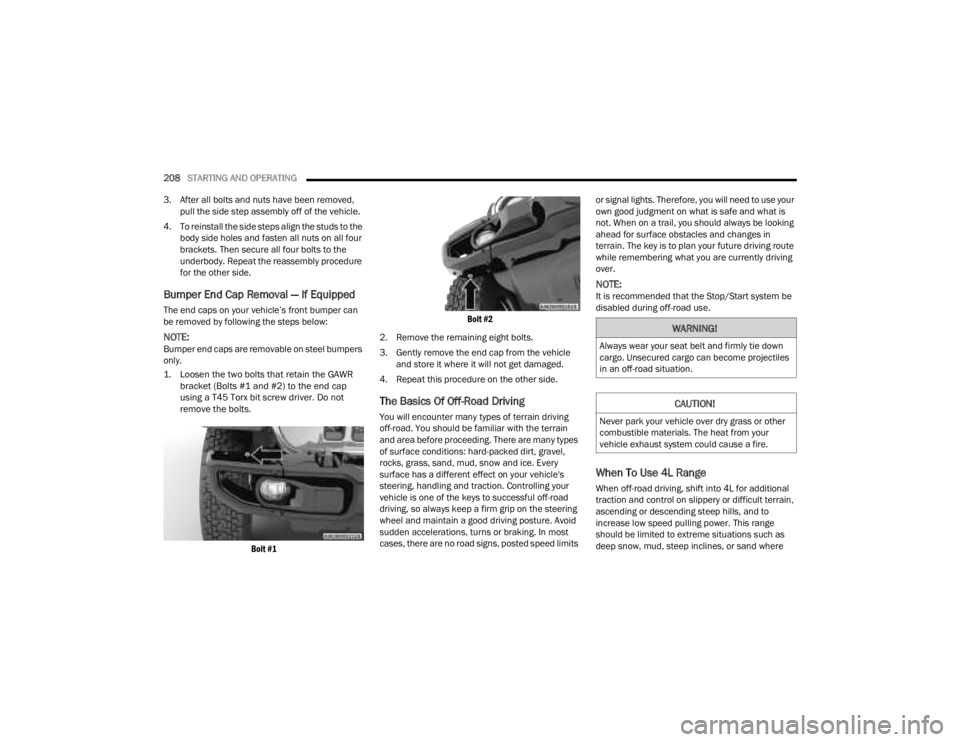
1. Loosen the two bolts that retain the GAWR bracket (Bolts #1 and #2) to the end cap
using a T45 Torx bit screw driver. Do not
remove the bolts.
Bolt #1 Bolt #2
2. Remove the remaining eight bolts.
3. Gently remove the end cap from the vehicle and store it where it will not get damaged.
4. Repeat this procedure on the other side.
The Basics Of Off-Road Driving
You will encounter many types of terrain driving
off-road. You should be familiar with the terrain
and area before proceeding. There are many types
of surface conditions: hard-packed dirt, gravel,
rocks, grass, sand, mud, snow and ice. Every
surface has a different effect on your vehicle's
steering, handling and traction. Controlling your
vehicle is one of the keys to successful off-road
driving, so always keep a firm grip on the steering
wheel and maintain a good driving posture. Avoid
sudden accelerations, turns or braking. In most
cases, there are no road signs, posted speed limits or signal lights. Therefore, you will need to use your
own good judgment on what is safe and what is
not. When on a trail, you should always be looking
ahead for surface obstacles and changes in
terrain. The key is to plan your future driving route
while remembering what you are currently driving
over.
NOTE:It is recommended that the Stop/Start system be
disabled during off-road use.
When To Use 4L Range
When off-road driving, shift into 4L for additional
traction and control on slippery or difficult terrain,
ascending or descending steep hills, and to
increase low speed pulling power. This range
should be limited to extreme situations such as
deep snow, mud, steep inclines, or sand where
WARNING!
Always wear your seat belt and firmly tie down
cargo. Unsecured cargo can become projectiles
in an off-road situation.
CAUTION!
Never park your vehicle over dry grass or other
combustible materials. The heat from your
vehicle exhaust system could cause a fire.
23_JT_OM_EN_USC_t.book Page 208
Page 226 of 448

224MULTIMEDIA
Seats & Comfort/Auto-On Comfort Systems
AUX Switches
When Seats & Comfort/Auto-On Comfort Systems button is pressed on the touchscreen, the system displays the options related to the vehicle’s comfort
systems when remote start has been activated or the vehicle has been started.
NOTE:Depending on the vehicle’s options, feature settings may vary.
Setting Name Description
Auto-On Driver Heated/Ventilated Seat & Heated Steering Wheel With Vehicle
Start This setting will activate the vehicle’s comfort system and heated seats or
heated steering wheel when the vehicle is remote started or ignition is
started. The “Off” setting will not activate the comfort systems. The “Remote
Start” setting will only activate the comfort systems when using Remote Start.
The “All Start” setting will activate the comfort systems whenever the vehicle
is started.
When the AUX button is pressed on the touchscreen, the system displays the options related to the four vehicle AUX switches:
NOTE:Depending on the vehicle’s options, feature settings may vary.
Setting Name
Description
AUX 1-4 This setting will adjust the type and power source for the four vehicle AUX
switches. There are two types: “Latching” and “Momentary”. The power
source for the AUX switches can either be set to run off the “Battery” or from
the “Ignition”. In addition to setting the type and power source, you can set if
the vehicle will recall the previous state at which the AUX switches were set.
The Recalled Last State setting can be set to “On” or “Off”. Last state
conditions are met only if the type is set to Latching and the power source is
set to Ignition.
23_JT_OM_EN_USC_t.book Page 224