fuel JEEP GLADIATOR 2023 Owner's Guide
[x] Cancel search | Manufacturer: JEEP, Model Year: 2023, Model line: GLADIATOR, Model: JEEP GLADIATOR 2023Pages: 448, PDF Size: 17.37 MB
Page 161 of 448
STARTING AND OPERATING159
The following indicators should be used to ensure
that you have properly engaged the transmission
into the PARK position:
When shifting into PARK, push the lock button
on the gear selector and firmly move the gear
selector all the way forward until it stops and is
fully seated.
Look at the transmission gear position display
and verify that it indicates the PARK position (P),
and is not blinking.
With the brake pedal released, verify that the
gear selector will not move out of PARK.
REVERSE (R)
This range is for moving the vehicle backward.
Shift into REVERSE only after the vehicle has come
to a complete stop. NEUTRAL (N)
Use this range when the vehicle is standing for
prolonged periods with the engine running. Apply
the parking brake and shift the transmission into
PARK if you must exit the vehicle.
DRIVE (D)
This range should be used for most city and
highway driving. It provides the smoothest upshifts
and downshifts, and the best fuel economy. The
transmission automatically upshifts through all
forward gears. The DRIVE position should be used
for all normal operating conditions.When frequent transmission shifting occurs (such
as when operating the vehicle under heavy loading
conditions, in hilly terrain, traveling into strong
head winds, or while towing a heavy trailer), use
the AutoStick shift control to select a lower gear
Ú
page 160. Under these conditions, using a lower
gear will improve performance and extend
transmission life by reducing excessive shifting
and heat build-up.
During extremely cold temperatures (-22°F
[-30°C] or below), transmission operation may be
modified depending on engine and transmission
temperature as well as vehicle speed. Normal
operation will resume once the transmission
temperature has risen to a suitable level.
MANUAL (M)
The MANUAL (M, +/-) position (beside the DRIVE
position) enables full manual control of
transmission shifting also known as AutoStick
mode. Toggling the gear selector forward (-) or
rearward (+) while in the MANUAL (AutoStick)
position will manually select the transmission gear,
and will display the current gear in the instrument
cluster Ú page 160.
Transmission Limp Home Mode
Transmission function is monitored electronically
for abnormal conditions. If a condition is detected
that could result in transmission damage,
Transmission Limp Home mode is activated. In this
CAUTION!
Before moving the transmission gear selector
out of PARK, you must start the engine, and
also press the brake pedal. Otherwise,
damage to the gear selector could result.
DO NOT race the engine when shifting from
PARK or NEUTRAL into another gear range, as
this can damage the drivetrain.WARNING!
Do not coast in NEUTRAL and never turn off the
ignition to coast down a hill. These are unsafe
practices that limit your response to changing
traffic or road conditions. You might lose control
of the vehicle and have a collision.
CAUTION!
Towing the vehicle, coasting, or driving for any
other reason with the transmission in NEUTRAL
can cause severe transmission damage.
For Recreational Towing Ú page 205.
For Towing A Disabled Vehicle Ú page 350.
4
23_JT_OM_EN_USC_t.book Page 159
Page 166 of 448
164STARTING AND OPERATING
For variable driving conditions, the 4H AUTO mode
can be used. In this mode, the front axle is
engaged, but the vehicle's power is sent to the rear
wheels. Four-wheel drive will be automatically
engaged when the vehicle senses a loss of
traction. Because the front axle is engaged, this
mode will result in lower fuel economy than the 2H
mode.
In the event that additional traction is required, the
transfer case 4H and 4L positions can be used to
lock the front and rear driveshafts together, forcing
the front and rear wheels to rotate at the same
speed. The 4H and 4L positions are intended for
loose, slippery road surfaces only and not intended
for normal driving. Driving in the 4H and 4L
positions on hard-surfaced roads will cause
increased tire wear and damage to the driveline
components. For further information on shifting
into 4H or 4L Ú page 164.
The instrument cluster alerts the driver that the
vehicle is in four-wheel drive, and the front and
rear driveshafts are locked together. The light will
illuminate when the transfer case is shifted into
the 4H position.
When operating your vehicle in 4L, the engine
speed will be approximately three times (four times
for Rubicon models) that of the 2H or 4H positions
at a given road speed. Take care not to overspeed
the engine. Proper operation of four-wheel drive vehicles
depends on tires of equal size, type, and
circumference on each wheel. Any difference will
adversely affect shifting and cause damage to the
transfer case.
Because four-wheel drive provides improved
traction, there is a tendency to exceed safe turning
and stopping speeds. Do not go faster than road
conditions permit.
Shifting Procedures
2H TO 4H AUTO OR 4H AUTO TO 2H
Shifting between 2H and 4H AUTO can be made
with the vehicle stopped or in motion. The
preferred shifting speed would be 0 to 45 mph
(72 km/h). With the vehicle in motion, the transfer
case will engage/disengage faster if you
momentarily release the accelerator pedal after
completing the shift. Do not accelerate while
shifting the transfer case. Apply a constant force
when shifting the transfer case lever.
2H/4H AUTO TO 4H PART TIME OR 4H PART
TIME TO 2H/4H AUTO
Shifting between 2H/4H AUTO to 4H PART TIME
can be made with the vehicle stopped or in motion.
The preferred shifting speed would be 0 to 45 mph
(72 km/h). With the vehicle in motion, the transfer
case will engage/disengage faster if you
momentarily release the accelerator pedal after completing the shift. Do not accelerate while
shifting the transfer case. Apply a constant force
when shifting the transfer case lever.
NOTE:
Do not attempt to make a shift while only the
front or rear wheels are spinning. The front and
rear driveshaft speeds must be equal for the
shift to take place. Shifting while only the front
or rear wheels are spinning can cause damage
to the transfer case.
Delayed shifts out of four-wheel drive may be
experienced due to uneven tire wear, low or
uneven tire pressures, excessive vehicle
loading, or cold temperatures.
Shifting effort will increase with speed, this is
normal.
During cold weather, you may experience
increased effort in shifting until the transfer case
fluid warms up. This is normal.
4H PART TIME/4H AUTO TO 4L OR 4L TO 4H
PART TIME/4H AUTO
With the vehicle rolling at 1 to 3 mph (2 to 5 km/h),
shift an automatic transmission into NEUTRAL (N),
or press the clutch pedal on a manual
transmission. While the vehicle is coasting at 1 to
3 mph (2 to 5 km/h), shift the transfer case lever
firmly to the desired position. Do not pause with
the transfer case in N (Neutral). Once the shift is
23_JT_OM_EN_USC_t.book Page 164
Page 171 of 448
STARTING AND OPERATING169
If the “SERVICE POWER STEERING”
message and a flashing icon are
displayed on the instrument cluster
screen, it indicates that the vehicle
needs to be taken to an authorized dealer for
service. It is likely the vehicle has lost power
steering assistance Ú page 121.
If the “POWER STEERING HOT” message and an
icon are displayed on the instrument cluster
screen, it indicates that extreme steering
maneuvers may have occurred, which caused an
over temperature condition in the power steering
system. You will lose power steering assistance
momentarily until the over temperature condition
no longer exists. Once driving conditions are safe,
pull over and let vehicle idle for a few moments
until the light turns off Ú page 121.
NOTE:
Even if power steering assistance is no longer
operational, it is still possible to steer the
vehicle. Under these conditions there will be a
substantial increase in steering effort, espe -cially at very low vehicle speeds and during
parking maneuvers.
If the condition persists, see an authorized
dealer for service.
STOP/START SYSTEM — AUTOMATIC
TRANSMISSION (IF EQUIPPED)
The Engine Stop/Start (ESS) function is developed
to reduce fuel consumption. The system will stop
the engine automatically during a vehicle stop if
the required conditions are met. Releasing the
brake pedal or pressing the accelerator pedal will
automatically restart the engine.
ESS vehicles have been upgraded with a
heavy-duty starter, enhanced battery, and other
upgraded engine parts, to handle the additional
engine starts.
NOTE:It is recommended that the Stop/Start system be
disabled during off-road use.
Secondary Battery
Your vehicle may be equipped with a secondary
battery used to power the Stop/Start system and
the 12 Volt vehicle electrical system. The
secondary battery is located behind the wheel well
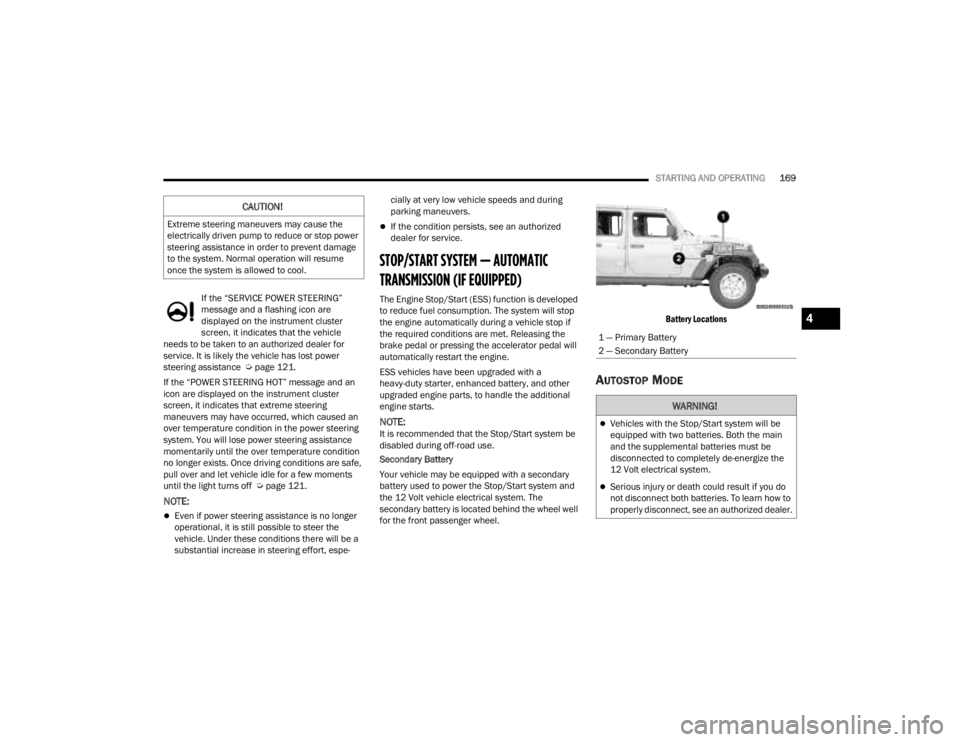
for the front passenger wheel.
Battery Locations
AUTOSTOP MODE
CAUTION!
Extreme steering maneuvers may cause the
electrically driven pump to reduce or stop power
steering assistance in order to prevent damage
to the system. Normal operation will resume
once the system is allowed to cool.
1 — Primary Battery
2 — Secondary Battery
WARNING!
Vehicles with the Stop/Start system will be
equipped with two batteries. Both the main
and the supplemental batteries must be
disconnected to completely de-energize the
12 Volt electrical system.
Serious injury or death could result if you do
not disconnect both batteries. To learn how to
properly disconnect, see an authorized dealer.
4
23_JT_OM_EN_USC_t.book Page 169
Page 173 of 448
STARTING AND OPERATING171
TO MANUALLY TURN OFF THE STOP/
S
TART SYSTEM
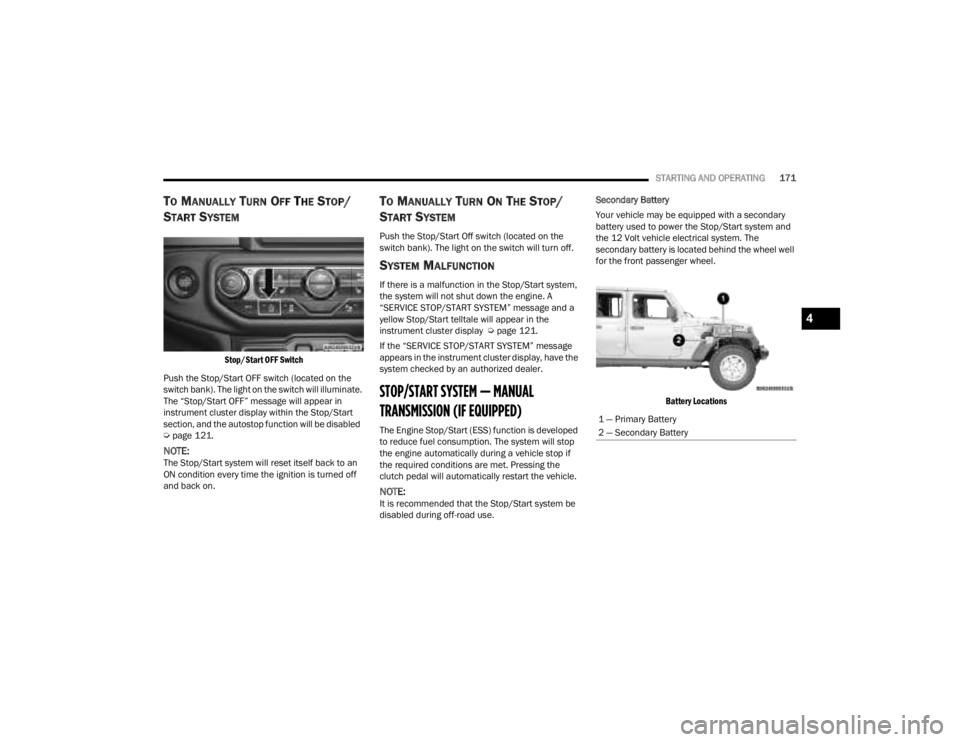
Stop/Start OFF Switch
Push the Stop/Start OFF switch (located on the
switch bank). The light on the switch will illuminate.
The “Stop/Start OFF” message will appear in
instrument cluster display within the Stop/Start
section, and the autostop function will be disabled
Ú page 121.
NOTE:The Stop/Start system will reset itself back to an
ON condition every time the ignition is turned off
and back on.
TO MANUALLY TURN ON THE STOP/
S
TART SYSTEM
Push the Stop/Start Off switch (located on the
switch bank). The light on the switch will turn off.
SYSTEM MALFUNCTION
If there is a malfunction in the Stop/Start system,
the system will not shut down the engine. A
“SERVICE STOP/START SYSTEM” message and a
yellow Stop/Start telltale will appear in the
instrument cluster display Ú page 121.
If the “SERVICE STOP/START SYSTEM” message
appears in the instrument cluster display, have the
system checked by an authorized dealer.
STOP/START SYSTEM — MANUAL
TRANSMISSION (IF EQUIPPED)
The Engine Stop/Start (ESS) function is developed
to reduce fuel consumption. The system will stop
the engine automatically during a vehicle stop if
the required conditions are met. Pressing the
clutch pedal will automatically restart the vehicle.
NOTE:It is recommended that the Stop/Start system be
disabled during off-road use. Secondary Battery
Your vehicle may be equipped with a secondary
battery used to power the Stop/Start system and
the 12 Volt vehicle electrical system. The
secondary battery is located behind the wheel well
for the front passenger wheel.
Battery Locations
1 — Primary Battery
2 — Secondary Battery
4
23_JT_OM_EN_USC_t.book Page 171
Page 193 of 448
STARTING AND OPERATING191
The TrailCam view can also be activated by
pressing the icon on the Back Up Camera view.
The Back Up Camera view can also be activated by
pressing the icon on the TrailCam view.
When the vehicle is shifted out of REVERSE with
Camera Delay turned off and TrailCam view is
active, the TrailCam mode is exited and the
previous screen appears again.
When the vehicle is shifted out of REVERSE with
Camera Delay turned on and the TrailCam view is
active, the TrailCam image will be displayed for up
to 10 seconds unless the vehicle speed exceeds
8 mph (13 km/h), the transmission is shifted into
PARK, the ignition is placed in the OFF position, or
the touchscreen X button to disable display of the
TrailCam view is pressed.
Whenever the TrailCam image is activated through
the Manual Activation Methods, and the vehicle
speed is greater than or equal to 8 mph (13 km/h),
a display timer for the image is initiated. The image
will continue to be displayed until the display timer
exceeds 10 seconds.
NOTE:
If the vehicle speed remains below 8 mph
(13 km/h) while in 2WD or 4WD High, the
TrailCam image will be displayed continuously
until deactivated via the touchscreen X button,
the transmission is shifted into PARK, or the
ignition is placed in the OFF position.
The touchscreen X button to disable the display
of the camera image is made available ONLY
when the vehicle is not in REVERSE.
The TrailCam view will stay active regardless of
the vehicle speed and time while in 4WD Low.
Cleaning The TrailCam
Press and hold the Clean Camera button located
on the TrailCam view to wash the TrailCam. Washer
fluid will stop when the button is released.
The camera can be washed up to 20 seconds at
a time while holding the button.
The Clean Camera system is not available when
windshield washing is in process.
When enabled, active dynamic Tire Lines are
projected on the ground plane of the TrailCam view
based on the steering wheel position.
REFUELING THE VEHICLE — GASOLINE
ENGINE (IF EQUIPPED)
FUEL FILLER CAP
The fuel filler cap is located on the left side of the
vehicle. To access the fuel filler cap, push on the
fuel filler door to unlatch it. To close the fuel filler
door, push on it a second time. If the fuel filler cap
is lost or damaged, be sure the replacement cap is
the correct one for this vehicle.
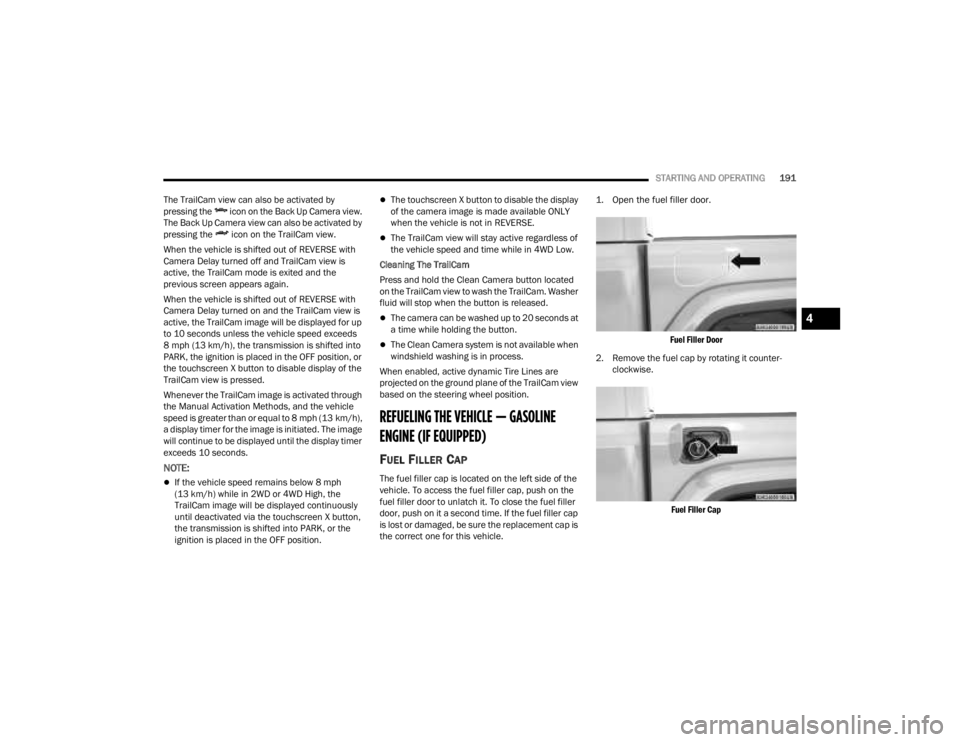
1. Open the fuel filler door.
Fuel Filler Door
2. Remove the fuel cap by rotating it counter -
clockwise.
Fuel Filler Cap
4
23_JT_OM_EN_USC_t.book Page 191
Page 194 of 448
192STARTING AND OPERATING
3. Fully insert the gasoline nozzle into the filler pipe. Fill the vehicle with fuel.
4. When the fuel nozzle “clicks” or shuts off, the fuel tank is full. Wait five seconds before
removing the fuel nozzle to allow excess fuel to
drain from nozzle.
5. Remove gasoline nozzle, reinstall fuel cap and close the fuel filler door.
NOTE:
When the fuel nozzle “clicks” or shuts off, the
fuel tank is full.
Tighten the fuel filler cap about a quarter turn
until you hear one click. This is an indication that
the cap is properly tightened.
If the fuel filler cap is not tightened properly, the
MIL will come on. Be sure the cap is tightened
every time the vehicle is refueled.
LOOSE FUEL FILLER CAP MESSAGE
After fuel has been added, the vehicle diagnostic
system can determine if the fuel filler cap is
possibly loose, improperly installed, or damaged. If
the system detects a malfunction, the “gASCAP”
message will display in the odometer display.
Tighten the gas cap until a "clicking" sound is heard. This is an indication that the gas cap is
properly tightened. Push the odometer reset
button to turn the message off. If the problem
persists, the message will appear the next time the
vehicle is started. This might indicate a damaged
cap. If the problem is detected twice in a row, the
system will turn on the MIL. Resolving the problem
will turn the MIL off.
REFUELING THE VEHICLE — DIESEL ENGINE
(IF EQUIPPED)
The fuel filler cap is located on the driver's side of
the vehicle. If the fuel filler cap is lost or damaged,
be sure the replacement cap is the correct one for
this vehicle.
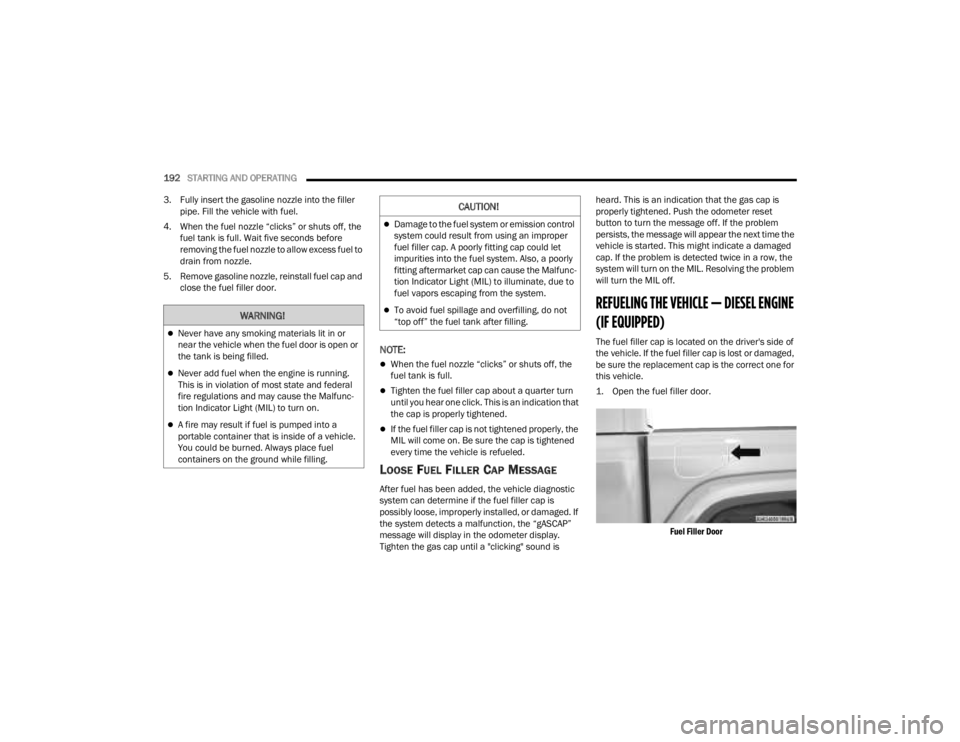
1. Open the fuel filler door.
Fuel Filler Door
WARNING!
Never have any smoking materials lit in or
near the vehicle when the fuel door is open or
the tank is being filled.
Never add fuel when the engine is running.
This is in violation of most state and federal
fire regulations and may cause the Malfunc -
tion Indicator Light (MIL) to turn on.
A fire may result if fuel is pumped into a
portable container that is inside of a vehicle.
You could be burned. Always place fuel
containers on the ground while filling.
CAUTION!
Damage to the fuel system or emission control
system could result from using an improper
fuel filler cap. A poorly fitting cap could let
impurities into the fuel system. Also, a poorly
fitting aftermarket cap can cause the Malfunc -
tion Indicator Light (MIL) to illuminate, due to
fuel vapors escaping from the system.
To avoid fuel spillage and overfilling, do not
“top off” the fuel tank after filling.
23_JT_OM_EN_USC_t.book Page 192
Page 195 of 448
STARTING AND OPERATING193
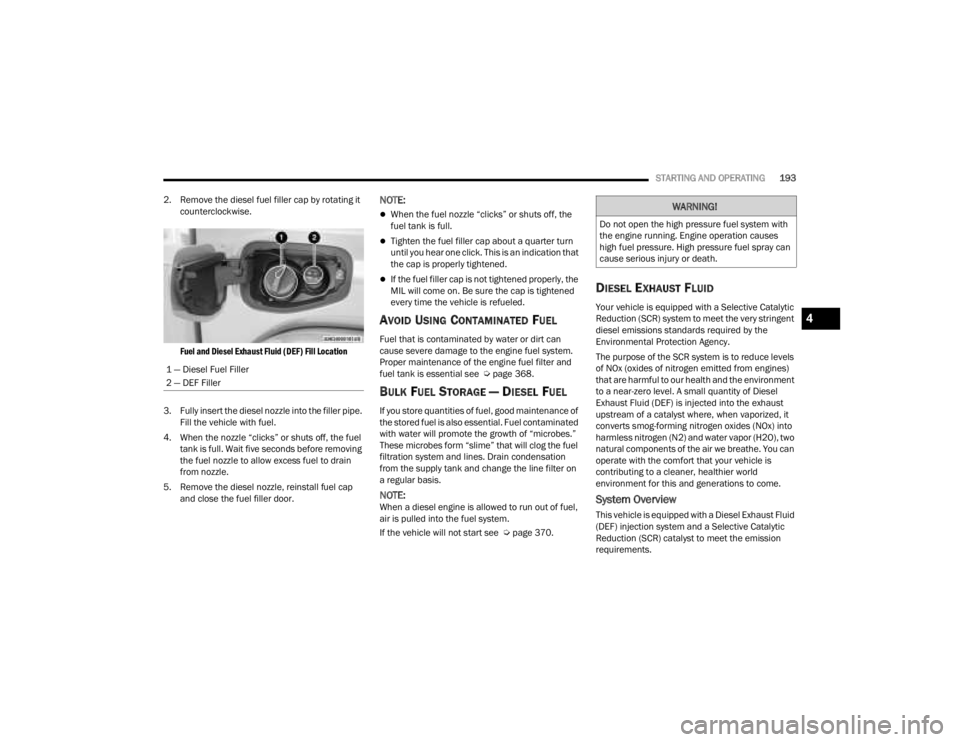
2. Remove the diesel fuel filler cap by rotating it counterclockwise.
Fuel and Diesel Exhaust Fluid (DEF) Fill Location
3. Fully insert the diesel nozzle into the filler pipe. Fill the vehicle with fuel.
4. When the nozzle “clicks” or shuts off, the fuel tank is full. Wait five seconds before removing
the fuel nozzle to allow excess fuel to drain
from nozzle.
5. Remove the diesel nozzle, reinstall fuel cap and close the fuel filler door.
NOTE:
When the fuel nozzle “clicks” or shuts off, the
fuel tank is full.
Tighten the fuel filler cap about a quarter turn
until you hear one click. This is an indication that
the cap is properly tightened.
If the fuel filler cap is not tightened properly, the
MIL will come on. Be sure the cap is tightened
every time the vehicle is refueled.
AVOID USING CONTAMINATED FUEL
Fuel that is contaminated by water or dirt can
cause severe damage to the engine fuel system.
Proper maintenance of the engine fuel filter and
fuel tank is essential see Ú page 368.
BULK FUEL STORAGE — DIESEL FUEL
If you store quantities of fuel, good maintenance of
the stored fuel is also essential. Fuel contaminated
with water will promote the growth of “microbes.”
These microbes form “slime” that will clog the fuel
filtration system and lines. Drain condensation
from the supply tank and change the line filter on
a regular basis.
NOTE:When a diesel engine is allowed to run out of fuel,
air is pulled into the fuel system.
If the vehicle will not start see Ú page 370.
DIESEL EXHAUST FLUID
Your vehicle is equipped with a Selective Catalytic
Reduction (SCR) system to meet the very stringent
diesel emissions standards required by the
Environmental Protection Agency.
The purpose of the SCR system is to reduce levels
of NOx (oxides of nitrogen emitted from engines)
that are harmful to our health and the environment
to a near-zero level. A small quantity of Diesel
Exhaust Fluid (DEF) is injected into the exhaust
upstream of a catalyst where, when vaporized, it
converts smog-forming nitrogen oxides (NOx) into
harmless nitrogen (N2) and water vapor (H2O), two
natural components of the air we breathe. You can
operate with the comfort that your vehicle is
contributing to a cleaner, healthier world
environment for this and generations to come.
System Overview
This vehicle is equipped with a Diesel Exhaust Fluid
(DEF) injection system and a Selective Catalytic
Reduction (SCR) catalyst to meet the emission
requirements.
1 — Diesel Fuel Filler
2 — DEF Filler
WARNING!
Do not open the high pressure fuel system with
the engine running. Engine operation causes
high fuel pressure. High pressure fuel spray can
cause serious injury or death.
4
23_JT_OM_EN_USC_t.book Page 193
Page 196 of 448
194STARTING AND OPERATING
The DEF injection system consists of the following
components:
DEF tank
DEF pump
DEF injector
Electronically-heated DEF Lines
NOx sensors
Temperature sensors
SCR catalyst
The DEF injection system and SCR catalyst enable
the achievement of diesel emissions
requirements; while maintaining outstanding fuel
economy, drivability, torque and power ratings.
For system messages and warnings see
Ú page 121.
NOTE:
Your vehicle is equipped with a DEF injection
system. You may occasionally hear an audible
clicking noise from under the vehicle at a stop.
This is normal operation.
The DEF pump will run for a period of time after
engine shutdown to purge the DEF system. This
is normal operation and may be audible from
the rear of the vehicle.
Diesel Exhaust Fluid Storage
Diesel Exhaust Fluid (DEF) is considered a very
stable product with a long shelf life. If DEF is kept
in temperatures between 10° and 90°F (-12° and
32°C), it will last a minimum of one year.
DEF is subject to freezing at the lowest
temperatures. For example, DEF may freeze at
temperatures at or below 12°F (-11°C). The
system has been designed to operate in this
environment.
NOTE:When working with DEF, it is important to know
that:
Any containers or parts that come into contact
with DEF must be DEF compatible (plastic or
stainless steel). Copper, brass, aluminum, iron
or non-stainless steel should be avoided as they
are subject to corrosion by DEF.
If DEF is spilled, it should be wiped up
completely.
Adding Diesel Exhaust Fluid
The DEF gauge (located on the instrument cluster
display) will display the level of DEF remaining in
the tank Ú page 121.
NOTE:Driving conditions (altitude, vehicle speed, load,
etc.) will affect the amount of DEF that is used in
your vehicle.
DEF FILL PROCEDURE
NOTE:
For the correct DEF fluid type see Ú page 424.
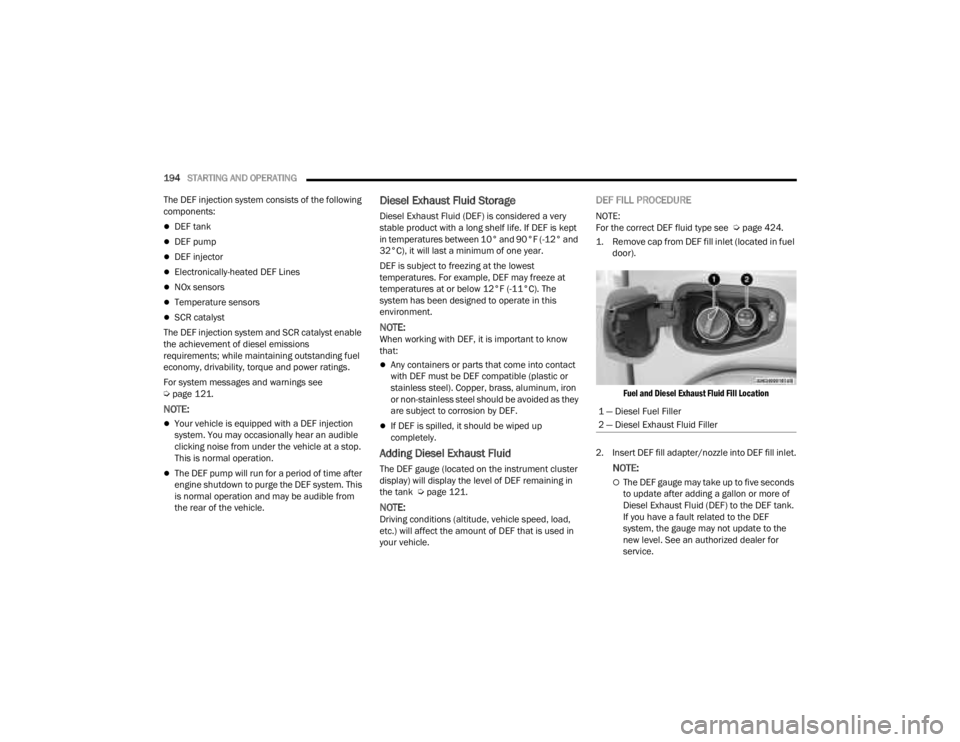
1. Remove cap from DEF fill inlet (located in fuel door).
Fuel and Diesel Exhaust Fluid Fill Location
2. Insert DEF fill adapter/nozzle into DEF fill inlet.
NOTE:
The DEF gauge may take up to five seconds
to update after adding a gallon or more of
Diesel Exhaust Fluid (DEF) to the DEF tank.
If you have a fault related to the DEF
system, the gauge may not update to the
new level. See an authorized dealer for
service.
1 — Diesel Fuel Filler
2 — Diesel Exhaust Fluid Filler
23_JT_OM_EN_USC_t.book Page 194
Page 197 of 448

STARTING AND OPERATING195
(Continued)
The DEF gauge may also not immediately
update after a refill if the temperature of the
DEF fluid is below 12°F (-11°C). The DEF
line heater will possibly warm up the DEF
fluid and allow the gauge to update after a
period of run time. Under very cold condi -
tions, it is possible that the gauge may not
reflect the new fill level for several drives.
Excessive overfilling of the DEF tank can
result in a MIL lamp/fault code and inaccu-
rate level readings.
Refilling With Nozzles
You can fill up at any DEF distributor.
Proceed as follows:
Insert the DEF nozzle in the filler, start
refilling and stop refilling at the first shut-off
(the shut-off indicates that the DEF tank is
full). Do not proceed with the refilling, to
prevent spillage of DEF.
Extract the nozzle.
Refilling With Containers
Proceed as follows:
Check the expiration date.
Read the advice for use on the label before
pouring the content of the bottle into the
DEF tank.
If systems which cannot be screwed in
(e.g. tanks) are used for refilling, after the
indication appears on the instrument panel
display Úpage 121 fill the DEF tank with no
more than 2 gal (8 L).
If containers which can be screwed to the
filler are used, the reservoir is full when the
DEF level in the container stops pouring out.
Do not proceed further.
3. Stop filling the DEF tank immediately when any of the following happen: DEF stops flowing
from the fill bottle into the DEF fill inlet, DEF
splashes out the fill inlet, or a DEF pump
nozzle automatically shuts off.
4. Reinstall cap onto DEF fill inlet.
VEHICLE LOADING
CERTIFICATION LABEL
As required by National Highway Traffic Safety
Administration regulations, your vehicle has a
certification label affixed to the driver's side door or
pillar.
CAUTION!
To avoid DEF spillage, and possible damage to
the DEF tank from overfilling, do not “top off”
the DEF tank after filling.
DO NOT OVERFILL. DEF will freeze below 12ºF
(-11ºC). The DEF system is designed to work in
temperatures below the DEF freezing point,
however, if the tank is overfilled and freezes,
the system could be damaged.
When DEF is spilled, clean the area immedi -
ately with water and use an absorbent mate -
rial to soak up the spills on the ground.
Do not attempt to start your engine if DEF is
accidentally added to the diesel fuel tank as it
can result in severe damage to your engine,
including but not limited to failure of the fuel
pump and injectors.
Never add anything other than DEF to the tank
– especially any form of hydrocarbon such as
diesel fuel, fuel system additives, gasoline, or
any other petroleum-based product. Even a
very small amount of these, less than
100 parts per million or less than 1 oz. per
78 gal (295 L) will contaminate the entire DEF
system and will require replacement. If
owners use a container, funnel or nozzle when
refilling the tank, it should either be new or
one that is has only been used for adding DEF.
Mopar® provides an attachable nozzle with its
DEF for this purpose.
CAUTION!
4
23_JT_OM_EN_USC_t.book Page 195
Page 198 of 448
196STARTING AND OPERATING
This label contains the month and year of
manufacture, Gross Vehicle Weight Rating
(GVWR), front and rear Gross Axle Weight Rating
(GAWR), and Vehicle Identification Number (VIN). A
Month-Day-Hour (MDH) number is included on this
label and indicates the Month, Day and Hour of
manufacture. The bar code that appears on the
bottom of the label is your VIN.
Gross Vehicle Weight Rating (GVWR)
The GVWR is the total permissible weight of your
vehicle including driver, passengers, vehicle,
options and cargo. The label also specifies
maximum capacities of front and rear Gross Axle
Weight Rating (GAWR). Total load must be limited
so GVWR on front and rear GAWR are not
exceeded.
Payload
The payload of a vehicle is defined as the allowable
load weight a truck can carry, including the weight
of the driver, all passengers, options and cargo.
Gross Axle Weight Rating (GAWR)
The GAWR is the maximum permissible load on the
front and rear axles. The load must be distributed
in the cargo area so that the GAWR of each axle is
not exceeded.
Each axle GAWR is determined by the components
in the system with the lowest load carrying capacity
(axle, springs, tires or wheels). Heavier axles or
suspension components sometimes specified by purchasers for increased durability does not
necessarily increase the vehicle's GVWR.
Tire Size
The tire size on the Vehicle Certification Label
represents the actual tire size on your vehicle.
Replacement tires must be equal to the load
capacity of this tire size.
Rim Size
This is the rim size that is appropriate for the tire
size listed.
Inflation Pressure
This is the cold tire inflation pressure for your
vehicle for all loading conditions up to full GAWR.
Curb Weight
The curb weight of a vehicle is defined as the total
weight of the vehicle with all fluids, including
vehicle fuel, at full capacity conditions, and with no
occupants or cargo loaded into the vehicle. The
front and rear curb weight values are determined
by weighing your vehicle on a commercial scale
before any occupants or cargo are added.
Loading
The actual total weight and the weight of the front
and rear of your vehicle at the ground can best be
determined by weighing it when it is loaded and
ready for operation.
The entire vehicle should first be weighed on a
commercial scale to ensure that the GVWR has not
been exceeded. The weight on the front and rear of
the vehicle should then be determined separately
to be sure that the load is properly distributed over
the front and rear axle. Weighing the vehicle may
show that the GAWR of either the front or rear axles
has been exceeded but the total load is within the
specified GVWR. If so, weight must be shifted from
front to rear or rear to front as appropriate until the
specified weight limitations are met. Store the
heavier items down low and be sure that the
weight is distributed equally. Stow all loose items
securely before driving.
Improper weight distributions can have an adverse
effect on the way your vehicle steers and handles
and the way the brakes operate.
WARNING!
Do not load your vehicle any heavier than the
GVWR or the maximum front and rear GAWR. If
you do, parts on your vehicle can break, or it can
change the way your vehicle handles. This could
cause you to lose control. Overloading can
shorten the life of your vehicle.
23_JT_OM_EN_USC_t.book Page 196