wheel JEEP RENEGADE 2015 1.G Owners Manual
[x] Cancel search | Manufacturer: JEEP, Model Year: 2015, Model line: RENEGADE, Model: JEEP RENEGADE 2015 1.GPages: 678, PDF Size: 29.84 MB
Page 629 of 678
press the “Daytime Running Lights” button on the touch-
screen, then choose “Yes” or “No.” The button will
highlight indicating that the setting has been selected.
Press the back arrow button on the touchscreen to return
to the previous menu.
•Cornering Lights
When this feature is selected, if the steering wheel
rotation angle is large or the turn signal indicators are on,
a light (incorporated in the fog light) will turn on, on the
relevant side to improve visibility at night. To change the
Cornering Lights setting, press the “On” or “Off” button
on the touchscreen to select your desired Cornering
Lights setting. Press the back arrow button on the touch-
screen to return to the previous menu.
•Flash Lights With Lock
When this feature is selected, the exterior lights will flash
when the doors are locked or unlocked with the Remote
Keyless Entry (RKE) transmitter. This feature may be
selected with or without the Sound Horn on Lock feature
selected. To make your selection, press the “Flash Lights
with Lock” button on the touchscreen, then choose “On”
or “Off.” Press the back arrow button on the touchscreen
to return to the previous menu.
•Steering Directed Headlights — If Equipped
When this feature is selected, the headlights turn relative
to a change in direction of the steering wheel. To make
your selection, press the “Steering Directed Headlights”
button on the touchscreen, then choose “On” or “Off.”
Press the back arrow button on the touchscreen to return
to the previous menu.
•Headlights With Wipers — If Equipped
When this feature is selected, and the headlight switch is
in the AUTO position, the headlights will turn on ap-
proximately 10 seconds after the wipers are turned on.
The headlights will also turn off when the wipers are
turned off if they were turned on by this feature. To make
11
MULTIMEDIA 627
Page 638 of 678
iPod® control supports Mini, 4G, Photo, Nano, 5G iPod®
and iPhone® devices. Some iPod® software versions
may not fully support the iPod® control features. Please
visit Apple’s website for software updates.
Refer to the Uconnect® 5.0/6.5 User’s Manual for iPod®
and external USB support capability.
STEERING WHEEL AUDIO CONTROLS
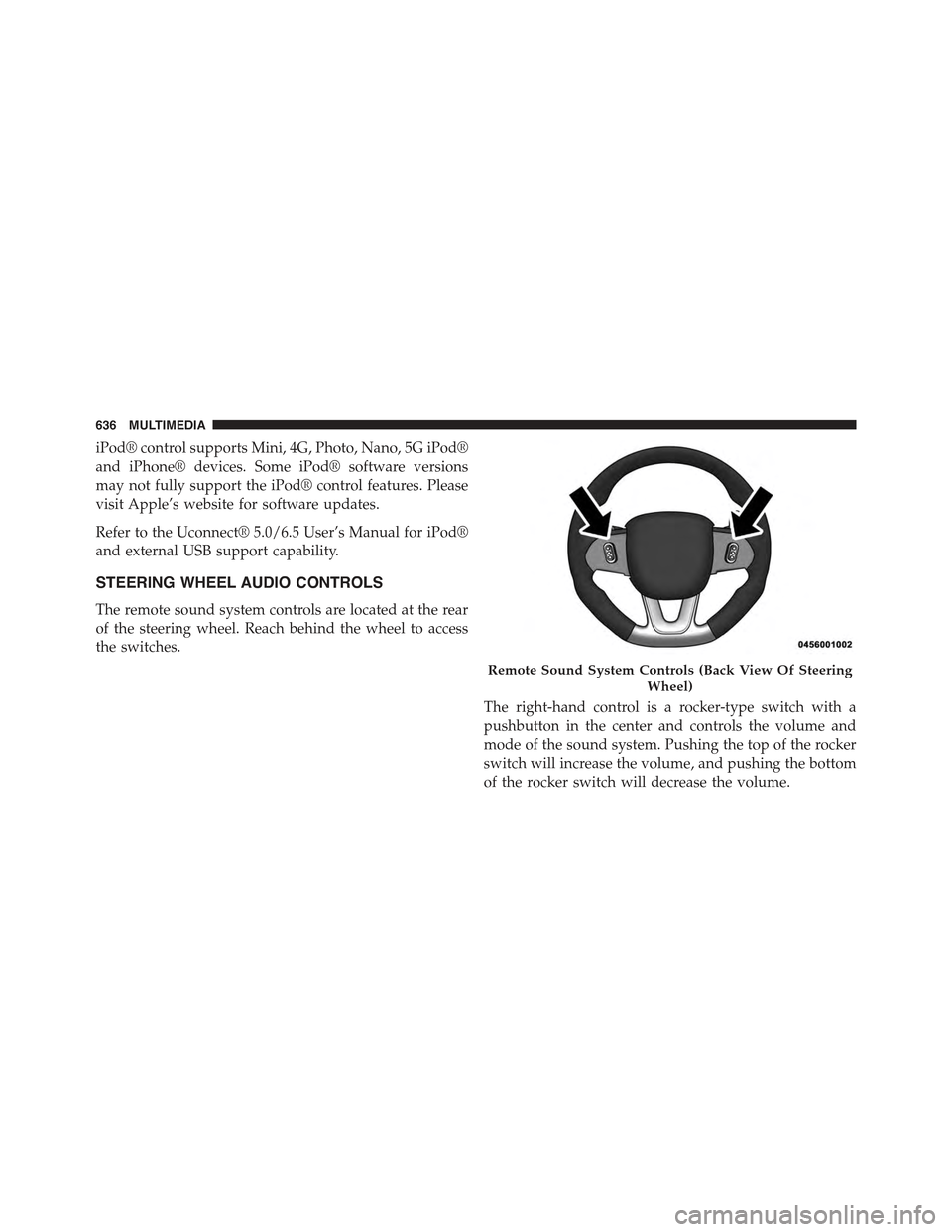
The remote sound system controls are located at the rear
of the steering wheel. Reach behind the wheel to access
the switches.
The right-hand control is a rocker-type switch with a
pushbutton in the center and controls the volume and
mode of the sound system. Pushing the top of the rocker
switch will increase the volume, and pushing the bottom
of the rocker switch will decrease the volume.
Remote Sound System Controls (Back View Of Steering
Wheel)
636 MULTIMEDIA
Page 643 of 678
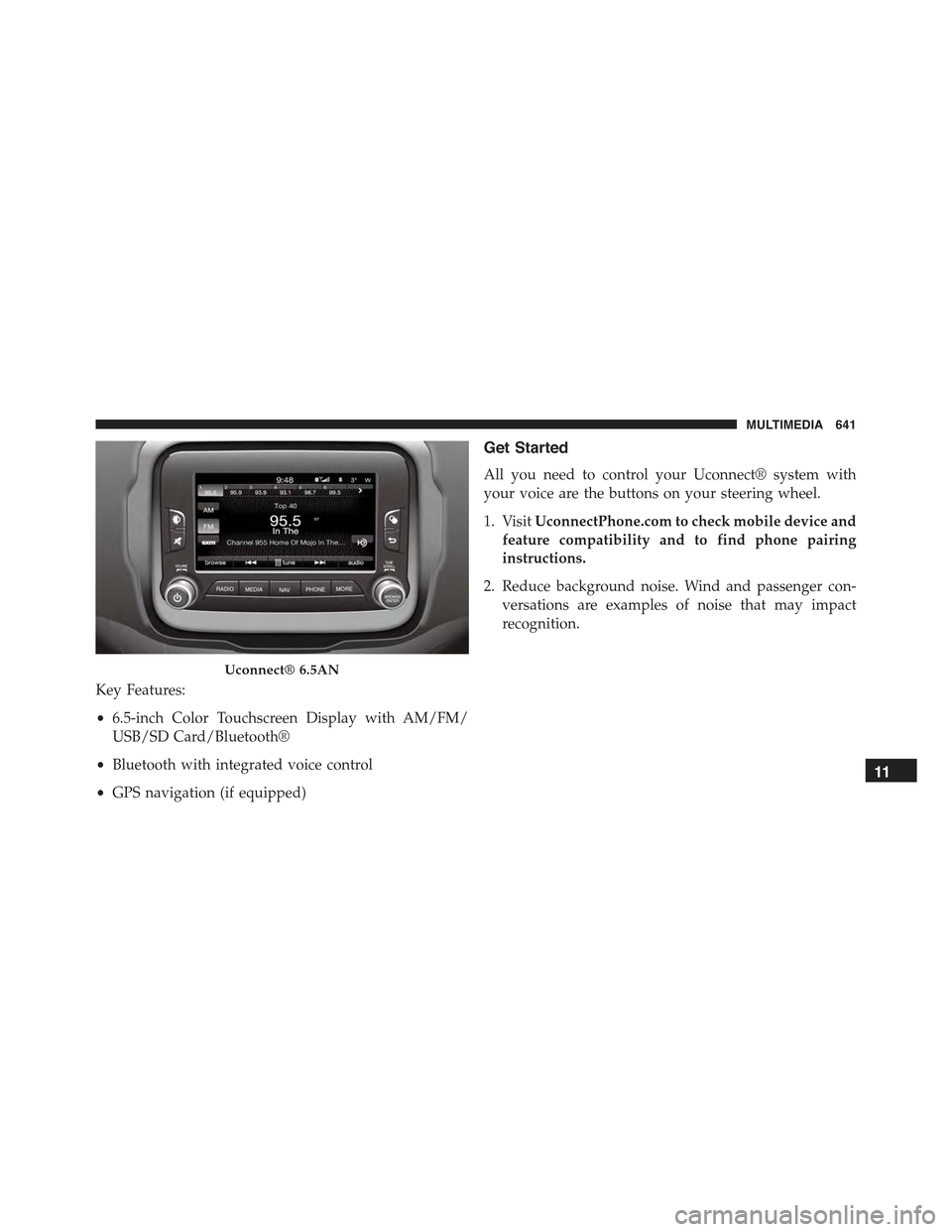
Key Features:
•6.5-inch Color Touchscreen Display with AM/FM/
USB/SD Card/Bluetooth®
•Bluetooth with integrated voice control
•GPS navigation (if equipped)
Get Started
All you need to control your Uconnect® system with
your voice are the buttons on your steering wheel.
1. VisitUconnectPhone.com to check mobile device and
feature compatibility and to find phone pairing
instructions.
2. Reduce background noise. Wind and passenger con-
versations are examples of noise that may impact
recognition.
Uconnect® 6.5AN
11
MULTIMEDIA 641
Page 662 of 678
Bulbs, Light.............................313
Camera, Rear............................375
Capacities, Fluid..........................592
Caps, Filler
Oil (Engine)...........................531
Carbon Monoxide Warning..................310
Car Washes.............................553
Cellular Phone...........................637
Certification Label.........................400
Changing A Flat Tire.......................476
Chart, Tire Sizing.........................562
Check Engine Light (Malfunction Indicator Light) . .513
Checking Your Vehicle For Safety..............309
Checks, Safety...........................309
Child Restraint...........................287
Child Restraints
Booster Seats..........................293
Child Restraints........................287
Child Seat Installation....................306
How To Stow An Unused ALR Seat Belt.......302
Infants And Child Restraints...............290
Install A LATCH-compatible Child Restraint . . . .301
Installing Child Restraints Using The Vehicle Seat
Belt.................................303
LATCH Positions.......................296
Locating The LATCH Anchorages............299
Lower Anchors And Tethers For Children......295
Older Children And Child Restraints.........291
Seating Positions........................294
Child Safety Locks.........................64
Clean Air Gasoline........................389
Cleaning
Wheels...............................555
Windshield Wiper Blades..................536
Climate Control..........................113
Automatic............................119
Manual..............................113
660 INDEX
Page 673 of 678
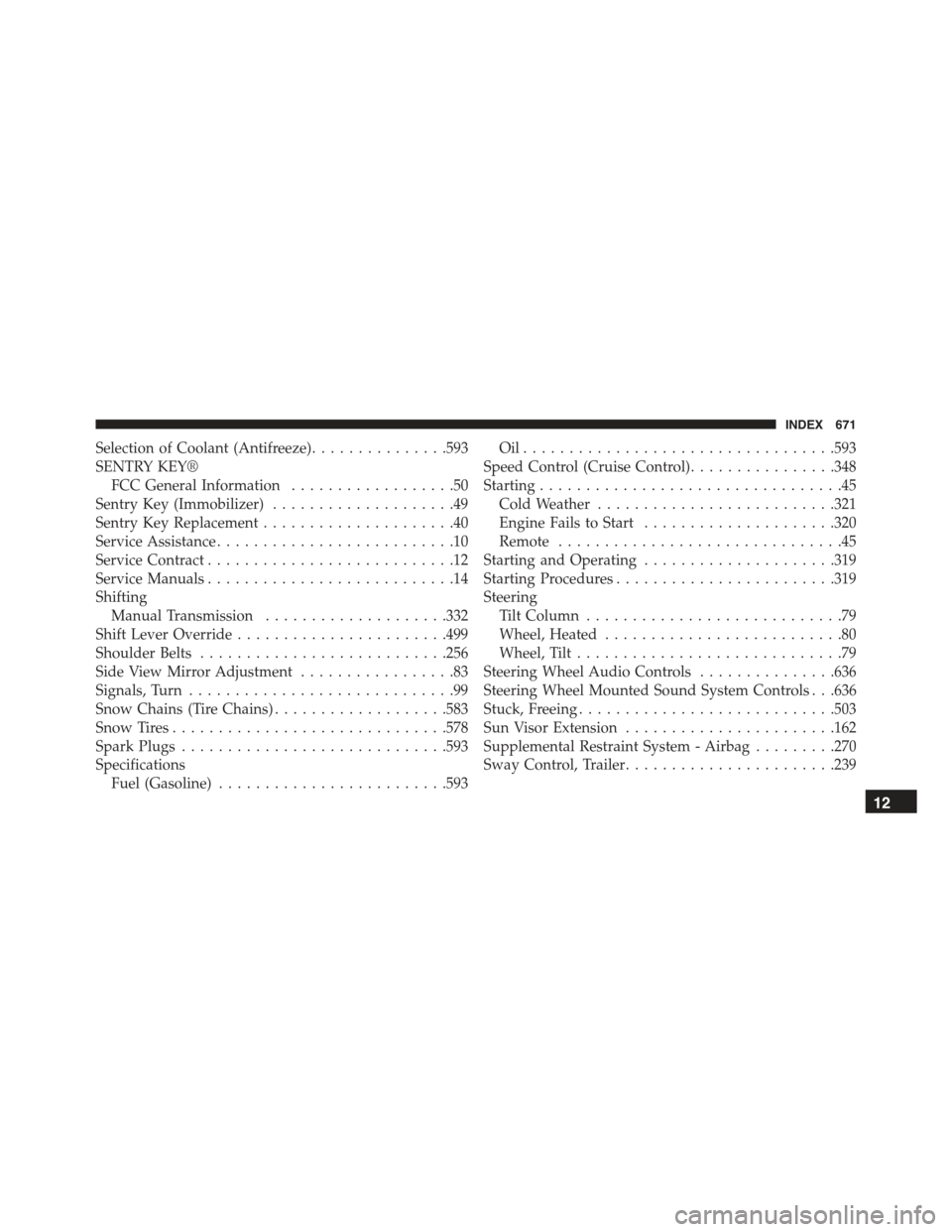
Selection of Coolant (Antifreeze)...............593
SENTRY KEY®
FCC General Information..................50
Sentry Key (Immobilizer)....................49
Sentry Key Replacement.....................40
Service Assistance..........................10
Service Contract...........................12
Service Manuals...........................14
Shifting
Manual Transmission....................332
Shift Lever Override.......................499
Shoulder Belts...........................256
Side View Mirror Adjustment.................83
Signals, Turn.............................99
Snow Chains (Tire Chains)...................583
Snow Tires..............................578
Spark Plugs.............................593
Specifications
Fuel (Gasoline).........................593
Oil . . . . . . . . . . . . . . . . . . . . . . . . . . . . . . . . ..593
Speed Control (Cruise Control)................348
Starting.................................45
Cold Weather..........................321
Engine Fails to Start.....................320
Remote...............................45
Starting and Operating.....................319
Starting Procedures........................319
Steering
Tilt Column............................79
Wheel, Heated..........................80
Wheel, Tilt.............................79
Steering Wheel Audio Controls...............636
Steering Wheel Mounted Sound System Controls . . .636
Stuck, Freeing............................503
Sun Visor Extension.......................162
Supplemental Restraint System - Airbag.........270
Sway Control, Trailer.......................239
12
INDEX 671
Page 676 of 678
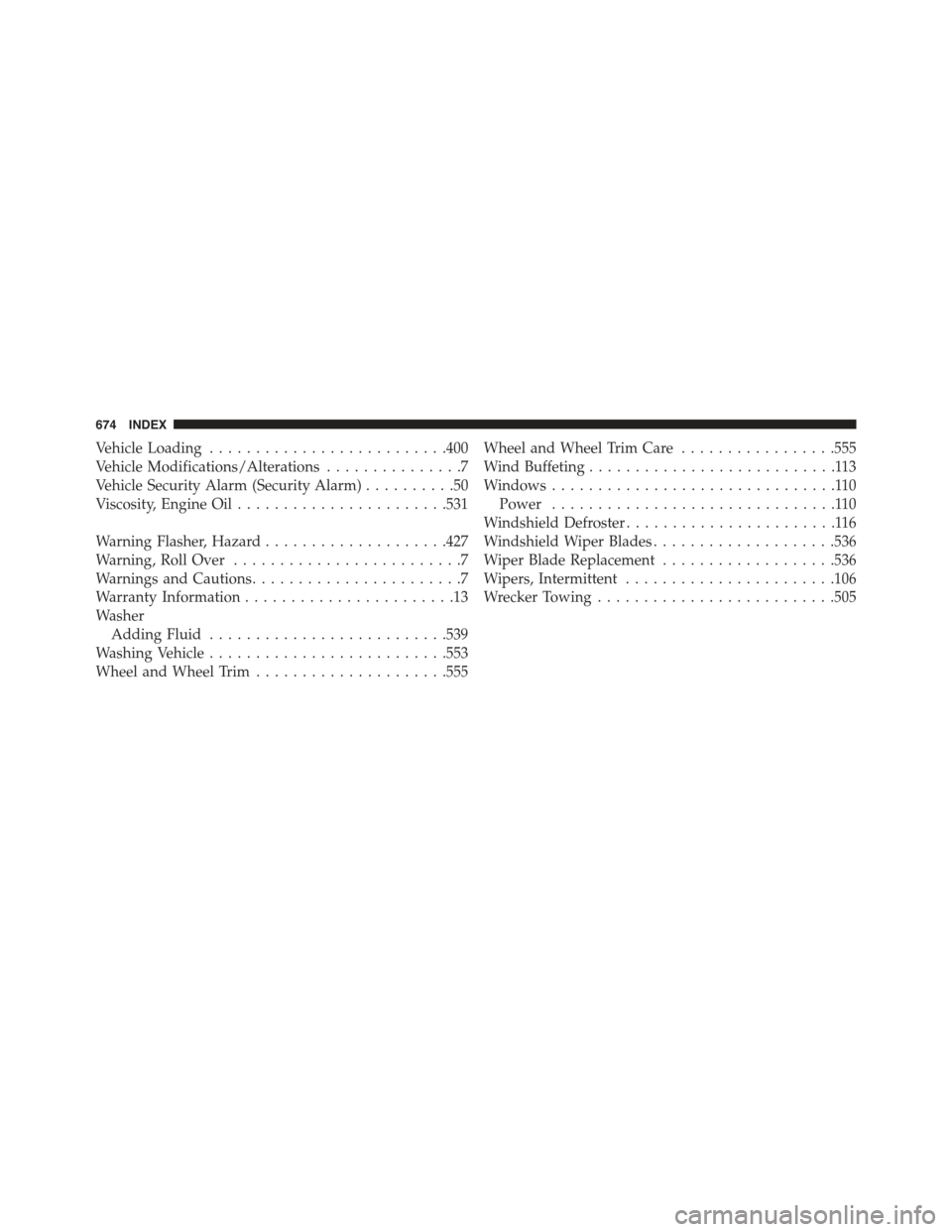
Vehicle Loading..........................400
Vehicle Modifications/Alterations...............7
Vehicle Security Alarm (Security Alarm)..........50
Viscosity, Engine Oil.......................531
Warning Flasher, Hazard....................427
Warning, Roll Over.........................7
Warnings and Cautions.......................7
Warranty Information.......................13
Washer
Adding Fluid..........................539
Washing Vehicle..........................553
Wheel and Wheel Trim.....................555
Wheel and Wheel Trim Care.................555
Wind Buffeting...........................113
Windows...............................110
Power...............................110
Windshield Defroster.......................116
Windshield Wiper Blades....................536
Wiper Blade Replacement...................536
Wipers, Intermittent.......................106
Wrecker Towing..........................505
674 INDEX