wheel JEEP RENEGADE 2015 1.G Workshop Manual
[x] Cancel search | Manufacturer: JEEP, Model Year: 2015, Model line: RENEGADE, Model: JEEP RENEGADE 2015 1.GPages: 678, PDF Size: 29.84 MB
Page 360 of 678
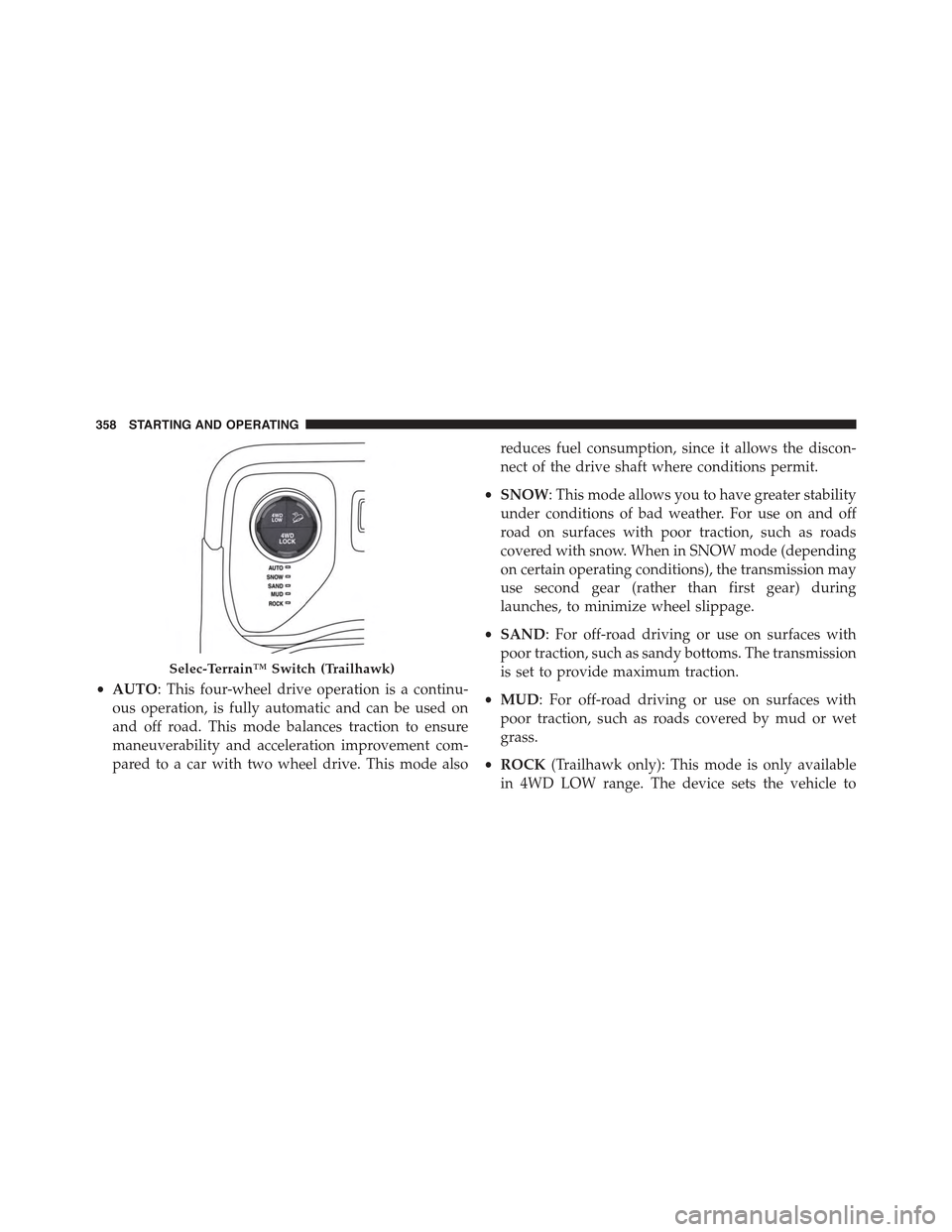
•AUTO: This four-wheel drive operation is a continu-
ous operation, is fully automatic and can be used on
and off road. This mode balances traction to ensure
maneuverability and acceleration improvement com-
pared to a car with two wheel drive. This mode also
reduces fuel consumption, since it allows the discon-
nect of the drive shaft where conditions permit.
•SNOW: This mode allows you to have greater stability
under conditions of bad weather. For use on and off
road on surfaces with poor traction, such as roads
covered with snow. When in SNOW mode (depending
on certain operating conditions), the transmission may
use second gear (rather than first gear) during
launches, to minimize wheel slippage.
•SAND: For off-road driving or use on surfaces with
poor traction, such as sandy bottoms. The transmission
is set to provide maximum traction.
•MUD: For off-road driving or use on surfaces with
poor traction, such as roads covered by mud or wet
grass.
•ROCK(Trailhawk only): This mode is only available
in 4WD LOW range. The device sets the vehicle to
Selec-Terrain™ Switch (Trailhawk)
358 STARTING AND OPERATING
Page 361 of 678
maximize traction and allow the highest steering ca-
pacity for off-road surfaces. This mode gives you the
maximum performance off-road. Use for low speed
obstacles such as large rocks, deep ruts, etc.
NOTE:
•Rock mode is only available on the vehicles equipped
with the Off-Road package.
•Activate the Hill Descent Control or Selec Speed
Control for steep downhill control. See “Electronic
Brake Control System” in this section for further
information.
LANESENSE — IF EQUIPPED
LaneSense Operation
The LaneSense system is operational at speeds above
37 mph (60 km/h) and below 112 mph (180 km/h). The
LaneSense system uses a forward looking camera to
detect lane markings and measure vehicle position
within the lane boundaries.
When both lane markings are detected and the driver
unintentionally drifts out of the lane (no turn signal
applied), the LaneSense system provides a haptic warn-
ing in the form of torque applied to the steering wheel to
prompt the driver to remain within the lane boundaries.
If the driver continues to unintentionally drift out of the
lane, the LaneSense system provides a visual warning
through the Electronic Vehicle Information Center (EVIC)
or Driver Information Display (DID) to prompt the driver
to remain within the lane boundaries.
The driver may manually override the haptic warning by
applying torque into the steering wheel at any time.
When only a single lane marking is detected and the
driver unintentionally drifts across the lane marking (no
turn signal applied), the LaneSense system provides a
7
STARTING AND OPERATING 359
Page 362 of 678
visual warning through the EVIC/DID to prompt the
driver to remain within the lane. When only a single lane
marking is detected, a haptic (torque) warning will not be
provided.
NOTE:When operating conditions have been met, the
LaneSense system will monitor if the driver ’s hands are
on the steering wheel and provides an audible warning
to the driver when the driver ’s hands are not detected on
the steering wheel. The system will cancel if the driver
does not return their hands to the wheel.
Turning LaneSense ON Or OFF
The default status of LaneSense is “OFF”.
The LaneSense button is located on the switch panel
below the Uconnect® display.
To turn the LaneSense system ON, push the
LaneSense button (LED turns on). A “Lane
Sense On” message is shown in the EVIC/DID.
To turn the LaneSense system OFF, push the LaneSense
button once (LED turns off).
NOTE:The LaneSense system will retain the last system
state ON or OFF from the last ignition cycle when the
ignition is changed to the ON/RUN position.
LaneSense Warning Message
The LaneSense system will indicate the current lane drift
condition through the Electronic Vehicle Information
Center (EVIC) or Driver Information Display (DID).
3.5 EVIC Screen — If Equipped
When the LaneSense system is ON, the lane lines are gray
when both of the lane boundaries have not been detected
and the LaneSense indicator is solid white.
360 STARTING AND OPERATING
Page 364 of 678
NOTE:The LaneSense system operates with the similar
behavior for a right lane departure when only the right
lane marking has been detected.
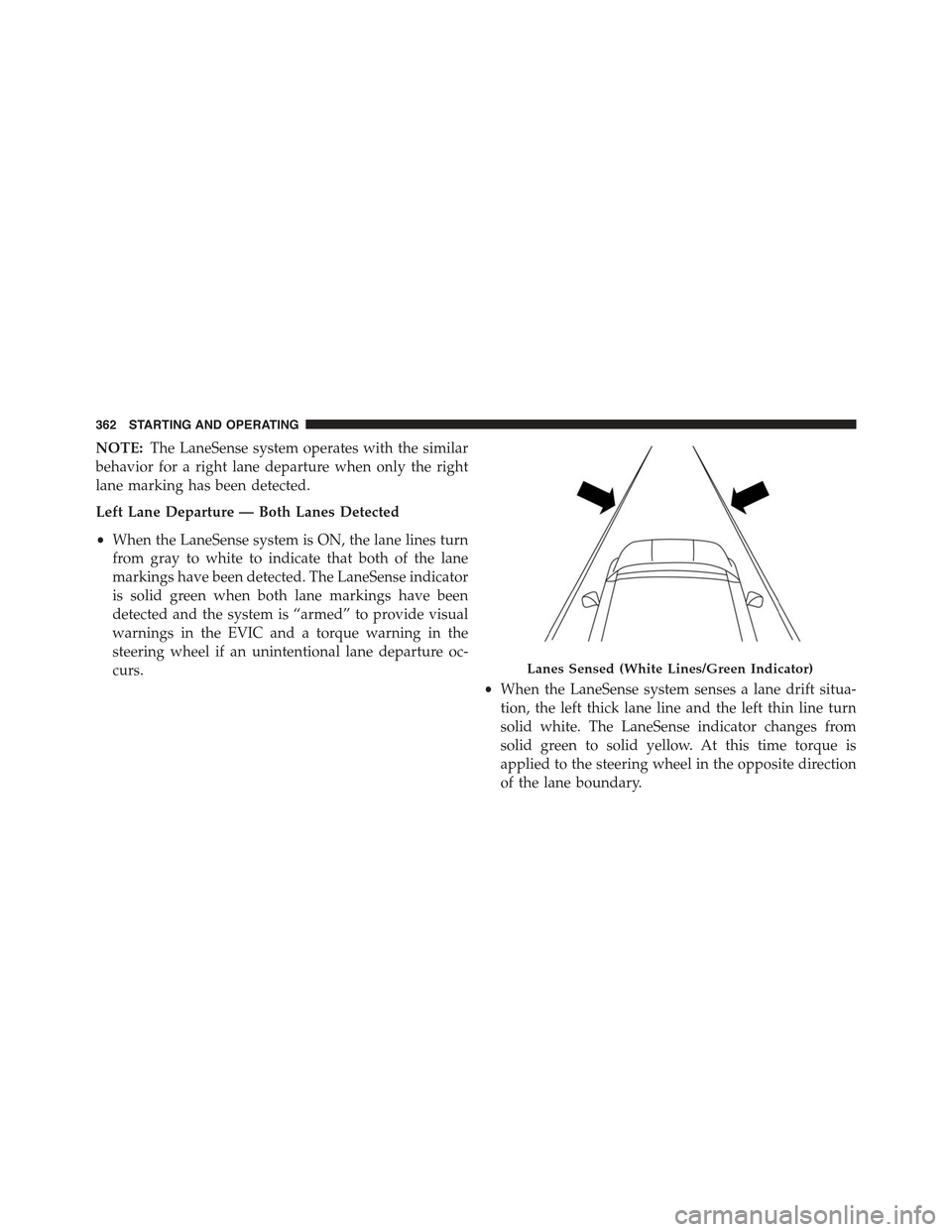
Left Lane Departure — Both Lanes Detected
•When the LaneSense system is ON, the lane lines turn
from gray to white to indicate that both of the lane
markings have been detected. The LaneSense indicator
is solid green when both lane markings have been
detected and the system is “armed” to provide visual
warnings in the EVIC and a torque warning in the
steering wheel if an unintentional lane departure oc-
curs.
•When the LaneSense system senses a lane drift situa-
tion, the left thick lane line and the left thin line turn
solid white. The LaneSense indicator changes from
solid green to solid yellow. At this time torque is
applied to the steering wheel in the opposite direction
of the lane boundary.
Lanes Sensed (White Lines/Green Indicator)
362 STARTING AND OPERATING
Page 365 of 678
•For example: If approaching the left side of the lane,
the steering wheel will turn to the right.
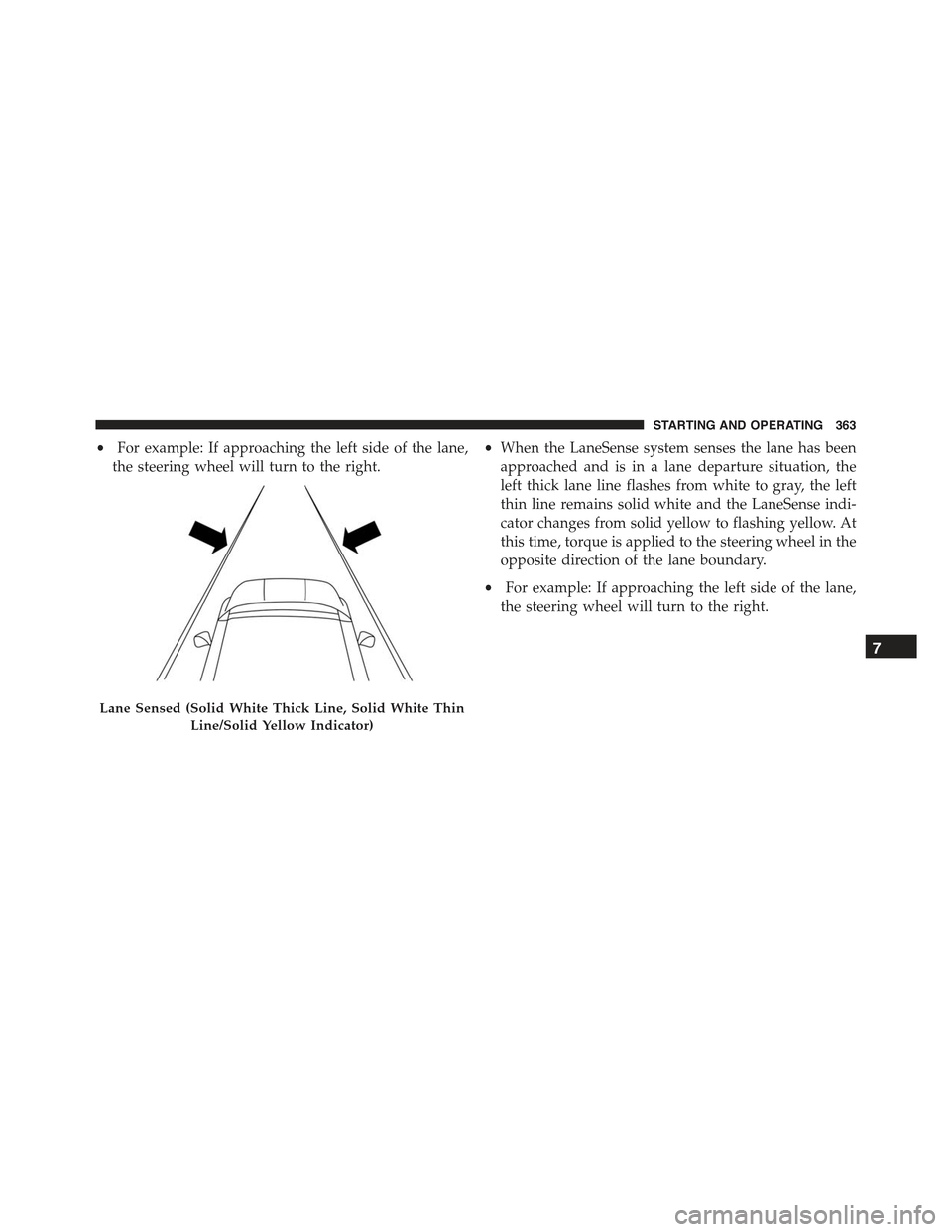
•When the LaneSense system senses the lane has been
approached and is in a lane departure situation, the
left thick lane line flashes from white to gray, the left
thin line remains solid white and the LaneSense indi-
cator changes from solid yellow to flashing yellow. At
this time, torque is applied to the steering wheel in the
opposite direction of the lane boundary.
•For example: If approaching the left side of the lane,
the steering wheel will turn to the right.
Lane Sensed (Solid White Thick Line, Solid White Thin
Line/Solid Yellow Indicator)
7
STARTING AND OPERATING 363
Page 368 of 678
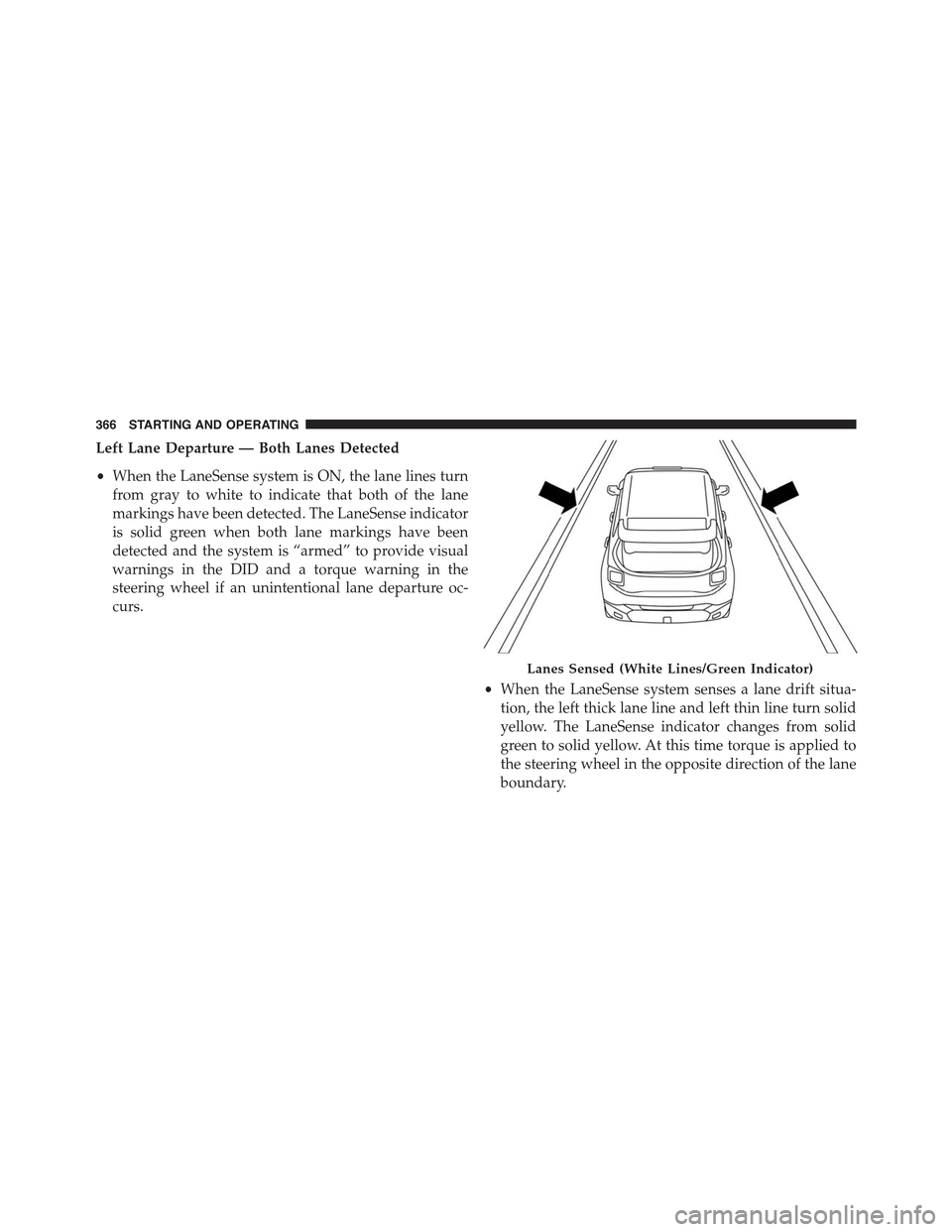
Left Lane Departure — Both Lanes Detected
•When the LaneSense system is ON, the lane lines turn
from gray to white to indicate that both of the lane
markings have been detected. The LaneSense indicator
is solid green when both lane markings have been
detected and the system is “armed” to provide visual
warnings in the DID and a torque warning in the
steering wheel if an unintentional lane departure oc-
curs.
•When the LaneSense system senses a lane drift situa-
tion, the left thick lane line and left thin line turn solid
yellow. The LaneSense indicator changes from solid
green to solid yellow. At this time torque is applied to
the steering wheel in the opposite direction of the lane
boundary.
Lanes Sensed (White Lines/Green Indicator)
366 STARTING AND OPERATING
Page 369 of 678
•For example: If approaching the left side of the lane
the steering wheel will turn to the right.
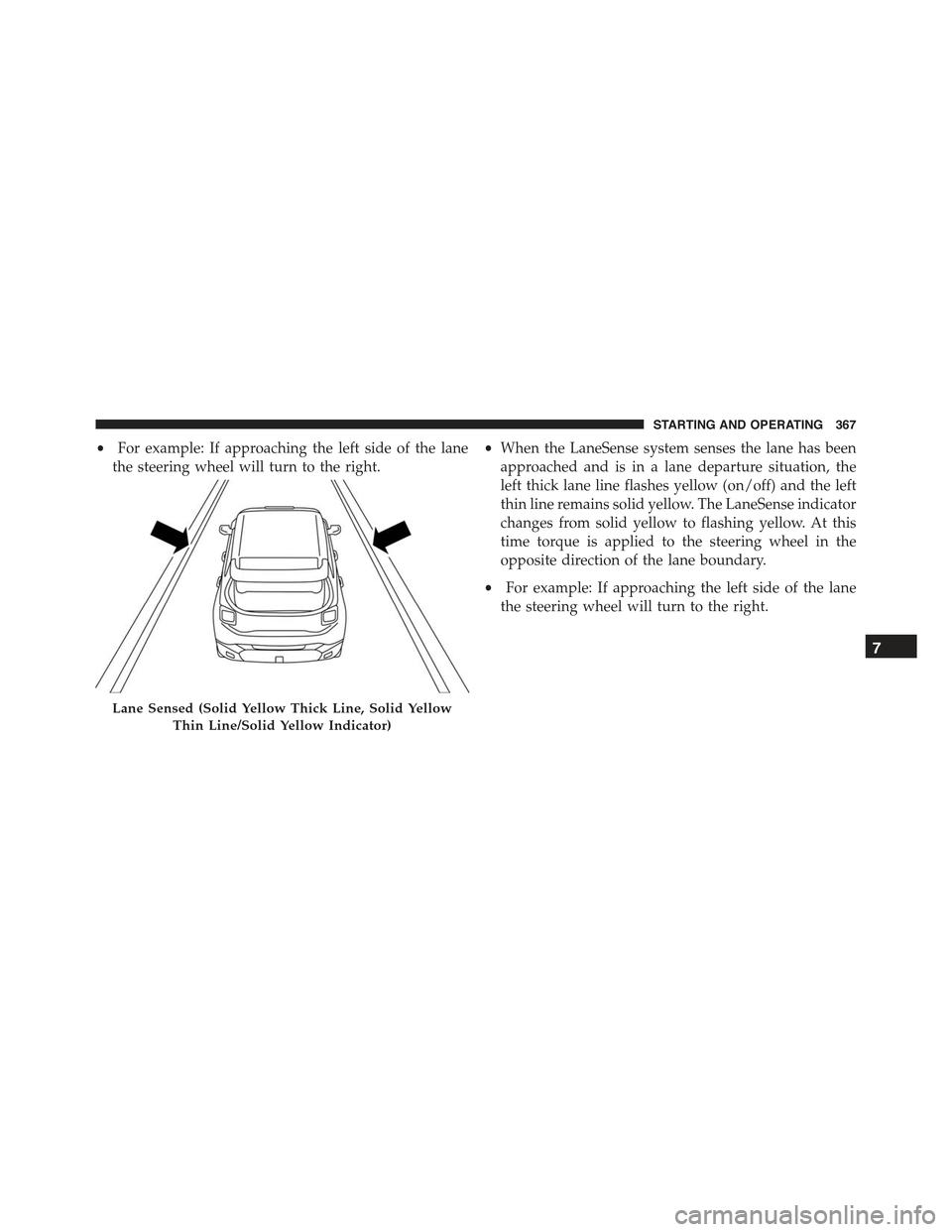
•When the LaneSense system senses the lane has been
approached and is in a lane departure situation, the
left thick lane line flashes yellow (on/off) and the left
thin line remains solid yellow. The LaneSense indicator
changes from solid yellow to flashing yellow. At this
time torque is applied to the steering wheel in the
opposite direction of the lane boundary.
•For example: If approaching the left side of the lane
the steering wheel will turn to the right.
Lane Sensed (Solid Yellow Thick Line, Solid Yellow
Thin Line/Solid Yellow Indicator)
7
STARTING AND OPERATING 367
Page 370 of 678
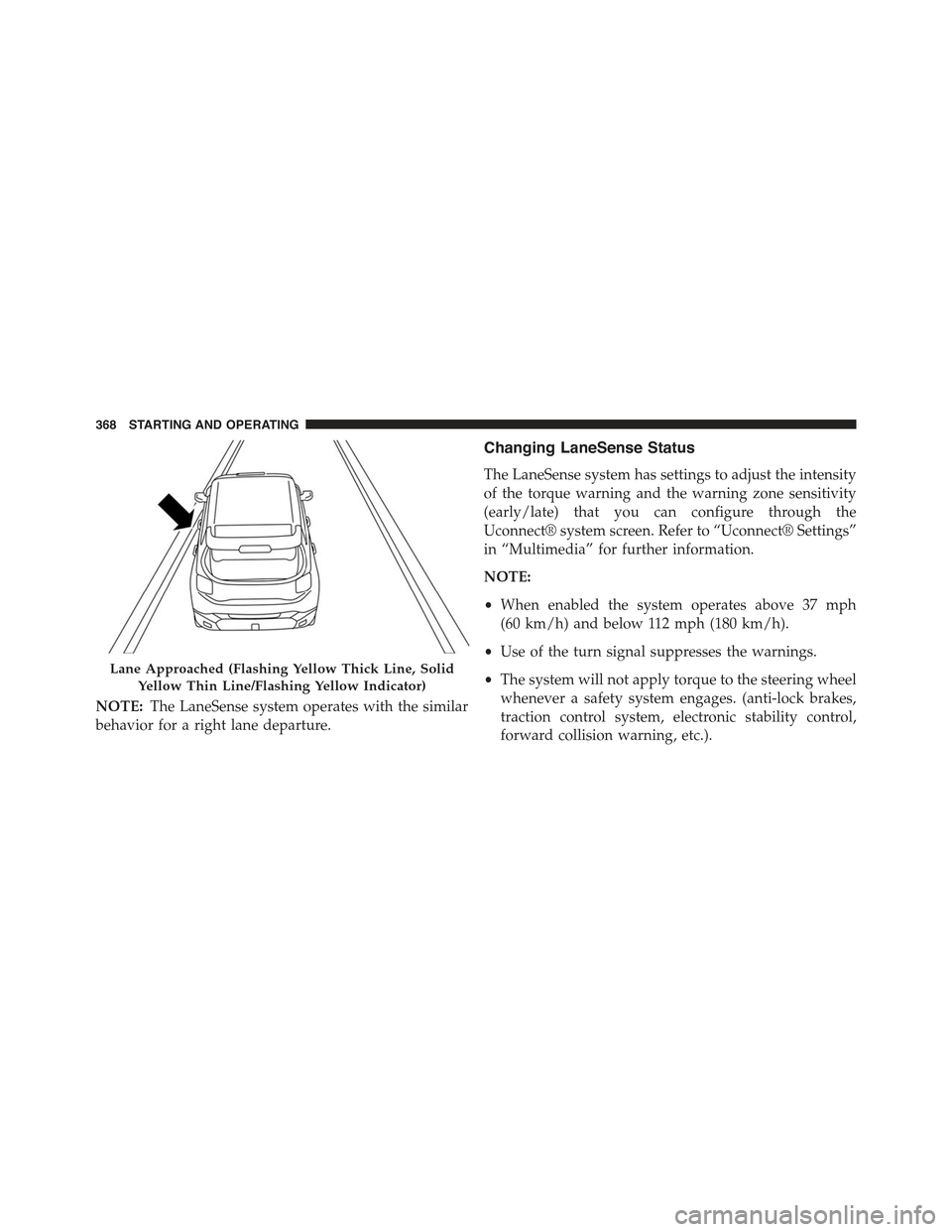
NOTE:The LaneSense system operates with the similar
behavior for a right lane departure.
Changing LaneSense Status
The LaneSense system has settings to adjust the intensity
of the torque warning and the warning zone sensitivity
(early/late) that you can configure through the
Uconnect® system screen. Refer to “Uconnect® Settings”
in “Multimedia” for further information.
NOTE:
•When enabled the system operates above 37 mph
(60 km/h) and below 112 mph (180 km/h).
•Use of the turn signal suppresses the warnings.
•The system will not apply torque to the steering wheel
whenever a safety system engages. (anti-lock brakes,
traction control system, electronic stability control,
forward collision warning, etc.).
Lane Approached (Flashing Yellow Thick Line, Solid
Yellow Thin Line/Flashing Yellow Indicator)
368 STARTING AND OPERATING
Page 378 of 678
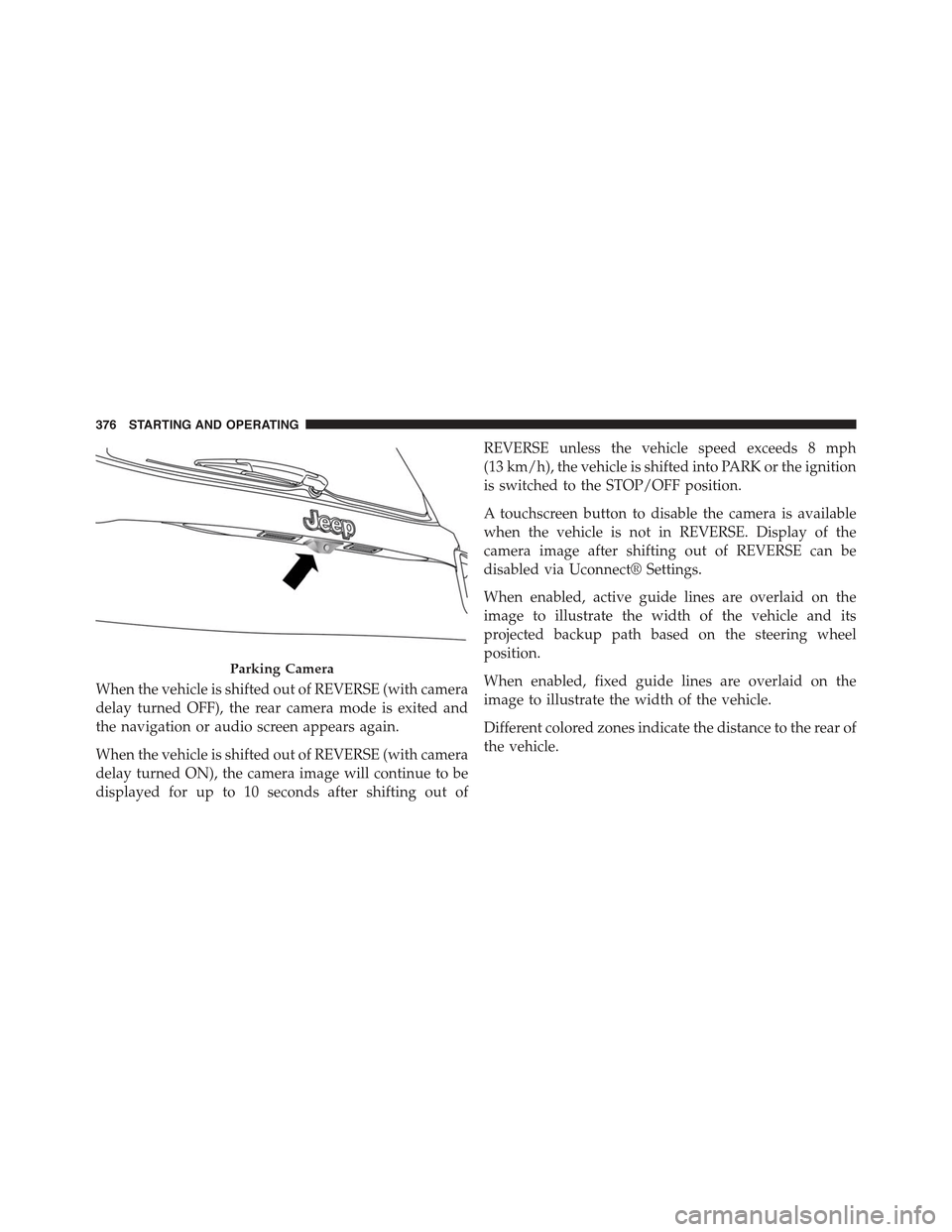
When the vehicle is shifted out of REVERSE (with camera
delay turned OFF), the rear camera mode is exited and
the navigation or audio screen appears again.
When the vehicle is shifted out of REVERSE (with camera
delay turned ON), the camera image will continue to be
displayed for up to 10 seconds after shifting out of
REVERSE unless the vehicle speed exceeds 8 mph
(13 km/h), the vehicle is shifted into PARK or the ignition
is switched to the STOP/OFF position.
A touchscreen button to disable the camera is available
when the vehicle is not in REVERSE. Display of the
camera image after shifting out of REVERSE can be
disabled via Uconnect® Settings.
When enabled, active guide lines are overlaid on the
image to illustrate the width of the vehicle and its
projected backup path based on the steering wheel
position.
When enabled, fixed guide lines are overlaid on the
image to illustrate the width of the vehicle.
Different colored zones indicate the distance to the rear of
the vehicle.
Parking Camera
376 STARTING AND OPERATING
Page 382 of 678
CAUTION!
•The TPMS has been optimized for the original
equipment tires and wheels. TPMS pressures and
warning have been established for the tire size
equipped on your vehicle. Undesirable system op-
eration or sensor damage may result when using
replacement equipment that is not of the same size,
type, and/or style. Aftermarket wheels can cause
sensor damage. Using aftermarket tire sealants may
cause the Tire Pressure Monitoring System (TPMS)
sensor to become inoperable. After using an after-
market tire sealant it is recommended that you take
your vehicle to an authorized dealership to have
your sensor function checked.
(Continued)
CAUTION!(Continued)
•After inspecting or adjusting the tire pressure,
always reinstall the valve stem cap. This will
prevent moisture and dirt from entering the valve
stem, which could damage the Tire Pressure Moni-
toring Sensor.
NOTE:
•The TPMS is not intended to replace normal tire care
and maintenance, or to provide warning of a tire
failure or condition.
•The TPMS should not be used as a tire pressure gauge
while adjusting your tire pressure.
380 STARTING AND OPERATING